
Ask AI
— answers from the official manualAnswers from the official manual.
Common questions
Common Questions
10 totalHow do I factory reset the Doro 2404?
Press Menu â Settings â Security, then select Reset all to delete phone settings and content such as contacts and messages. Enter the default phone code (1234) and press OK to confirm.
How do I charge the Doro 2404 battery?
Connect the mains adapter to both the wall socket and the charging socket on the device. Make sure not to connect other accessories as it may be dangerous.
What should I do if my phone cannot turn on?
Check that the battery is correctly installed and has enough charge. If the battery needs charging, connect the power adapter to charge the device. Recheck for proper installation or contact your service provider if necessary.
How do I set up speed dial numbers?
Go to Menu â Settings â Phonebook â Speed dial, then press Add and select an entry from the phonebook. Confirm with OK to add each number.
Can my Doro 2404 be used in any countries?
The device supports GSM 900/1800/1900 MHz networks and can be used anywhere that network coverage is available.
What happens if I enter the wrong PIN multiple times?
If you exceed the number of permitted PIN attempts, enter the PUK code to unlock your SIM card. Follow instructions: Enter PUK code and new PIN twice.
Full Manual
2 pages
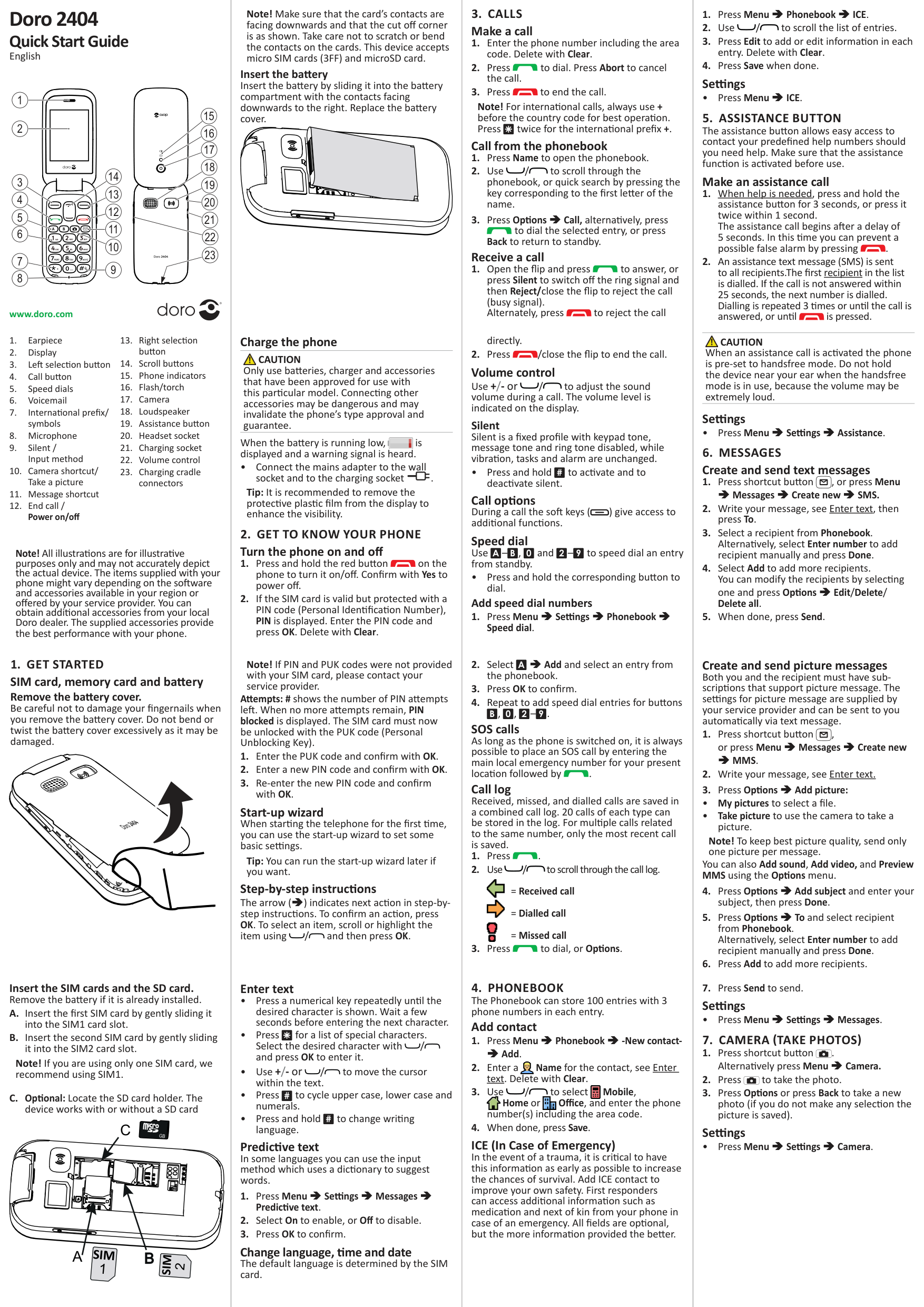
Doro 2404
Quick Start Guide
English
4 5 6
10
14
20
17
###### www.doro.com
Note! All illustrations are for illustrative purposes only and may not accurately depict the actual device. The items supplied with your phone might vary depending on the software and accessories available in your region or offered by your service provider. You can obtain additional accessories from your local Doro dealer. The supplied accessories provide the best performance with your phone.
Note! Make sure that the card’s contacts are facing downwards and that the cut off corner is as shown. Take care not to scratch or bend the contacts on the cards. This device accepts micro SIM cards (3FF) and microSD card.
Insert the battery Insert the battery by sliding it into the battery compartment with the contacts facing downwards to the right. Replace the battery cover.
#### Charge the phone

CAUTION Only use batteries, charger and accessories that have been approved for use with this particular model. Connecting other accessories may be dangerous and may invalidate the phone’s type approval and guarantee.

When the battery is running low, is displayed and a warning signal is heard.
• Connect the mains adapter to the wall
socket and to the charging socket y. Tip: It is recommended to remove the protective plastic film from the display to enhance the visibility.
#### 2. GET TO KNOW YOUR PHONE Turn the phone on and off
Note! If PIN and PUK codes were not provided with your SIM card, please contact your service provider.
Attempts: # shows the number of PIN attempts left. When no more attempts remain, PIN blocked is displayed. The SIM card must now be unlocked with the PUK code (Personal Unblocking Key).
Start-up wizard When starting the telephone for the first time, you can use the start-up wizard to set some basic settings.
Tip: You can run the start-up wizard later if you want.
Step-by-step instructions The arrow (â) indicates next action in step-bystep instructions. To confirm an action, press OK. To select an item, scroll or highlight the item using / and then press OK.
#### 3. CALLS Make a call
Note! For international calls, always use + before the country code for best operation. Press
twice for the international prefix +. Call from the phonebook
to dial the selected entry, or press Back to return to standby.
#### Receive a call
directly.
#### Volume control
Use +/- or / to adjust the sound volume during a call. The volume level is indicated on the display.
Silent Silent is a fixed profile with keypad tone, message tone and ring tone disabled, while vibration, tasks and alarm are unchanged.
• Press and hold
to activate and to deactivate silent.
#
Call options During a call the soft keys ( ) give access to additional functions.
#### Speed dial Use
to speed dial an entry from standby.
–
,
and
–
A
B
0
2
9
• Press and hold the corresponding button to dial.
##### Add speed dial numbers
A
â Add and select an entry from the phonebook.
,
,
–
.
B
0
2
9
SOS calls As long as the phone is switched on, it is always possible to place an SOS call by entering the main local emergency number for your present location followed by .
Call log Received, missed, and dialled calls are saved in a combined call log. 20 calls of each type can be stored in the log. For multiple calls related to the same number, only the most recent call is saved.

= Received call

= Dialled call = Missed call

Settings
• Press Menu â ICE.

CAUTION When an assistance call is activated the phone is pre-set to handsfree mode. Do not hold the device near your ear when the handsfree mode is in use, because the volume may be extremely loud.
Settings
• Press Menu â Settings â Assistance.
Create and send picture messages Both you and the recipient must have subscriptions that support picture message. The settings for picture message are supplied by your service provider and can be sent to you automatically via text message.
Note! To keep best picture quality, send only one picture per message.
You can also Add sound, Add video, and Preview MMS using the Options menu.
Settings
• Press Menu â Settings â Messages.
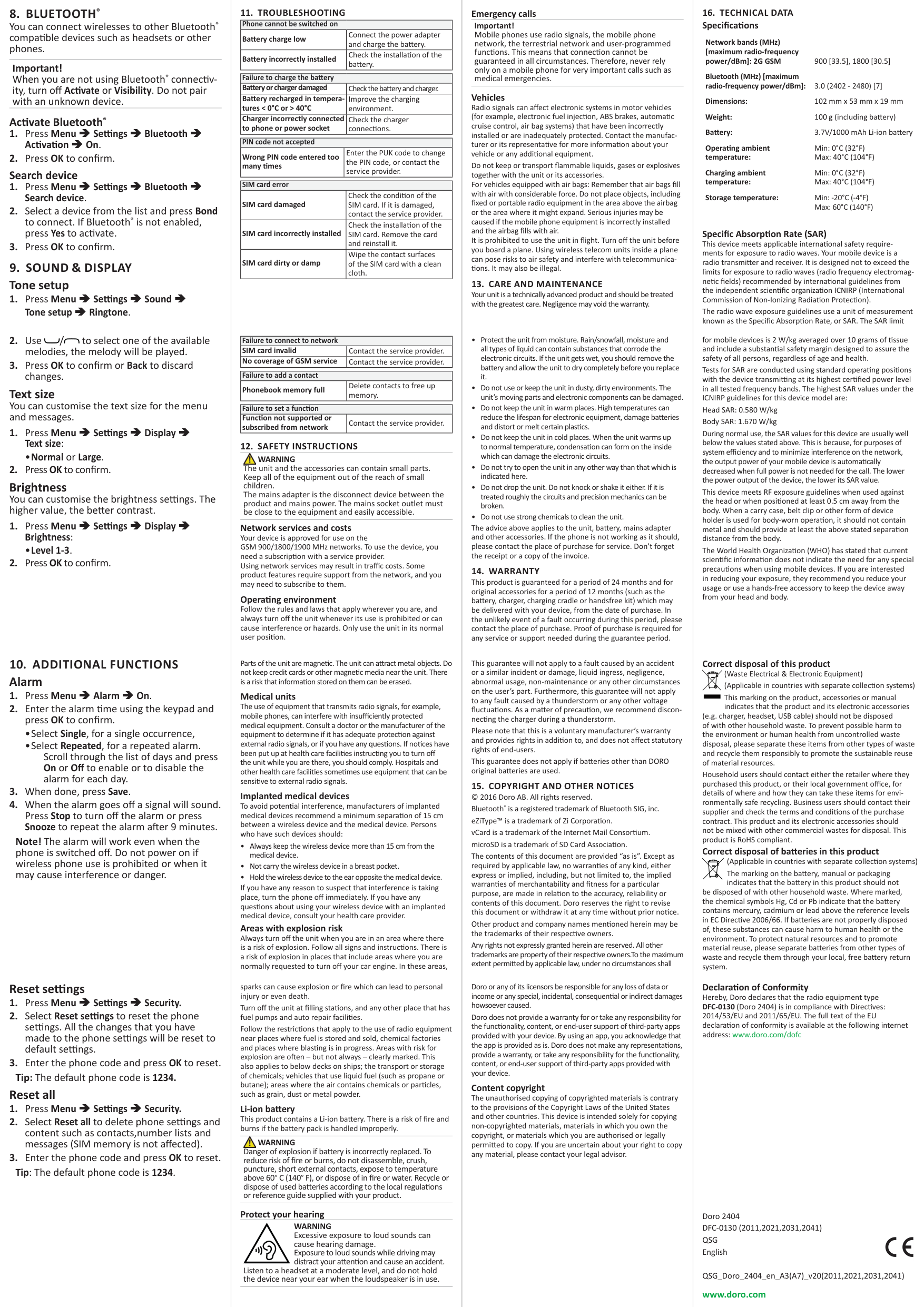
Insert the SIM cards and the SD card. Remove the battery if it is already installed.
Note! If you are using only one SIM card, we recommend using SIM1.
C
GB
SIM
A
B
SIM
#### Enter text
#
to cycle upper case, lower case and numerals.
to change writing language.
#
Predictive text In some languages you can use the input method which uses a dictionary to suggest words.
Change language, time and date The default language is determined by the SIM card.
#### Add contact

number(s) including the area code.
ICE (In Case of Emergency) In the event of a trauma, it is critical to have this information as early as possible to increase the chances of survival. Add ICE contact to improve your own safety. First responders can access additional information such as medication and next of kin from your phone in case of an emergency. All fields are optional, but the more information provided the better.
#### Settings
• Press Menu â Settings â Camera.
Important! When you are not using Bluetooth® connectivity, turn off Activate or Visibility. Do not pair with an unknown device.
Activate Bluetooth®
Text size You can customise the text size for the menu and messages.
•Normal or Large.
Brightness You can customise the brightness settings. The higher value, the better contrast.
•Level 1-3.
|Phone cannot be switched on|Phone cannot be switched on| |---|---| |Battery charge low|Connect the power adapter and charge the battery.| |Battery incorrectly installed|Check the installation of the battery.|
|Failure to charge the battery|Failure to charge the battery| |---|---| |Battery or charger damaged|Check the battery and charger.| |Battery recharged in temperatures < 0°C or > 40°C|Improve the charging environment.| |Charger incorrectly connected to phone or power socket|Check the charger connections.|
|PIN code not accepted|PIN code not accepted| |---|---| |Wrong PIN code entered too many times|Enter the PUK code to change the PIN code, or contact the service provider.|
|SIM card error|SIM card error| |---|---| |SIM card damaged|Check the condition of the SIM card. If it is damaged, contact the service provider.| |SIM card incorrectly installed|Check the installation of the SIM card. Remove the card and reinstall it.| |SIM card dirty or damp|Wipe the contact surfaces of the SIM card with a clean cloth.|
|Failure to connect to network|Failure to connect to network| |---|---| |SIM card invalid|Contact the service provider.| |No coverage of GSM service|Contact the service provider.|
|Failure to add a contact|Failure to add a contact| |---|---| |Phonebook memory full|Delete contacts to free up memory.|
|Failure to set a function|Failure to set a function| |---|---| |Function not supported or subscribed from network|Contact the service provider.|

WARNING The unit and the accessories can contain small parts. Keep all of the equipment out of the reach of small children. The mains adapter is the disconnect device between the product and mains power. The mains socket outlet must be close to the equipment and easily accessible.
Network services and costs Your device is approved for use on the GSM 900/1800/1900 MHz networks. To use the device, you need a subscription with a service provider. Using network services may result in traffic costs. Some product features require support from the network, and you may need to subscribe to them.
Operating environment Follow the rules and laws that apply wherever you are, and always turn off the unit whenever its use is prohibited or can cause interference or hazards. Only use the unit in its normal user position.
Parts of the unit are magnetic. The unit can attract metal objects. Do not keep credit cards or other magnetic media near the unit. There is a risk that information stored on them can be erased.
Medical units The use of equipment that transmits radio signals, for example, mobile phones, can interfere with insufficiently protected medical equipment. Consult a doctor or the manufacturer of the equipment to determine if it has adequate protection against external radio signals, or if you have any questions. If notices have been put up at health care facilities instructing you to turn off the unit while you are there, you should comply. Hospitals and other health care facilities sometimes use equipment that can be sensitive to external radio signals.
Implanted medical devices To avoid potential interference, manufacturers of implanted medical devices recommend a minimum separation of 15 cm between a wireless device and the medical device. Persons who have such devices should:
Areas with explosion risk Always turn off the unit when you are in an area where there is a risk of explosion. Follow all signs and instructions. There is a risk of explosion in places that include areas where you are normally requested to turn off your car engine. In these areas,
sparks can cause explosion or fire which can lead to personal injury or even death. Turn off the unit at filling stations, and any other place that has fuel pumps and auto repair facilities. Follow the restrictions that apply to the use of radio equipment near places where fuel is stored and sold, chemical factories and places where blasting is in progress. Areas with risk for explosion are often – but not always – clearly marked. This also applies to below decks on ships; the transport or storage of chemicals; vehicles that use liquid fuel (such as propane or butane); areas where the air contains chemicals or particles, such as grain, dust or metal powder.
Li-ion battery This product contains a Li-ion battery. There is a risk of fire and burns if the battery pack is handled improperly.

WARNING Danger of explosion if battery is incorrectly replaced. To reduce risk of fire or burns, do not disassemble, crush, puncture, short external contacts, expose to temperature above 60° C (140° F), or dispose of in fire or water. Recycle or dispose of used batteries according to the local regulations or reference guide supplied with your product.
Protect your hearing
WARNING Excessive exposure to loud sounds can cause hearing damage. Exposure to loud sounds while driving may distract your attention and cause an accident.
Listen to a headset at a moderate level, and do not hold the device near your ear when the loudspeaker is in use.
Emergency calls
Important! Mobile phones use radio signals, the mobile phone network, the terrestrial network and user-programmed functions. This means that connection cannot be guaranteed in all circumstances. Therefore, never rely only on a mobile phone for very important calls such as medical emergencies.
Vehicles Radio signals can affect electronic systems in motor vehicles (for example, electronic fuel injection, ABS brakes, automatic cruise control, air bag systems) that have been incorrectly installed or are inadequately protected. Contact the manufacturer or its representative for more information about your vehicle or any additional equipment. Do not keep or transport flammable liquids, gases or explosives together with the unit or its accessories. For vehicles equipped with air bags: Remember that air bags fill with air with considerable force. Do not place objects, including fixed or portable radio equipment in the area above the airbag or the area where it might expand. Serious injuries may be caused if the mobile phone equipment is incorrectly installed and the airbag fills with air. It is prohibited to use the unit in flight. Turn off the unit before you board a plane. Using wireless telecom units inside a plane can pose risks to air safety and interfere with telecommunications. It may also be illegal.
This guarantee will not apply to a fault caused by an accident or a similar incident or damage, liquid ingress, negligence, abnormal usage, non-maintenance or any other circumstances on the user’s part. Furthermore, this guarantee will not apply to any fault caused by a thunderstorm or any other voltage fluctuations. As a matter of precaution, we recommend disconnecting the charger during a thunderstorm. Please note that this is a voluntary manufacturer’s warranty and provides rights in addition to, and does not affect statutory rights of end-users. This guarantee does not apply if batteries other than DORO original batteries are used.
The contents of this document are provided “as is”. Except as required by applicable law, no warranties of any kind, either express or implied, including, but not limited to, the implied warranties of merchantability and fitness for a particular purpose, are made in relation to the accuracy, reliability or contents of this document. Doro reserves the right to revise this document or withdraw it at any time without prior notice. Other product and company names mentioned herein may be the trademarks of their respective owners. Any rights not expressly granted herein are reserved. All other trademarks are property of their respective owners.To the maximum extent permitted by applicable law, under no circumstances shall
Doro or any of its licensors be responsible for any loss of data or income or any special, incidental, consequential or indirect damages howsoever caused.
Doro does not provide a warranty for or take any responsibility for the functionality, content, or end-user support of third-party apps provided with your device. By using an app, you acknowledge that the app is provided as is. Doro does not make any representations, provide a warranty, or take any responsibility for the functionality, content, or end-user support of third-party apps provided with your device.
Content copyright The unauthorised copying of copyrighted materials is contrary to the provisions of the Copyright Laws of the United States and other countries. This device is intended solely for copying non-copyrighted materials, materials in which you own the copyright, or materials which you are authorised or legally permitted to copy. If you are uncertain about your right to copy any material, please contact your legal advisor.
Network bands (MHz) [maximum radio-frequency power/dBm]: 2G GSM 900 [33.5], 1800 [30.5]
Bluetooth (MHz) [maximum radio-frequency power/dBm]: 3.0 (2402 - 2480) [7]
Dimensions: 102 mm x 53 mm x 19 mm Weight: 100 g (including battery) Battery: 3.7V/1000 mAh Li-ion battery Operating ambient temperature:
Min: 0°C (32°F) Max: 40°C (104°F)
Charging ambient temperature:
Min: 0°C (32°F) Max: 40°C (104°F)
Storage temperature: Min: -20°C (-4°F)
Max: 60°C (140°F)
Specific Absorption Rate (SAR) This device meets applicable international safety requirements for exposure to radio waves. Your mobile device is a radio transmitter and receiver. It is designed not to exceed the limits for exposure to radio waves (radio frequency electromagnetic fields) recommended by international guidelines from the independent scientific organization ICNIRP (International Commission of Non-Ionizing Radiation Protection). The radio wave exposure guidelines use a unit of measurement known as the Specific Absorption Rate, or SAR. The SAR limit
for mobile devices is 2 W/kg averaged over 10 grams of tissue and include a substantial safety margin designed to assure the safety of all persons, regardless of age and health.
Tests for SAR are conducted using standard operating positions with the device transmitting at its highest certified power level in all tested frequency bands. The highest SAR values under the ICNIRP guidelines for this device model are:
Head SAR: 0.580 W/kg Body SAR: 1.670 W/kg During normal use, the SAR values for this device are usually well below the values stated above. This is because, for purposes of system efficiency and to minimize interference on the network, the output power of your mobile device is automatically decreased when full power is not needed for the call. The lower the power output of the device, the lower its SAR value. This device meets RF exposure guidelines when used against the head or when positioned at least 0.5 cm away from the body. When a carry case, belt clip or other form of device holder is used for body-worn operation, it should not contain metal and should provide at least the above stated separation distance from the body. The World Health Organization (WHO) has stated that current scientific information does not indicate the need for any special precautions when using mobile devices. If you are interested in reducing your exposure, they recommend you reduce your usage or use a hands-free accessory to keep the device away from your head and body.
Correct disposal of this product (Waste Electrical & Electronic Equipment) (Applicable in countries with separate collection systems) This marking on the product, accessories or manual indicates that the product and its electronic accessories

(e.g. charger, headset, USB cable) should not be disposed of with other household waste. To prevent possible harm to the environment or human health from uncontrolled waste disposal, please separate these items from other types of waste and recycle them responsibly to promote the sustainable reuse of material resources. Household users should contact either the retailer where they purchased this product, or their local government office, for details of where and how they can take these items for environmentally safe recycling. Business users should contact their supplier and check the terms and conditions of the purchase contract. This product and its electronic accessories should not be mixed with other commercial wastes for disposal. This product is RoHS compliant. Correct disposal of batteries in this product
(Applicable in countries with separate collection systems) The marking on the battery, manual or packaging indicates that the battery in this product should not
be disposed of with other household waste. Where marked, the chemical symbols Hg, Cd or Pb indicate that the battery contains mercury, cadmium or lead above the reference levels in EC Directive 2006/66. If batteries are not properly disposed of, these substances can cause harm to human health or the environment. To protect natural resources and to promote material reuse, please separate batteries from other types of waste and recycle them through your local, free battery return system.
Note! The alarm will work even when the phone is switched off. Do not power on if wireless phone use is prohibited or when it may cause interference or danger.
#### Reset settings
#### Reset all
Declaration of Conformity Hereby, Doro declares that the radio equipment type DFC-0130 (Doro 2404) is in compliance with Directives: 2014/53/EU and 2011/65/EU. The full text of the EU declaration of conformity is available at the following internet address: www.doro.com/dofc
Doro 2404 DFC-0130 (2011,2021,2031,2041) QSG English
QSG_Doro_2404_en_A3(A7)_v20(2011,2021,2031,2041)
www.doro.com