
Honor 5504aaal Choice Earbuds X3 Lite
Ask AI
— answers from the official manualAnswers from the official manual.
Common questions
Common Questions
10 totalHow do I check battery levels of my earbuds?
Check the notification bar on your phone for the battery icon once connected. If placed back in the charging case, a red or green light will indicate the remaining percentage of charge.
What should I do if I need help with troubleshooting an issue?
Refer to the user guide's related manuals resources section or visit the HONOR CHOICE X3 True Wireless Earbuds User Guide online for additional support and guides.
What happens when long-pressing an earbud?
Long pressing on either the left or right earbud enters game mode, allows entering/exit game mode, or rejects incoming calls based on use context.
Where can I find more details about pairing and using features of HONOR CHOICE X3 earbuds?
Refer to the contents section within the user guide for detailed information on pairing, touch controls, appearance, charging, and checking battery levels.
How do I pair the HONOR CHOICE X3 earbuds?
On first use, take out the earbuds from the charging case and the Bluetooth headset will start pairing automatically. Connect it to your device via Bluetooth settings.
What does double-tapping on an earbud do?
Double-tapping on either the left or right earbud allows you to play/pause music and answer/end calls, as indicated in the touch controls section.
Full Manual
5 pages

Skip to content Manuals+ User Manuals Simplified.

HONOR CHOICE X3 True Wireless Earbuds User Guide
June 27, 2022June 28, 2022 Leave a comment on HONOR CHOICE X3 True Wireless Earbuds User Guide Home » HONOR CHOICE » HONOR CHOICE X3 True Wireless Earbuds User Guide

Earbuds X3 CHOICE Quick Start Guide Contents hide

Pairing

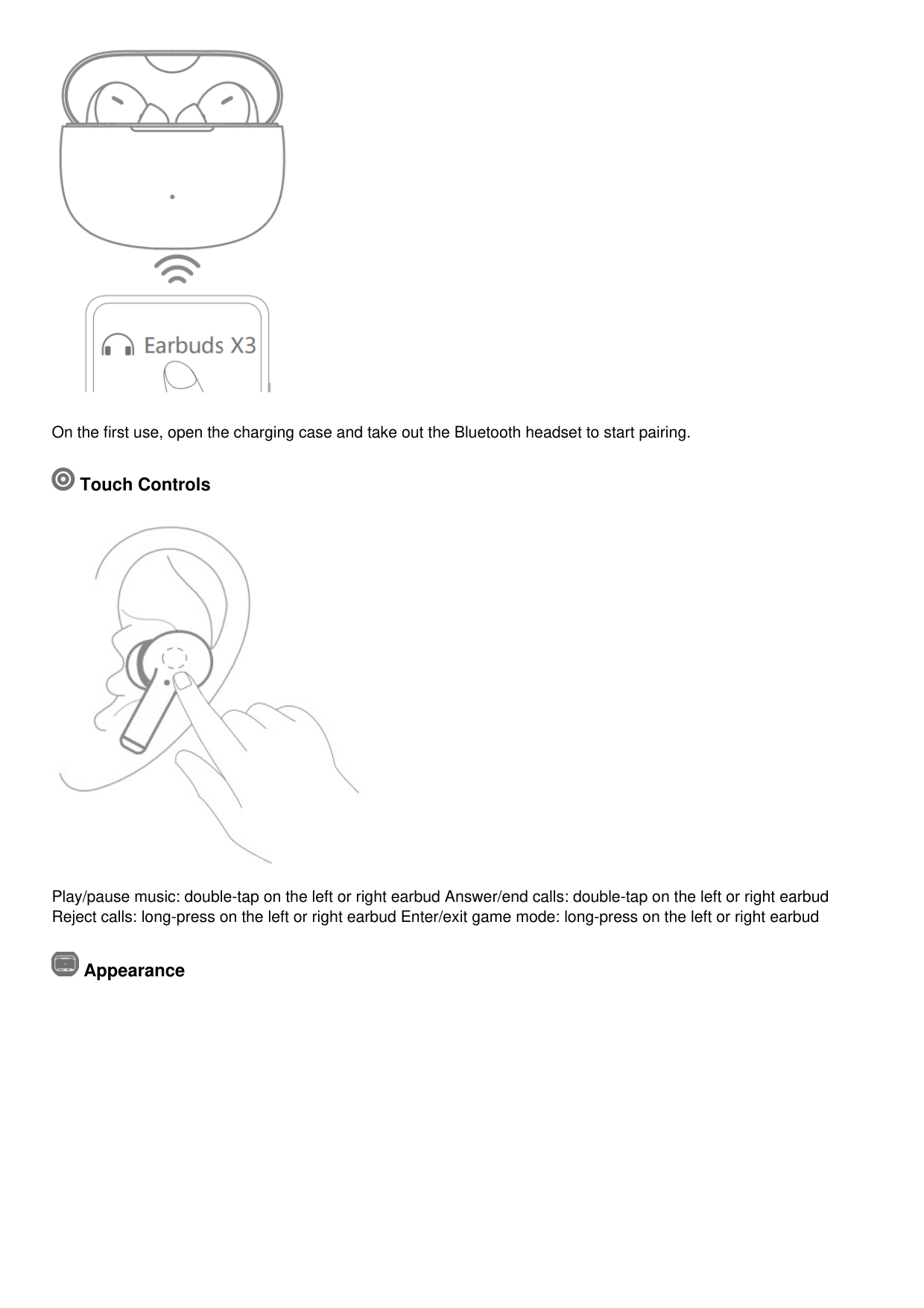
On the first use, open the charging case and take out the Bluetooth headset to start pairing.

Touch Controls

Play/pause music: double-tap on the left or right earbud Answer/end calls: double-tap on the left or right earbud Reject calls: long-press on the left or right earbud Enter/exit game mode: long-press on the left or right earbud

Appearance

Packing list Wireless Bluetooth earbuds: 1 pair Earplugs: 3 pairs Charging case: 1 Type-C charging cable: 1 Instruction manual: 1

Charging
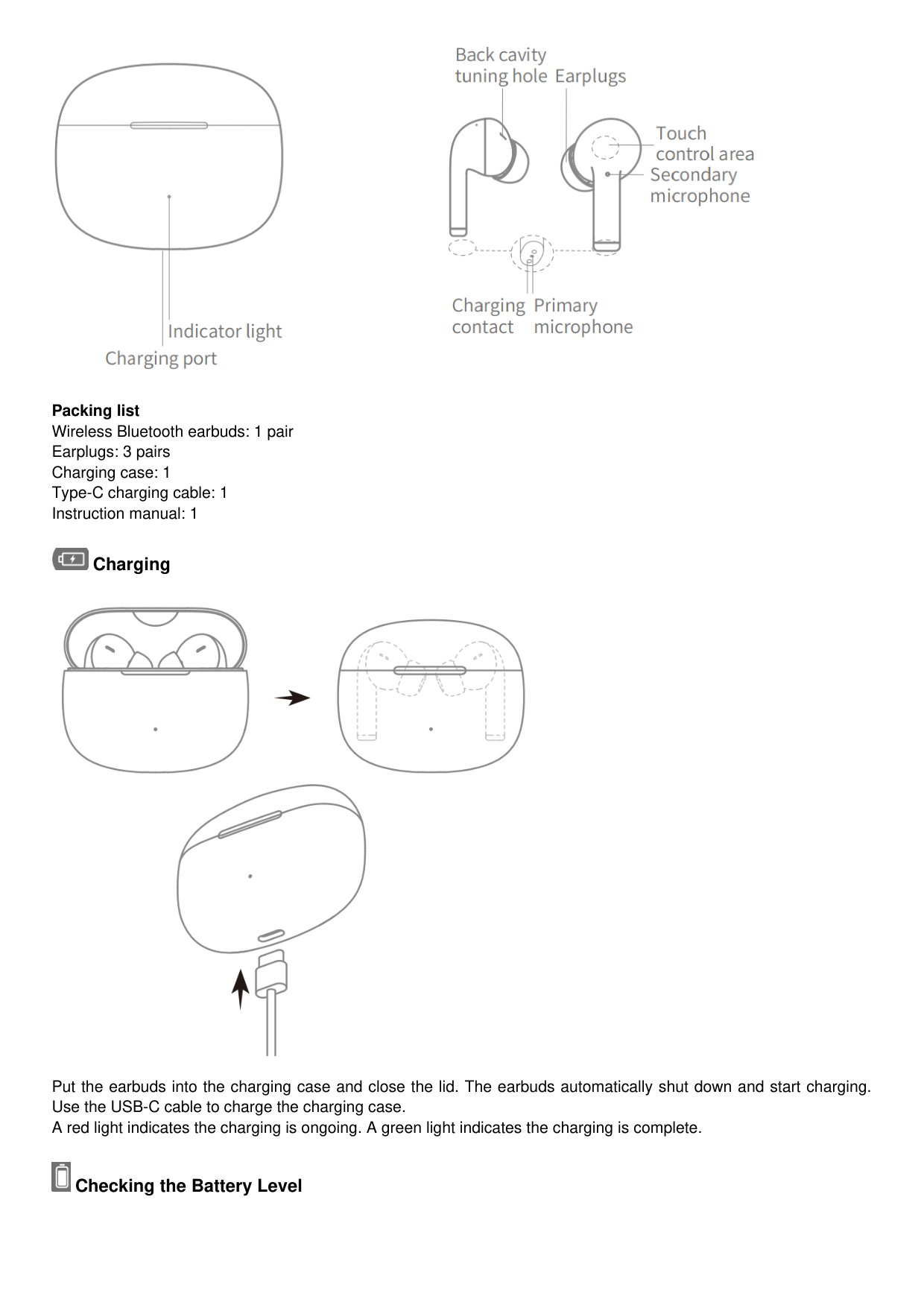

Put the earbuds into the charging case and close the lid. The earbuds automatically shut down and start charging. Use the USB-C cable to charge the charging case. A red light indicates the charging is ongoing. A green light indicates the charging is complete.

Checking the Battery Level


Check the battery level of the earbuds
After the earbuds are connected to the phone, check the battery icon on the notification bar at the top of the phone screen. When the earbuds are put into the charging case and the case is closed, the indicator on the case lights up for 5 seconds. A red light indicates battery 20%. A green light indicates battery ≥ 20%. If the red light flashes 5 times, the battery 5%.

Check the battery level of the charging case
When opening or closing the charging case, the indicator on the case lights up for 5 seconds. A red light indicates battery 20%. A green light indicates battery ≥ 20%. If the red light flashes 5 times, the battery 5%. If no light, the case should be charged.
Product: Bluetooth earbuds Model: WT50106-01 FCC ID:2A6XN-WT50106-01 Output power: 9.5dBm Bluetooth band: 2400MHz-2483MHz The internal encoding

300404131072E01 TRA REGISTERED No: ER00×××

DEALER No: DA881×××

Documents / Resources

HONOR CHOICE X3 True Wireless Earbuds [pdf] User Guide WT50106-01, WT5010601, 2A6XN-WT50106-01, 2A6XNWT5010601, X3 True Wireless Earbuds, X3, True Wireless Earbuds, Earbuds X3
Related Manuals / Resources
Leave a comment


HONOR Choice Earbuds X True Wireless Earbuds User Guide
Choice Earbuds X True Wireless Earbuds User Guide Restore Factory Settings Open the case lid and long-press on…
True Wireless Earbuds User Manual True Wireless Earbuds User Manual
SENTRY LBT975 True Wireless Earbuds Instruction Manual LBT975 True Wireless Earbuds

JAM HXEP410A True Wireless Earbuds User Guide
JAM HXEP410A True Wireless Earbuds What is in the box Lights indicator Bluetooth Feature Calling Volume Battery
Your email address will not be published. Required fields are marked
Comment * Name
Website Save my name, email, and website in this browser for the next time I comment.
|Post Comment| |---|
Manuals+,
home privacy