
Ask AI
— answers from the official manualAnswers from the official manual.
Common questions
Common Questions
8 totalHow do I reset my Soundcore Liberty 2 earbuds?
Place the earbuds into the charging case while ensuring they are being charged. Keep the charging case open, then press and hold the button on the charging case for 10 seconds until the LED indicators on both earbuds flash red three times. This clears all memory data.
What should I do if my Soundcore Liberty 2 earbuds won't connect to my device?
To reset and re-pair the earbuds, place them in the charging case with the cover open and press and hold the button on the charging case for 10 seconds until the LEDs flash red. Afterward, they can be paired again properly.
How long do the Soundcore Liberty 2 earbuds take to charge fully?
The Soundcore Liberty 2 Pro earbuds have a charging time of approximately 1.5 hours. After full charging, they provide up to 8 hours of playtime (totally 32 hours with the charging case).
How do I connect my Soundcore Liberty 2 earbuds to a new device?
To pair your earbuds with another Bluetooth device, place them back into the charging case and ensure they are being charged. Keep the case open, then press and hold the button on the charging case for 3 seconds until the LED on the right earbud flashes rapidly.
Can I customize controls in stereo mode?
All of the controls in stereo mode can be customized via the Soundcore App. Refer to the app instructions for specific configurations.
How do I power off my Soundcore Liberty 2 earbuds?
To manually power off, press and hold the multi-function button on either one of the earbuds for 5 seconds until they turn off.
Full Manual
7 pages
Soundcore Liberty 2 Pro
USER MANUAL
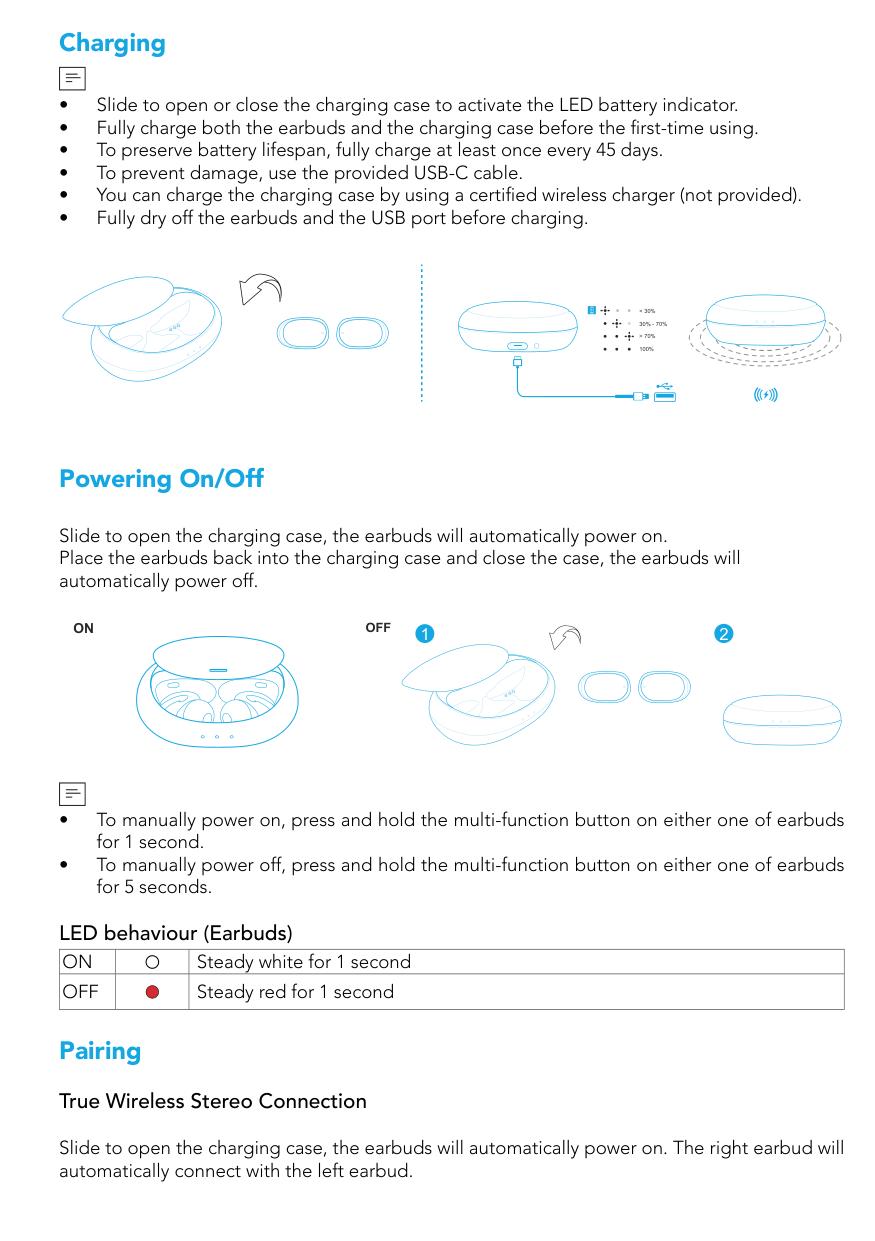
Charging
| | |---|
< 30%
30% - 70%
> 70%
100%
Powering On/Off
Slide to open the charging case, the earbuds will automatically power on. Place the earbuds back into the charging case and close the case, the earbuds will automatically power off.
########### 21OFFON
| | |---|
LED behaviour (Earbuds)
|ON| |Steady white for 1 second| |---|---|---| |OFF| |Steady red for 1 second|
Pairing True Wireless Stereo Connection
Slide to open the charging case, the earbuds will automatically power on. The right earbud will automatically connect with the left earbud.
########## LED behaviour (Earbuds)
| |Breathing white|TWS connecting| |---|---|---| | |Steady white for 1 second|TWS connected|
| | |---|
######### Bluetooth Pairing with your Device
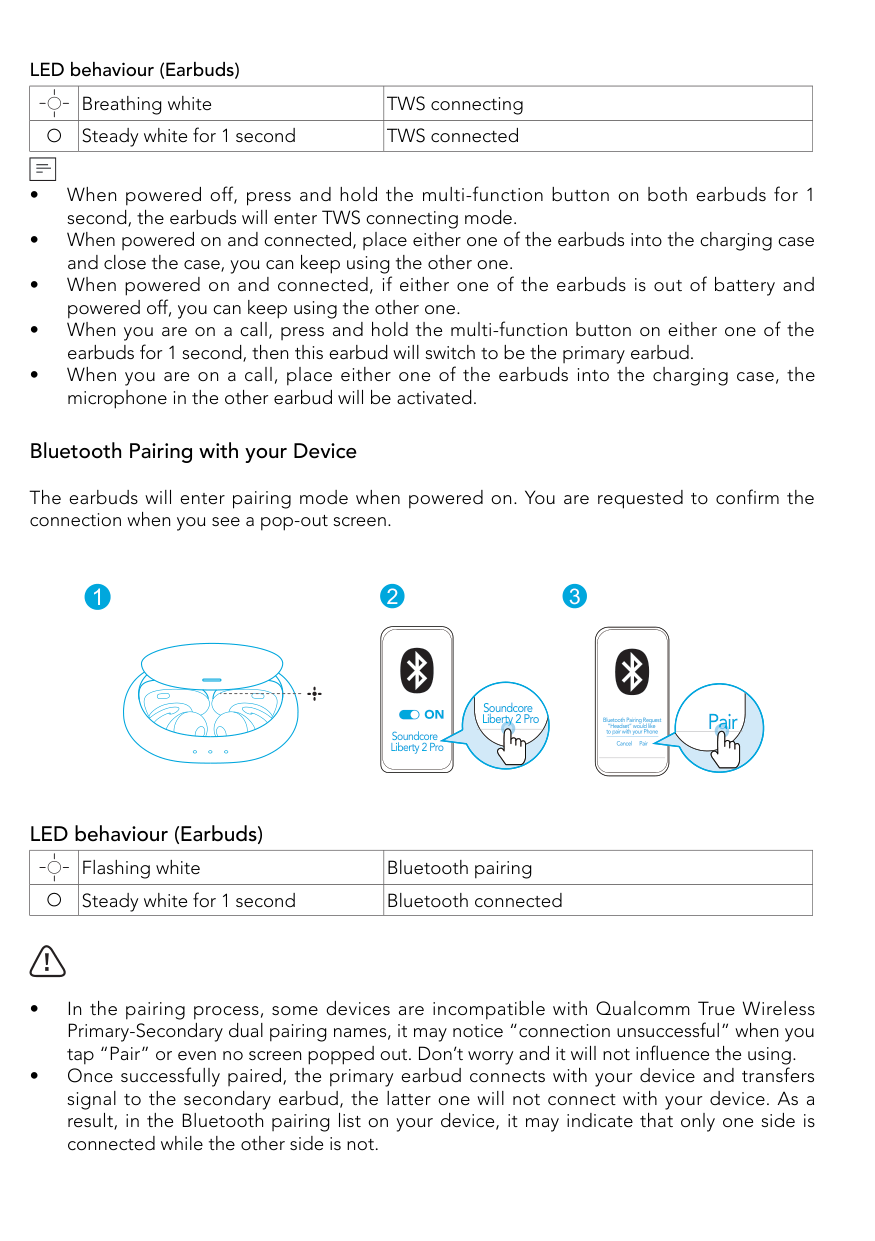
The earbuds will enter pairing mode when powered on. You are requested to confirm the connection when you see a pop-out screen.
##### 21 3
Soundcore Liberty 2 Pro Bluetooth Pairing Request
######## Pair
“Headset” would like to pair with your Phone
Soundcore Liberty 2 Pro
Cancel Pair
######### LED behaviour (Earbuds)
| |Flashing white|Bluetooth pairing| |---|---|---| | |Steady white for 1 second|Bluetooth connected|
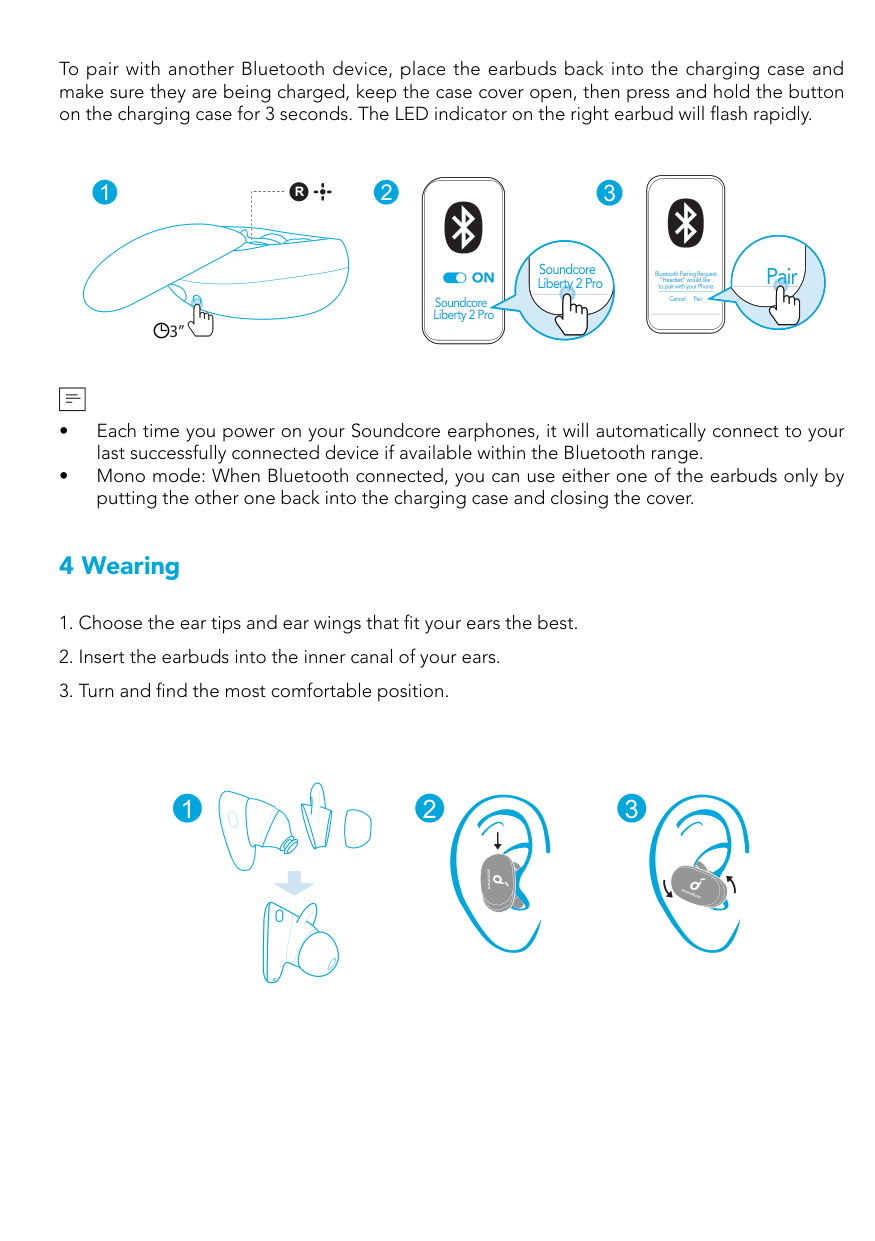
To pair with another Bluetooth device, place the earbuds back into the charging case and make sure they are being charged, keep the case cover open, then press and hold the button on the charging case for 3 seconds. The LED indicator on the right earbud will flash rapidly.
####### R1 2
###### 3
Soundcore Liberty 2 Pro
Pair
Bluetooth Pairing Request “Headset” would like to pair with your Phone
Soundcore Liberty 2 Pro
Cancel Pair
3”
| | |---|
4 Wearing
1 2 3
Controls
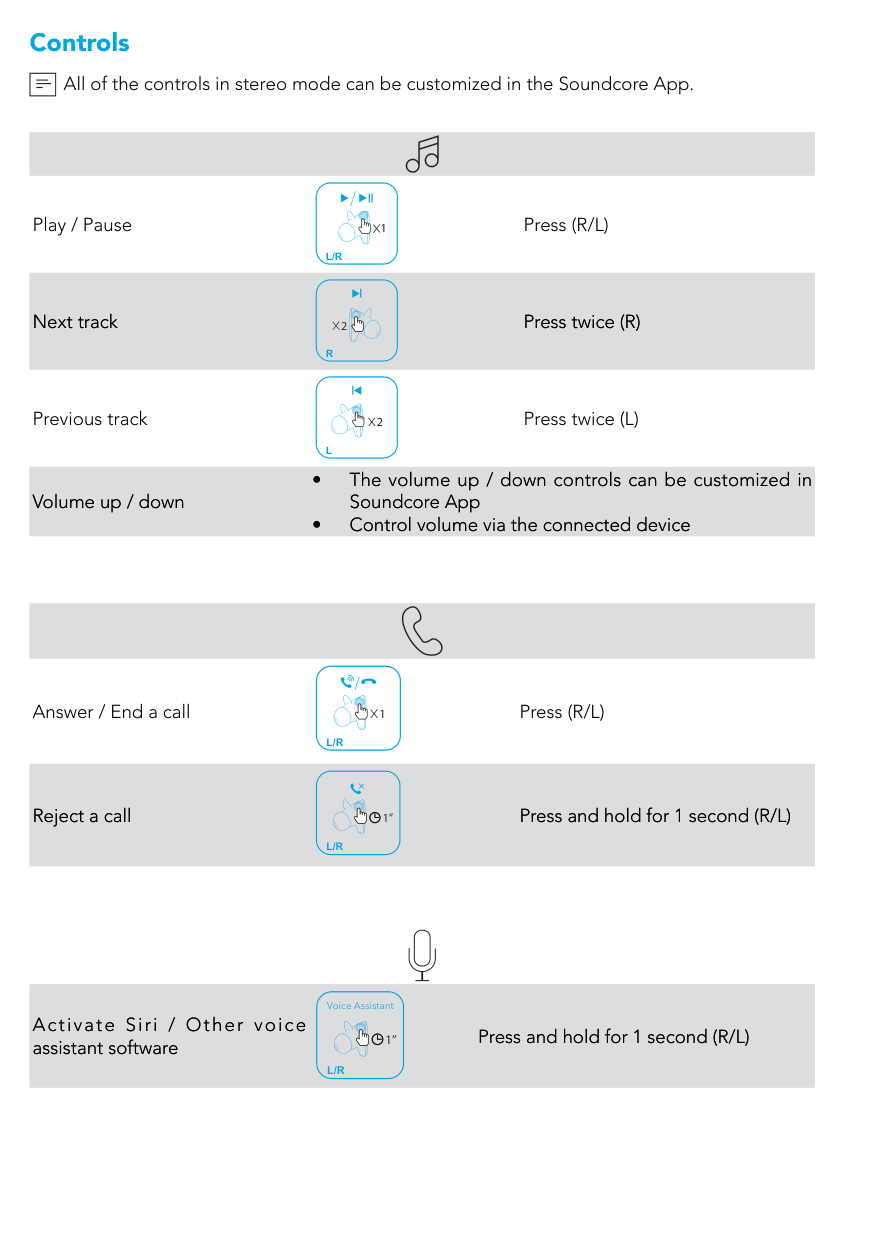
All of the controls in stereo mode can be customized in the Soundcore App.
| |
|---|
Play / Pause
Next track
Previous track
Volume up / down
1 Press (R/L)
L/R
2 Press twice (R)
R
2 Press twice (L)
L
Answer / End a call
Reject a call
1 Press (R/L)
L/R
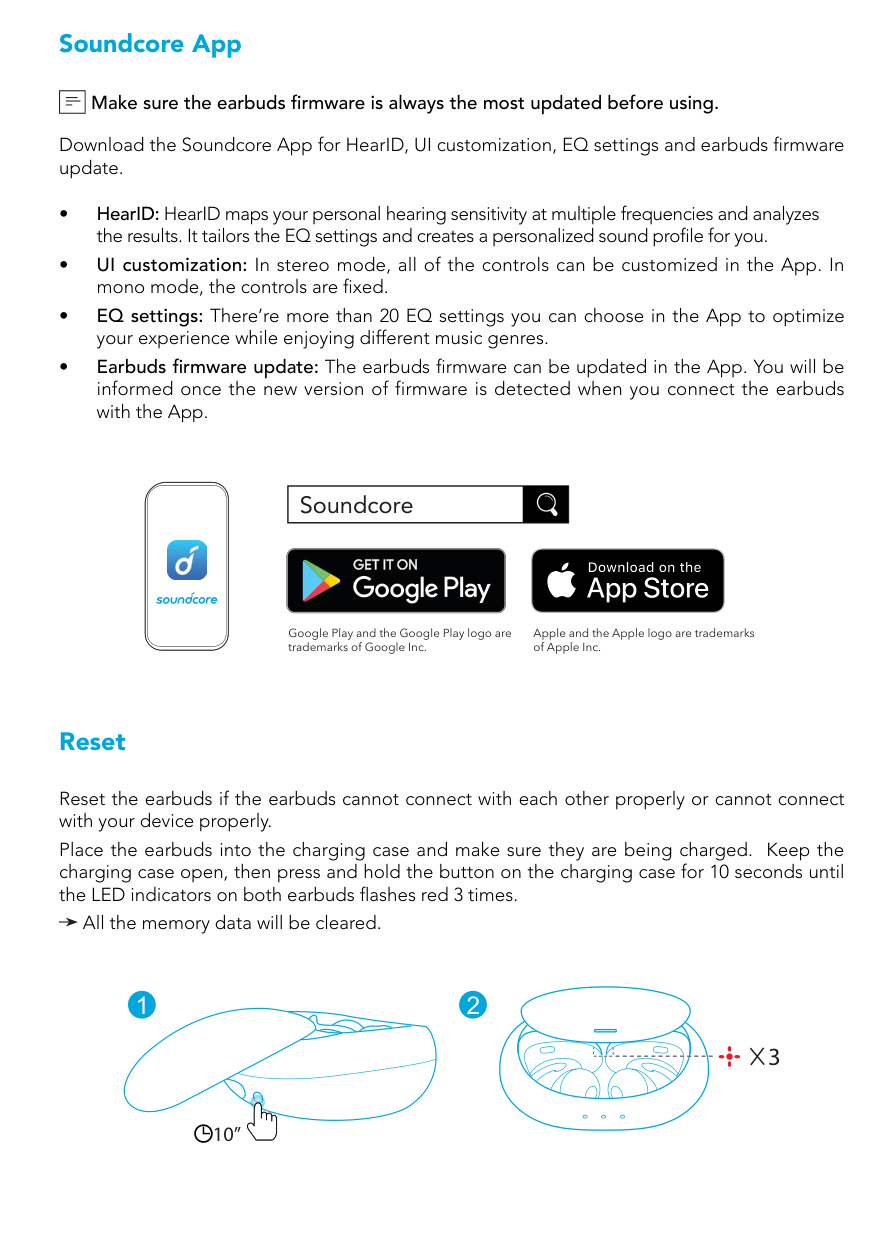
1” Press and hold for 1 second (R/L)
L/R
Voice Assistant
Activate Siri / Other voice assistant software
1” Press and hold for 1 second (R/L)
L/R
Soundcore App
########## Make sure the earbuds firmware is always the most updated before using.
| | |---|
Download the Soundcore App for HearID, UI customization, EQ settings and earbuds firmware update.

|Soundcore| |---|
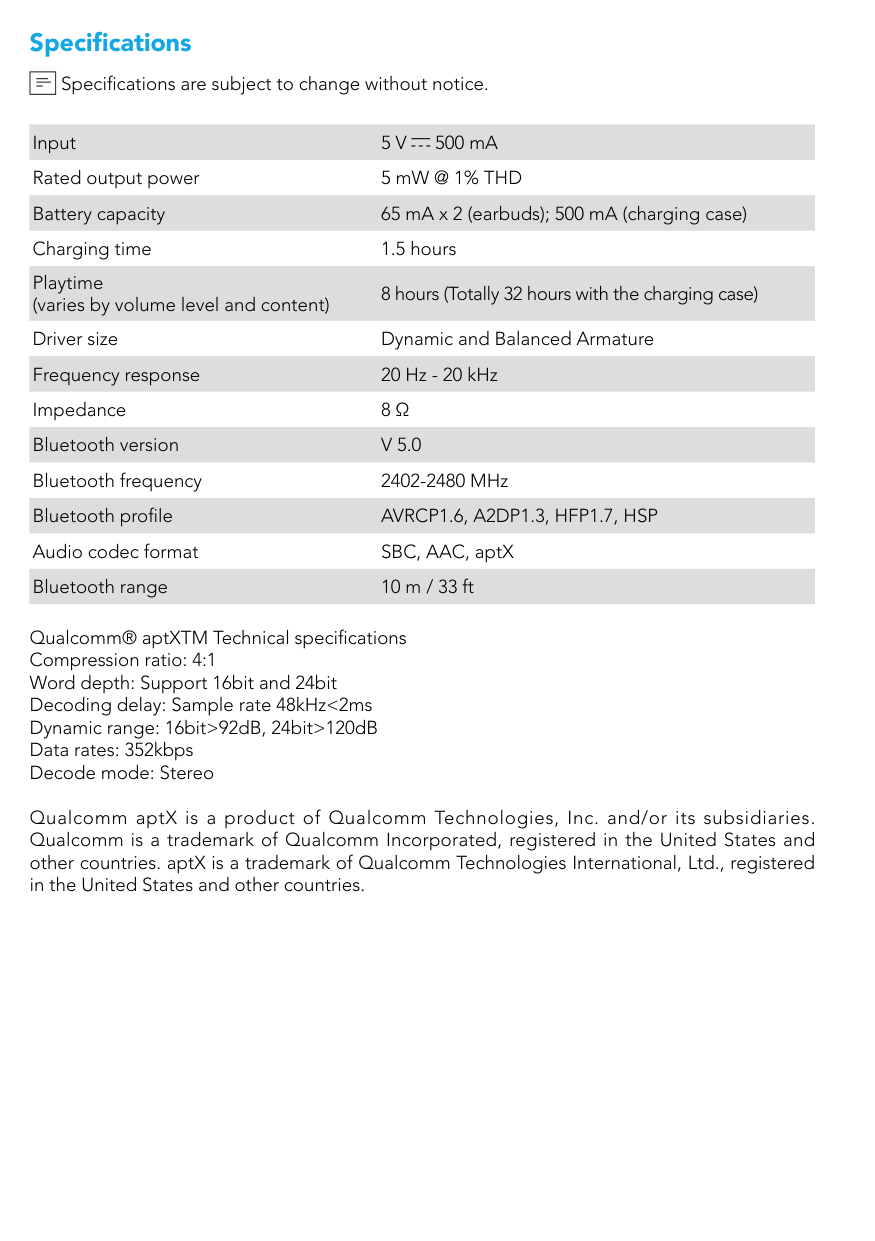
Google Play and the Google Play logo are trademarks of Google Inc.
Apple and the Apple logo are trademarks of Apple Inc.
Reset
Reset the earbuds if the earbuds cannot connect with each other properly or cannot connect with your device properly.
Place the earbuds into the charging case and make sure they are being charged. Keep the charging case open, then press and hold the button on the charging case for 10 seconds until the LED indicators on both earbuds flashes red 3 times.
All the memory data will be cleared.
1 2
10”
#### 3
Specifications
Specifications are subject to change without notice.
| | |---|
Input 5 V 500 mA Rated output power 5 mW @ 1% THD Battery capacity 65 mA x 2 (earbuds); 500 mA (charging case) Charging time 1.5 hours Playtime (varies by volume level and content)
8 hours (Totally 32 hours with the charging case) Driver size Dynamic and Balanced Armature Frequency response 20 Hz - 20 kHz Impedance 8 Ω Bluetooth version V 5.0 Bluetooth frequency 2402-2480 MHz Bluetooth profile AVRCP1.6, A2DP1.3, HFP1.7, HSP Audio codec format SBC, AAC, aptX Bluetooth range 10 m / 33 ft
Qualcomm® aptXTM Technical specifications Compression ratio: 4:1 Word depth: Support 16bit and 24bit Decoding delay: Sample rate 48kHz<2ms Dynamic range: 16bit>92dB, 24bit>120dB Data rates: 352kbps Decode mode: Stereo
Qualcomm aptX is a product of Qualcomm Technologies, Inc. and/or its subsidiaries. Qualcomm is a trademark of Qualcomm Incorporated, registered in the United States and other countries. aptX is a trademark of Qualcomm Technologies International, Ltd., registered in the United States and other countries.