
Beats Flex Wireless Earbuds Apple W1 Headphone Complete Featuresinstruction
Ask AI
— answers from the official manualAnswers from the official manual.
Common questions
Common Questions
16 totalWhat should I do if the Beats Flex stops working after getting wet?
If your Beats Flex earbuds stop working or show signs of water damage, discontinue use immediately. Don’t attempt to repair them yourself; contact Apple Support for assistance (Page 1).
How do I properly charge the Beats Flex when it’s not fully drained?
Charge your BeatsFlex using a charging cable and power adapter or computer. Only use compliant peripheral devices that meet applicable country regulations and safety standards (IEC 60950-1) (Page 2).
What are the signs I need to dispose of my Beats Flex safely?
If your BeatsFlex shows damage or malfunction, it should be serviced by Apple or an authorized service provider rather than disposed of with household waste (Page 15).
What safety precautions are there for using the Beats Flex while driving?
Operating a vehicle while wearing BeatsFlex is not recommended and could be illegal in some areas. Use caution when operating any type of vehicle or performing activities that require your full attention (Page 2).
What do I need to know about potential medical device interference with my Beats Flex?
Maintain a safe distance between your BeatsFlex and any medical devices like pacemakers or defibrillators as they may interfere. Consult your physician if you suspect interaction (Page 2).
How do I prevent hearing damage when using my Beats Flex?
Avoid long listening periods at high volume levels as the loud sounds can harm your hearing over time. Check and limit the maximum volume on your device before use (Page 1).
Show 10 more questions
What should I do if the Beats Flex battery isn’t charging properly?
Can I use any charger with my Beats Flex?
How do I clean my Beats Flex earbuds?
What do I do if my Beats Flex stop working after charging?
How do I use my Beats Flex when they’re around my neck?
Can I control volume and track playback using my Beats Flex?
How can I locate lost earbuds using my iPhone?
What is the battery life of my Beats Flex?
How do I adjust the fit for my Beats Flex?
How can I share audio on my Beats Flex?
Full Manual
7 pages
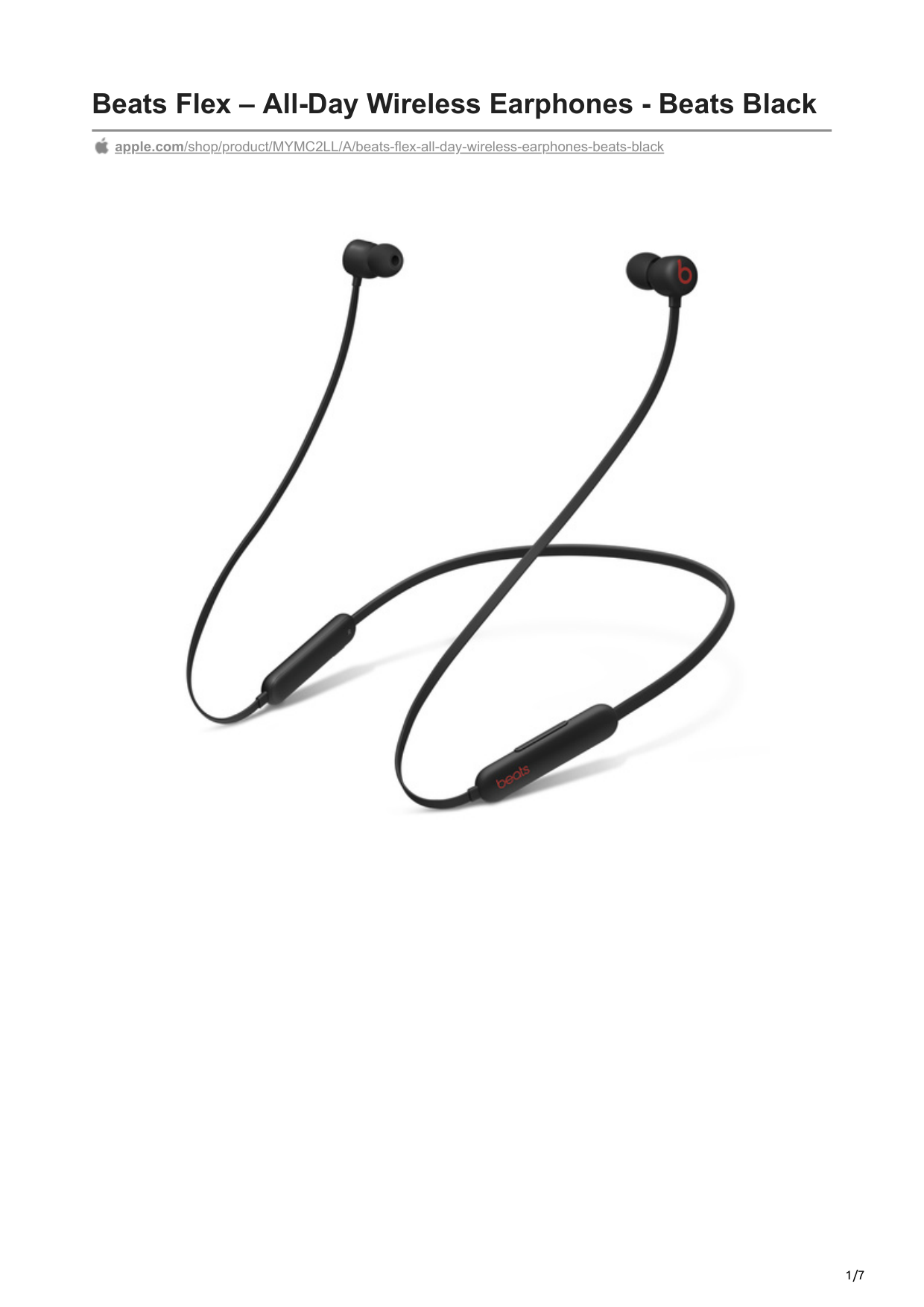
Beats Flex – All-Day Wireless Earphones - Beats Black

apple.com/shop/product/MYMC2LL/A/beats-flex-all-day-wireless-earphones-beats-black

Overview Flex all day
In your ears or around your neck, Beats Flex are as versatile as the life you lead. Whether you’re listening to music, taking calls, or scrolling your social feed, you’ll always be ready for what’s next. Magnetic earbuds make listening that much easier by automatically playing music when they’re in your ears and pausing when they’re attached around your neck¹. The Flex-Form cable provides all-day comfort with durable Nitinol construction while four eartip options offer a personalized fit. And when you’re not wearing them, the magnetic earbuds keep Beats Flex tangle-free as they easily coil up into your pocket or purse.
The music stops when you do Less charging. More flexing. Beats Flex boasts up to 12 hours of listening time for all-day use. If you need a little extra power, 10-minute Fast Fuel charging gives 1.5 hours of playback when battery is low.²
Driven by premium sound Beats Flex employs a dual-chamber acoustic design and a proprietary layered driver to achieve outstanding stereo separation with rich and precise bass response. Laser cut micro-venting provides ear pressure relief, and the optimized driver angle ensures clear, crisp sound. An advanced digital processor fine-tunes your audio for an accurate and emotive listening experience. The result — rich, powerful sound that keeps you inspired all day long.
Make the connection Stay connected no matter where your day takes you. With Class 1 Bluetooth® technology, Beats Flex offers extended wireless range and fewer dropouts. An advanced built-in microphone helps reduce wind noise for elevated voice clarity and call performance. On-device controls allow you to adjust volume as well as manage music, take calls, or activate voice assistant.
Powered by the Apple W1 chip The Apple W1 chip seamlessly integrates Beats Flex into your world of Apple products. Simply power on and hold near your iPhone or iPad.³ From there, your Beats Flex are ready to be used with any Apple device that is synced to iCloud so you can seamlessly switch between products, check battery status, or share whatever you’re listening to with someone else via Audio Sharing.
Listen with a friend
Audio Sharing lets you wirelessly share audio with Beats Flex and another pair of Beats headphones or AirPods.⁴ From a song, to a podcast, or even a movie—some things are better together. Now you can easily share whatever you’re listening to on
an iPhone, iPad, or Apple TV and each control your own volume. Simply bring the second set of compatible Bluetooth headphones near your Apple device and connect with a tap. All that’s left to do is listen—together.
Find your headphones Need help finding your Beats Flex? When they’re nearby one of your Apple devices, use Find My to play a sound to locate them or see your headphones on a map. If your Beats Flex are lost or missing, the Find My app can still help you track them down using the vast and global Find My network, made up of hundreds of millions of Apple devices. Devices in the Find My network use secure Bluetooth technology to detect your devices nearby and report their approximate location back to you, so you can find them.
5
Highlights Magnetic earbuds with Auto-Play/Pause¹ Custom acoustic platform delivers premium sound with accurate bass and low distortion Built-in microphone with wind reduction for elevated voice clarity Up to 12 hours of listening time² All-day comfort with Flex-Form cable and four eartip options Powered by the Apple W1 chip for seamless connectivity³ Audio Sharing lets you wirelessly share audio with another pair of Beats headphones or AirPods⁴ 10-minute Fast Fuel charging gives 1.5 hours of playback² Class 1 Bluetooth® for extended range and fewer dropouts On-device controls for volume, track and call controls located on the left side of neckband housing Power button located on the right side of neckband housing Keep track of your Beats Flex using Find My What’s in the Box Beats Flex wireless earphones USB-C to USB-C charging cable Eartips with four size options
5
Quick Start Guide Warranty card Tech Specs Height: 0.6 in / 1.6 cm Length: 34 in / 86.4 cm Width: 4.2 in / 10.6 cm Weight: 18.6 g / 0.66 oz Other Features: Bluetooth, With Mic, Inline Volume Control, Wireless Form Factor: In Ear Connections: Bluetooth, Wireless Power Source: Battery Batteries: Rechargeable lithium-ion
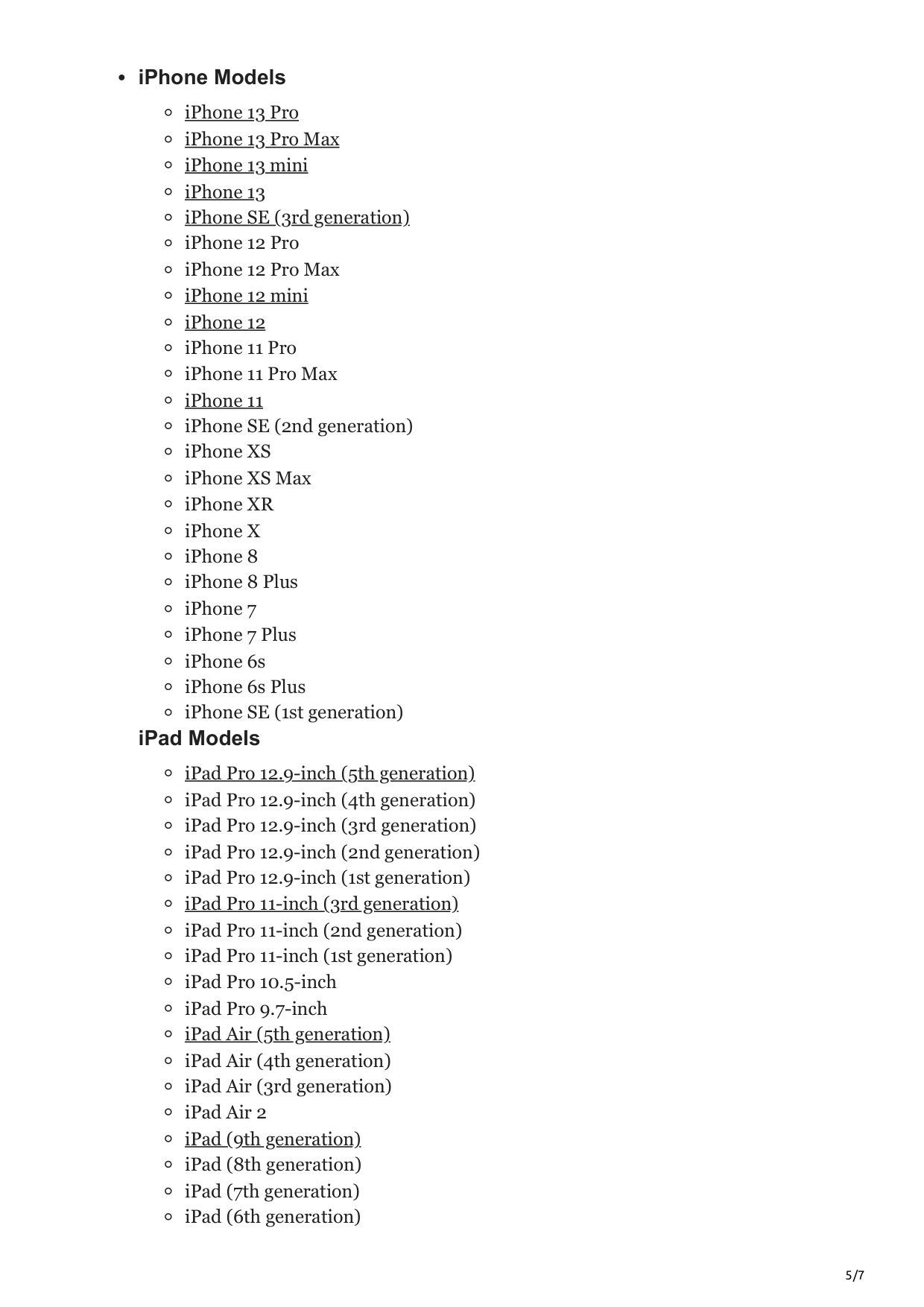
iPhone Models
iPhone 13 Pro iPhone 13 Pro Max iPhone 13 mini iPhone 13 iPhone SE (3rd generation)
iPhone 12 Pro
iPhone 12 Pro Max iPhone 12 mini iPhone 12
iPhone 11 Pro
iPhone 11 Pro Max iPhone 11
iPhone SE (2nd generation)
iPhone XS
iPhone XS Max
iPhone XR
iPhone X iPhone 8 iPhone 8 Plus
iPhone 7
iPhone 7 Plus
iPhone 6s
iPhone 6s Plus
iPhone SE (1st generation)
iPad Models iPad Pro 12.9-inch (5th generation) iPad Pro 12.9-inch (4th generation) iPad Pro 12.9-inch (3rd generation) iPad Pro 12.9-inch (2nd generation) iPad Pro 12.9-inch (1st generation) iPad Pro 11-inch (3rd generation) iPad Pro 11-inch (2nd generation) iPad Pro 11-inch (1st generation)
iPad Pro 10.5-inch
iPad Pro 9.7-inch iPad Air (5th generation) iPad Air (4th generation) iPad Air (3rd generation) iPad Air 2 iPad (9th generation) iPad (8th generation) iPad (7th generation) iPad (6th generation)
iPad (5th generation) iPad mini (6th generation) iPad mini (5th generation) iPad mini 4
Mac Models
MacBook Air (M2, 2022) MacBook Air (M1, 2020) MacBook Air (Retina, 13‑inch, 2020)
MacBook Air (Retina, 13-inch, 2018 - 2019)
MacBook Air (13-inch, Early 2015 - 2017)
MacBook Air (11-inch, Early 2015) MacBook Pro (13-inch, M2, 2022) MacBook Pro (13-inch, M1, 2020) MacBook Pro (13-inch, 2020)
MacBook Pro (Retina, 13-inch, Late 2012 - 2015)
MacBook Pro (16-inch, 2019)
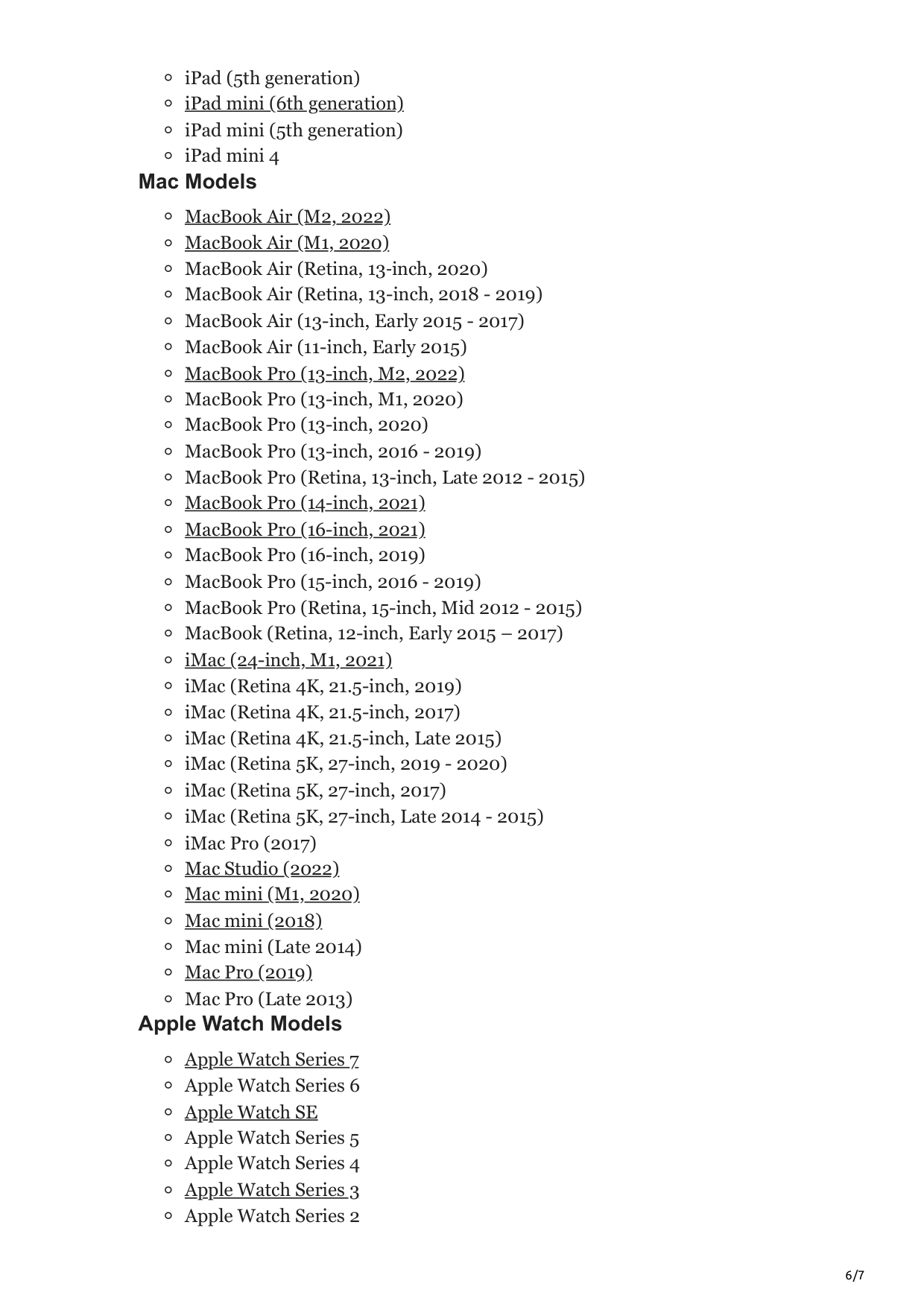
MacBook Pro (Retina, 15-inch, Mid 2012 - 2015)
MacBook (Retina, 12-inch, Early 2015 – 2017) iMac (24-inch, M1, 2021)

iMac Pro (2017) Mac Studio (2022) Mac mini (M1, 2020) Mac mini (2018)
Mac mini (Late 2014) Mac Pro (2019)
Mac Pro (Late 2013) Apple Watch Models
Apple Watch Series 7 Apple Watch Series 6 Apple Watch SE
Apple Watch Series 5 Apple Watch Series 4 Apple Watch Series 3 Apple Watch Series 2
Apple Watch Series 1 Apple TV Models
Apple TV 4K (2nd generation)
Apple TV 4K (1st generation)
Apple TV HD iPod Models
iPod touch (7th generation)