
Ask AI
— answers from the official manualAnswers from the official manual.
Common questions
Common Questions
10 totalHow do I perform a factory reset on my Boult Astra Neo Tws Gaming Earbuds?
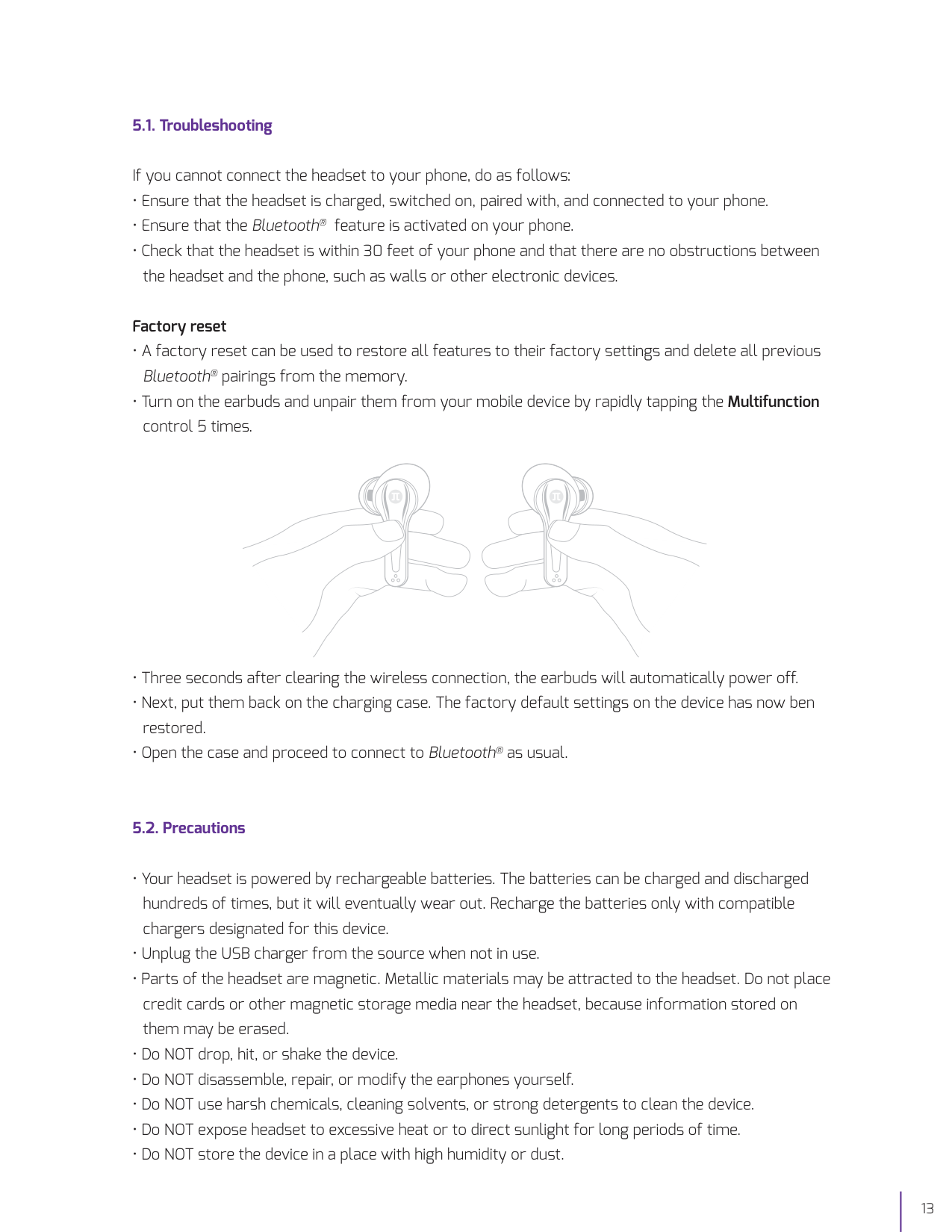
Press the Multifunction control five times rapidly to unpair the earphones from your mobile device, wait three seconds for them to automatically power off and then put them back in the charging case. This clears all settings and returns the device to factory defaults. (Page 13)
What should I do if my earbuds won’t connect to my phone?
Ensure that the headset is charged, turned on, paired with your device and within a range of 30 feet. Also check for any obstacles or electronic interference between them. (Page 12)
Where can I find the battery capacity for each earbud in the Boult Astra Neo Tws Gaming Earbuds?
Each earbud has a 50mAh battery and comes with approximately up to 5 hours of playback time, 4 hours of gaming time or about 17 hours on standby. (Page 16)
How long does it take to charge the portable charging case for the Boult Astra Neo Tws Gaming Earbuds?
Charging the battery of the case alone when connected to Type-C port will normally take about 1.5 hours. (Page 8)
What happens if my earbud’s battery is at less than 25% charge?
When the remaining battery power is below 25%, both LED indicators on the earbuds will light up once simultaneously, signaling low battery. An audible prompt will also be heard to indicate this status (Page 6).
How do I increase or decrease the volume of my Boult Astra Neo Tws Gaming Earbuds?
To increase volume, tap the right earbud once. To decrease volume, tap the left earbud once. Once the limits are reached, a single tone will be generated through the earbuds (Page 6).
Full Manual
16 pages
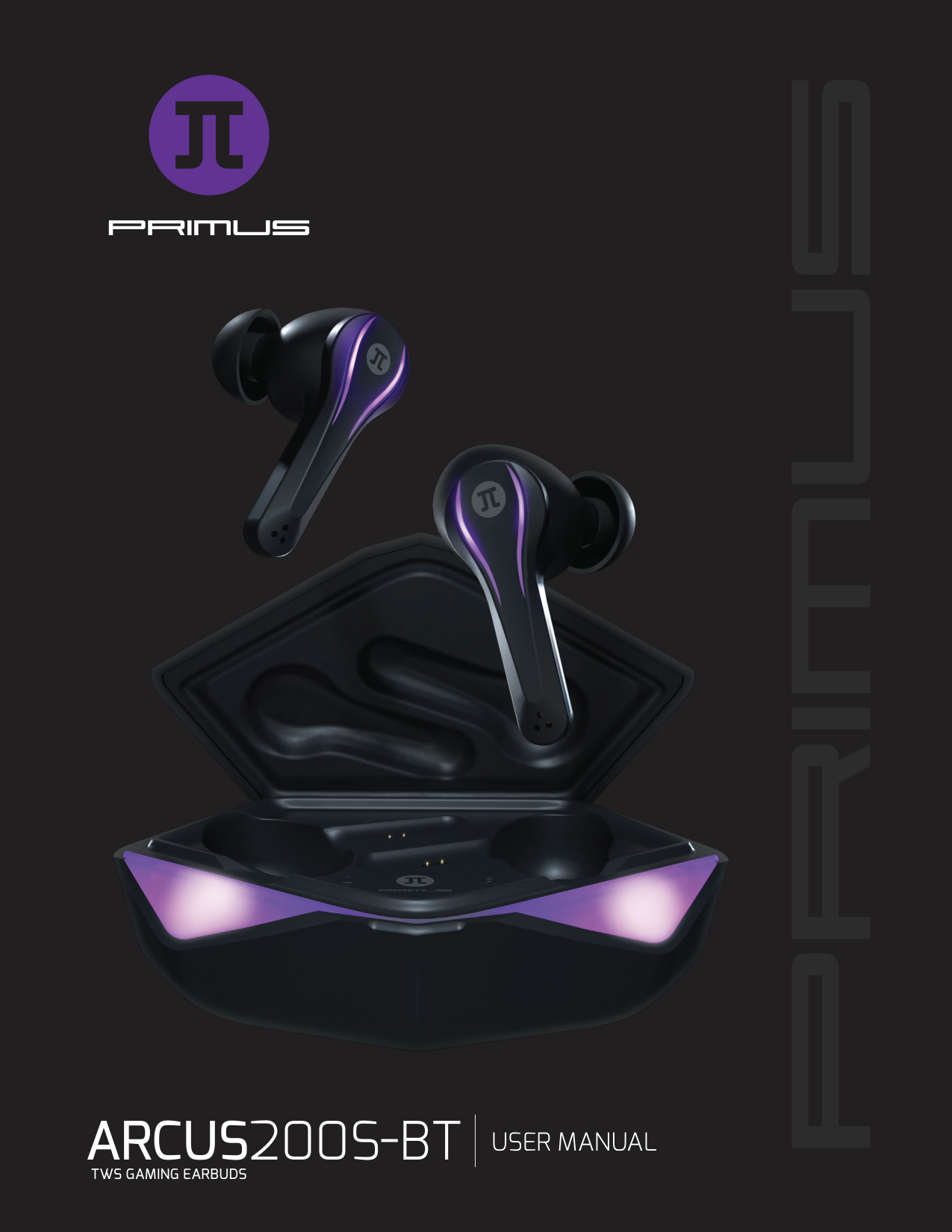

ARCUS200S BT USER MANUAL
TWS GAMING EARBUDS
I. INTRODUCTION
Thank you for choosing Primus’ new gaming True Wireless Stereo earbuds, specially designed for the serious gamer who doesn’t want to lose the slightest detail of the adrenaline loaded videogames. Suitable for the most realistic sound effects, this amazing headset delivers brilliant audio through noise-isolating ear speakers that will surely lure you into the most fantastic journey. By adopting the most advanced Bluetooth® V5.0, the Arcus wireless earbuds let you experience brilliant and clear audio with faster transmission rates, stronger connection stability, and longer range. It also features a gaming illumination mode, low latency and touch-sensitive controls, so you can fully focus on staying at the top of your game!
We encourage you to thoroughly read this quick installation guide to get the most out of this innovative and truly portable wireless audio device.
#### MAIN FEATURES
II. PRODUCTOVERVIEW
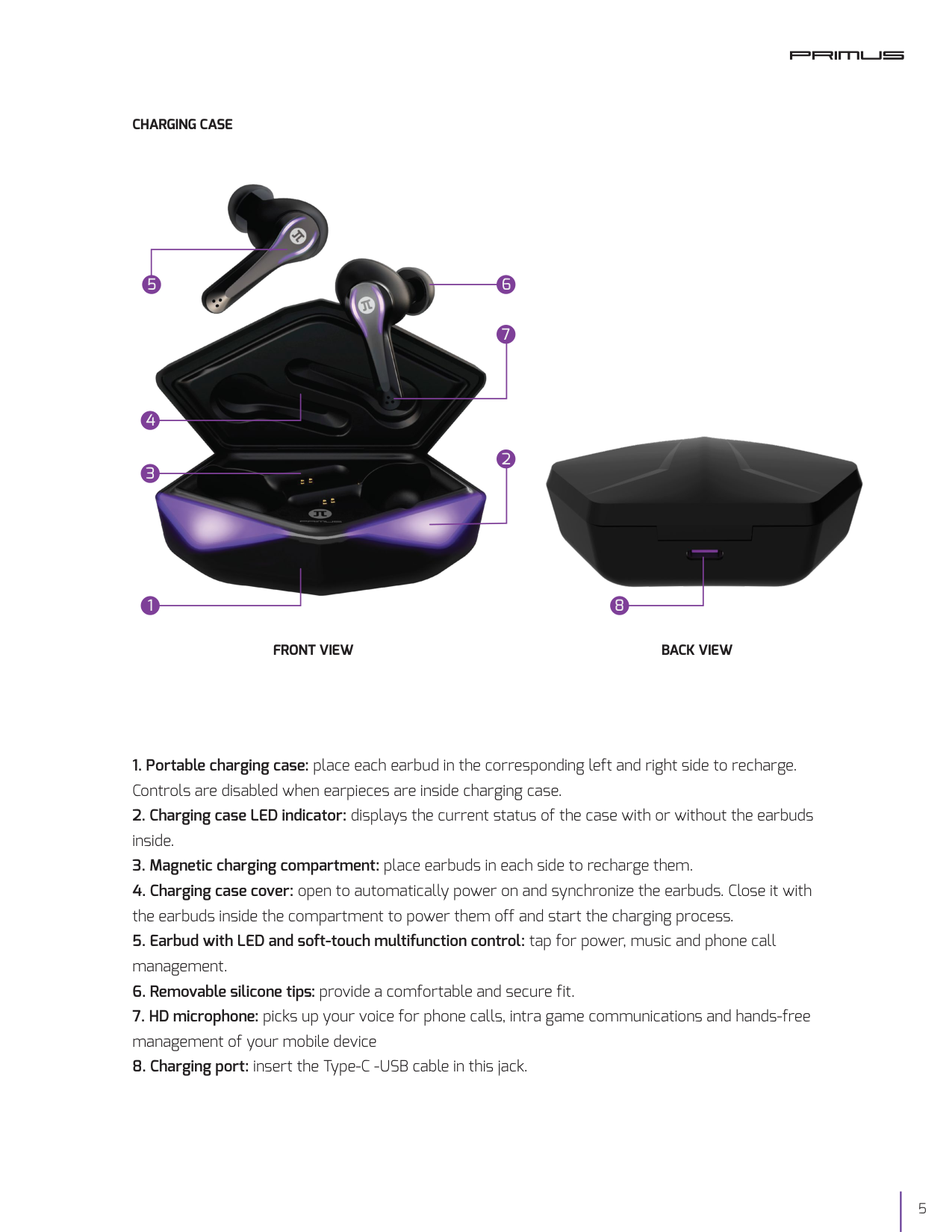
CHARGING CASE


2
1 8
FRONT VIEW BACK VIEW
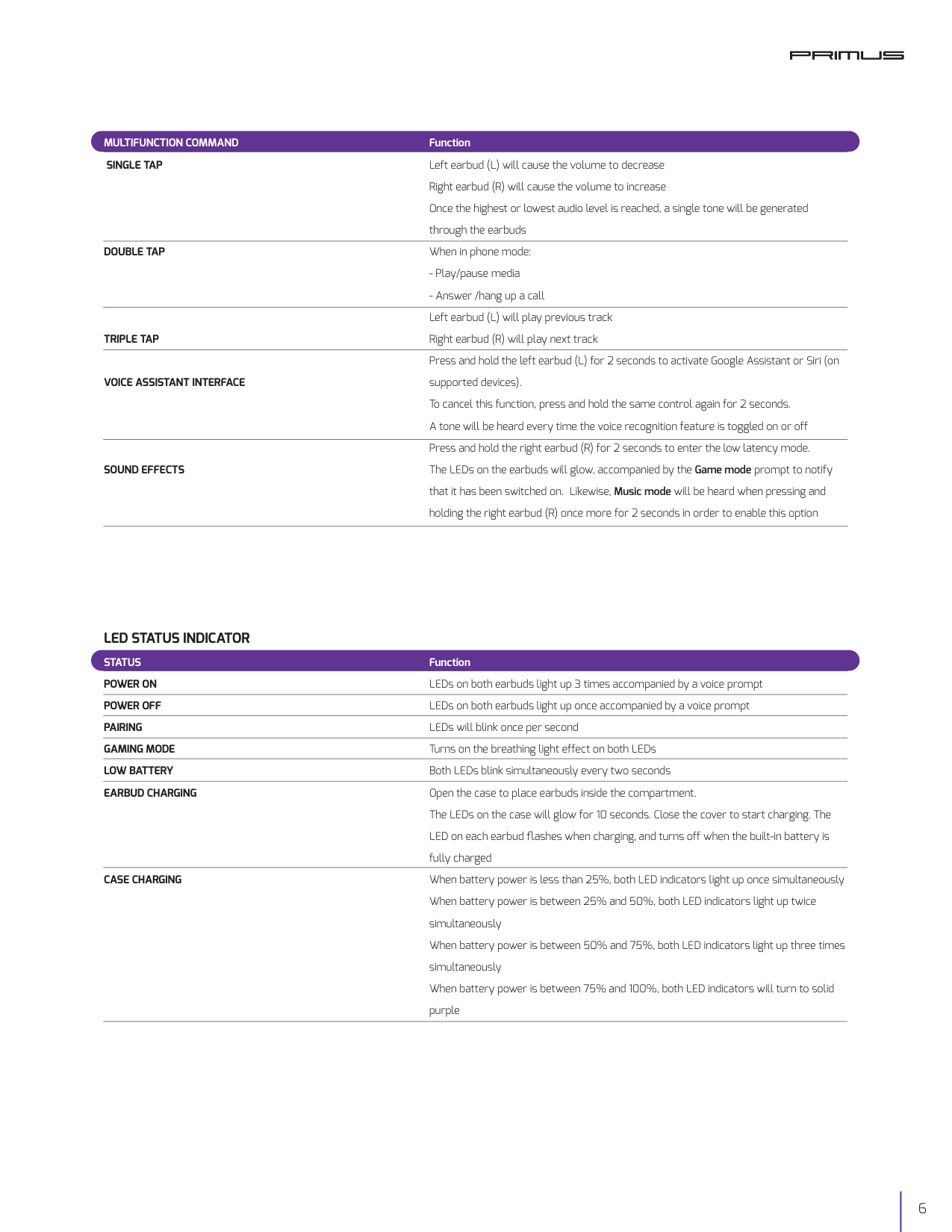
MULTIFUNCTION COMMAND SINGLE TAP
DOUBLE TAP
TRIPLE TAP
VOICE ASSISTANT INTERFACE
SOUND EFFECTS
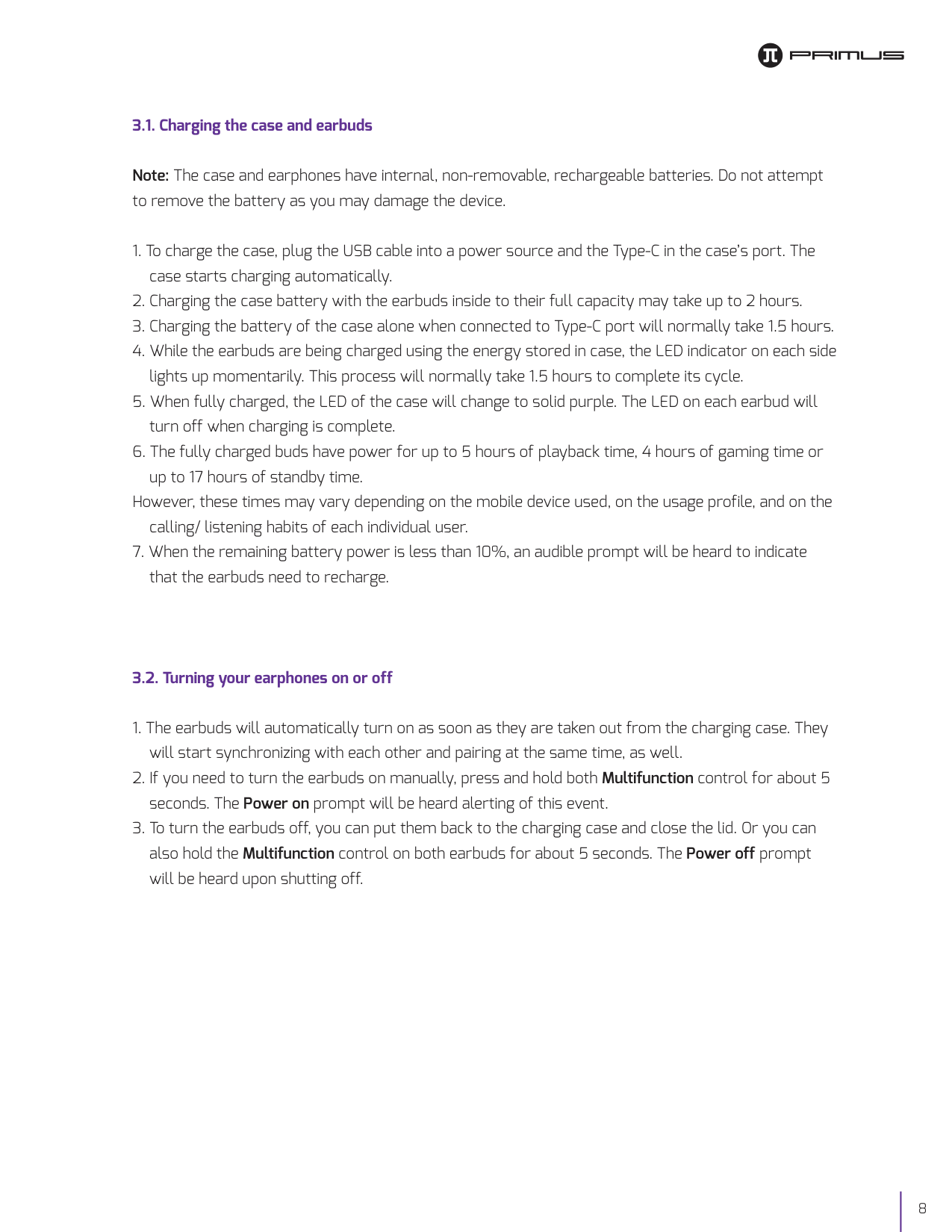
LED STATUS INDICATOR
STATUS POWER ON POWER OFF PAIRING GAMING MODE LOW BATTERY EARBUD CHARGING
CASE CHARGING
Function Left earbud (L) will cause the volume to decrease Right earbud (R) will cause the volume to increase Once the highest or lowest audio level is reached, a single tone will be generated through the earbuds When in phone mode:
Function LEDs on both earbuds light up 3 times accompanied by a voice prompt LEDs on both earbuds light up once accompanied by a voice prompt LEDs will blink once per second Turns on the breathing light effect on both LEDs Both LEDs blink simultaneously every two seconds Open the case to place earbuds inside the compartment. The LEDs on the case will glow for 10 seconds. Close the cover to start charging. The LED on each earbud flashes when charging, and turns off when the built-in battery is fully charged When battery power is less than 25%, both LED indicators light up once simultaneously When battery power is between 25% and 50%, both LED indicators light up twice simultaneously When battery power is between 50% and 75%, both LED indicators light up three times simultaneously When battery power is between 75% and 100%, both LED indicators will turn to solid purple

III. BASIC OPERATION
3.1. Charging the case and earbuds
Note: The case and earphones have internal, non-removable, rechargeable batteries. Do not attempt to remove the battery as you may damage the device.
However, these times may vary depending on the mobile device used, on the usage profile, and on the calling/ listening habits of each individual user.
3.2. Turning your earphones on or off
IV. ADVANCEDOPERATION
4.1. Pairing your earbuds with a mobile device
If after 60 seconds the pairing process fails, please repeat steps 1 through 6 as described above.
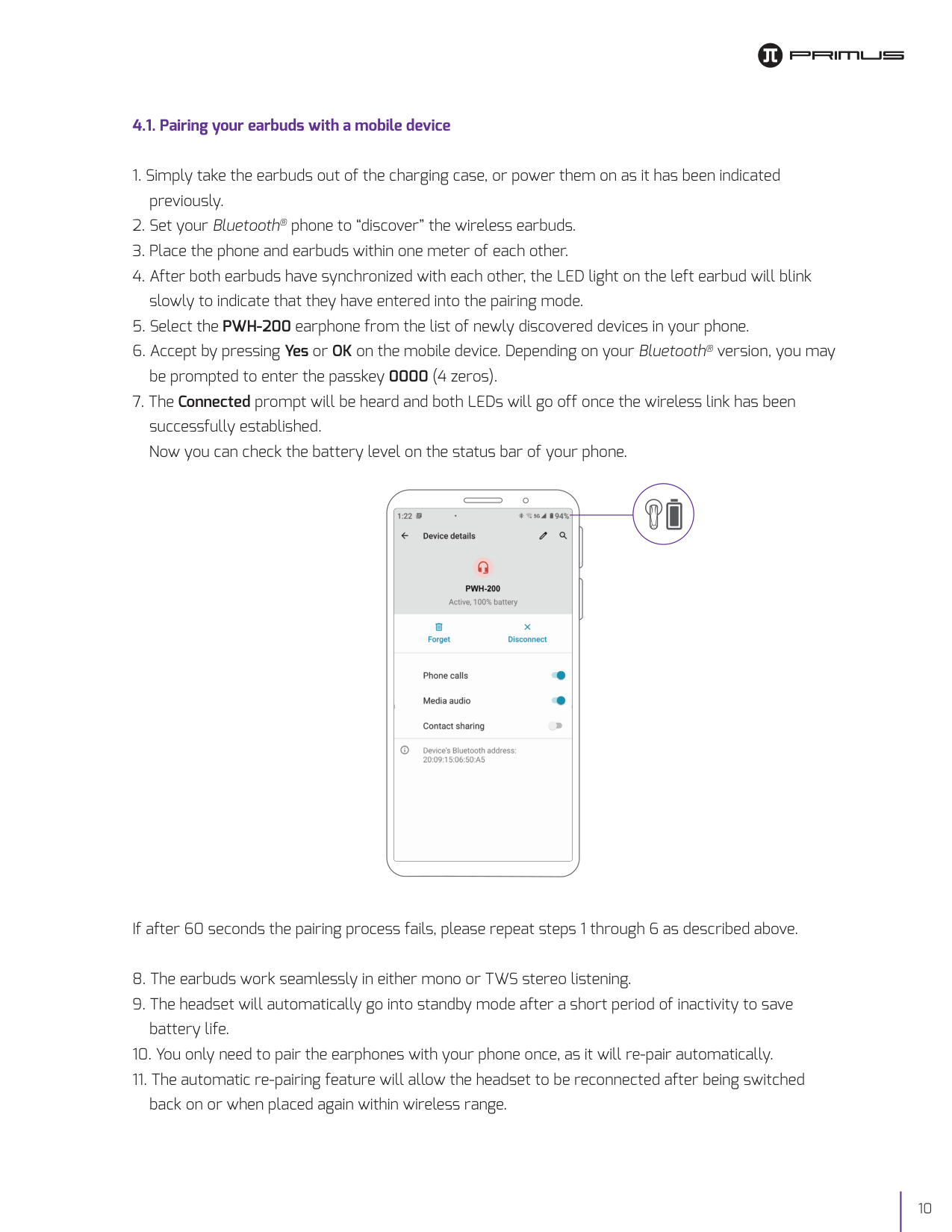

###### 60 %AT&T
4.2. Call management using your wireless earbuds
4.3. Music playback and voice command using your wireless earbuds
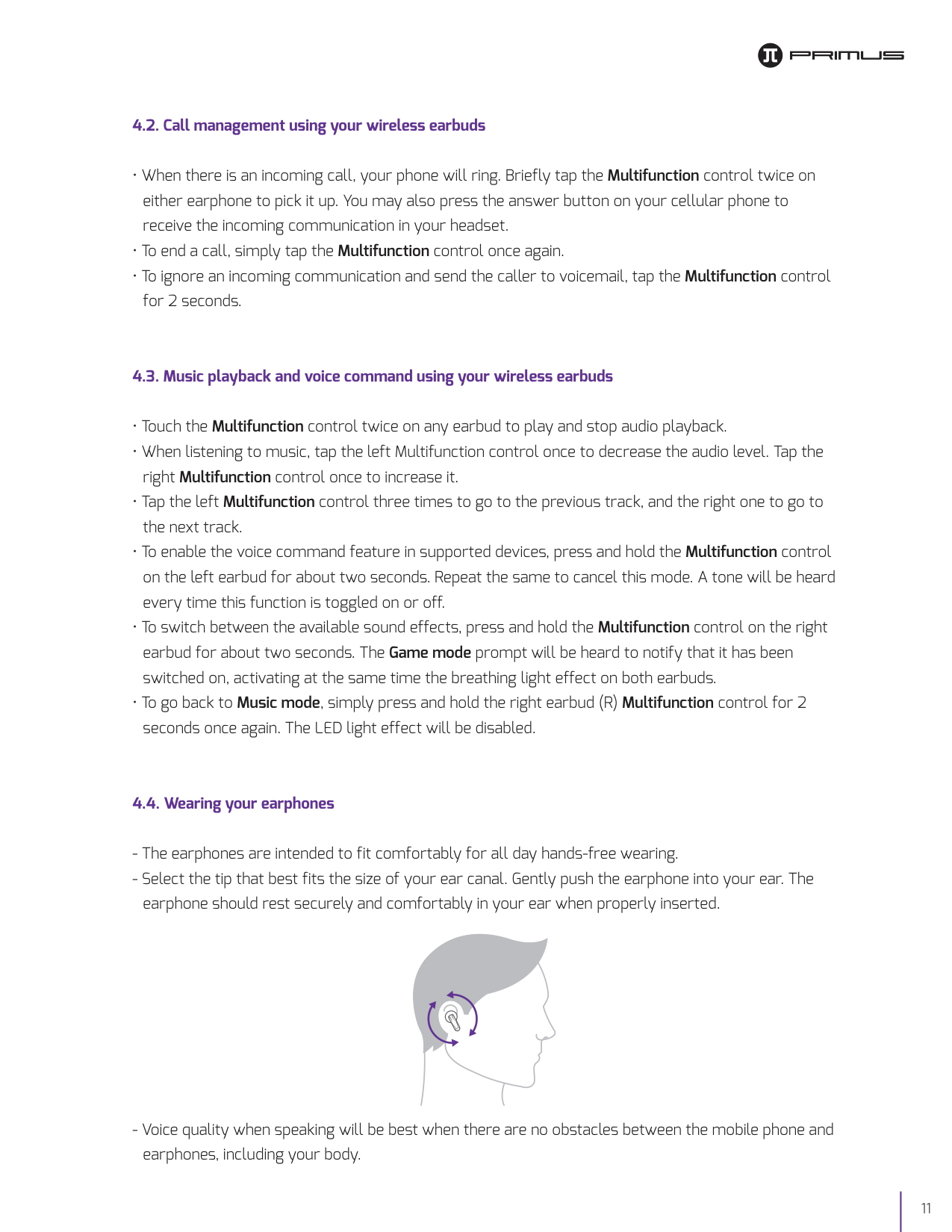
4.4. Wearing your earphones
V. PROPER CARE

5.1. Troubleshooting
If you cannot connect the headset to your phone, do as follows:
Factory reset
5.2. Precautions
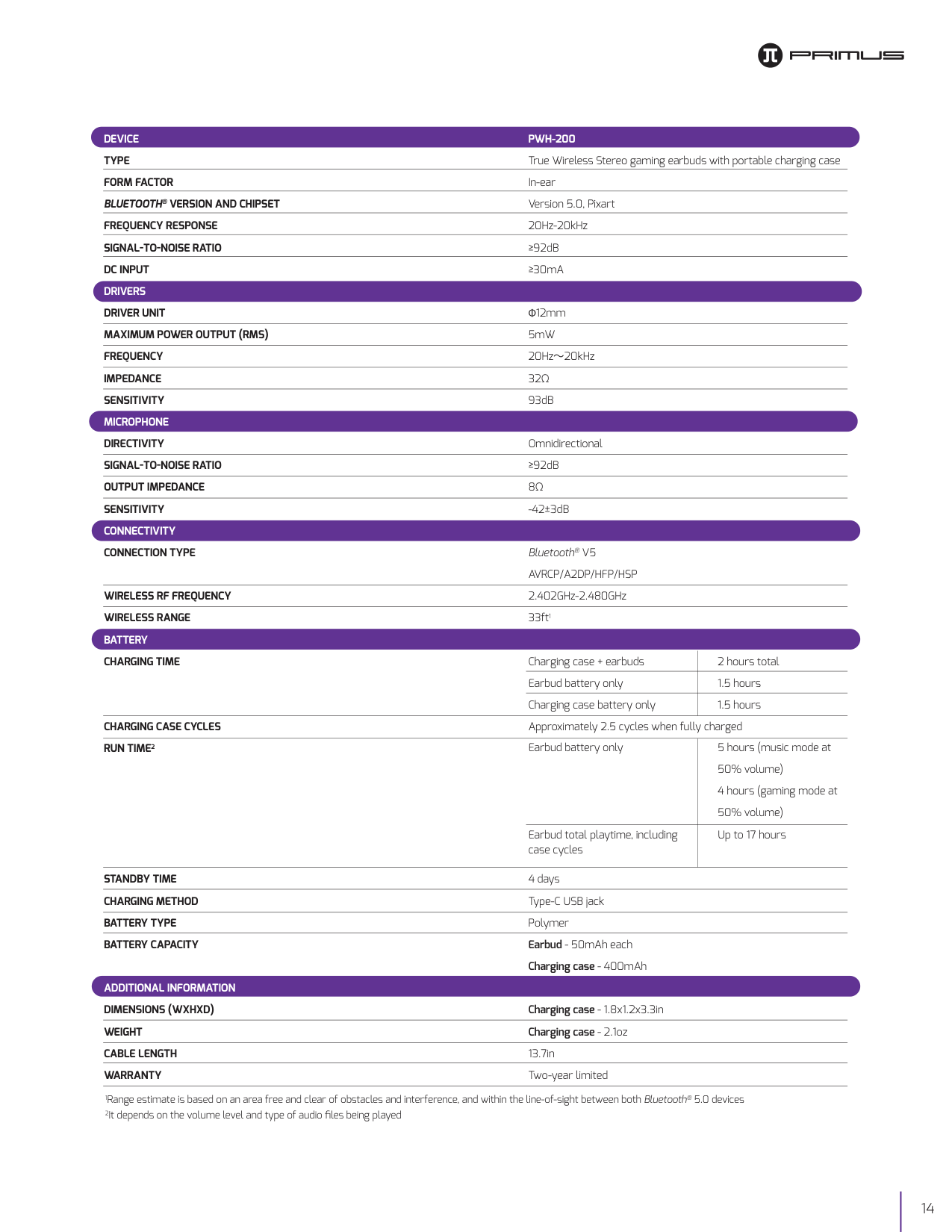
DEVICE TYPE FORM FACTOR BLUETOOTH® VERSION AND CHIPSET FREQUENCY RESPONSE SIGNAL TO NOISE RATIO DC INPUT DRIVERS DRIVER UNIT MAXIMUM POWER OUTPUT RMS FREQUENCY IMPEDANCE SENSITIVITY MICROPHONE DIRECTIVITY SIGNAL TO NOISE RATIO OUTPUT IMPEDANCE SENSITIVITY CONNECTIVITY CONNECTION TYPE
WIRELESS RF FREQUENCY WIRELESS RANGE BATTERY CHARGING TIME
CHARGING CASE CYCLES RUN TIME2
STANDBY TIME CHARGING METHOD BATTERY TYPE BATTERY CAPACITY
ADDITIONAL INFORMATION DIMENSIONS WXHXD WEIGHT CABLE LENGTH WARRANTY
PWH-200 True Wireless Stereo gaming earbuds with portable charging case In-ear Version 5.0, Pixart 20Hz-20kHz ≥92dB ≥30mA
Φ12mm 5mW 20Hz〜20kHz 32Ω 93dB
Omnidirectional ≥92dB 8Ω
-42±3dB
Bluetooth® V5 AVRCP/A2DP/HFP/HSP 2.402GHz-2.480GHz 33ft1
Charging case + earbuds Earbud battery only Charging case battery only
2 hours total 1.5 hours 1.5 hours
Approximately 2.5 cycles when fully charged
Earbud battery only
5 hours (music mode at 50% volume) 4 hours (gaming mode at 50% volume) Up to 17 hours

Earbud total playtime, including case cycles
4 days Type-C USB jack Polymer Earbud - 50mAh each Charging case - 400mAh
1Range estimate is based on an area free and clear of obstacles and interference, and within the line-of-sight between both Bluetooth® 5.0 devices 2It depends on the volume level and type of audio files being played
FCC statement
This equipment has been tested and found to comply with the limits for a Class B digital device, pursuant to part 15 of the FCC Rules. These limits are designed to provide reasonable protection against harmful interference in a residential installation. This equipment generates, uses, and can radiate radio frequency energy and, if not installed and used in accordance with the instructions, may cause harmful interference to radio communications. However, there is no guarantee that interference will not occur in a particular installation. If this equipment does cause harmful interference to radio or television reception, which can be determined by turning the equipment off and on, the user is encouraged to try to correct the interference by one or more of the following measures:
Primus®is a registered trademark. All rights reserved. All other brand names and trademarks are the property of their respective owners. Any mention of such is only intended for identification purposes, and therefore shall not be construed as a claim to any or all rights pertaining to those brands. Made in China.