Ask AI
— answers from the official manualAnswers from the official manual.
Common questions
Common Questions
10 totalHow do I plug in and power on the printer?
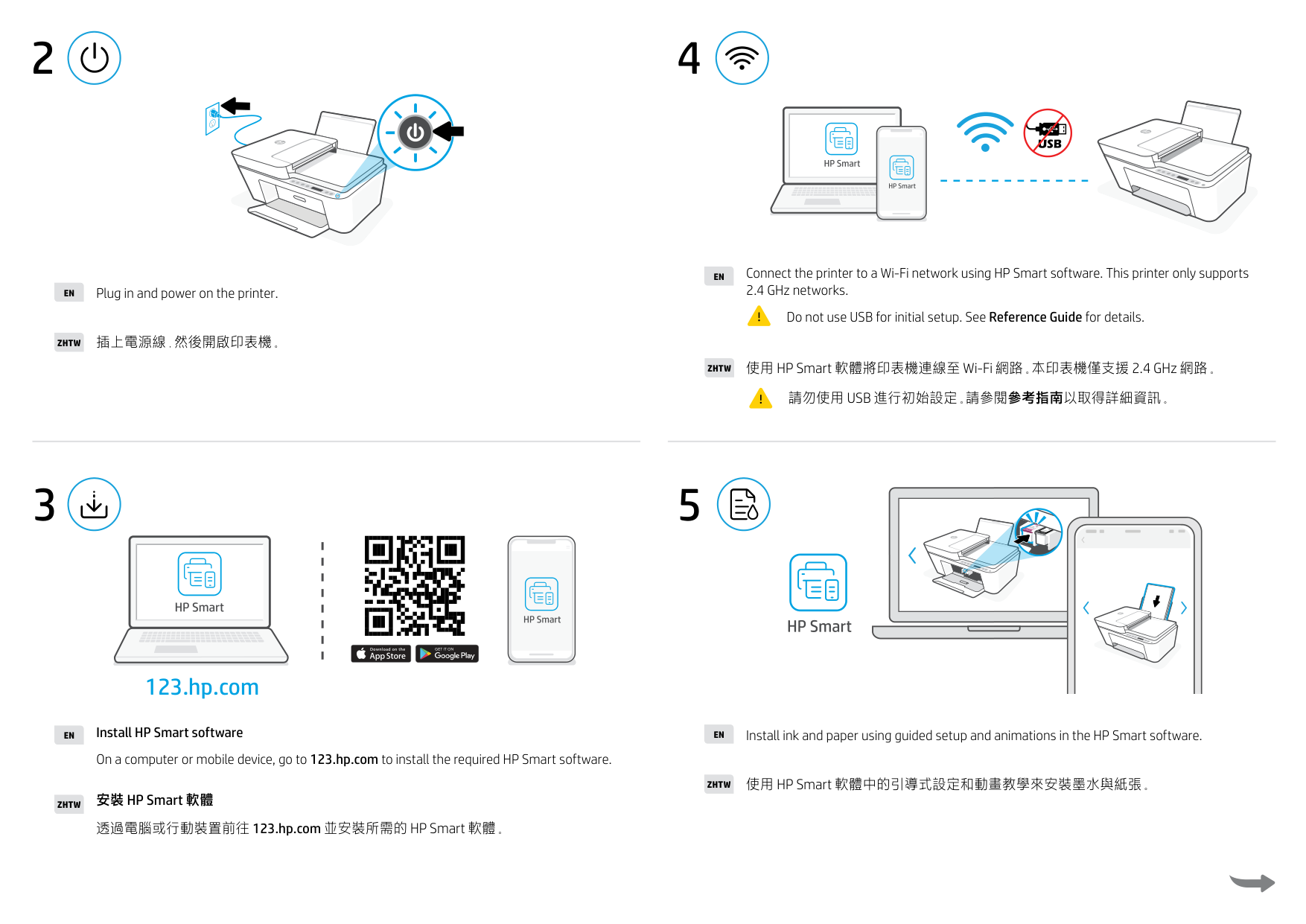
Simply plug in the power cord and turn on the printer as instructed. No additional software installation is required at this stage (Page 2).
What should I remove from the box before installing the printer?
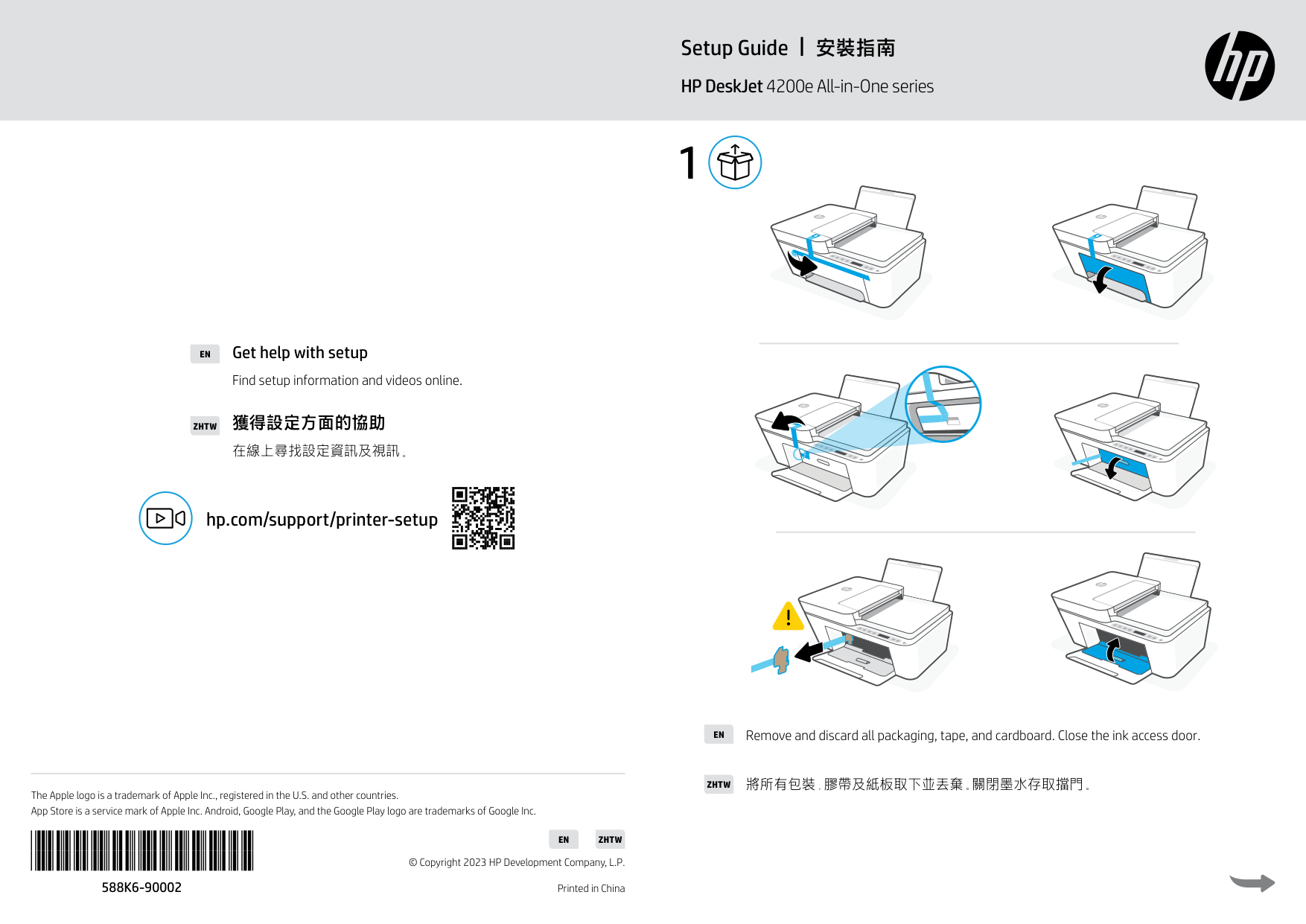
Remove all packaging, tape, cardboard, and ensure you close the ink access door after initial setup as instructed on page 1.
Where can I find instructions for getting help with setup?
Find setup information and videos online at hp.com/support/printer-setup (Page 1).
How do I connect the printer to a Wi-Fi network?
Connect the printer to a Wi-Fi network using the HP Smart software. The printer only supports 2.4 GHz networks and does not support USB for initial setup (Page 2).
What do I need to do before installing ink and paper?
Install the required HP Smart software on a computer or mobile device at 123.hp.com, then use its guided setup and animations to install ink and paper (Page 2).
Do I need to install any software to use the printer over USB?
The printer only supports Wi-Fi connections, using 2.4 GHz networks exclusively and does not support USB for initial setup; use HP Smart software instead (Page 2).
Full Manual
2 pages
#### EN
Get help with setup
Find setup information and videos online.
獲得設定方面的協助ZHTW
在線上尋找設定資訊及視訊。
hp.com/support/printer-setup
The Apple logo is a trademark of Apple Inc., registered in the U.S. and other countries. App Store is a service mark of Apple Inc. Android, Google Play, and the Google Play logo are trademarks of Google Inc.
588K6-90002
EN ZHTW
© Copyright 2023 HP Development Company, L.P. Printed in China
安裝指南Setup Guide HP DeskJet 4200e All-in-One series
1
Remove and discard all packaging, tape, and cardboard. Close the ink access door.EN
將所有包裝,膠帶及紙板取下並丟棄。關閉墨水存取擋門。ZHTW
42
EN Connect the printer to a Wi-Fi network using HP Smart software. This printer only supports
2.4 GHz networks. Do not use USB for initial setup. See Reference Guide for details.
EN Plug in and power on the printer.
ZHTW 插上電源線 然後開啟印表機。
ZHTW 使用 HP Smart 軟體將印表機連線至 Wi-Fi 網路。本印表機僅支援 2.4 GHz 網路。
請勿使用 USB 進行初始設定。請參閱參考指南以取得詳細資訊
3
5
123.hp.com
EN Install HP Smart software
EN Install ink and paper using guided setup and animations in the HP Smart software.
On a computer or mobile device, go to 123.hp.com to install the required HP Smart software.
ZHTW 使用 HP Smart 軟體中的引導式設定和動畫教學來安裝墨水與紙張。
ZHTW 安裝 HP Smart 軟體
透過電腦或行動裝置前往 123.hp.com 並安裝所需的 HP Smart 軟體。