Ask AI
— answers from the official manualAnswers from the official manual.
Common questions
Common Questions
19 totalHow do I set up the HP DeskJet Ink Advantage 1110 Printer for the first time?
Follow the illustrations on the setup flyer to set up your printer, then install software by going to 123.hp.com and following the instructions on the web. Windows users can also use the HP printer software CD, or order one from www.support.hp.com if it was not included with the printer. (Page 1)
What does it mean when the Power button light is blinking fast on the HP DeskJet Ink Advantage 1110?
A fast-blinking Power button light indicates the printer is in an error state. You can resolve it by following the onscreen messages from your computer. If no onscreen messages appear, try printing a document to generate one. (Page 1)
What does a dim Power button light mean on the HP DeskJet Ink Advantage 1110?
A dim Power button light indicates the printer is in Sleep mode. The printer automatically enters Sleep mode after 5 minutes of inactivity. (Page 1)
How can I cancel a print job on the HP DeskJet Ink Advantage 1110?
When the Power button is blinking, it means the printer is processing a job. To cancel the job, press the Power button. (Page 1)
What should I check first if my HP DeskJet Ink Advantage 1110 is not printing?
First, make sure the power cord connections are secure and the printer is powered on — the Power button should be lit. Also ensure the USB cable connections are secure and that the printer is set as your default printer. Windows users can visit HP Diagnostic Tools at www.hp.com/go/tools for additional help. (Page 1)
Is it safe to use a non-HP or refilled ink cartridge in the HP DeskJet Ink Advantage 1110?
Using a non-HP or refilled cartridge does not affect the warranty to the customer or any HP support contract. However, if printer failure or damage is attributable to the use of a non-HP, refilled, or expired ink cartridge, HP will charge its standard time and materials charges to service the printer for that specific failure or damage. (Page 2)
Show 13 more questions
Where can I find additional support, regulatory information, and how to register my HP DeskJet Ink Advantage 1110?
What do I do when the printer status light is blinking rapidly?
Why does my HP Deskjet Ink Advantage 1110 go into Sleep mode?
How do I download and install the software for my HP Deskjet Ink Advantage 1110?
What USB cable connections should I check when my printer isn't printing?
Where can I find detailed safety information for my printer?
Where can I find environmental information about my printer?
What is the warranty period for the HP DeskJet Ink Advantage 1110 Printer hardware?
What is not covered under the HP limited warranty for the DeskJet Ink Advantage 1110?
What power supply accessories should I use with the HP DeskJet Ink Advantage 1110?
What is the warranty period for the HP Deskjet Ink Advantage 1110 printer?
How do I register my HP Deskjet Ink Advantage 1110?
What should I do if my ink cartridges are not working correctly?
Full Manual
8 pages
*F5S21-90018*
*F5S21-90018*
F5S21-90018
© Copyright 2017 HP Development Company, L.P. Printed in [English] The information contained herein is subject to change without notice.En
Th
Id
Vi
Get started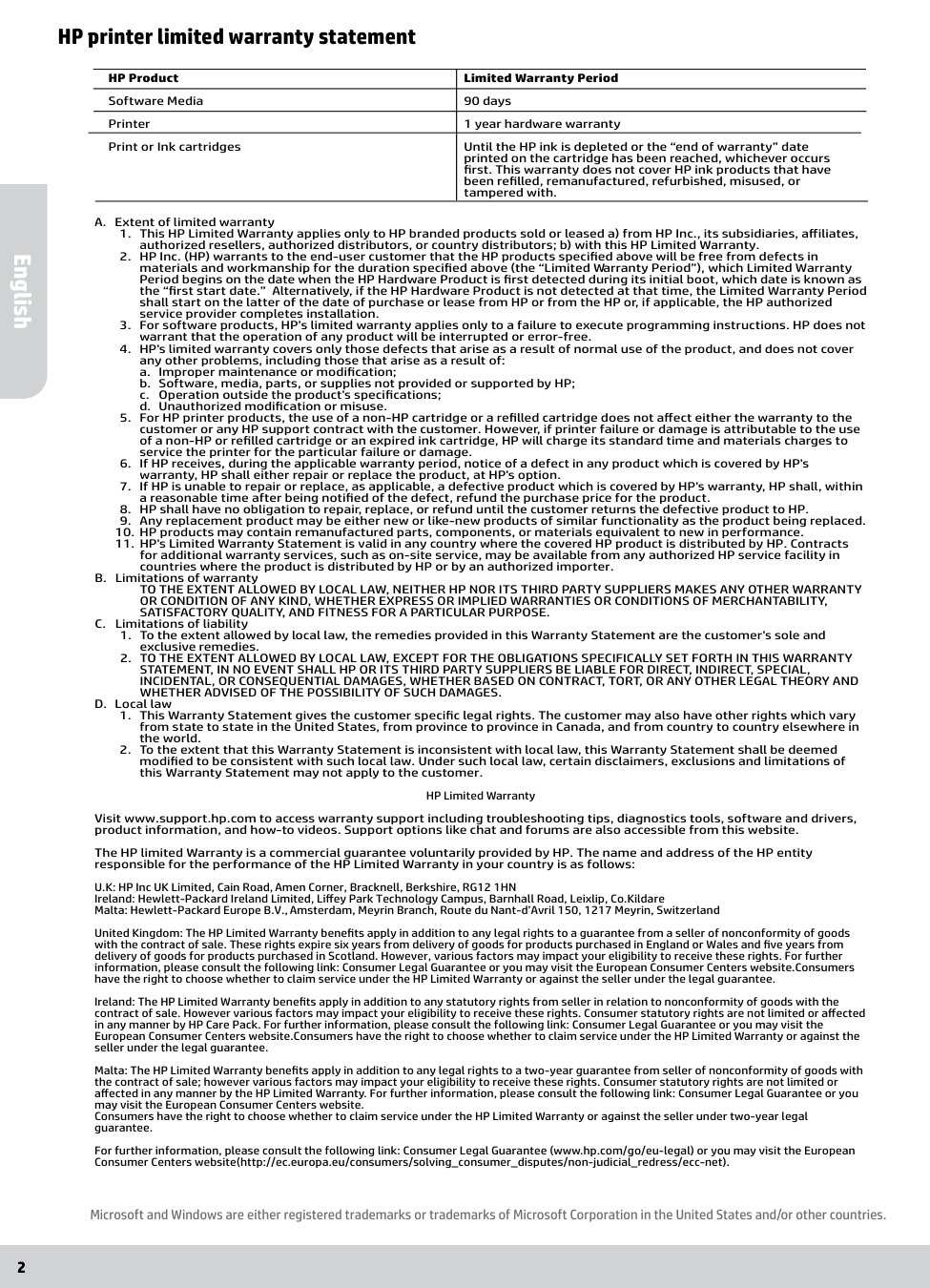
2 HP printer limited warranty statement A. Extent of limited warranty
a. Improper maintenance or modification;
b. Software, media, parts, or supplies not provided or supported by HP;
c. Operation outside the product's specifications;
d. Unauthorized modification or misuse.
Satisfactory Quality, And Fitness For A Particular Purpose.
C. Limitations of liabilityWhether Advised Of The Possibility Of Such Damages.
D. Local lawprinted on the cartridge has been reached, whichever occurs
first. This warranty does not cover HP ink products that have
been refilled, remanufactured, refurbished, misused, or
tampered with. Microsoft and Windows are either registered trademarks or trademarks of Microsoft Corporation in the United States and/or other countries. English
ข้อมูลในคู่มือนี้อาจมีการเปลี่ยนแปลงโดยไม่ต้องแจ้งให้ทราบล่วงหน้า เริ่มต้นใช้งาน
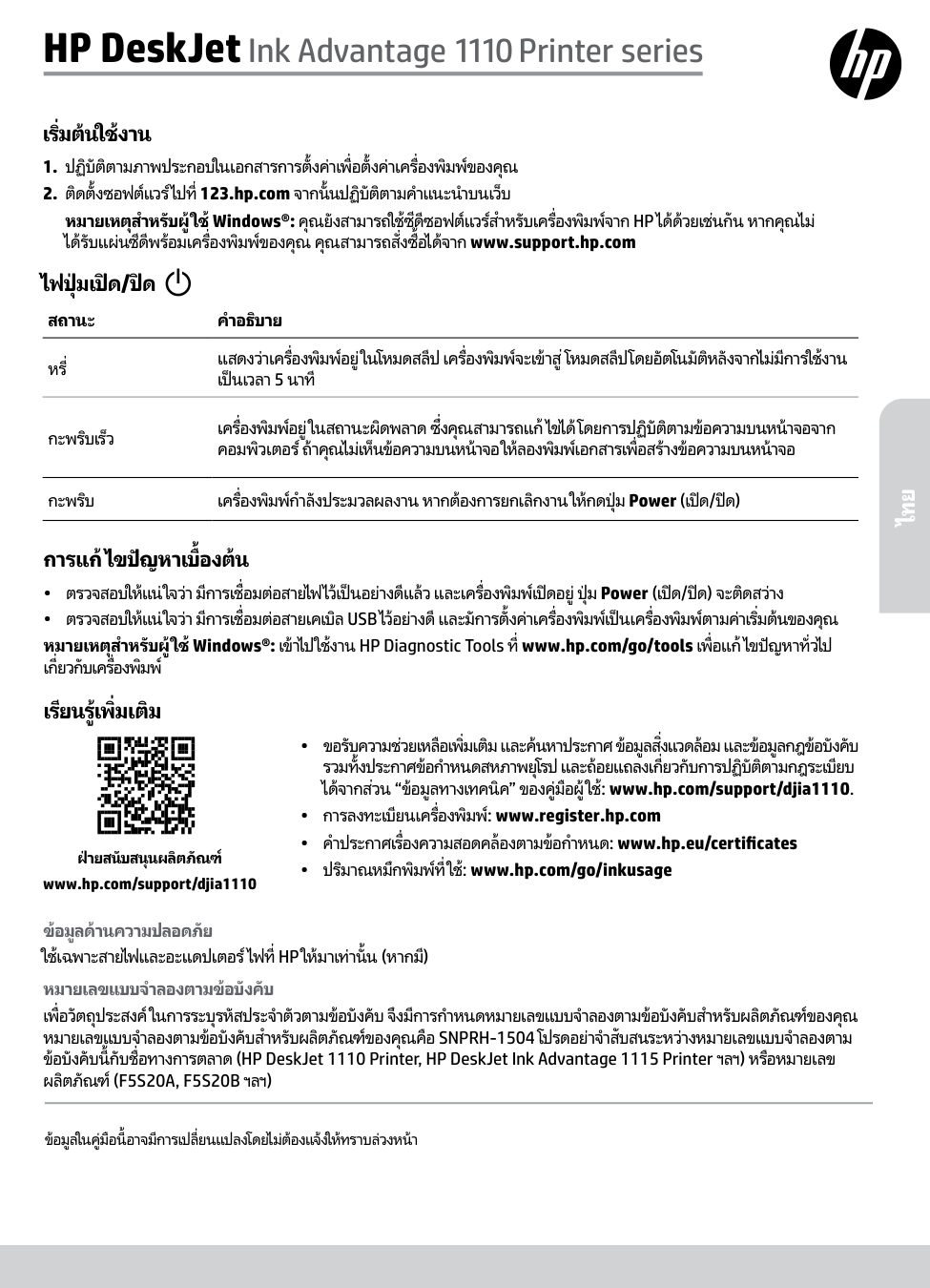
ใช้เฉพาะสายไฟและอะแดปเตอร์ไฟที่ Hp ให้มาเท่านั้น (หากมี)
หมายเลขแบบจɅำลองตามข้อบังคับ
เพื่อวัตถุประสงค์ในการระบุรหัสประจɅำตัวตามข้อบังคับ จึงมีการกɅำหนดหมายเลขแบบจɅำลองตามข้อบังคับสɅำหรับผลิตภัณฑ์ของคุณ หมายเลขแบบจɅำลองตามข้อบังคับสɅำหรับผลิตภัณฑ์ของคุณคือ SNPRH-1504 โปรดอย่าจɅำสับสนระหว่างหมายเลขแบบจɅำลองตาม ข้อบังคับนี้กับชื่อทางการตลาด (HP DeskJet 1110 Printer, HP DeskJet Ink Advantage 1115 Printer ฯลฯ) หรือหมายเลขผลิตภัณฑ์ (F5S20A, F5S20B ฯลฯ)
สถานะคɅำอธิบาย
หรี่ แสดงว่าเครื่องพิมพ์อยู่ในโหมดสลีป เครื่องพิมพ์จะเข้าสู่โหมดสลีปโดยอัตโนมัติหลังจากไม่มีการใช้งาน เป็นเวลา 5 นาที กะพริบเร็ว เครื่องพิมพ์อยู่ในสถานะผิดพลาด ซึ่งคุณสามารถแก้ไขได้โดยการปฏิบัติตามข้อความบนหน้าจอจาก คอมพิวเตอร์ ถ้าคุณไม่เห็นข้อความบนหน้าจอ ให้ลองพิมพ์เอกสารเพื่อสร้างข้อความบนหน้าจอ กะพริบ เครื่องพิมพ์กɅำลังประมวลผลงาน หากต้องการยกเลิกงาน ให้กดปุ่ม Power (เปิด/ปิด) การแก้ไขปัญหาเบื้องต้น •• ตรวจสอบให้แน่ใจว่า มีการเชื่อมต่อสายไฟไว้เป็นอย่างดีแล้ว และเครื่องพิมพ์เปิดอยู่ ปุ่ม Power (เปิด/ปิด) จะติดสว่าง •• ตรวจสอบให้แน่ใจว่า มีการเชื่อมต่อสายเคเบิล USB ไว้อย่างดี และมัการตั้งค่าเครื่องพิมพ์เป็นเครื่องพิมพ์ตามค่าเริ่มต้นของคุณ หมายเหตุสɅำหรับผู้ใช้ Windows®: เข้าไปใช้งาน HP Diagnostic Tools ที่ www.hp.com/go/tools เพื่อแก้ไขปัญหาทั่วไป เกี่ยวกับเครื่องพิมพ์ •• ขอรับความช่วยเหลือเพิ่มเติม และค้นหาประกาศ ข้อมูลสิ่งแวดล้อม และข้อมูลกฎข้อบังคับรวมทั้งประกาศข้อกɅำหนดสหภาพยุโรป และถ้อยแถลงเกี่ยวกับการปฏิบัติตามกฎระเบียบ
ได้จากส่วน “ข้อมูลทางเทคนิค” ของคู่มือผู้ใช้: www.hp.com/support/djia1110. •• การลงทะเบียนเครื่องพิมพ์: www.register.hp.com •• คɅำประกาศเรื่องความสอดคล้องตามข้อกɅำหนด: www.hp.eu/certificates •• ปริมาณหมึกพิมพ์ที่ใช้: www.hp.com/go/inkusage เรียนรู้เพิ่มเติม ฝ่ายสนับสนุนผลิตภัณฑ์ www.hp.com/support/djia1110 ไทย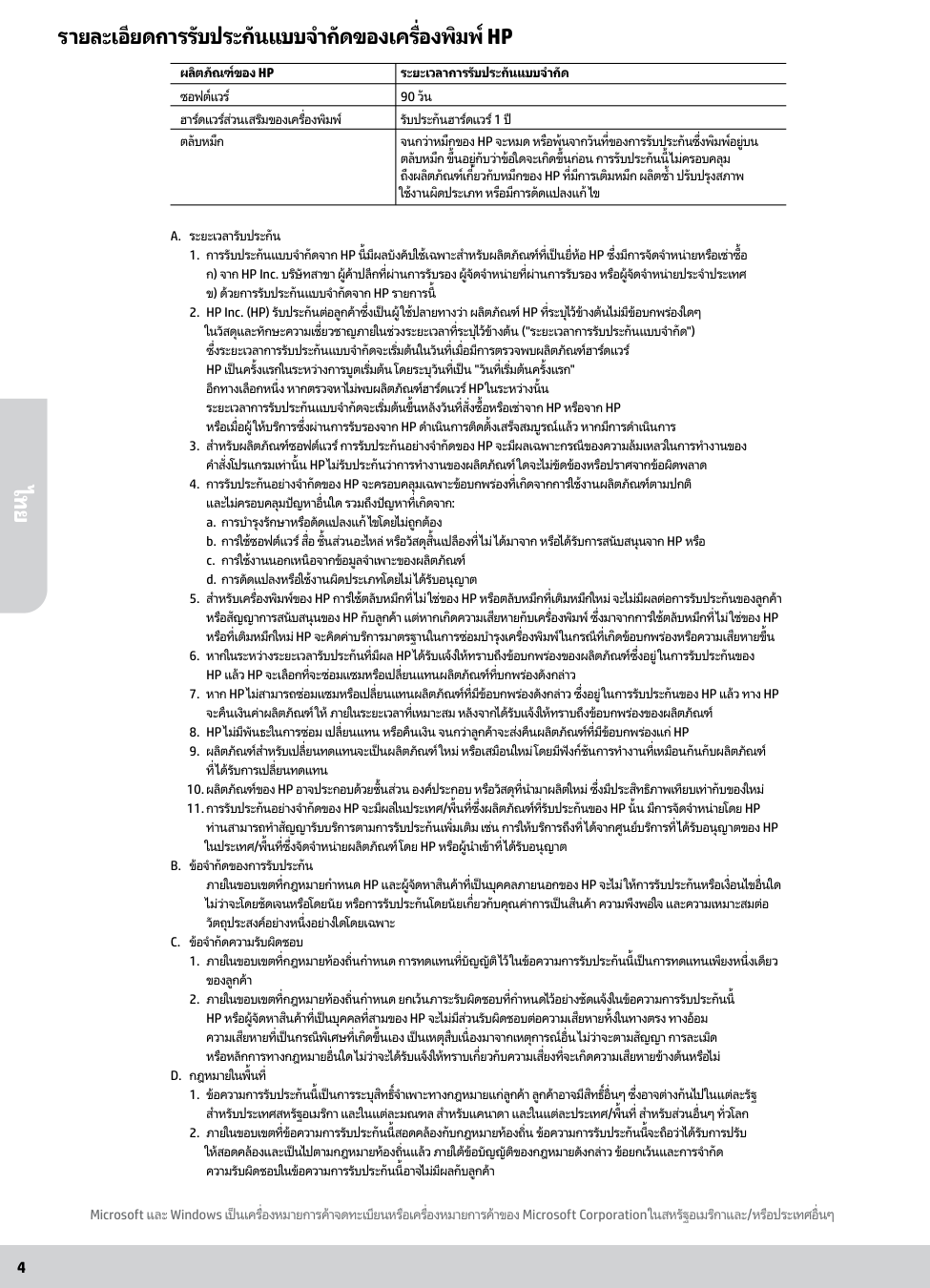
4
รายละเอียดการรับประกันแบบจɅำกัดของเครื่องพิมพ์ Hp
A. ระยะเวลารับประกัน
ข) ด้วยการรับประกันแบบจํากัดจาก Hp รายการนี้
อีกทางเลือกหนึ่ง หากตรวจหาไม่พบผลิตภัณฑ์ฮาร์ดแวร์ Hp ในระหว่างนั้น
ระยะเวลาการรับประกันแบบจํากัดจะเริ่มต้นขึ้นหลังวันที่สั่งซื้อหรือเช่าจาก HP หรือจาก HP หรือเมื่อผู้ให้บริการซึ่งผ่านการรับรองจาก HP ดําเนินการติดตั้งเสร็จสมบูรณ์แล้ว หากมีการดําเนินการa. การบํารุงรักษาหรือดัดแปลงแก้ไขโดยไม่ถูกต้อง
b. การใช้ซอฟต์แวร์ สื่อ ชิ้นส่วนอะไหล่ หรือวัสดุสิ้นเปลืองที่ไม่ได้มาจาก หรือได้รับการสนับสนุนจาก HP หรือ
c. การใช้งานนอกเหนือจากข้อมูลจําเพาะของผลิตภัณฑ์
d. การดัดแปลงหรือใช้งานผิดประเภทโดยไม่ได้รับอนุญาต
Hp แล้ว Hp จะเลือกที่จะซ่อมแซมหรือเปลี่ยนแทนผลิตภัณฑ์ที่บกพร่องดังกล่าว
ในประเทศ/พื้นที่ซึ่งจัดจําหน่ายผลิตภัณฑ์ โดย Hp หรือผู้นําเข้าที่ได้รับอนุญาต
B. ข้อจํากัดของการรับประกัน
ภายในขอบเขตที่กฎหมายกําหนด HP และผู้จัดหาสินค้าที่เป็นบุคคลภายนอกของ HP จะไม่ให้การรับประกันหรือเงื่อนไขอื่นใด ไม่ว่าจะโดยชัดเจนหรือโดยนัย หรือการรับประกันโดยนัยเกี่ยวกับคุณค่าการเป็นสินค้า ความพึงพอใจ และความเหมาะสมต่อ วัตถุประสงค์อย่างหนึ่งอย่างใดโดยเฉพาะ
C. ข้อจํากัดความรับผิดชอบ
D. กฎหมายในพื้นที่
ผลิตภัณฑ์ของ Hp
ระยะเวลาการรับประกันแบบจํากัด ซอฟต์แวร์ 90 วัน ฮาร์ดแวร์ส่วนเสริมของเครื่องพิมพ์ รับประกันฮาร์ดแวร์ 1 ปี ตลับหมึกจนกว่าหมึกของ Hp จะหมด หรือพ้นจากวันที่ของการรับประกันซึ่งพิมพ์อยู่บน
ตลับหมึก ขึ้นอยู่กับว่าข้อใดจะเกิดขึ้นก่อน การรับประกันนี้ไม่ครอบคลุมถึงผลิตภัณฑ์เกี่ยวกับหมึกของ Hp ที่มีการเติมหมึก ผลิตซํ้า ปรับปรุงสภาพ
ใช้งานผิดประเภท หรือมีการดัดแปลงแก้ไข Microsoft และ Windows เป็นเครื่องหมายการค้าจดทะเบียนหรือเครื่องหมายการค้าของ Microsoft Corporation ในสหรัฐอเมริกาและ/หรือประเทศอื่นๆ ไทย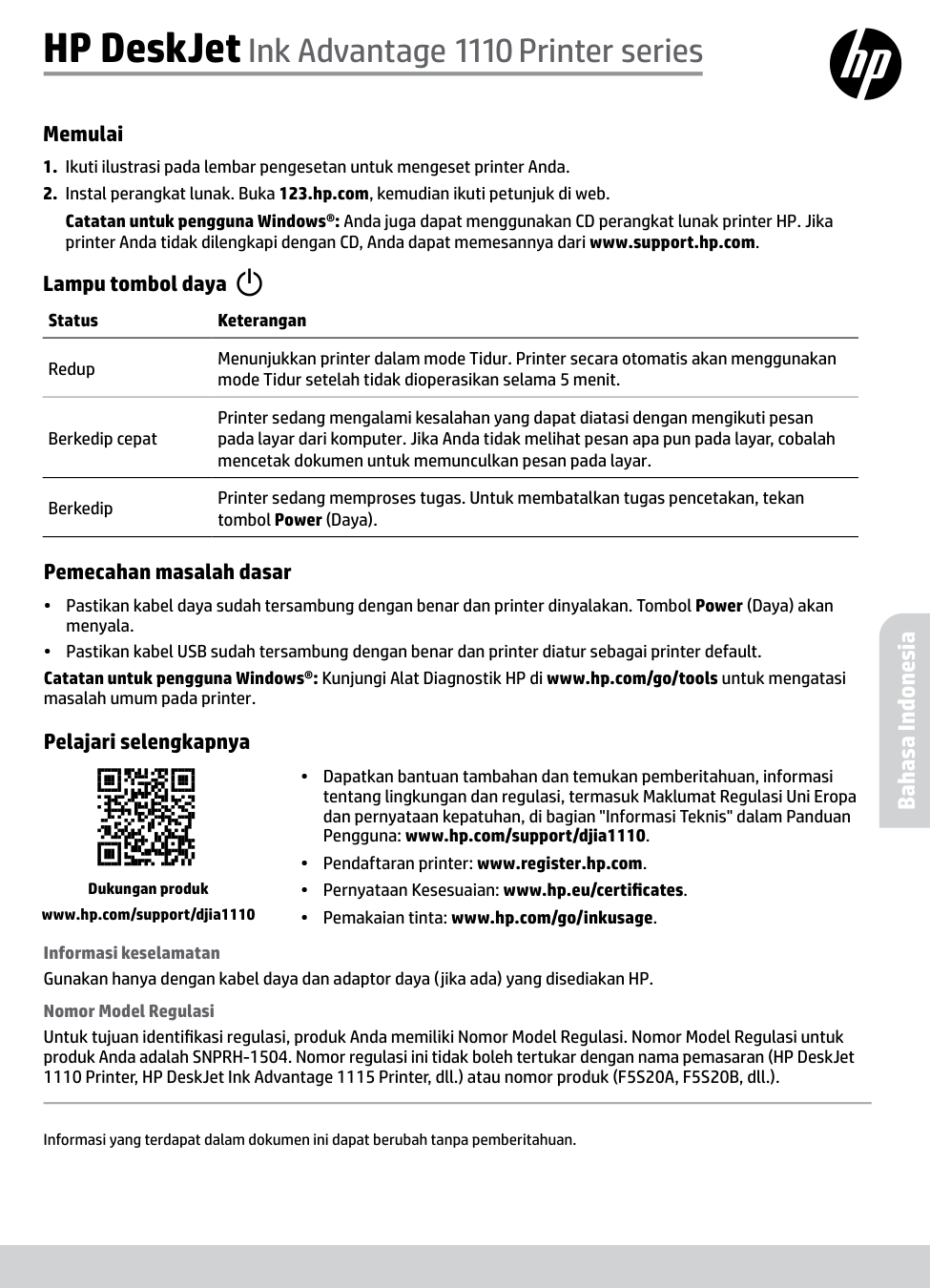
Informasi yang terdapat dalam dokumen ini dapat berubah tanpa pemberitahuan. Memulai
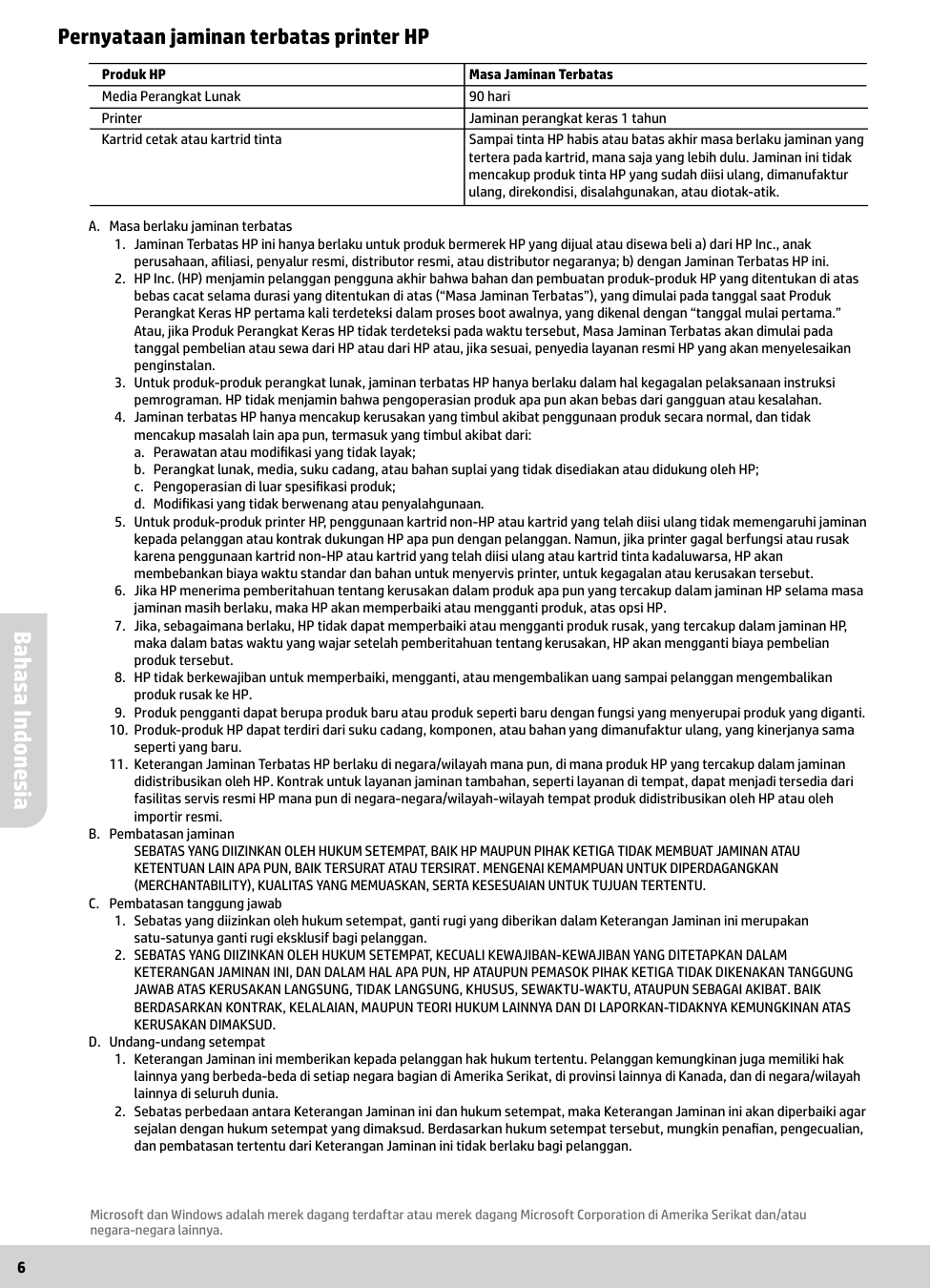
6 Pernyataan jaminan terbatas printer HP A. Masa berlaku jaminan terbatas
a. Perawatan atau modifikasi yang tidak layak;
b. Perangkat lunak, media, suku cadang, atau bahan suplai yang tidak disediakan atau didukung oleh HP;
c. Pengoperasian di luar spesifikasi produk;
d. Modifikasi yang tidak berwenang atau penyalahgunaan.
Kerusakan Dimaksud.
D. Undang-undang setempat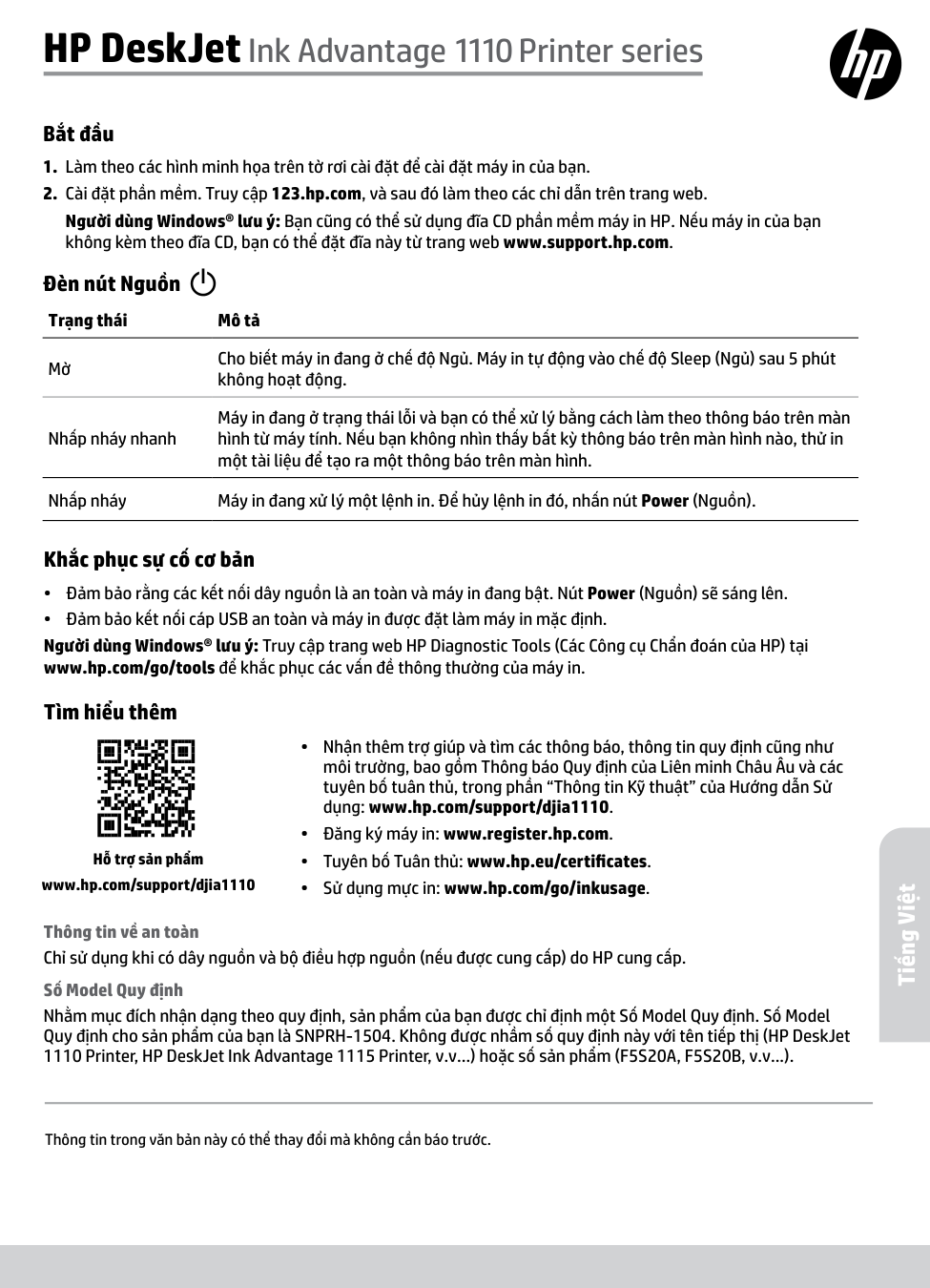
Thông tin trong văn bản này có thể thay đổi mà không cần báo trước. Bắt đầu
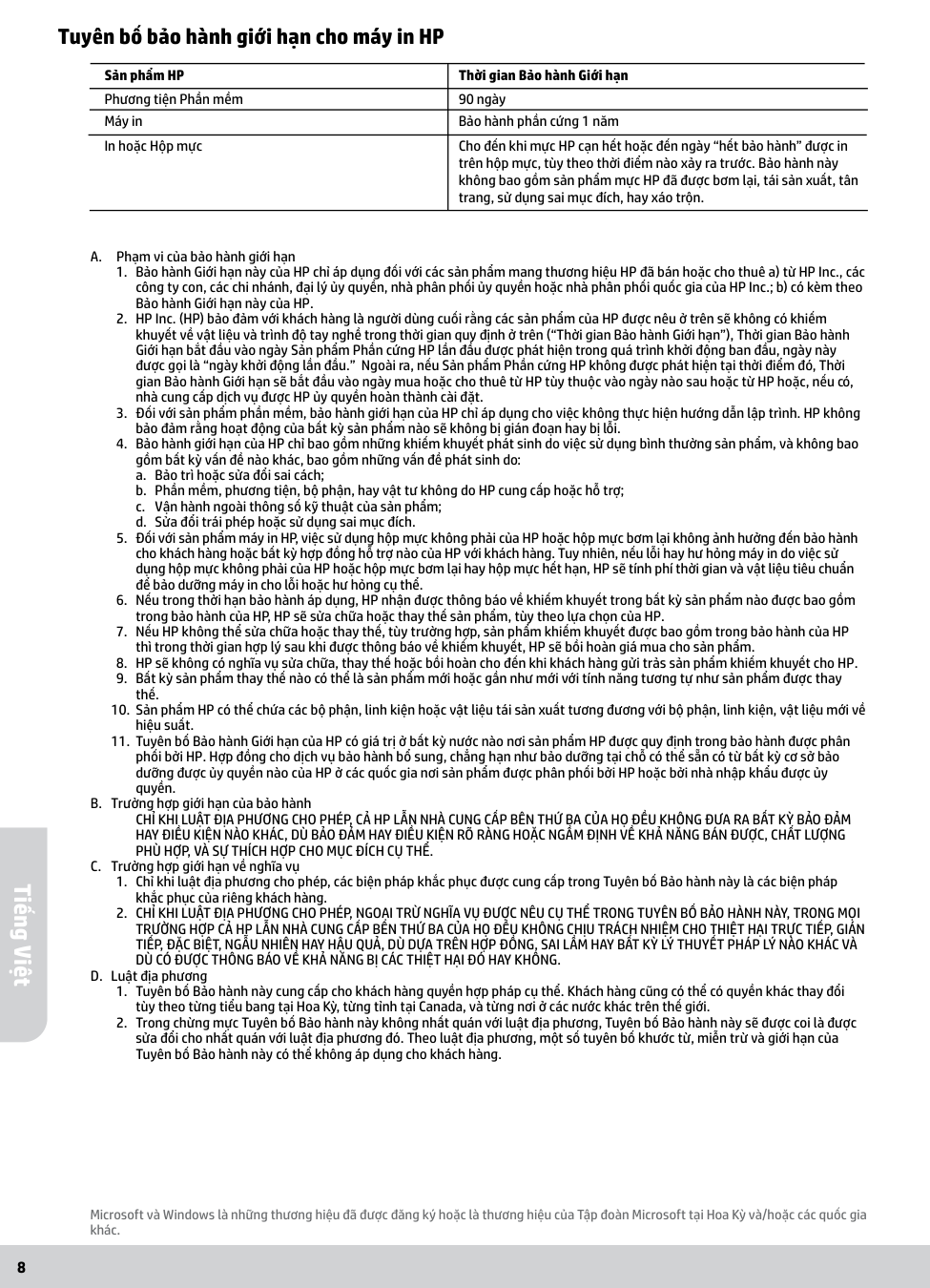
8 Tuyên bố bảo hành giới hạn cho máy in HP A. Phạm vi của bảo hành giới hạn
a. Bảo trì hoặc sửa đổi sai cách;
b. Phần mềm, phương tiện, bộ phận, hay vật tư không do HP cung cấp hoặc hỗ trợ;
c. Vận hành ngoài thông số kỹ thuật của sản phẩm;
d. Sửa đổi trái phép hoặc sử dụng sai mục đích.
Phù Hợp, Và Sự Thích Hợp Cho Mục Đích Cụ Thể.
C. Trường hợp giới hạn về nghĩa vụDù Có Được Thông Báo Về Khả Năng Bị Các Thiệt Hại Đó Hay Không.
D. Luật địa phươngBảo hành phần cứng 1 năm In hoặc Hộp mực Cho đến khi mực HP cạn hết hoặc đến ngày “hết bảo hành” được in trên hộp mực, tùy theo thời điểm nào xảy ra trước. Bảo hành này không bao gồm sản phẩm mực HP đã được bơm lại, tái sản xuất, tân trang, sử dụng sai mục đích, hay xáo trộn. Microsoft và Windows là những thương hiệu đã được đăng ký hoặc là thương hiệu của Tập đoàn Microsoft tại Hoa Kỳ và/hoặc các quốc gia khác. Tiếng Việt