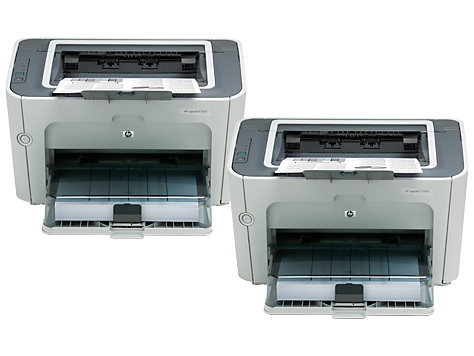
Ask AI
— answers from the official manualAnswers from the official manual.
Common questions
Common Questions
17 totalWhere can I find the full User Guide for the HP LaserJet P1500?
The electronic User Guide is on the CD-ROM that came with the printer or is in the HP program folder on your computer. It contains problem solving information, important safety notices and regulatory information, and detailed user instructions. It is also available online at http://www.hp.com/support/ljp1500. (Page 7)
When should I connect the USB cable during setup?
Do not connect the USB cable until prompted by the software. Connecting it too early during the installation process may cause setup issues. Follow the on-screen software instructions before plugging in the USB cable. (Page 5)
What should I do with the orange materials before using the printer?
Remove all orange shipping materials before operating the printer. These materials are used to protect the printer during transport and must be fully removed prior to use. (Page 4)
Where is the best place to position the HP LaserJet P1500?
Select a sturdy, well-ventilated, dust-free area to position the device. Proper placement helps ensure reliable operation and longevity of the printer. (Page 3)
How do I turn on the printer and install the software?
Turn the printer on and then install the software from the included CD-ROM. The software installation process will guide you through the remaining setup steps, including when to connect the USB cable. (Page 6)
Does the HP LaserJet P1500 comply with FCC regulations?
Yes, this equipment has been tested and found to comply with the limits for a Class B digital device, pursuant to Part 15 of the FCC rules. These limits are designed to provide reasonable protection against harmful interference in a residential installation. (Page 2)
Show 11 more questions
What should I do if the HP LaserJet P1500 causes interference with radio or television reception?
What topics does the electronic User Guide cover?
Can I find support information for the HP LaserJet P1500 online?
What are the steps to set up the HP LaserJet P1500 for the first time?
What should I do if I encounter error code E78 on my HP LaserJet P1500?
How should I set up my HP LaserJet P1500 properly?
What steps should I follow to install software for my HP LaserJet P1500?
How do I troubleshoot connectivity issues with my HP LaserJet P1500, especially those involving USB cables?
Can I safely relocate my HP LaserJet P1500 from one office to another?
Are there any special considerations when using the HP LaserJet P1500 near sensitive electronic equipment?
What are the steps required to properly disconnect and relocate my HP LaserJet P1500?
Full Manual
8 pages
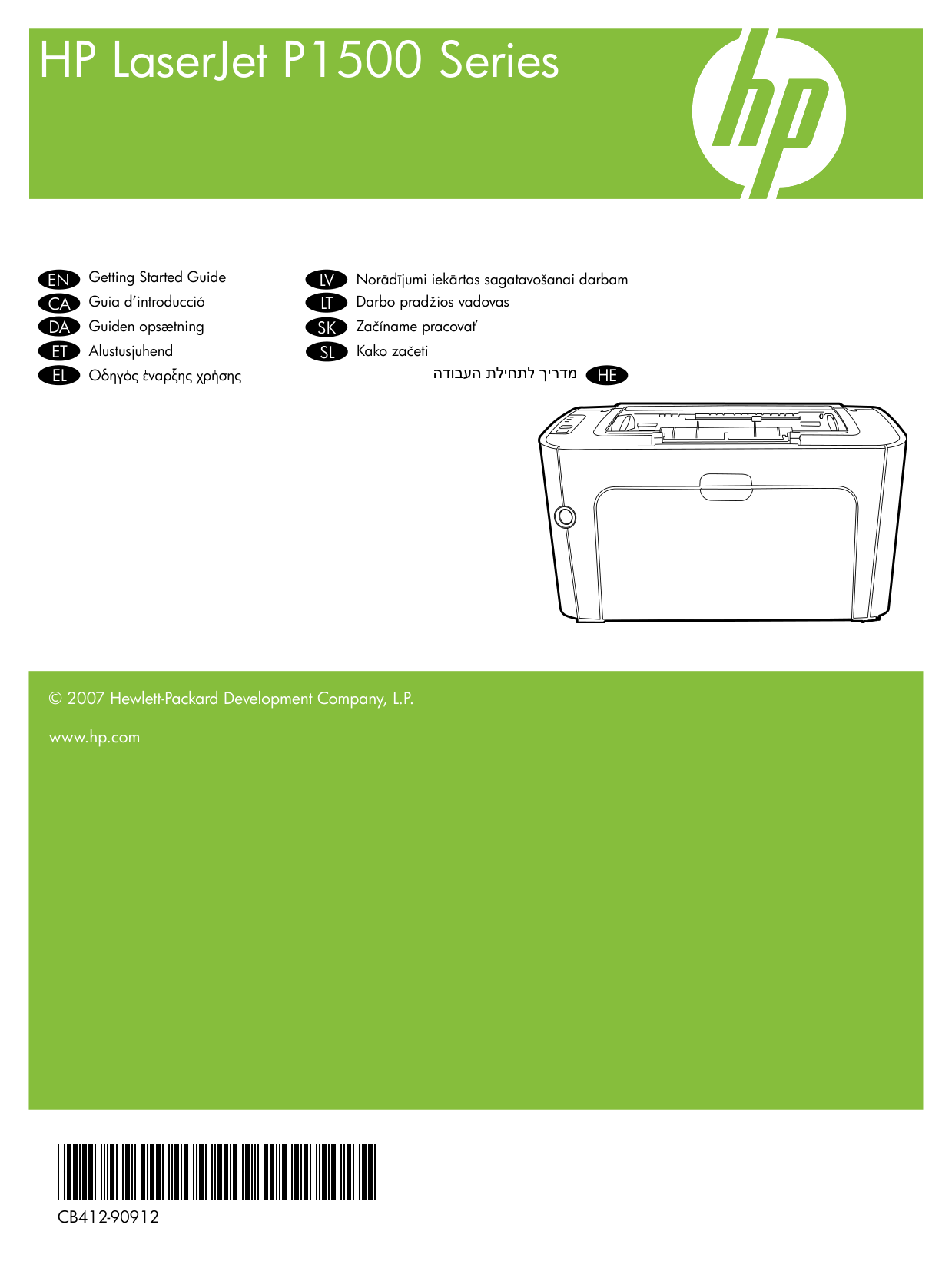
HP LaserJet P1500 Series Getting Started Guide Guia d’introducció Guiden opsætning Alustusjuhend Οδηγός έναρξης χρήσης Norādījumi iekārtas sagatavošanai darbam Darbo pradžios vadovas Začíname pracovať Kako začeti
En
Ca
Da
Et
El
Lv
Lt
Sk
Sl
מדריך לתחילת העבודהHe
© 2007 Hewlett-Packard Development Company, L.P. www.hp.com*Cb412-90912*
*Cb412-90912*
Cb412-90912
Copyright and License © 2007 Copyright Hewlett-Packard Development Company, L.P. Reproduction, adaptation or translation without prior written permission is prohibited, except as allowed under the copyright laws. The information contained herein is subject to change without notice. The only warranties for HP products and services are set forth in the express warranty statements accompanying such products and services. Nothing herein should be construed as constituting an additional warranty. HP shall not be liable for technical or editorial errors or omissions contained herein. Part number: CB412-90912 Edition 1, 11/2007 FCC Regulations This equipment has been tested and found to comply with the limits for a Class B digital device, pursuant to Part 15 of the FCC rules. These limits are designed to provide reasonable protection against harmful interference in a residential installation. This equipment generates, uses, and can radiate radio-frequency energy. If this equipment is not installed and used in accordance with the instructions, it may cause harmful interference to radio communications. However, there is no guarantee that interference will not occur in a particular installation. If this equipment does cause harmful interference to radio or television reception, which can be determined by turning the equipment off and on, correct the interference by one or more of the following measures:
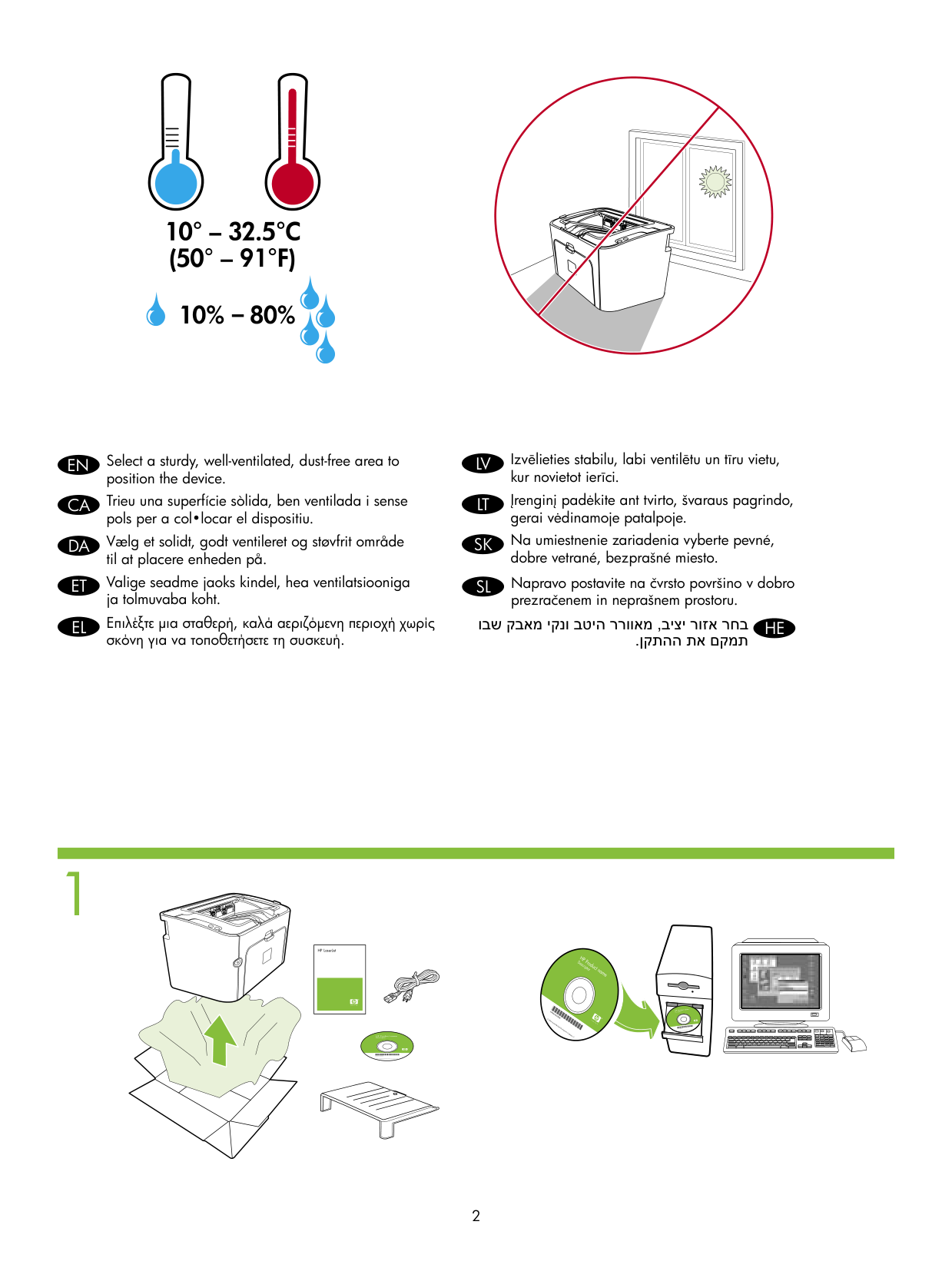
1 Select a sturdy, well-ventilated, dust-free area to position the device.
En
Trieu una superfície sòlida, ben ventilada i sense pols per a col•locar el dispositiu.Ca
Vælg et solidt, godt ventileret og støvfrit område til at placere enheden på.Da
Valige seadme jaoks kindel, hea ventilatsiooniga ja tolmuvaba koht.Et
Επιλέξτε μια σταθερή, καλά αεριζόμενη περιοχή χωρίς σκόνη για να τοποθετήσετε τη συσκευή.El
Izvēlieties stabilu, labi ventilētu un tīru vietu, kur novietot ierīci.Lv
Įrenginį padėkite ant tvirto, švaraus pagrindo, gerai vėdinamoje patalpoje.Lt
Na umiestnenie zariadenia vyberte pevné, dobre vetrané, bezprašné miesto.Sk
Napravo postavite na čvrsto površino v dobro prezračenem in neprašnem prostoru.Sl
בחר אזור יציב, מאוורר היטב ונקי מאבק שבו.תמקם את ההתקןHe
HP LaserJet 2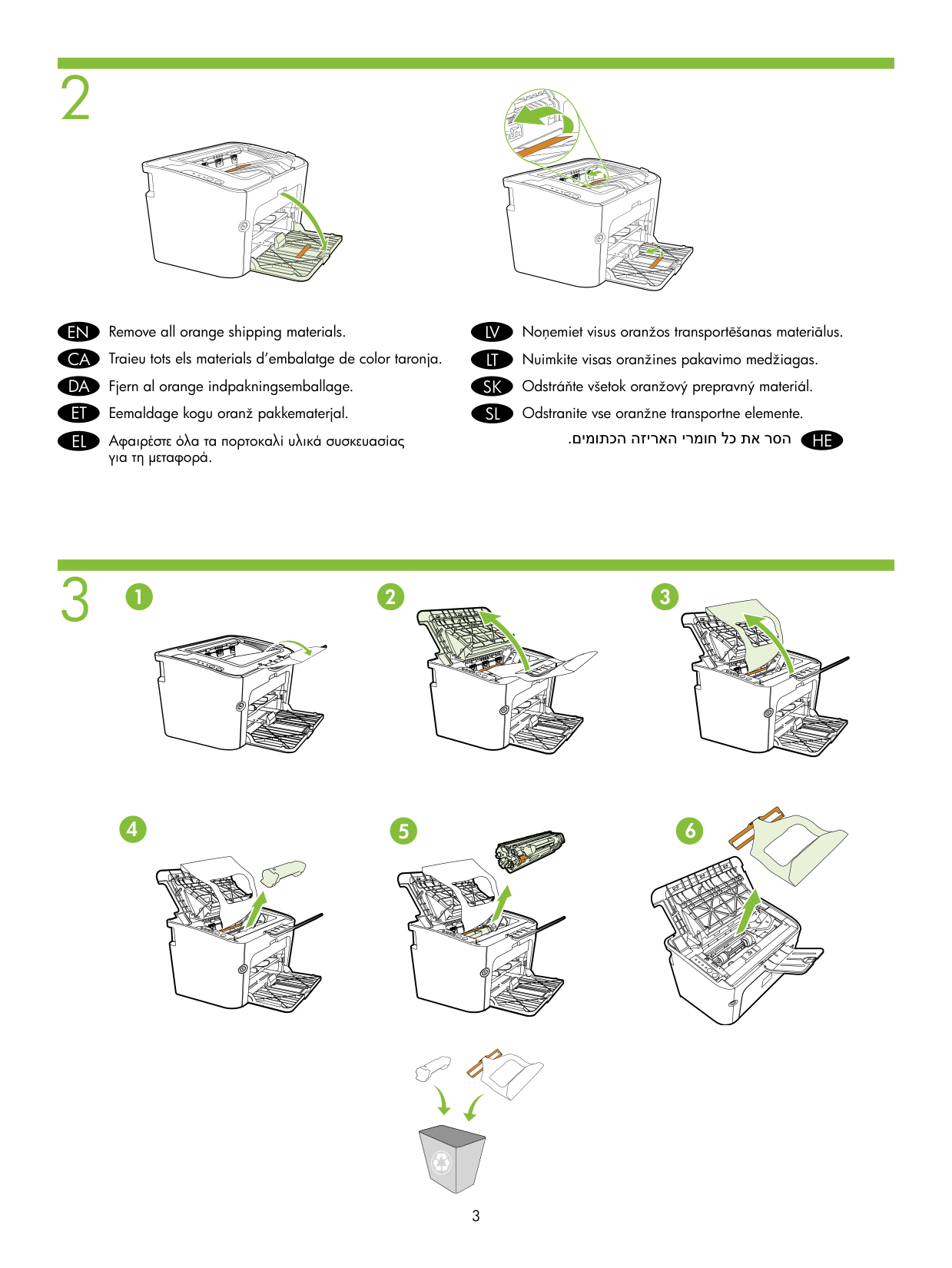
2 3 Remove all orange shipping materials. Traieu tots els materials d’embalatge de color taronja. Fjern al orange indpakningsemballage. Eemaldage kogu oranž pakkematerjal. Αφαιρέστε όλα τα πορτοκαλί υλικά συσκευασίας για τη μεταφορά. Noņemiet visus oranžos transportēšanas materiālus. Nuimkite visas oranžines pakavimo medžiagas. Odstráňte všetok oranžový prepravný materiál. Odstranite vse oranžne transportne elemente.
En
Ca
Da
Et
El
Lv
Lt
Sk
Sl
.הסר את כל חומרי האריזה הכתומיםHe
1 2 3 4 5 6 3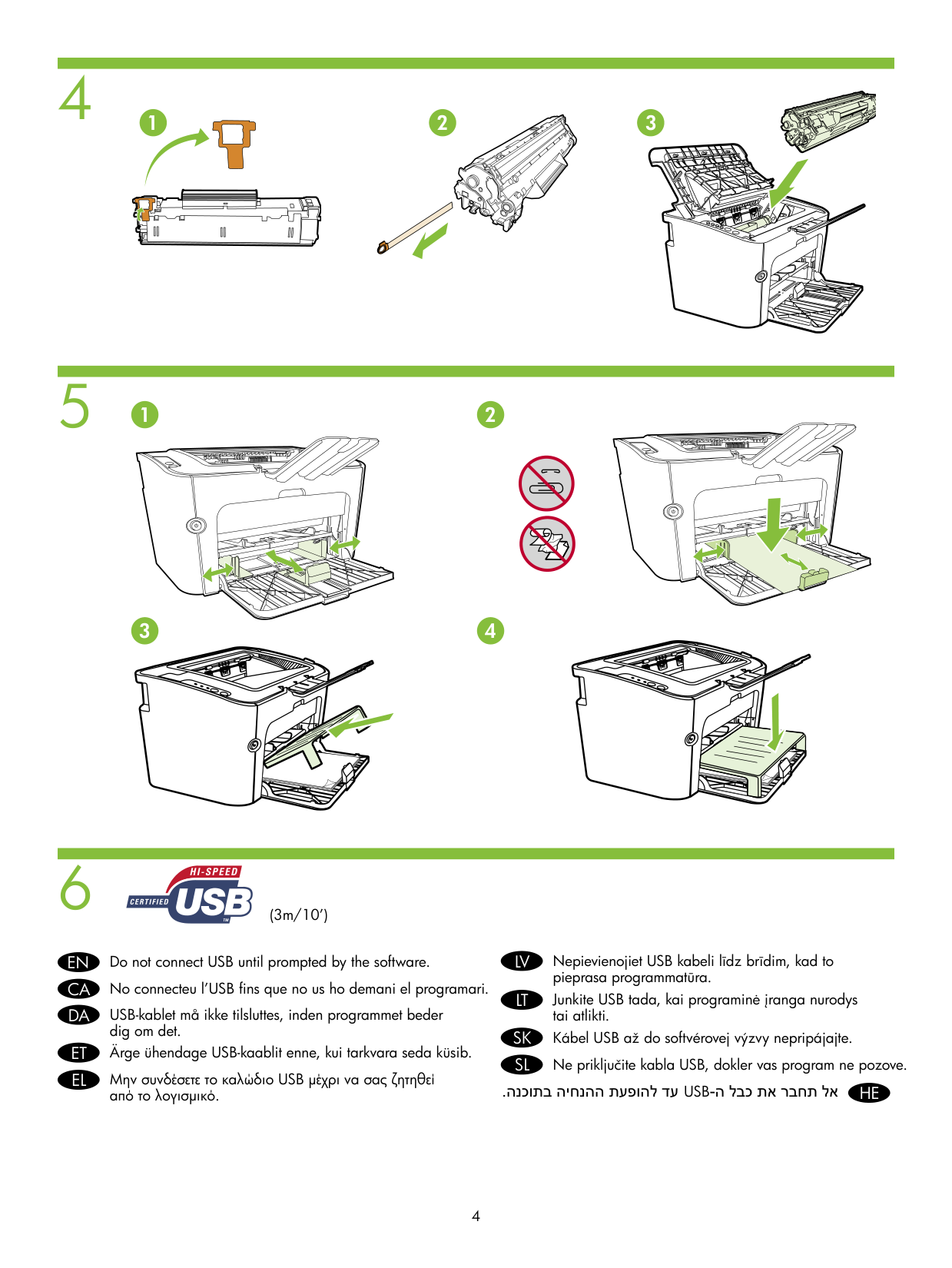
4 5 6
En
Ca
Da
Et
El
Lv
Lt
Sk
Sl
Do not connect USB until prompted by the software. No connecteu l’USB fins que no us ho demani el programari. USB-kablet må ikke tilsluttes, inden programmet beder dig om det. Ärge ühendage USB-kaablit enne, kui tarkvara seda küsib. Μην συνδέσετε το καλώδιο USB μέχρι να σας ζητηθεί από το λογισμικό. Nepievienojiet USB kabeli līdz brīdim, kad to pieprasa programmatūra. Junkite USB tada, kai programinė įranga nurodys tai atlikti. Kábel USB až do softvérovej výzvy nepripájajte. Ne priključite kabla USB, dokler vas program ne pozove.He
.עד להופעת ההנחיה בתוכנה Usb-אל תחבר את כבל ה
1 2 3 (3m/10’) 2 1 4 3 4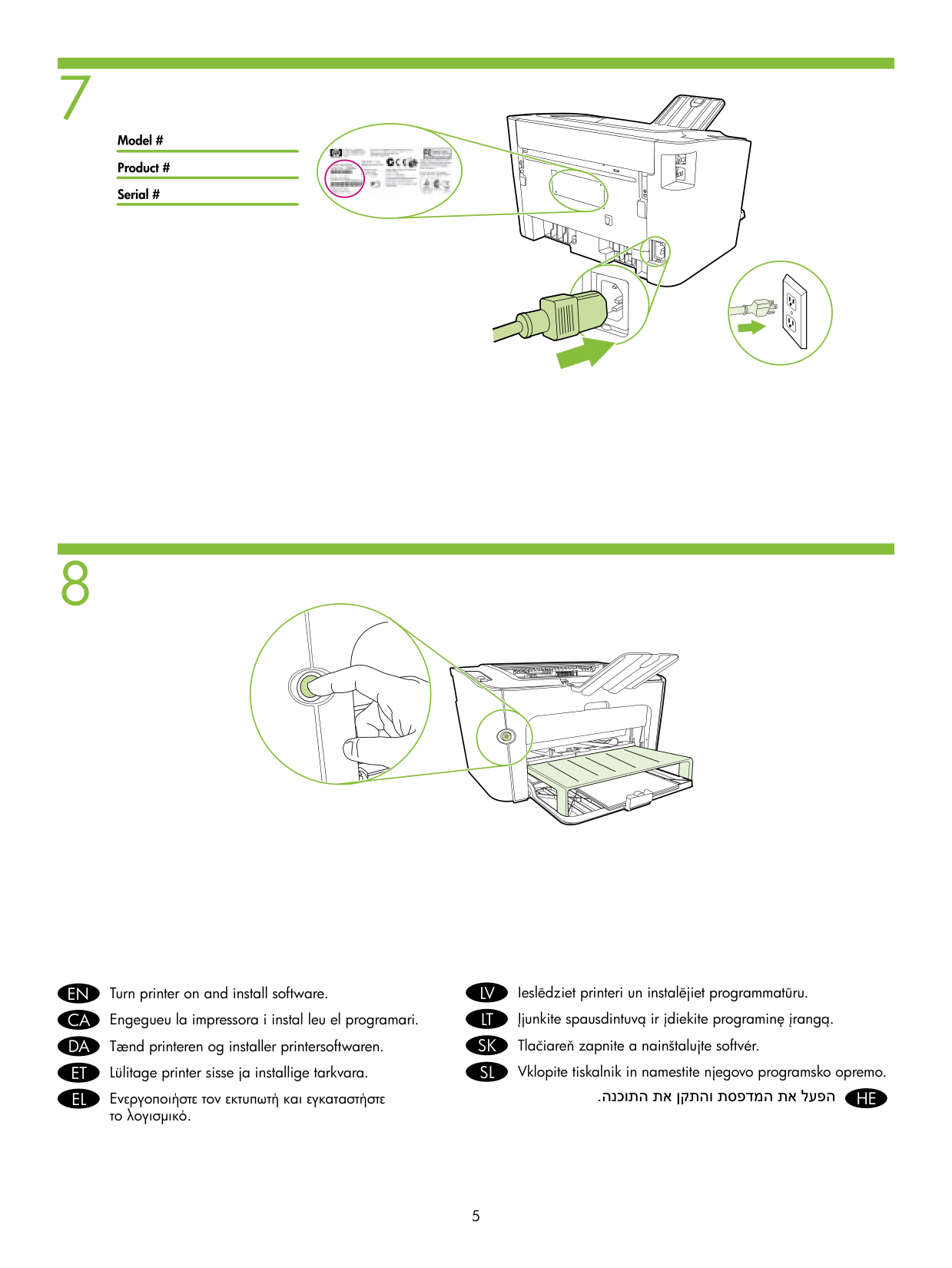
8 7
En
Turn printer on and install software.Ca
Engegueu la impressora i instal leu el programari.Da
Tænd printeren og installer printersoftwaren.Et
Lülitage printer sisse ja installige tarkvara.El
Ενεργοποιήστε τον εκτυπωτή και εγκαταστήστε το λογισμικό.Lv
Ieslēdziet printeri un instalējiet programmatūru.Lt
Įjunkite spausdintuvą ir įdiekite programinę įrangą.Sk
Tlačiareň zapnite a nainštalujte softvér.Sl
Vklopite tiskalnik in namestite njegovo programsko opremo.He
.הפעל את המדפסת והתקן את התוכנה 5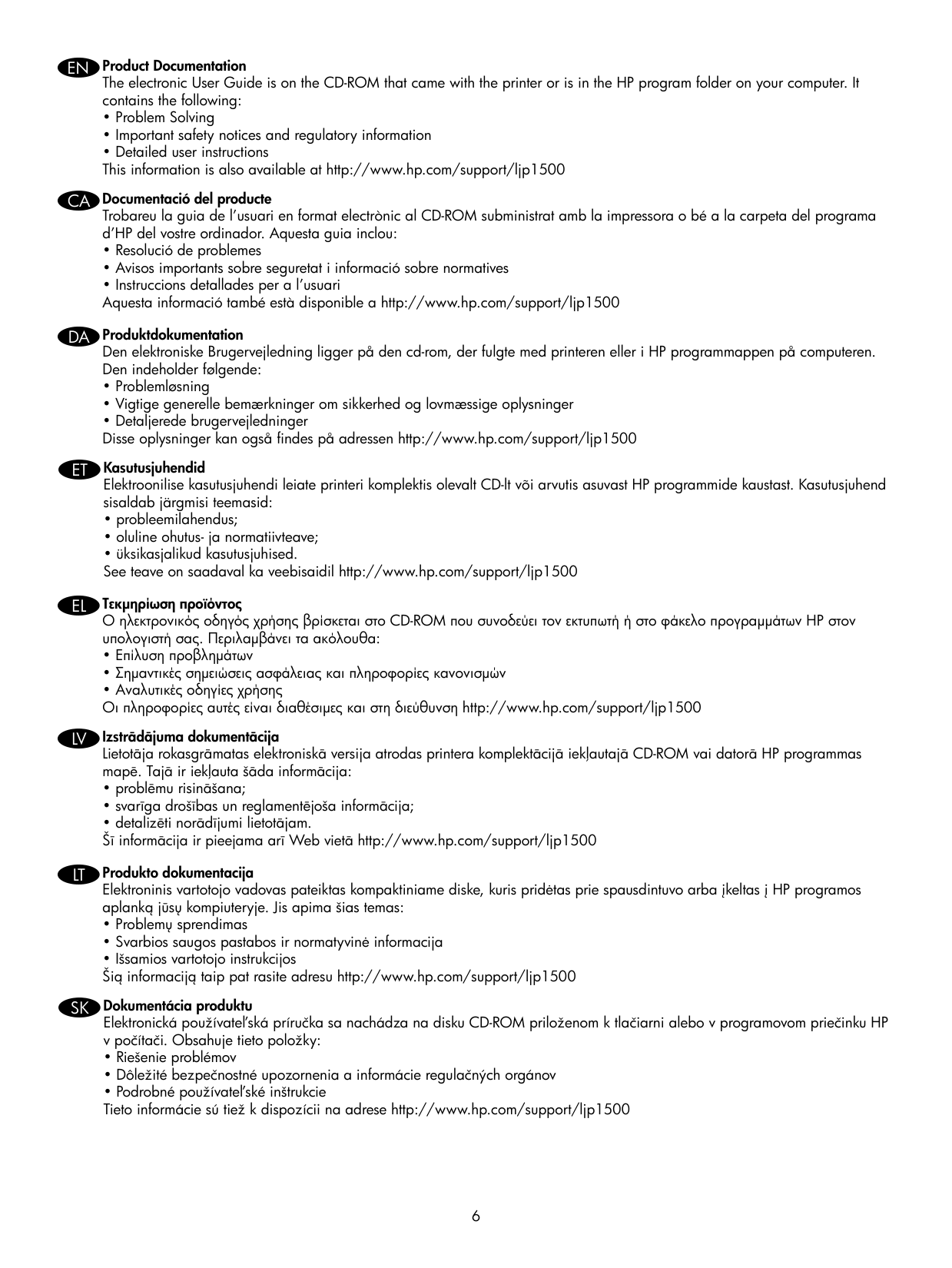
Product Documentation The electronic User Guide is on the CD-ROM that came with the printer or is in the HP program folder on your computer. It contains the following:
En
Documentació del producte Trobareu la guia de l’usuari en format electrònic al CD-ROM subministrat amb la impressora o bé a la carpeta del programa d’HP del vostre ordinador. Aquesta guia inclou:Ca
Produktdokumentation Den elektroniske Brugervejledning ligger på den cd-rom, der fulgte med printeren eller i HP programmappen på computeren. Den indeholder følgende:Da
Kasutusjuhendid Elektroonilise kasutusjuhendi leiate printeri komplektis olevalt CD-lt või arvutis asuvast HP programmide kaustast. Kasutusjuhend sisaldab järgmisi teemasid:Et
Τεκμηρίωση προϊόντος Ο ηλεκτρονικός οδηγός χρήσης βρίσκεται στο CD-ROM που συνοδεύει τον εκτυπωτή ή στο φάκελο προγραμμάτων ΗΡ στον υπολογιστή σας. Περιλαμβάνει τα ακόλουθα:El
Izstrādājuma dokumentācija Lietotāja rokasgrāmatas elektroniskā versija atrodas printera komplektācijā iekļautajā CD-ROM vai datorā HP programmas mapē. Tajā ir iekļauta šāda informācija:Lv
Produkto dokumentacija Elektroninis vartotojo vadovas pateiktas kompaktiniame diske, kuris pridėtas prie spausdintuvo arba įkeltas į HP programos aplanką jūsų kompiuteryje. Jis apima šias temas:Lt
Dokumentácia produktu Elektronická používateľská príručka sa nachádza na disku CD-ROM priloženom k tlačiarni alebo v programovom priečinku HP v počítači. Obsahuje tieto položky:Sk
6
Dokumentacija izdelka Elektronski uporabniški priročnik je na CD-ROMu, ki je bil priložen tiskalniku, ali pa v programski mapi HP v računalniku. Vsebuje naslednje: