Ask AI
— answers from the official manualAnswers from the official manual.
Common questions
Common Questions
29 totalHow do I know if the network cable is properly connected on my HP LaserJet P2010?
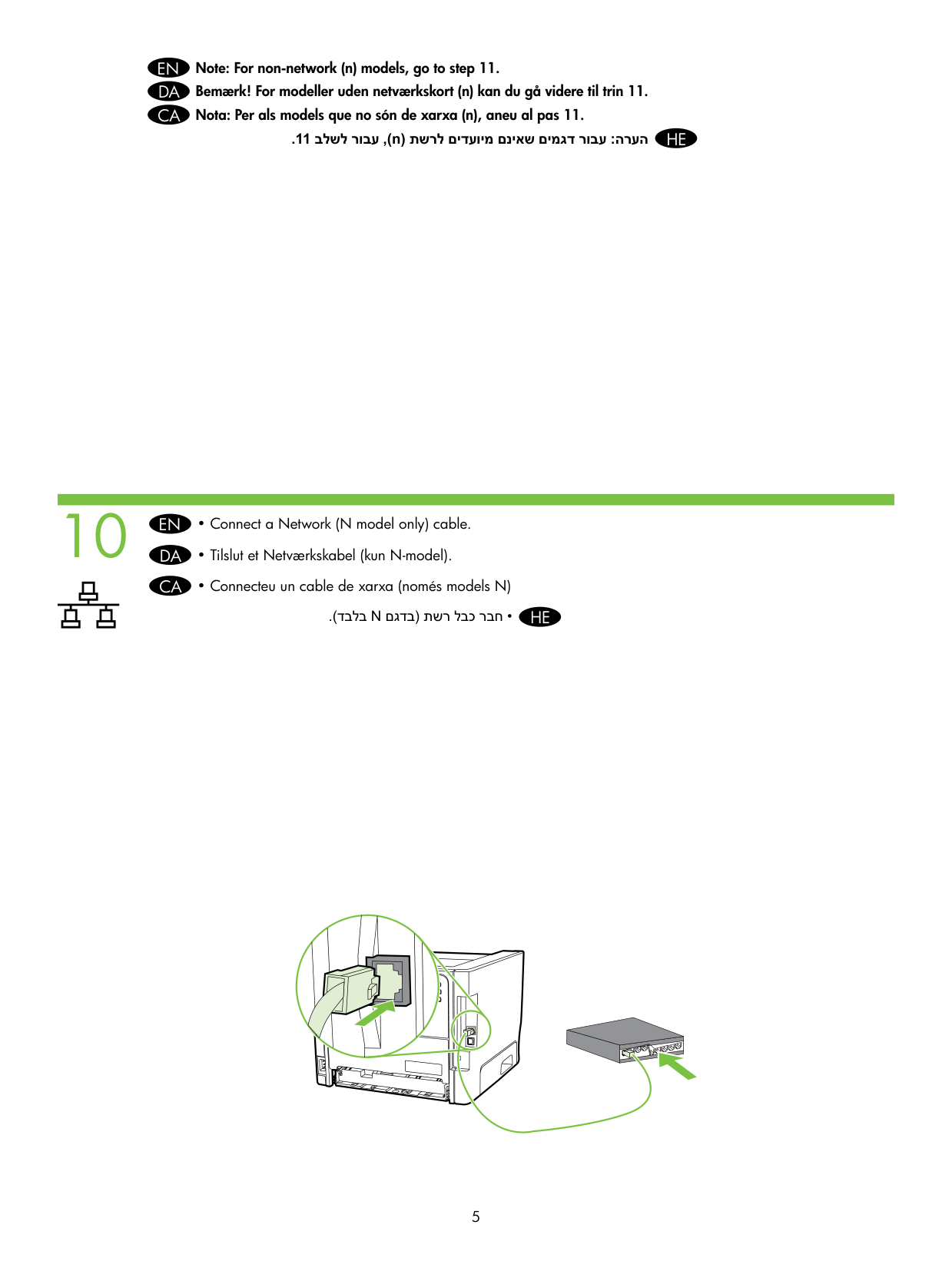
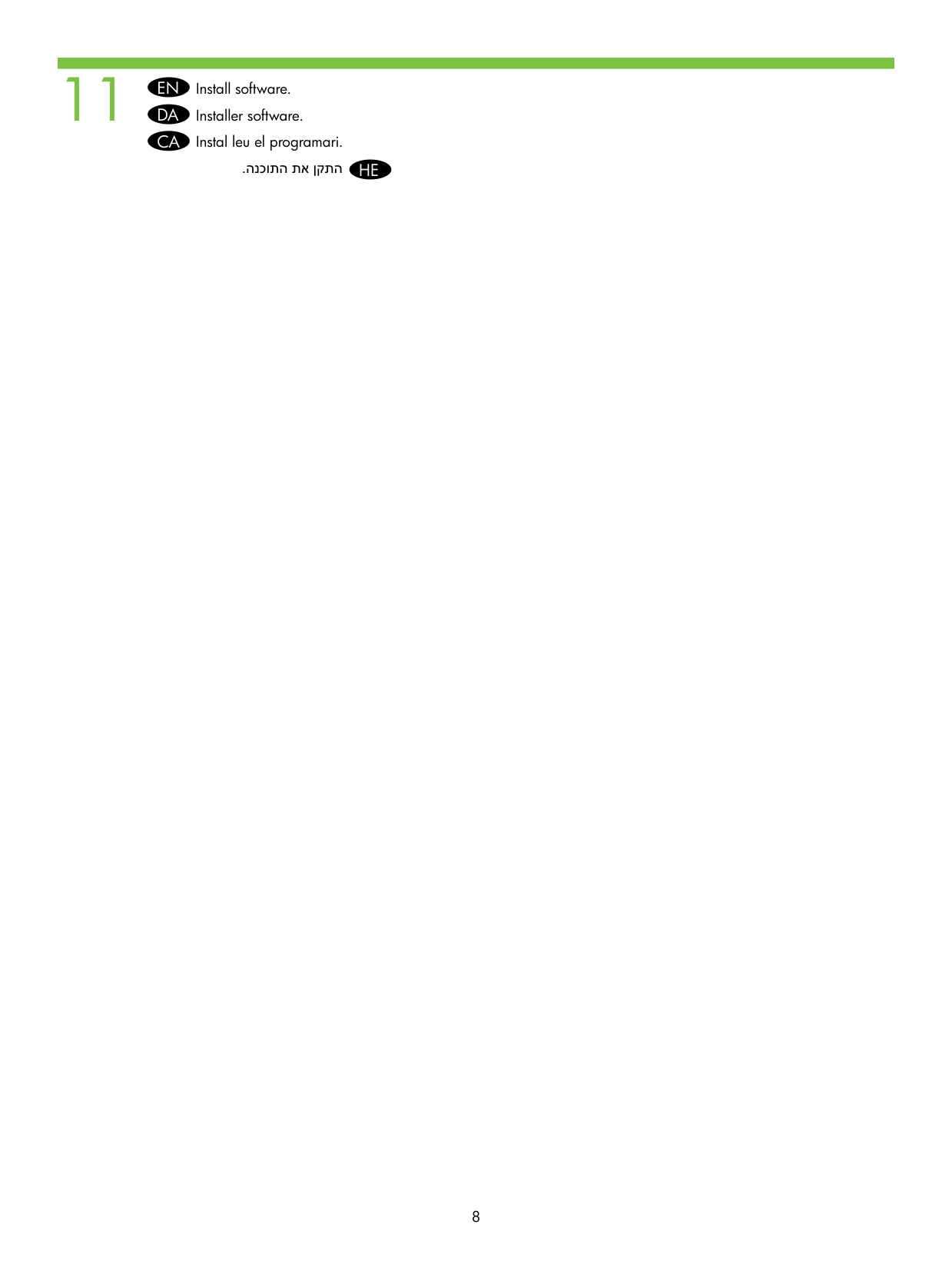
Verify that one of the network lights (10 or 100) is illuminated on the network port. If neither light is on, check that the network cable is securely connected. (Page 8)
Is the network (N model) cable connection required for all models of the HP LaserJet P2010?
No, the network cable connection applies to N model printers only. For non-network models, you can skip the network cable step and proceed directly to step 11 of the setup process. (Page 7)
When do I connect the USB or Parallel cable during setup?
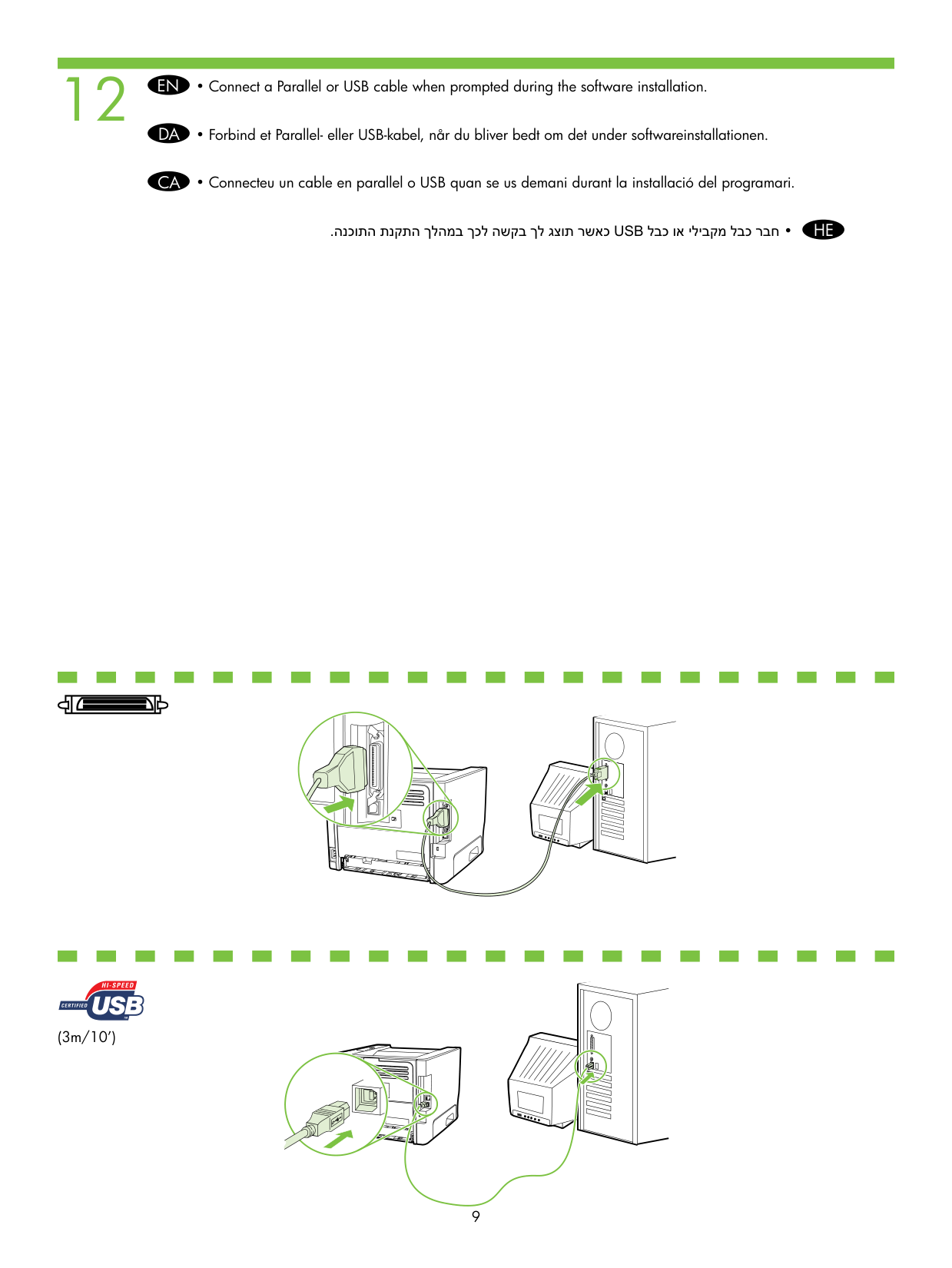
Connect a Parallel or USB cable only when prompted during the software installation process. The cable length supported is up to 3 meters (10 feet). (Page 11)
How do I know the software installation was completed successfully?
A Test Page will print automatically after the software has been successfully installed. This confirms the printer is set up and functioning correctly. (Page 12)
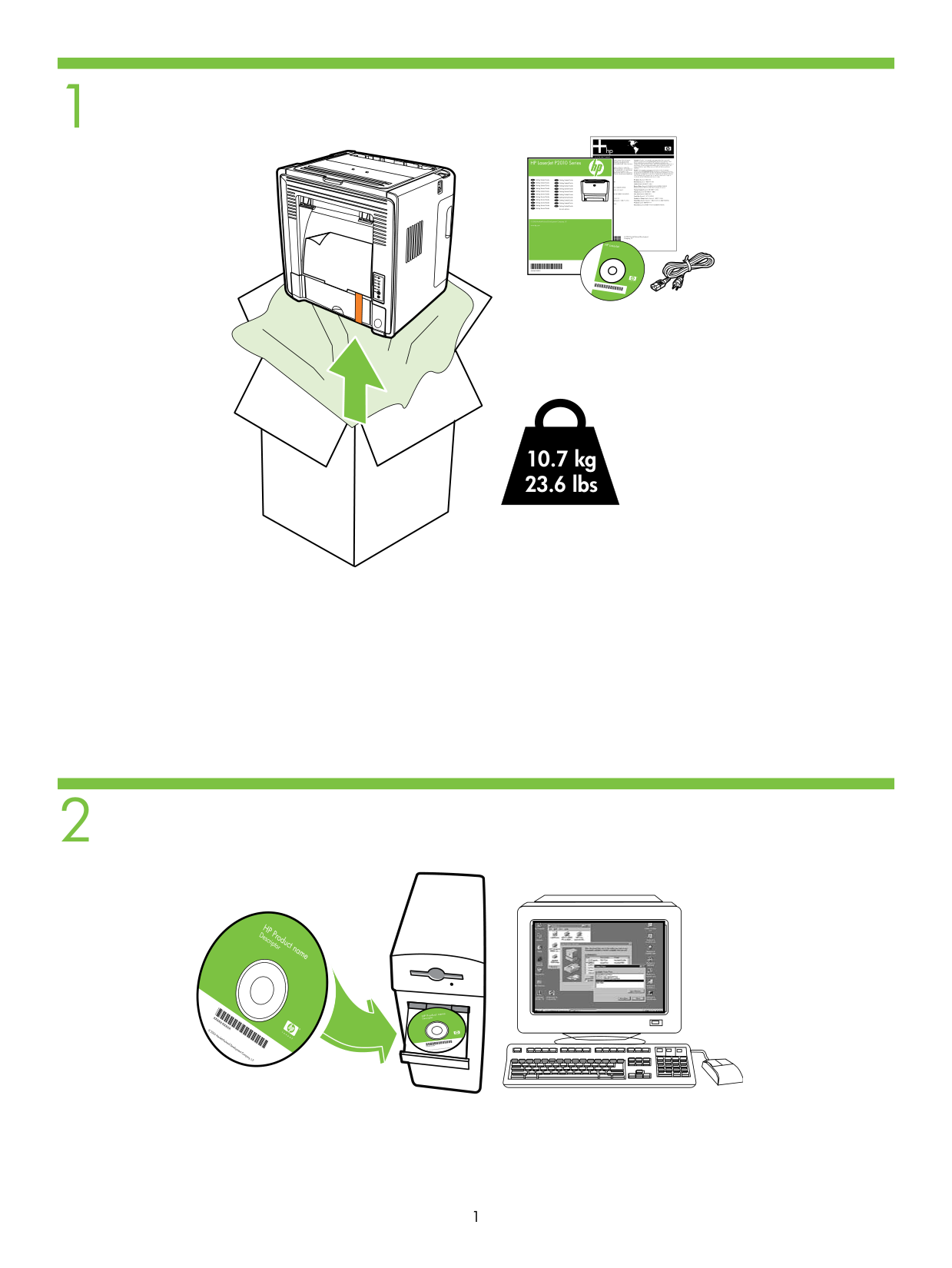
How much does the HP LaserJet P2010 printer weigh?
The HP LaserJet P2010 printer weighs 10.7 kg (23.6 lbs). This should be considered when selecting a sturdy location for placement. (Page 3)
How can I verify that the network cable connection is established?
Check if one of the network port lights (10 or 100) on the network cable is illuminated, indicating a successful connection (Page 9).
Show 23 more questions
What should I do after installing software if I want to test my printer?
How can I troubleshoot common issues with the HP LaserJet P2010 Series printer?
What should I do if the network fails after installation?
How do I access additional help and documentation for this printer?
What should I do if my printer is printing skewed pages?
How do I factory reset my printer?
How do I print a configuration page during installation?
What are some important safety precautions I should know about using this printer?
How do I know that my printer is properly connected and ready for use?
How do I print a Configuration page to find the printer's IP address?
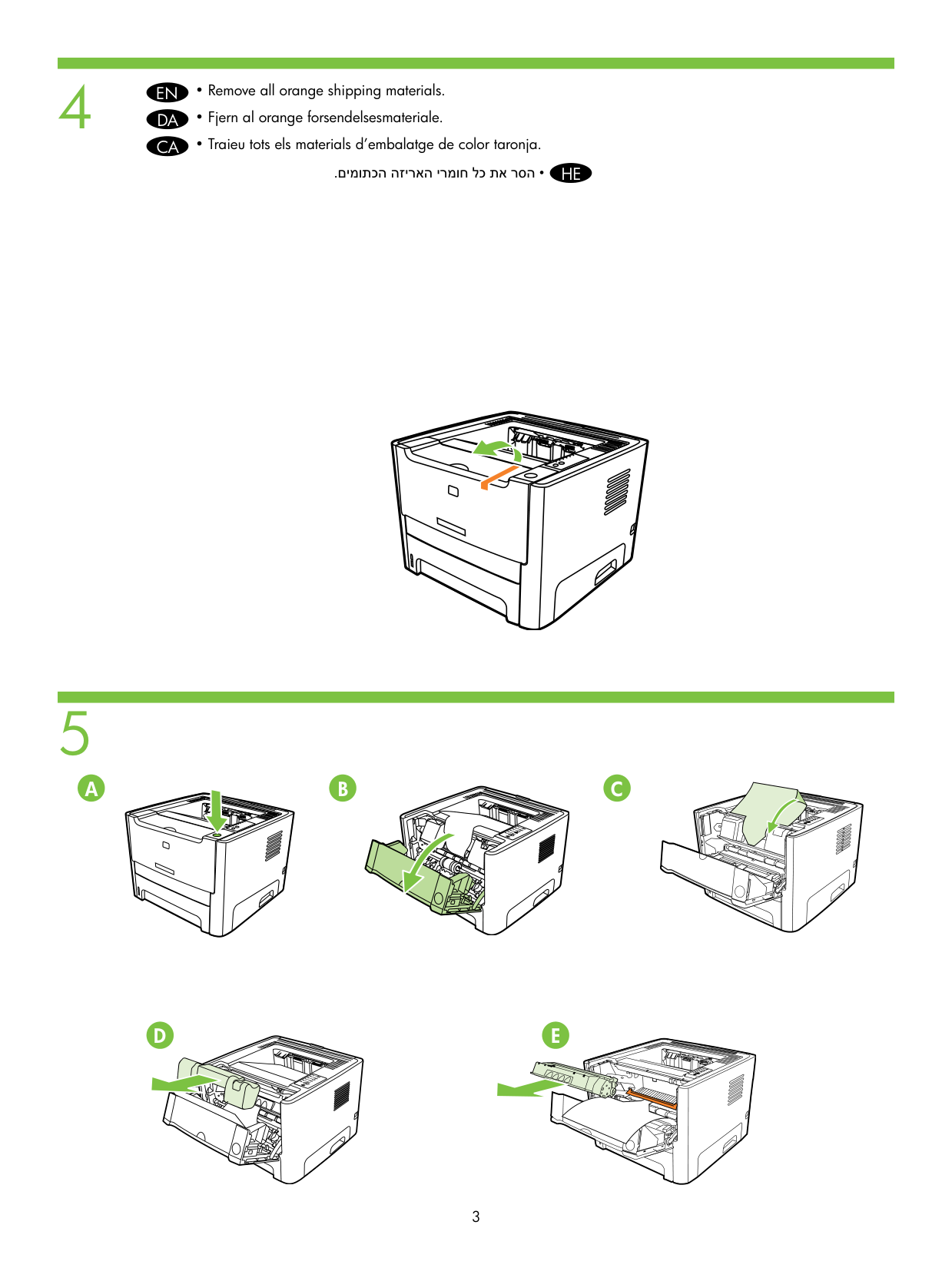
What should I do with the orange shipping materials before setting up the printer?
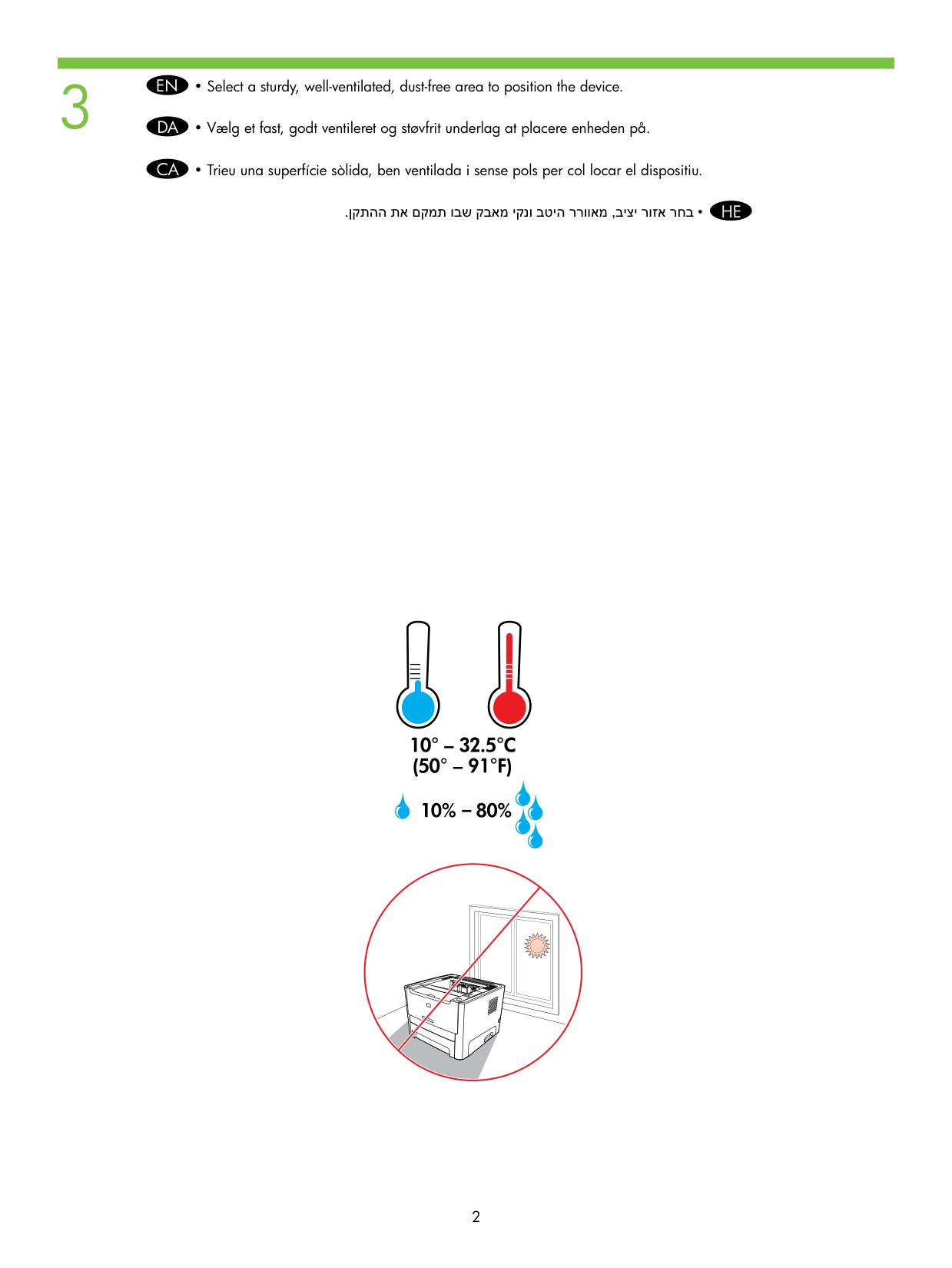
Where should I place the HP LaserJet P2010 printer for safe operation?
Where can I find troubleshooting information and detailed user instructions for the HP LaserJet P2010?
Can modifications made to the HP LaserJet P2010 affect my ability to operate the equipment?
What should I do if my printer displays an error code E55?
How do I connect this printer to my network?
Where should I place my printer for best performance?
How do I install software for this printer?
How do I connect the printer to my computer via USB?
What should I do if I need the IP address for network installation?
How do I install the software necessary to operate this printer?
What safety considerations should I be aware of before setting up my printer?
How can I obtain important safety and regulatory information for my printer?
Full Manual
16 pages
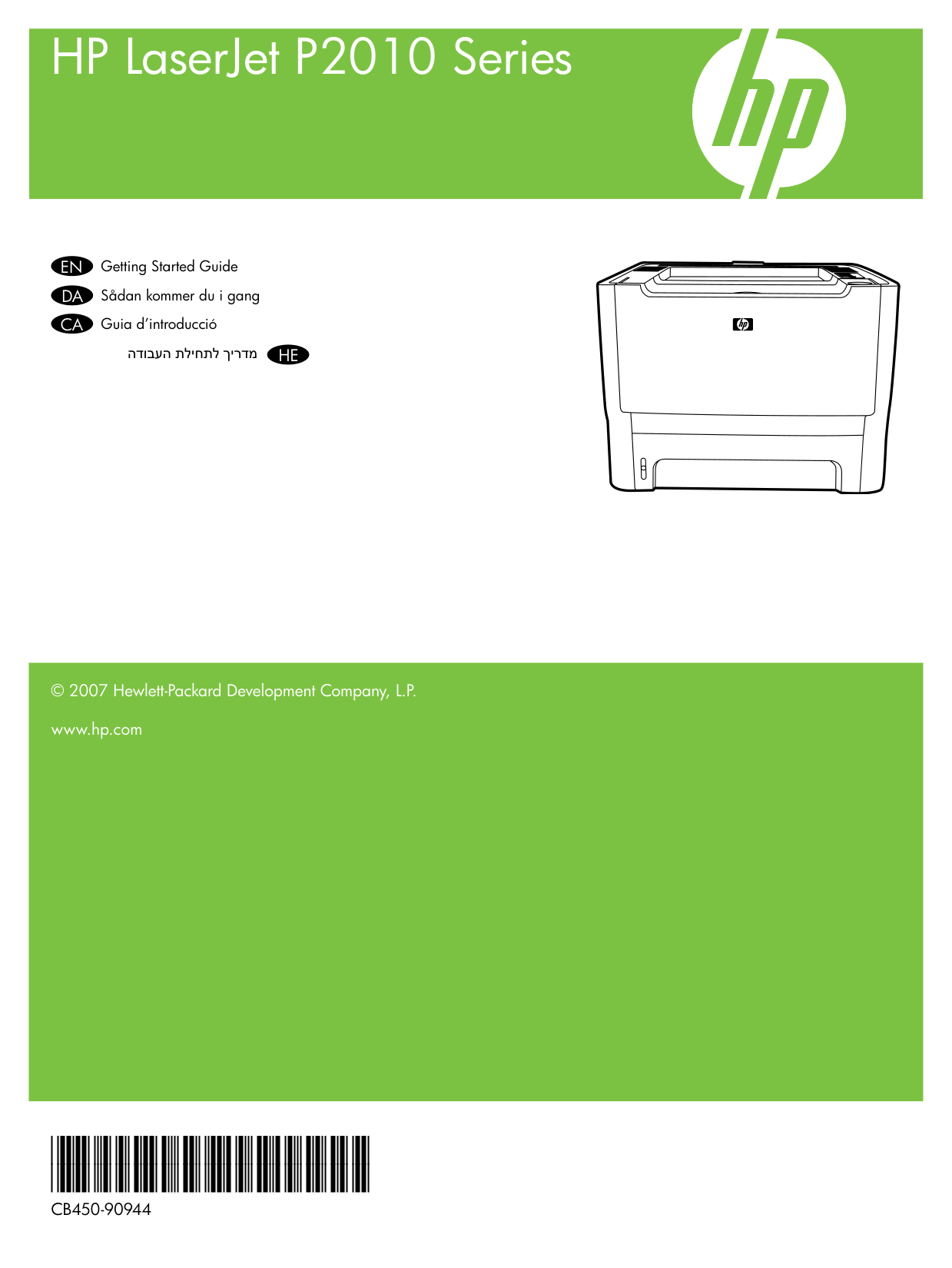
HP LaserJet P2010 Series
Getting Started GuideEN Sådan kommer du i gangDA Guia d’introduccióCA
הדובעה תליחתל ךירדמ HE
© 2007 Hewlett-Packard Development Company, L.P. www.hp.com
CB450-90944
Copyright and License © 2007 Copyright Hewlett-Packard Development Company, L.P. Reproduction, adaptation or translation without prior written permission is prohibited, except as allowed under the copyright laws. The information contained herein is subject to change without notice. The only warranties for HP products and services are set forth in the express warranty statements accompanying such products and services. Nothing herein should be construed as constituting an additional warranty. HP shall not be liable for technical or editorial errors or omissions contained herein. Part number: CB450-90944 Edition 1, 3/2007 FCC Regulations This equipment has been tested and found to comply with the limits for a Class B digital device, pursuant to Part 15 of the FCC rules. These limits are designed to provide reasonable protection against harmful interference in a residential installation. This equipment generates, uses, and can radiate radio-frequency energy. If this equipment is not installed and used in accordance with the instructions, it may cause harmful interference to radio communications. However, there is no guarantee that interference will not occur in a particular installation. If this equipment does cause harmful interference to radio or television reception, which can be determined by turning the equipment off and on, correct the interference by one or more of the following measures:
www.hp.com/support
© 2006 Hewlett-Packard Development Company, L.P.
10.7 kg 23.6 lbs
|| |---|
.ןקתהה תא םקמת ובש קבאמ יקנו בטיה ררוואמ ,ביצי רוזא רחב • HE
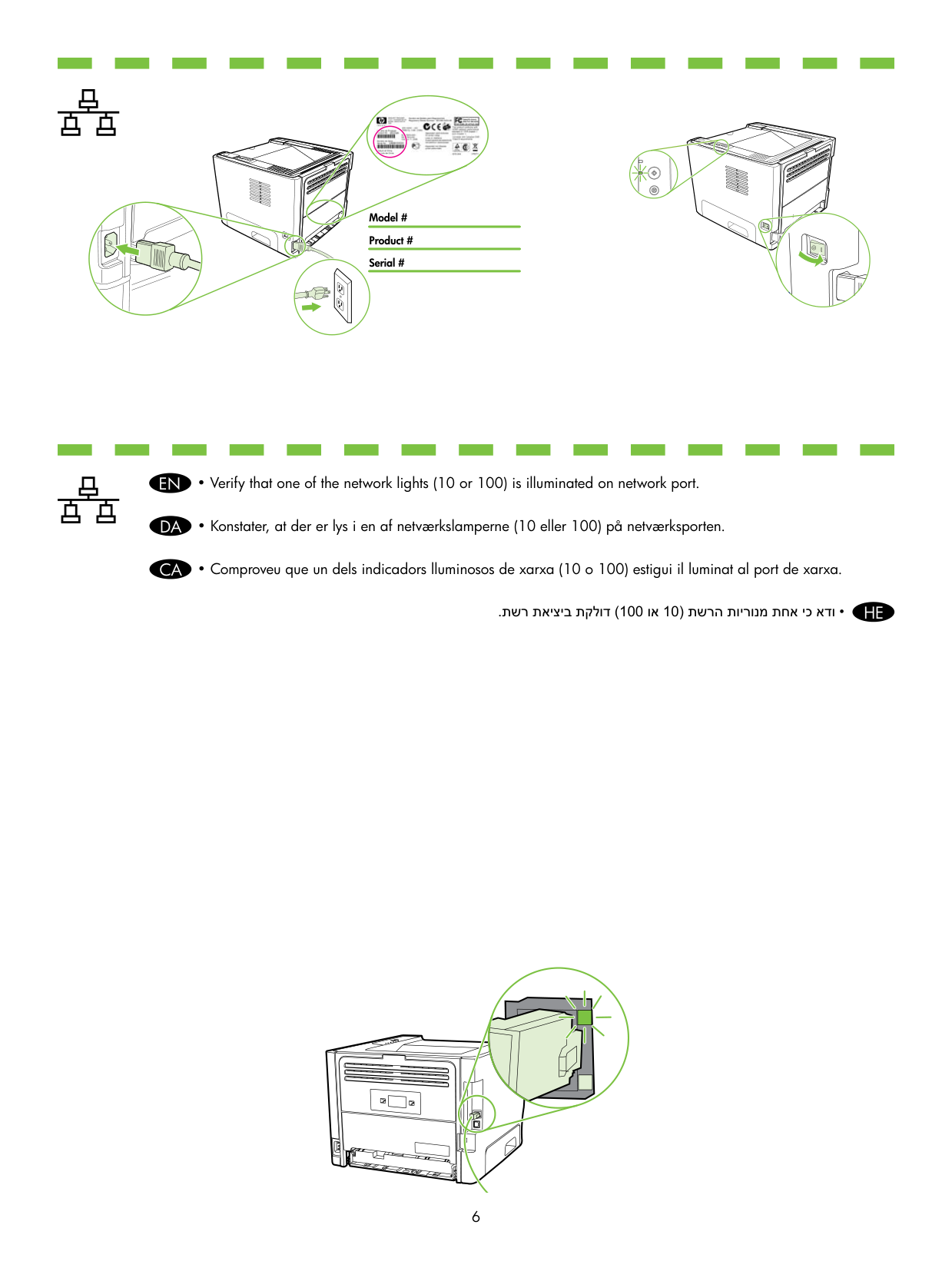
• Remove all orange shipping materials.
###### EN
• Fjern al orange forsendelsesmateriale.
###### DA
• Traieu tots els materials d’embalatge de color taronja.
CA
.םימותכה הזיראה ירמוח לכ תא רסה • HE
#### A B C
#### D E
A C
B
5x
A B
A B
C
D
E F
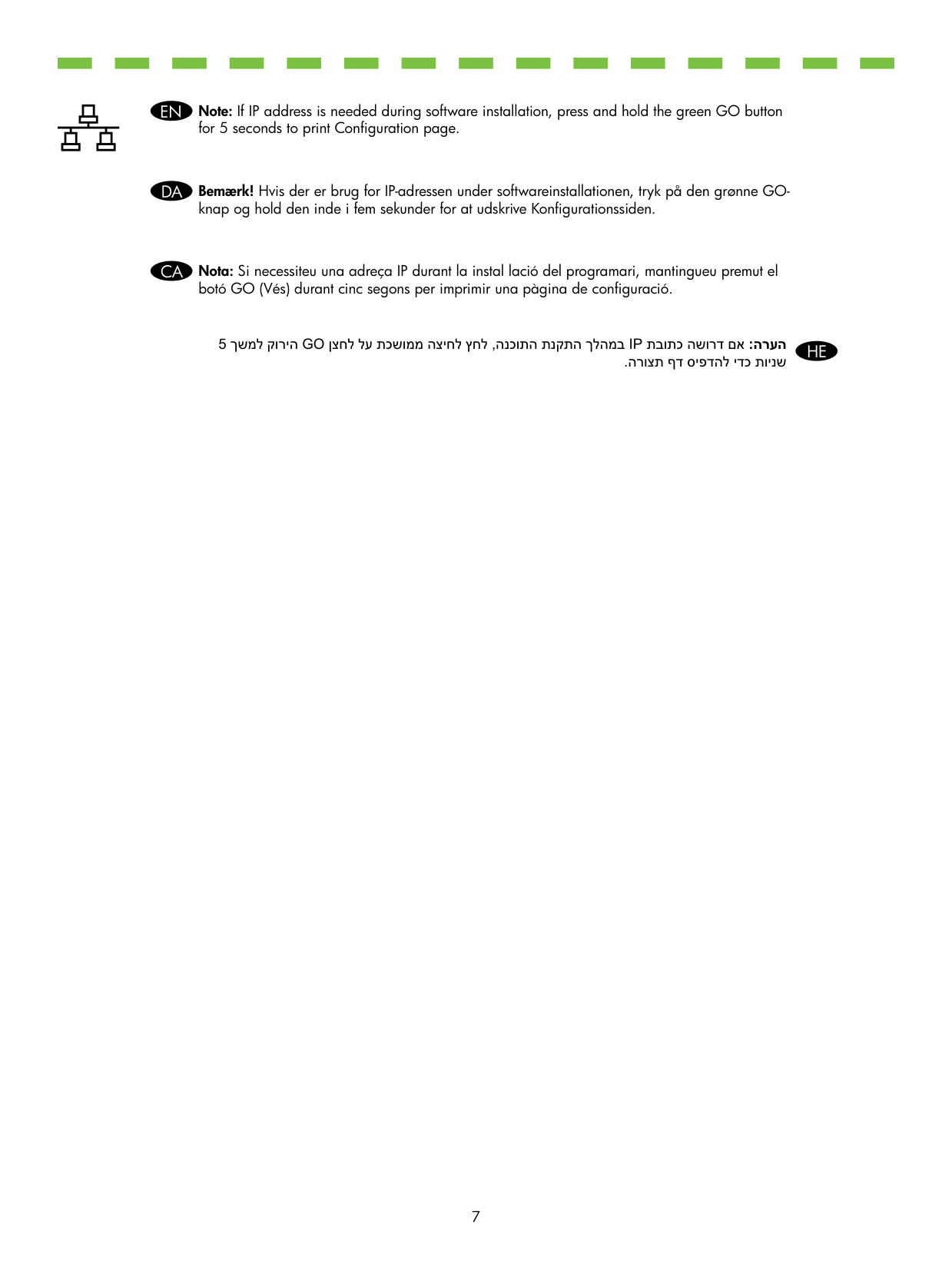
Note: For non-network (n) models, go to step 11.EN Bemærk! For modeller uden netværkskort (n) kan du gå videre til trin 11.DA Nota: Per als models que no són de xarxa (n), aneu al pas 11.CA
##### .11 בלשל רובע ,(n) תשרל םידעוימ םניאש םימגד רובע :הרעה HE
.(דבלב N םגדב) תשר לבכ רבח • HE

.תשר תאיציב תקלוד (100 וא 10) תשרה תוירונמ תחא יכ אדו • HE
###### EN
Note: If IP address is needed during software installation, press and hold the green GO button for 5 seconds to print Configuration page.
###### DA
Bemærk! Hvis der er brug for IP-adressen under softwareinstallationen, tryk på den grønne GOknap og hold den inde i fem sekunder for at udskrive Konfigurationssiden.
###### CA
Nota: Si necessiteu una adreça IP durant la instal lació del programari, mantingueu premut el botó GO (Vés) durant cinc segons per imprimir una pàgina de configuració.
5 ךשמל קוריה GO ןצחל לע תכשוממ הציחל ץחל ,הנכותה תנקתה ךלהמב IP תבותכ השורד םא :הרעה .הרוצת ףד סיפדהל ידכ תוינש
HE
Install software.EN Installer software.DA Instal leu el programari.CA
.הנכותה תא ןקתה
HE
.הנכותה תנקתה ךלהמב ךכל השקב ךל גצות רשאכ USB לבכ וא יליבקמ לבכ רבח • HE
| | | |---|---|

(3m/10’)

14
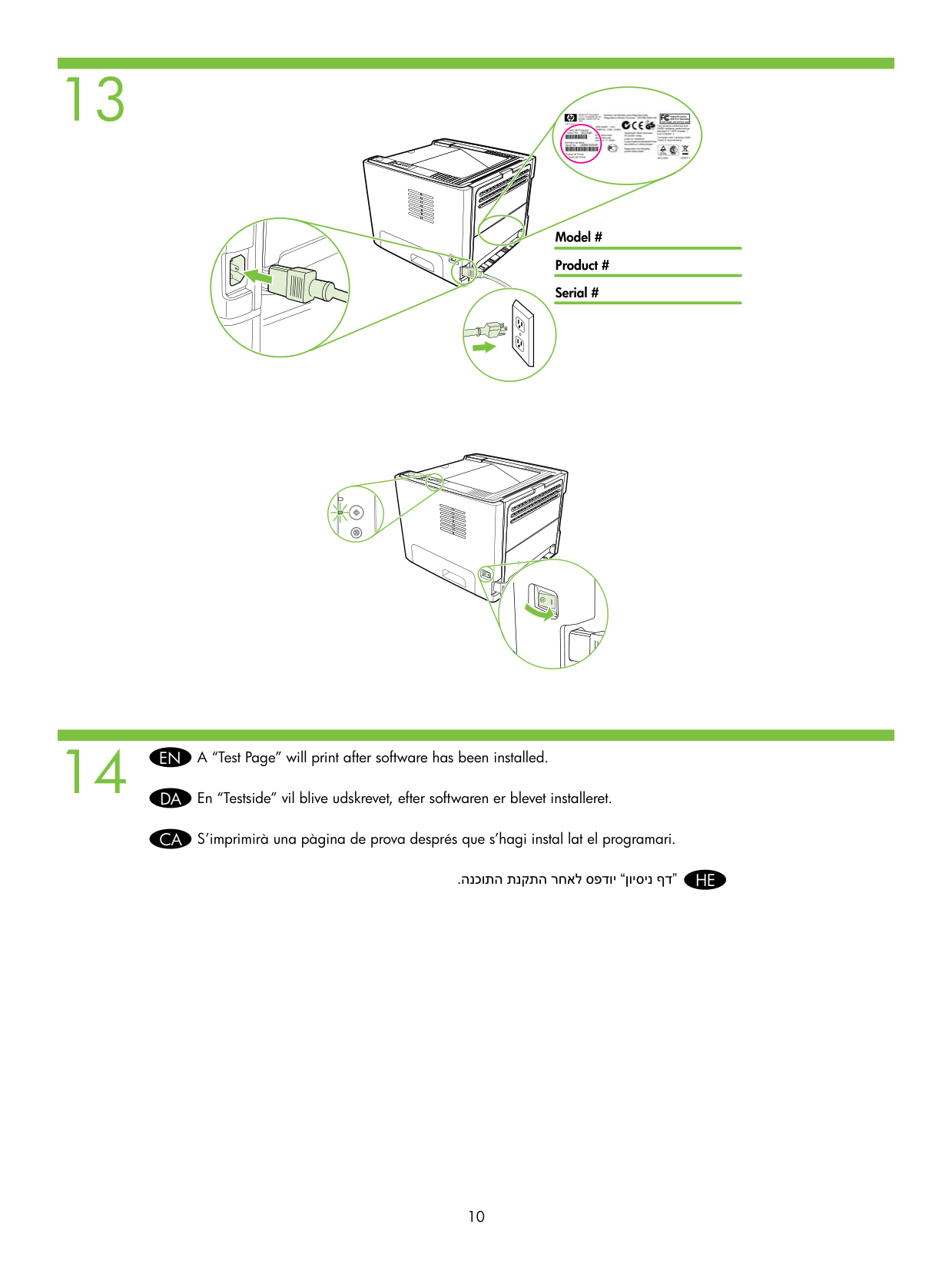
A “Test Page” will print after software has been installed.EN
En “Testside” vil blive udskrevet, efter softwaren er blevet installeret.DA

S’imprimirà una pàgina de prova després que s’hagi instal lat el programari.CA
.הנכותה תנקתה רחאל ספדוי “ןויסינ ףד” HE
English
Additional Information See the electronic User Guide on the CD-ROM that came with the printer for more information on the following topics:

Danish
Yderligere oplysninger Se den elektroniske Brugervejledning på den cd-rom, som fulgte med printeren, for yderligere oplysninger om følgende emner:
Català
Informació addicional Consulteu la Guia de l’usuari electrònica al CD-ROM subministrat amb la impressora per obtenir més informació sobre els temes següents:
ףסונ עדימ :תספדמל ףרוצמה רוטילקתב ינורטקלאה שמתשמל ךירדמב ןייע ,םיאבה םיאשונה תודוא ףסונ עדימ תלבקל
תויעב ןורתפ • הניקת עדימו תובושח תוחיטב תוארוה •
שמתשמל תוטרופמ תוארוה • http://www.hp.com/support/ljp2010series תבותכב םג ןימז הז עדימ
##### תירבע