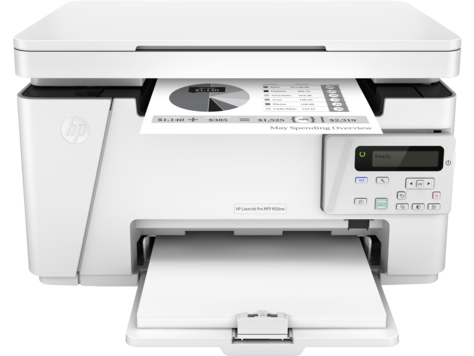
Ask AI
— answers from the official manualAnswers from the official manual.
Common questions
Common Questions
20 totalWhat voltage does the HP LaserJet Pro MFP M25-M27 support?
The product uses either 100-127 Vac or 220-240 Vac and 50/60 Hz. The voltage rating is printed on the product label, so you should check it before connecting to a power source. (Page 2)
Can I use a third-party power cord with the HP LaserJet Pro MFP M25-M27?
No, you should only use the power cord that is provided with the product. Using any other power cord may cause damage to the product. (Page 2)
How do I connect the HP LaserJet Pro MFP M25-M27 to a power outlet?
Connect the power cord between the product and a grounded AC outlet, then turn on the product. Make sure the power source is adequate for the product's voltage rating before doing so. (Page 2)
Is there a safety warning about using the HP LaserJet Pro MFP M25-M27 in areas with both 110V and 220V outlets?
Yes, in areas where both 110V and 220V are in use, you should verify the voltage of the outlet before connecting the product. Connecting to the wrong voltage can cause damage to the product. (Page 2)
What is the frequency requirement for the HP LaserJet Pro MFP M25-M27?
The HP LaserJet Pro MFP M25-M27 requires a power supply of 50/60 Hz. This applies to both the 100-127 Vac and 220-240 Vac voltage ranges. (Page 2)
Where can I find additional support for the HP LaserJet Pro MFP M25-M27?
Additional support for the HP LaserJet Pro MFP M25-M27 can be found at www.hp.com/support/ljM25-M27. HP's general website at www.hp.com may also provide helpful resources. (Page 1)
Show 14 more questions
How should I connect the printer to an electrical outlet to ensure proper grounding?
What should I check before plugging in the printer if both 110V and 220V power outlets are available?
How do I perform a factory reset on the HP LaserJet Pro MFP M25-M27 series?
What are the safety warnings when installing this printer?
What should I do if I encounter an error code on my HP LaserJet Pro MFP M25-M27 series printer?
How do I check if my power supply is compatible with the HP LaserJet Pro MFP series?
What is the procedure to switch between different voltage sources for my HP LaserJet Pro MFP series?
What measures should I take to ensure proper maintenance of my HP LaserJet Pro MFP series printer?
Does the HP LaserJet Pro MFP M25-M27 require a grounded outlet?
What should I check before powering on the HP LaserJet Pro MFP M25-M27 for the first time?
Where is the voltage rating located on the HP LaserJet Pro MFP M25-M27?
What could happen if I use the wrong power cord with the HP LaserJet Pro MFP M25-M27?
What is the voltage rating of the HP LaserJet Pro MFP M25-M27 series?
Is it safe to use third-party power cords with the HP LaserJet Pro MFP M25-M27 series?
Full Manual
2 pages
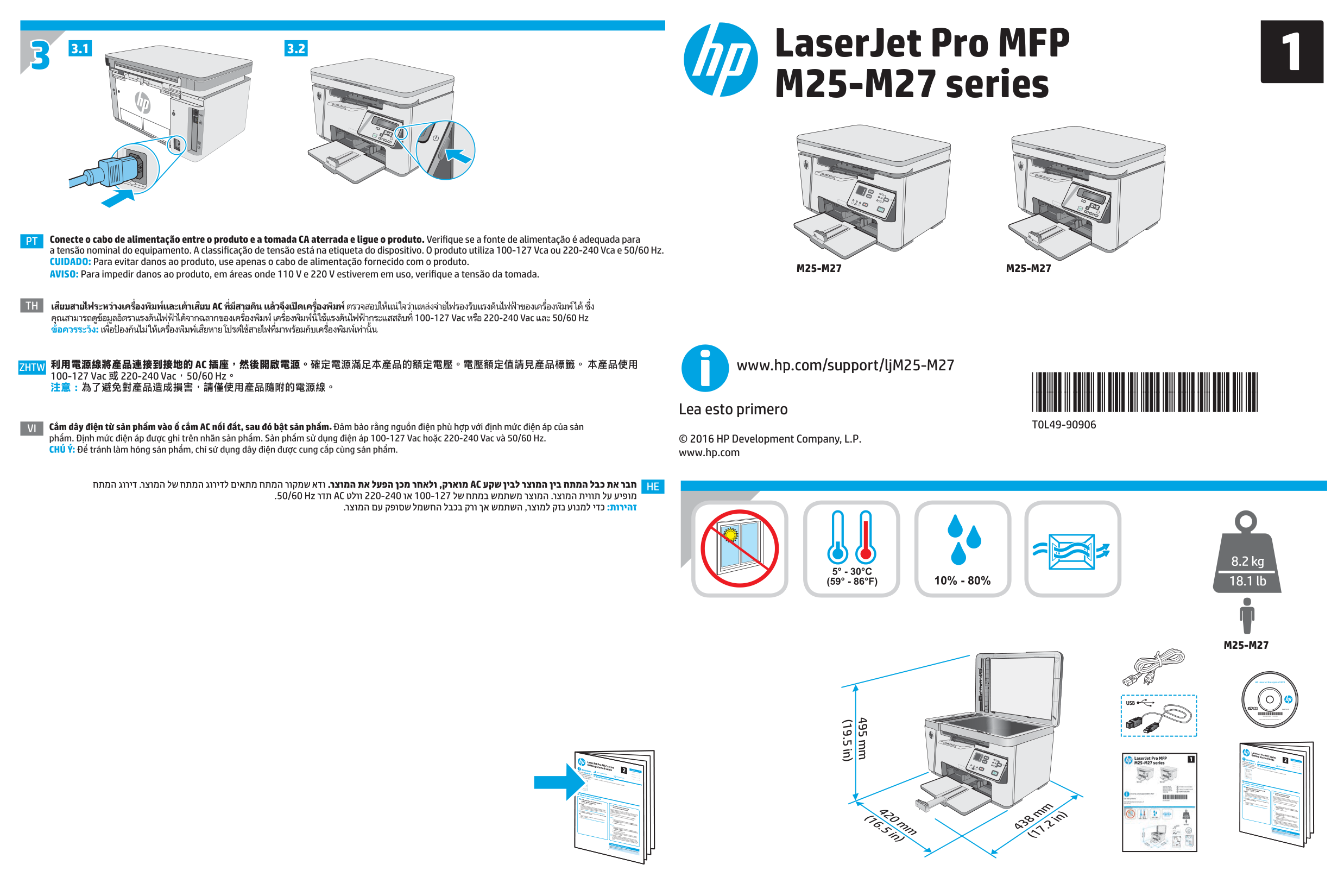
3 3.1 3.2
Pt
Th
Conecte o cabo de alimentação entre o produto e a tomada CA aterrada e ligue o produto. Verifique se a fonte de alimentação é adequada para a tensão nominal do equipamento. A classificação de tensão está na etiqueta do dispositivo. O produto utiliza 100-127 Vca ou 220-240 Vca e 50/60 Hz. CUIDADO: Para evitar danos ao produto, use apenas o cabo de alimentação fornecido com o produto. AVISO: Para impedir danos ao produto, em áreas onde 110 V e 220 V estiverem em uso, verifique a tensão da tomada.Zhtw
Vi
利用電源線將產品連接到接地的 Ac 插座,然後開啟電源。確定電源滿足本產品的額定電壓。電壓額定值請見產品標籤。 本產品使用
100-127 Vac 或 220-240 Vac,50/60 Hz。 注意:為了避免對產品造成損害,請僅使用產品隨附的電源線。He
. © 2016 HP Development Company, L.P. www.hp.comM25-M27
M25-M27
M25-M27
www.hp.com/support/ljM25-M27 Lea esto primero LaserJet Pro MFP M25-M27 series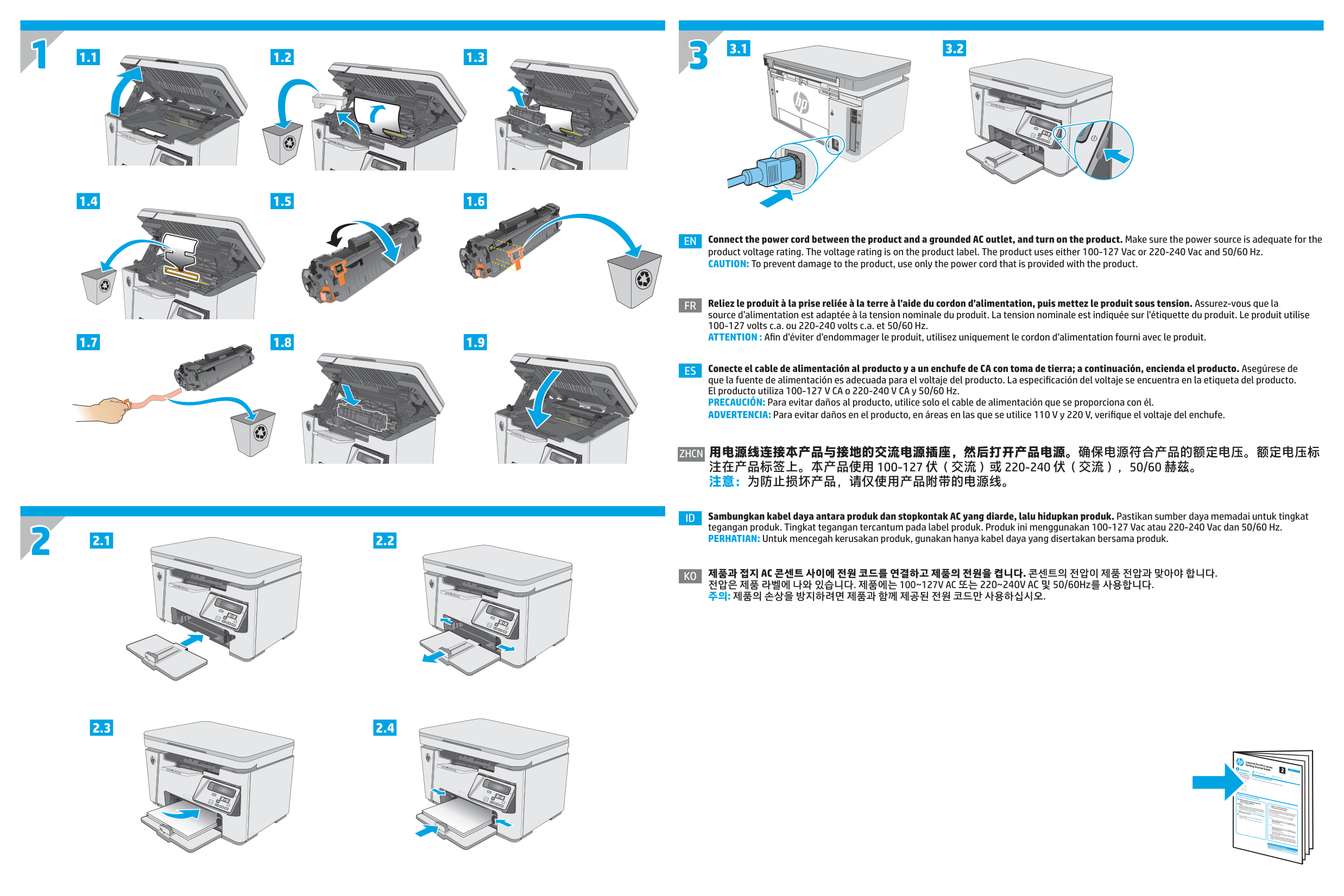
1 2 1.1 1.4 1.2 1.5 1.3 1.6 3 3.1 3.2 1.7 1.8 1.9 2.1 2.2 2.3 2.4