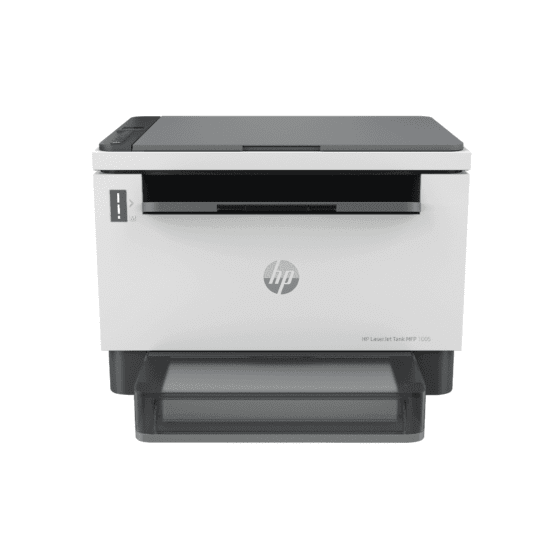
Ask AI
— answers from the official manualAnswers from the official manual.
Common questions
Common Questions
18 totalHow do I connect the HP LaserJet Tank MFP 1005 to my computer?
You can connect the printer to a computer using a USB cable. For USB connection troubleshooting and additional tips, refer to the Reference Guide included with the printer. (Page 2)
Where can I find additional setup help and instructional videos for the HP LaserJet Tank MFP 1005?
Setup information and videos are available online at hp.com/support/printer-setup. This resource can guide you through the setup process step by step. (Page 3)
How do I load paper into the HP LaserJet Tank MFP 1005?
Adjust the paper guides to fit your paper size, then load the paper into the tray and slide the tray cover into place. After loading, open the output tray extender to catch printed pages. (Page 1)
What should I do before powering on the HP LaserJet Tank MFP 1005 for the first time?
Before powering on the printer, you must remove all packaging and tape from the device. Once all packaging is removed, plug in the printer and power it on. (Page 1)
Where is the HP LaserJet Tank MFP 1005 manufactured?
The HP LaserJet Tank MFP 1005 is printed and manufactured in Vietnam, as stated in the product documentation. (Page 4)
Where can I find troubleshooting tips for the USB connection on the HP LaserJet Tank MFP 1005?
USB connection troubleshooting tips and guidance can be found in the Reference Guide that accompanies the printer. This guide provides additional detail beyond what is covered in the Setup Guide. (Page 2)
Show 12 more questions
How do I install the printer using USB?
What software should I download for my HP LaserJet Tank MFP 1005?
How can I access setup support online for my printer?
What are the steps to set up paper in the printer properly?
How do I factory reset my HP LaserJet Tank MFP 1005?
Where can I find troubleshooting guides for USB connections?
What should I do if there are no instructions in the manual regarding the specific version of my printer?
How do I set up the HP LaserJet Tank MFP 1005 printer for the first time?
Where do I download the required software for the HP LaserJet Tank MFP 1005?
Is there a quick guide available online that I can access for immediate help during the setup process?
How do I ensure the correct alignment of paper in the tray to avoid printing issues?
Where can I find information about printer maintenance and cleaning procedures?
Full Manual
4 pages
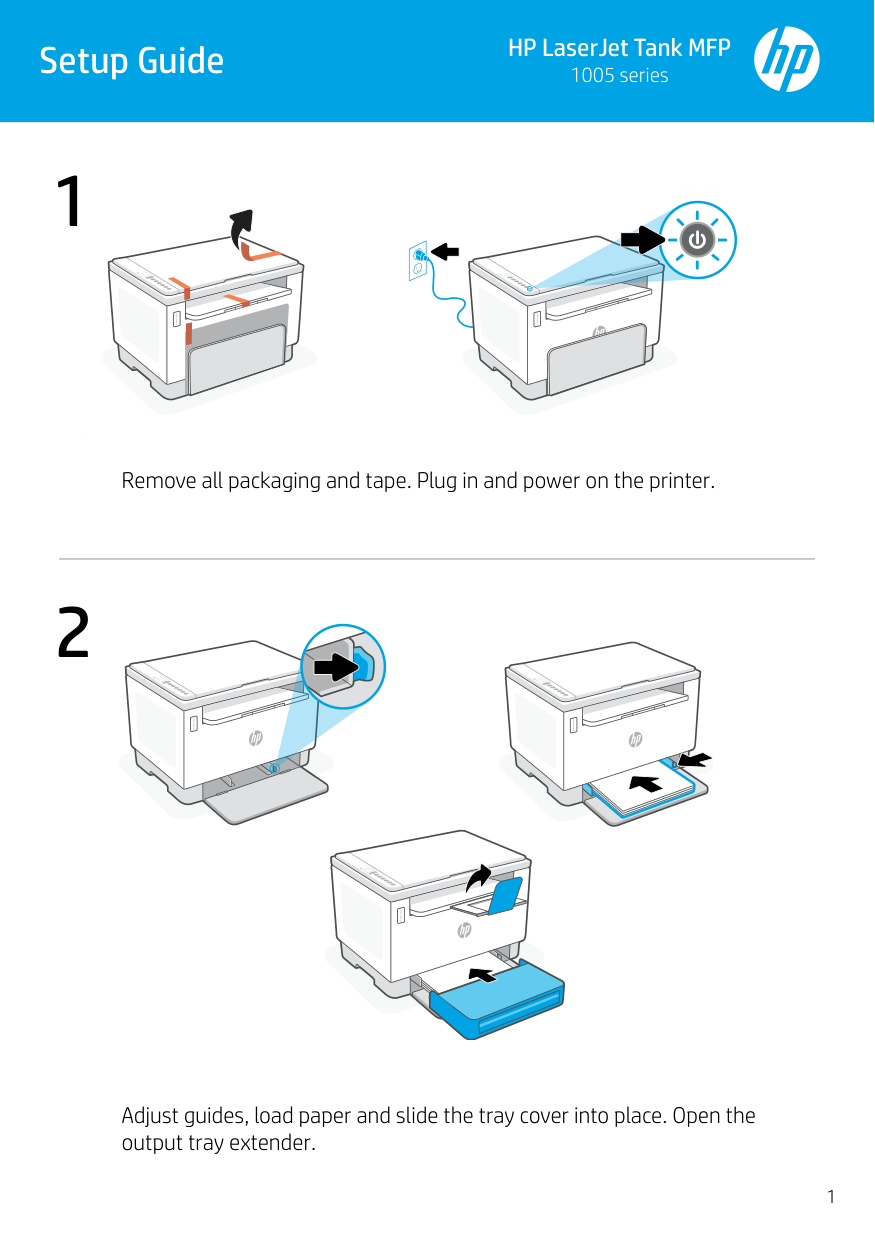
1 2 HP LaserJet Tank MFP 1005 series Setup Guide 1 Remove all packaging and tape. Plug in and power on the printer. Adjust guides, load paper and slide the tray cover into place. Open the output tray extender.
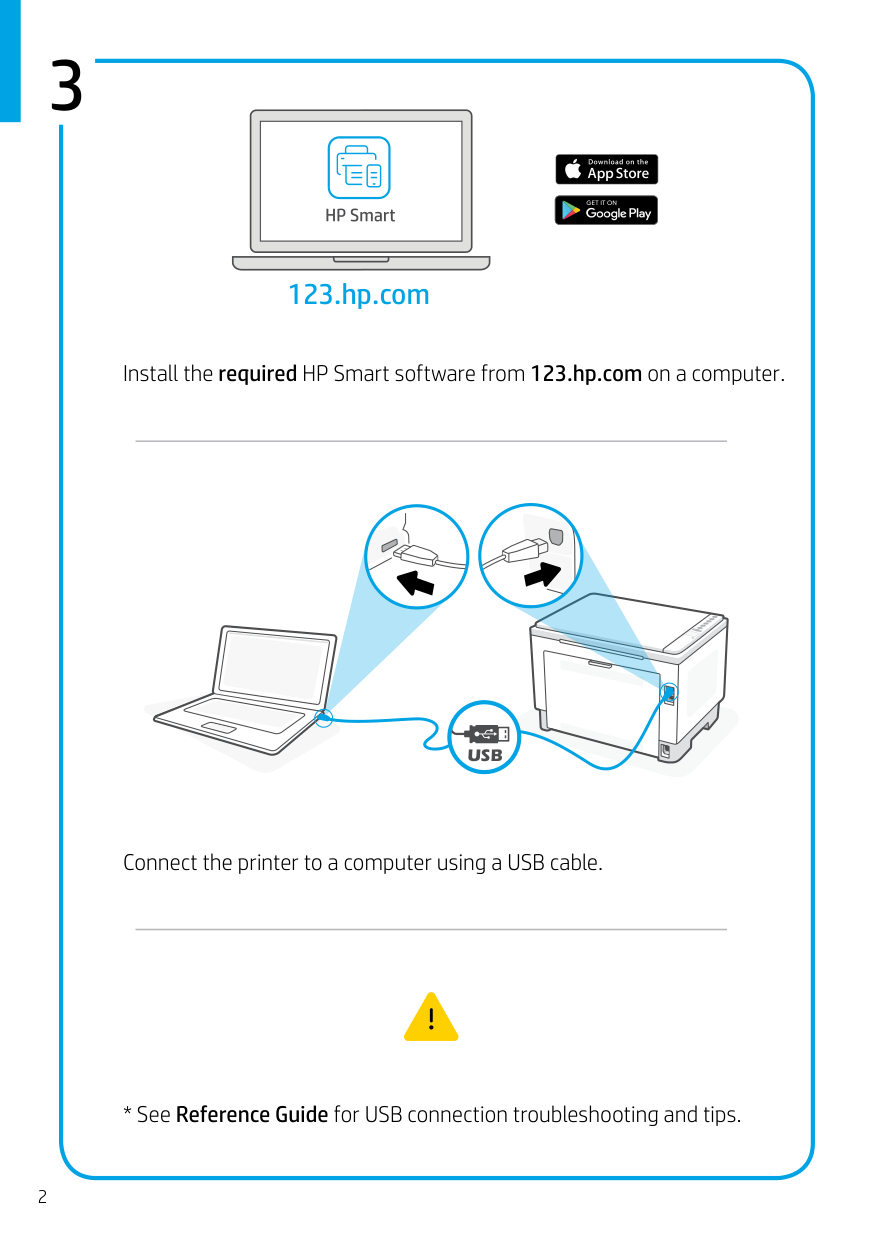
3 2 123.hp.com Install the required HP Smart software from 123.hp.com on a computer.
Usb
Connect the printer to a computer using a USB cable.
hp.com/support/printer-setup Find setup information and videos online. Get help with setup 3
