
Ask AI
— answers from the official manualAnswers from the official manual.
Common questions
Common Questions
20 totalWho manufactured the HP Officejet Pro 8620 e-All-in-One Printer?
The HP Officejet Pro 8620 e-All-in-One Series was developed and produced by Hewlett-Packard Development Company, L.P. The product was copyrighted in 2014. (Page 2)
What is the model number or part number associated with the HP Officejet Pro 8620 e-All-in-One?
The HP Officejet Pro 8620 e-All-in-One Series is associated with the part number A7F65-90007. This identifier can be used when seeking support or ordering replacement parts. (Page 1)
Does the HP Officejet Pro 8620 support wireless printing?
Yes, the HP Officejet Pro 8620 e-All-in-One supports wireless printing. More information about wireless printing features can be found at www.hp.com/go/wirelessprinting. (Page 2)
Does the HP Officejet Pro 8620 support HP ePrint?
Yes, the HP Officejet Pro 8620 e-All-in-One supports HP ePrint functionality. Users can access ePrint setup and management resources at www.hp.com/ePrint/OJPRO8620 and www.hp.com/go/ePrintCenter. (Page 2)
What year was the HP Officejet Pro 8620 e-All-in-One released?
The HP Officejet Pro 8620 e-All-in-One Series was released in 2014, as indicated by the copyright notice from Hewlett-Packard Development Company, L.P. (Page 2)
How do I connect the printer to my Wi-Fi network?
Navigate to the setup wizard on the printer's control panel, select 'Network Setup', and then follow the steps to choose your Wi-Fi network. Ensure that you enter your password correctly as prompted by the wizard.
Show 14 more questions
What should I do if I receive an error code EP-008 when trying to print?
Can I print from my smartphone using this printer?
What are some basic safety precautions for this printer?
How do I replace the ink cartridges properly?
What is the procedure for resetting the printer if I need to start over with configuration?
How often should I perform maintenance on my printer?
Where can I find support and additional resources for the HP Officejet Pro 8620 e-All-in-One?
Where can I find the official HP support website for the Officejet Pro 8620?
What series does the HP Officejet Pro 8620 belong to?
Where can I manage my HP ePrint account for the Officejet Pro 8620?
Is the HP Officejet Pro 8620 an all-in-one printer?
How do I perform a self-test on my printer?
Is there a built-in system or method to upgrade firmware automatically?
How do I resolve issues with double-sided printing?
Full Manual
2 pages
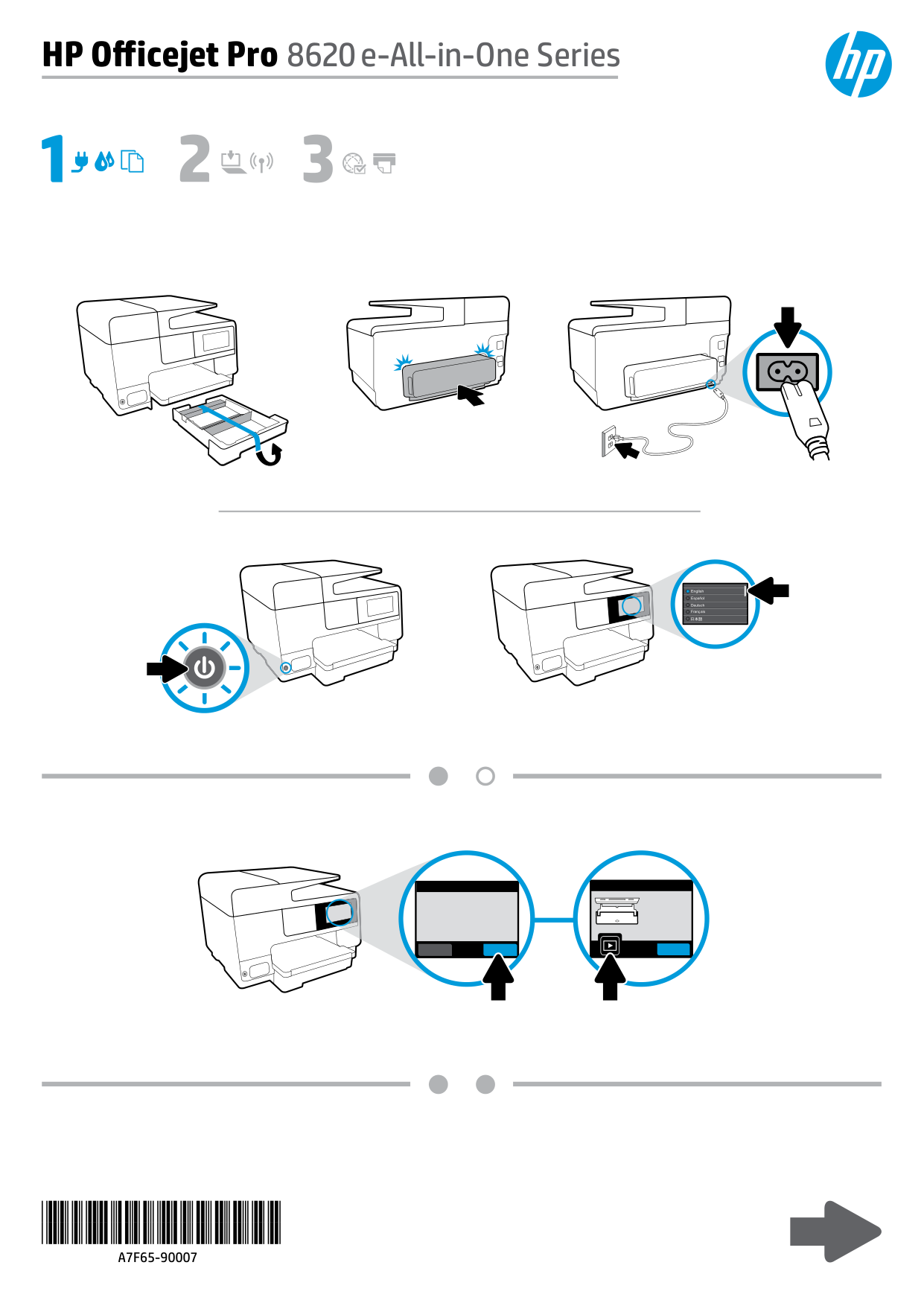
HP Off icejet Pro 8620 e -All-in-One Series
*A7F65-90007*
*A7F65-90007*
A7F65-90007
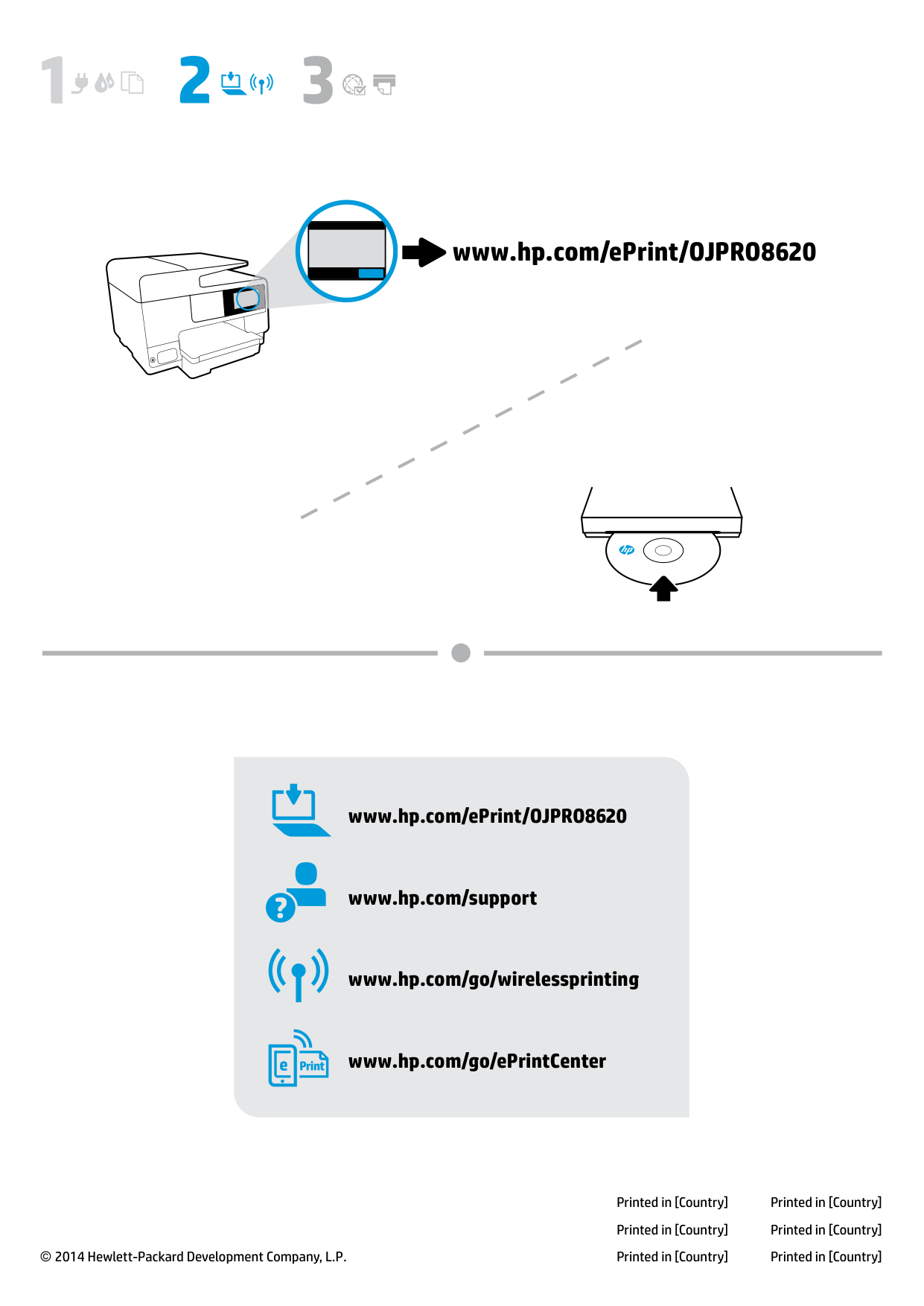
www.hp.com/ePrint/OJPRO8620 www.hp.com/support www.hp.com/go/wirelessprinting www.hp.com/go/ePrintCenter © 2014 Hewlett-Packard Development Company, L.P. Printed in [Country] Printed in [Country] Printed in [Country] Printed in [Country] Printed in [Country] Printed in [Country] www.hp.com/ePrint/OJPRO8620