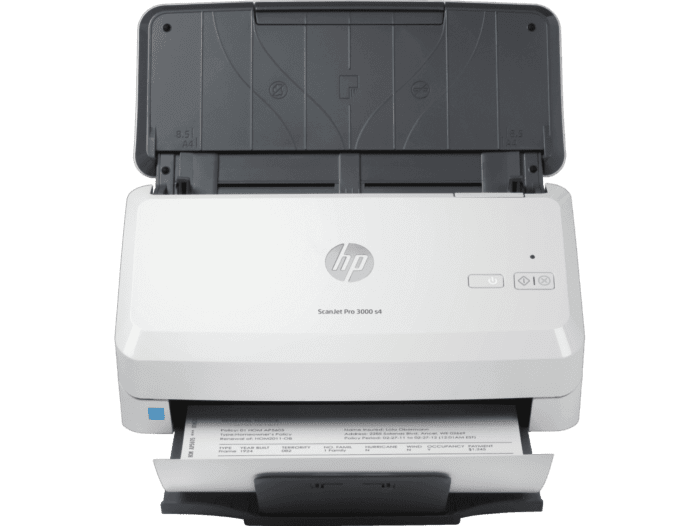
HP Scanjet Pro 3000 S3 Sheet Feed Scanner
Ask AI
— answers from the official manualAnswers from the official manual.
Common questions
Common Questions
5 totalWhat is the correct way to install software from the CD for a Windows computer?
Install the scanner software by inserting and following the instructions from the CD. Optionally, you can also download and install additional software such as Readiris Pro, Cardiris, PaperPort, or Kofax VRS Pro via their respective CDs or support website downloads.
How do I establish a network connection for my Mac computer?
Go to www.hp.com/support, click Get software and drivers, enter your scanner name or product number, select the driver language and operating system if necessary, then download the appropriate driver package.
What product numbers or regulatory IDs should I use for service inquiries?
For identification purposes, refer to the Regulatory Model Number: SHNGD-1602 (for HP ScanJet Pro 3000 s3 Scanner). Avoid confusion with marketing names such as L2753A.
How do I install software for a Mac without a physical CD?
Visit www.hp.com/support, click Get software and drivers, enter your scanner name or product number, ensure the correct driver language and operating system are selected if necessary, then proceed to download the appropriate driver package.
How do I connect the power supply to the back of the scanner?
Attach one end of the power cable to the back of the scanner and plug in the other end into a power outlet or surge protector, ensuring that the green LED is on before activation.
Full Manual
8 pages
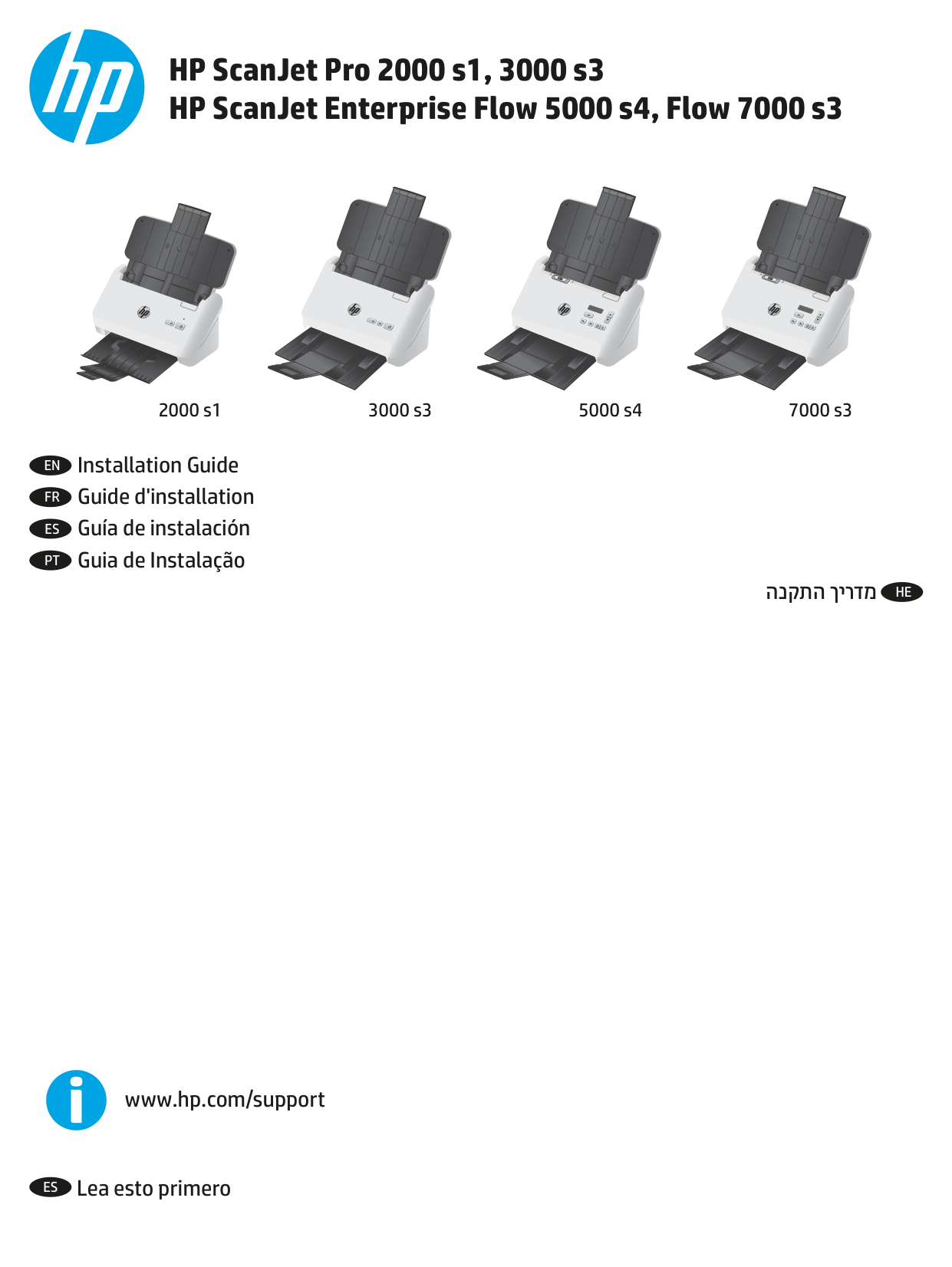
HP ScanJet Pro 2000 s1, 3000 s3 HP ScanJet Enterprise Flow 5000 s4, Flow 7000 s3
2000 s1 3000 s3 5000 s4 7000 s3
EN Installation Guide
FR Guide d'installation ES Guía de instalación PT Guia de Instalação
HEהנקתהךירדמ
www.hp.com/support
ES Lea esto primero


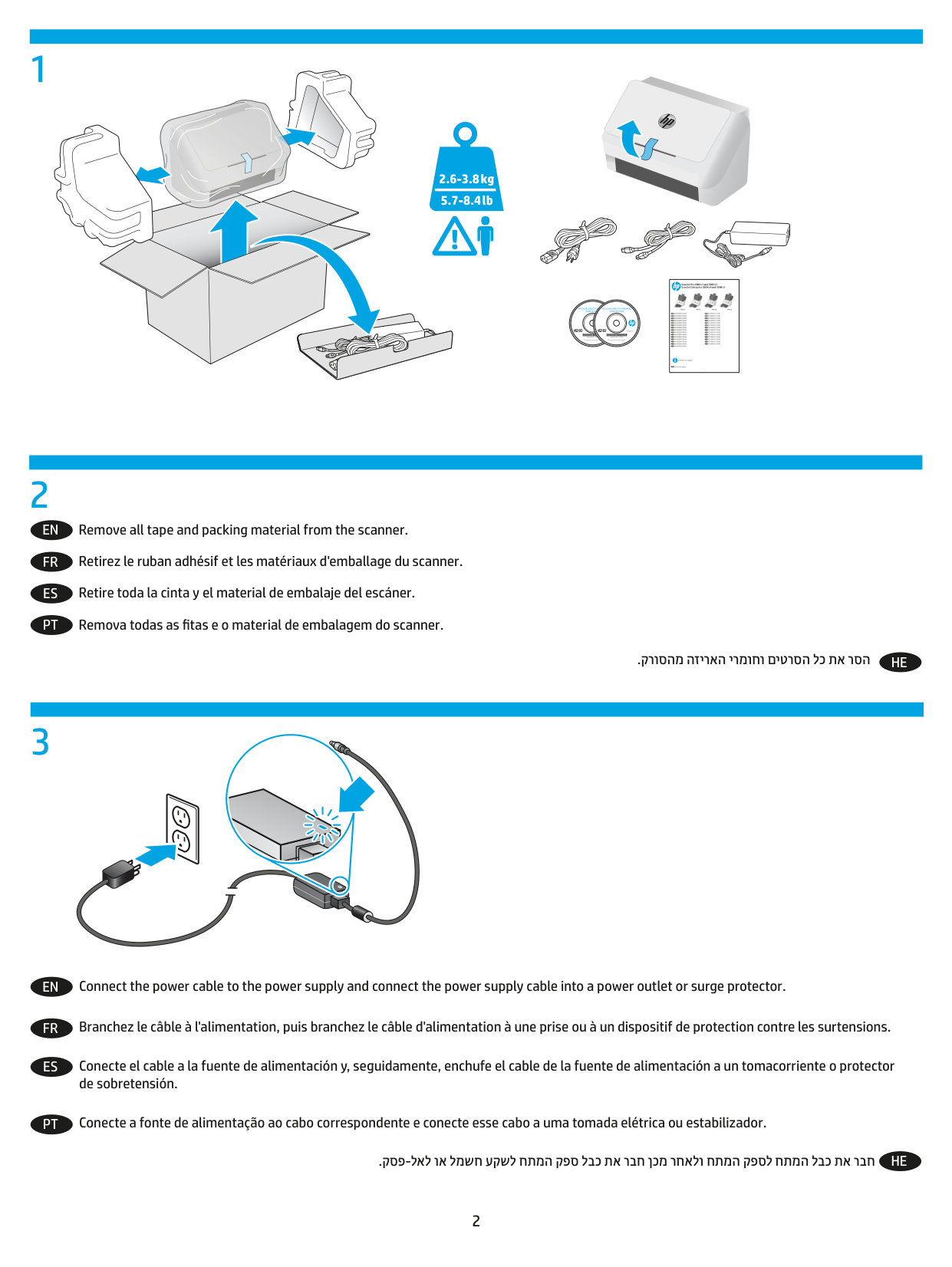

###### 2.6-3.8 kg 5.7-8.4 lb
|| |---|
HP COLOR LASERJET ENTERPRISE FLOW MFP XXXX
HP COLOR LASERJET ENTERPRISE FLOW MFP XXXX
Remove all tape and packing material from the scanner.
EN
Retirez le ruban adhésif et les matériaux d'emballage du scanner.
FR
Retire toda la cinta y el material de embalaje del escáner.
ES
Remova todas as fitas e o material de embalagem do scanner.
PT
.קרוסהמ הזיראה ירמוחו םיטרסה לכ תא רסה
HE
Connect the power cable to the power supply and connect the power supply cable into a power outlet or surge protector.
EN
Branchez le câble à l'alimentation, puis branchez le câble d'alimentation à une prise ou à un dispositif de protection contre les surtensions.
FR
Conecte el cable a la fuente de alimentación y, seguidamente, enchufe el cable de la fuente de alimentación a un tomacorriente o protector de sobretensión.
ES
Conecte a fonte de alimentação ao cabo correspondente e conecte esse cabo a uma tomada elétrica ou estabilizador.
PT
.קספ-לאל וא למשח עקשל חתמה קפס לבכ תא רבח ןכמ רחאלו חתמה קפסל חתמה לבכ תא רבח
HE
4


22 11
11
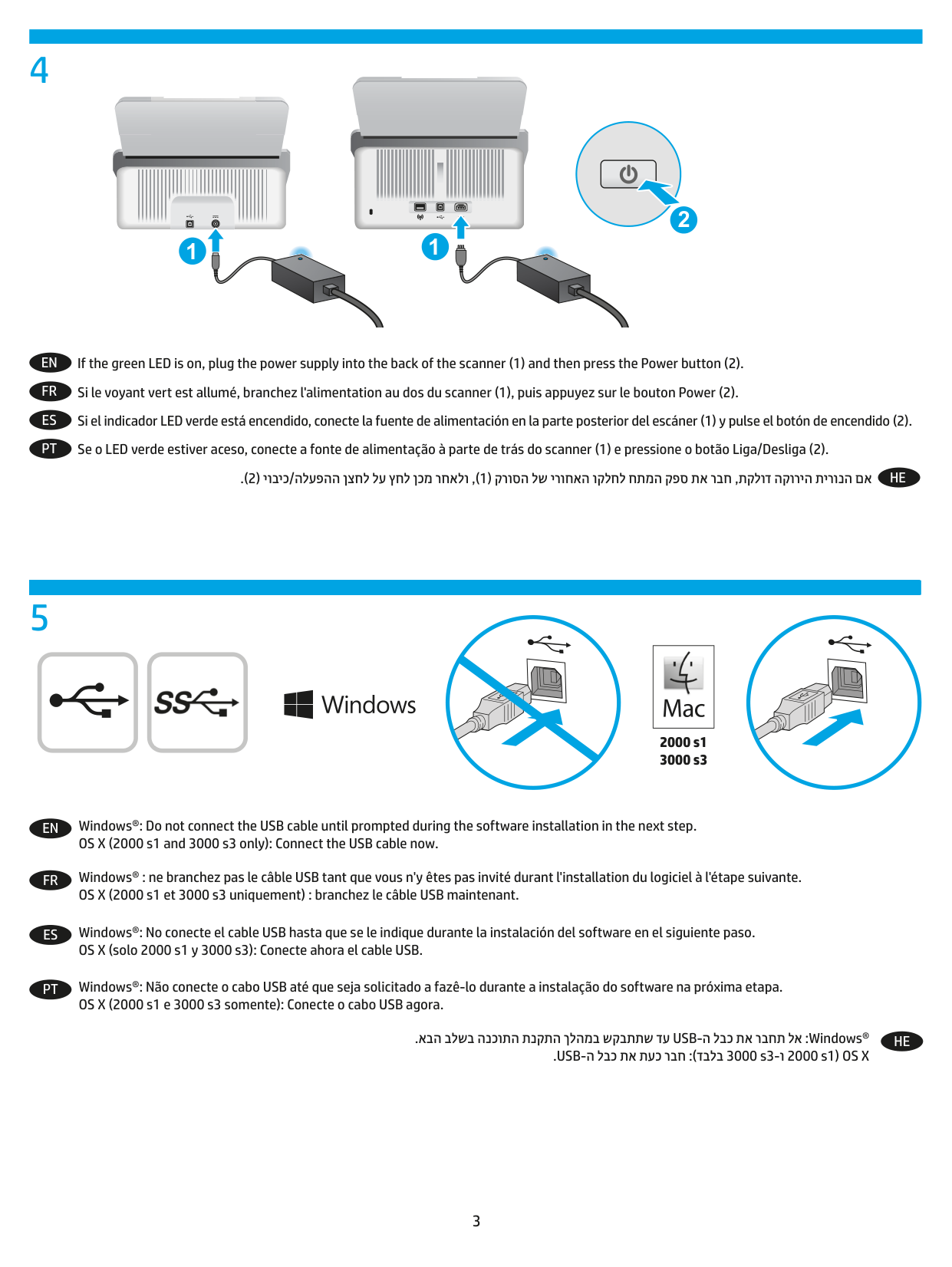
EN If the green LED is on, plug the power supply into the back of the scanner (1) and then press the Power button (2).
FR Si le voyant vert est allumé, branchez l'alimentation au dos du scanner (1), puis appuyez sur le bouton Power (2).
ES Si el indicador LED verde está encendido, conecte la fuente de alimentación en la parte posterior del escáner (1) y pulse el botón de encendido (2).
PT Se o LED verde estiver aceso, conecte a fonte de alimentação à parte de trás do scanner (1) e pressione o botão Liga/Desliga (2).
HE.(2)יוביכ/הלעפההןצחללעץחלןכמרחאלו,(1)קרוסהלשירוחאהוקלחלחתמהקפסתארבח,תקלודהקוריהתירונהםא
5
|| |---|

2000 s1 3000 s3
EN Windows®: Do not connect the USB cable until prompted during the software installation in the next step. OS X (2000 s1 and 3000 s3 only): Connect the USB cable now.
FR Windows® : ne branchez pas le câble USB tant que vous n'y êtes pas invité durant l'installation du logiciel à l'étape suivante. OS X (2000 s1 et 3000 s3 uniquement) : branchez le câble USB maintenant.
ES Windows®: No conecte el cable USB hasta que se le indique durante la instalación del software en el siguiente paso. OS X (solo 2000 s1 y 3000 s3): Conecte ahora el cable USB.
PT Windows®: Não conecte o cabo USB até que seja solicitado a fazê-lo durante a instalação do software na próxima etapa. OS X (2000 s1 e 3000 s3 somente): Conecte o cabo USB agora.
HE.אבהבלשבהנכותהתנקתהךלהמבשקבתתשדעUSB-הלבכתארבחתלא:Windows®
.USB-ה לבכ תא תעכ רבח :(דבלב 3000 s3-ו 2000 s1) OS X
EN 1. Install the scanner software from the CD. Follow the on-screen instructions.
FR 1. Installez le logiciel d'installation du scanner à l'aide du CD. Suivez les instructions affichées à l'écran.

ES 1. Instale el software del escáner desde el CD. Siga las instrucciones que se muestran en la pantalla.
PT 1. Instale o software do scanner usando o CD. Siga as instruções na tela.
HE.ךסמהיבג-לעשתוארוהלםאתהבלעפ.רוטילקתהךותמקרוסהתנכותתאןקתה.1 ןכו םיישיא םיכמסמ לוהינ רובע PaperPort ,רוקיב יסיטרכ רובע Cardiris ,OCR רובע Readiris Pro) Windows לש תילנויצפואה הנכותה תא ןקתה .2
:הכימתה לש טנרטניאה רתאמ דרוה וא ,םהלש םימיאתמה םירוטילקתמ (דבלב 7000 s3 םימגדב תויתוכיא תונומת תקפהל Kofax VRS Pro
.www.hp.com/go/sj7000s3 וא ,www.hp.com/go/sj2000s1, www.hp.com/go/sj3000s3, www.hp.com/go/sj5000s4
|| |---|
2000 s1 3000 s3
EN Download and install the scanner software for your Mac from www.hp.com/support.

FR Téléchargez et installez le logiciel du scanner pour votre Mac à partir de www.hp.com/support.
ES Descargue e instale el software del escáner para su Mac desde www.hp.com/support.
PT Faça o download e instale o software de scanner para MAC do site www.hp.com/support.
HE.www.hp.com/supportרתאהמMac-לרתויבתינכדעהקרוסהתנכותתאןקתהודרוה
.הנכותו ןקתה ילהנמ לבק לע ץחל ןכמ רחאלוwww.hp.com/support תבותכב רקב. 1 .ילש רצומה תא רתא לע ץחל ןכמ רחאלו ט"קמ וא קרוסה םש תא ןזה. 2 .הלעפהה תכרעמ תאו ןקתהה להנמ לש הנוכנה הפשה תא רחב ,ךרוצה תדימב. 3 .דירוהל ידכ ןקתהה להנמ לש הליבחה למס דיל דרוה לע ץחל ,'רצומה לש הנקתהה תנכות – ןקתה להנמ' רוזאב. 4
8
EN For more information, refer to the scanner User Guide, or visit www.hp.com/support. FR Pour plus d'informations, reportez-vous au guide d'utilisation du scanner ou rendez-vous sur le site www.hp.com/support.
ES Para obtener más información, consulte el Manual del usuario del escáner o visite www.hp.com/support.
PT Para mais informações, consulte o Guia do Usuário do scanner ou acesse www.hp.com/support.
HE.www.hp.com/supportתבותכברקבואקרוסהלששמתשמלךירדמבןייע,ףסונעדימתלבקל
www.hp.com
© Copyright 2016 HP Development Company, L.P. Reproduction, adaptation or translation without prior written permission is prohibited, except as allowed under the copyright laws. The information contained herein is subject to change without notice. The only warranties for HP products and services are set forth in the express warranty statements accompanying such products and services. Nothing herein should be construed as constituting an additional warranty. HP shall not be liable for technical or editorial errors or omissions contained herein. Edition 1, 10/2016 Trademark Credits Windows® is a U.S. registered trademark of Microsoft Corporation. OS X is a trademark of Apple Inc., registered in the U.S. and other countries.
Regulatory Information Additional regulatory information about your scanner can be found in the Warranty and Legal Guide. Regulatory Model Identification Number: For regulatory identification purposes your product is assigned a Regulatory Model Number. The Regulatory Model Number for HP ScanJet Pro 2000 s1 Scanner is SHNGD-1601, HP ScanJet Pro 3000 s3 Scanner is SHNGD-1602, HP ScanJet Enterprise Flow 5000 s4 Scanner is SHNGD-1603, and HP ScanJet Enterprise Flow 7000 s3 Scanner is SHNGD-1604. This regulatory number should not be confused with the marketing name and product numbers. (HP ScanJet Pro 2000 s1 Scanner) or product number (L2759A) (HP ScanJet Pro 3000 s3 Scanner) or product number (L2753A) (HP ScanJet Enterprise Flow 5000 s4 Scanner) or product number (L2755A) (HP ScanJet Enterprise Flow 7000 s3 Scanner) or product number (L2757A).
© Copyright 2016 HP Development Company, L.P. La reproduction, l'adaptation ou la traduction de ce document sans l'autorisation écrite préalable de Hewlett-Packard est interdite, sauf dans des conditions conformes aux lois relatives au copyright. Les informations contenues dans ce document peuvent être modifiées sans préavis. Les seules garanties applicables aux produits et aux services HP sont présentées dans les déclarations de garantie explicites qui accompagnent ces produits ou ces services. Aucune information contenue dans le présent document ne saurait être considérée comme constituant une garantie complémentaire. HP décline toute responsabilité quant aux éventuelles erreurs ou omissions techniques ou linguistiques qui pourraient être constatées dans le présent document. Edition 1, 10/2016 Crédits concernant les marques Windows® est une marque déposée de Microsoft Corporation aux États-Unis. OS X est une marque commerciale d'Apple Inc. aux États-Unis et dans d'autres pays/régions.
##### Informations réglementaires
Des informations légales supplémentaires concernant votre scanner sont disponibles dans le guide de garantie et de dispositions légales.
Numéro de modèle légal : afin de permettre son identification sur le plan juridique, un numéro de modèle légal a été attribué à votre produit. Le numéro de modèle réglementaire pour le scanner HP ScanJet Pro 2000 s1 est SHNGD-1601, pour le scanner HP ScanJet Pro 3000 s3 est SHNGD-1602, pour le scanner HP ScanJet Enterprise Flow 5000 s4 est SHNGD-1603, et pour le scanner HP ScanJet Enterprise Flow 7000 s3 Scanner est SHNGD-1604. Ne confondez pas ce numéro réglementaire avec le nom commercial ou les numéros de produit.
(Scanner HP ScanJet Pro 2000 s1) ou numéro de produit (L2759A) (Scanner HP ScanJet Pro 3000 s3) ou numéro de produit (L2753A) (Scanner HP ScanJet Enterprise Flow 5000 s4) ou numéro de produit (L2755A) (Scanner HP ScanJet Enterprise Flow 7000 s3) ou numéro de produit (L2757A).
L2759-90014