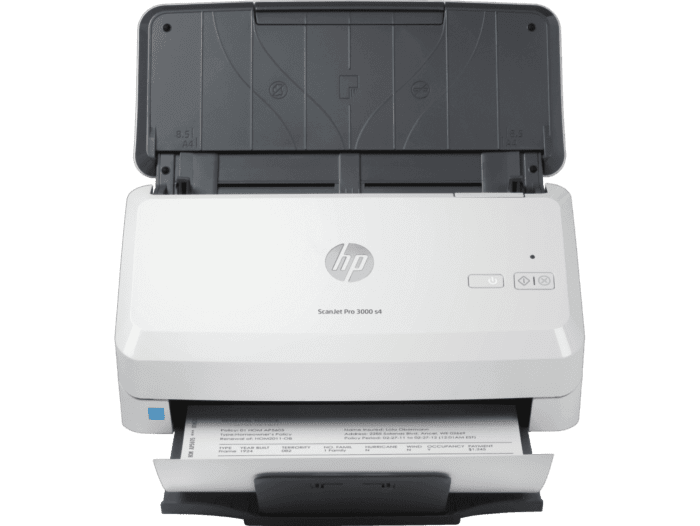
Ask AI
— answers from the official manualAnswers from the official manual.
Common questions
Common Questions
18 totalWhat file formats can the HP ScanJet Pro 3000 s4 scan to?
The scanner supports a wide range of file formats including PDF, PDF/A, Encrypted PDF, JPEG, PNG, BMP, TIFF, Word, Excel, PowerPoint, Text (.txt), Rich Text (.rtf), and Searchable PDF. This makes it easy to transfer scans into editable text and various document types. (Page 2)
What types of media can the HP ScanJet Pro 3000 s4 handle?
The scanner can handle a variety of media types including cut sheet paper, printed paper (laser and ink), pre-punched paper, bank checks, business cards, freight bills, carbonless forms, plastic carrier sheets for easily damaged documents, previously stapled media with staple removed, and plastic cards up to 1.24mm thick. The supported media weight for the ADF ranges from 40 to 210 g/m². (Page 2)
What operating systems are compatible with the HP ScanJet Pro 3000 s4?
The scanner is compatible with Windows 11, Windows 10, Windows 8.1, Windows 7, macOS 10.13 High Sierra, macOS 10.14 Mojave, macOS 10.15 Catalina, Linux, and Citrix. Minimum system requirements include 2 GB available hard disk space and a USB port. (Page 2)
What software is included with the HP ScanJet Pro 3000 s4?
The scanner includes HP Scan (Premium) software, HP WIA scan driver, HP TWAIN scan driver, HP Scanner Tools Utility, ISIS driver for Windows, HP ICA driver, HP Easy Scan software for macOS, and HPLIP for Linux. These tools support one-touch scanning, OCR, and direct scanning to cloud destinations. (Page 2)
What are the power consumption levels for the HP ScanJet Pro 3000 s4?
The scanner consumes 4.4 watts in ready mode, 24 watts while scanning, 1.1 watts in sleep mode, and 0.1 watts in both auto-off and off modes. The input voltage range is 90–264 VAC at 50–60 Hz for worldwide use, and the scanner is ENERGY STAR certified. (Page 2)
What is the optical scan resolution of the HP ScanJet Pro 3000 s4?
The scanner offers an optical resolution of up to 600 dpi, with a hardware resolution of 600 x 600 dpi. Output resolution settings available are 75, 150, 200, 240, 300, 400, 500, 600, and 1200 ppi. (Page 2)
Show 12 more questions
What is included in the box with the HP ScanJet Pro 3000 s4?
What file formats can I save my scans in?
How many pages can I load at once using the automatic document feeder?
What is the maximum scan resolution for my HP ScanJet Pro 3000 s4?
How do I clean the ADF on my scanner?
Does the device come with built-in OCR software?
Which operating systems can I use with this scanner?
How many sheets can the ADF handle for scanning?
How many pages can the automatic document feeder (ADF) hold?
What is the recommended daily duty cycle for the HP ScanJet Pro 3000 s4?
What is the maximum scan speed of the HP ScanJet Pro 3000 s4?
What is the maximum recommended daily page volume for this scanner?
Full Manual
2 pages
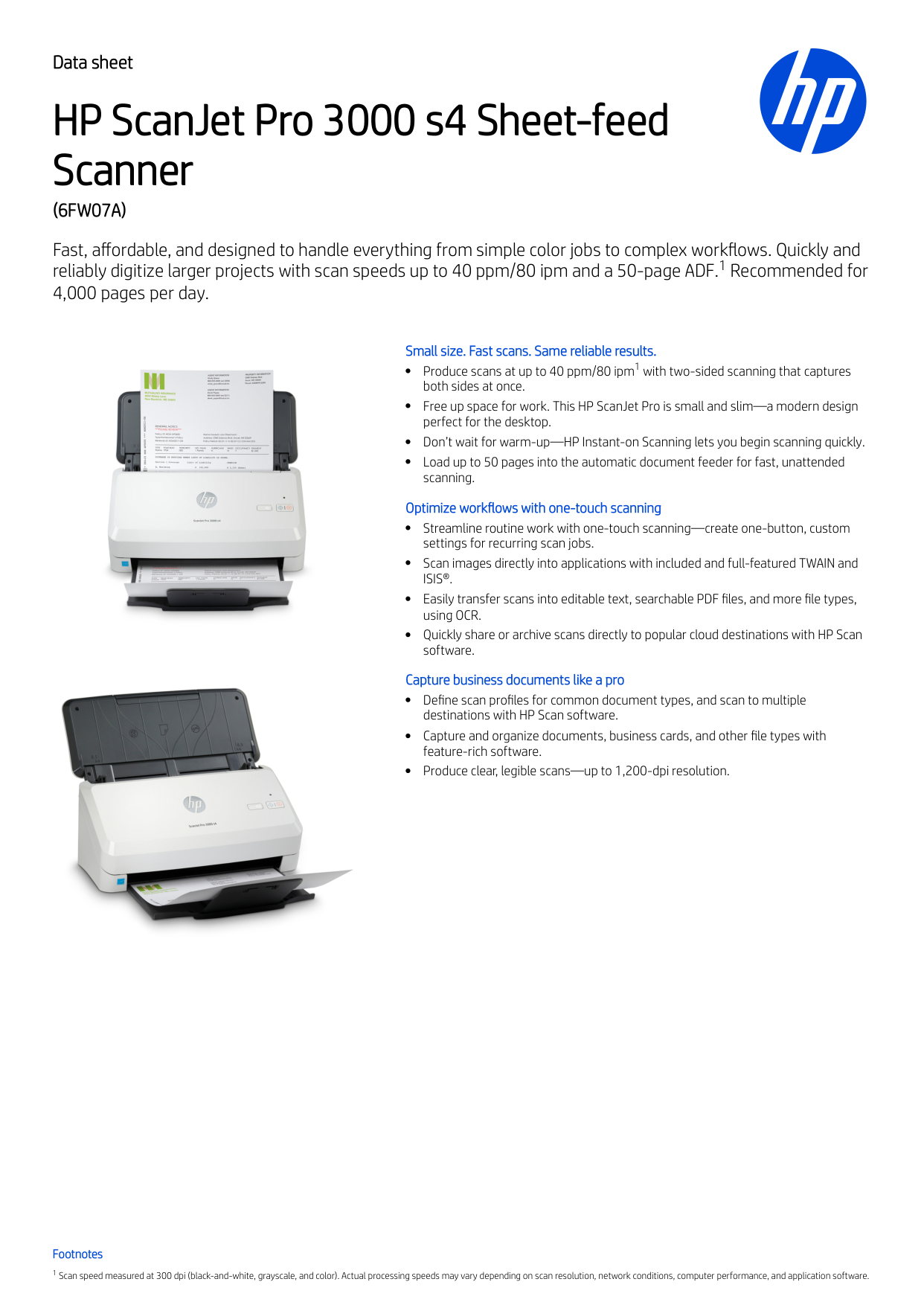
Data sheet HP ScanJet Pro 3000 s4 Sheet-feed Scanner
(6Fw07A)
Fast, affordable, and designed to handle everything from simple color jobs to complex workflows. Quickly and reliably digitize larger projects with scan speeds up to 40 ppm/80 ipm and a 50-page ADF. Recommended for 4,000 pages per day. Small size. Fast scans. Same reliable results. Produce scans at up to 40 ppm/80 ipm with two-sided scanning that captures both sides at once. Free up space for work. This HP ScanJet Pro is small and slim—a modern design perfect for the desktop. Don’t wait for warm-up—HP Instant-on Scanning lets you begin scanning quickly. Load up to 50 pages into the automatic document feeder for fast, unattended scanning. Optimize workflows with one-touch scanning Streamline routine work with one-touch scanning—create one-button, custom settings for recurring scan jobs. Scan images directly into applications with included and full-featured TWAIN andIsis®.
Easily transfer scans into editable text, searchable PDF files, and more file types, using OCR. Quickly share or archive scans directly to popular cloud destinations with HP Scan software. Capture business documents like a pro Define scan profiles for common document types, and scan to multiple destinations with HP Scan software. Capture and organize documents, business cards, and other file types with feature-rich software. Produce clear, legible scans—up to 1,200-dpi resolution. Footnotes Scan speed measured at 300 dpi (black-and-white, grayscale, and color). Actual processing speeds may vary depending on scan resolution, network conditions, computer performance, and application software. 1 1 1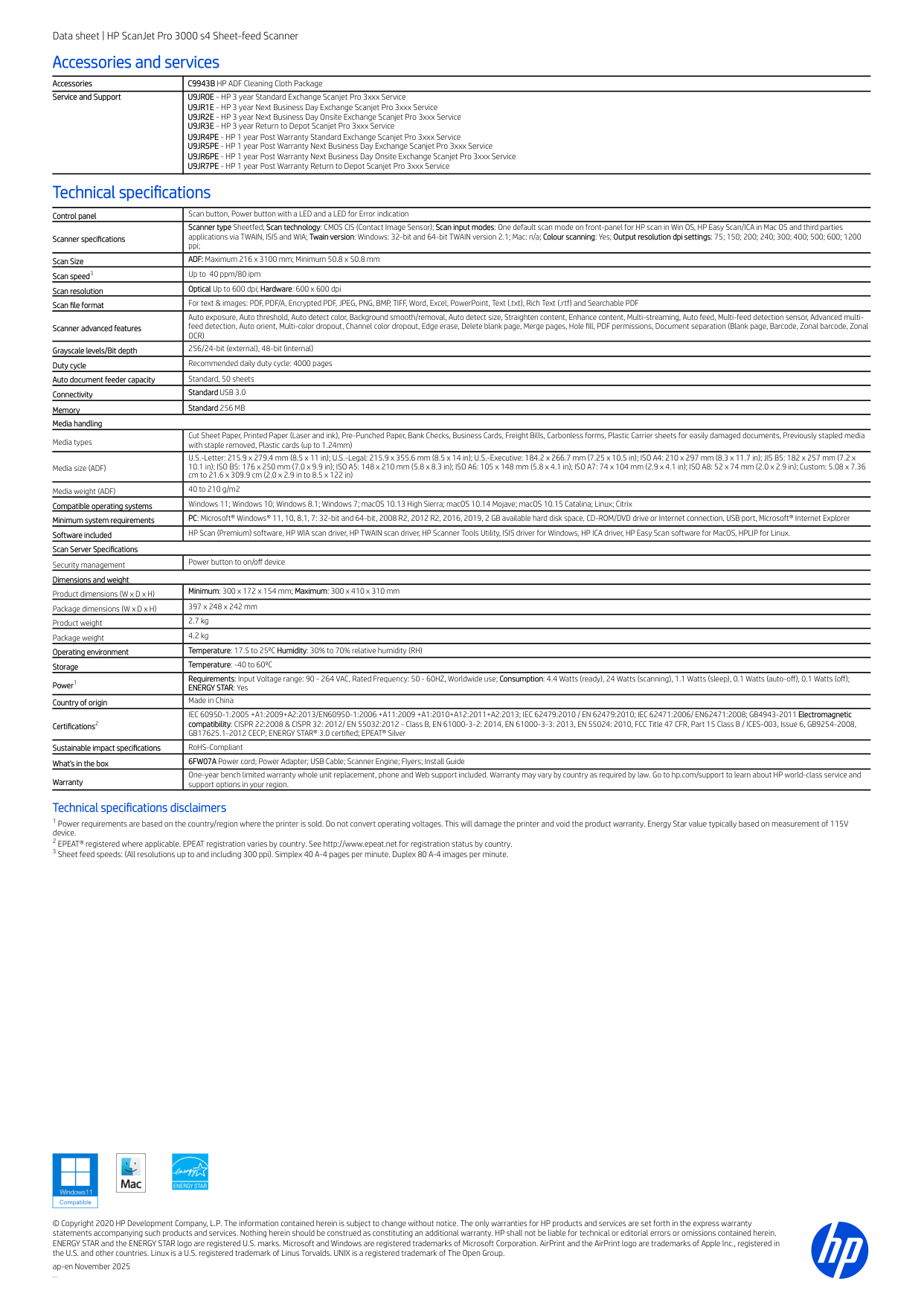
Data sheet | HP ScanJet Pro 3000 s4 Sheet-feed Scanner Accessories and services Accessories C9943B HP ADF Cleaning Cloth Package Service and Support U9JR0E - HP 3 year Standard Exchange Scanjet Pro 3xxx Service U9JR1E - HP 3 year Next Business Day Exchange Scanjet Pro 3xxx Service U9JR2E - HP 3 year Next Business Day Onsite Exchange Scanjet Pro 3xxx Service U9JR3E - HP 3 year Return to Depot Scanjet Pro 3xxx Service U9JR4PE - HP 1 year Post Warranty Standard Exchange Scanjet Pro 3xxx Service U9JR5PE - HP 1 year Post Warranty Next Business Day Exchange Scanjet Pro 3xxx Service U9JR6PE - HP 1 year Post Warranty Next Business Day Onsite Exchange Scanjet Pro 3xxx Service U9JR7PE - HP 1 year Post Warranty Return to Depot Scanjet Pro 3xxx Service Technical specifications Control panel Scan button, Power button with a LED and a LED for Error indication Scanner specifications Scanner type Sheetfed; Scan technology: CMOS CIS (Contact Image Sensor); Scan input modes: One default scan mode on front-panel for HP scan in Win OS, HP Easy Scan/ICA in Mac OS and third parties applications via TWAIN, ISIS and WIA; Twain version: Windows: 32-bit and 64-bit TWAIN version 2.1; Mac: n/a; Colour scanning: Yes; Output resolution dpi settings: 75; 150; 200; 240; 300; 400; 500; 600; 1200 ppi; Scan Size ADF: Maximum 216 x 3100 mm; Minimum 50.8 x 50.8 mm Scan speed Up to 40 ppm/80 ipm Scan resolution Optical Up to 600 dpi; Hardware: 600 x 600 dpi Scan file format For text & images: PDF, PDF/A, Encrypted PDF, JPEG, PNG, BMP, TIFF, Word, Excel, PowerPoint, Text (.txt), Rich Text (.rtf) and Searchable PDF Scanner advanced features Auto exposure, Auto threshold, Auto detect color, Background smooth/removal, Auto detect size, Straighten content, Enhance content, Multi-streaming, Auto feed, Multi-feed detection sensor, Advanced multi- feed detection, Auto orient, Multi-color dropout, Channel color dropout, Edge erase, Delete blank page, Merge pages, Hole fill, PDF permissions, Document separation (Blank page, Barcode, Zonal barcode, Zonal