Ask AI
— answers from the official manualAnswers from the official manual.
Common questions
Common Questions
24 totalHow does the Nextbase 122HD Dash Cam appear when connected to my computer?
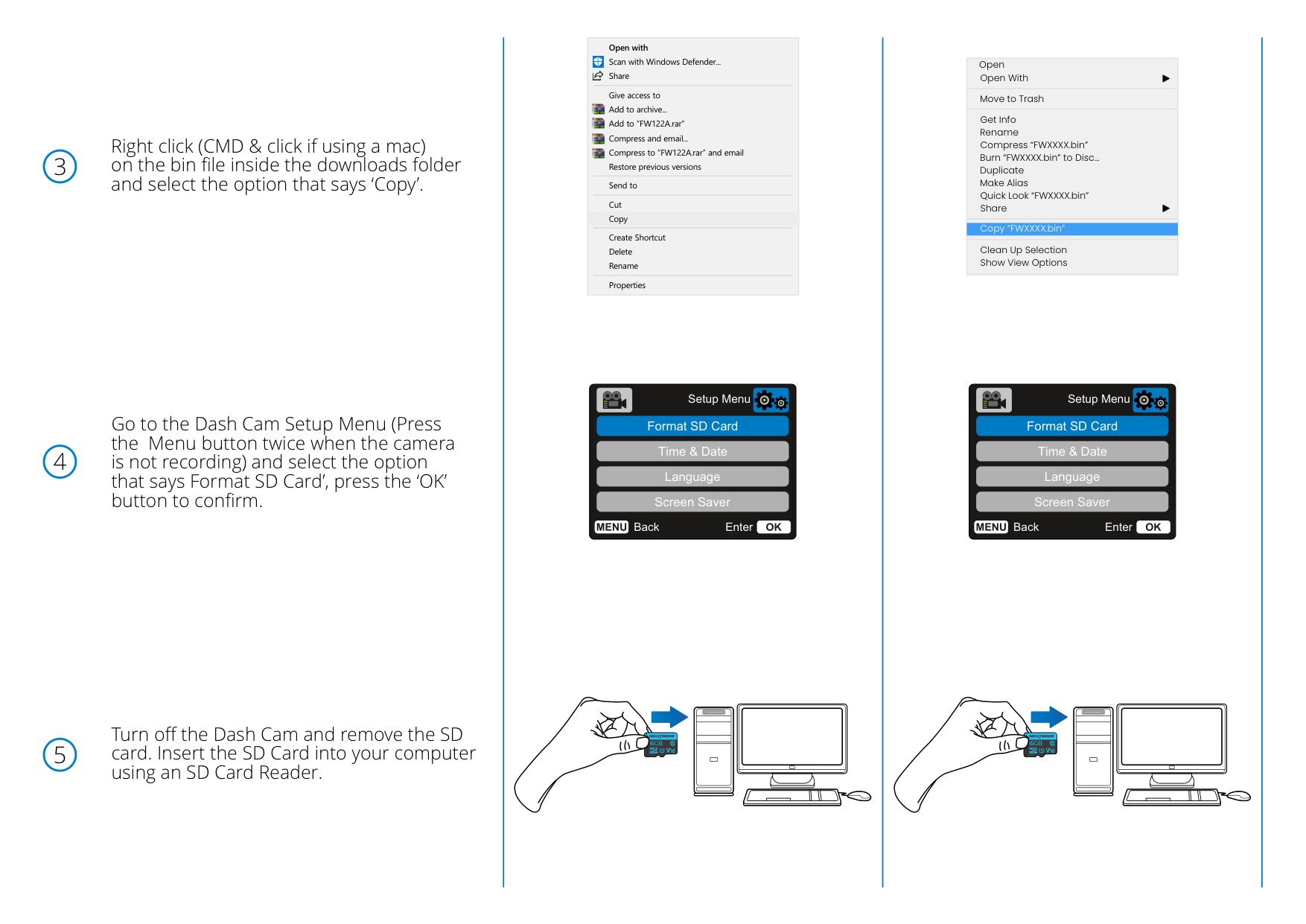
When the SD card is inserted into your computer, the Dash Cam's SD card should appear as a storage device called 'NEXTBASE' within File Explorer on Windows or Finder on a Mac. You can then click on it to view the contents of the card. (Page 3)
How do I correctly insert the SD card into the Nextbase 122HD after copying the firmware file?
With the Dash Cam turned off, insert the SD card into the Dash Cam until it clicks into place. Make sure the Dash Cam is off before inserting the card. (Page 4)
How do I format the SD card on my Nextbase 122HD before a firmware update?
Go to the Dash Cam Setup Menu by pressing the Menu button twice while the camera is not recording, then select 'Format SD Card' and press the 'OK' button to confirm. This step is required before copying the firmware update file to the SD card. (Page 2)
Can I open the firmware update file on my computer before copying it to the SD card?
No, you won't be able to open the firmware file (FW122HDA.bin) on your computer. It should simply be copied directly to the SD card without being opened or modified. (Page 1)
How do I copy the firmware file to the SD card on a Mac?
Right-click (or CMD + click on a Mac) on the bin file in your downloads folder and select 'Copy', then open the SD card in Finder, right-click in the white space, and select 'Paste Item'. This will place the firmware file onto the SD card where it can be read by the Dash Cam. (Pages 2-3)
What should I do if the firmware update file gets renamed on my computer?
Ensure that the bin file is NOT renamed in any way, as the update will fail if the file appears with a modified name such as 'FW122HDA(1).bin'. Keep the file name exactly as downloaded before copying it to the SD card. (Page 4)
Show 18 more questions
How do I check what firmware version is installed on my Nextbase 122HD?
How do I access the SD card contents from the Dash Cam on my computer?
What happens after the firmware update completes on the Nextbase 122HD?
How do I properly insert the SD card into the Nextbase 122HD for a firmware update?
How long does a firmware update take on the Nextbase 122HD, and are there any warnings during the process?
How do I update the firmware on my 122Hd Dash Cam?
What should I do if the firmware update fails?
How do I format the SD card on the 122Hd?
Where do I download the firmware update file?
What do I do after the firmware update completes?
How do I insert the SD card into the 122Hd?
Can I edit the firmware file name before copying it to the SD card?
How do I access the Setup Menu on the 122Hd?
How do I copy the firmware file to my SD card using a Mac?
How do I update the firmware on my Nextbase 122HD Dash Cam?
How can I verify that the firmware update was successful?
Why is my firmware update failing on the Nextbase 122HD?
What should I do after the firmware update finishes and the PC Connection Screen appears?
Full Manual
2 pages
Firmware Update Guide Instructions 122
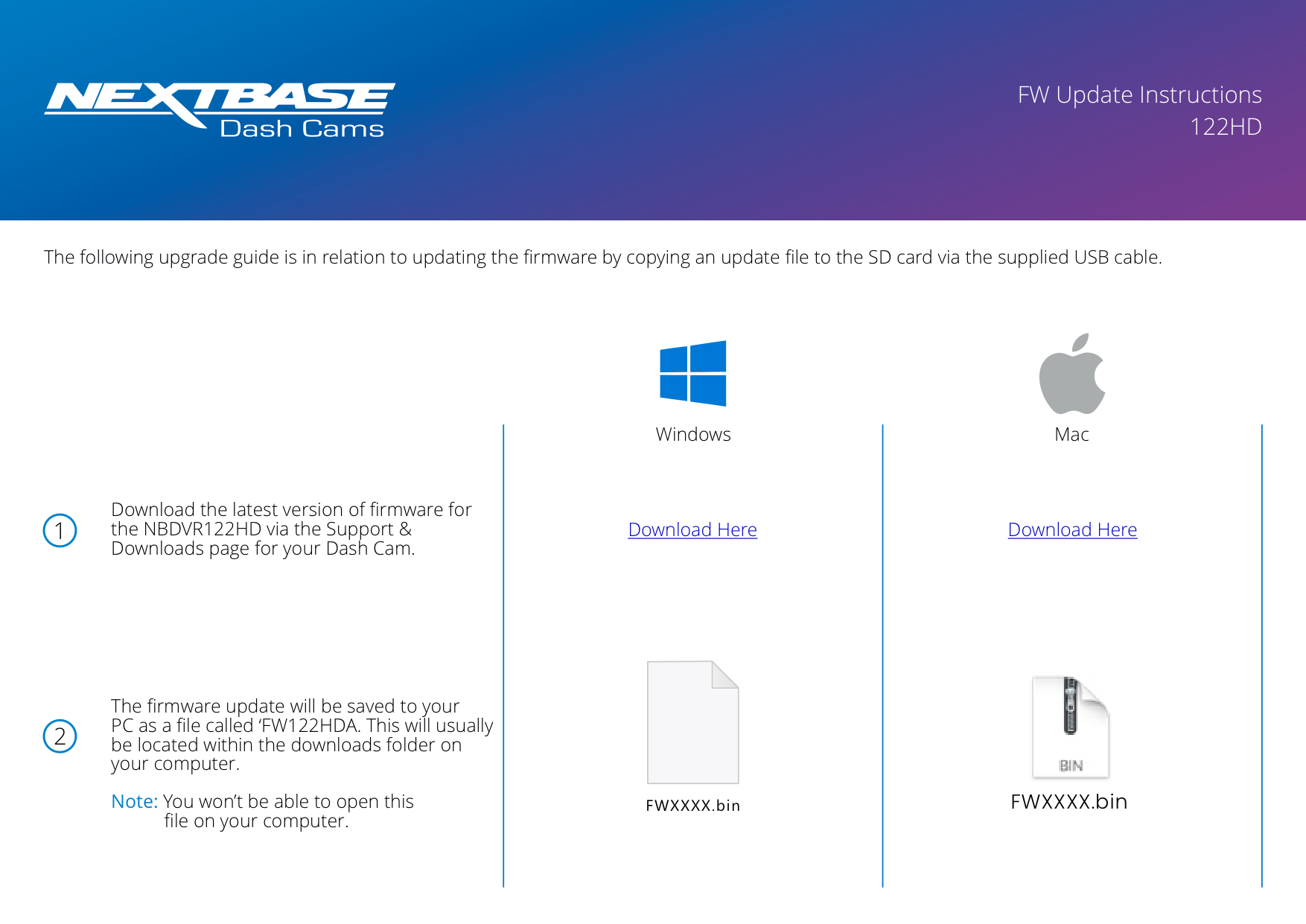
The following upgrade guide is in relation to updating the firmware by copying an update file to the SD card via the supplied USB cable.
Windows Mac
Download here
Download here