
Ask AI
— answers from the official manualAnswers from the official manual.
Common questions
Common Questions
10 totalHow do I charge the Onn Wireless Earbuds?
Place the earphones in the charging case and connect the included USB-C charging cable (23cm length) to the case to charge both the earbuds and the case simultaneously.
What technical specifications does the Onn Wireless Earbuds model have?
The model number is AAABLK100024300 with 7mm speakers, 32Ω±15% impedance, 96±3dB sensitivity at 1 KHz, and a 2mW speaker driver rating power. The charging cable is 23cm long.
What happens when I remove the earbuds from my ears?
The earphones feature in-ear detection technology that automatically pauses your music when you remove both earbuds from your ears, and resumes playback when you put them back in.
What's included in the Onn Wireless Earbuds box?
The box contains one pair of earphones, one charging case, four pairs of silicone eartips (M size pre-installed), one pair of foam tips, and one USB-C charging cable. A Quick Start Guide is also included.
How do I set up my Onn Wireless Earbuds for the first time?
First, drop the earphones into the charging case and close it to fully charge. Then, open the charging case and the earphones will power on and enter pairing mode automatically. Select "onn. TWS In-Ear" on your device to complete the connection.
How do I turn on and off the Onn Wireless Earbuds?
Simply take the earphones out of the charging case to power them on automatically—they will connect to your last paired device. To power off, drop them back into the charging case and close it. If you're carrying the earphones without the case, tap and hold each earbud for 4 seconds to turn them on or off.
Full Manual
6 pages
Onn Wireless Earbuds Manual/User Guide Get to Know Your Wireless Earbuds 1) Model: AAABLK100024300 2) Speaker Diameter: 7mm 3) Speaker Impedance: 32Q±15% 4) Sensitivity: 96±3dB at 1 KHz 5) Speaker Driver Rating Power: 2mW 6) Charging Cable: 23cm 7) 20 hours of total playtime (with charging case) 8) IPX5 waterproof rating applies to the earphones, not to the charging case. What’s in the Box?
1.Earphones x1 pair
Step 1: Drop earphones back into charging case for initial activation and close the charging case to fully charge. Step 2: Open the charging case, earphones will be powered on and go into pairing mode automatically, connect to your device by selecting nonn. TWS In-Ear”. 02Power on / Power Off & Pairing

Take them out to Power On automatically& connect to last paired device. Drop them back and close the charging case. Power Off automatically& disconnect to paired device. Tap & Hold 4 Secs Each Side for Power On/Off (If you are carrying the earphones without charging case)
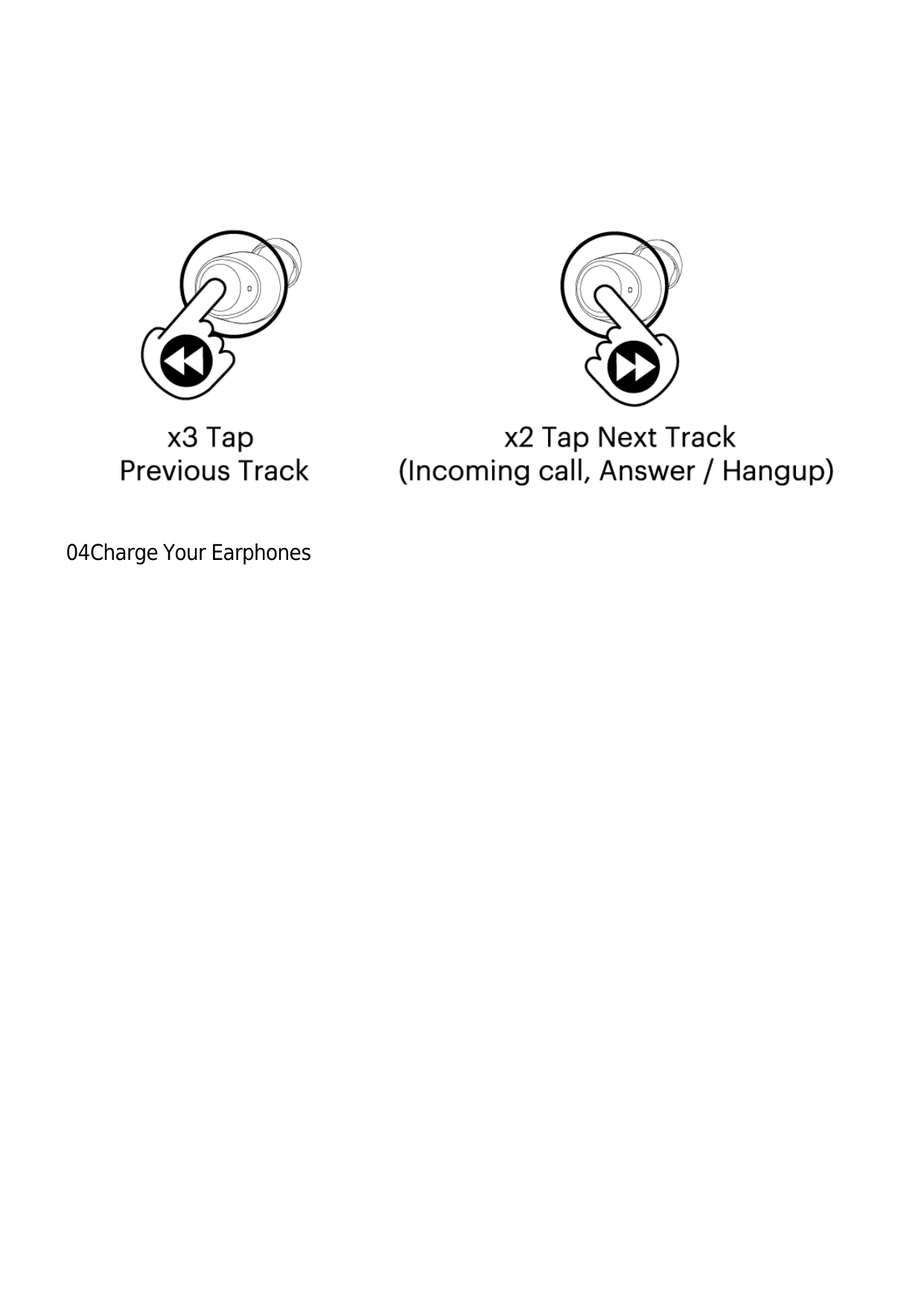
03Enjoy Your Music & Accepting a Call In-ear detection Both earphones will auto-pause when you remove them from your ears.
04Charge Your Earphones