
Ask AI
— answers from the official manualAnswers from the official manual.
Common questions
Common Questions
5 totalHow do I save personal shortcuts on the remote?
Press and hold the personal shortcuts button after giving a voice command to save it for one-touch control. This allows you to quickly repeat frequently used commands.
How do I use private listening with the Voice Remote Pro?
Simply plug headphones into the headphone jack on your remote. Your TV will mute automatically when headphones are connected, allowing private listening.
Where can I find additional help with pairing my remote?
For help pairing your remote, visit go.roku.com/remotehelp where you can find additional troubleshooting guidance and setup instructions.
What software version do I need to use this remote?
Your Roku device's software must be updated to version 9.4 or higher to pair with the Voice Remote Pro. If you have an older version, you will need to update your device before pairing.
How do I set up TV controls on my remote?
Press the Options button on your remote, go into the Settings menu and select Remotes & Devices, then find your new remote under Remotes and select Set up remote for TV control and follow the instructions. If you own a Roku TV, you can skip this section.
Full Manual
4 pages
Quick Start Guide
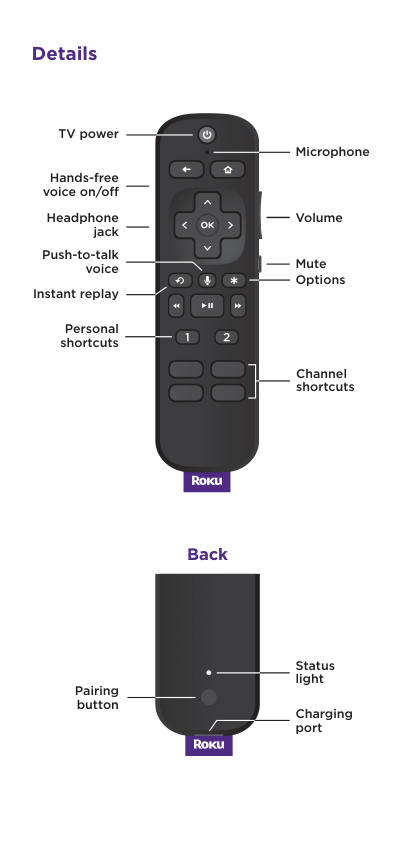
Details Pairing button Status light Charging port Back Hands-free voice on/off Volume Mute TV power Instant replay Headphone jack Personal shortcuts Options Microphone Push-to-talk voice Channel shortcuts
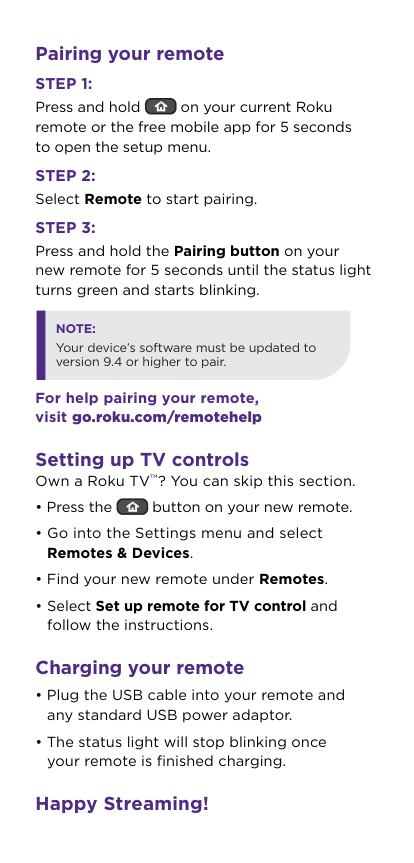
Pairing your remote
Step 1:
Press and hold on your current Roku remote or the free mobile app for 5 seconds to open the setup menu.Step 2:
Select Remote to start pairing.Step 3:
Press and hold the Pairing button on your new remote for 5 seconds until the status light turns green and starts blinking. For help pairing your remote, visit go.roku.com/remotehelp Setting up TV controls Own a Roku TV TM? You can skip this section.Note:
Your device’s software must be updated to version 9.4 or higher to pair.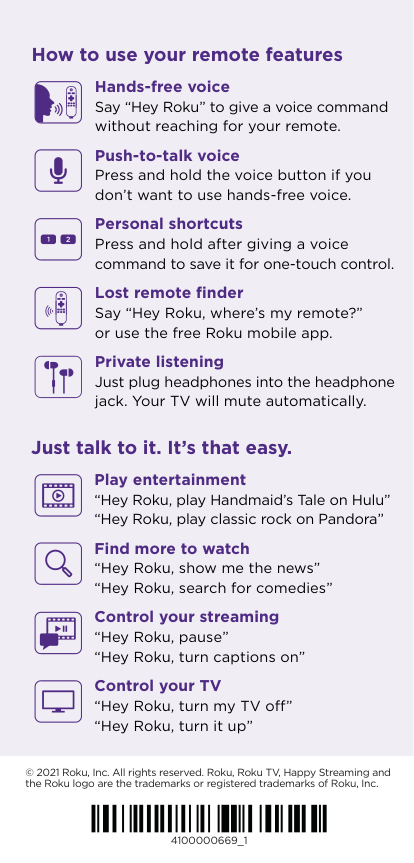
Just talk to it. It’s that easy. Play entertainment “Hey Roku, play Handmaid’s Tale on Hulu” “Hey Roku, play classic rock on Pandora” Find more to watch “Hey Roku, show me the news” “Hey Roku, search for comedies” Control your streaming “Hey Roku, pause” “Hey Roku, turn captions on” Control your TV “Hey Roku, turn my TV off” “Hey Roku, turn it up” © 2021 Roku, Inc. All rights reserved. Roku, Roku TV, Happy Streaming and the Roku logo are the trademarks or registered trademarks of Roku, Inc. 4100000669_1 How to use your remote features Hands-free voice Say “Hey Roku” to give a voice command without reaching for your remote. Push-to-talk voice Press and hold the voice button if you don’t want to use hands-free voice. Personal shortcuts Press and hold after giving a voice command to save it for one-touch control. Lost remote finder Say “Hey Roku, where’s my remote?” or use the free Roku mobile app. Private listening Just plug headphones into the headphone jack. Your TV will mute automatically.