
Ask AI
— answers from the official manualAnswers from the official manual.
Common questions
Common Questions
17 totalHow do I reboot (power cycle) the modem without resetting it to factory defaults?
Press and hold the Reset button for 4 to 10 seconds to reboot (power cycle) the modem without clearing its settings. Holding the button for 10 seconds or more will trigger a full factory default reset, so be careful not to hold it too long. (Page 5)
What do the Battery LED colors and behaviors mean?
A solid blue Battery LED means the battery is at 21% usable charge or higher, while a solid red LED means it is at 20% or lower. A flashing red LED indicates the battery is at 10% or lower, and the LED will ease between blue and off while the battery is charging. If no battery is installed, the LED will be off. (Page 6)
How do I install and connect the modem?
Connect the coaxial cable to the cable connector on the rear panel and to the cable wall outlet, then connect the supplied Ethernet cable from the Internet port to a wireless router or Ethernet-enabled device. Connect an RJ-11 phone cable to the Voice 1 port (and up to Voice 4) if voice service is provisioned by your service provider, then plug the power adapter into the Power port and into a wall outlet. Do not bend or over-tighten the coaxial cable, as this may damage the connector. (Page 3)
What does the Voice LED behavior indicate?
A solid blue Voice LED indicates voice service is active and a phone cable is connected to the voice port. If the phone is off-hook, the LED eases between blue and off, and if the modem is powered by the internal battery while off-hook, it flashes between blue and off. If voice service is not provisioned or a phone connection cannot be established, the LED will be off. (Page 6)
What are the maximum data speeds supported by this modem?
For downstream, the modem supports up to 5Gbps via two 192MHz DOCSIS 3.1 OFDM channels, or up to 1372Mbps via 32 DOCSIS 3.0 downstream channels. For upstream, it supports up to 2Gbps via two 96MHz DOCSIS 3.1 OFDMA channels, or up to 246Mbps via 8 DOCSIS 3.0 upstream channels. Actual speeds may vary based on network configuration and connected devices. (Pages 7–8)
What are the operating temperature and humidity requirements for the modem?
The modem is designed to operate in temperatures between 0°C and 40°C (32°F to 104°F). Humidity should be kept between 5% and 95%, non-condensing. (Page 8)
Show 11 more questions
How long does the internal battery last, and what ports are on the rear of the modem?
What does the Ethernet LED behavior indicate about my connection speed?
What does a flashing red light on the battery indicate?
How do I connect my modem to a router?
What is the maximum DOCSIS 3.1 data rate?
What should I do if the modem is offline?
Where do I find my modem’s MAC address?
How do I troubleshoot a blinking Ethernet light?
What are the operating temperature and humidity ranges?
How do I factory reset the D3.1 Advanced Voice Modem?
Can I connect both a TV and the modem to the same coaxial wall outlet?
Full Manual
8 pages
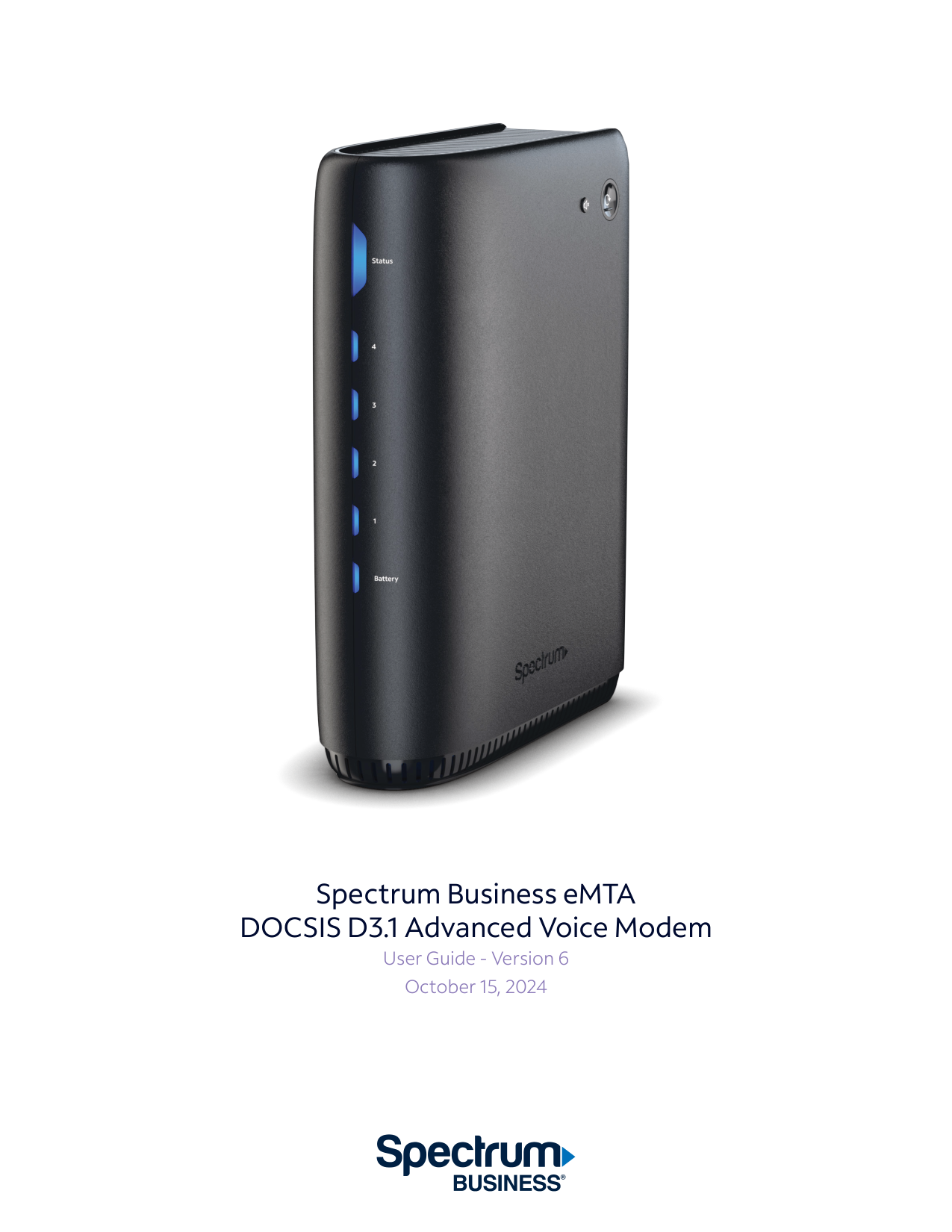
Spectrum Business eMTA DOCSIS D3.1 Advanced Voice Modem User Guide - Version 6 October 15, 2024
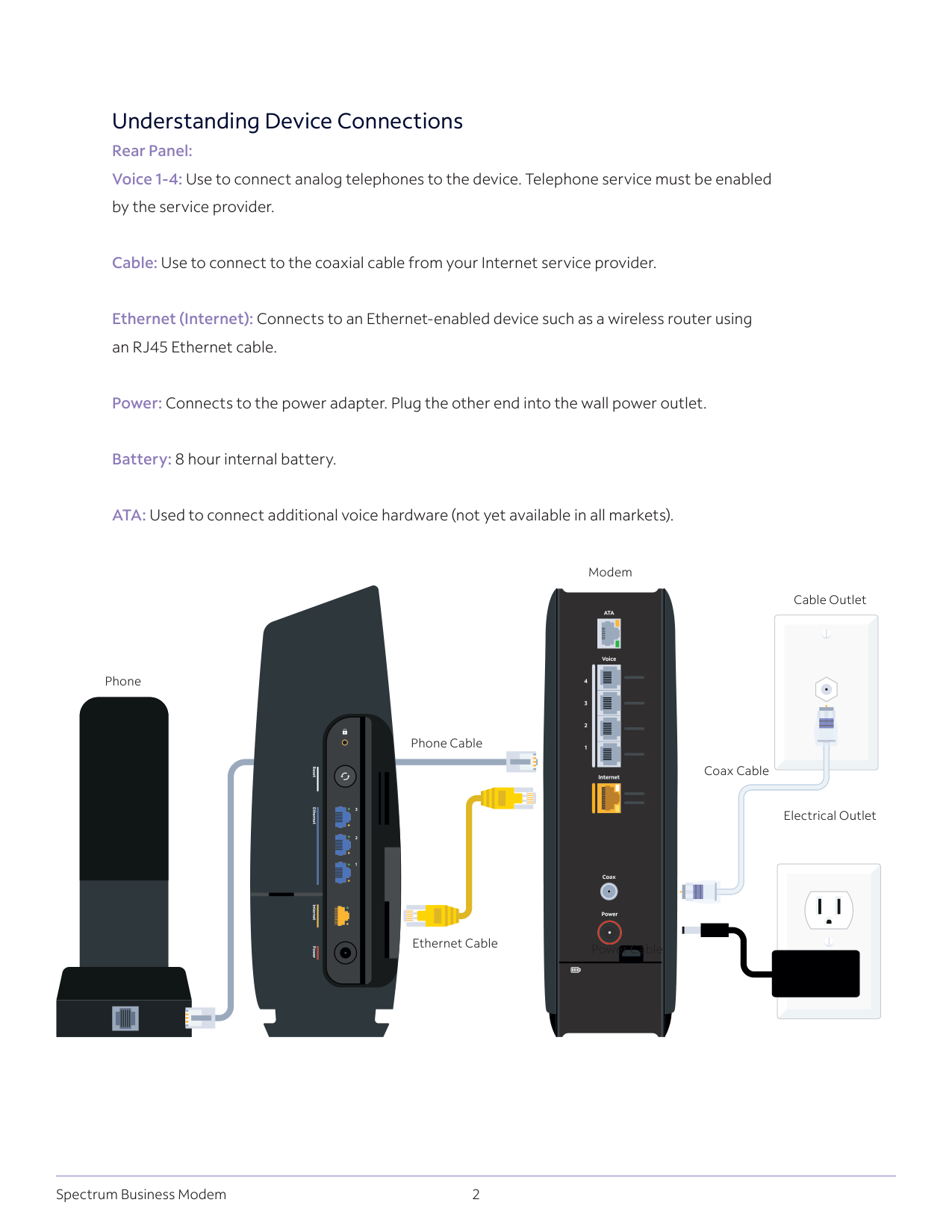
2 Spectrum Business Modem Understanding Device Connections Rear Panel: Voice 1-4: Use to connect analog telephones to the device. Telephone service must be enabled by the service provider. Cable: Use to connect to the coaxial cable from your Internet service provider. Ethernet (Internet): Connects to an Ethernet-enabled device such as a wireless router using an RJ45 Ethernet cable. Power: Connects to the power adapter. Plug the other end into the wall power outlet. Battery: 8 hour internal battery. ATA: Used to connect additional voice hardware (not yet available in all markets). Reset Ethernet 3 2 1 Internet Power Modem Coax Cable Phone Cable Phone Ethernet Cable Cable Outlet Electrical Outlet Power Cable
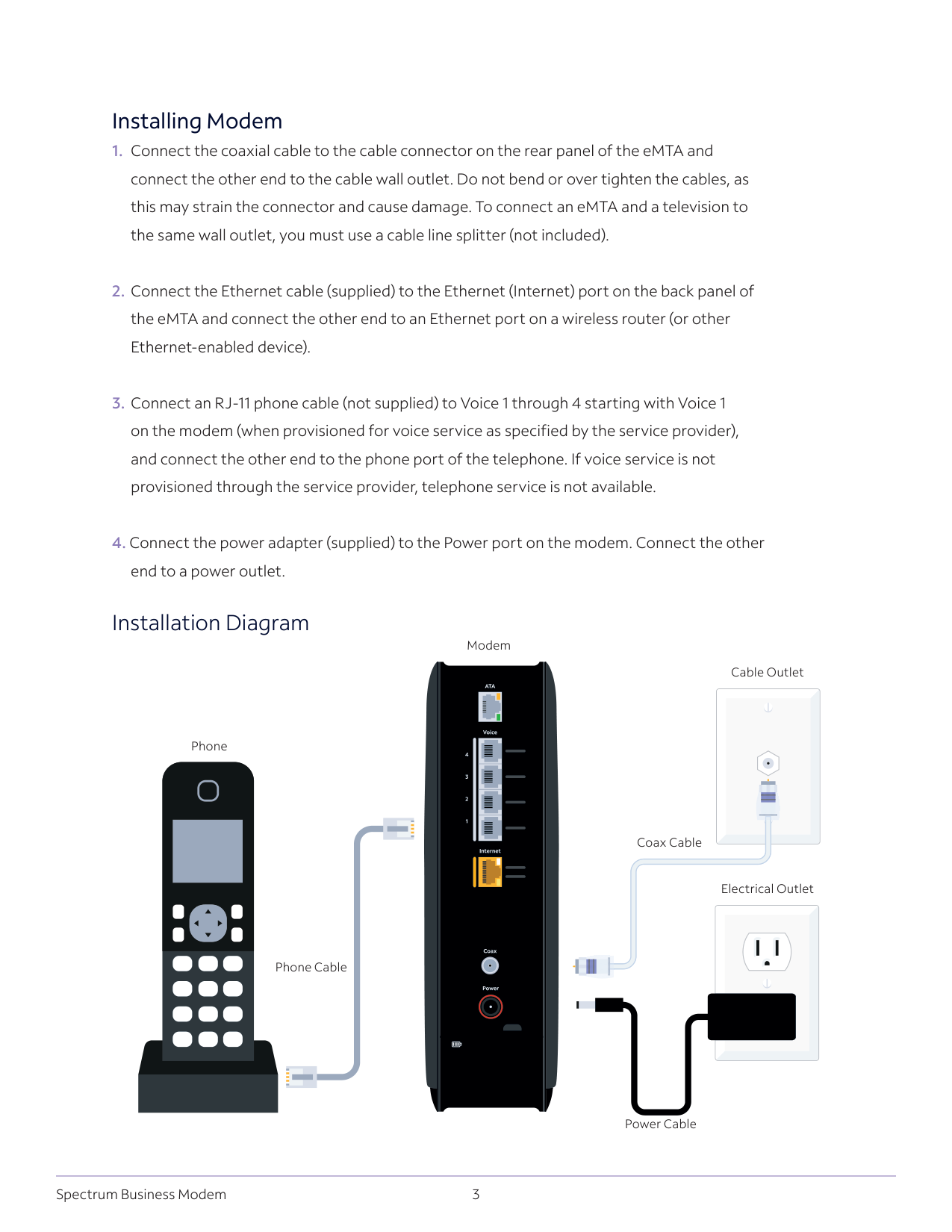
3 Spectrum Business Modem Installing Modem
connect the other end to the cable wall outlet. Do not bend or over tighten the cables, as
this may strain the connector and cause damage. To connect an eMTA and a television to
the same wall outlet, you must use a cable line splitter (not included).
the eMTA and connect the other end to an Ethernet port on a wireless router (or other
Ethernet-enabled device).
on the modem (when provisioned for voice service as specified by the service provider),
and connect the other end to the phone port of the telephone. If voice service is not
provisioned through the service provider, telephone service is not available.
end to a power outlet. Installation Diagram Modem Coax Cable Cable Outlet Electrical Outlet Power Cable Phone Cable Phone
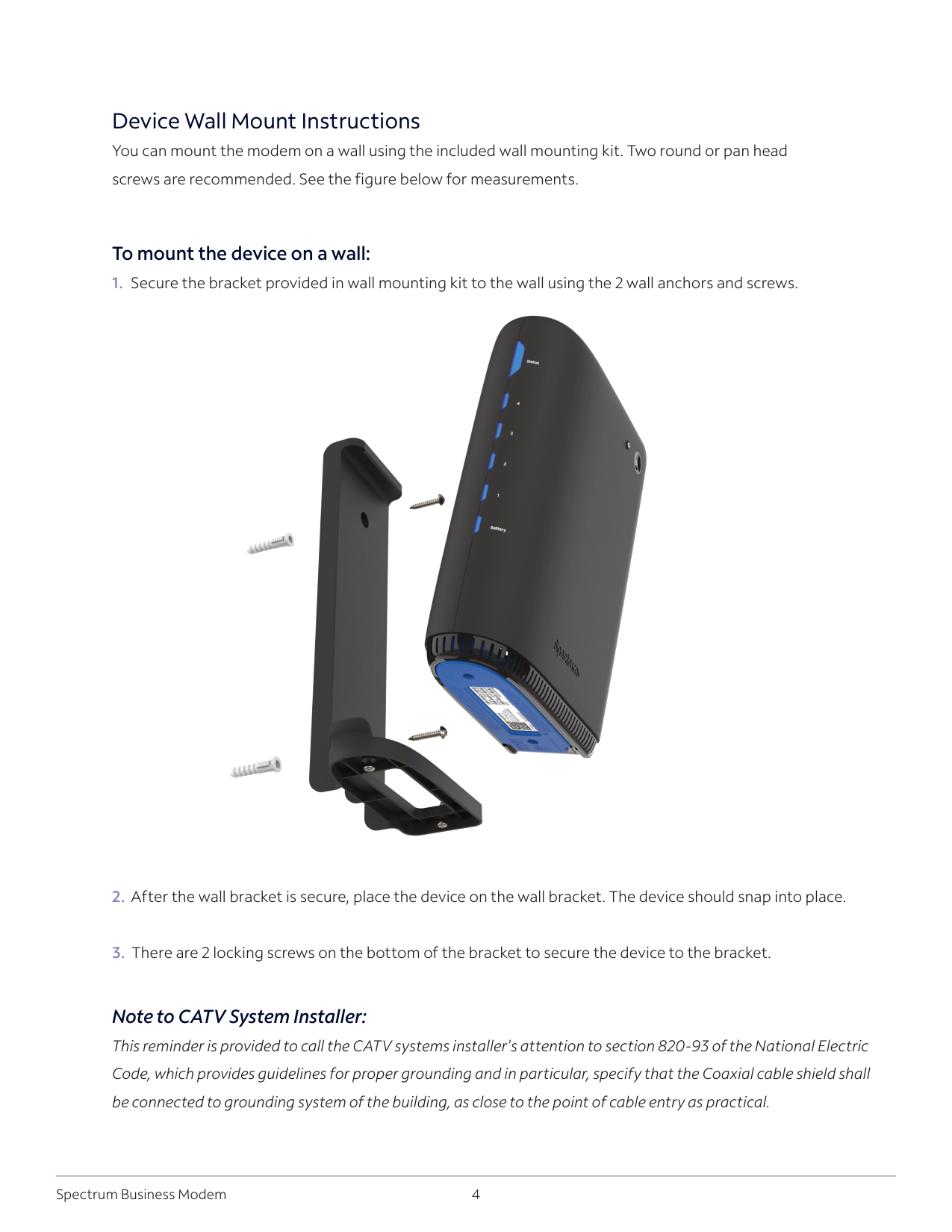
4 Spectrum Business Modem Device Wall Mount Instructions You can mount the modem on a wall using the included wall mounting kit. Two round or pan head screws are recommended. See the figure below for measurements. To mount the device on a wall:
Note to CATV System Installer: This reminder is provided to call the CATV systems installer's attention to section 820-93 of the National Electric Code, which provides guidelines for proper grounding and in particular, specify that the Coaxial cable shield shall be connected to grounding system of the building, as close to the point of cable entry as practical.
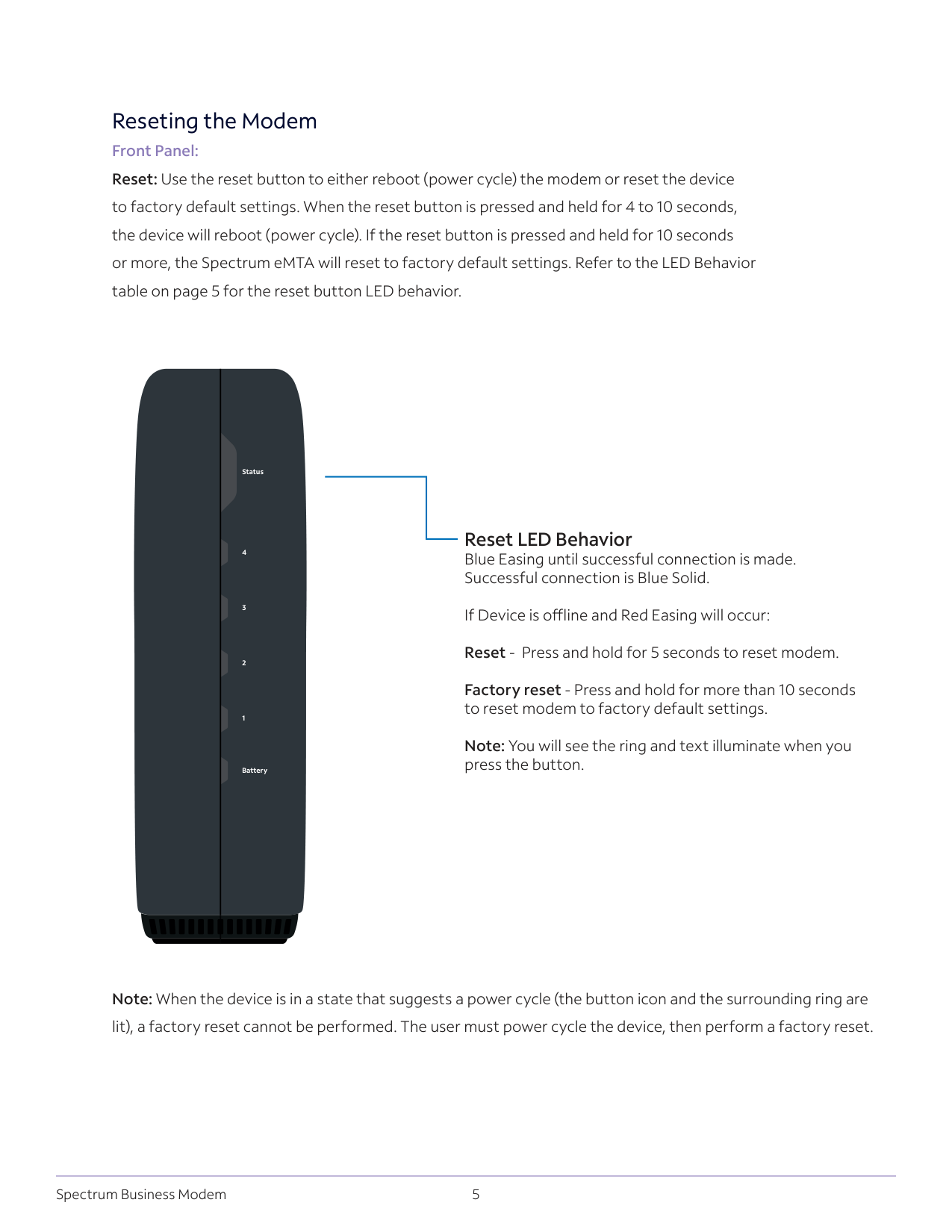
5 Spectrum Business Modem Reseting the Modem Front Panel: Reset: Use the reset button to either reboot (power cycle) the modem or reset the device to factory default settings. When the reset button is pressed and held for 4 to 10 seconds, the device will reboot (power cycle). If the reset button is pressed and held for 10 seconds or more, the Spectrum eMTA will reset to factory default settings. Refer to the LED Behavior table on page 5 for the reset button LED behavior. Reset LED Behavior Blue Easing until successful connection is made. Successful connection is Blue Solid.
If Device is offline and Red Easing will occur: Reset - Press and hold for 5 seconds to reset modem.
Factory reset - Press and hold for more than 10 seconds to reset modem to factory default settings. Note: You will see the ring and text illuminate when you press the button. Note: When the device is in a state that suggests a power cycle (the button icon and the surrounding ring are lit), a factory reset cannot be performed. The user must power cycle the device, then perform a factory reset. Status 4 3 2 1 Battery
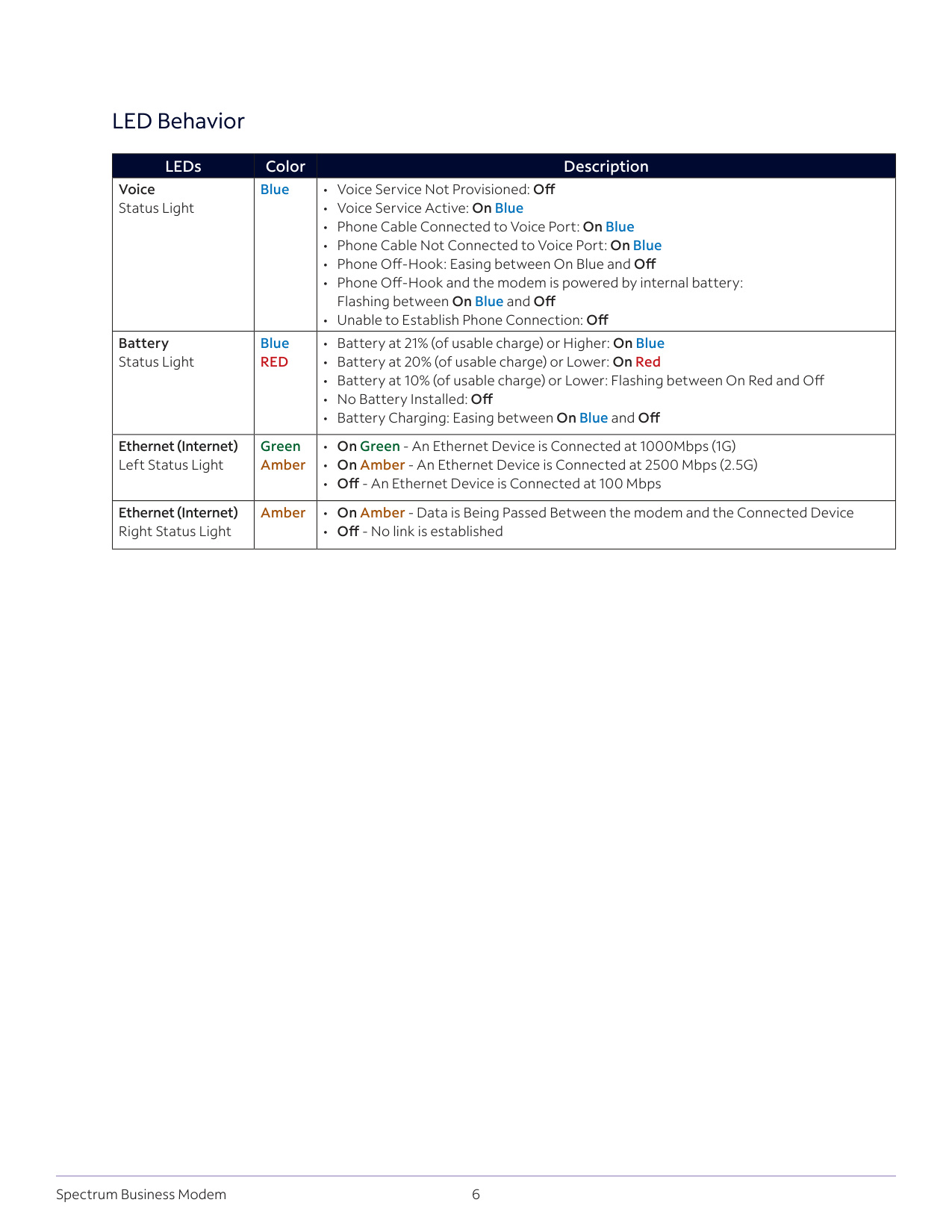
6 Spectrum Business Modem LED Behavior LEDs Color Description Voice Status Light Blue
Red
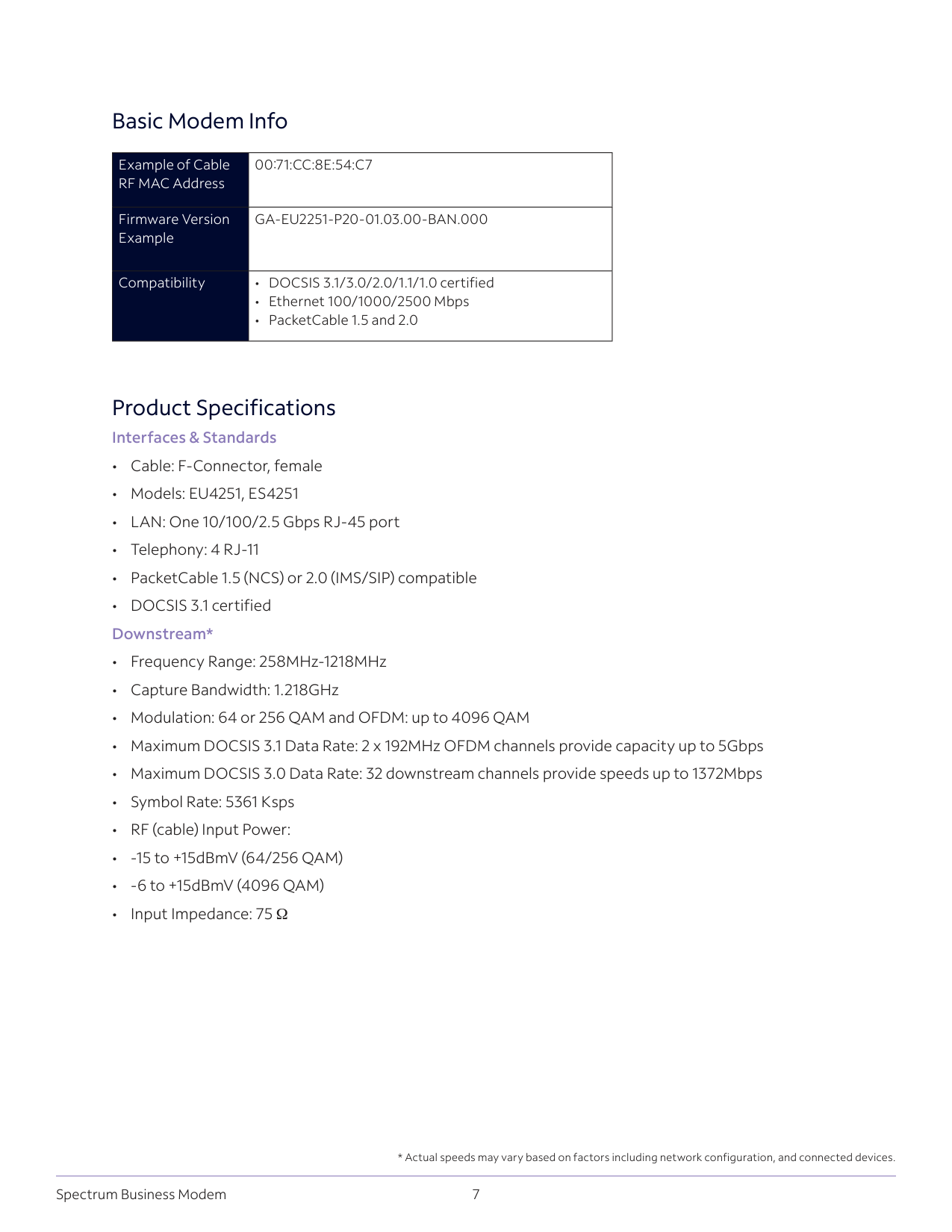
7 Spectrum Business Modem Product Specifications Interfaces & Standards
00:71:Cc:8E:54:C7
Firmware Version ExampleGa-Eu2251-P20-01.03.00-Ban.000
Compatibility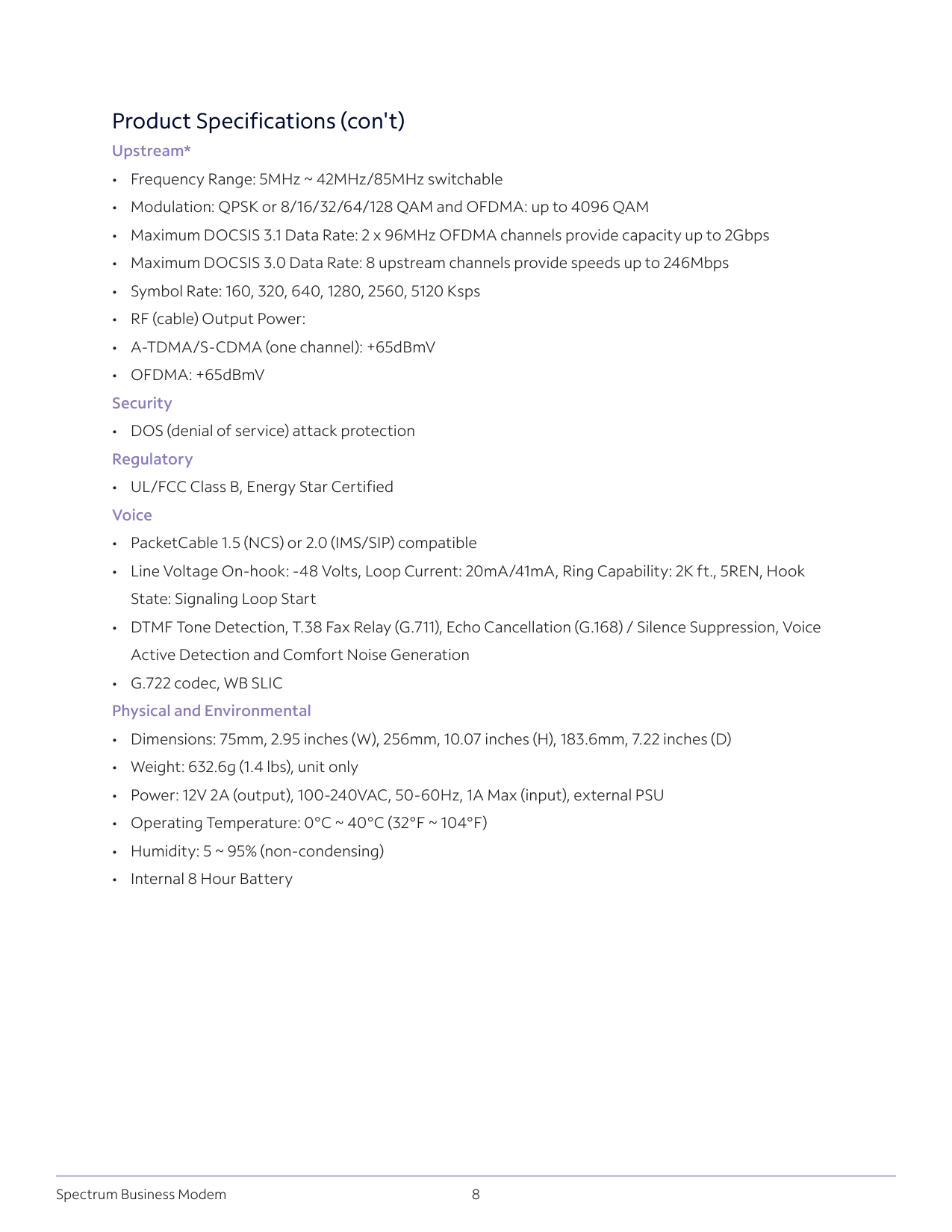
8 Spectrum Business Modem Product Specifications (con't) Upstream*
State: Signaling Loop Start
Active Detection and Comfort Noise Generation