
Volkano Wireless Headphones Manual 20
Ask AI
— answers from the official manualAnswers from the official manual.
Common questions
Common Questions
10 totalHow do I factory reset the Volkano Wireless Headphones?
Press and hold the Power button for 10 seconds until the LED flashes red. This clears all settings and returns the device to factory defaults. You will need to re-pair all connected devices after the reset.
Why can't I navigate through songs on my phone with my Volkano headphones?
Ensure that your device supports AVRCP (Audio/Video Remote Control Profile). This feature needs this profile to control play/pause, next and previous track functions remotely. Refer your device's manual if unsure.
How do I increase or decrease volume using my Volkano headphones?
To increase volume, triple touch the right earphone’s Multi-Function Touch Button. To decrease volume, triple touch the left earphone’s Multi-Function Touch Button.
What should I do if my Volkano headphones begin to emit smoke?
Remove the charging cable immediately and stop using the device until a technician can inspect it.
How many hours of playtime are available with the case included?
You have up to 24 hour playtime when including charging time through the case which has a 300 mAh capacity.
Can I wear these headphones around children or toddlers?
Do not use your earphones near small children; instead, ensure that its usage is under adult supervision at all times to avoid ingestion and choking hazards
Full Manual
10 pages
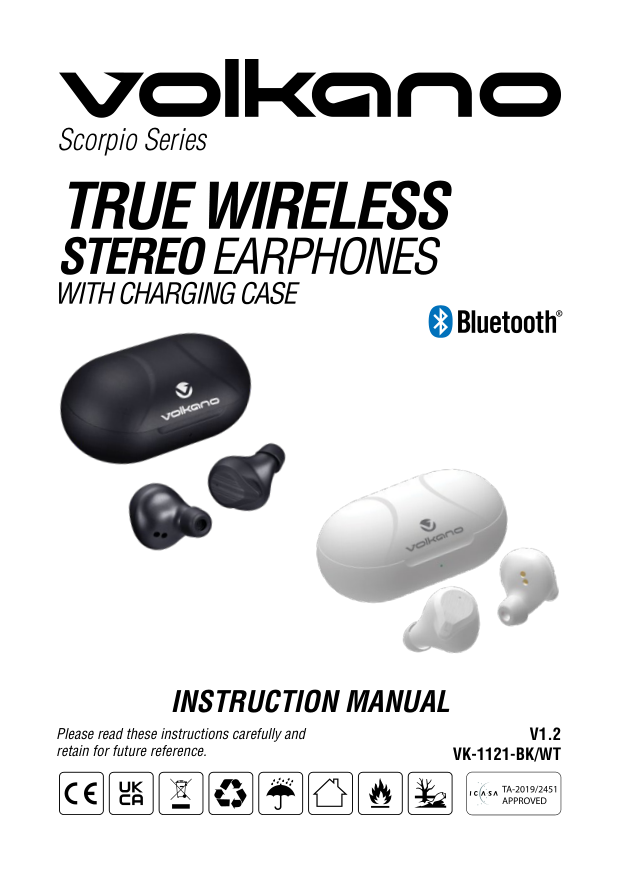
Scorpio Series


INSTRUCTION MANUAL
V1.2 VK-1121-BK/WT
Please read these instructions carefully and retain for future reference.
HIGHLIGHTS
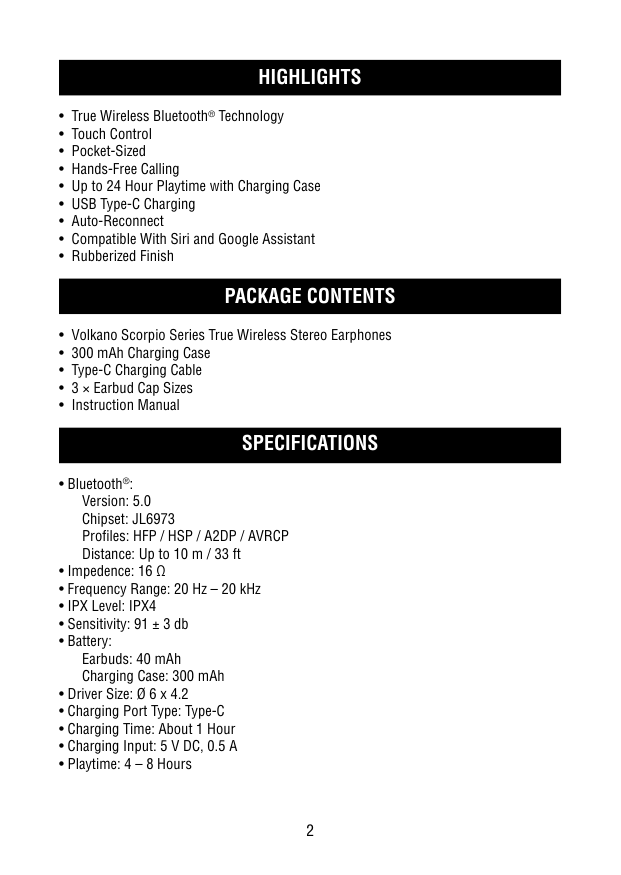
SPECIFICATIONS
#### IDENTIFYING PARTS
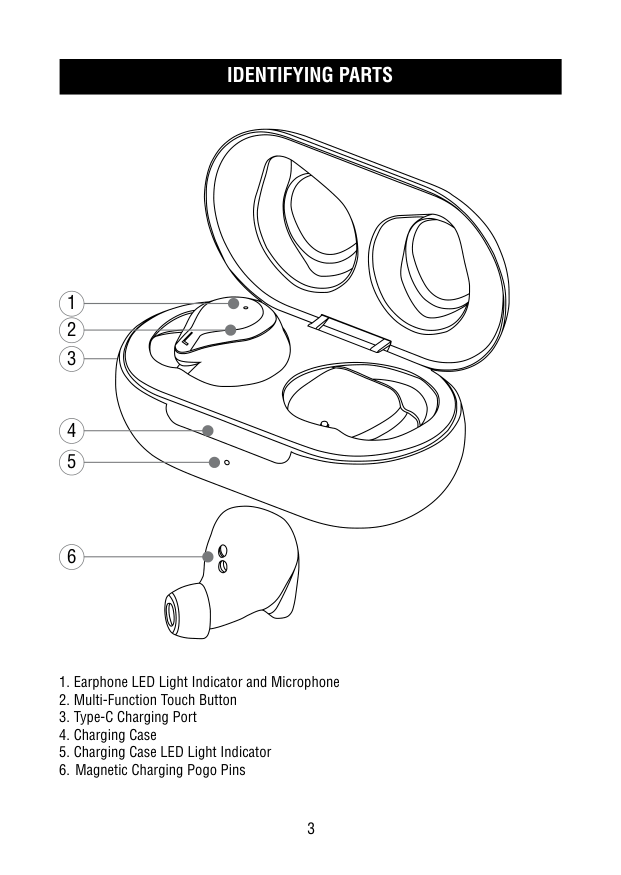
1
2
6
INSTRUCTIONS FOR USE: CHARGING THE CASE
CHARGING THE EARPHONES
Note: The earphones will turn off when inserted into the charging case, even if they are powered ON before charging.
##### SWITCHING ON THE EARPHONES
Note: Please note that the earphones would need to be turned on individually.
##### PAIRING WITH EACH OTHER
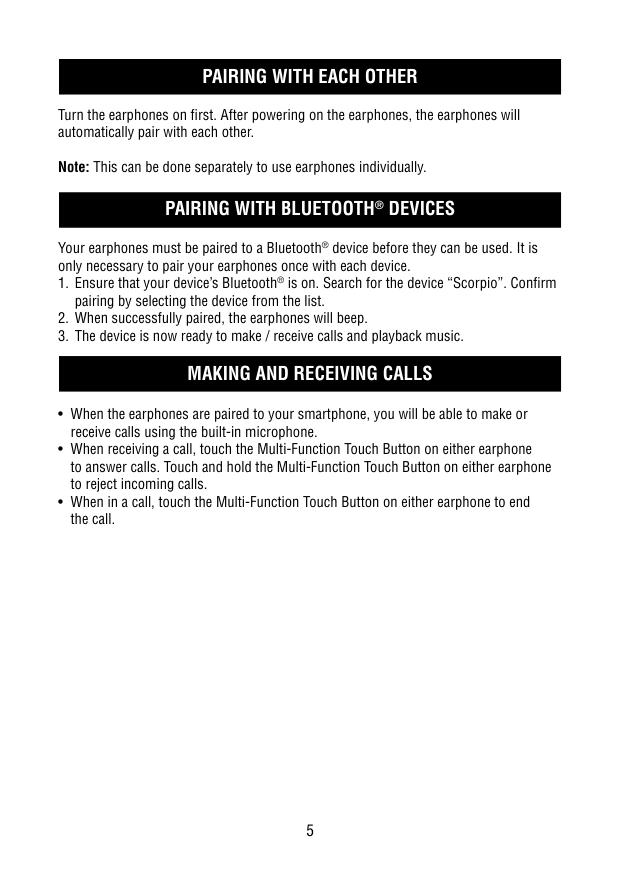
Turn the earphones on first. After powering on the earphones, the earphones will automatically pair with each other.
Note: This can be done separately to use earphones individually.
##### PAIRING WITH BLUETOOTH® DEVICES
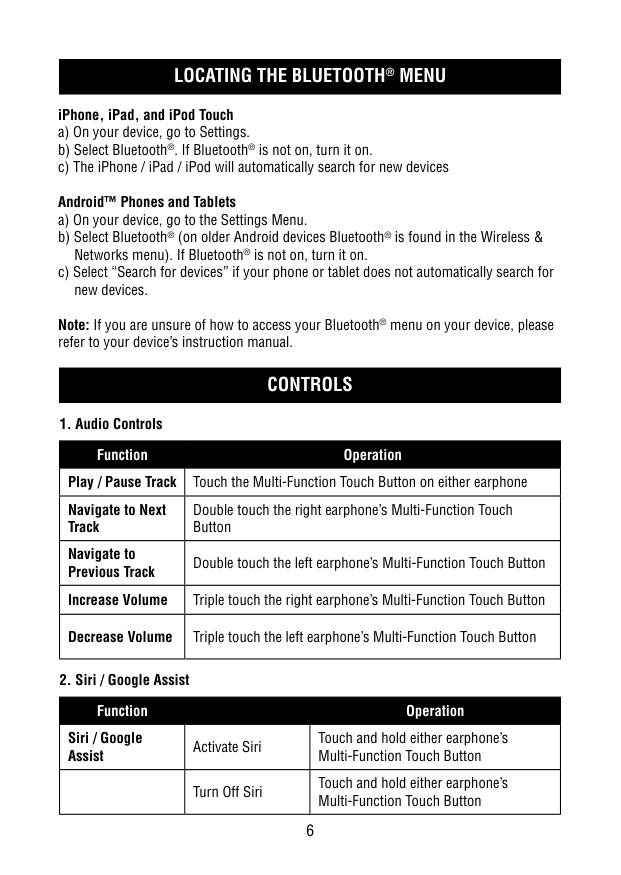
Your earphones must be paired to a Bluetooth® device before they can be used. It is only necessary to pair your earphones once with each device.
##### LOCATING THE BLUETOOTH® MENU
####### iPhone, iPad, and iPod Touch
Note: If you are unsure of how to access your Bluetooth® menu on your device, please refer to your device’s instruction manual.
##### CONTROLS
|1. Audio Controls|1. Audio Controls| |---|---| |Function|Operation| |Play / Pause Track|Touch the Multi-Function Touch Button on either earphone|
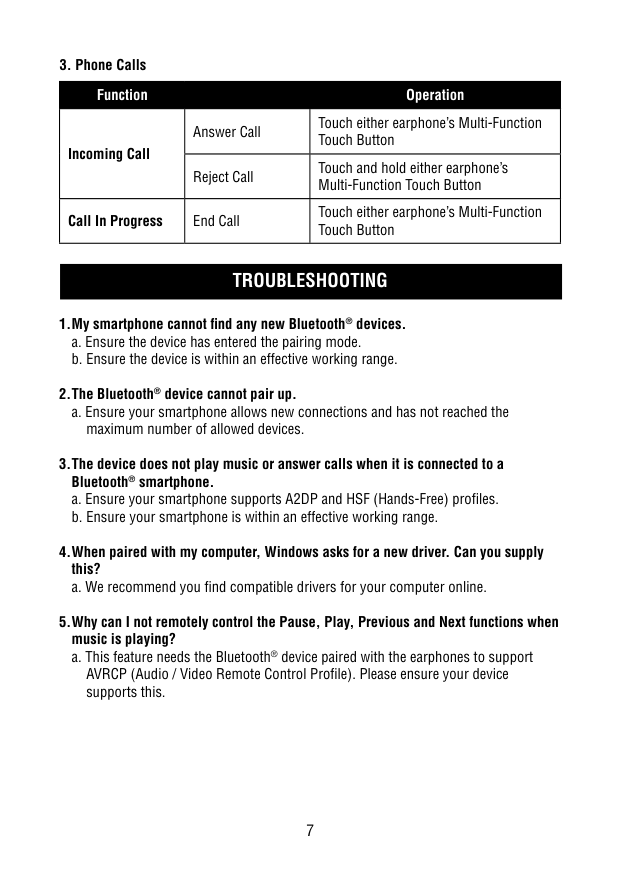
|Navigate to Next Track|Double touch the right earphone’s Multi-Function Touch Button| |Navigate to Previous Track|Double touch the left earphone’s Multi-Function Touch Button| |Increase Volume|Triple touch the right earphone’s Multi-Function Touch Button| |Decrease Volume|Triple touch the left earphone’s Multi-Function Touch Button|
|2. Siri / Google Assist|2. Siri / Google Assist|2. Siri / Google Assist| |---|---|---| |Function| |Operation| |Siri / Google Assist|Activate Siri|Touch and hold either earphone’s Multi-Function Touch Button| | |Turn Off Siri|Touch and hold either earphone’s Multi-Function Touch Button|
|3. Phone Calls|3. Phone Calls|3. Phone Calls| |---|---|---| |Function| |Operation| |Incoming Call|Answer Call|Touch either earphone’s Multi-Function Touch Button| |Incoming Call|Reject Call|Touch and hold either earphone’s Multi-Function Touch Button| |Call In Progress|End Call|Touch either earphone’s Multi-Function Touch Button|
##### TROUBLESHOOTING
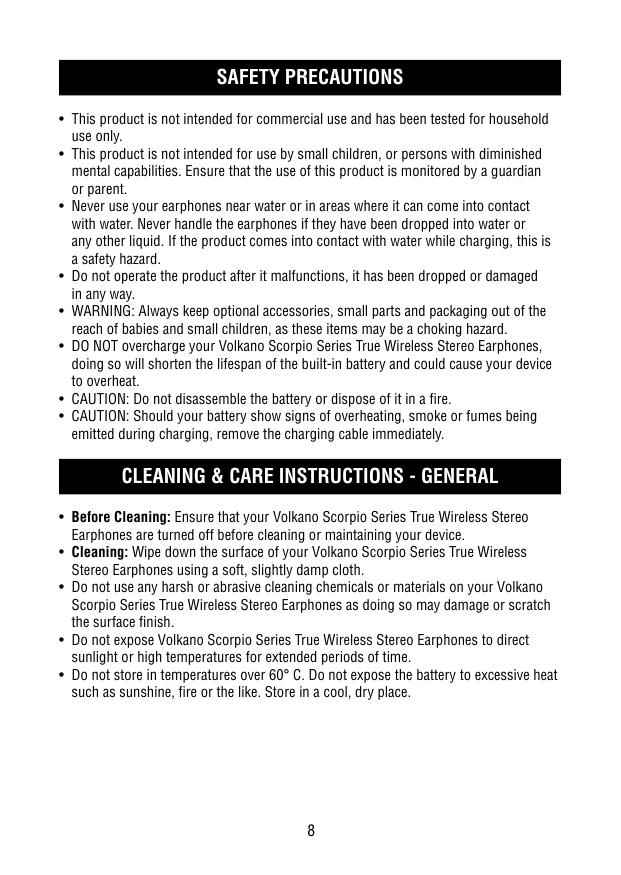
maximum number of allowed devices.
AVRCP (Audio / Video Remote Control Profile). Please ensure your device supports this.
SAFETY PRECAUTIONS
#### CLEANING & CARE INSTRUCTIONS - GENERAL
##### ENVIRONMENTALLY FRIENDLY DISPOSAL
####### IMPORTANT INFORMATION FOR CORRECT DISPOSAL OF THE PRODUCT IN ACCORDANCE WITH THE EUROPEAN DIRECTIVE ON WASTE ELECTRICAL AND ELECTRONIC EQUIPMENT.
At the end of its working life, the product must not be disposed of as urban waste. It must be taken to a special local authority differentiated waste collection center or to a dealer providing this service. Disposing of a household appliance separately avoids possible negative consequences for the environment and health deriving from inappropriate disposal and enables the constituent materials to be recovered to obtain significant savings in energy and resources. As a reminder of the need to dispose of household appliances separately, the product is marked with a crossedout wheeled dustbin.
|WARNING|Lithium-ion Batteries and/or products that contain Lithium-ion Batteries can expose you to chemicals including cobalt lithium nickel oxide, and nickel, which are known to the State of California to cause cancer and birth defects or other reproductive harm. For more information go to www.P65Warning.ca.gov.| |---|---|
##### DISCLAIMER
The Bluetooth® word mark and logos are registered trademarks owned by Bluetooth SIG, Inc. and any use of such marks by Volkano is under license. Other trademarks and trade names are those of their respective owners.
All product and company names are trademarks™ or registered® trademarks of their respective holders. The use of them does not imply any affiliation with or endorsement by them.
##### WARRANTY
These Volkano Scorpio Series True Wireless Stereo Earphones include a standard 12-month limited warranty against manufacturing defects and faults. Should your Volkano Scorpio Series True Wireless Stereo Earphones be unboxed with any faulty parts, poor finishing or visible damage, or fail to perform due to a manufacturing defect or poor workmanship, please return it with your proof of purchase (till slip or invoice) to the store of purchase for an exchange, or repair, depending on the store’s returns policy.
This warranty commences from the date of purchase. Kindly retain your proof of purchase as well as the packaging for your warranty period. NOTE: The warranty does not apply to a product that:
The Store of Purchase / Seller cannot accept any returned products that have not been returned in accordance with this warranty or which does not follow their own Returns Policy. Please refer to the Store of Purchase / Sellers Returns Policy for details.
Should you require any further assistance or have any questions on your warranty, please contact the store of purchase.