Ask AI
— answers from the official manualAnswers from the official manual.
Common questions
Common Questions
6 totalHow can I install a M.2 SSD?
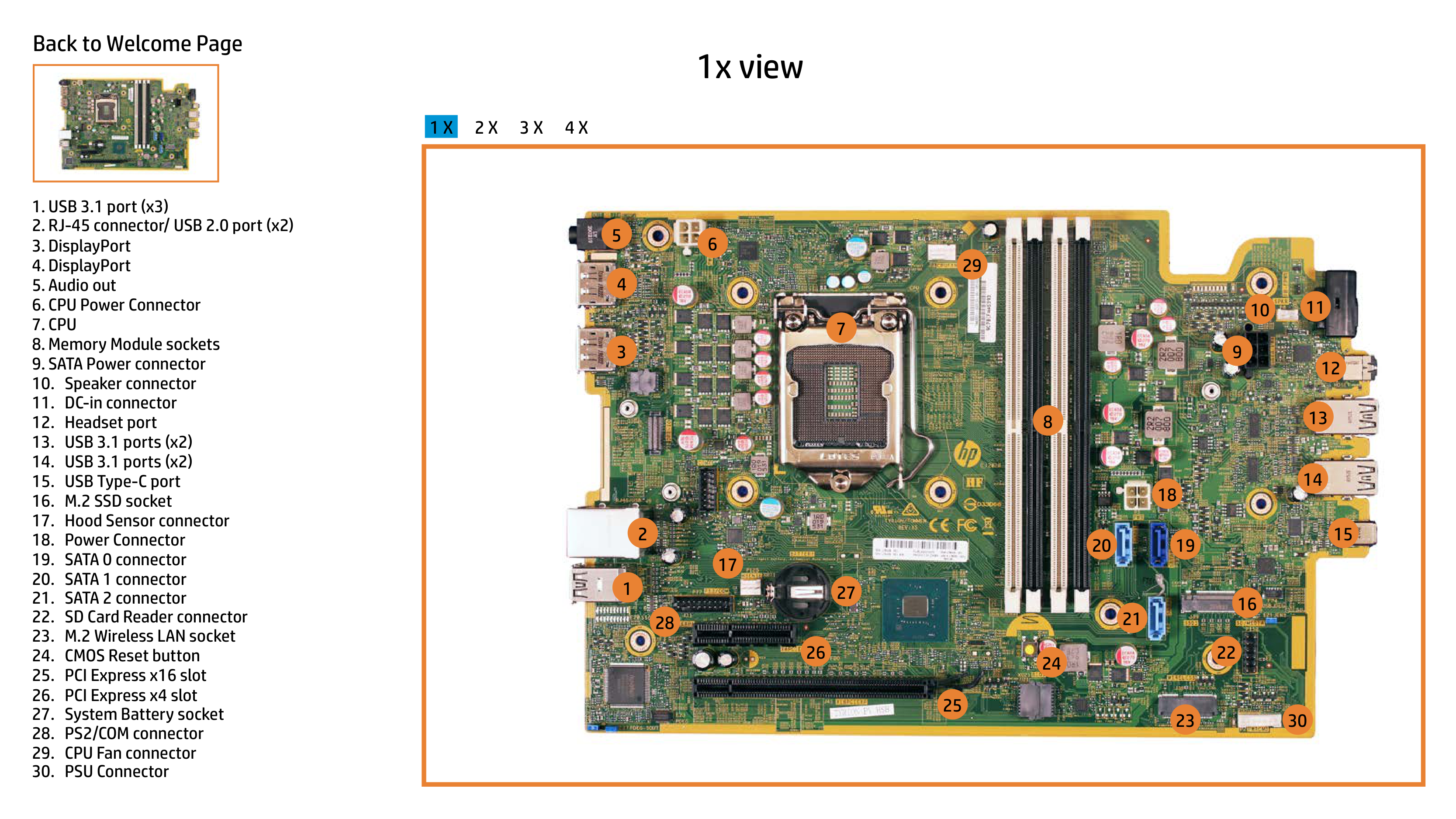
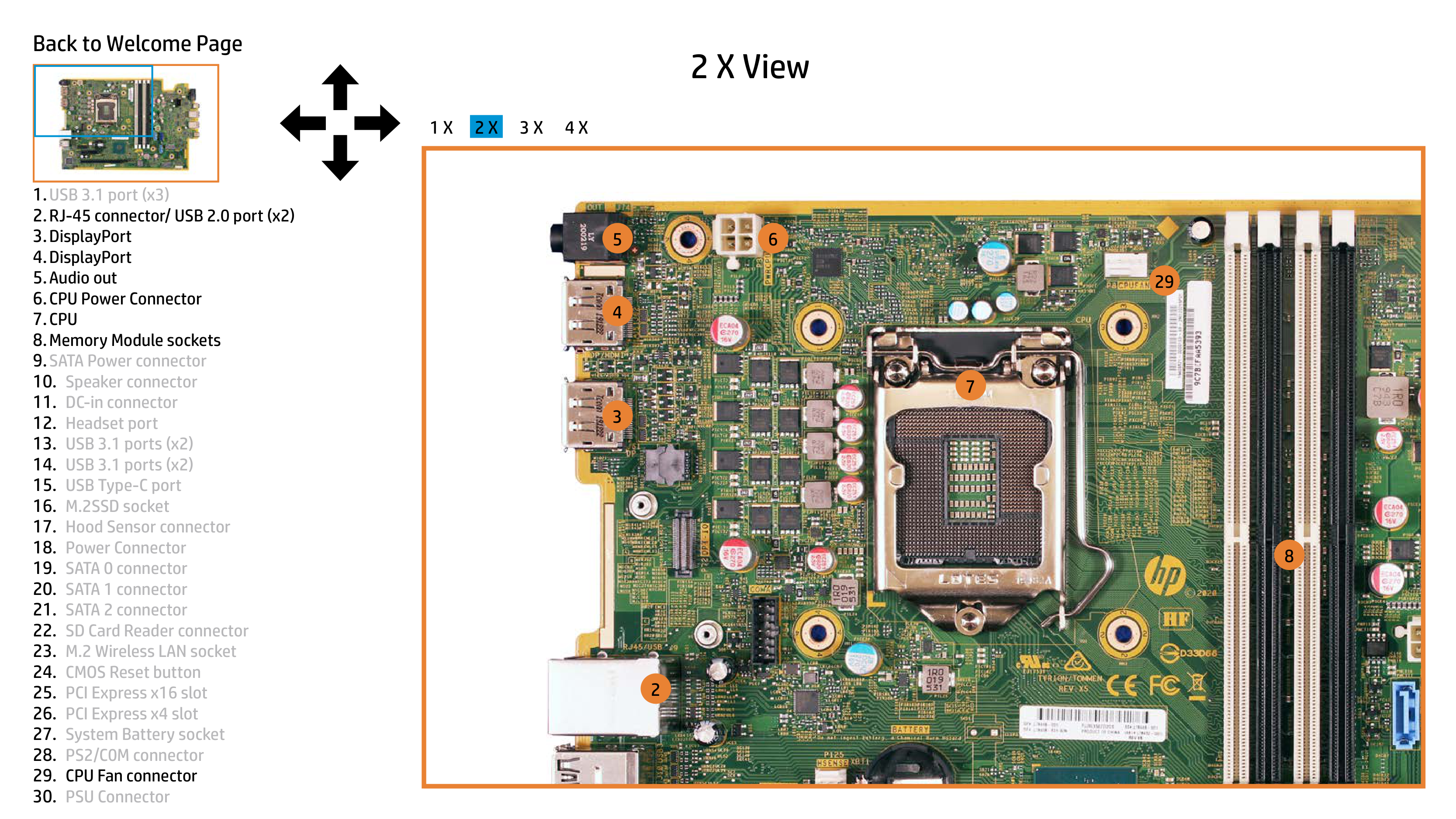
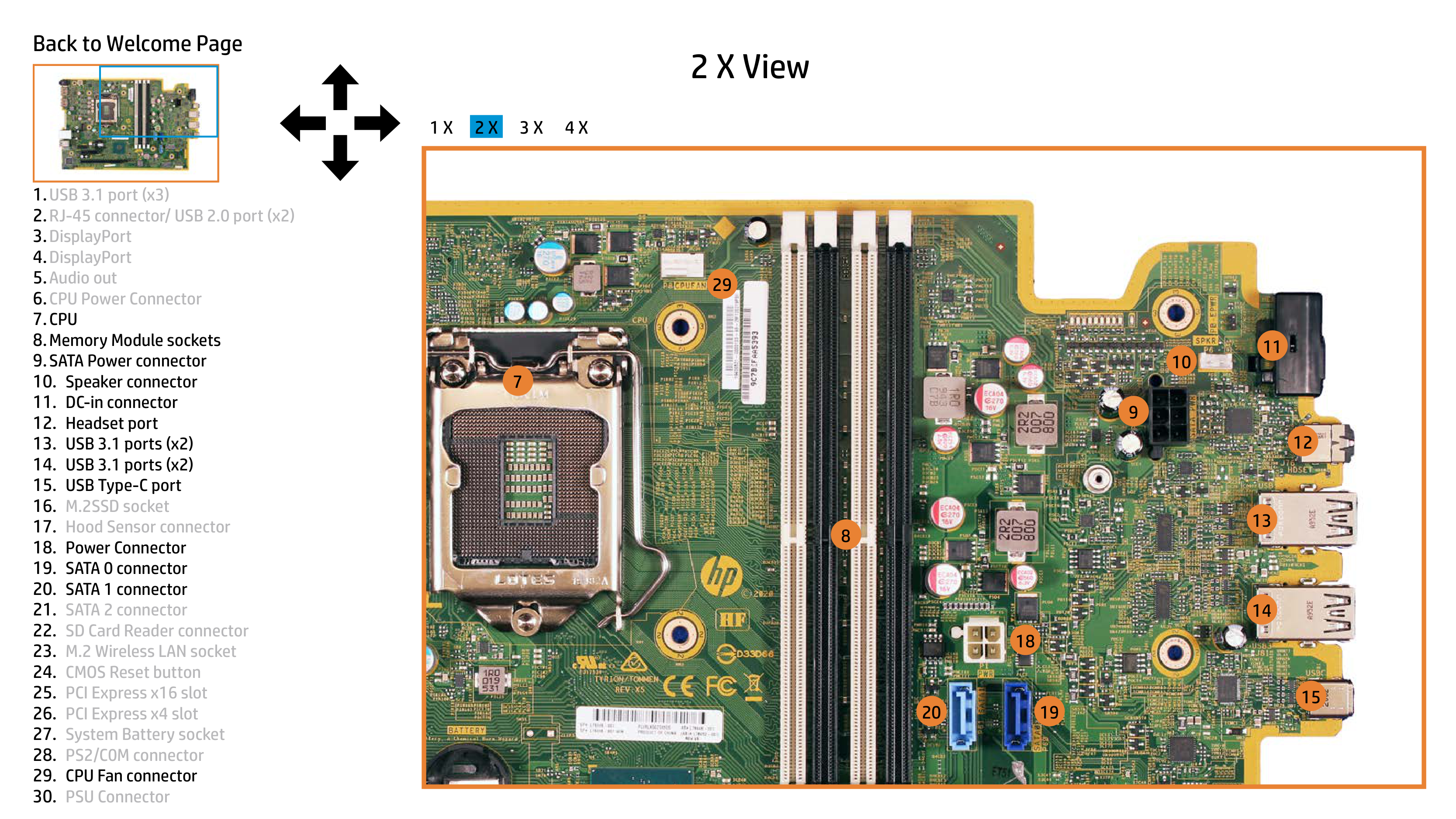
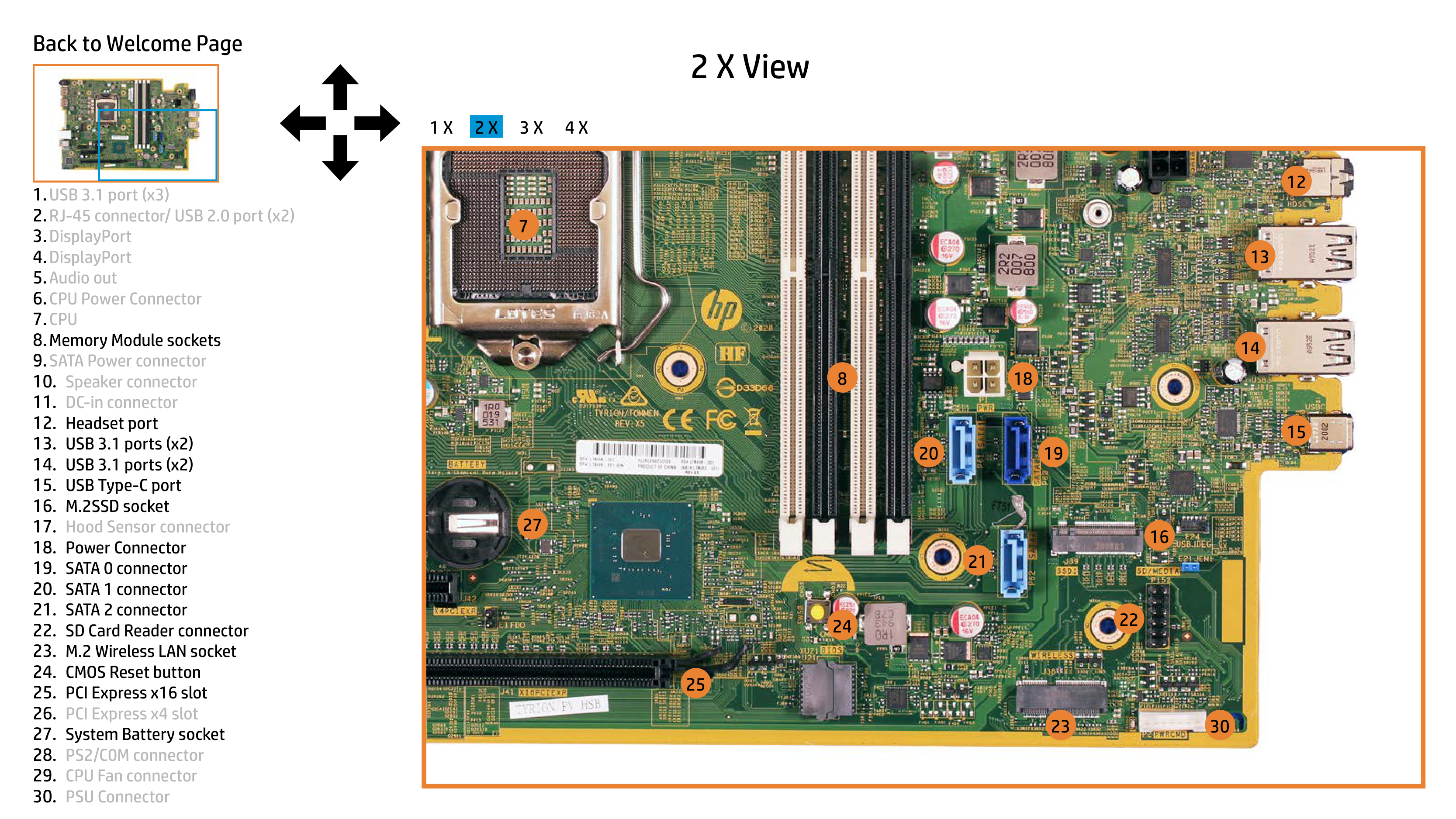
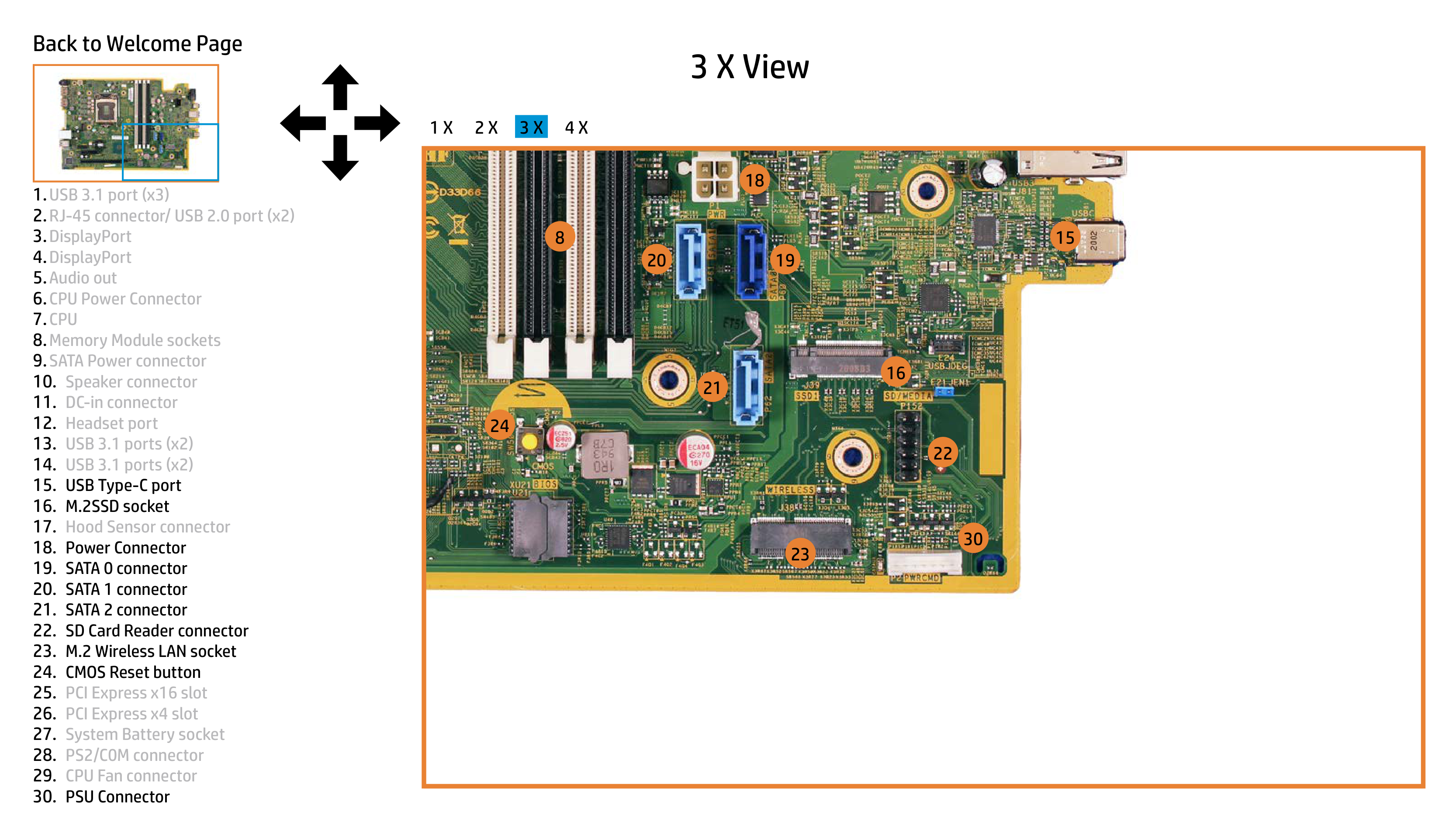
Find and use the dedicated M.2SSD socket (item 16) to securely mount your solid-state drive, ensuring it’s compatible with the available slot configuration within the system.
How do I connect to the internet using a wired connection?
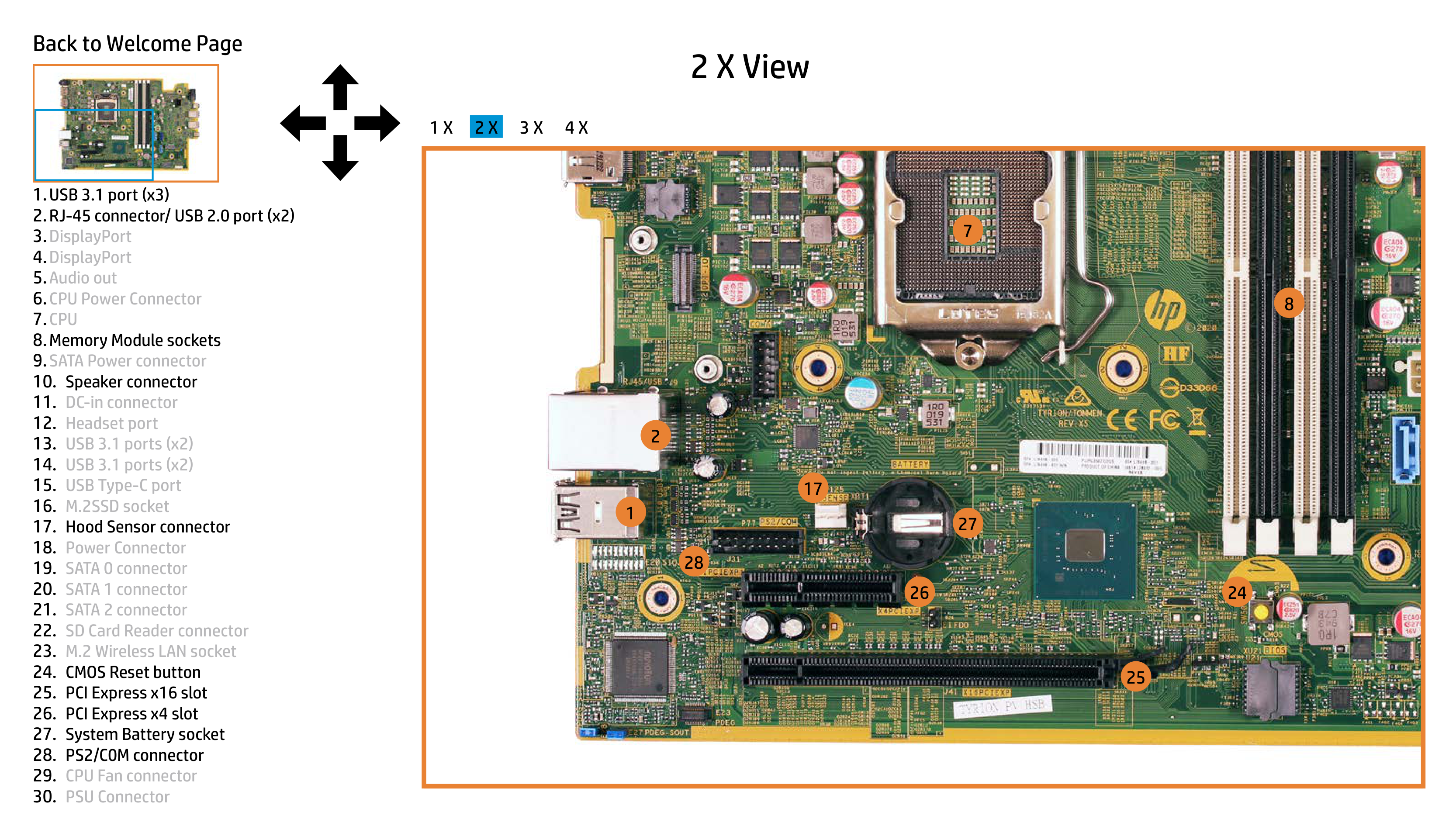
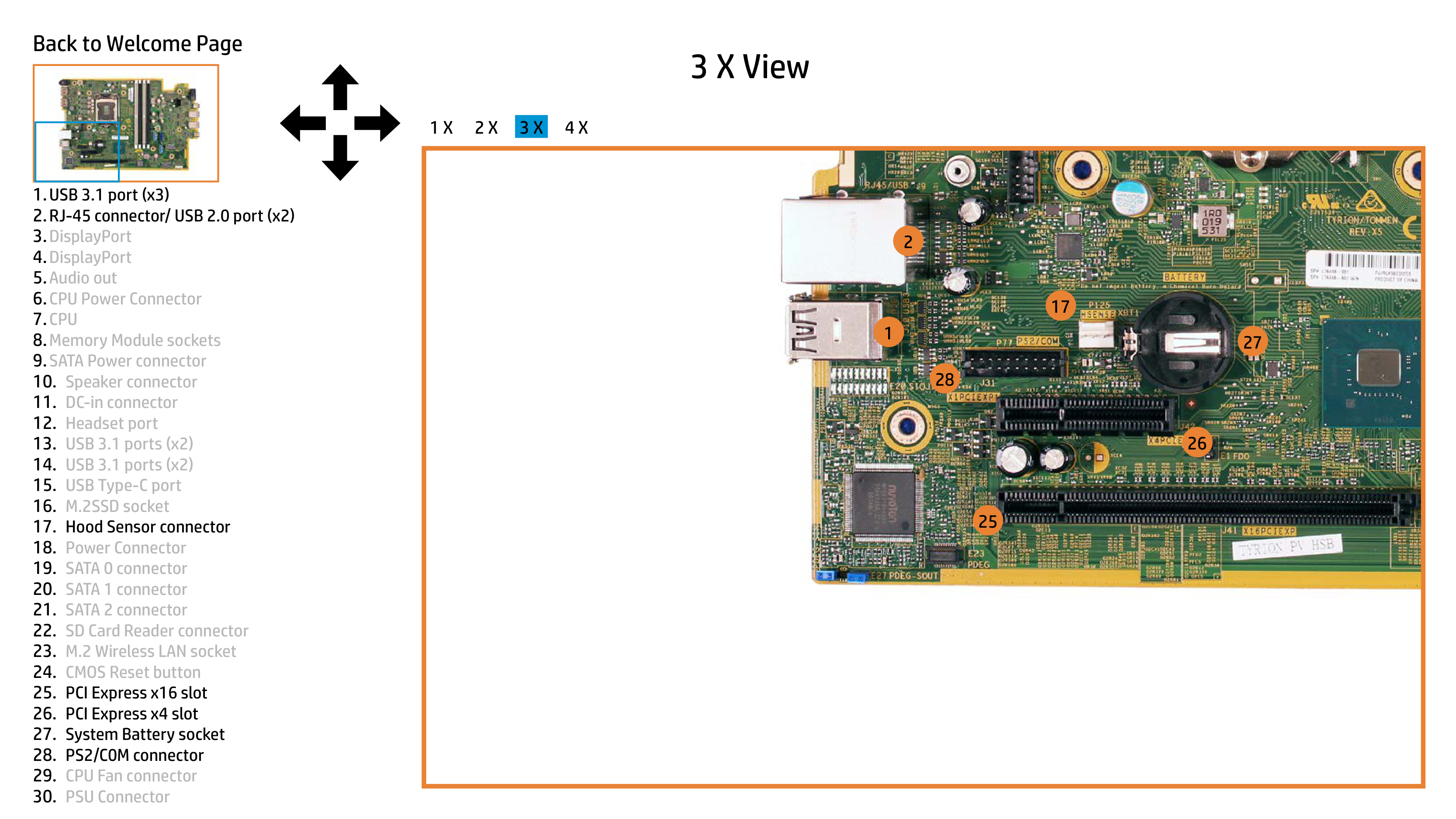
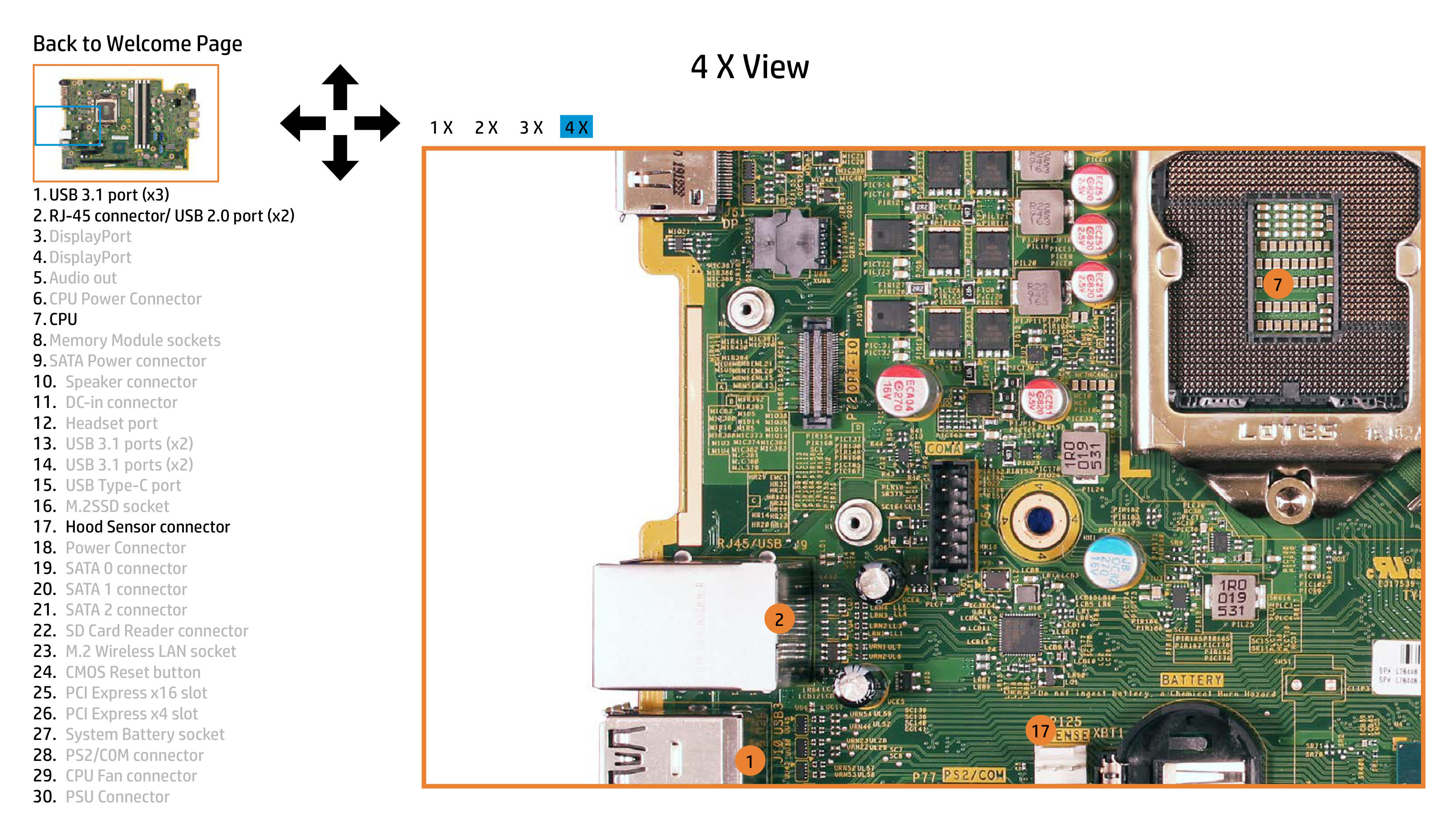
Use the RJ-45 connector (item 2) on your ProDesk 600 G6 for connecting to an Ethernet network via a cable. Ensure you have followed installation guidelines and have a properly configured router or modem to establish a stable connection. (Page 2)
How do I add internal memory?
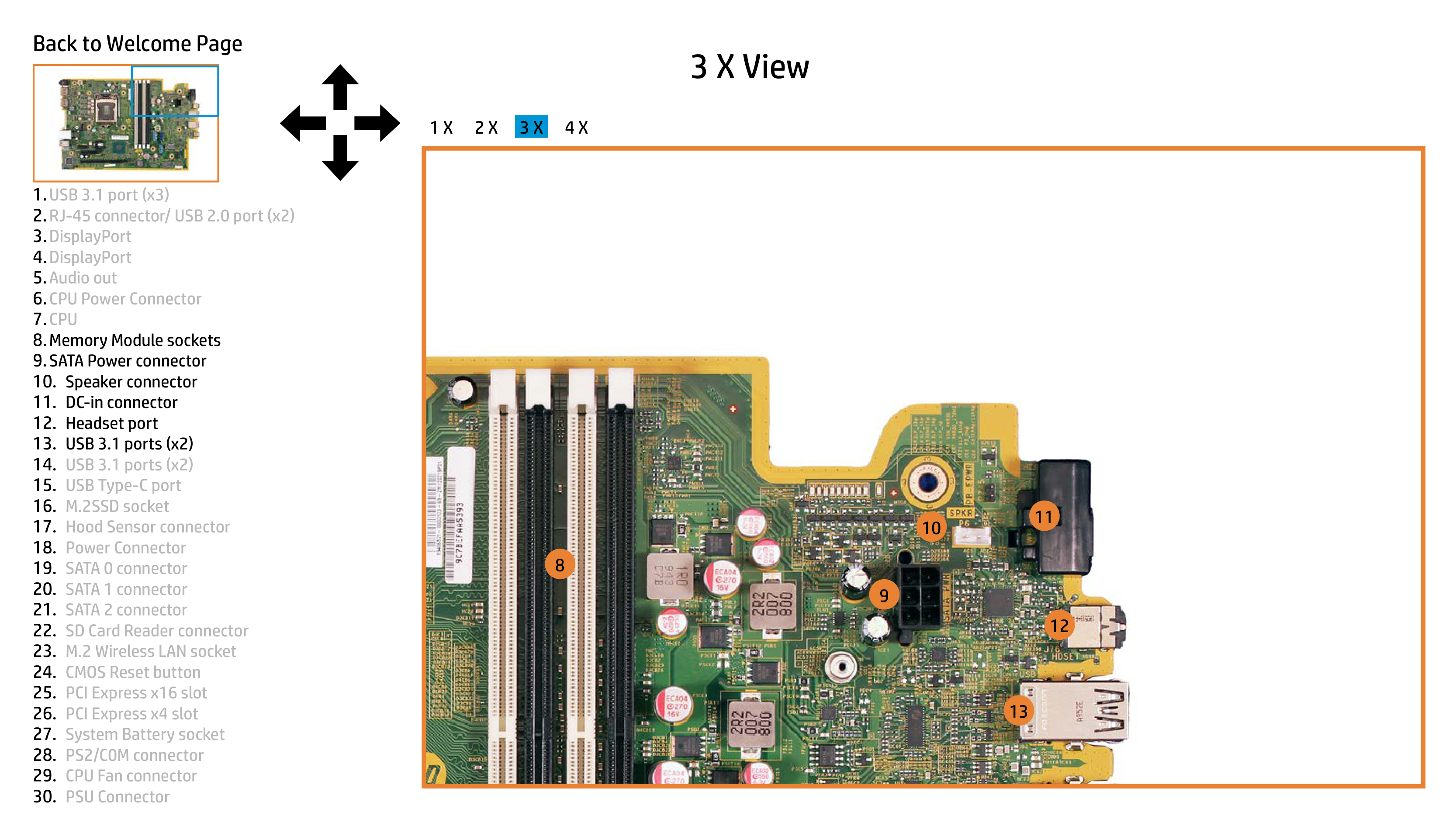
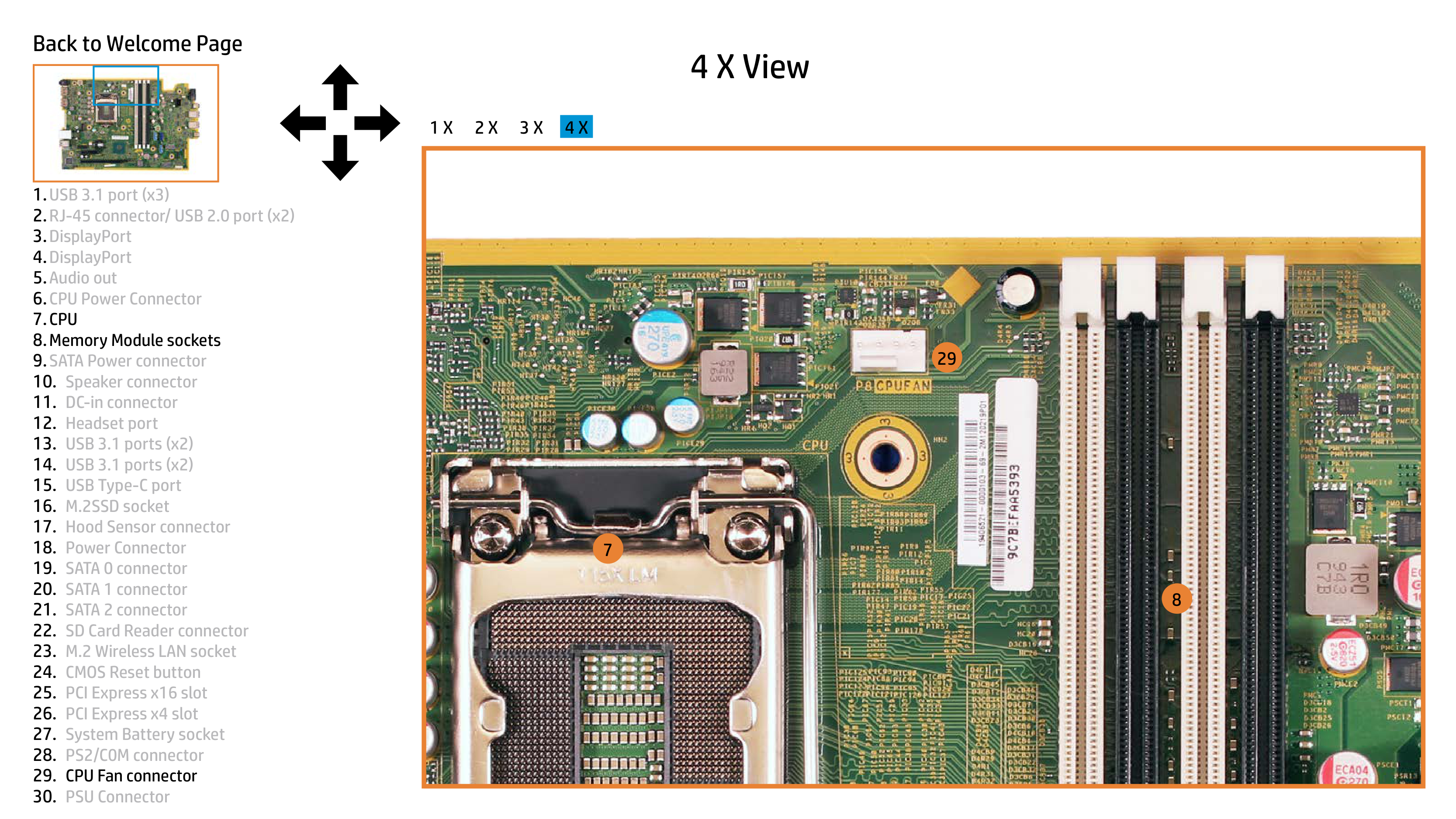
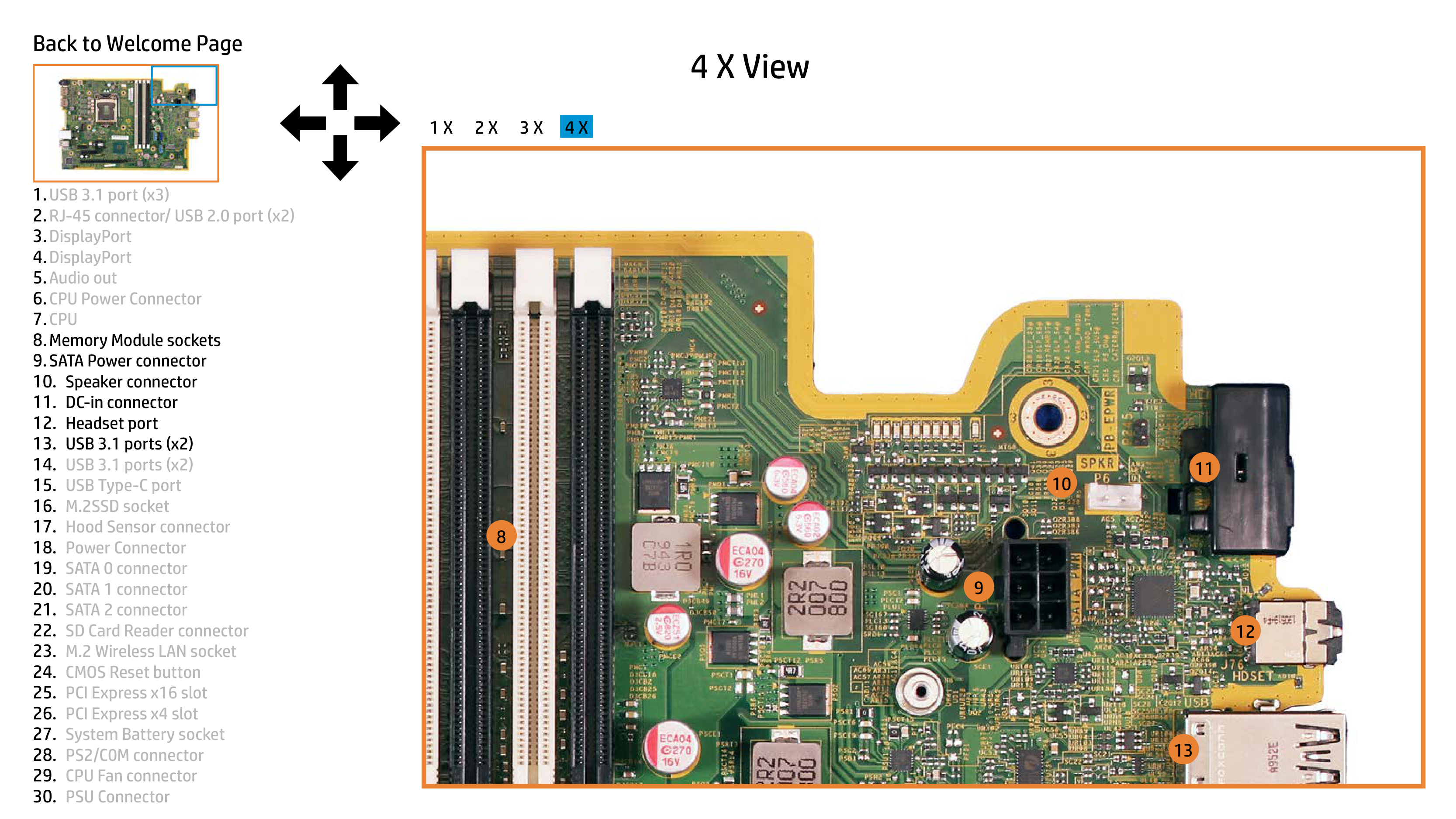
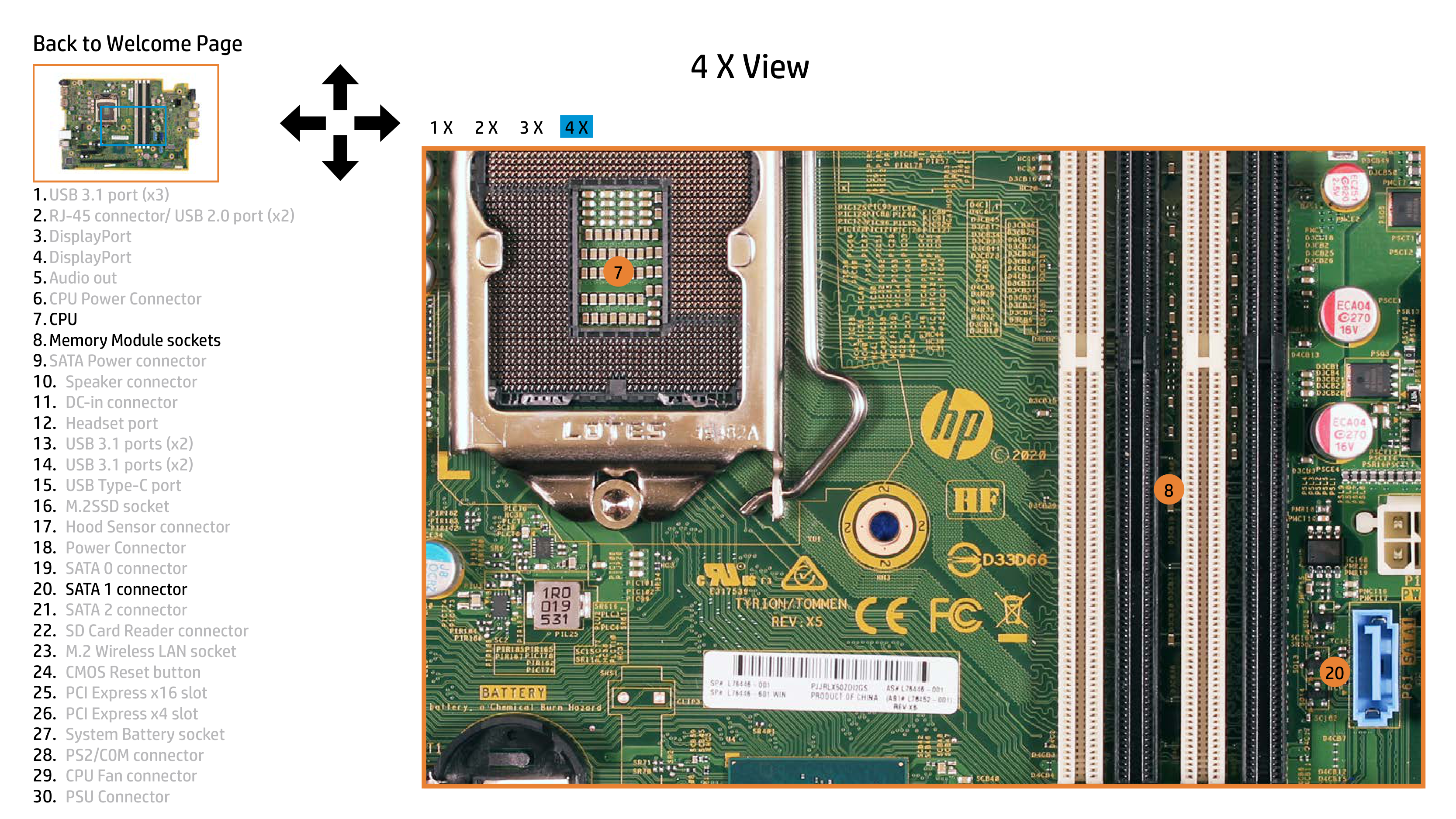
Access the Memory Module sockets (item 8) on your System Board Viewer by opening the chassis, following the instructions for safe handling of components in the manual. Insert memory modules compliant with your system to upgrade internal storage capacity.
How do I troubleshoot a non-responsive USB port?
Verify connections at each end point; ensure connected devices are compatible with USB v3.1 or lower (item 1, item 13). Test in another port to isolate issues and confirm hardware functionality.
How do I access audio output?
Plug a device such as headphones into the Headset Port (item 12) to make use of audio output from your ProDesk 600 G6 for sound playback or communication needs.
How often should I clean my PC?
Regular maintenance, including dust removal and cleaning around the power connector (item 18), is essential to ensure long-term performance. Follow cleaning guidelines provided in your manual for effective upkeep.
Full Manual
19 pages
Interactive System Board Viewer HP ProDesk 600 G6 Small Form Factor PC
Welcome to the interactive System Board for the HP ProDesk 600 G6 Small Form Factor PC
Here’s how to use it… Zoomable View (Click the link to navigate to the viewer)
On the Zoomable View page, you will find the viewer’s zoom navigation links above the viewer on the left-hand side. You can choose from four levels of magnification: 1x, 2x, 3x, and 4x.
|| |---|
1x view
|| |---|
| |
| |---|---| | | |
|| |---|
|| |---|
|| |---|
|| |---|
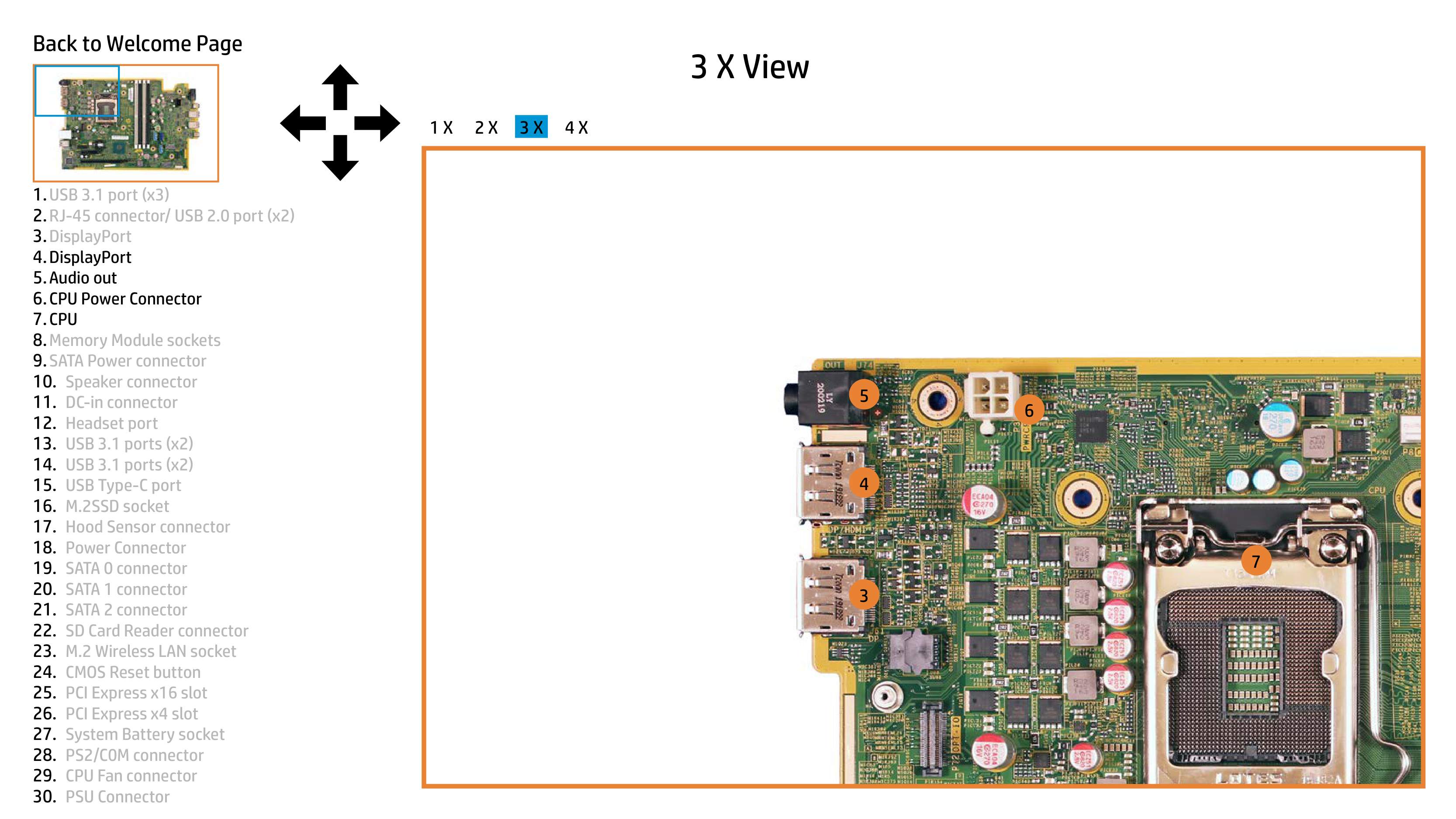
5.Audio out 6.CPU Power Connector 7.CPU 8.Memory Module sockets 9.SATA Power connector
|| | |---|---| | | |
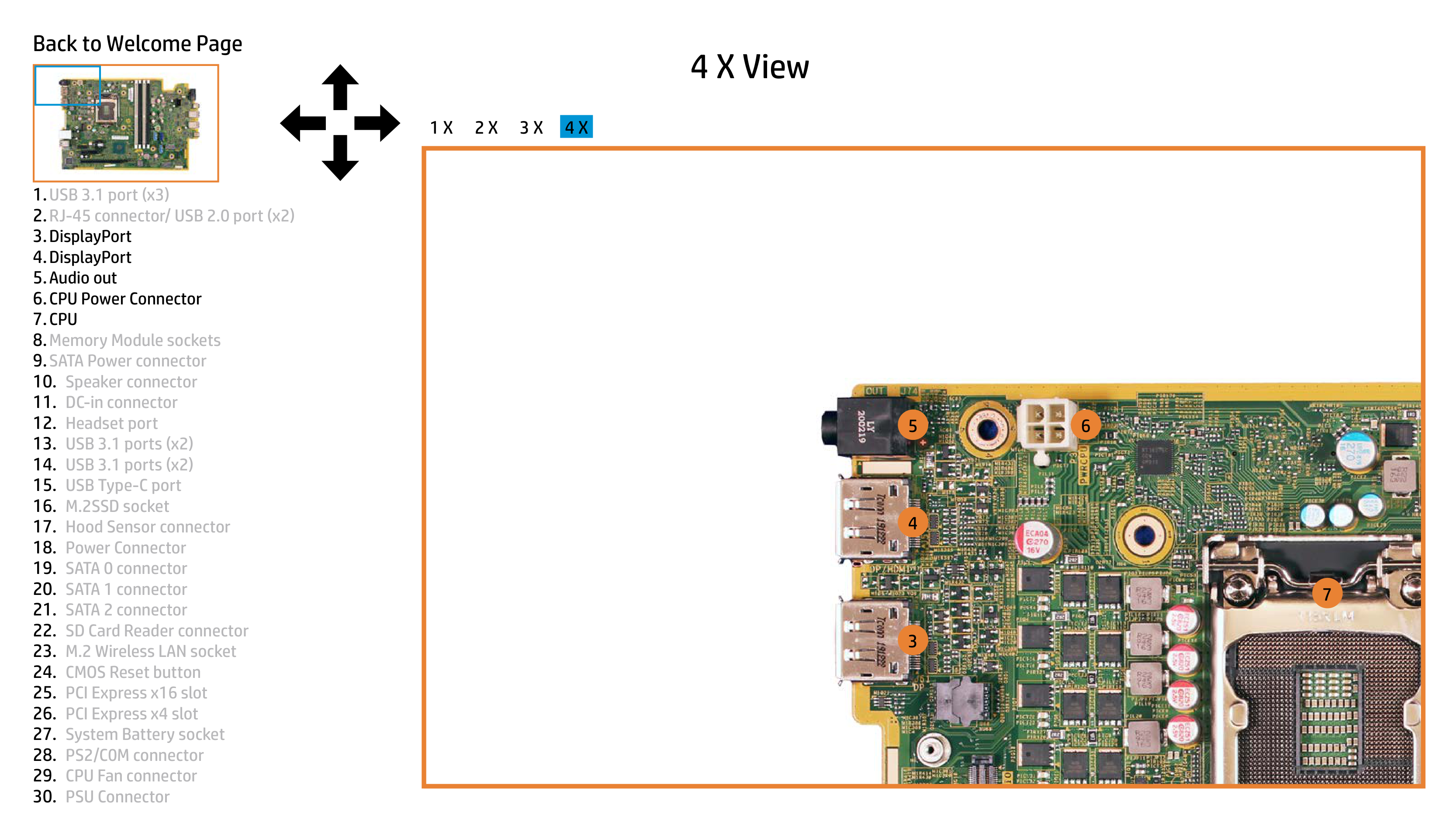
1.USB 3.1 port (x3) 2.RJ-45 connector/ USB 2.0 port (x2) 3.DisplayPort 4.DisplayPort 5.Audio out 6.CPU Power Connector 7.CPU 8.Memory Module sockets 9.SATA Power connector
|| |---|
|| |---|
|| |---|
5.Audio out 6.CPU Power Connector 7.CPU 8.Memory Module sockets 9.SATA Power connector
|| |---|
5.Audio out 6.CPU Power Connector 7.CPU 8.Memory Module sockets 9.SATA Power connector
| || |---|---| | | |
1.USB 3.1 port (x3) 2.RJ-45 connector/ USB 2.0 port (x2) 3.DisplayPort 4.DisplayPort 5.Audio out 6.CPU Power Connector 7.CPU 8.Memory Module sockets 9.SATA Power connector
|| |---|
|| |---|
5.Audio out 6.CPU Power Connector 7.CPU 8.Memory Module sockets 9.SATA Power connector
|| |---|
5.Audio out 6.CPU Power Connector 7.CPU 8.Memory Module sockets 9.SATA Power connector
|| |---|
5.Audio out 6.CPU Power Connector 7.CPU 8.Memory Module sockets 9.SATA Power connector
|| |---|
1.USB 3.1 port (x3) 2.RJ-45 connector/ USB 2.0 port (x2) 3.DisplayPort 4.DisplayPort 5.Audio out 6.CPU Power Connector 7.CPU 8.Memory Module sockets 9.SATA Power connector
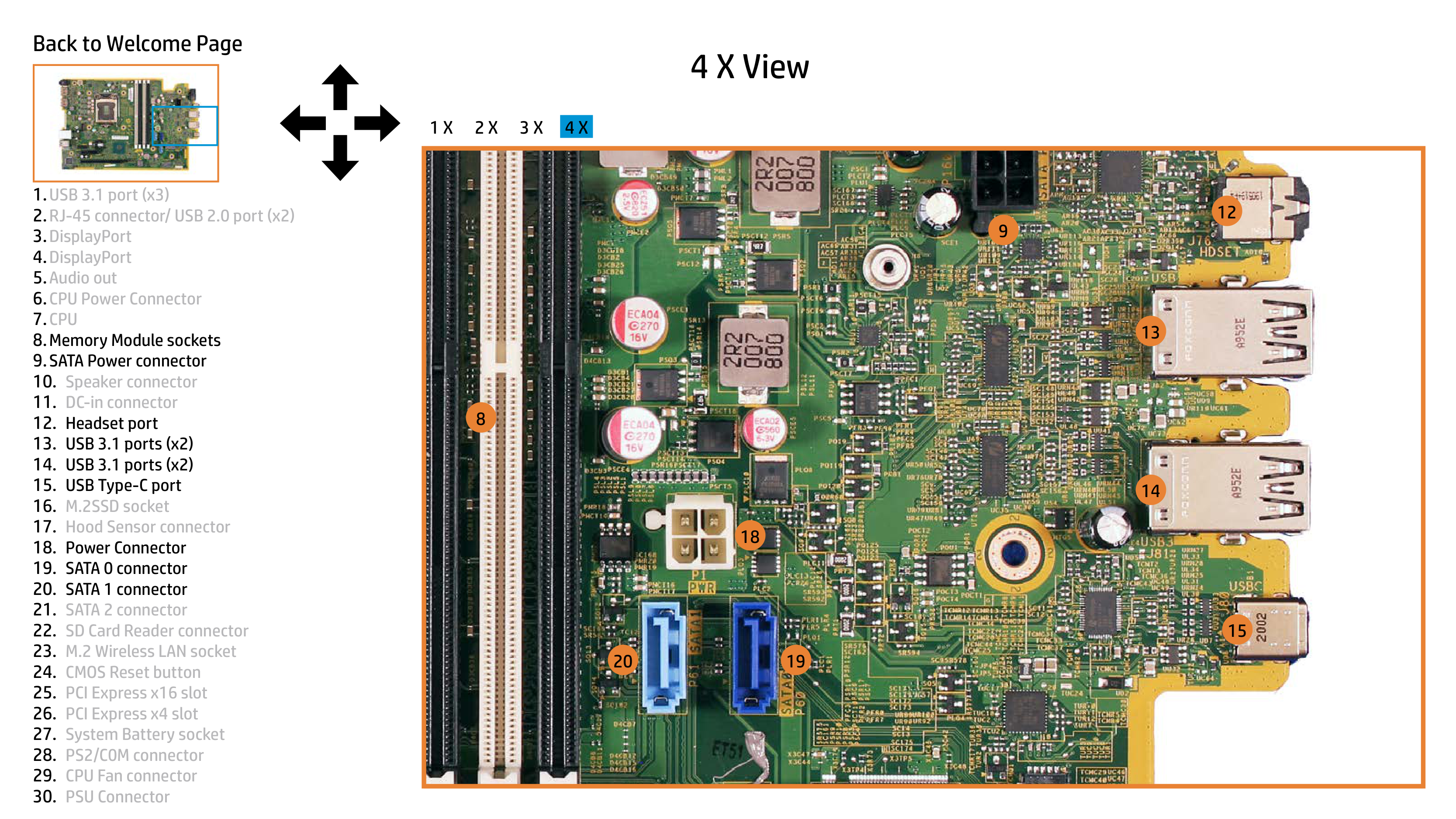
|| |---|
|| |---|
5.Audio out 6.CPU Power Connector 7.CPU 8.Memory Module sockets 9.SATA Power connector
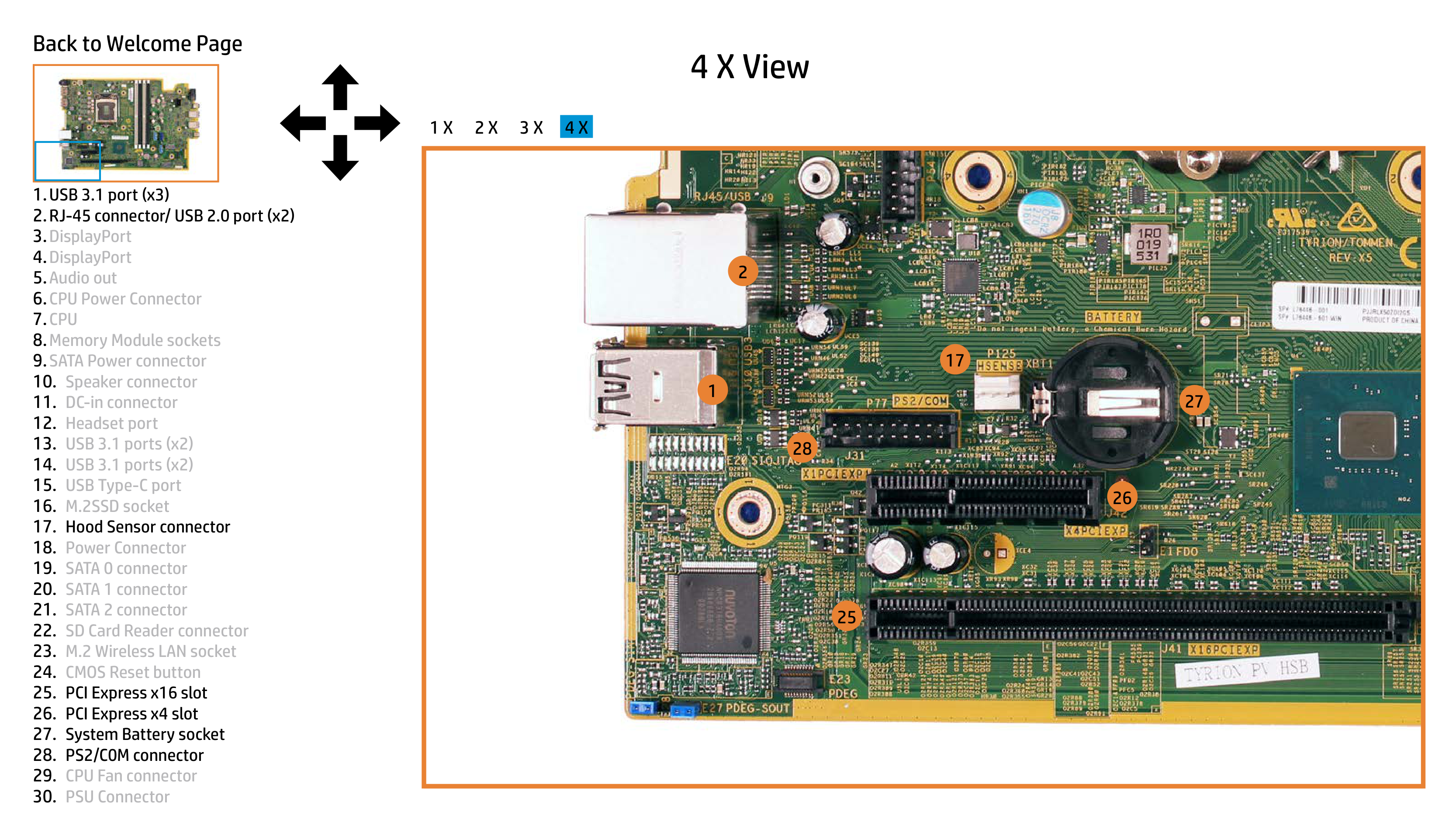
|
2
1
28
26
25
27
17| |---|
5.Audio out 6.CPU Power Connector 7.CPU 8.Memory Module sockets 9.SATA Power connector
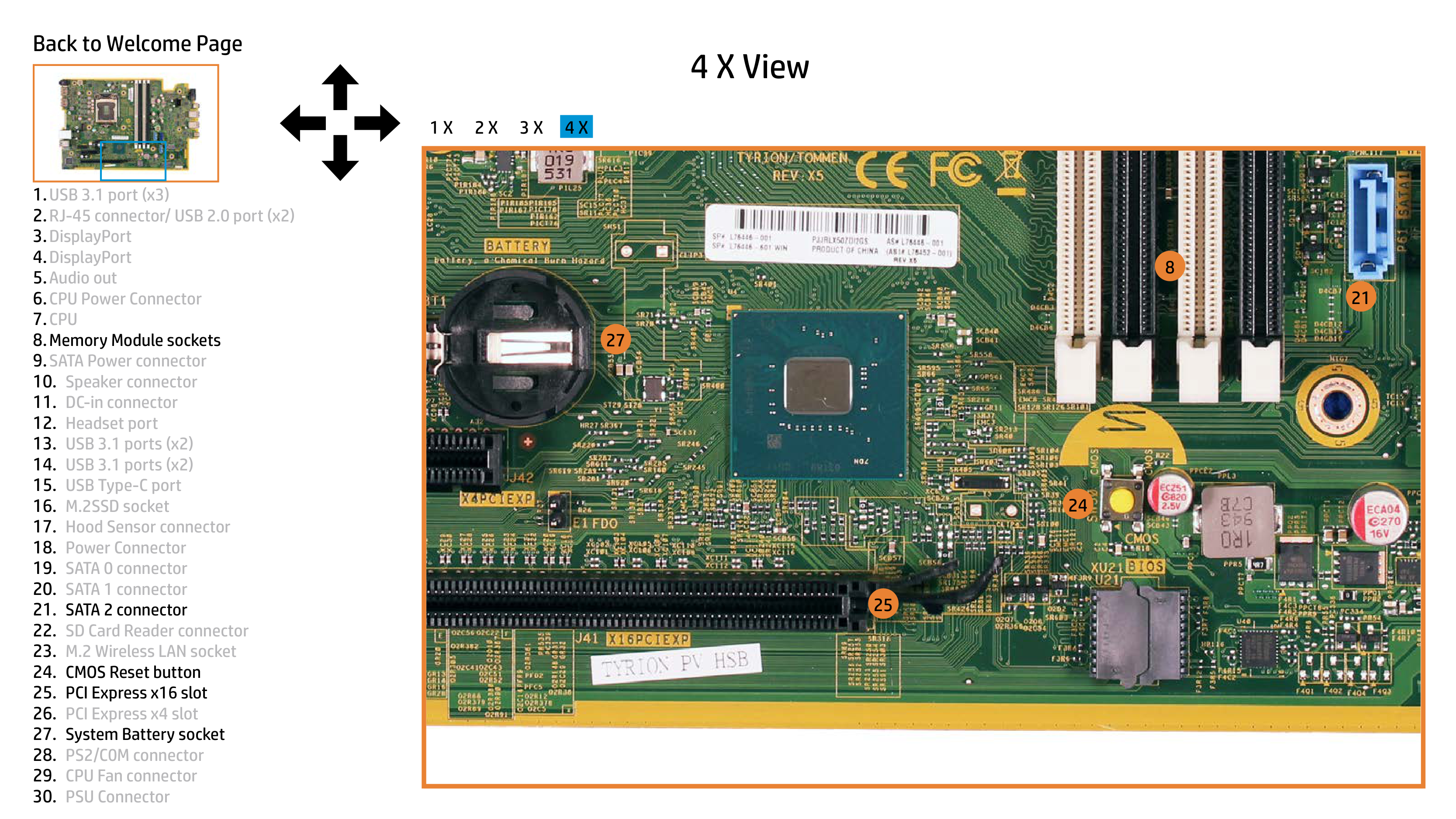
|| |---|
5.Audio out 6.CPU Power Connector 7.CPU 8.Memory Module sockets 9.SATA Power connector
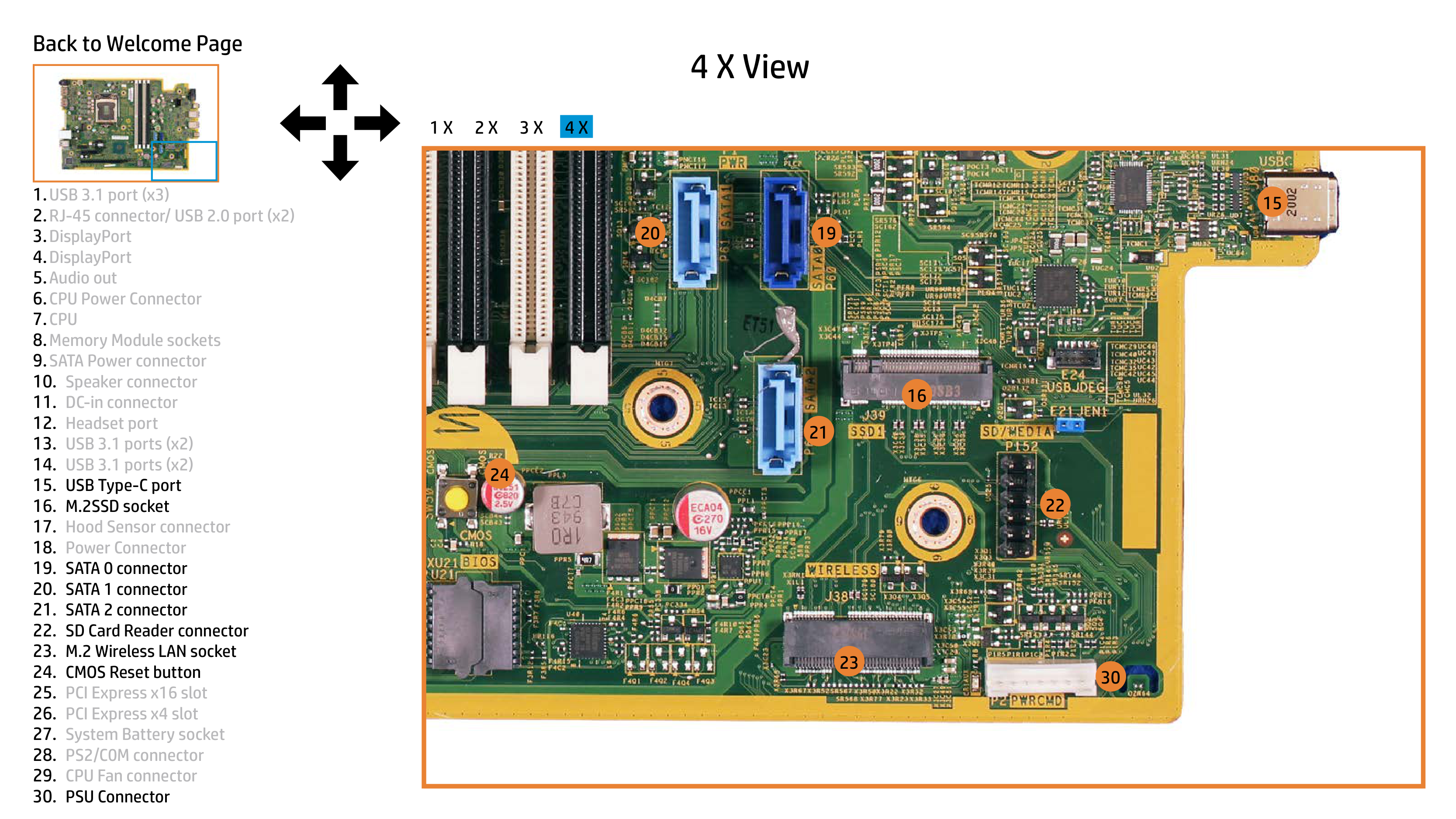
|| |---|
5.Audio out 6.CPU Power Connector 7.CPU 8.Memory Module sockets 9.SATA Power connector