
Ask AI
— answers from the official manualAnswers from the official manual.
Common questions
Common Questions
19 totalWhat is the maximum safe operating temperature for the JBL Tune 510BT?
The maximum operation temperature for the JBL Tune 510BT is 45°C. Exceeding this temperature could potentially affect device performance or safety. (Page 2)
What type of battery does the JBL Tune 510BT use and what are its specifications?
The JBL Tune 510BT uses a Lithium-ion battery rated at 3.7V with a capacity of 450mAh. The headset requires a 5V 1A power supply for charging. (Page 2)
How do I activate a voice assistant like Siri or Google Assistant on the JBL Tune 510BT?
You can activate Siri or Google Assistant by pressing the multi-function button on the headphones. This allows you to access your device's voice assistant without picking up your phone. (Page 2)
Can the JBL Tune 510BT connect to more than one Bluetooth device at the same time?
Yes, the JBL Tune 510BT supports multi-point connections, allowing you to connect to more than one Bluetooth device. This means you can seamlessly switch from audio on a tablet to a call on your mobile phone without missing a call. (Page 2)
What is the weight of the JBL Tune 510BT and what type of charging cable does it use?
The JBL Tune 510BT weighs 160g (0.35 lbs), making it a lightweight option for extended wear. It uses a USB-C charging cable, which is included in the box. (Page 2)
What items are included in the box when I purchase the JBL Tune 510BT?
The JBL Tune 510BT package includes the headphones themselves, one USB-C charging cable, a Warranty/Warning document, and a Quick Start Guide (QSG). (Page 2)
Show 13 more questions
What is the driver size and frequency response of the JBL Tune 510BT?
How can I connect my JBL Tune 510BT to two devices at once?
What is the battery life of JBL Tune 510BT?
How do I control calls with the JBL Tune 510BT?
How do I enable voice assistants like Siri or Google Assistant with JBL Tune 510BT?
How does JBL Tune 510BT handle switching between multiple devices?
How do I charge my JBL Tune 510BT?
How long does the battery last and how long does it take to fully charge the JBL Tune 510BT?
What Bluetooth version does the JBL Tune 510BT use and what is its wireless range frequency?
What Bluetooth profiles are supported by the JBL Tune 510BT?
Can the battery be charged quickly in case I run out of power?
What should I do if my JBL Tune 510BT doesn’t connect to the device?
Is there a feature for hands-free calls?
Full Manual
2 pages
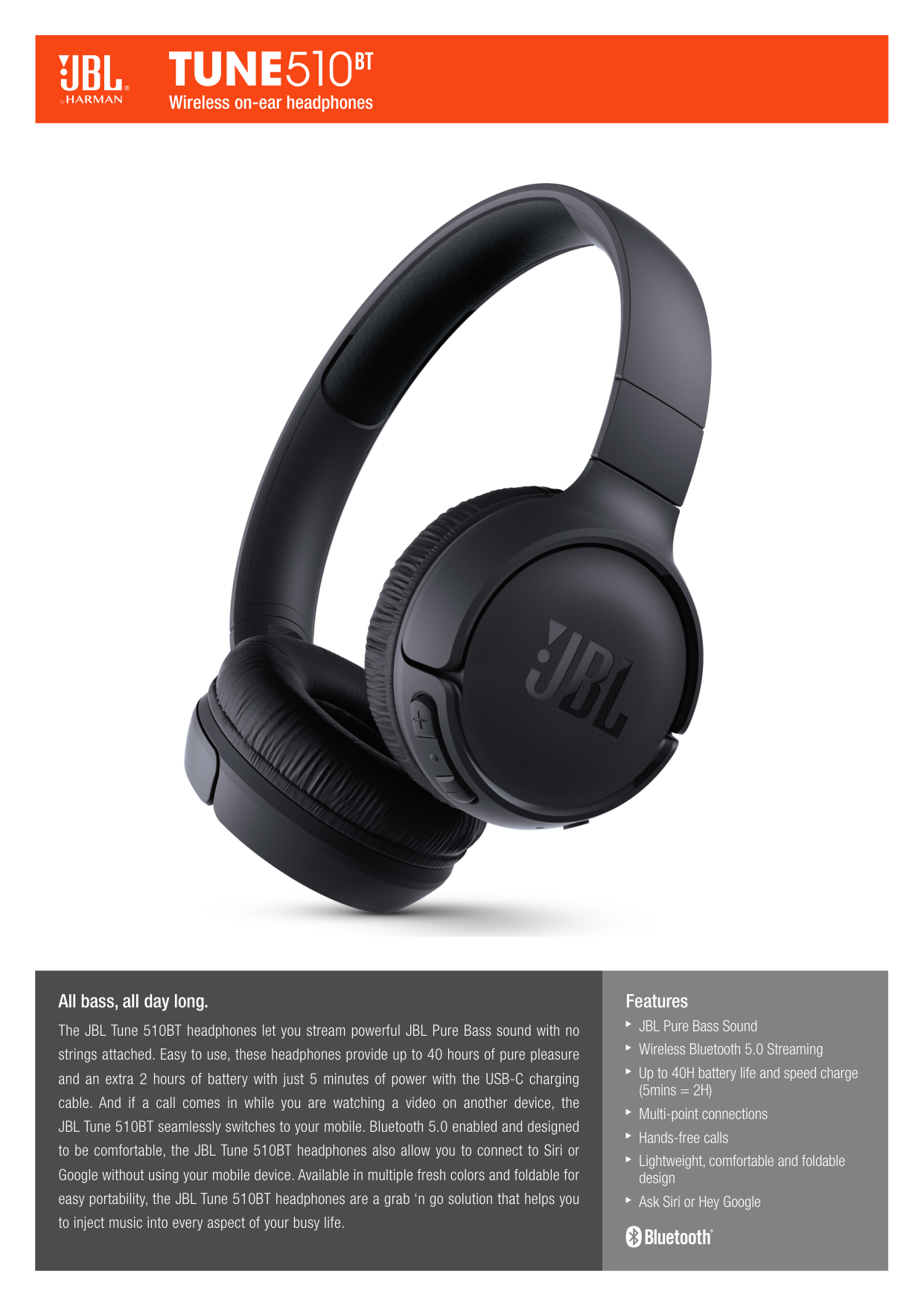
Features JBL Pure Bass Sound Wireless Bluetooth 5.0 Streaming Up to 40H battery life and speed charge (5mins = 2H) Multi-point connections Hands-free calls Lightweight, comfortable and foldable design Ask Siri or Hey Google All bass, all day long. The JBL Tune 510BT headphones let you stream powerful JBL Pure Bass sound with no strings attached. Easy to use, these headphones provide up to 40 hours of pure pleasure and an extra 2 hours of battery with just 5 minutes of power with the USB-C charging cable. And if a call comes in while you are watching a video on another device, the JBL Tune 510BT seamlessly switches to your mobile. Bluetooth 5.0 enabled and designed to be comfortable, the JBL Tune 510BT headphones also allow you to connect to Siri or Google without using your mobile device. Available in multiple fresh colors and foldable for easy portability, the JBL Tune 510BT headphones are a grab ‘n go solution that helps you to inject music into every aspect of your busy life. Wireless on-ear headphones

HARMAN International Industries, Incorporated 8500 Balboa Boulevard, Northridge, CA 91329 USA www.jbl.com © 2020 HARMAN International Industries, Incorporated. All rights reserved. JBL is a trademark of HARMAN International Industries, Incorporated, registered in the United States and/or other countries. The Bluetooth® word mark and logos are registered trademarks owned by the Bluetooth SIG, Inc. and any use of such marks by HARMAN International Industries, Incorporated is under license. Other trademarks and trade names are those of their respective owners. Features, specifications and appearance are subject to change without notice. What’s in the box: Tune 510BT 1 x USB-C Charging Cable 1 x Warranty/Warning 1 x QSG Technical specifications: Driver size: 32mm/1.26" Dynamic driver Power supply: 5V 1A Weight: 160g/0.35 lbs Headset battery type: Lithium-ion battery (3.7V/450mAh) Charging time: 2 hrs Music playtime with BT on: up to 40 hrs Frequency response: 20Hz – 20kHz Impedance: 32 ohm Sensitivity: 103.5dB SPL@ 1kHz 1mW Maximum SPL: 95dB Microphone sensitivity: -29dBV@1kHz/Pa Bluetooth version: 5.0 Bluetooth profile version: A2DP v1.3, AVRCP v1.6, HFP v1.7 Bluetooth transmitter frequency range: 2.4GHz – 2.4835GHz Bluetooth transmitted power: <8dBm Bluetooth transmitted modulation: GFSK, π/4 DQPSK, 8DPSK Maximum operation temperature: 45°C Features and Benefits JBL Pure Bass Sound It features the renowned JBL Pure Bass sound, which can be found in the most famous venues all around the world. Wireless Bluetooth 5.0 Streaming Wirelessly stream high-quality sound from your smartphone without messy cords. Up to 40H battery life and speed charge (5mins = 2H) For long-lasting fun, listen wirelessly for 40 hours and recharge the battery in as little as 2 hours with the convenient Type-C USB cable. A quick 5-minute recharge gives you 2 additional hours of music. Multi-point connections Allows you to effortlessly switch from one Bluetooth® device to another. You can simply switch from a video on your tablet to a call on your mobile phone, so that you’ll never miss a call. Hands-free calls Easily control your sound and manage your calls from your headphones with the convenient buttons on the ear-cup. Lightweight, comfortable and foldable design The lightweight materials and soft ear cushions with a padded headband make the headphones comfortable to wear for extended periods. The foldable design makes it convenient for you to carry your headphones anywhere and anytime you want music. Ask Siri or Hey Google Siri or Hey Google is just a button away: activate the voice assistant of your device by pushing the multi-function button. Wireless on-ear headphones