
TCL Portable Air Conditioner Service Manual
Ask AI
— answers from the official manualAnswers from the official manual.
Common questions
Common Questions
10 totalWhat models does this service manual cover?
This service manual covers the TCL Portable Air Conditioner models TAC-08CPA/HA and TAC-10CPA/HA. These are the only two models addressed in this documentation.
Who should use this service manual?
This service manual is intended for use by individuals possessing adequate backgrounds of electrical, electronic and mechanical experience. Any attempt to repair the appliance by unqualified individuals may result in personal injury and property damage.
What information do I need to provide when ordering spare parts?
To have your order filled promptly and correctly, you should furnish the model number (with Indoor or Outdoor designation), the Part Number from the Explosion View, the Part Name, and the quantity you are ordering. This ensures accurate and timely fulfillment of your spare parts request.
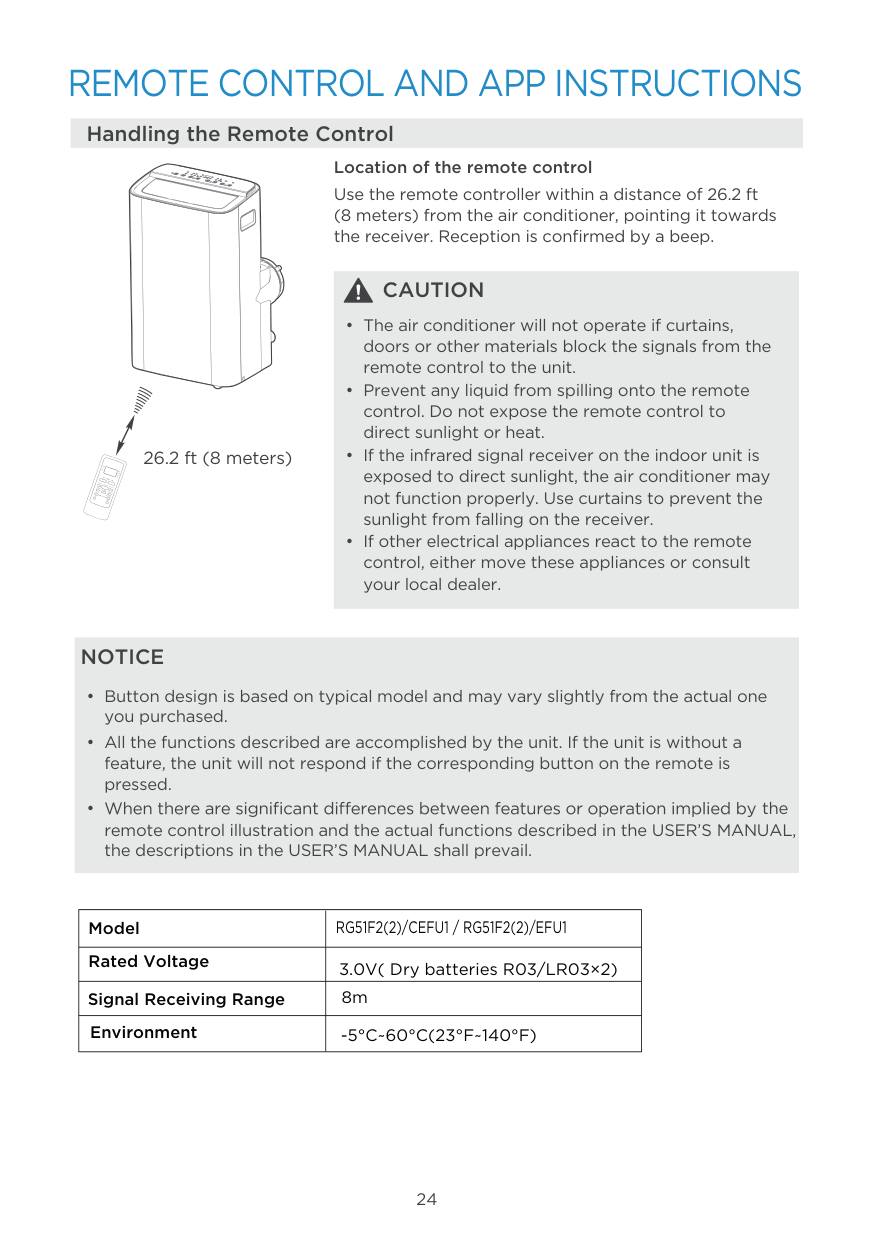
How do I operate the remote controller?
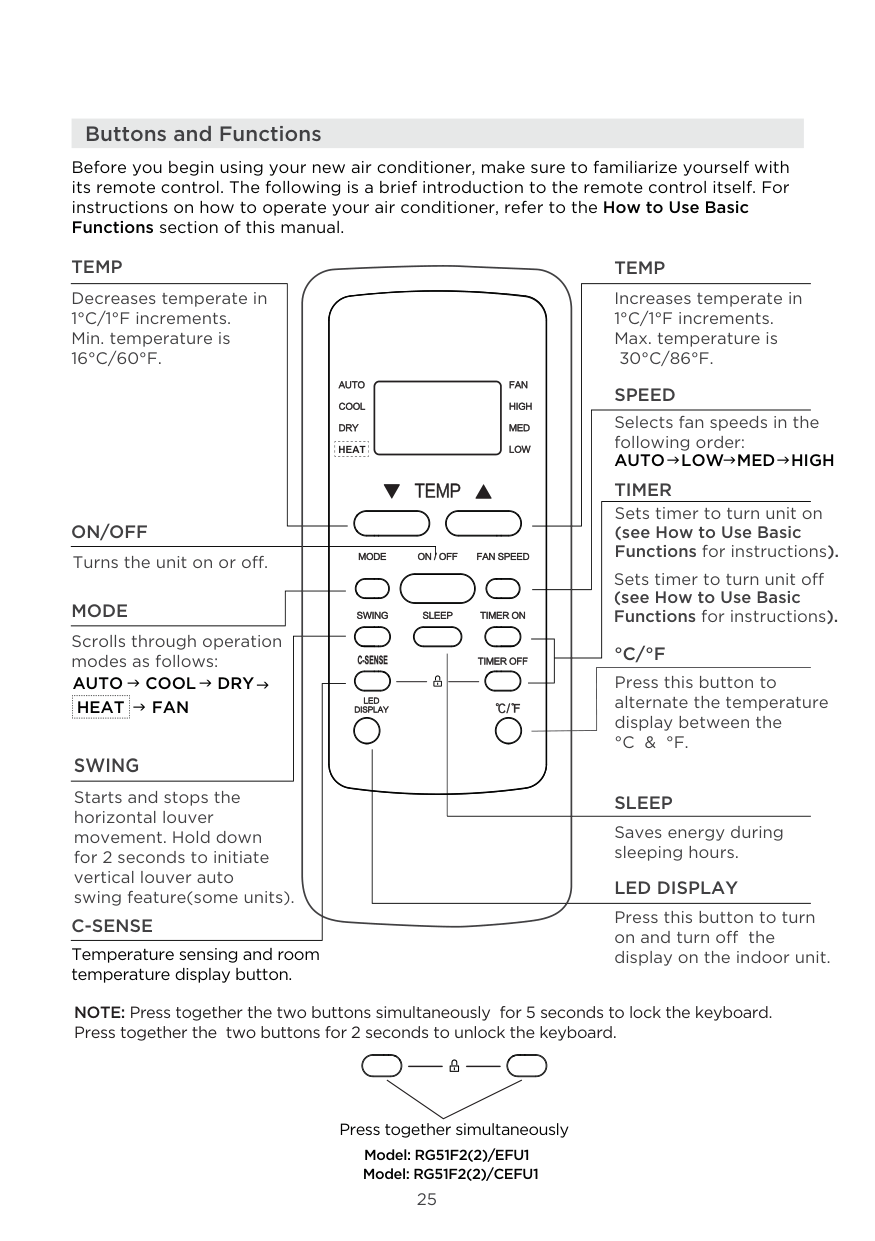
The remote controller transmits signals to the system to control the air conditioner's operation. The manual includes detailed Remote Control Operating Instructions with numbered buttons and functions, though specific button functions are referenced in the operation details section.
What are the available cooling modes?
The manual indicates that the TCL Portable Air Conditioner is available in two refrigeration cycle configurations: Cooling only mode and Heat Pump mode. The specific model you have will determine which mode is available.
Where can I find the technical specifications for this unit?
The technical specifications for the TCL Portable Air Conditioner models TAC-08CPA/HA and TAC-10CPA/HA are provided in Section 3 of this service manual. Additionally, the accurate specifications are presented on the nameplate label of the unit itself.
Full Manual
25 pages
TCL Air Conditioner Service Manual 1
Tcl
Portable Air Conditioners
Service Manual
No.________ ModelsTac-08Cpa/Ha
Tac-10Cpa/Ha
Contents
1. Important Notice
2. Technical Specification
3. Refrigeration Cycle Diagram
4. Operation Details
5. Wiring Diagram
6. Explosion View And Part Lists
7. Precaution
8. Names Of Parts
9. Installation Manual
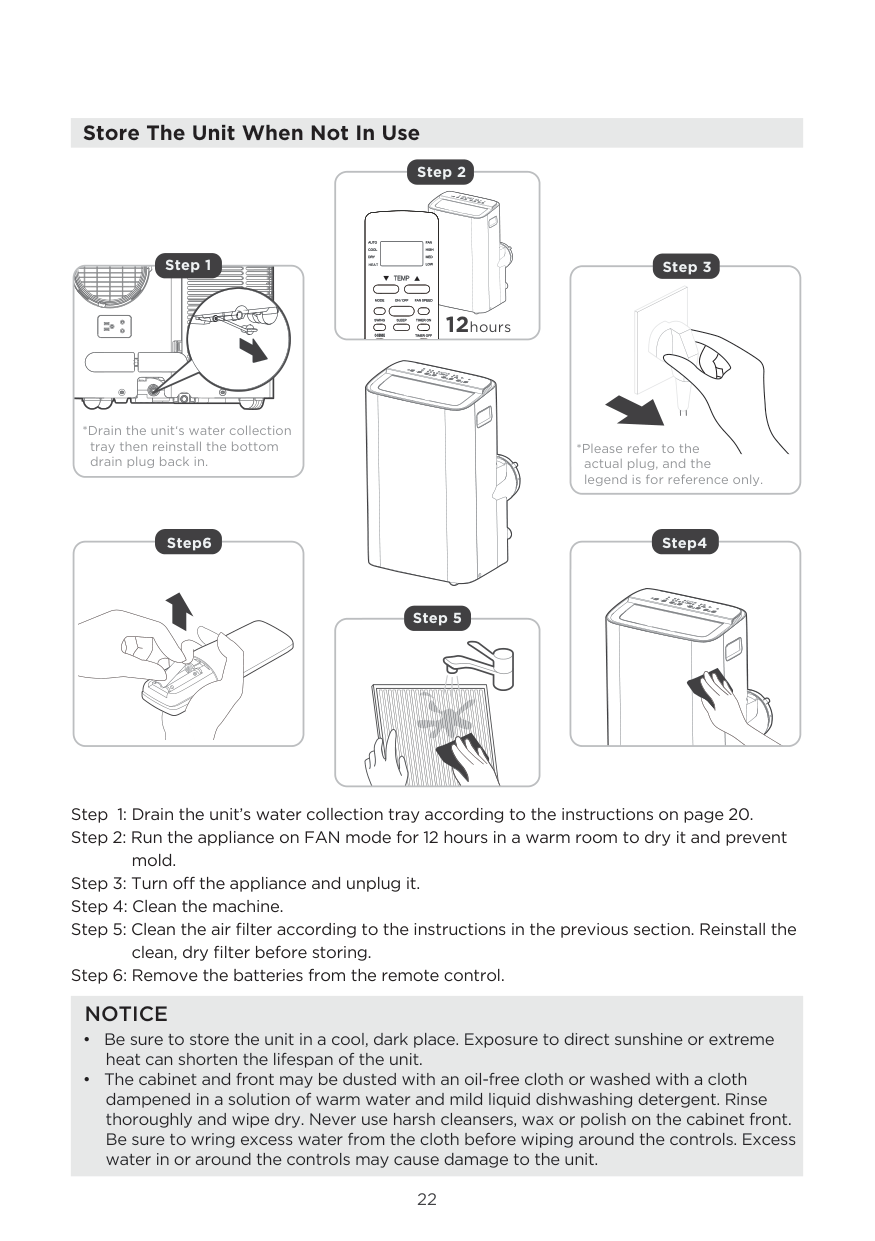
10. Maintenance
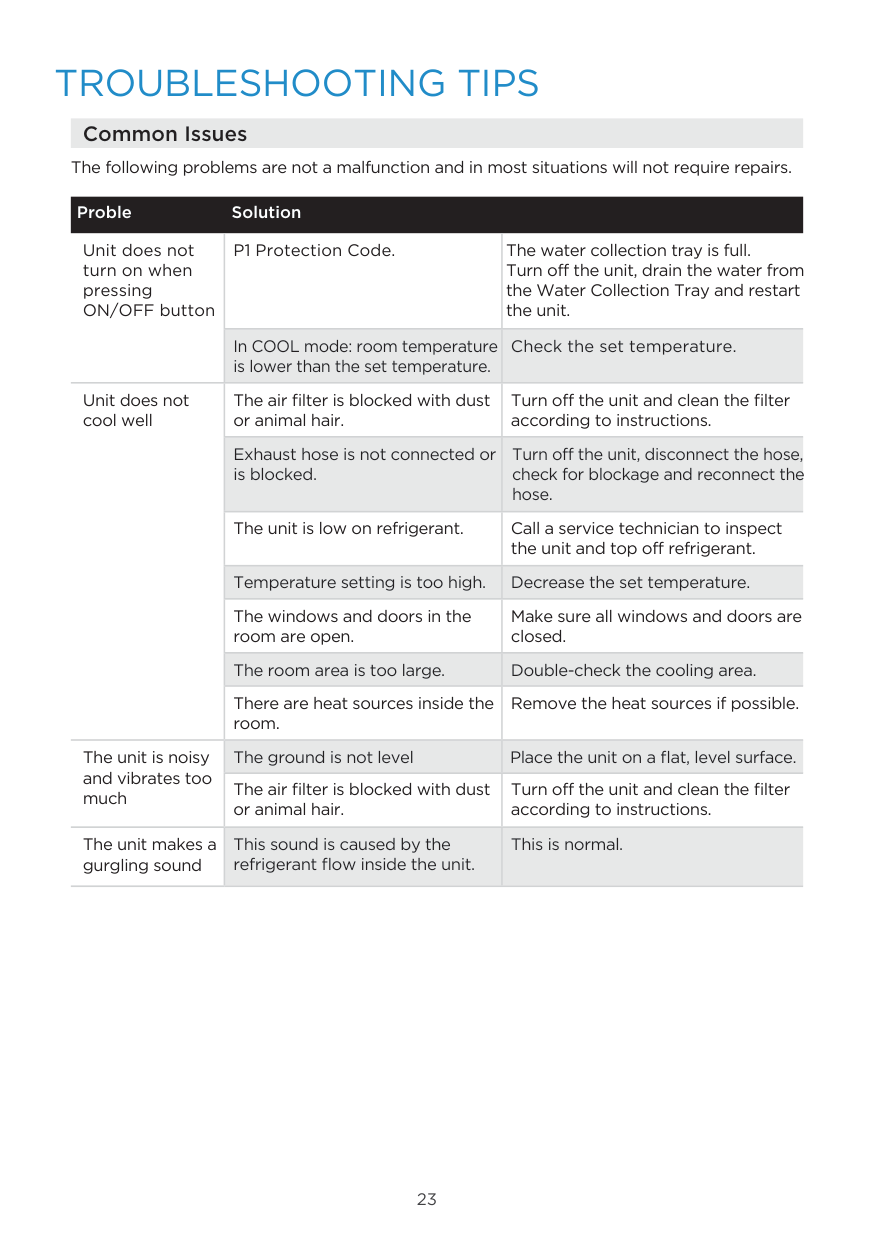
11. Trouble Shooting
12. Disassembly Procedure
TCL Air Conditioner Service Manual 2
1. Important Notice
This service manual is intended for use by individuals possessing adequate backgrounds of electrical, electronic and mechanical experience. Any attempt to repair the appliance may result in personal injury and property damage. The manufacturer or seller cannot be responsible for the interpretation of this information, nor can it assume any liability in connection with its use. The information, specifications and parameters are subject to change due to technical modification or improvement without any prior notice. The accurate specifications are presented on the nameplate label. How to order spare parts To have your order filled promptly and correctly, please furnish the following information: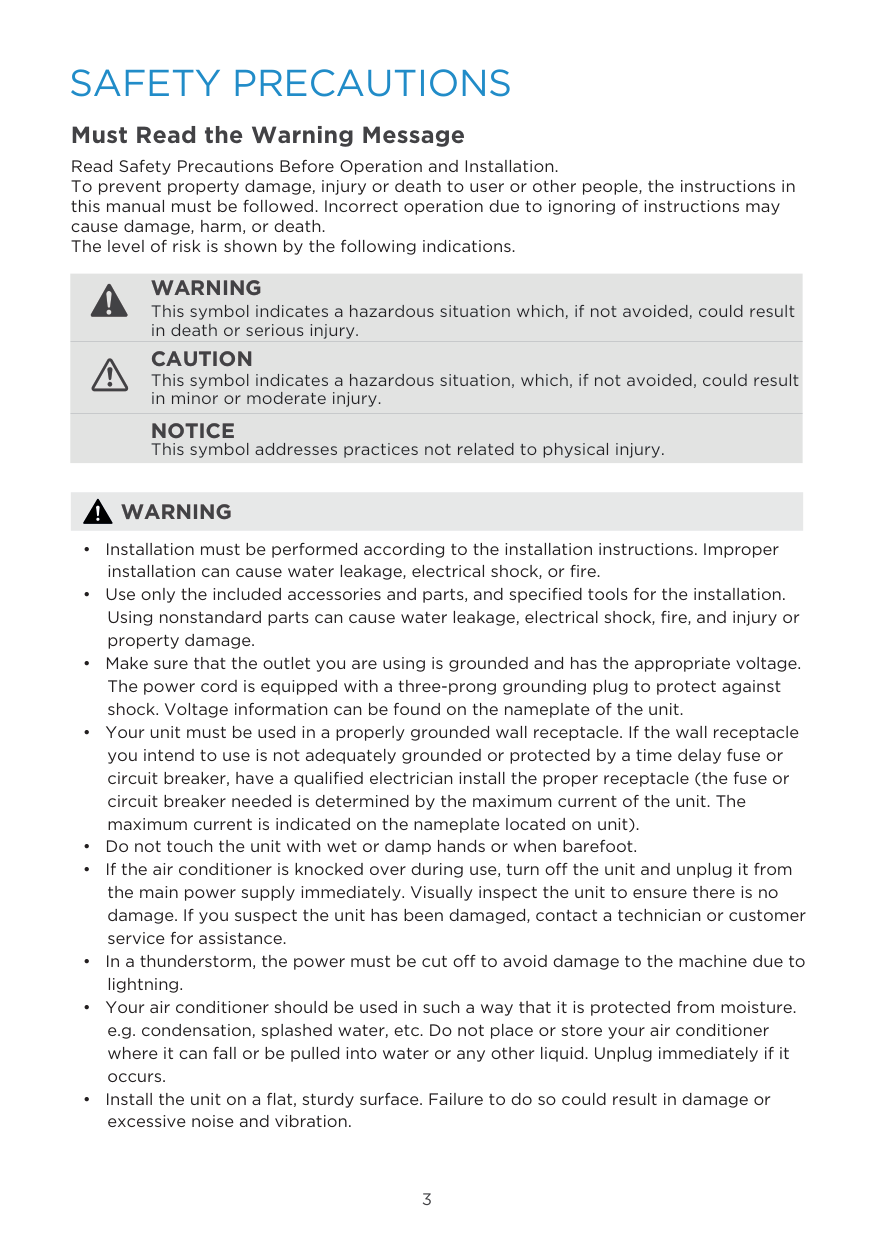
TCL Air Conditioner Service Manual 3
2. Refrigeration Cycle Diagram
Cooling only Heat Pump
TCL Air Conditioner Service Manual 4
3. Technical Specifications
TCL Air Conditioner Service Manual 5
4. Operation Details
Remote controller The remote controller transmits signals to the system. 5 6 7 8 1
TCL Air Conditioner Service Manual 6 Operating The Unit
TCL Air Conditioner Service Manual 7
TCL Air Conditioner Service Manual 8
TCL Air Conditioner Service Manual 9
5. Wiring Diagram
Model: Tac-08Cpa/Ha , Tac-10Cpa/Ha
TCL Air Conditioner Service Manual 10
6. Explosion View And Parts
Explosion View
Model: Tac-08Cpa/Ha /, Tac-10Cpa/Ha
TCL Air Conditioner Service Manual 11
Part List
7. Precaution
TCL Air Conditioner Service Manual 12
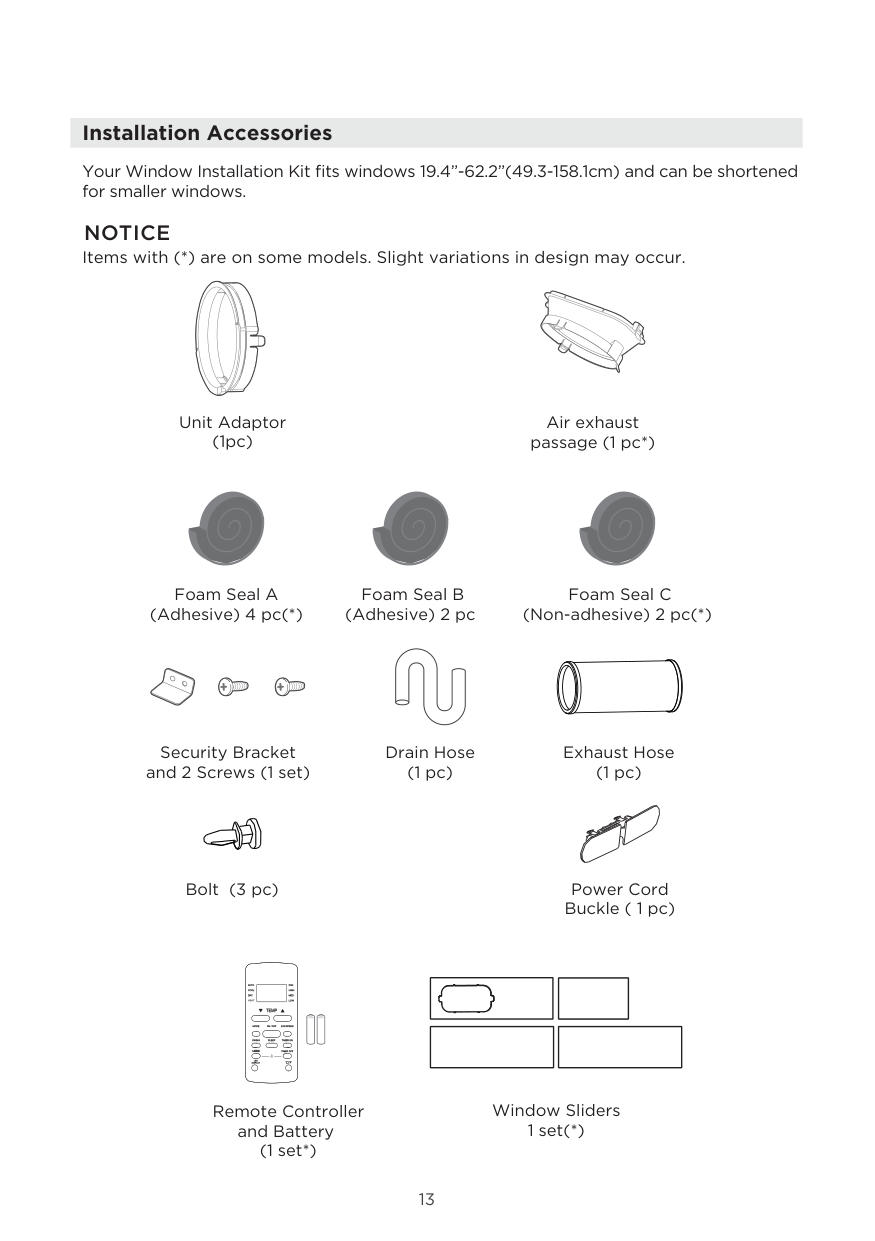
TCL Air Conditioner Service Manual 13
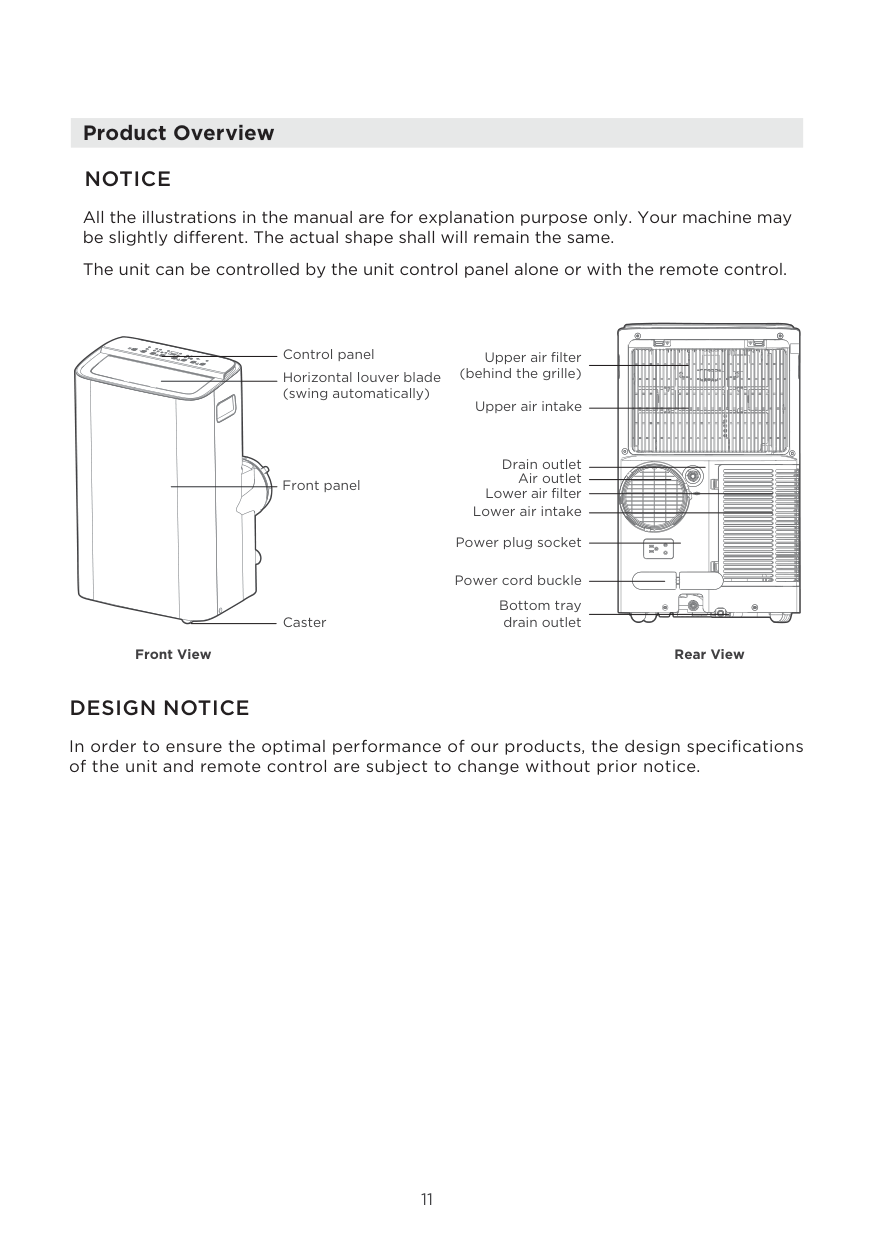
8. Names Of Parts
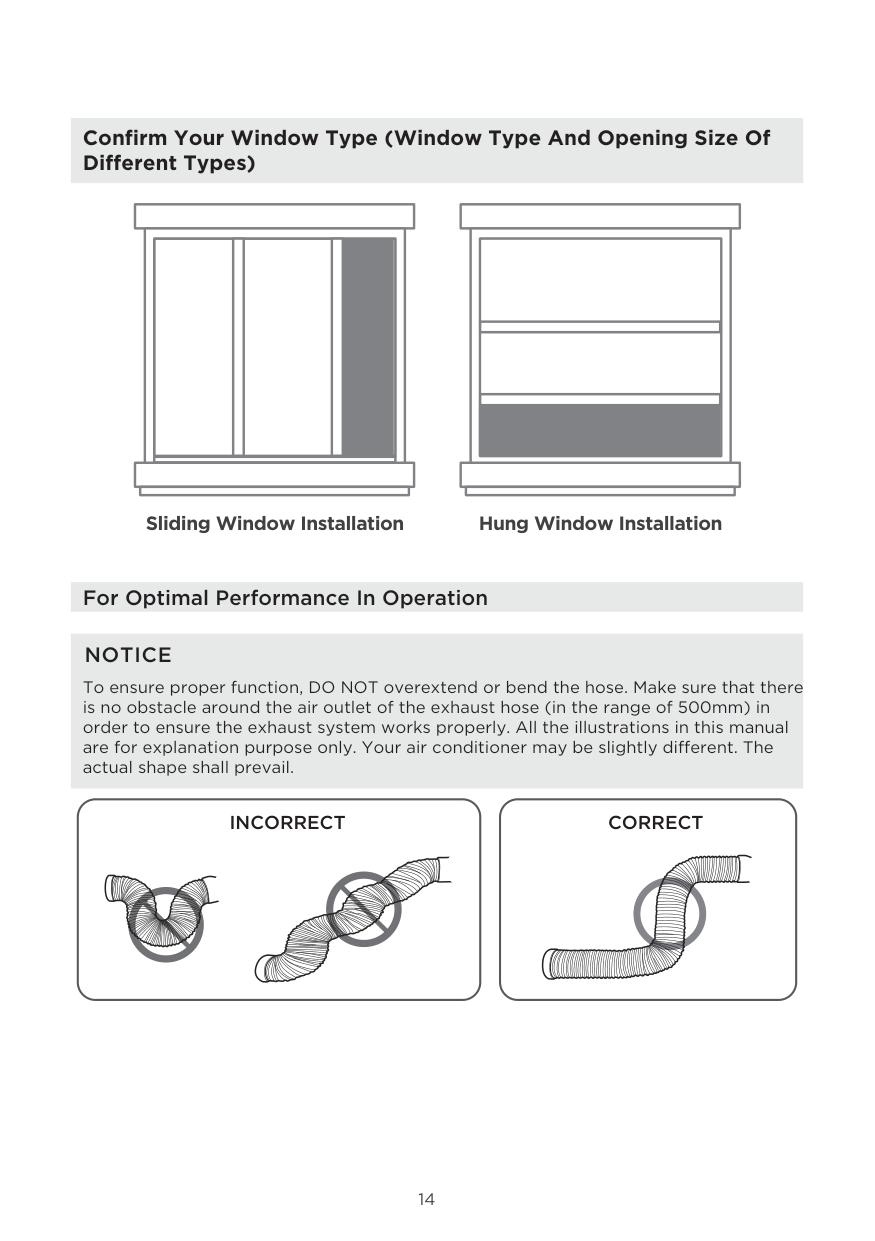
TCL Air Conditioner Service Manual 14
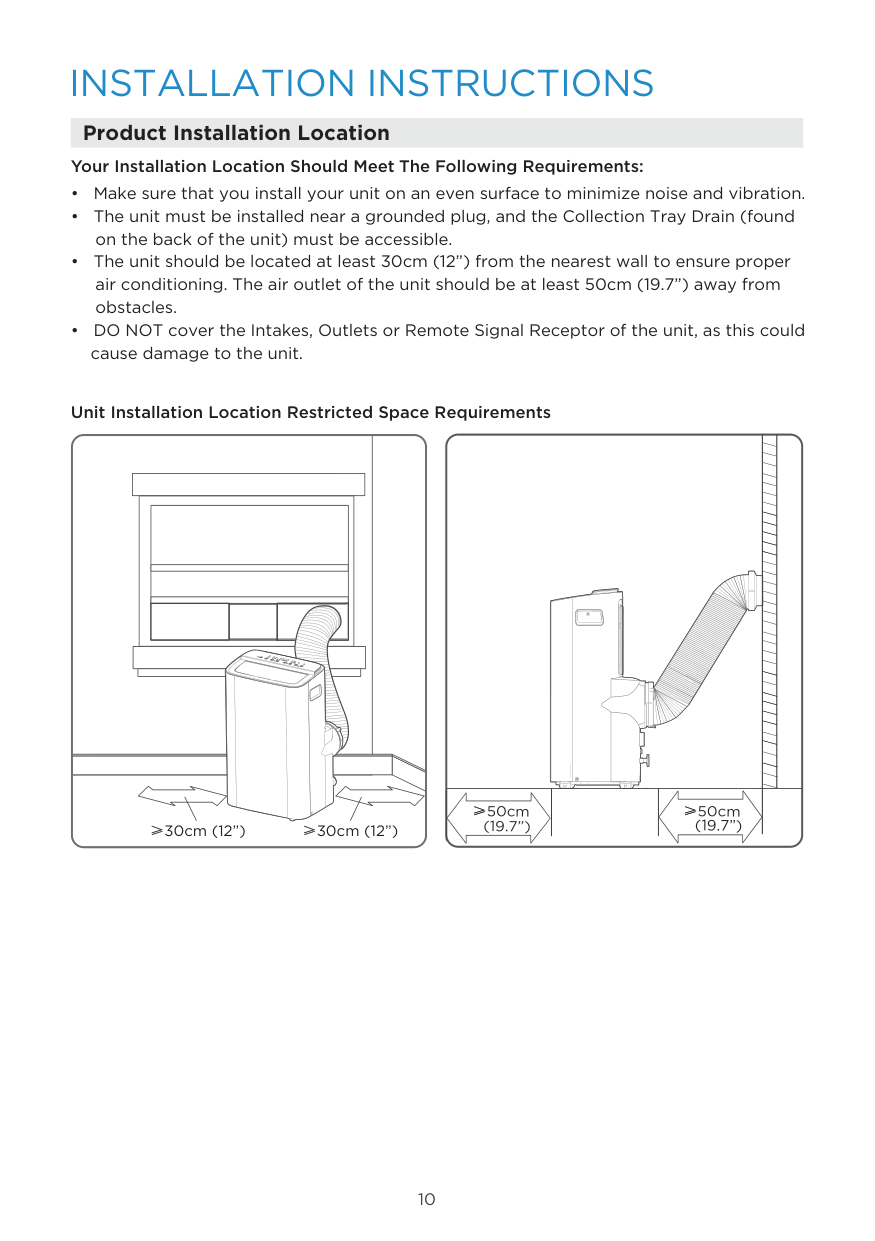
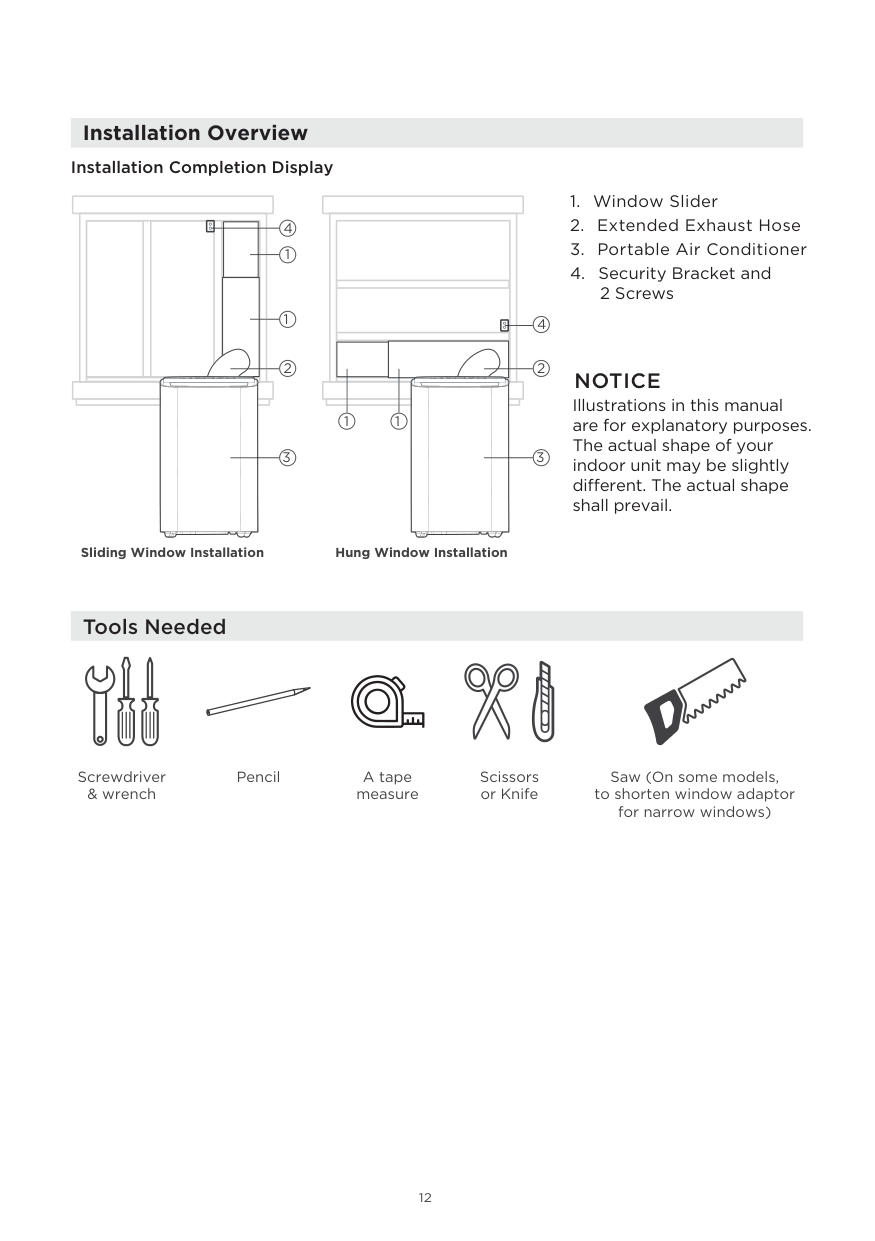
9. Installation Manual
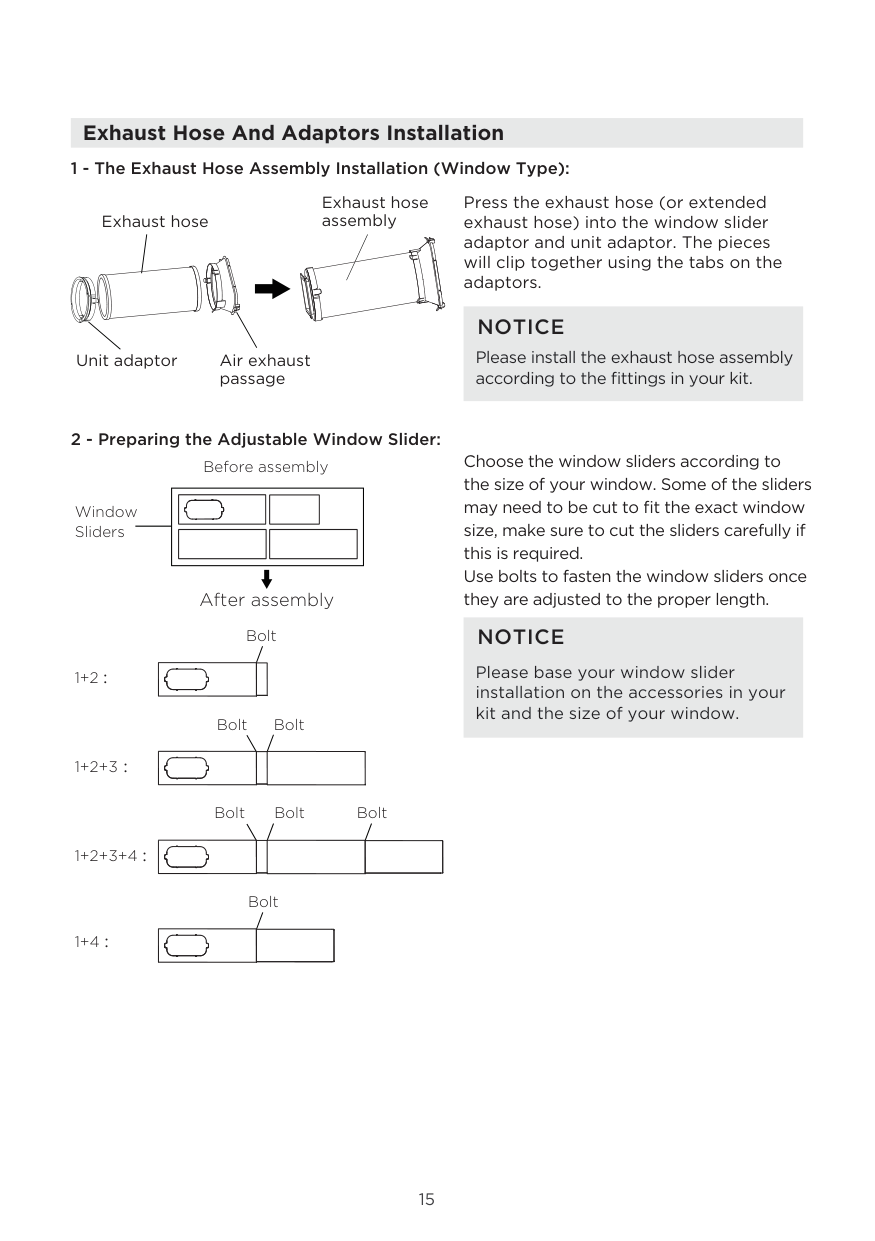
TCL Air Conditioner Service Manual 15
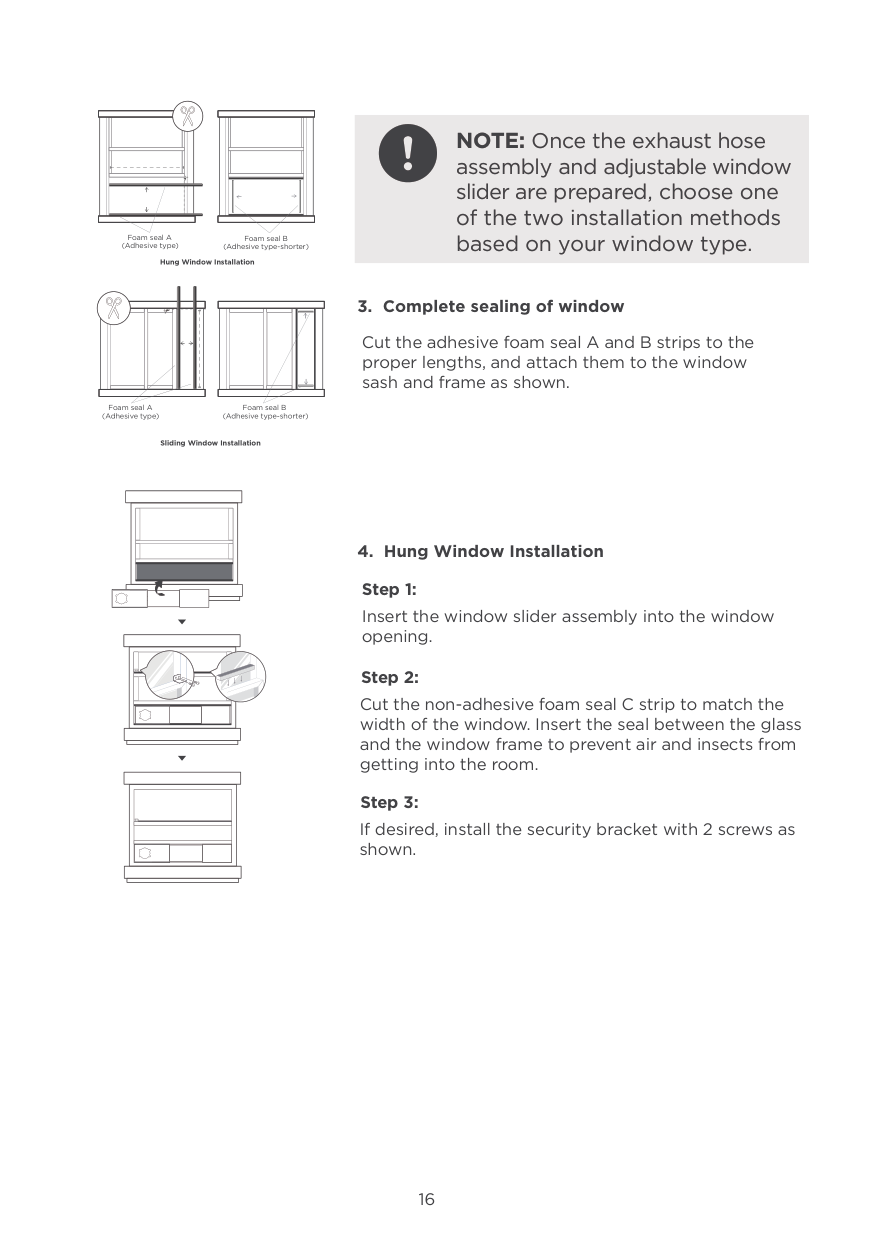
TCL Air Conditioner Service Manual 16
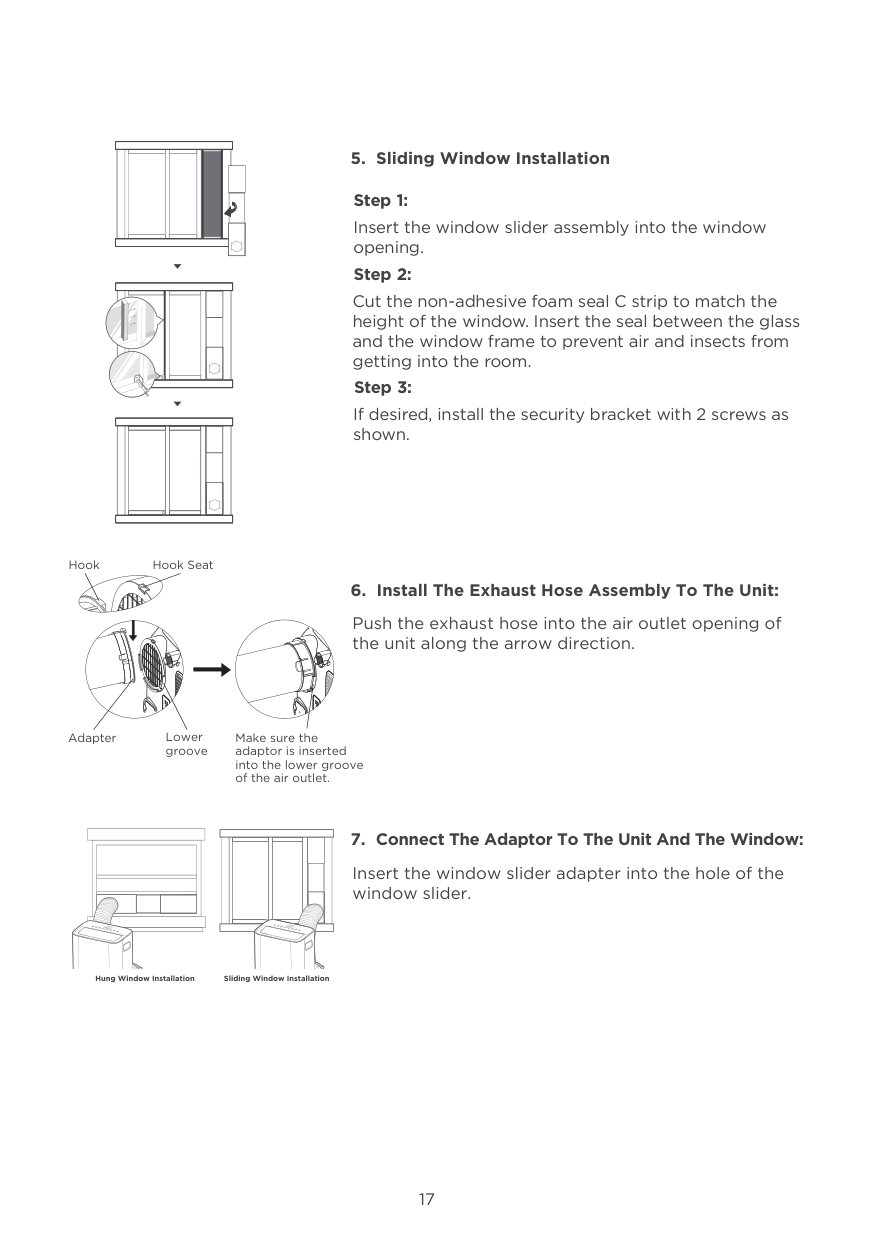
TCL Air Conditioner Service Manual 17
10. Maintenance
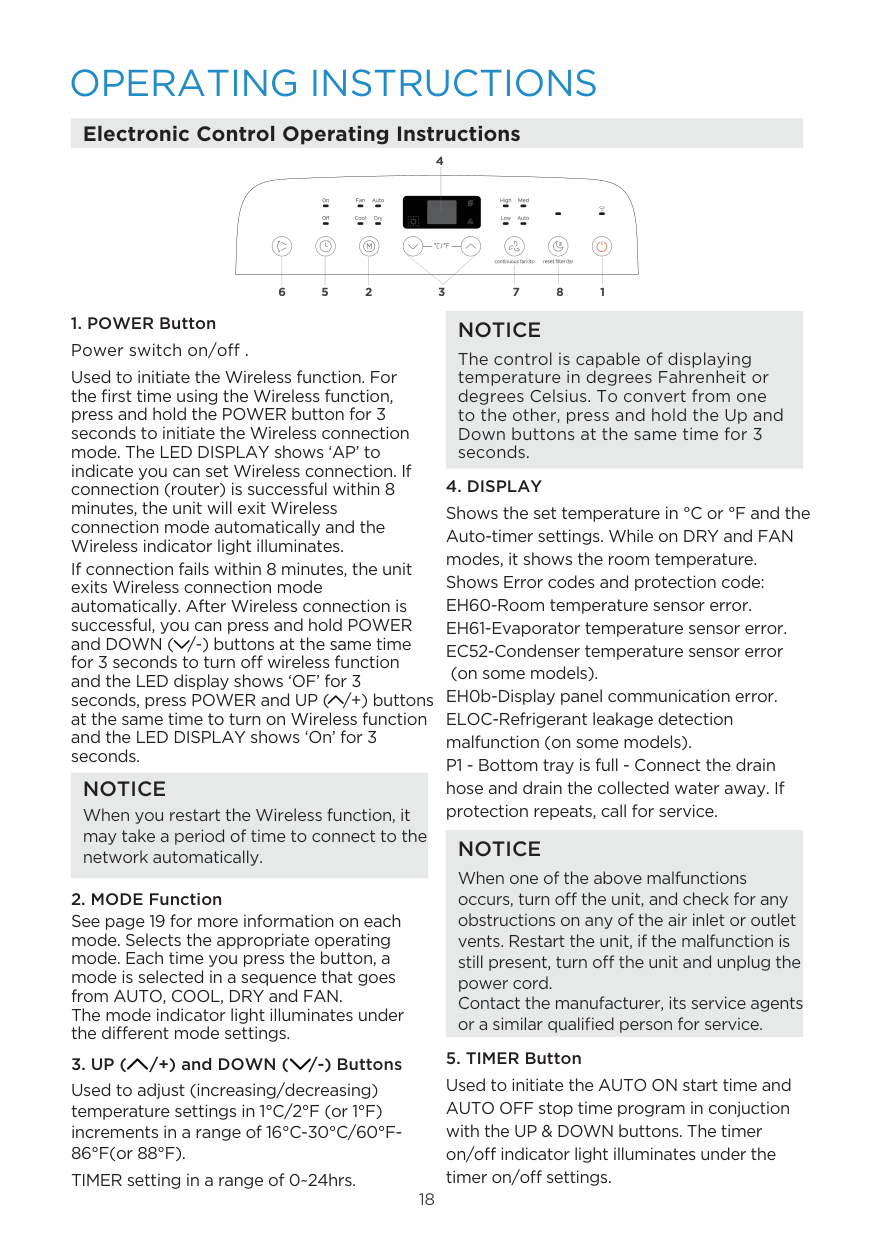
TCL Air Conditioner Service Manual 18
11. Trouble Shooting
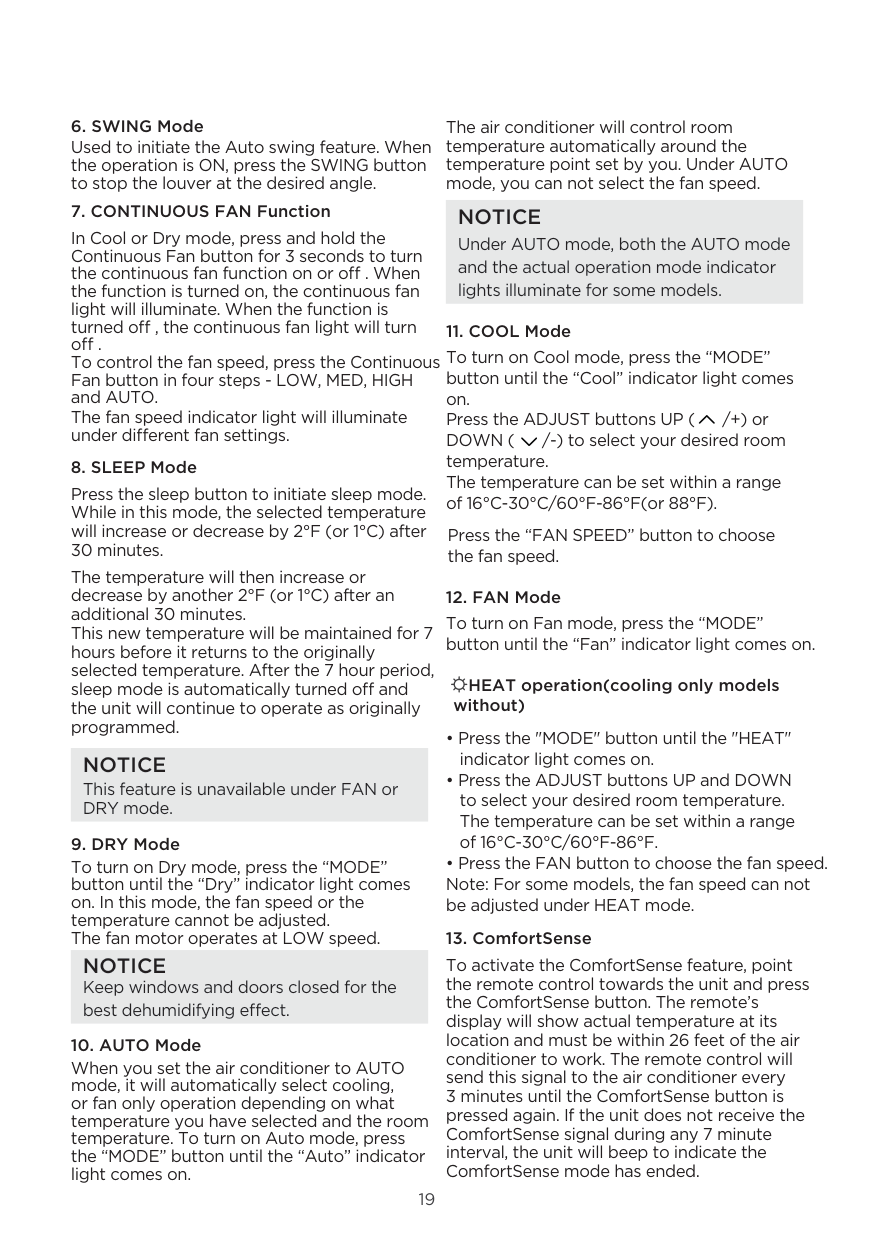
TCL Air Conditioner Service Manual 19
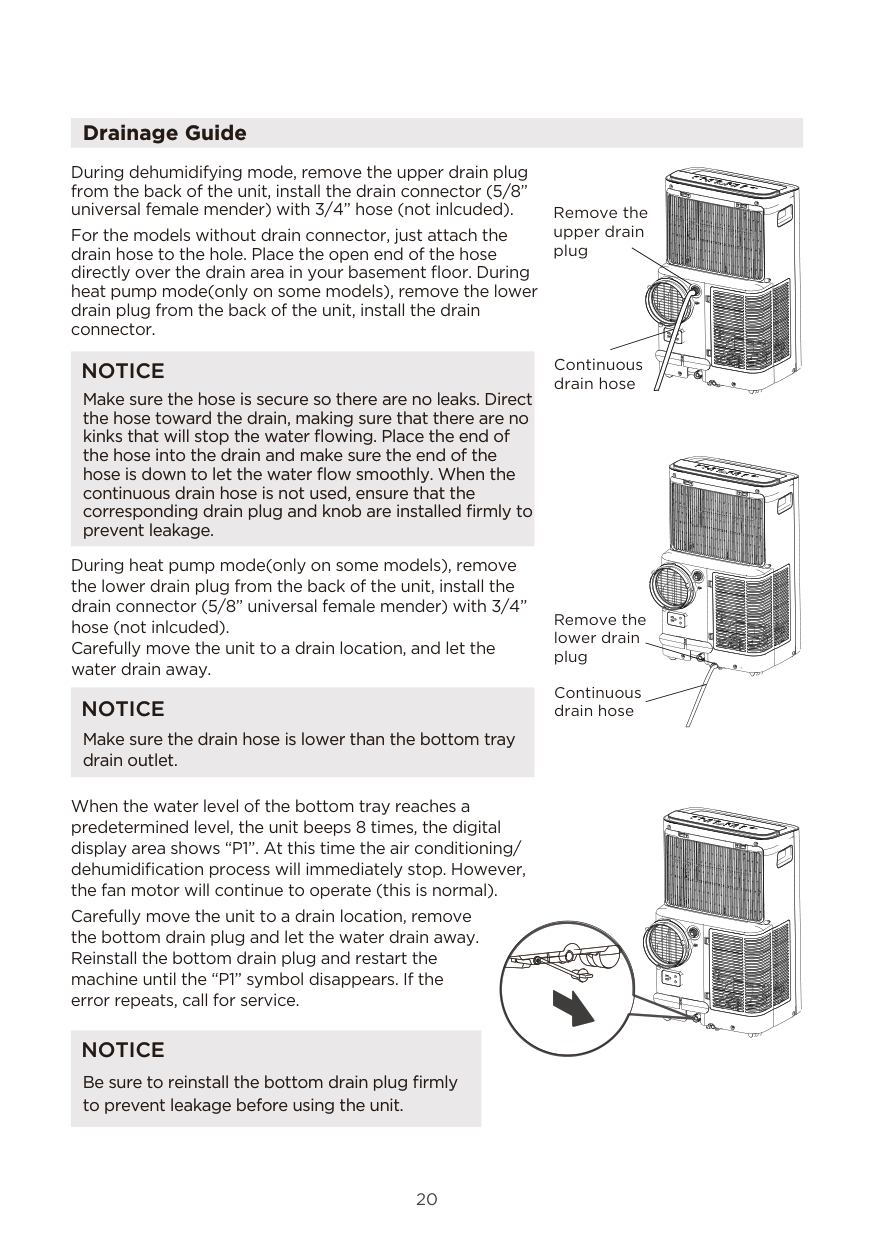
TCL Air Conditioner Service Manual 20
12. Disassembly Procedure
No. Content Picture 1 Remove grill of evaporator 2 Remove cover of drainage hose & Rubber stopper 3 Unscrew 2 screws between front panel & rear panel 4 Unscrew 6 screws of rear panel Then remove the rear panel 5 Unscrew 8 screws of front panel ( 4 in left side and 4 in right side) 6 Separate the connectors of the display PCB 7 Remove top panel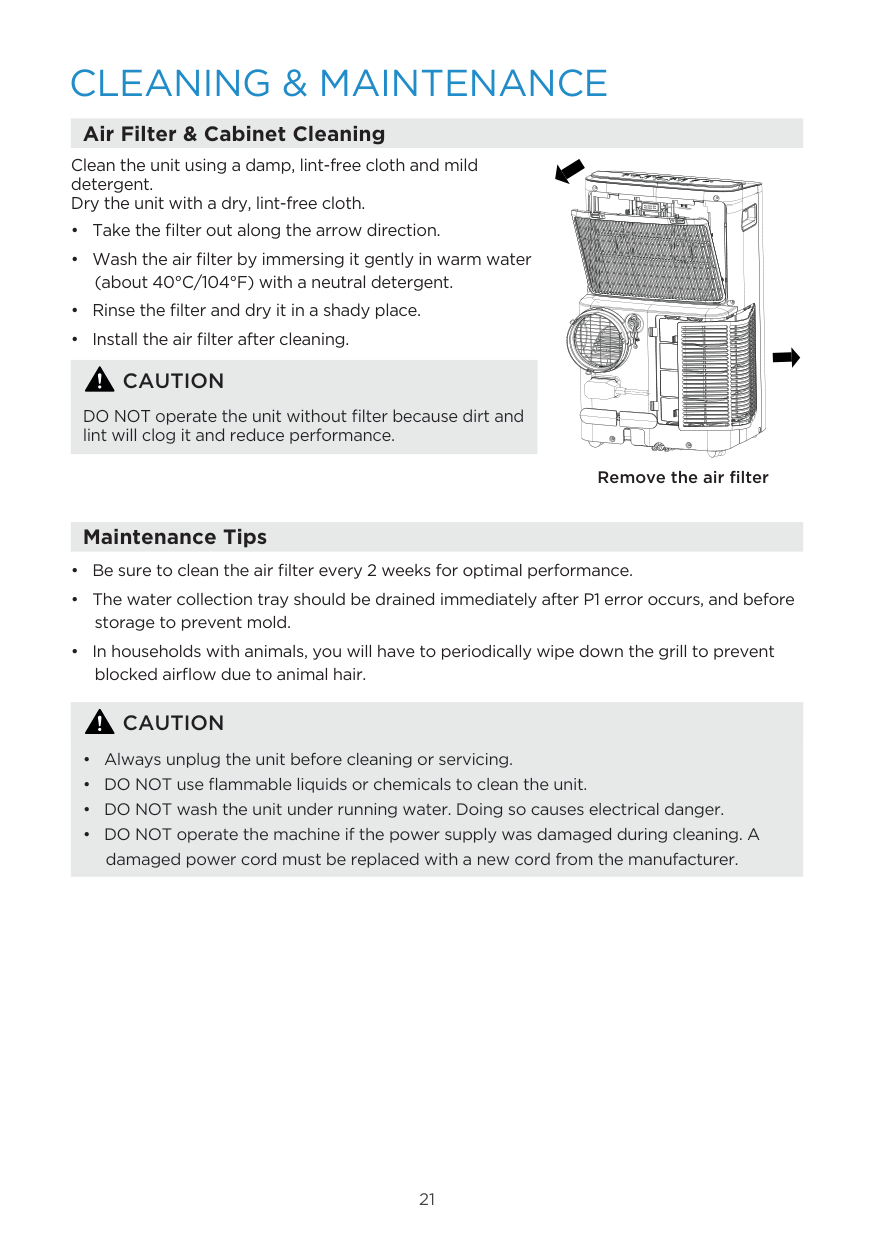
TCL Air Conditioner Service Manual 21 8 Unscrew 2 ground screws 9 Unscrew 2 screws To remove the electrical box cover 10 Unscrew 4 screws To remove the support bars 11 Unscrew 1 screw of each capacitor (Left for evaporator fan motor and right for condensor) 12 Unscrew 1 screw,then take out compressor capacitor 13 Unscrew 2 screws to take out electrical box
TCL Air Conditioner Service Manual 22 14 Unscrew 6 screws to remove air duct of evaporator 15 Unscrew 4 screws to remove rear duct of evaporator 16 Unscrew 1 hexagon nut with flange to remove centrifugal fan of evaporator 17 Unscrew 3 screws to remove fan motor of evaporator 18 Unscrew 2 screws of partition panel 19 Unscrew another 3 screws to remove partition panel
TCL Air Conditioner Service Manual 23 20 Unscrew 2 screws to remove condenser 21 Unscrew 2 screws to remove air duct of condenser 22 Unscrew 2 screws to remove seal bar of condenser 23 Unscrew 4 screws to remove rear duct of condenser 24 Unscrew 1 screw nut to remove Centrifugal fan of condenser 25 Unscrew 4 screws to remove fan motor of condenser 26 Unscrew 2 screws to remove Float switch
TCL Air Conditioner Service Manual 24 27 Unscrew 2 screws to remove Splash motor 28 Unscrew 3 screws to remove compressor
TCL Air Conditioner Service Manual 25