
Ask AI
— answers from the official manualAnswers from the official manual.
Common questions
Common Questions
9 totalHow can I change the blood pressure unit setting on my device?
Press the button until the display for blood pressure unit (mmHg or kPa) flashes. Use the M button to select the desired unit, then confirm by pressing the button again.
What steps are necessary after changing batteries in my device?
After inserting new batteries, proceed with basic settings including year, date, time, and blood pressure unit as described on page 32. This ensures the correct operation of your monitor.
What should I do if my blood pressure monitor shows an ‘Er5’ error?
Stop moving and refrain from speaking during the measurement process to resolve this issue according to the troubleshooting guide (Page 52).
How long should I wait before repeating a blood pressure measurement?
Wait at least five minutes between measurements for accurate results. Ensure the cuff is fully deflated each time before pressing the button to start again.
What should I do if my device shows an Er2 error during measurement?
Check that the cuff is correctly positioned on your arm and try taking another measurement. Refer to page 35 for correct cuff placement instructions.
How can I switch off my device manually?
Press the button once again after switching it on, or allow around three minutes of inactivity until the monitor turns itself off automatically.
Full Manual
54 pages
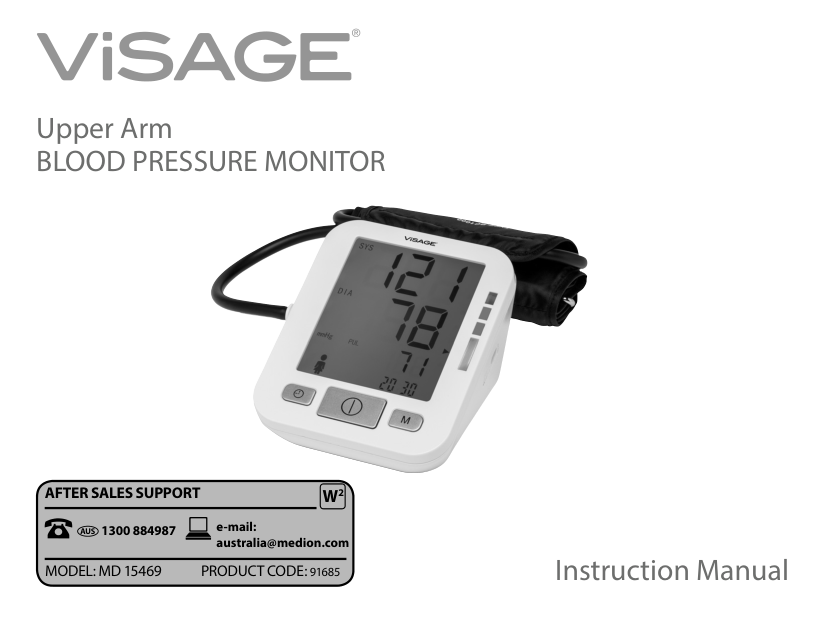
Upper Arm BLOOD PRESSURE MONITOR

######### AFTER SALES SUPPORT W2
1300 884987 e-mail:
AUS
australia@medion.com

Instruction Manual
MODEL: MD 15469 PRODUCT CODE: 91685
Upper Arm Blood Pressure Monitor MD 15469
1. Warranty Details
The product is guaranteed to be free from defects in workmanship and parts for a period of 12 months from the date of purchase. Defects that occur within this warranty period, under normal use and care, will be repaired, replaced or refunded at our discretion. The benefits conferred by this warranty are in addition to all rights and remedies in respect of the product that the consumer has under the Competition and Consumer Act 2010 and similar state and territory laws.
Our goods come with guarantees that cannot be excluded under the Australian Consumer Law. You are entitled to a replacement or refund for a major failure and for compensation for any other reasonably foreseeable loss or damage. You are also entitled to have the goods repaired or replaced if the goods fail to be of acceptable quality and the failure does not amount to a major failure.
Contents
2. Scope of Delivery
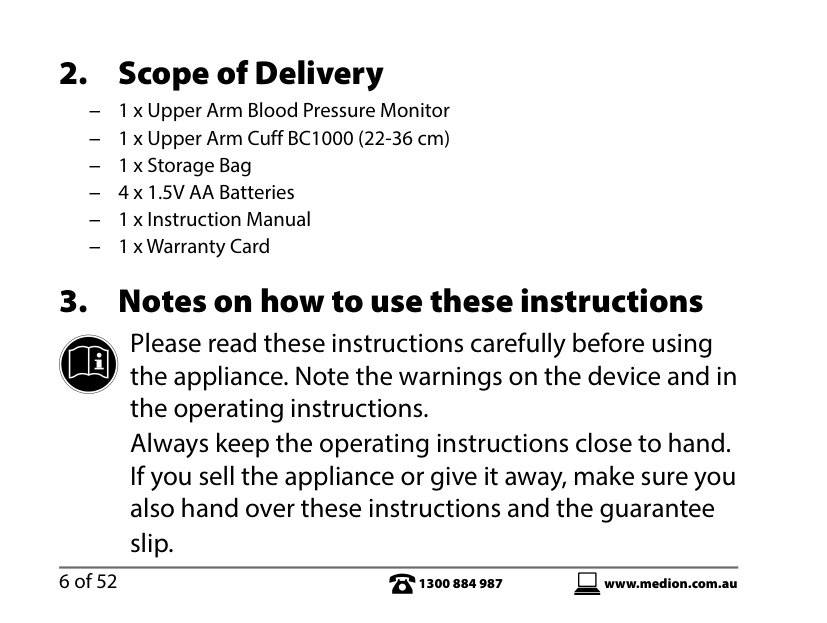
− 1 x Upper Arm Blood Pressure Monitor − 1 x Upper Arm Cuff BC1000 (22-36 cm) − 1 x Storage Bag − 4 x 1.5V AA Batteries − 1 x Instruction Manual − 1 x Warranty Card
3. Notes on how to use these instructions
Please read these instructions carefully before using the appliance. Note the warnings on the device and in the operating instructions.
Always keep the operating instructions close to hand. If you sell the appliance or give it away, make sure you also hand over these instructions and the guarantee
slip.
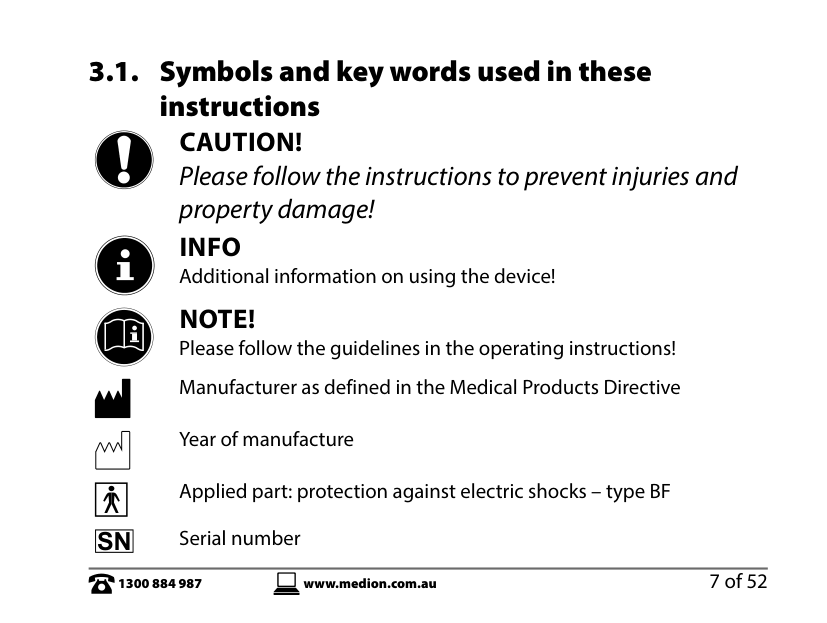
3.1. Symbols and key words used in theseinstructions
CAUTION! Please follow the instructions to prevent injuries and property damage!
INFO Additional information on using the device!
NOTE! Please follow the guidelines in the operating instructions!
Manufacturer as defined in the Medical Products Directive
Year of manufacture Applied part: protection against electric shocks – type BF Serial number
| | |---|
|SN| |---|
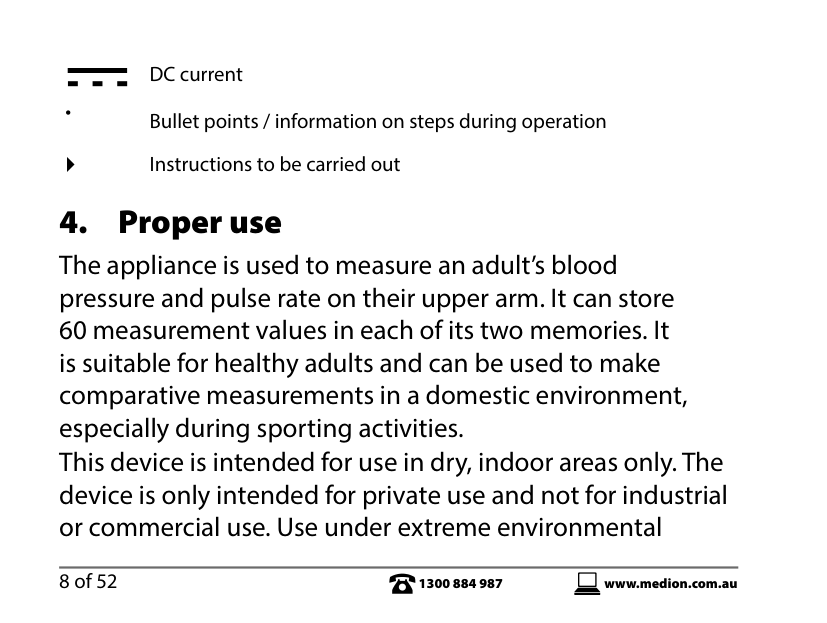
DC current
• Bullet points / information on steps during operation Instructions to be carried out
4. Proper use
The appliance is used to measure an adult’s blood pressure and pulse rate on their upper arm. It can store 60 measurement values in each of its two memories. It is suitable for healthy adults and can be used to make comparative measurements in a domestic environment, especially during sporting activities.
This device is intended for use in dry, indoor areas only. The device is only intended for private use and not for industrial or commercial use. Use under extreme environmental
conditions may result in damage to the device. If the values obtained give you cause to be concerned about your health, take medical advice. Do not take any treatment or medication as a result of the values unless you have discussed this with your doctor! Do not change any treatments or dosage of medication! Persons with cardiac arrhythmia, diabetes, blood circulation issues or problems with apoplexy should only use the device on the instruction of their doctor. Blood pressure measurements taken with the device are equivalent to those obtained by a trained examiner using the cuff/stethoscope auscultation method within the limits prescribed by the American national standard for manual, electronic or automated sphygmomanometers.
4.1. Improper use
5. Safety instructions
5.1. General information
flammable gas (such as anaesthetic gas, oxygen or hydrogen) or flammable liquids (e.g. alcohol) are present. The device may not be used in combination with an oxygen therapy device.
− in a damp environment or near to water. − in close proximity to stored chemicals. − in a location where the device could easily fall to the
ground.
− in close proximity to large equipment with an ON/OFF
switching relay.
5.2. Safe handling of batteries
Batteries may contain combustible materials. If not handled correctly, batteries can leak, become very hot, ignite or
even explode, which could damage your device and/or your health. It is very important that you follow the instructions below:
5.3. Repairs
device is faulty or if it has been dropped, please contact the Medion Service Centre or another suitably qualified repair shop to have it checked in order to avoid hazards.
5.4. Danger of disruption from electrical fields
• The model MD 15469 should not be used alongsideother devices. If operation alongside other devices isunavoidable, the model MD 15469 must be tested in therequired configuration to ensure normal operation.
6. About this device
The consequences of having too high blood pressure are a major cause of death these days. Many people are unaware that their blood pressure is too high. This blood pressure monitor helps you to take regular, comparative measurements.
7. What is blood pressure?
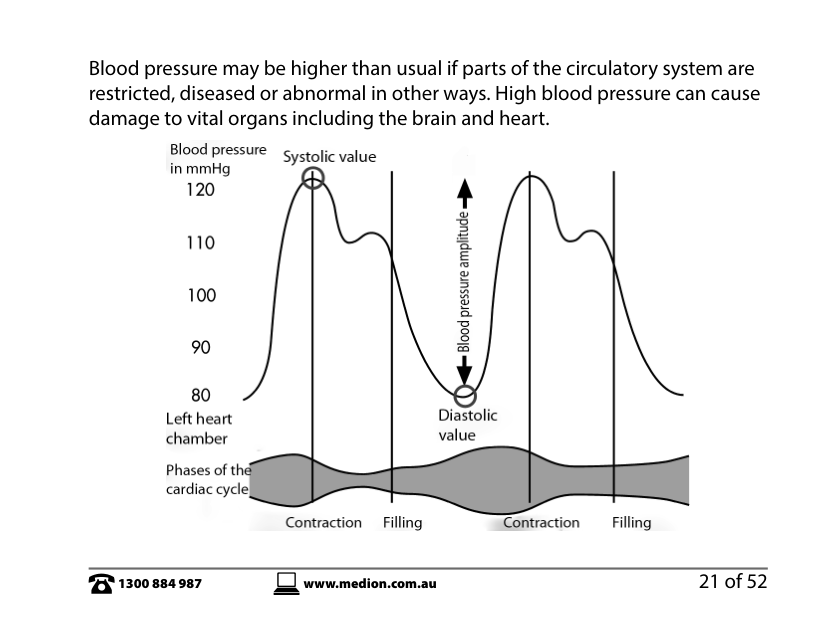
Blood pressure is a measurement of the force that the heart has to exert to pump the blood through the circulatory system and vital organs in the body. The higher the pressure, the harder the heart has to work.
7.1. Normal and high blood pressure
With every heartbeat, blood pressure fluctuates between a maximum value (systolic), when the heart pumps blood into the circulatory system and a minimum value (diastolic) when the heart fills up with blood again. Blood pressure is the average of these values.
######## Blood pressure may be higher than usual if parts of the circulatory system are restricted, diseased or abnormal in other ways. High blood pressure can cause damage to vital organs including the brain and heart.

7.2. Measuring blood pressure
Everybody’s blood pressure changes constantly. Fluctuations may be caused by mental and physical factors (such as fear, exertion, smoking, caffeine and stress). Blood pressure can also be affected by the time of day, time of year and temperature. This blood pressure monitor helps you to take regular, comparative measurements. Individual measurements that are not taken at regular intervals have little significance. To achieve a precise value, you must take a measurement on both arms at the beginning of each measurement. If the values differ by ≥ 10 mmHg, use the arm with the higher values for the measurement. The guidelines for normal and high blood pressure (diastolic and systolic value) have been defined by the World Health Organization "WHO" as shown in the following table.

mmHg 110 105 100
Blood pressure Level 3 (high)
Blood pressure Level 2 (moderate)
Diastolic value
Blood pressure Level 1 (low)
95 90 85 80
High-normal Normal
Optimal
120 130 140 150 160 170 180 Systolic value mmHg
8. Tips for obtaining accurate
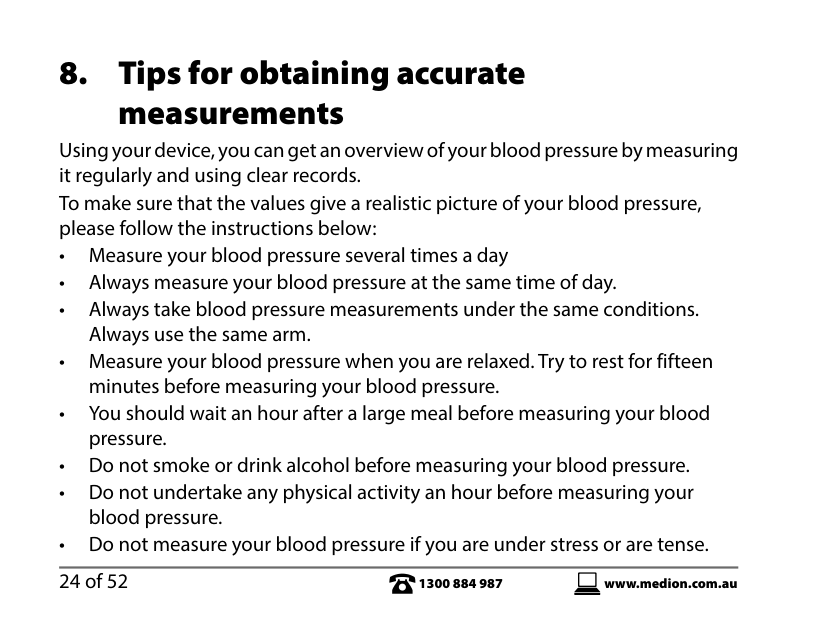
measurements Using your device, you can get an overview of your blood pressure by measuring it regularly and using clear records. To make sure that the values give a realistic picture of your blood pressure, please follow the instructions below:
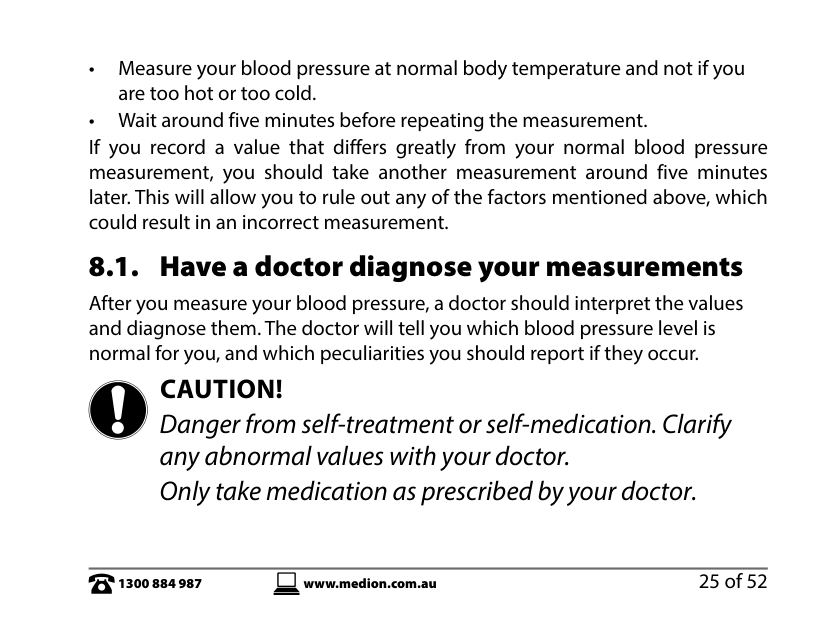
If you record a value that differs greatly from your normal blood pressure measurement, you should take another measurement around five minutes later. This will allow you to rule out any of the factors mentioned above, which could result in an incorrect measurement.
8.1. Have a doctor diagnose your measurements
After you measure your blood pressure, a doctor should interpret the values and diagnose them. The doctor will tell you which blood pressure level is normal for you, and which peculiarities you should report if they occur.
CAUTION! Danger from self-treatment or self-medication. Clarify any abnormal values with your doctor. Only take medication as prescribed by your doctor.
Inaccurate measurement results can occur with patients with the following conditions: high blood pressure, diabetes, liver disease, hardened arteries, heart rhythm disturbances (arrhythmias), poor circulation, etc.
8.2. The measuring technology of the device
Your blood pressure measurement device contains high-quality technical components and materials for measuring pressure, processing the signals and displaying the values on a liquid crystal display. It also measures and displays your pulse rate.
The device measures blood pressure by using a cuff around the arm. Inflating the cuff presses the arteries together so that no more blood can flow through them. The values are determined whilst the pressure rises in the cuff.
The device has electronic step valves that can detect even slight changes during the measurement, which can be evened out using the cuff pressure. By increasing the pressure step-by-step, fluctuations in the cuff are recorded by the device and included in the assessment. If no fluctuations are recorded for a step, the air pressure is increased.
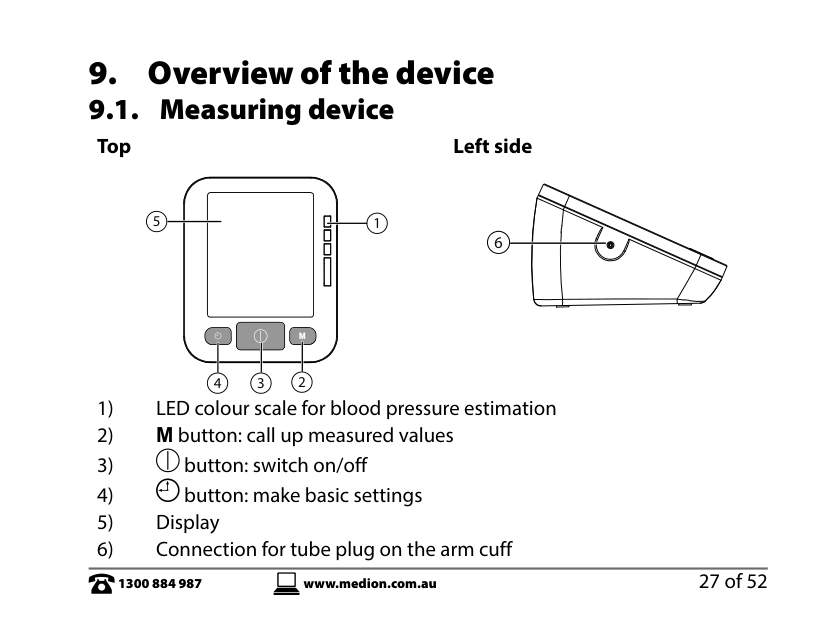
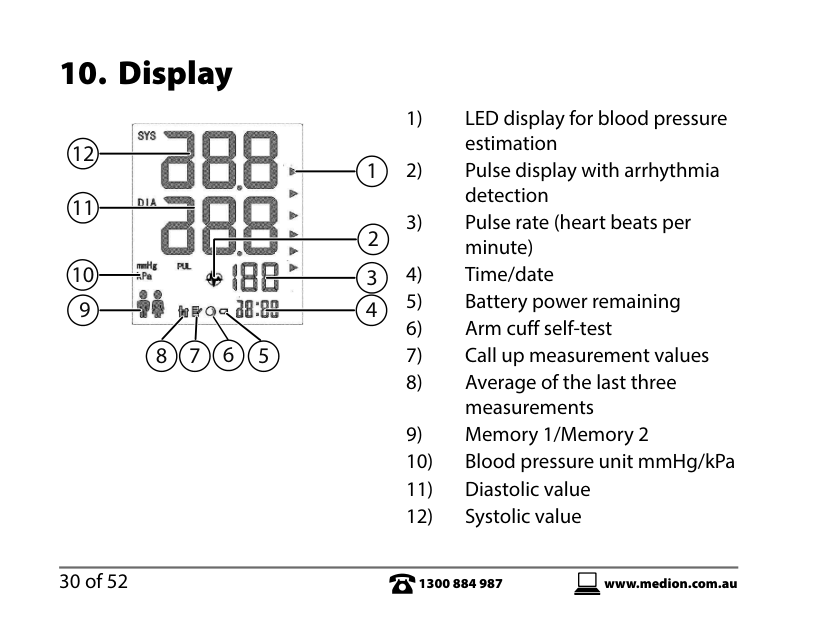
9. Overview of the device 9.1. Measuring device
####### Top Left side
5 1
6
| | | | |---|---|---| | | | |
234
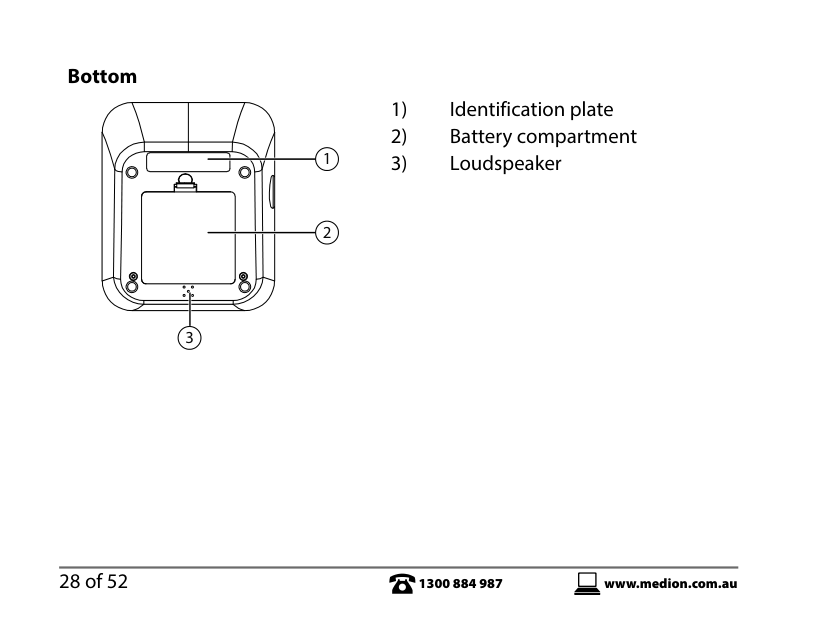
####### Bottom
3
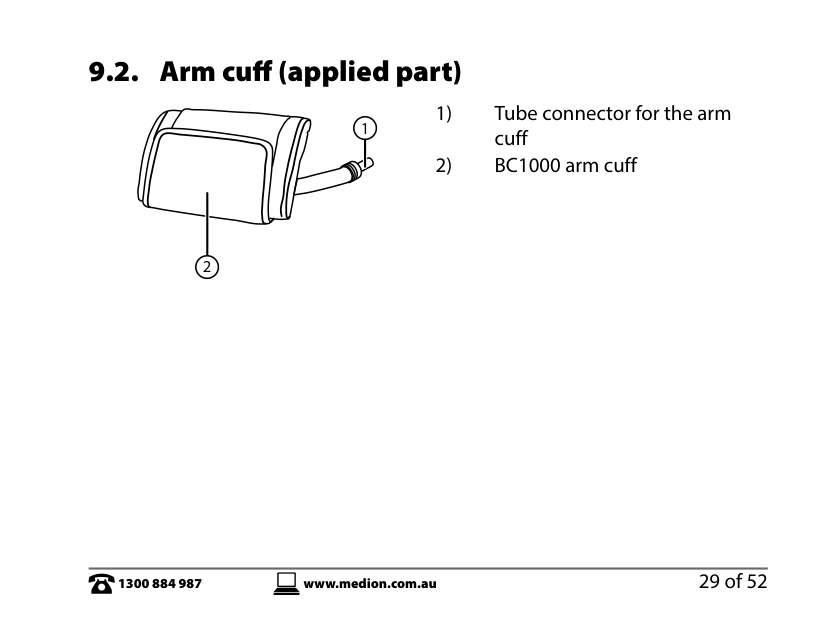
9.2. Arm cuff (applied part)
1
2
10. Display

12
2
##### 11
5678
11. Preparing the device
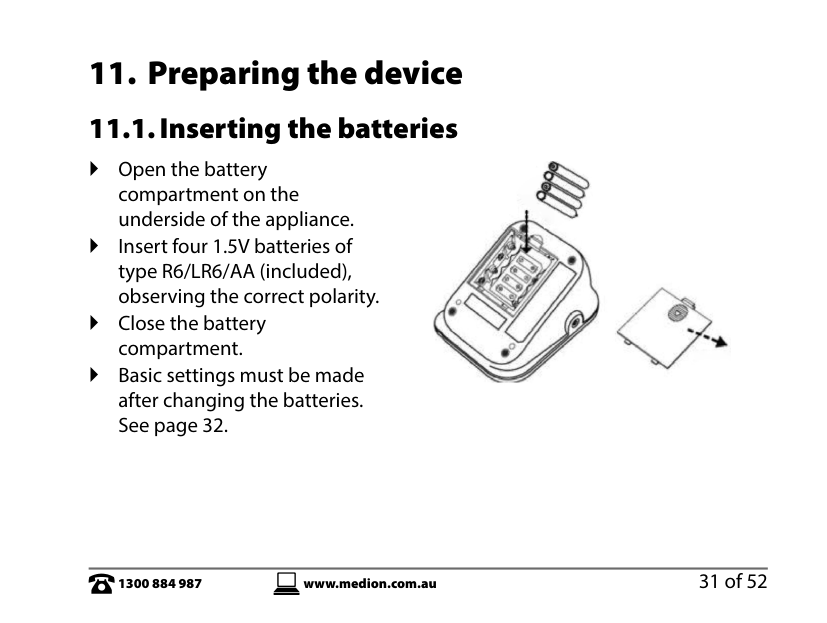
11.1. Inserting the batteries
Open the battery compartment on the underside of the appliance.
Insert four 1.5V batteries of type R6/LR6/AA (included), observing the correct polarity.
Close the battery compartment.
Basic settings must be made after changing the batteries. See page 32.

12. Making basic settings
You must make the following basic settings before using the device for the first time or after changing the batteries:
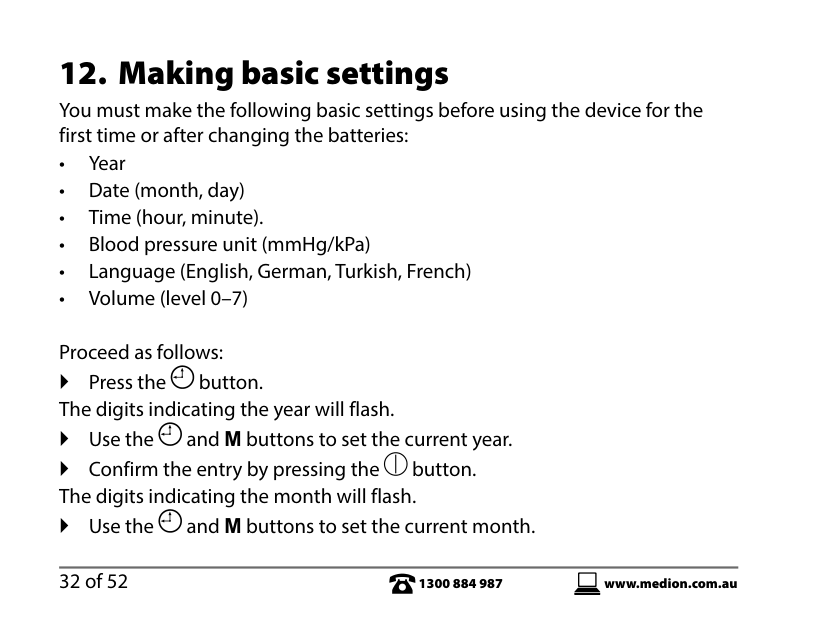
Proceed as follows: Press the button. The digits indicating the year will flash. Use the and M buttons to set the current year. Confirm the entry by pressing the button. The digits indicating the month will flash. Use the and M buttons to set the current month.
Confirm the entry by pressing the button. The digits indicating the day will flash.
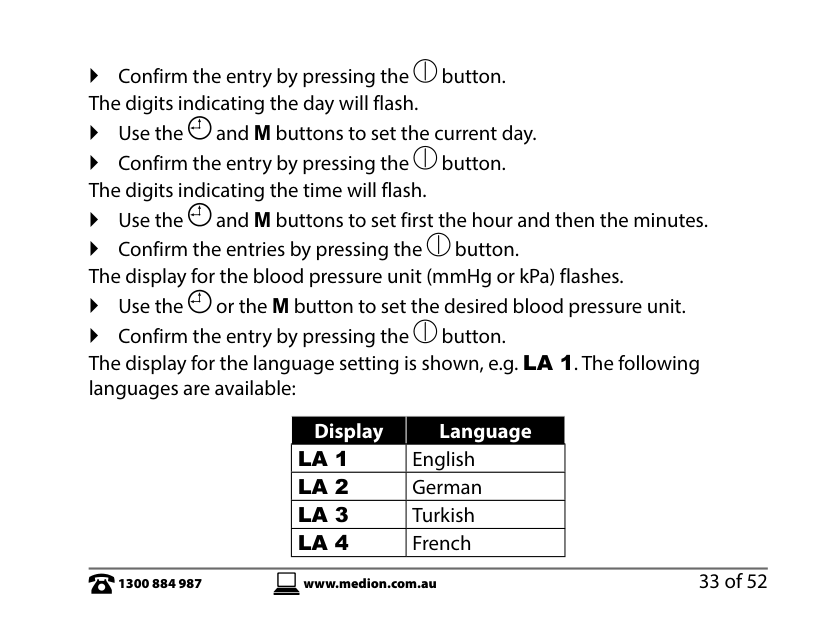
Use the and M buttons to set the current day. Confirm the entry by pressing the button. The digits indicating the time will flash. Use the and M buttons to set first the hour and then the minutes. Confirm the entries by pressing the button. The display for the blood pressure unit (mmHg or kPa) flashes. Use the or the M button to set the desired blood pressure unit. Confirm the entry by pressing the button.
The display for the language setting is shown, e.g. LA 1. The following languages are available:
|Display|Language| |---|---| |LA 1|English| |LA 2|German| |LA 3|Turkish| |LA 4|French|
Use the or the M button to set the desired language. Confirm the entry by pressing the button.
The display for the volume of the voice output is shown, e.g. ON 1. The following settings are available: ON 1 (very quiet) to ON 7 (loud) or OF 0 (mute).
Use the or the M button to set the desired volume. Confirm the entry by pressing the button.
13. Switch the device on or off
To switch on the device, press the button. The measurement starts automatically. To switch the device off, press the button again.
If you do not press any buttons for around 3 minutes, the device will switch itself off.
14. Measuring blood pressure and pulse 14.1. Putting on the cuff
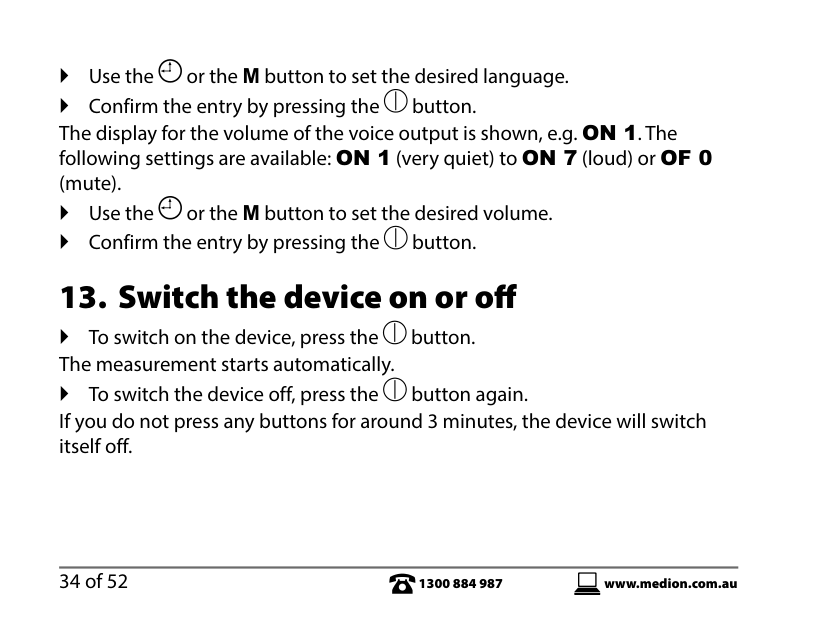
Before attaching the cuff to take a measurement, clean your arm with a soft cloth soaked with surgical spirit containing 75% alcohol. The BC 1000 cuff is the application part and is suitable for an arm circumference of 22 cm to 36 cm. Remove any watches, jewellery etc. The upper arm must be exposed because the cuff must lie directly on the skin. Do not roll up a tight sleeve, as this will squash the arm. Remove the item of clothing if the sleeve cannot easily be rolled up.

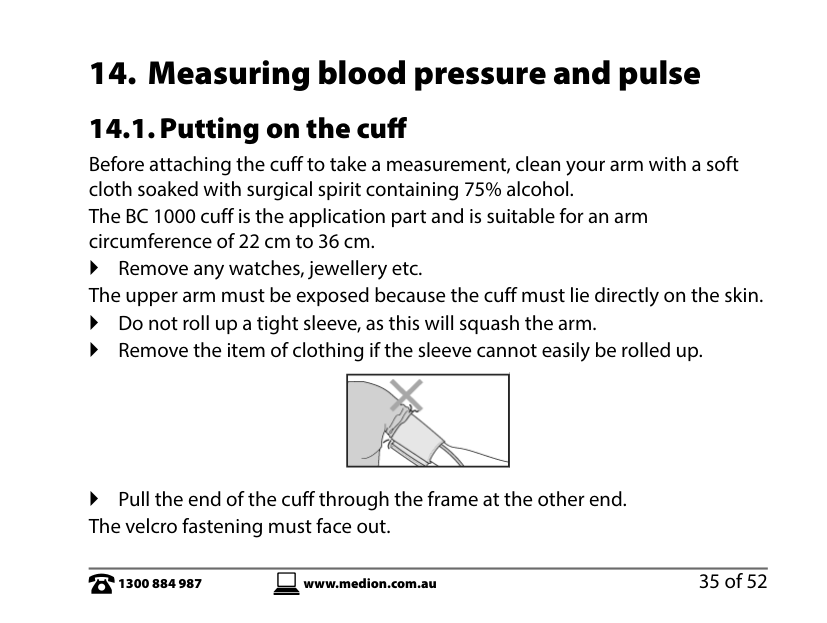
Pull the end of the cuff through the frame at the other end. The velcro fastening must face out.

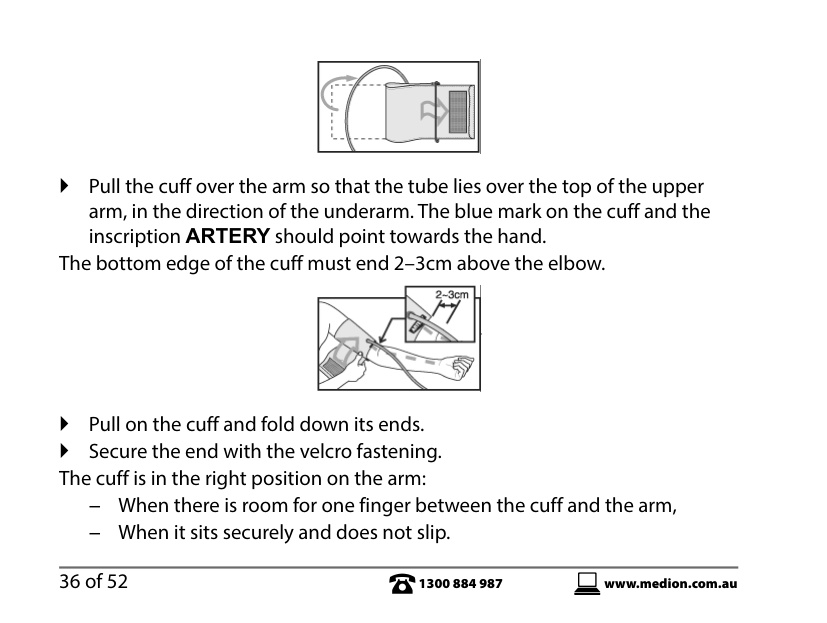
Pull the cuff over the arm so that the tube lies over the top of the upper arm, in the direction of the underarm. The blue mark on the cuff and the inscription ARTERY should point towards the hand.
The bottom edge of the cuff must end 2–3cm above the elbow.

Pull on the cuff and fold down its ends. Secure the end with the velcro fastening. The cuff is in the right position on the arm:
− When there is room for one finger between the cuff and the arm, − When it sits securely and does not slip.

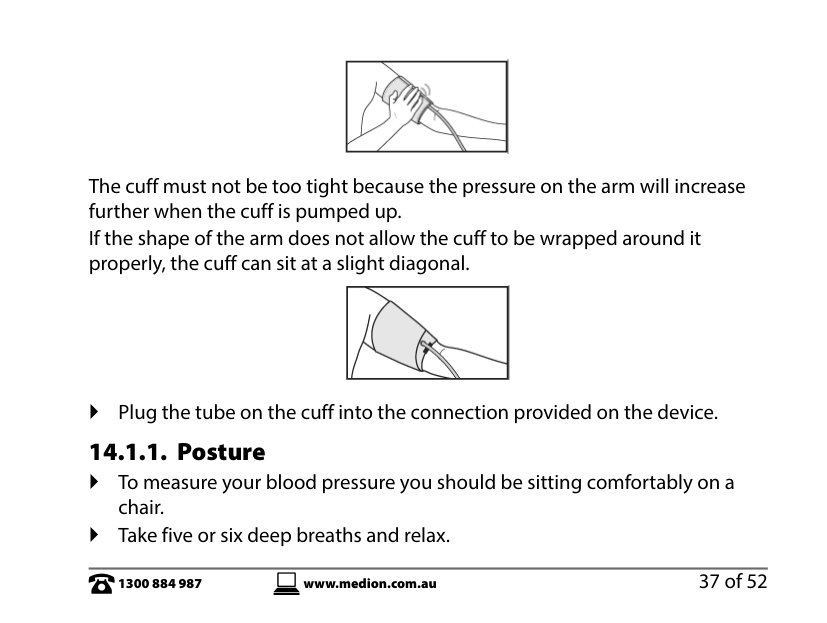
The cuff must not be too tight because the pressure on the arm will increase further when the cuff is pumped up. If the shape of the arm does not allow the cuff to be wrapped around it properly, the cuff can sit at a slight diagonal.

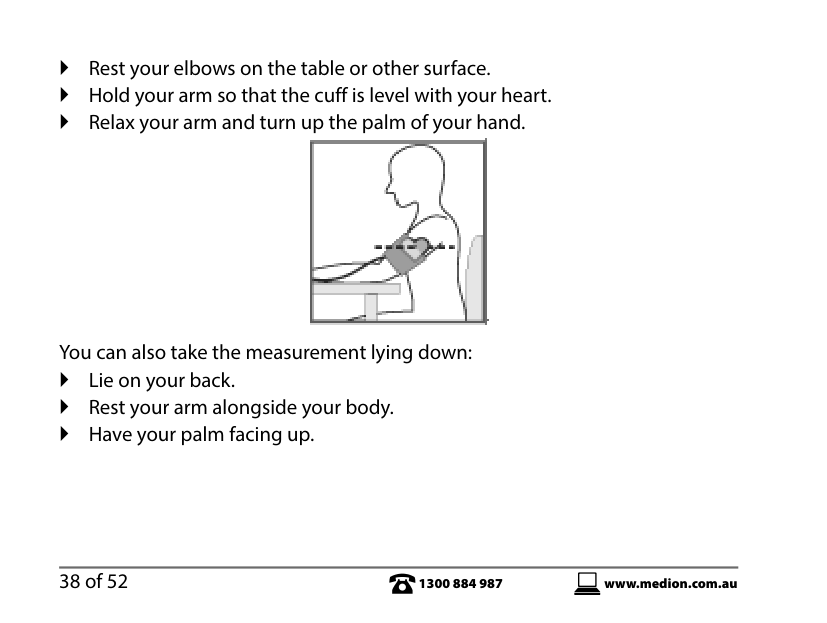
Plug the tube on the cuff into the connection provided on the device. 14.1.1. Posture To measure your blood pressure you should be sitting comfortably on a
chair. Take five or six deep breaths and relax.
Rest your elbows on the table or other surface. Hold your arm so that the cuff is level with your heart. Relax your arm and turn up the palm of your hand.

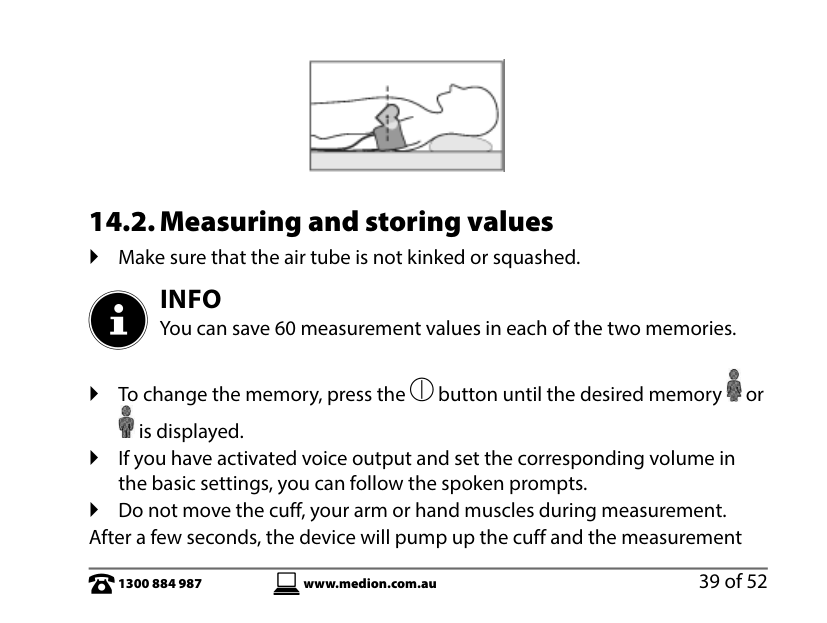
You can also take the measurement lying down: Lie on your back. Rest your arm alongside your body. Have your palm facing up.

14.2. Measuring and storing values
Make sure that the air tube is not kinked or squashed.
INFO You can save 60 measurement values in each of the two memories.

To change the memory, press the button until the desired memory or is displayed. If you have activated voice output and set the corresponding volume in

the basic settings, you can follow the spoken prompts. Do not move the cuff, your arm or hand muscles during measurement. After a few seconds, the device will pump up the cuff and the measurement
starts. The current values are shown in the display. Press the button to abort the measurement. The cuff deflates. If you want to repeat the measurement, you should wait at least five
minutes. The cuff must be fully deflated. To start the measurement, press the button again.
The device also measures your pulse rate. The value displayed for blood pressure will rise during measurement.
INFO If the cuff pressure exceeds 300 mmHg (40 kPa), abort the measurement by removing the cuff or pressing the button.
The cuff deflates when the measurement is complete. Systolic and diastolic blood pressure and the pulse are shown on the display and the pulse symbol flashes. The values measured will be given verbally if language output is activated. You will be informed as to whether your blood pressure measurement is in the normal or high range:
The measure result is ...
... normal
... abnormal. The values measured will be automatically stored with the date and time once measuring is complete. When you start a measurement using the button, 60 storage spaces are available per memory. You can, for example, record the values for two people separately by pressing the button until the desired


memory or is displayed. If there are more than 60 measurements, the oldest value will be overwritten. After the measurement, the device turns off automatically after three minutes.
14.3. Arrhythmia detection
Normally, the pulse beats with a regular rhythm (rhythmically). When the device detects an abnormal pulse rhythm, the symbol appears on the display. In this case, repeat the measurement. Abnormal pulse rhythms can have different causes. If the pulse is constantly arrhythmic, please consult your doctor.

14.4. Classifying blood pressure
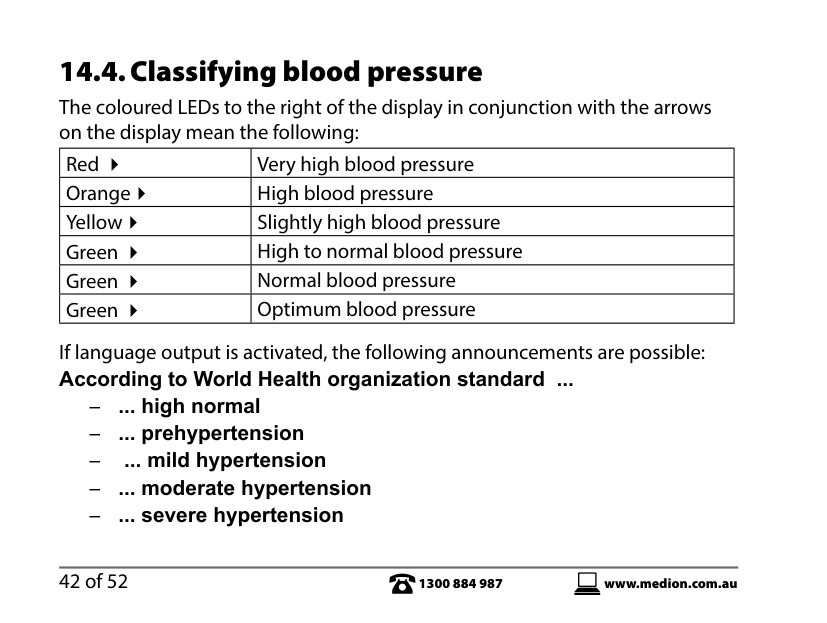
The coloured LEDs to the right of the display in conjunction with the arrows on the display mean the following:
|Red |Very high blood pressure| |---|---| |Orange|High blood pressure| |Yellow|Slightly high blood pressure|
|Green |High to normal blood pressure| |Green |Normal blood pressure| |Green |Optimum blood pressure|
If language output is activated, the following announcements are possible: According to World Health organization standard ...
− ... high normal − ... prehypertension − ... mild hypertension − ... moderate hypertension − ... severe hypertension
15. Retrieving saved values
15.1. Retrieving average values
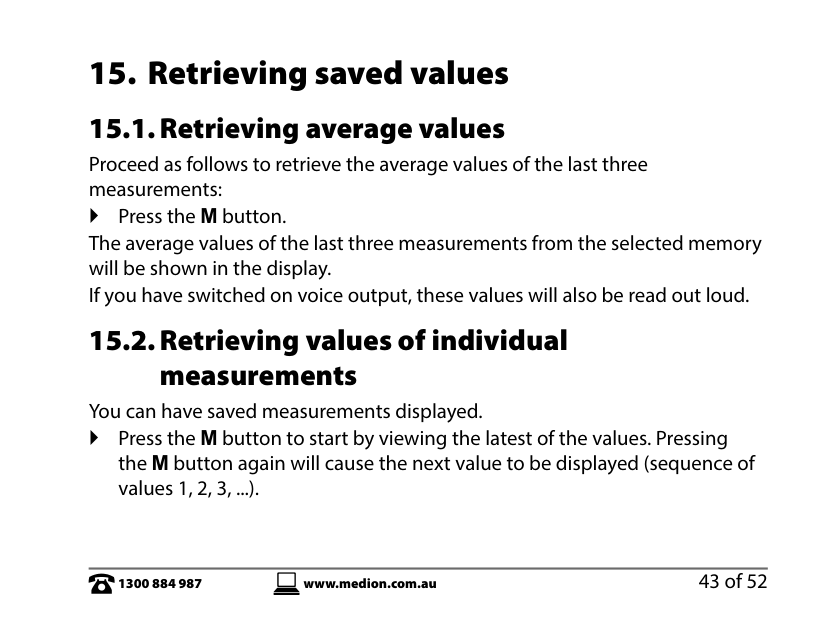
Proceed as follows to retrieve the average values of the last three measurements: Press the M button. The average values of the last three measurements from the selected memory will be shown in the display. If you have switched on voice output, these values will also be read out loud.
15.2. Retrieving values of individualmeasurements
You can have saved measurements displayed. Press the M button to start by viewing the latest of the values. Pressing
the M button again will cause the next value to be displayed (sequence of values 1, 2, 3, ...).
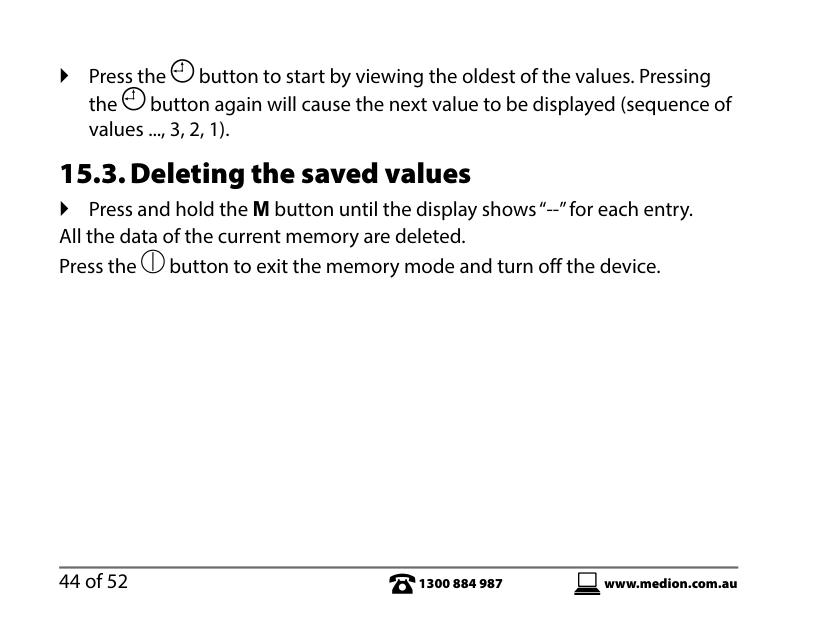
Press the button to start by viewing the oldest of the values. Pressing the button again will cause the next value to be displayed (sequence of values ..., 3, 2, 1).
15.3. Deleting the saved values
Press and hold the M button until the display shows “--” for each entry. All the data of the current memory are deleted. Press the button to exit the memory mode and turn off the device.
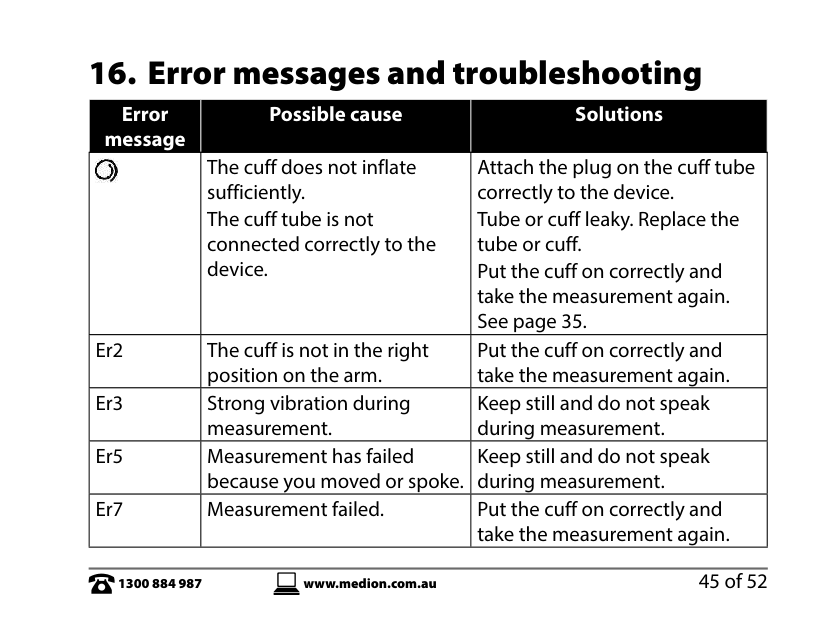
16. Error messages and troubleshooting
|Error message|Possible cause|Solutions| |---|---|---| ||The cuff does not inflate sufficiently. The cuff tube is not connected correctly to the device.|Attach the plug on the cuff tube correctly to the device. Tube or cuff leaky. Replace the tube or cuff. Put the cuff on correctly and take the measurement again. See page 35.| |Er2|The cuff is not in the right position on the arm.|Put the cuff on correctly and take the measurement again.|
|Er3|Strong vibration during measurement.|Keep still and do not speak during measurement.| |Er5|Measurement has failed because you moved or spoke.|Keep still and do not speak during measurement.| |Er7|Measurement failed.|Put the cuff on correctly and take the measurement again.|
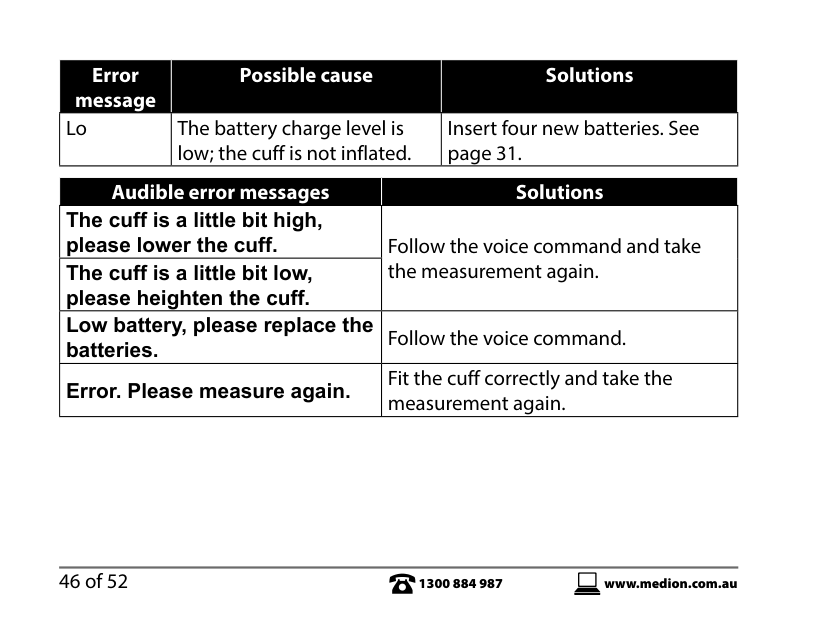
|Error message|Possible cause|Solutions| |---|---|---| |Lo|The battery charge level is low; the cuff is not inflated.|Insert four new batteries. See page 31.|
|Audible error messages|Solutions|

|---|---| |The cuff is a little bit high, please lower the cuff.|Follow the voice command and take the measurement again.| |The cuff is a little bit low, please heighten the cuff.|Follow the voice command and take the measurement again.| |Low battery, please replace the batteries.|Follow the voice command.| |Error. Please measure again.|Fit the cuff correctly and take the measurement again.|
18. Cleaning, storing and servicing the
device
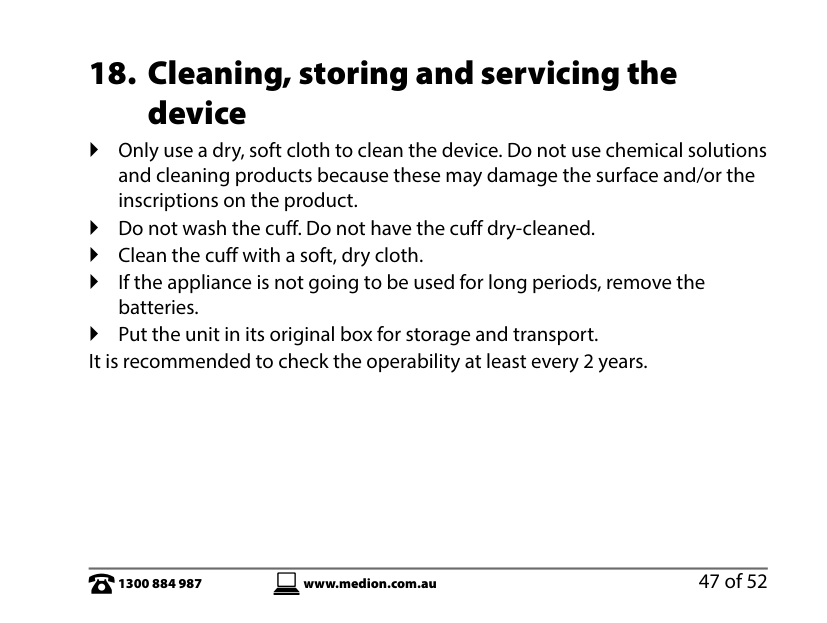
Only use a dry, soft cloth to clean the device. Do not use chemical solutions and cleaning products because these may damage the surface and/or the inscriptions on the product.
Do not wash the cuff. Do not have the cuff dry-cleaned. Clean the cuff with a soft, dry cloth. If the appliance is not going to be used for long periods, remove the
batteries. Put the unit in its original box for storage and transport. It is recommended to check the operability at least every 2 years.
19. Technical data
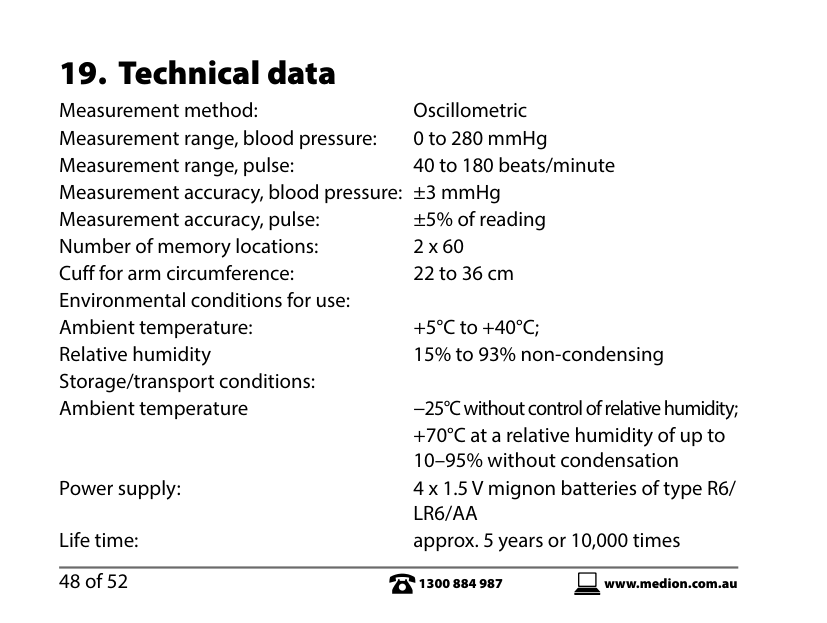
Measurement method: Oscillometric Measurement range, blood pressure: 0 to 280 mmHg Measurement range, pulse: 40 to 180 beats/minute Measurement accuracy, blood pressure: ±3 mmHg Measurement accuracy, pulse: ±5% of reading Number of memory locations: 2 x 60 Cuff for arm circumference: 22 to 36 cm Environmental conditions for use: Ambient temperature: +5°C to +40°C; Relative humidity 15% to 93% non-condensing Storage/transport conditions: Ambient temperature −25°C without control of relative humidity;
+70°C at a relative humidity of up to 10–95% without condensation
Power supply: 4 x 1.5 V mignon batteries of type R6/ LR6/AA Life time: approx. 5 years or 10,000 times
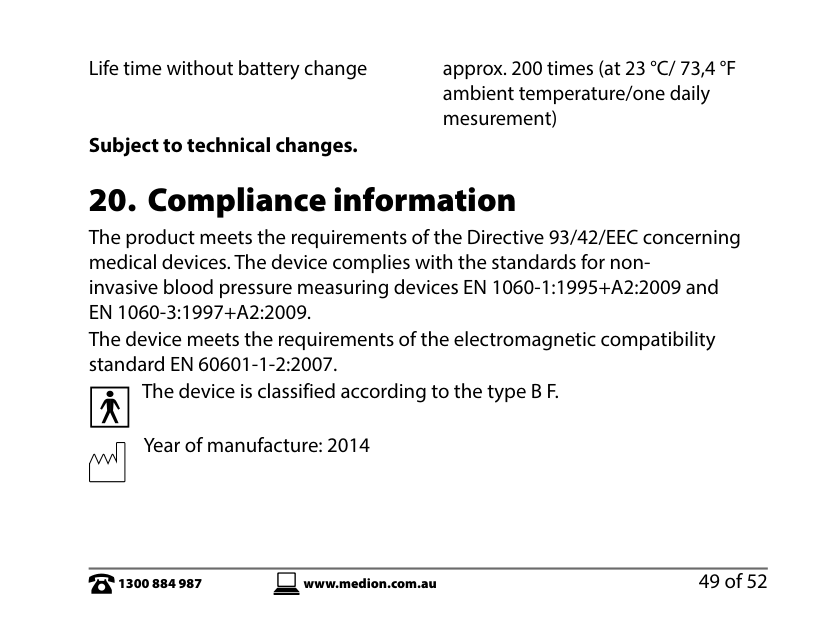
Life time without battery change approx. 200 times (at 23 °C/ 73,4 °F ambient temperature/one daily mesurement)
####### Subject to technical changes.
The device is classified according to the type B F.
| | |---|
Year of manufacture: 2014
Shenzhen Pump Medical System Co., Ltd. 2/F, West, M-7 Sinosteel Building, Maqueling Estate, Hi-Tech Industrial Park, Nanshan District, 518057, Shenzhen, P.R. China, Sponsor Medion Australia Pty Ltd. Status: 09/23/2014
Upper Arm Blood Pressure Monitor MD 15469
21. Repair and Refurbished Goods
or Parts Notice Unfortunately, from time to time, faulty products are manufactured which need to be returned to the Supplier for repair. Please be aware that if your product is capable of retaining user-generated data (such as files stored on a computer hard drive, telephone numbers stored on a mobile telephone, songs stored on a portable media player, games saved on a games console or files stored on a USB memory stick) during the process of repair, some or all of your stored data may be lost. We recommend you save this data elsewhere prior to sending the product for repair.
You should also be aware that rather than repairing goods, we may replace them with refurbished goods of the same type or use refurbished parts in the repair process. Please be assured though, refurbished parts or replacements are only used where they meet ALDI’s stringent quality specifications. If at any time you feel your repair is being handled unsatisfactorily, you may escalate your complaint. Please telephone us on 1300 884 987 or write to us at: MEDION Australia Pty Ltd St. Leonards, NSW 2065 Australia
MEDION Help Desk 1300 884 987 (Operating Hours: Mon-Fri 8:30AM to 6:00PM EST) Email: australia@medion.com
09/2014
Australian Sponsor: MEDION Australia Pty Ltd St Leonards, NSW 2065 Australia
helpline: 1300 884 987 Email: australia@medion.com
www.medion.com.au