
Xiaomi MI 360 Home Security Camera 1080p
Ask AI
— answers from the official manualAnswers from the official manual.
Common questions
Common Questions
9 totalWhat happens if I force rotate the security camera after turning on?
Do not attempt to rotate its head by force; adjustments can only be made through the app once the device is turned on.
How do I restore factory settings?
Press and hold the Reset button to restore your device to factory settings. Data stored on the MicroSD card will not be deleted.
What is the suitable operating temperature range for this product?
The appropriate operating temperature range for this security camera is -10 °C to 50 °C.
How can I set home surveillance options using the Mi Home app?
In the Mi Home app under settings, home surveillance can be enabled or disabled with different monitoring schedules and camera angles specified for preferred times like 24-hour, daytime, nighttime depending on needs.
How do I set up MicroSD card storage?
First disconnect power to the security camera. Adjust the lens upward until revealing the MicroSD slot and insert a compatible SD card with its contact points facing downward. Ensure you use a genuine MicroSD card of at least U1/Class 10 quality, limiting capacity up to 64 GB.
What network requirements are needed for proper functioning?
Install the camera in an environment with strong Wi-Fi signal and avoid placing it near metal structures that can interfere with signals.
Full Manual
10 pages
Mi Home Security Camera 360° 1080p User Manual
Read this manual carefully before use, and retain it for future reference
Product Overview
Status Indicator
Lens MIC MicroSD Slot
(Can be revealed by pushing the lens upward)
Reset Button
reset
Front View Rear View
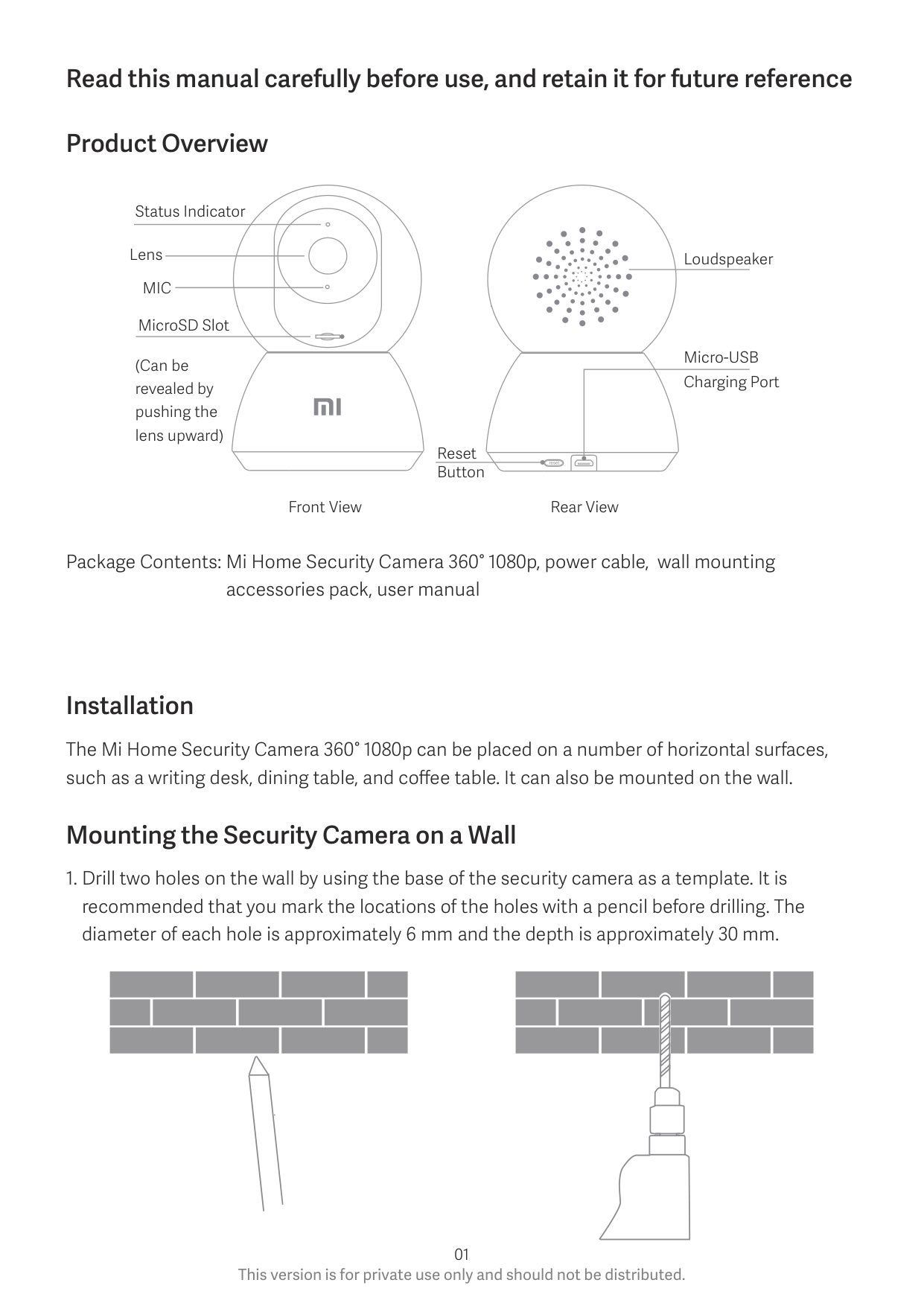
Loudspeaker
Micro-USB Charging Port
Package Contents: Mi Home Security Camera 360° 1080p, power cable, wall mounting accessories pack, user manual
Installation
The Mi Home Security Camera 360° 1080p can be placed on a number of horizontal surfaces, such as a writing desk, dining table, and coffee table. It can also be mounted on the wall.
Mounting the Security Camera on a Wall
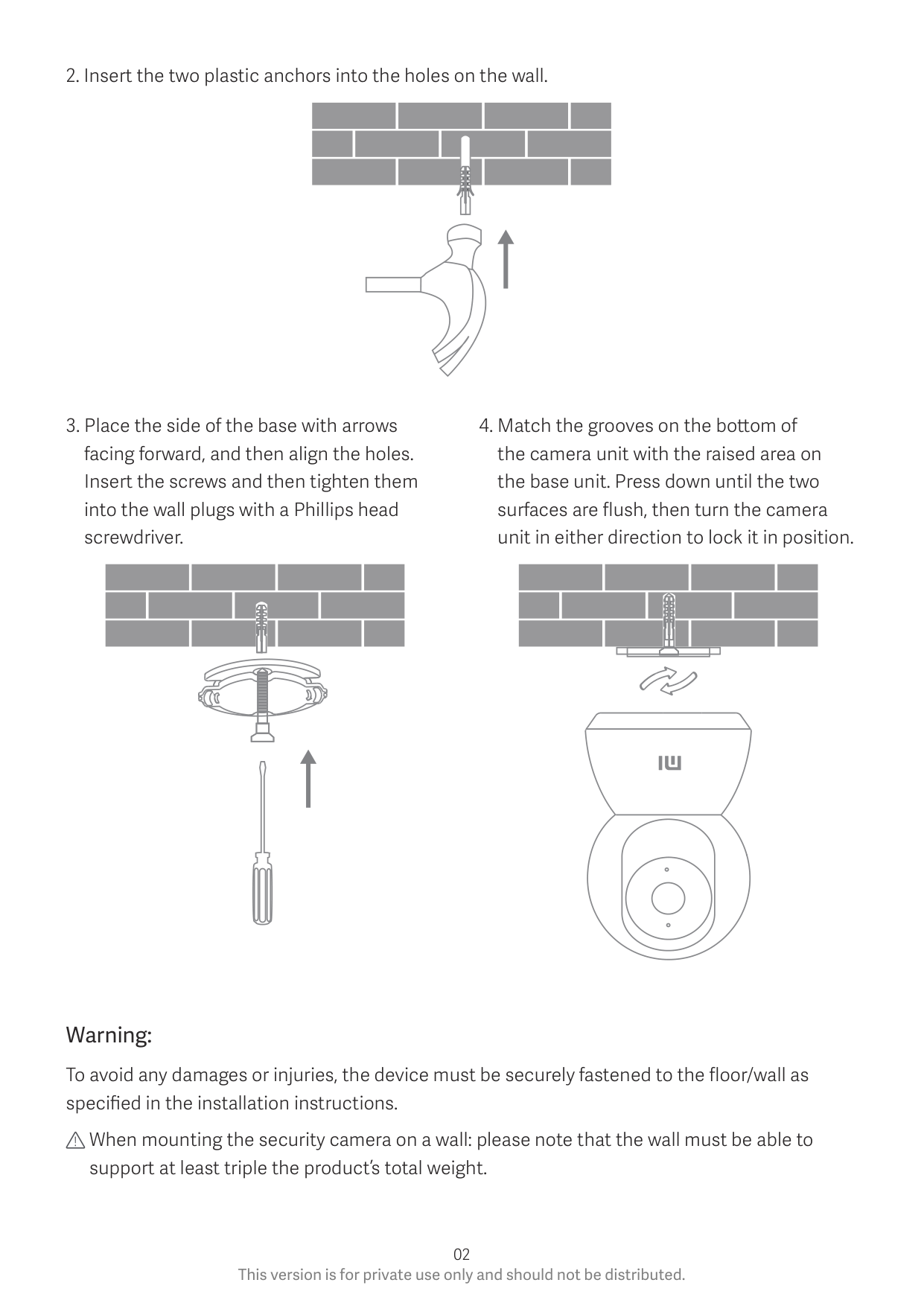
| | |---| | |
Warning:
To avoid any damages or injuries, the device must be securely fastened to the floor/wall as specified in the installation instructions.
When mounting the security camera on a wall: please note that the wall must be able to support at least triple the product’s total weight.
Product Instructions • Turning the Device On The Mi Home Security Camera will automatically activate once the power cable is inserted into the Micro-USB charging port.
| | | |
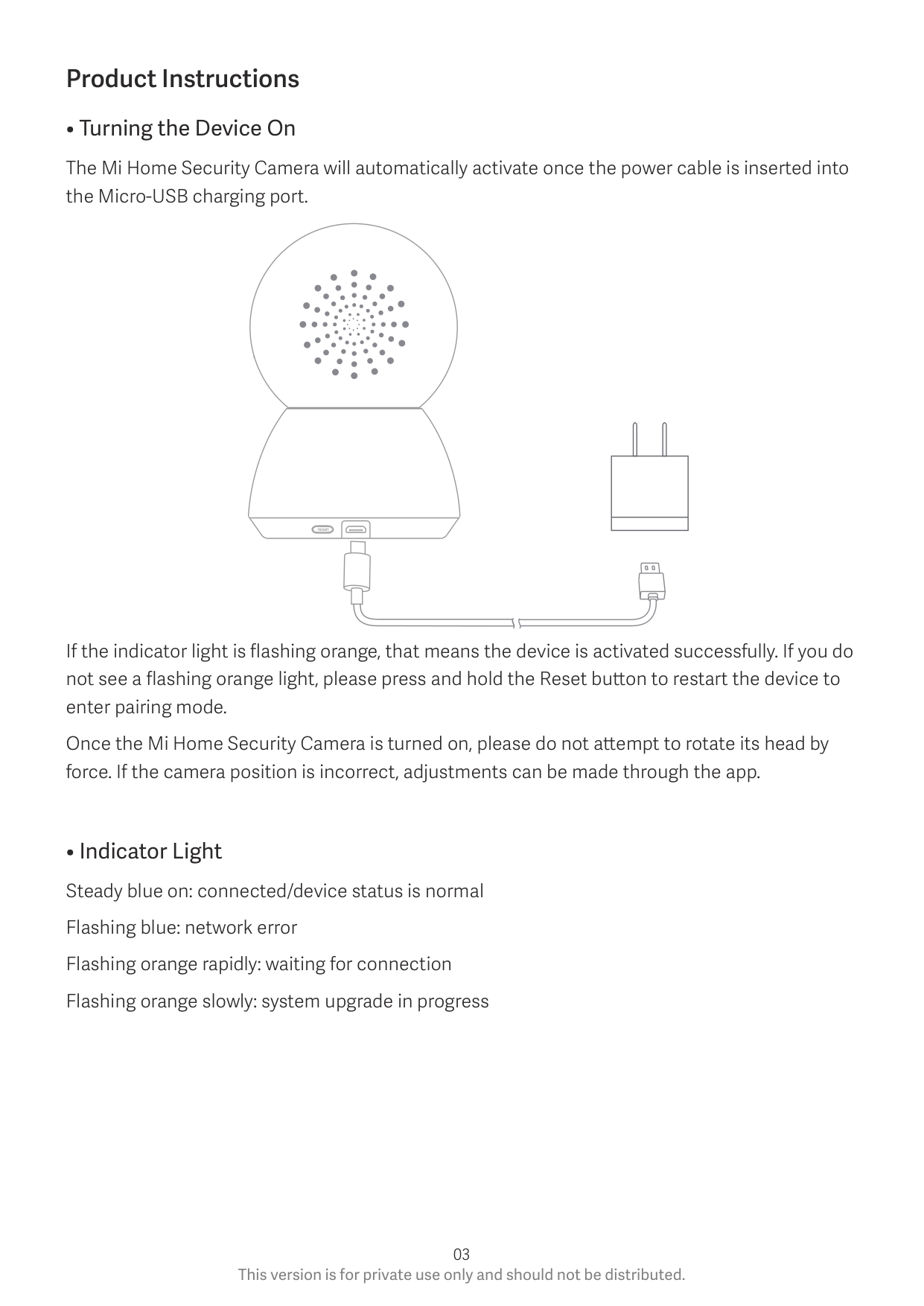
|---|---|---| | | | | | | | |
reset
If the indicator light is flashing orange, that means the device is activated successfully. If you do not see a flashing orange light, please press and hold the Reset button to restart the device to enter pairing mode.
Once the Mi Home Security Camera is turned on, please do not attempt to rotate its head by force. If the camera position is incorrect, adjustments can be made through the app.
• Installing a MicroSD Card
Make sure that the power to the security camera is already disconnected. Adjust the camera lens upward until the MicroSD slot is revealed, then insert the MicroSD card into the card slot with its contact points facing downward.
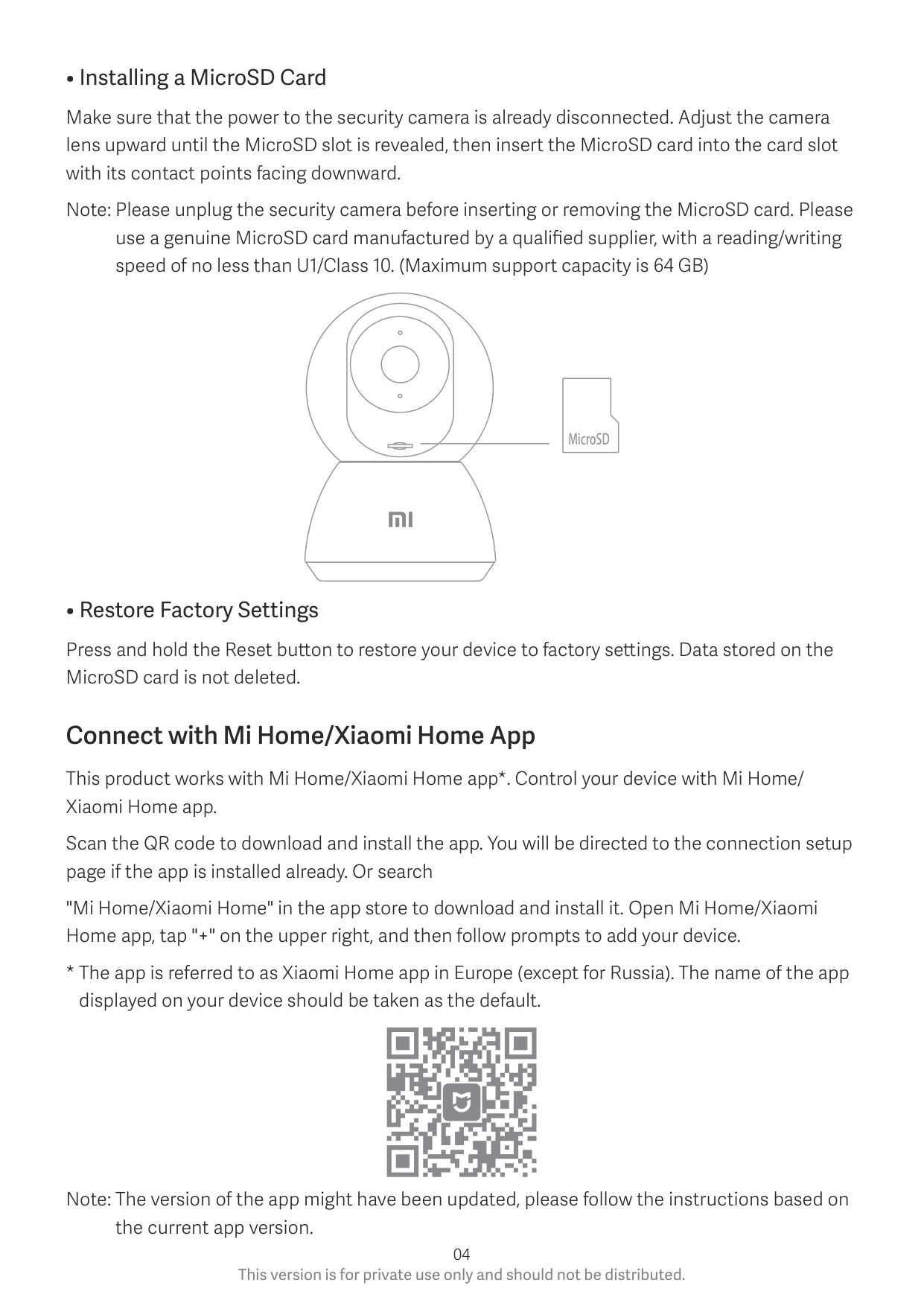
Note: Please unplug the security camera before inserting or removing the MicroSD card. Please use a genuine MicroSD card manufactured by a qualified supplier, with a reading/writing speed of no less than U1/Class 10. (Maximum support capacity is 64 GB)
MicroSD
• Restore Factory Settings
Press and hold the Reset button to restore your device to factory settings. Data stored on the MicroSD card is not deleted.
Connect with Mi Home/Xiaomi Home App
This product works with Mi Home/Xiaomi Home app*. Control your device with Mi Home/ Xiaomi Home app.
Scan the QR code to download and install the app. You will be directed to the connection setup page if the app is installed already. Or search
"Mi Home/Xiaomi Home" in the app store to download and install it. Open Mi Home/Xiaomi Home app, tap "+" on the upper right, and then follow prompts to add your device.
Note: The version of the app might have been updated, please follow the instructions based on the current app version.
Precautions
Real-time Surveillance
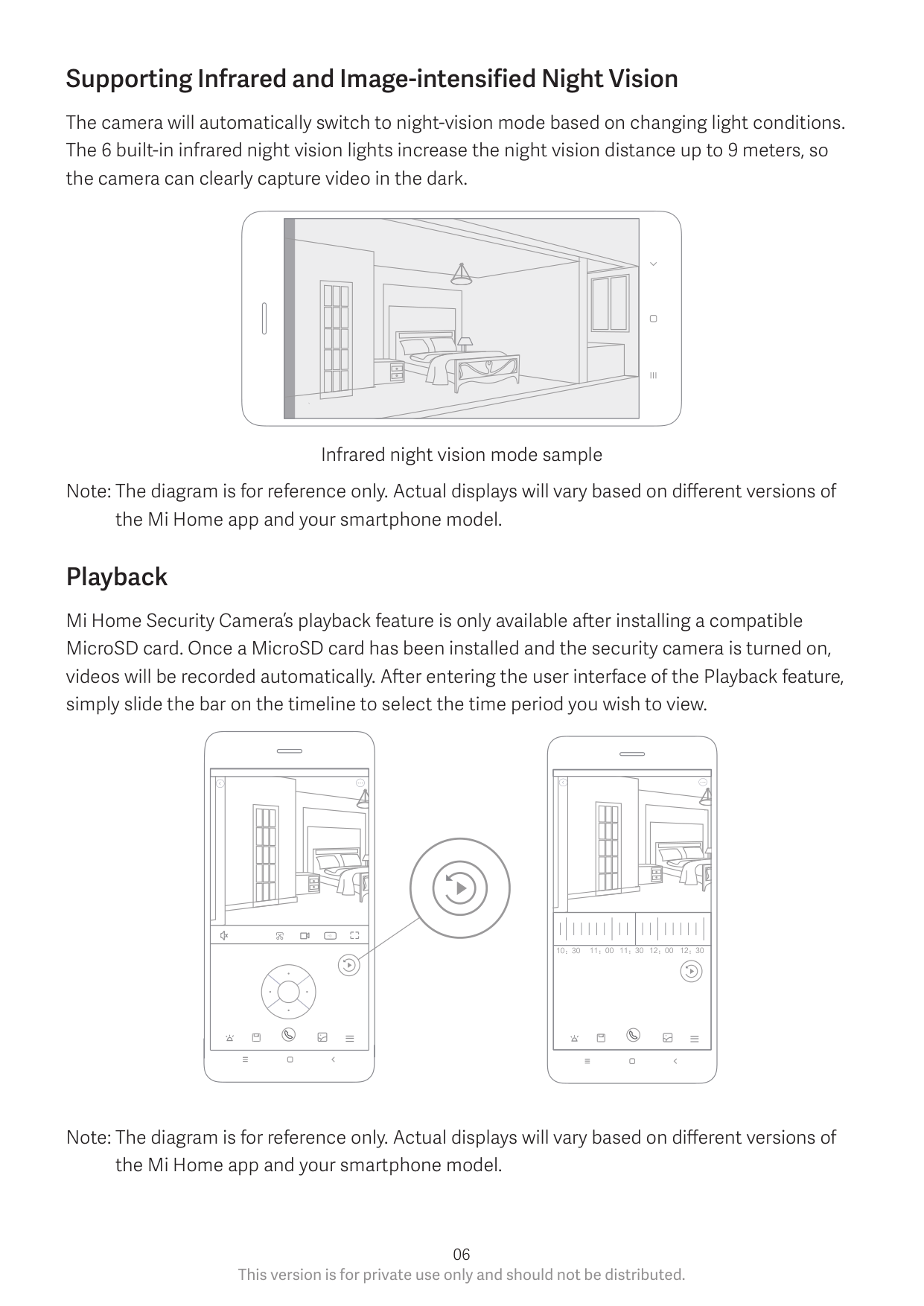
Launch the Mi Home app and select a Mi Home Security Camera 360° 1080p that is already connected to monitor the surroundings in real-time. The camera’s control interface allows you to adjust the sharpness of the image, as well as to change the device’s vertical and horizontal viewing angles. Additional features such as screen capture or record and remote communications can also be performed.
| | | | |---|---|---| | | | |
Supporting Infrared and Image-intensified Night Vision
The camera will automatically switch to night-vision mode based on changing light conditions. The 6 built-in infrared night vision lights increase the night vision distance up to 9 meters, so the camera can clearly capture video in the dark.
| | | |---|---|
Infrared night vision mode sample Note: The diagram is for reference only. Actual displays will vary based on different versions of the Mi Home app and your smartphone model.
Playback
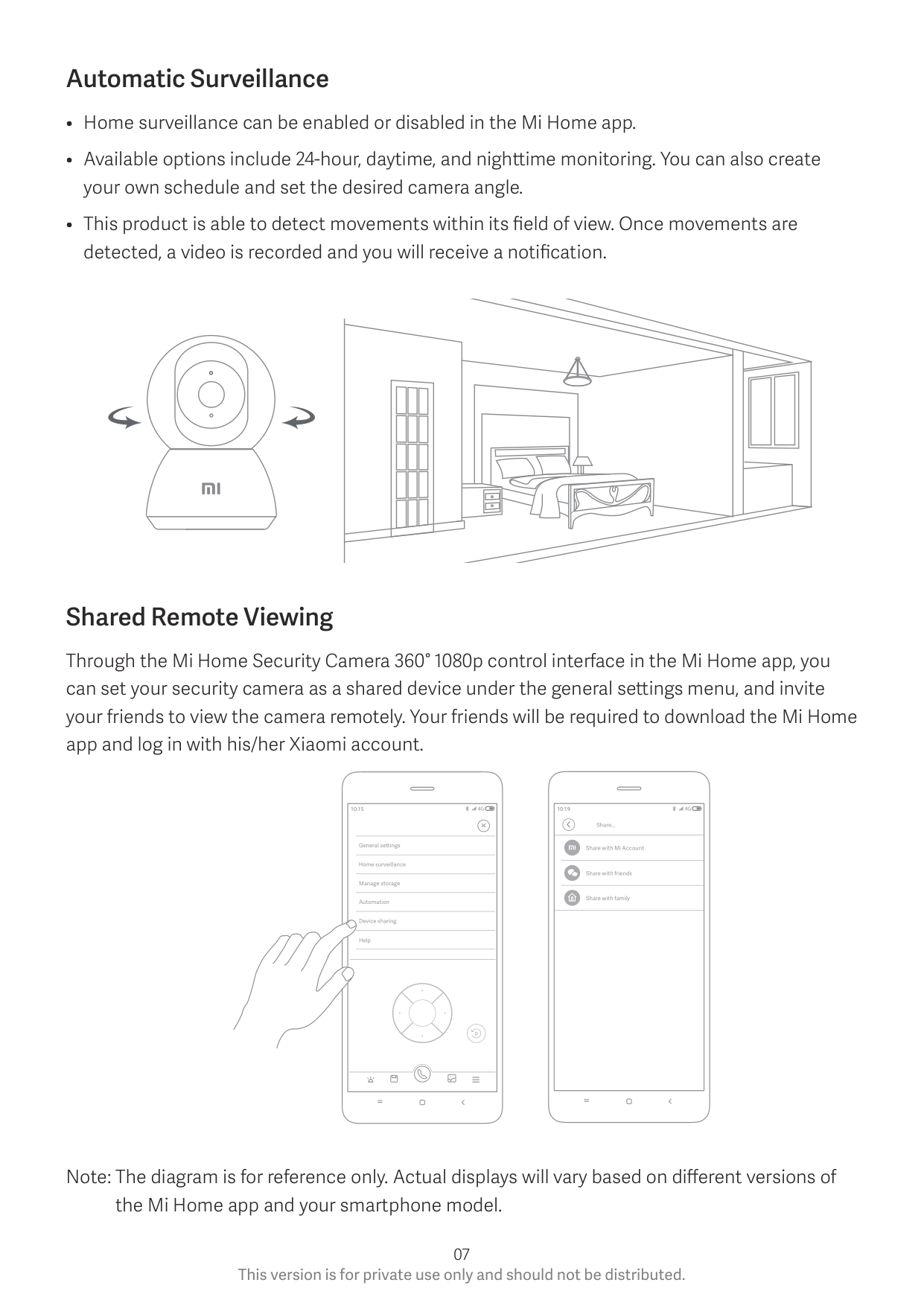
Mi Home Security Camera’s playback feature is only available after installing a compatible MicroSD card. Once a MicroSD card has been installed and the security camera is turned on, videos will be recorded automatically. After entering the user interface of the Playback feature, simply slide the bar on the timeline to select the time period you wish to view.
| | | | |---|---|---|
| | | |
| | | | |---|---|---| | | | |
####### HD
Note: The diagram is for reference only. Actual displays will vary based on different versions of the Mi Home app and your smartphone model.
Automatic Surveillance
Shared Remote Viewing
Through the Mi Home Security Camera 360° 1080p control interface in the Mi Home app, you can set your security camera as a shared device under the general settings menu, and invite your friends to view the camera remotely. Your friends will be required to download the Mi Home app and log in with his/her Xiaomi account.
###### 4G10:194G10:15
Share...
General se ings
Share with Mi Account
Home surveillance
Share with friends
Manage storage
Share with family
Automation
Device sharing
Help
WEEE Disposal and Recycling Information
Correct Disposal of this product. This marking indicates that product should not be disposal with other household wastes throughout the EU. To prevent possible harm to the environment or human health from uncontrolled waste disposal, recycle it responsibly to promote the sustainable reuse sustainable reuse of material resources. To return your used device, please use the return and collection systems or contact the retailer where the product was purchased. They can take this product for environment safe recycling.
Hereby, Shanghai Imilab Technology Co., Ltd. declares that the radio equipment type Mi Home Security Camera 360° 1080p is in compliance with Directive 2014/53/EU. The full text of the EU declaration of conformity is available at the following internet address:
https://www.mi.com/en/service/support/declaration.html
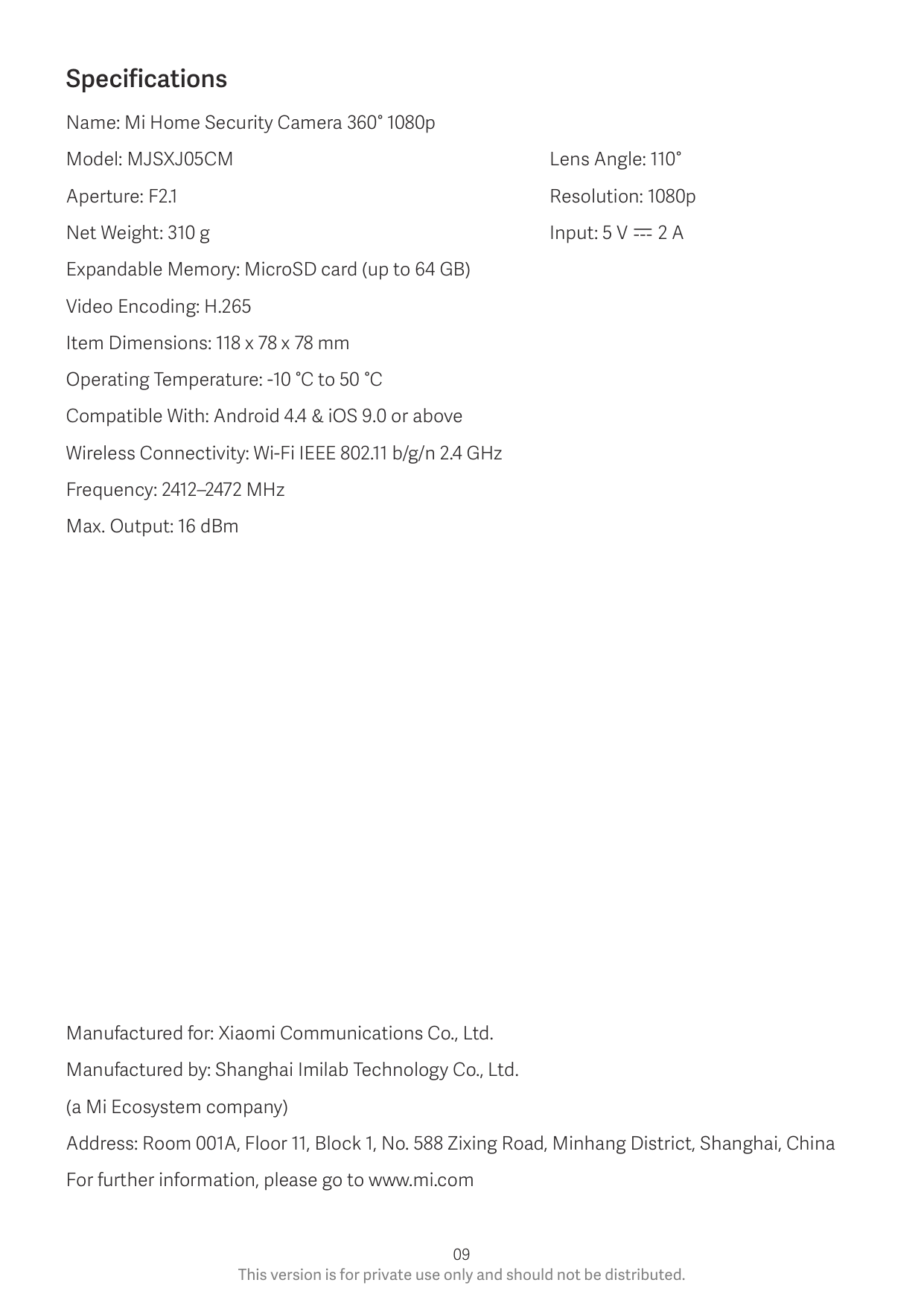
Specifications Name: Mi Home Security Camera 360° 1080p Model: MJSXJ05CM Lens Angle: 110° Aperture: F2.1 Resolution: 1080p Net Weight: 310 g Input: 5 V 2 A Expandable Memory: MicroSD card (up to 64 GB) Video Encoding: H.265 Item Dimensions: 118 x 78 x 78 mm Operating Temperature: -10 °C to 50 °C Compatible With: Android 4.4 & iOS 9.0 or above Wireless Connectivity: Wi-Fi IEEE 802.11 b/g/n 2.4 GHz Frequency: 2412–2472 MHz Max. Output: 16 dBm
Manufactured for: Xiaomi Communications Co., Ltd. Manufactured by: Shanghai Imilab Technology Co., Ltd. (a Mi Ecosystem company) Address: Room 001A, Floor 11, Block 1, No. 588 Zixing Road, Minhang District, Shanghai, China For further information, please go to www.mi.com