
Dizimo Bsp D3 Mobile Phone Controller Bluetooth Joystick Switch
Ask AI
— answers from the official manualAnswers from the official manual.
Common questions
Common Questions
9 totalHow do I pair Dizimo Bsp D3 with an iOS device?
Press and hold the 'RB' button, then press the HOME button to turn on the controller (LED1 & LED2 will blink). On your iPhone, go to Bluetooth settings, find and connect “Xbox Wireless Controller”. When LED1 & LED2 stays solid, the connection is successful.
How do I record a macro on Dizimo Bsp D3 controller?
Hold down SEL + M1/M2 until LEDs 1, 2 and 3 lash quickly to enter MACRO recording mode. Press the buttons of the controller to record your macro sequence. Tap M1/M2 once to save after completing.
What does it mean if LED3 is rapidly flashing?
A rapidly flashing LED3 indicates that the battery level on the Dizimo Bsp D3 controller is low and requires charging urgently. (Page 6)
How do I clear a macro recording on Dizimo Bsp D3?
Hold down SEL + M1/M2 until LEDs lash quickly, then press the M1/M2 button again to cancel any recorded macros.
How do I ensure PUBG Mobile works with Dizimo Bsp D3 controller?
Download ShootingPlus and PUBG Mobile from Play Store. Connect the Dizimo control using steps for Android mode 1 to use correctly.
What should I do if the Controller does not work after successful pairing?
First, forget the controller in your device’s Bluetooth settings and restart. Then re-pair using the proper method. (Page 5)
Full Manual
8 pages


| | |---| | |
| | | |---|---|
| | | |---|---|
Y
BX
A
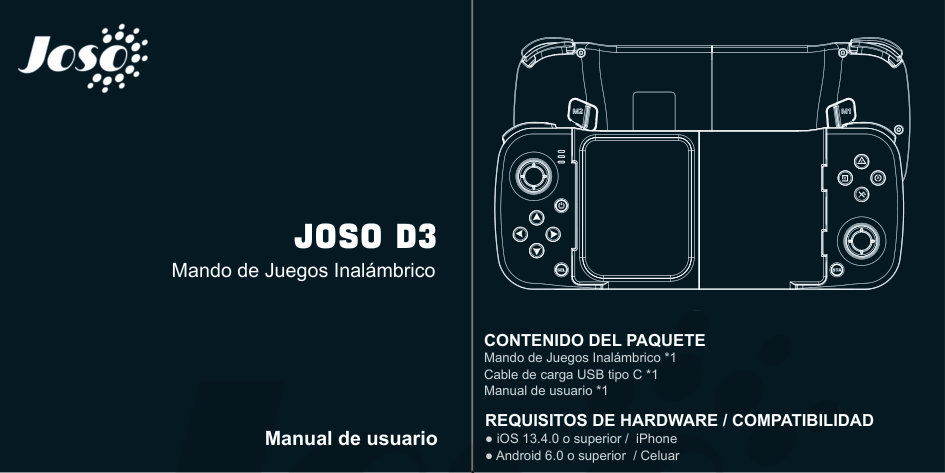
Joso D3
Wireless Game Controller
SEL STA
| | |---| | |
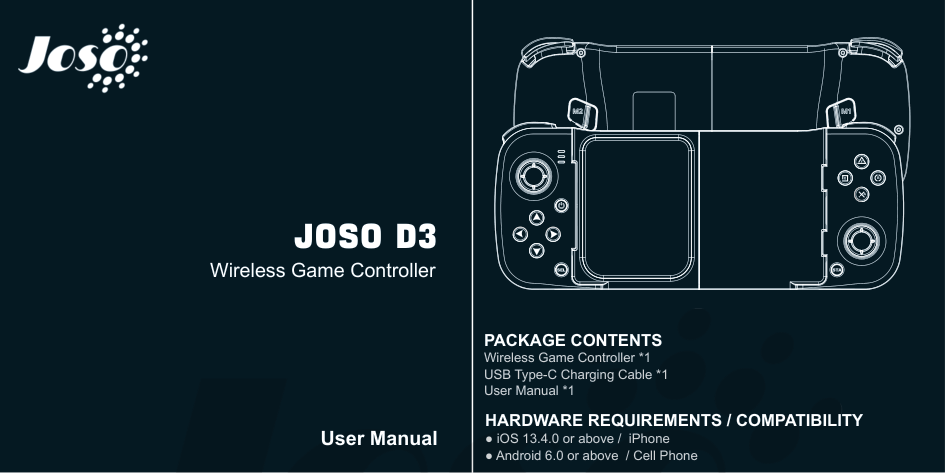
PACKAGE CONTENTS Wireless Game Controller *1 USB Type-C Charging Cable *1 User Manual *1
HARDWARE REQUIREMENTS / COMPATIBILITY
User Manual

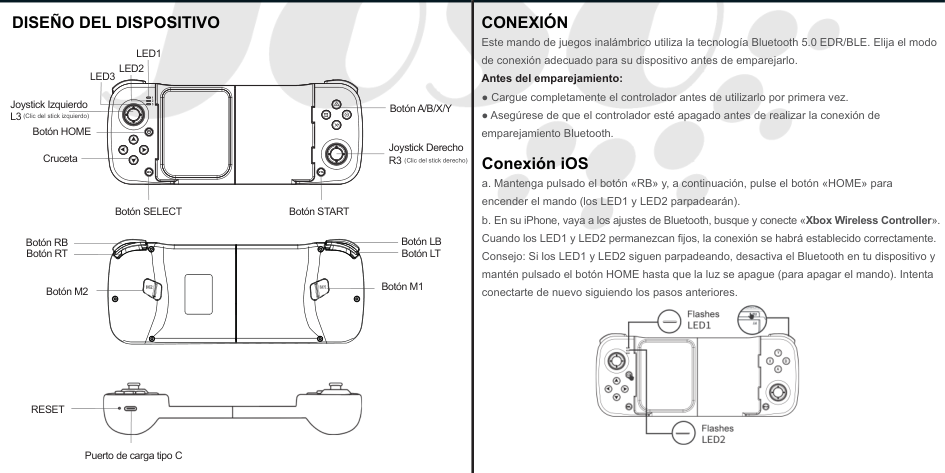
#### DEVICE LAYOUT
CONNECTION This wireless game controller uses Bluetooth 5.0 EDR/BLE technology, choose the right connection mode for your device before pairing. Before pairing:
LED1 LED2
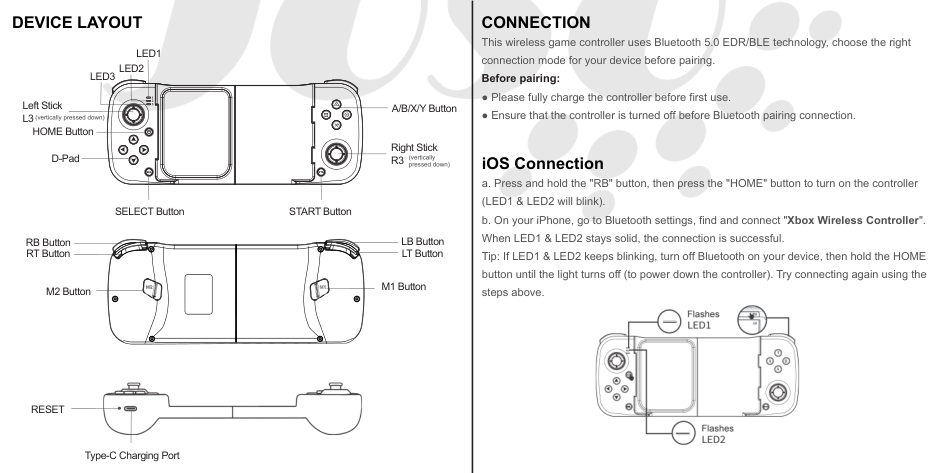
LED3
| | | |---|---|
| | | |---|---|
2
(vertically pressed down) Left Stick L3
A/B/X/Y Button
Y
BX
A
HOME Button
Right Stick R3
D-Pad
(vertically pressed down)
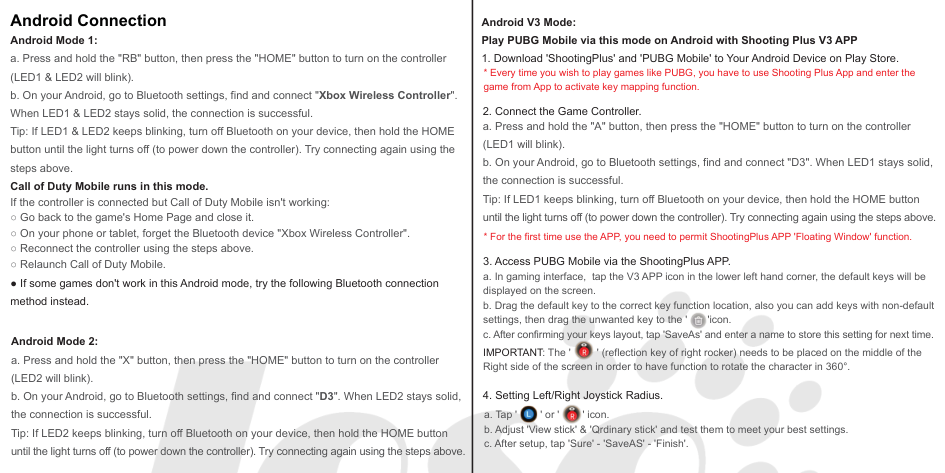
##### iOS Connection
SEL STA
START ButtonSELECT Button
LB Button LT Button
RB Button RT Button
M1 ButtonM2 Button


RESET
Type-C Charging Port
##### Android Connection
Android V3 Mode: Play PUBG Mobile via this mode on Android with Shooting Plus V3 APP
###### Android Mode 1:

● If some games don't work in this Android mode, try the following Bluetooth connection method instead.

###### Android Mode 2:

IMPORTANT: The ' ' (reflection key of right rocker) needs to be placed on the middle of the Right side of the screen in order to have function to rotate the character in 360°.
####### 4. Setting Left/Right Joystick Radius.


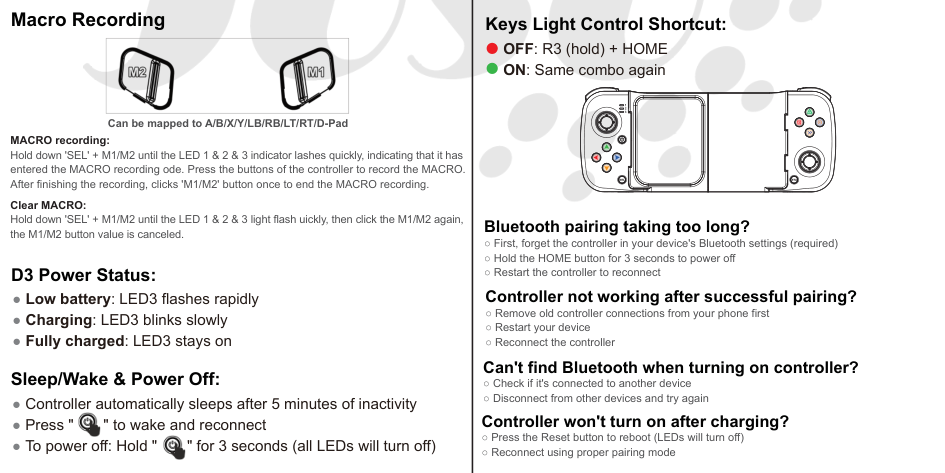
Macro Recording
Keys Light Control Shortcut:
OFF: R3 (hold) + HOME ON: Same combo again
| | | |---|---|
| | | |---|---|
Y
Can be mapped to A/B/X/Y/LB/RB/LT/RT/D-Pad
BX
A
MACRO recording: Hold down 'SEL' + M1/M2 until the LED 1 & 2 & 3 indicator lashes quickly, indicating that it has entered the MACRO recording ode. Press the buttons of the controller to record the MACRO. After finishing the recording, clicks 'M1/M2' button once to end the MACRO recording.
SEL STA
Clear MACRO: Hold down 'SEL' + M1/M2 until the LED 1 & 2 & 3 light flash uickly, then click the M1/M2 again, the M1/M2 button value is canceled.
##### Bluetooth pairing taking too long?
D3 Power Status:


| | |---| | |

| | | |---|---|
| | | |---|---|
Y
BX
A
Joso D3
Mando de Juegos Inalámbrico
SEL STA
| | |---| | |
CONTENIDO DEL PAQUETE Mando de Juegos Inalámbrico *1 Cable de carga USB tipo C *1 Manual de usuario *1
REQUISITOS DE HARDWARE / COMPATIBILIDAD
Manual de usuario
● iOS 13.4.0 o superior / iPhone ● Android 6.0 o superior / Celuar
| | | |---|---| |
DISEÑO DEL DISPOSITIVO
(Clic del stick derecho)

SEL STA
Y
BX
A
2
Botón A/B/X/Y
Joystick Derecho R3
(Clic del stick izquierdo) Joystick Izquierdo L3
LED1 LED2
LED3
Cruceta
Botón HOME
Botón STARTBotón SELECT
Botón RB Botón RT
Botón LB Botón LT
Botón M1Botón M2
RESET
Puerto de carga tipo C
|CONEXIÓN Este mando de juegos inalámbrico utiliza la tecnología Bluetooth 5.0 EDR/BLE. Elija el modo de conexión adecuado para su dispositivo antes de emparejarlo. Antes del emparejamiento:
● Cargue completamente el controlador antes de utilizarlo por primera vez.
● Asegúrese de que el controlador esté apagado antes de realizar la conexión de emparejamiento Bluetooth. Conexión iOS
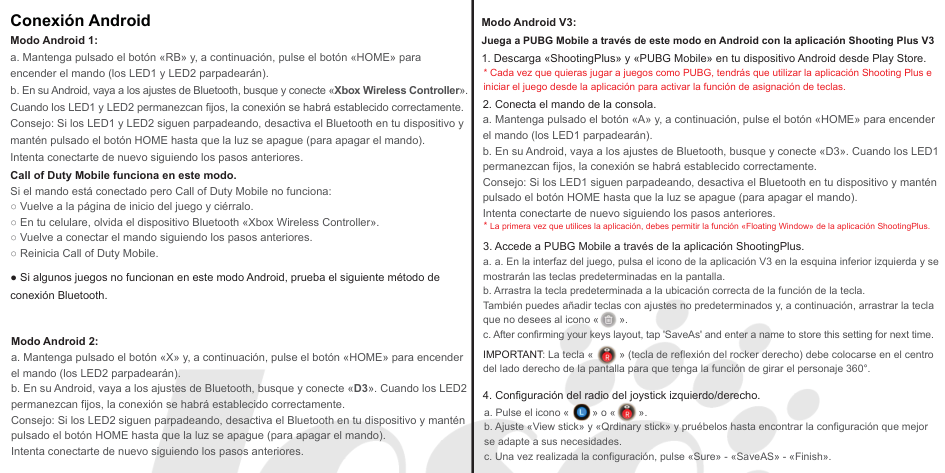
a. Mantenga pulsado el botón «RB» y, a continuación, pulse el botón «HOME» para encender el mando (los LED1 y LED2 parpadearán).
b. En su iPhone, vaya a los ajustes de Bluetooth, busque y conecte «Xbox Wireless Controller». Cuando los LED1 y LED2 permanezcan fijos, la conexión se habrá establecido correctamente. Consejo: Si los LED1 y LED2 siguen parpadeando, desactiva el Bluetooth en tu dispositivo y mantén pulsado el botón HOME hasta que la luz se apague (para apagar el mando). Intenta conectarte de nuevo siguiendo los pasos anteriores.
|
##### Conexión Android
Modo Android V3: Juega a PUBG Mobile a través de este modo en Android con la aplicación Shooting Plus V3
###### Modo Android 1:

● Si algunos juegos no funcionan en este modo Android, prueba el siguiente método de conexión Bluetooth.

###### Modo Android 2:

IMPORTANT: La tecla « » (tecla de reflexión del rocker derecho) debe colocarse en el centro del lado derecho de la pantalla para que tenga la función de girar el personaje 360°.


Grabación de macros
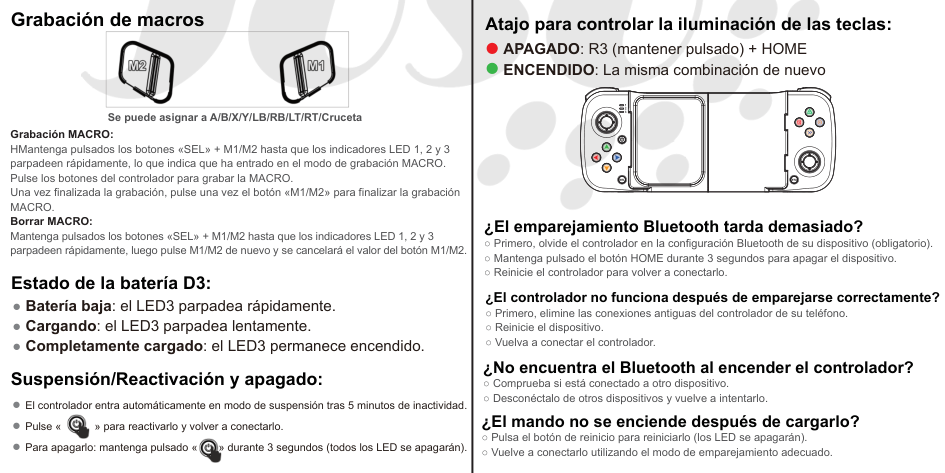
Atajo para controlar la iluminación de las teclas: APAGADO: R3 (mantener pulsado) + HOME ENCENDIDO: La misma combinación de nuevo
| | | |---|---|
| | | |---|---|
Y
Se puede asignar a A/B/X/Y/LB/RB/LT/RT/Cruceta
BX
Grabación MACRO: HMantenga pulsados los botones «SEL» + M1/M2 hasta que los indicadores LED 1, 2 y 3 parpadeen rápidamente, lo que indica que ha entrado en el modo de grabación MACRO. Pulse los botones del controlador para grabar la MACRO. Una vez finalizada la grabación, pulse una vez el botón «M1/M2» para finalizar la grabación MACRO. Borrar MACRO: Mantenga pulsados los botones «SEL» + M1/M2 hasta que los indicadores LED 1, 2 y 3 parpadeen rápidamente, luego pulse M1/M2 de nuevo y se cancelará el valor del botón M1/M2.
A
SEL STA
##### ¿El emparejamiento Bluetooth tarda demasiado?
Estado de la batería D3:

