
Ask AI
— answers from the official manualAnswers from the official manual.
Common questions
Common Questions
4 totalWhy do I need an OTP during app installation?
During the initial setup, you must enter the mobile number and follow through with an OTP verification process on the phone to ensure the correct user installs the application.
How long should I charge my watch before it reaches full capacity?
The watch gets fully charged in about 90 minutes when connected to a charger.
What is required to pair the watch with my phone?
To pair your Fastrack Reflex Curv, download the ‘Fastrack Reflex World’ app from the Google Play Store or App Store. Provide necessary permissions and scan the QR code displayed on the watch within the app.
How do I change temperature units on my watch interface?
To change the temperature unit system, go to the app and navigate to Settings > My Watch > Temperature Unit System. Here, you can switch between different display options.
Full Manual
51 pages
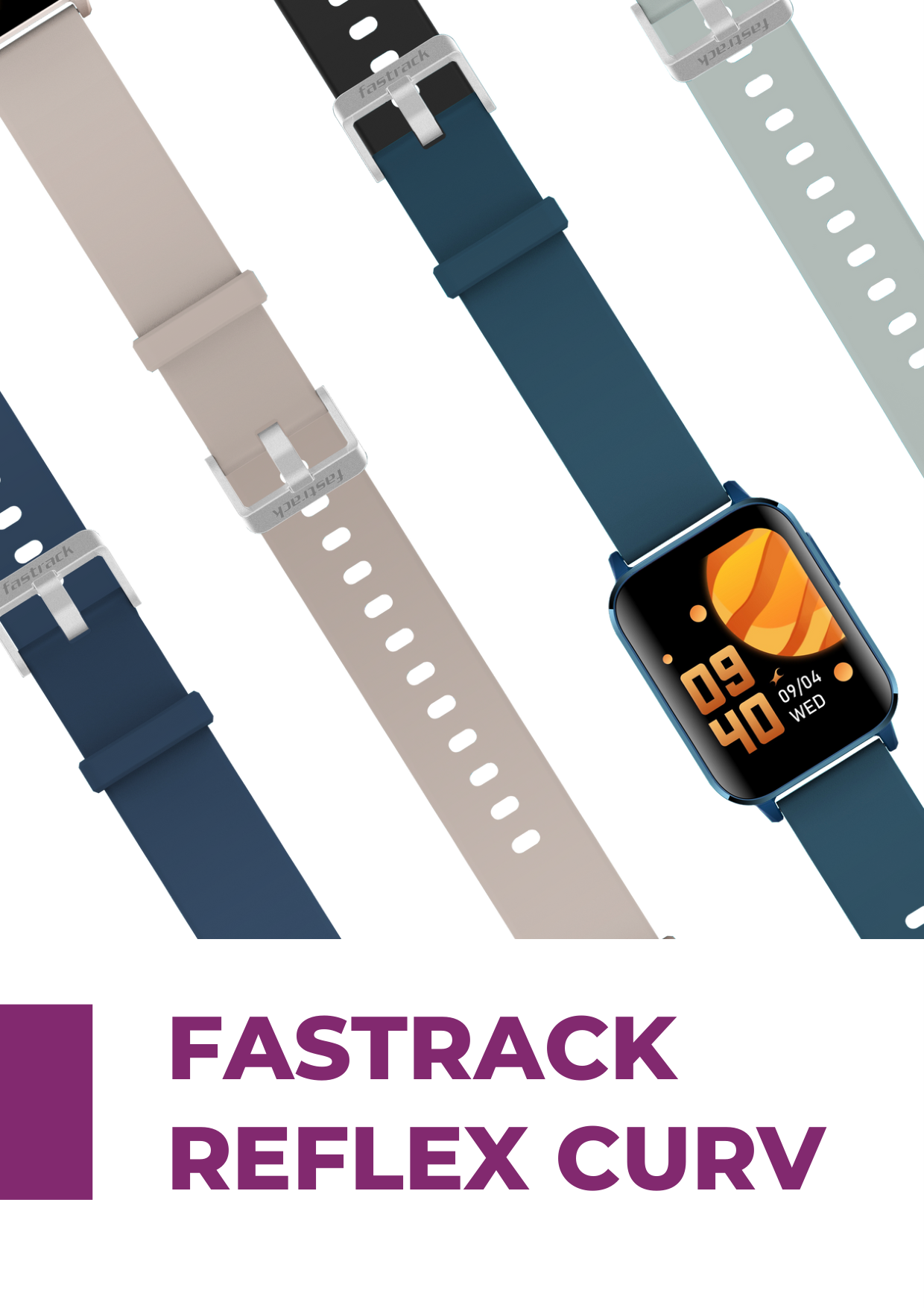

FASTRACK REFLEX CURV
|Introduction|3| |---|---| |What's in the Box|4| |Product Information|5| |App Installation & Features|6| |Watch Pairing|7 - 11| |Watch Home Screen|12| |Watch Shortcuts|13| |Watch Menus|14 - 25| |App Functions|26 - 37| |Tech Specifications|38 - 39| |FAQ's|40 - 48|
|FCC Statement|49| |CE Statement|50| |Note on the accuracy of activity tracker|51|
CONTENTS

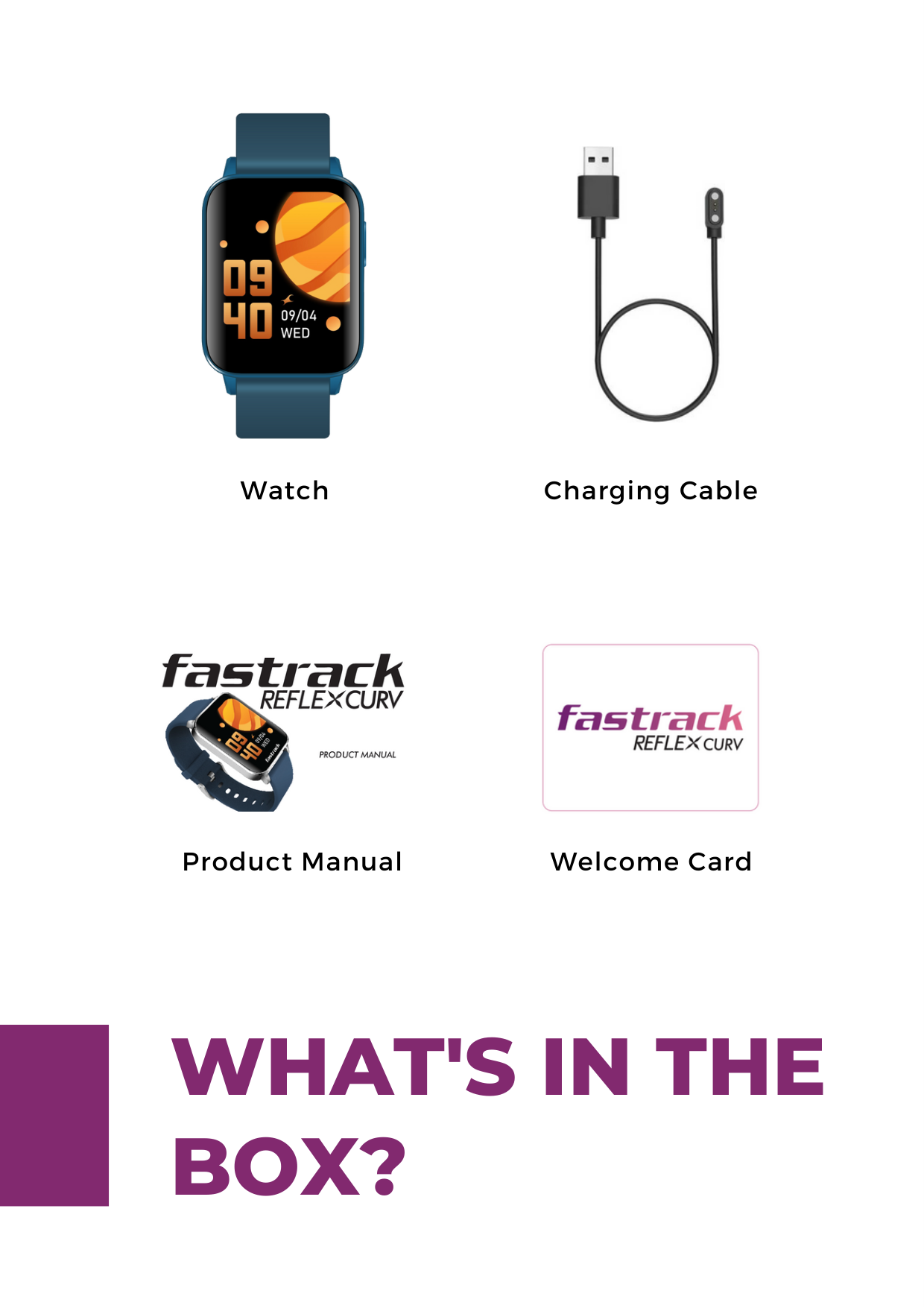
Fastrack Reflex Curv is a stylish and feature-packed smartwatch with an amazing one of its kind 2.5D curved display. It is a Statement of Style and Comfort with a curved rectangular case and some headturning colourful design options. Available in three stunning colours Ebony Black, Cobalt Blue and Dusty Pink.
A perfect companion for your health goals with built-in features like 24*7 HRM, SpO2, Body Temperature, Sleep Tracker, Women's Health, 20+ Multisport modes, Sedentary Reminder & more.
Never miss that important notification with Reflex Curv's Call, SMS and Social Media notifications right on your wrist. All this with up to 7 days of battery life.
INTRODUCTION
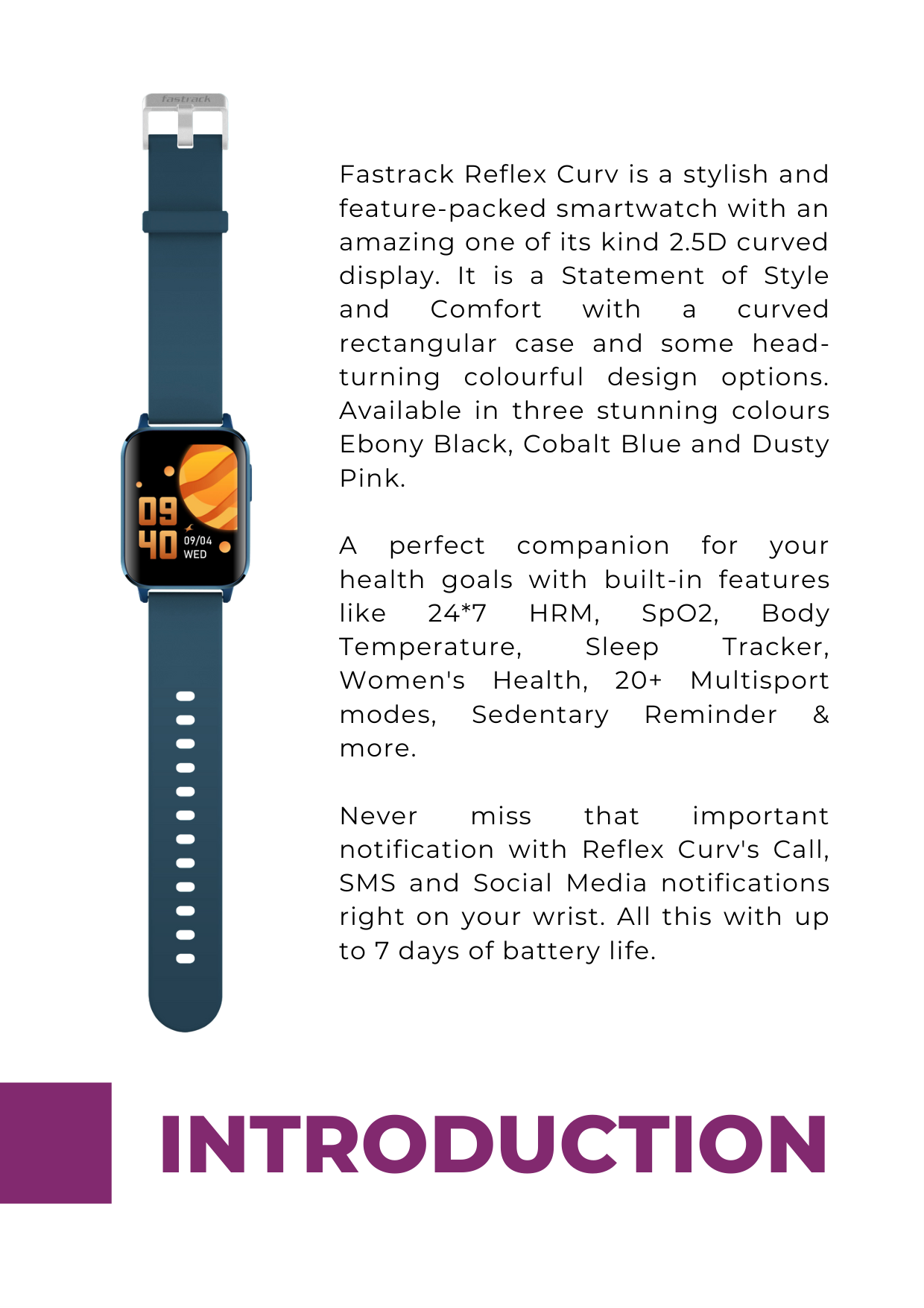


Watch Charging Cable


Welcome CardProduct Manual
WHAT'S IN THE BOX?
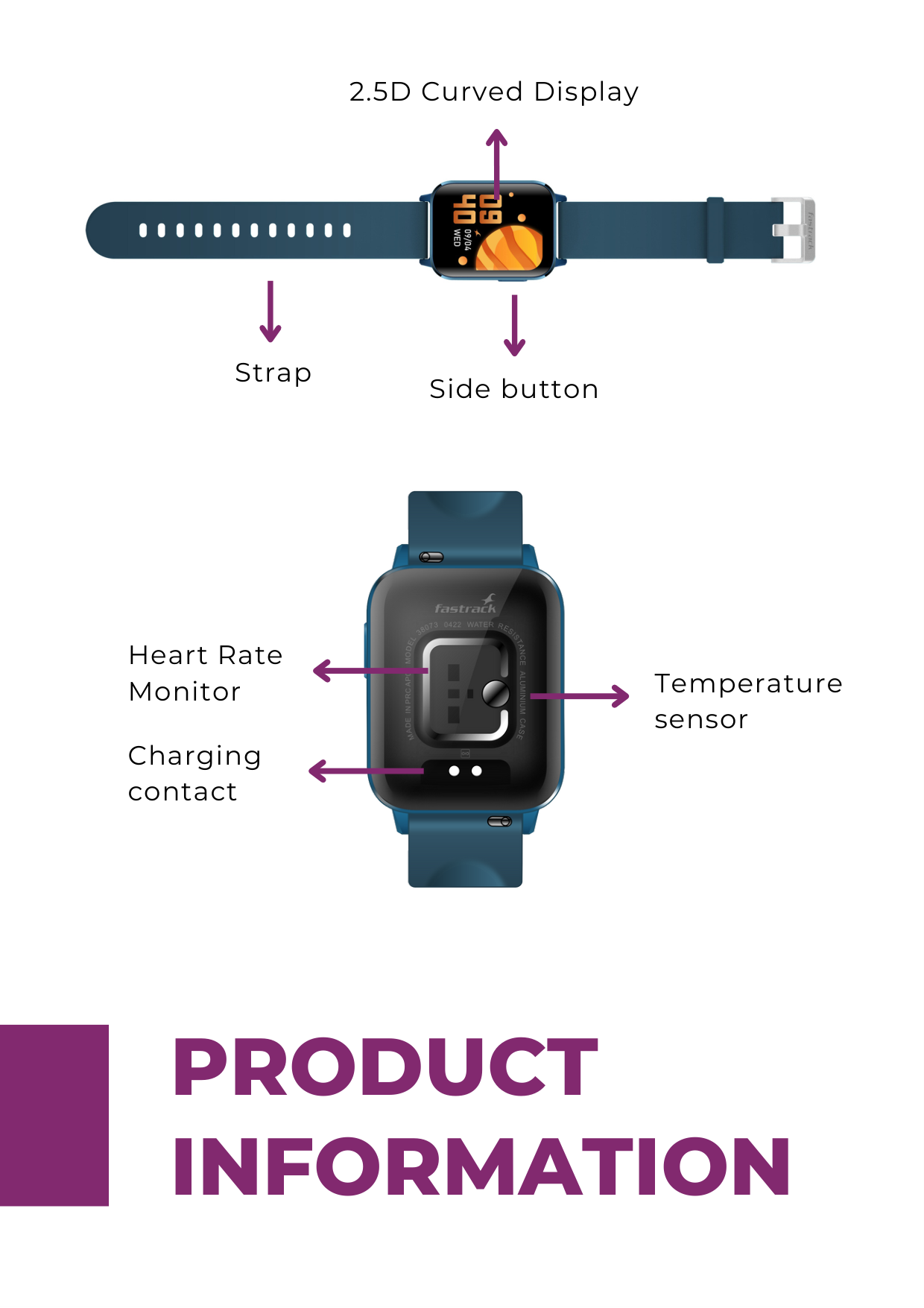
2.5D Curved Display


Strap
Side button
Heart Rate Monitor Temperature
sensor
Charging contact
PRODUCT INFORMATION
##### App Installation
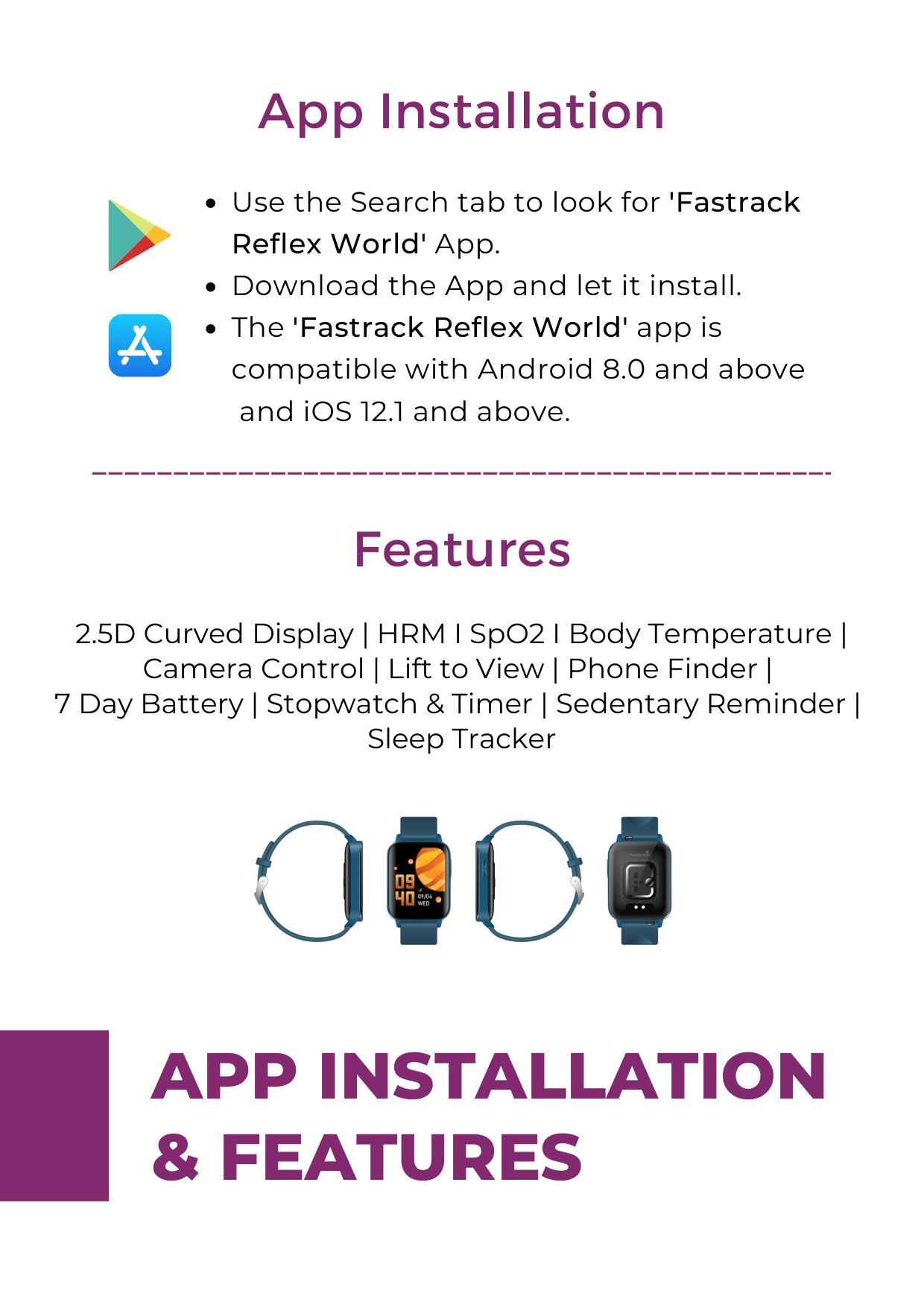
Use the Search tab to look for 'Fastrack Reflex World' App.
Download the App and let it install.
The 'Fastrack Reflex World' app is compatible with Android 8.0 and above
and iOS 12.1 and above.
##### Features

APP INSTALLATION & FEATURES
############# 1


Welcome Grant app permissions

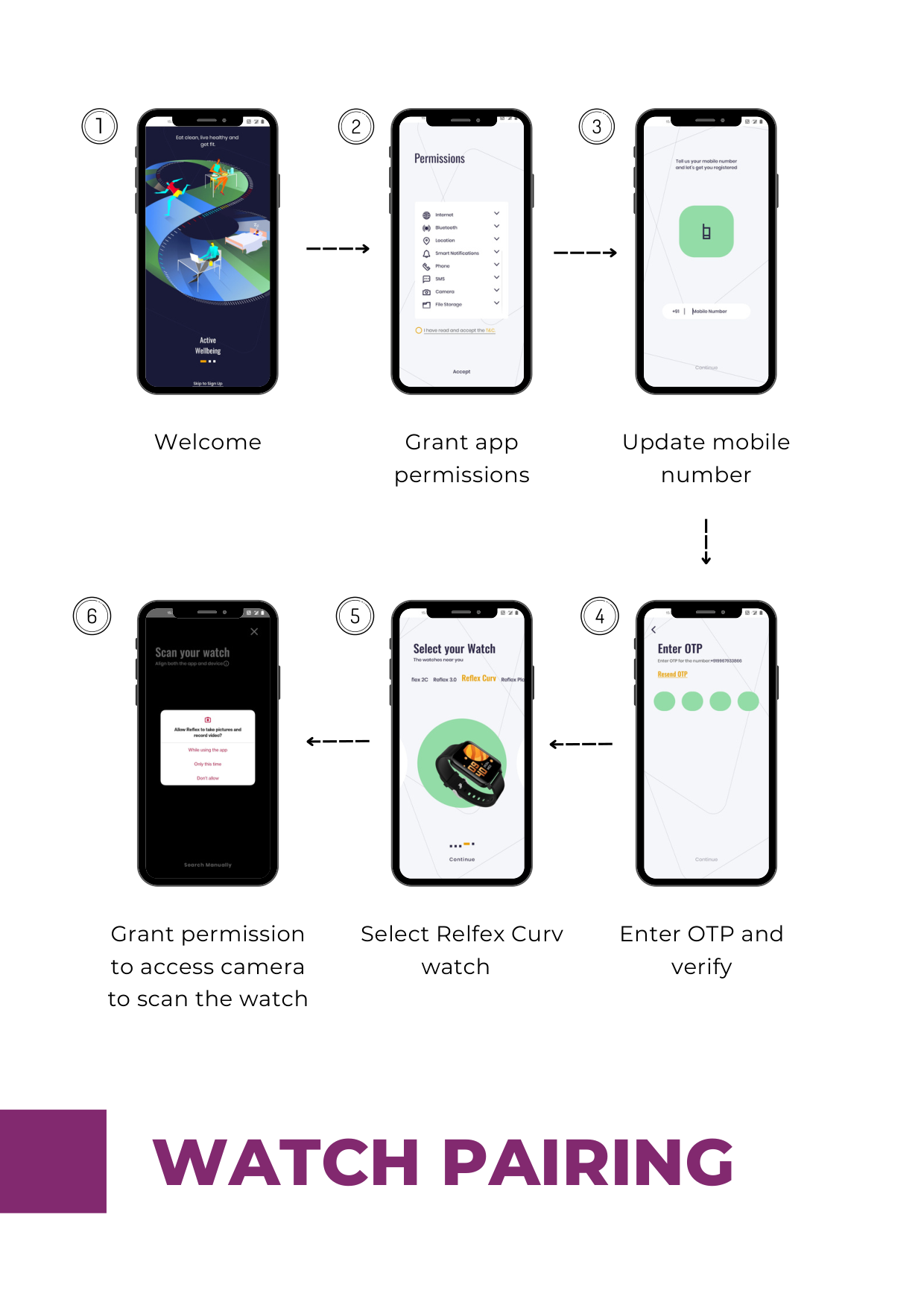
Update mobile number


Grant permission to access camera to scan the watch
Select Relfex Curv watch

Enter OTP and verify

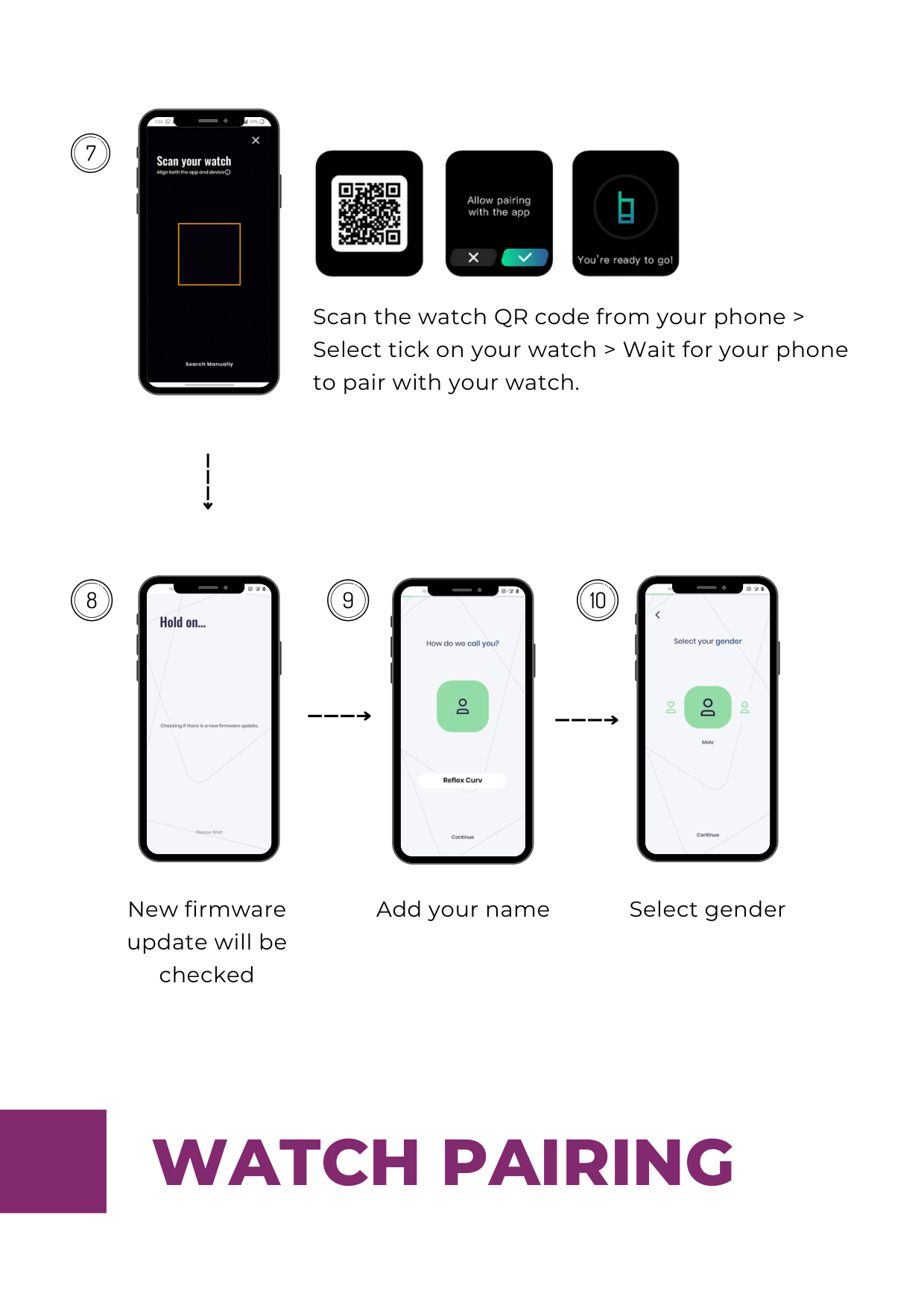


Scan the watch QR code from your phone > Select tick on your watch > Wait for your phone to pair with your watch.


New firmware update will be checked
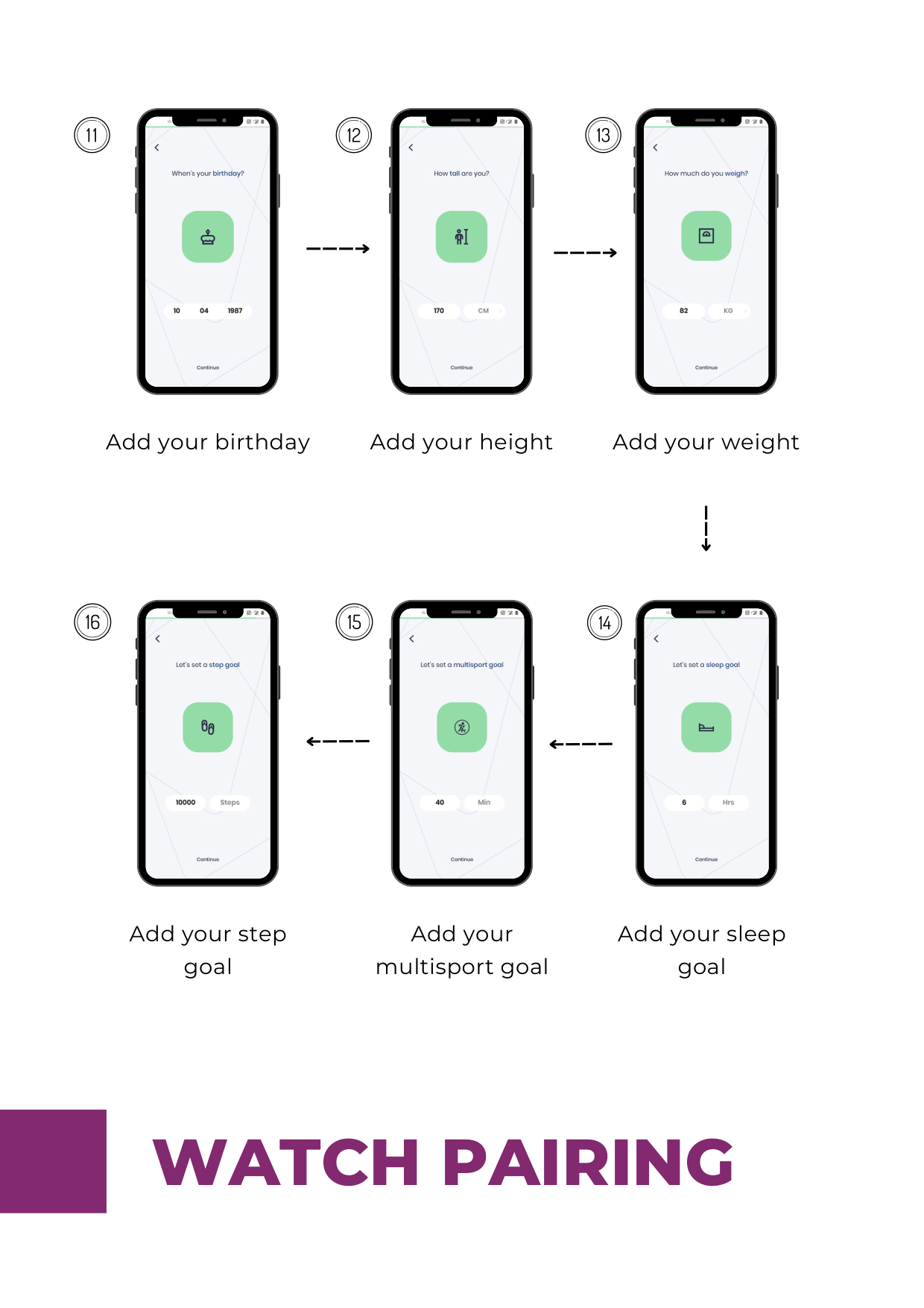
Add your name Select gender


Add your birthday Add your height Add your weight


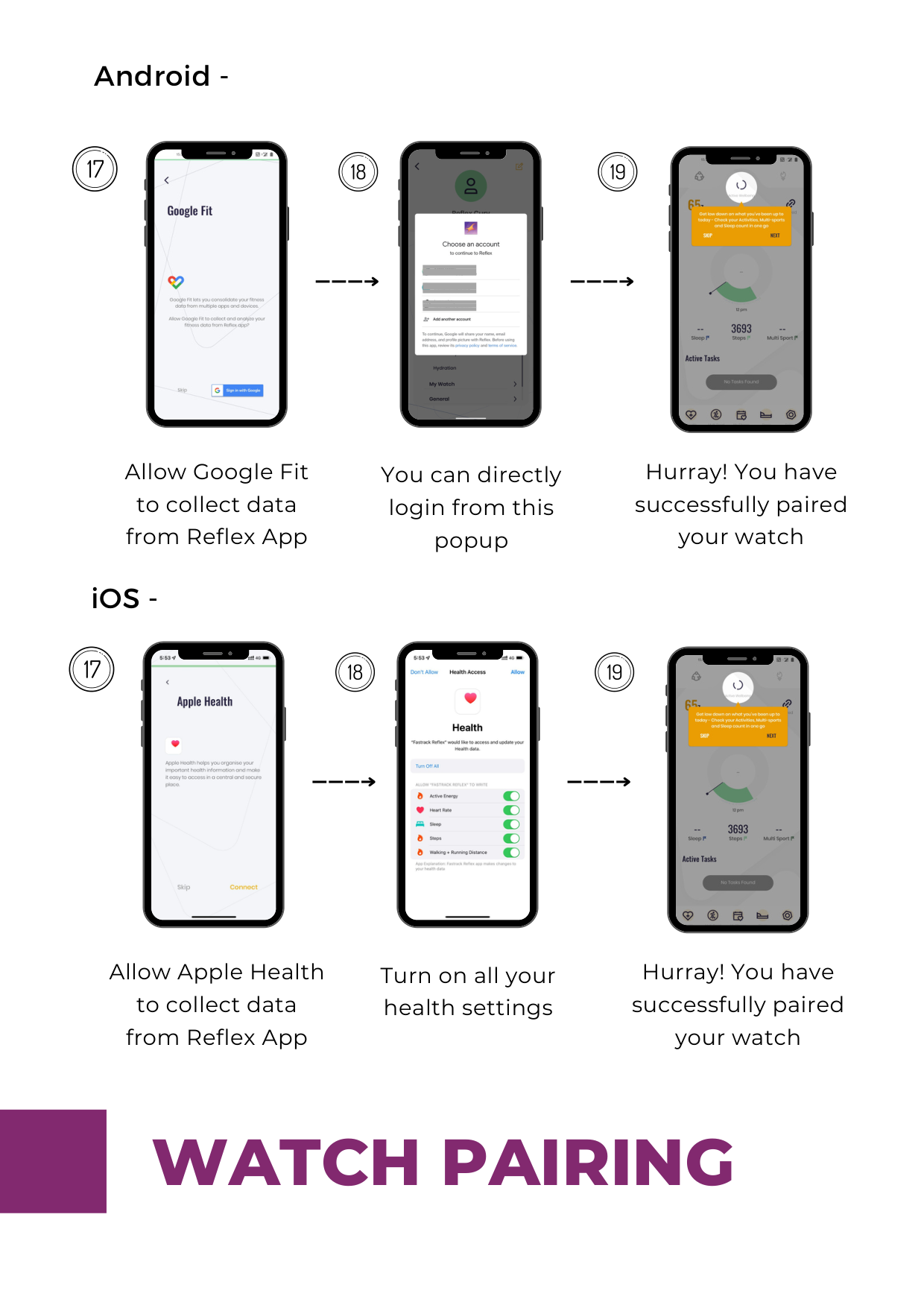
Add your step goal
Add your multisport goal
Add your sleep goal
Android -


Allow Google Fit to collect data from Reflex App
You can directly login from this popup
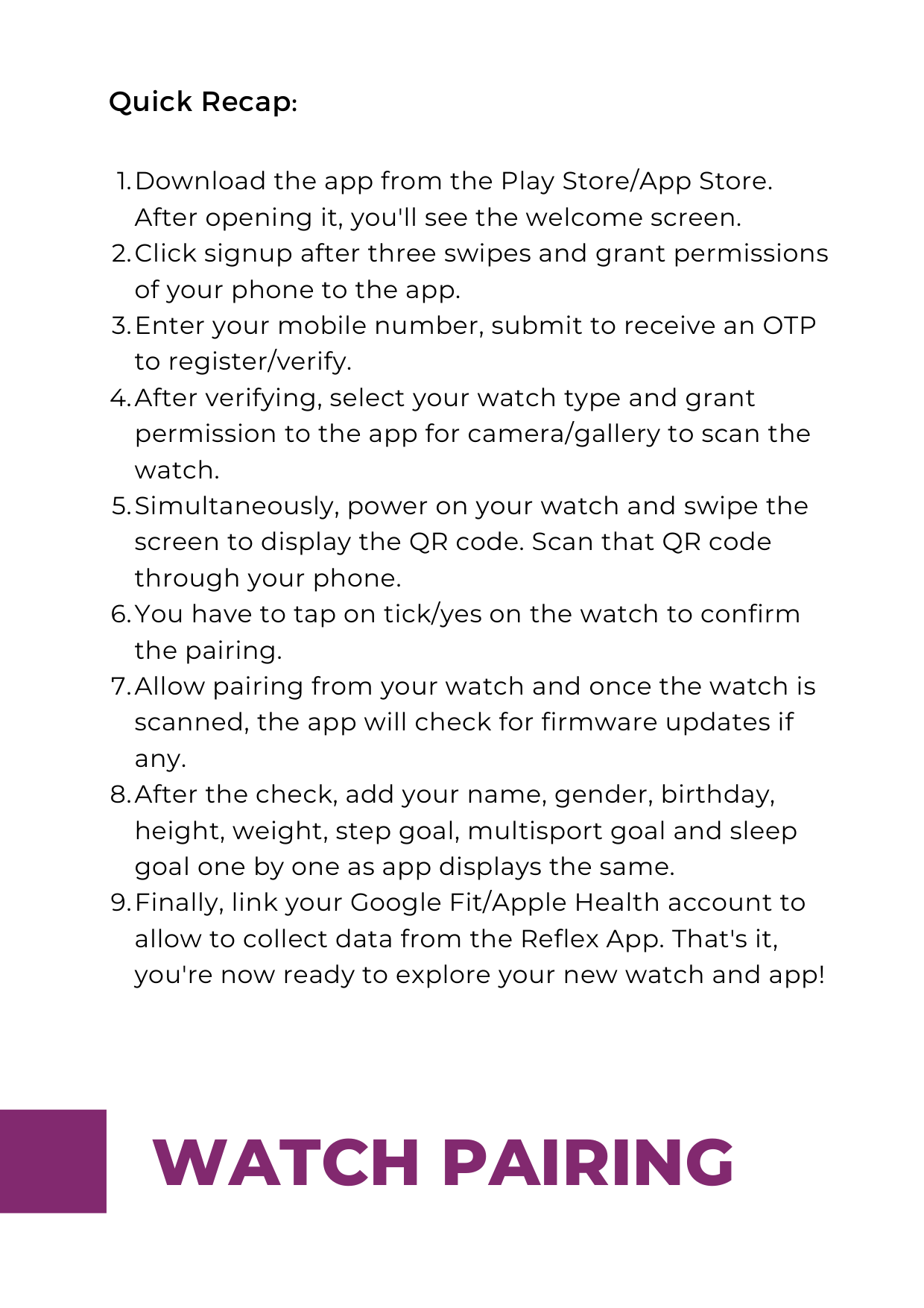

Hurray! You have successfully paired your watch
iOS -


Allow Apple Health to collect data from Reflex App
Turn on all your health settings
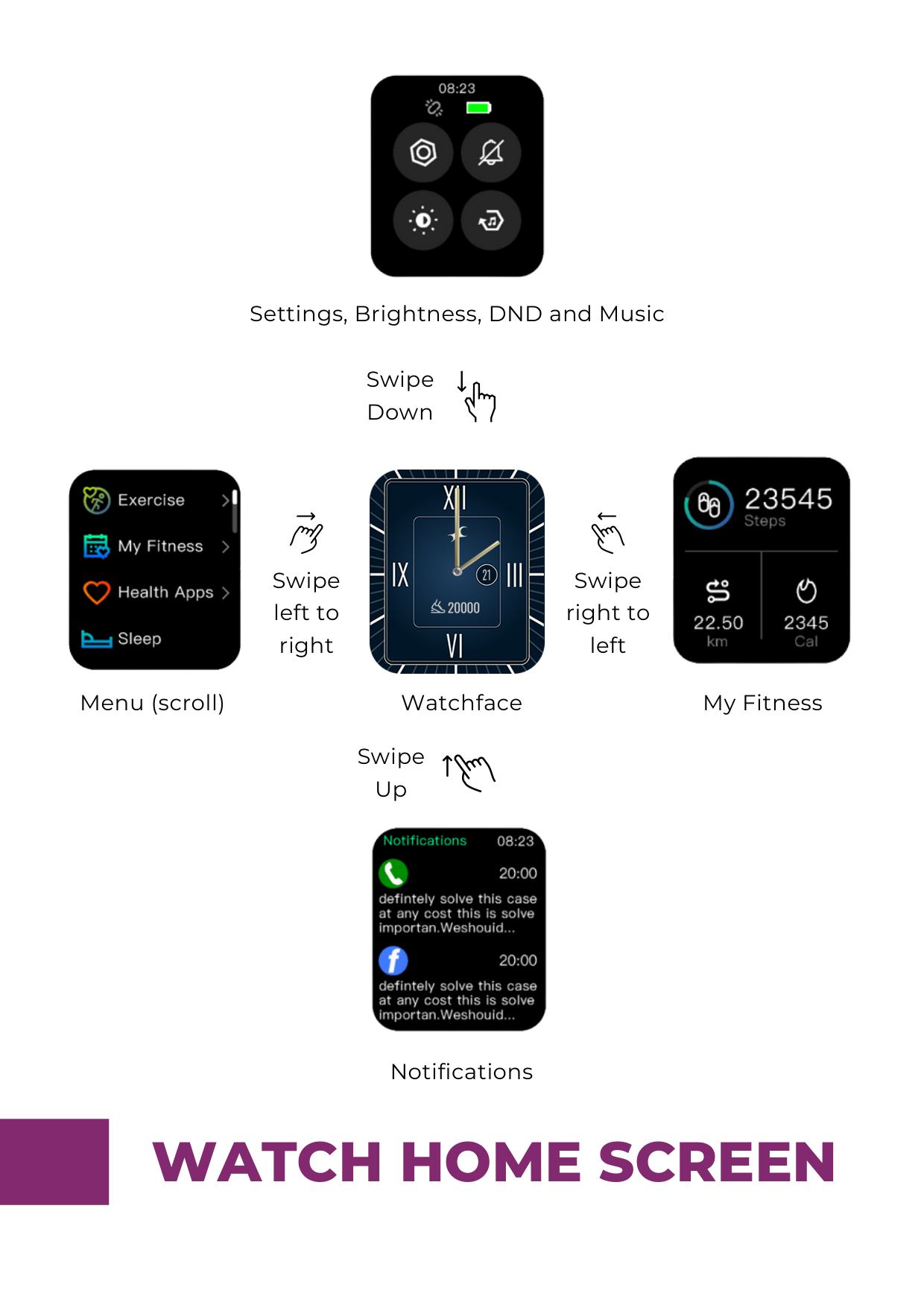
Hurray! You have successfully paired your watch
########## Quick Recap:
Download the app from the Play Store/App Store. After opening it, you'll see the welcome screen. Click signup after three swipes and grant permissions of your phone to the app. Enter your mobile number, submit to receive an OTP to register/verify. After verifying, select your watch type and grant permission to the app for camera/gallery to scan the watch. Simultaneously, power on your watch and swipe the screen to display the QR code. Scan that QR code through your phone. You have to tap on tick/yes on the watch to confirm the pairing. Allow pairing from your watch and once the watch is scanned, the app will check for firmware updates if any. After the check, add your name, gender, birthday, height, weight, step goal, multisport goal and sleep goal one by one as app displays the same. Finally, link your Google Fit/Apple Health account to allow to collect data from the Reflex App. That's it, you're now ready to explore your new watch and app!

Settings, Brightness, DND and Music
Swipe Down


Swipe left to right
Swipe right to left
My FitnessMenu (scroll)
Watchface
Swipe Up

Notifications
#### WATCH HOME SCREEN
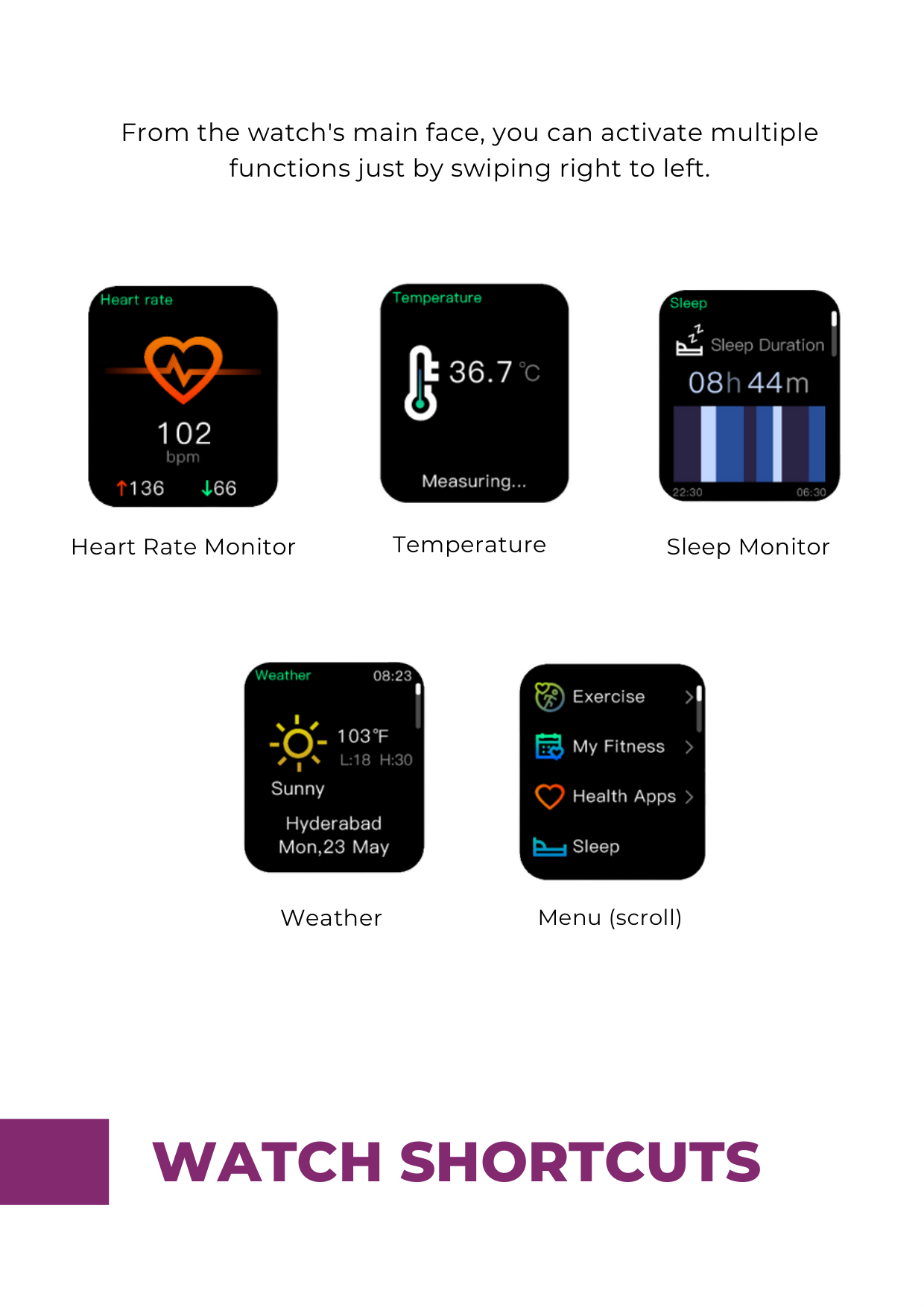
From the watch's main face, you can activate multiple functions just by swiping right to left.

Heart Rate Monitor


Sleep MonitorTemperature


Weather
Menu (scroll)
WATCH SHORTCUTS

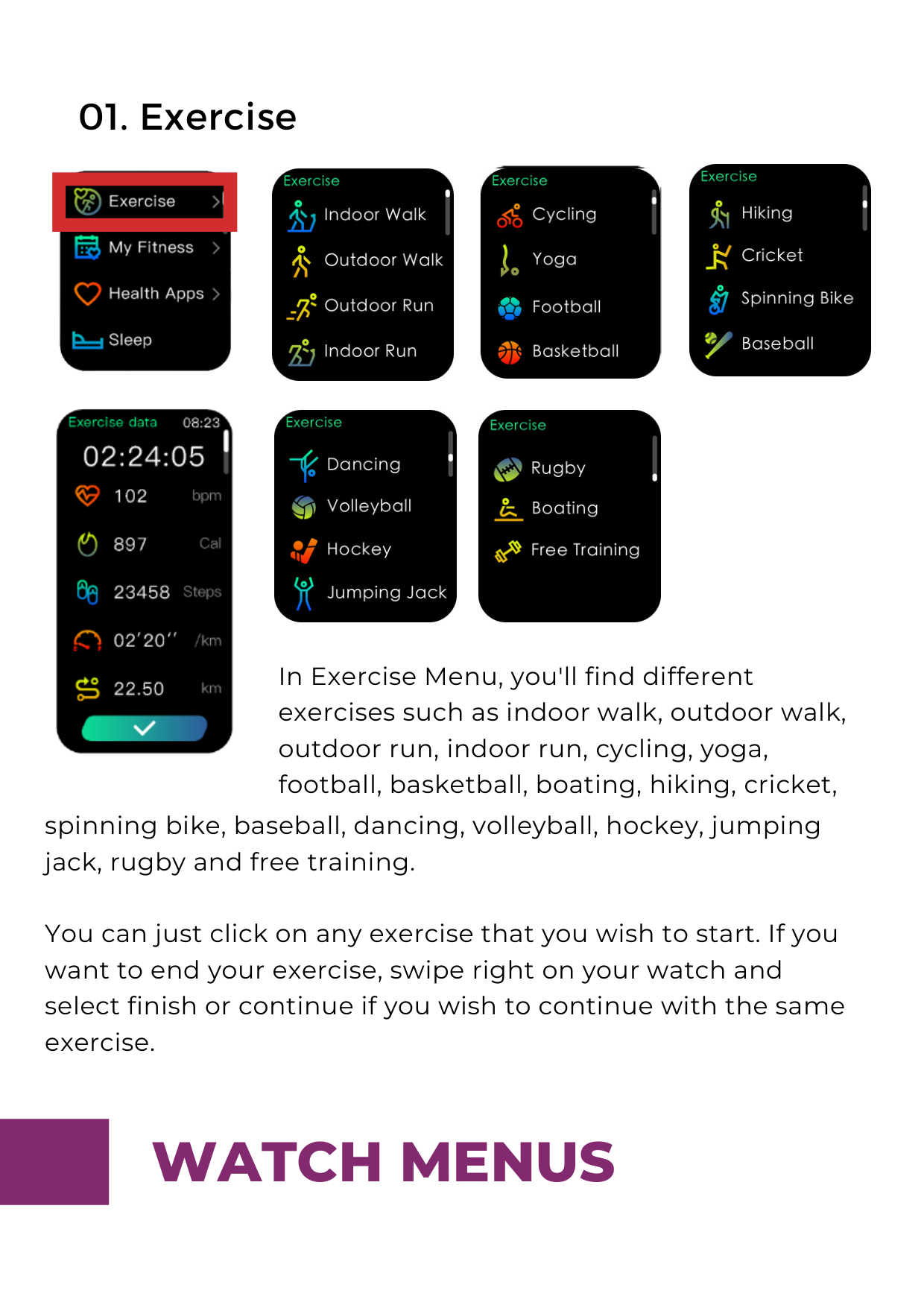
####### 01. Exercise




In Exercise Menu, you'll find different exercises such as indoor walk, outdoor walk, outdoor run, indoor run, cycling, yoga, football, basketball, boating, hiking, cricket,
spinning bike, baseball, dancing, volleyball, hockey, jumping jack, rugby and free training.
You can just click on any exercise that you wish to start. If you want to end your exercise, swipe right on your watch and select finish or continue if you wish to continue with the same exercise.


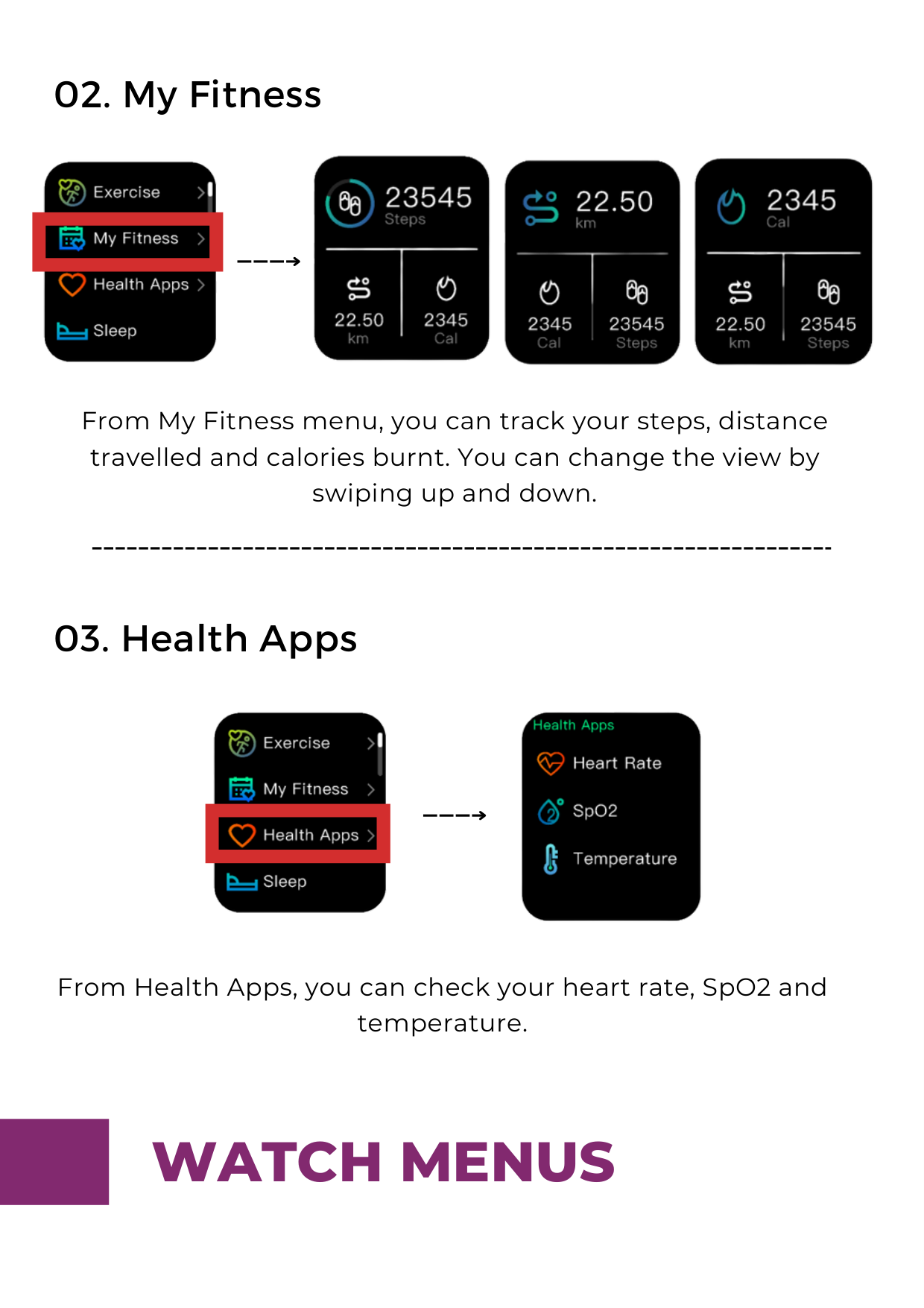
####### 02. My Fitness


From My Fitness menu, you can track your steps, distance travelled and calories burnt. You can change the view by swiping up and down.
####### 03. Health Apps


From Health Apps, you can check your heart rate, SpO2 and temperature.


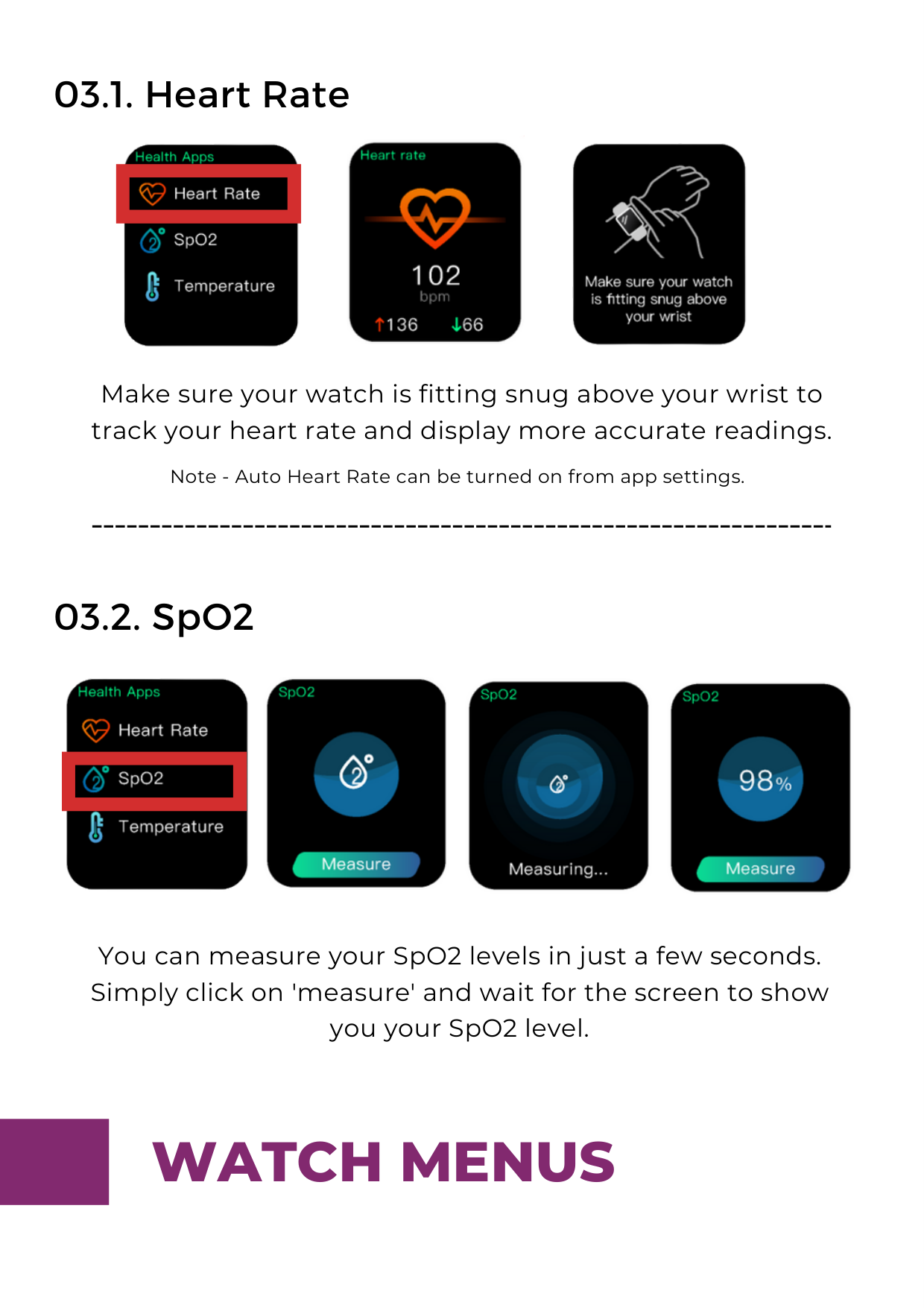
Make sure your watch is fitting snug above your wrist to track your heart rate and display more accurate readings.

Note - Auto Heart Rate can be turned on from app settings.


You can measure your SpO2 levels in just a few seconds. Simply click on 'measure' and wait for the screen to show you your SpO2 level.


03.3. Temperature


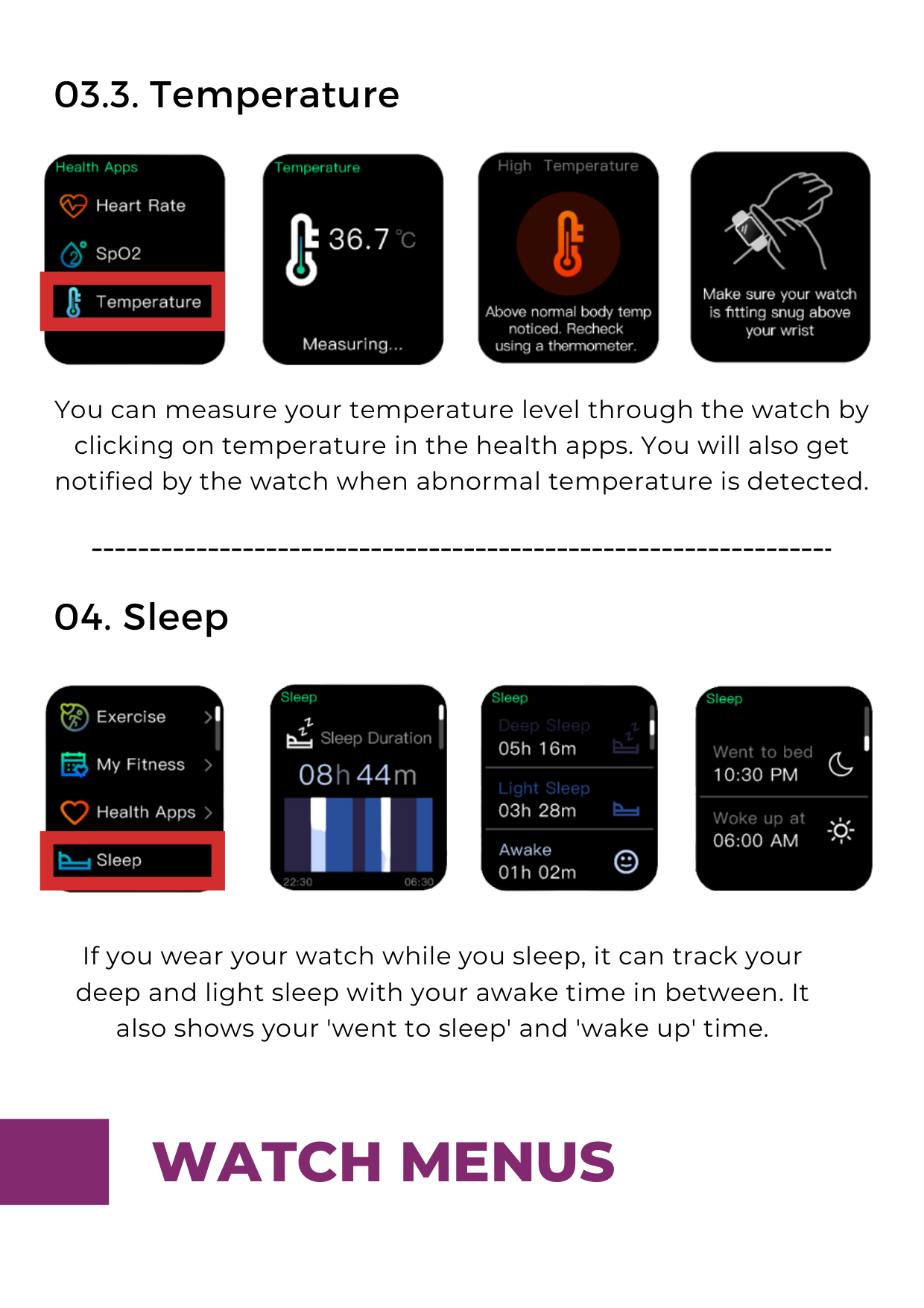
You can measure your temperature level through the watch by clicking on temperature in the health apps. You will also get notified by the watch when abnormal temperature is detected.


If you wear your watch while you sleep, it can track your deep and light sleep with your awake time in between. It also shows your 'went to sleep' and 'wake up' time.


####### 05. Weather

############### Swipe up
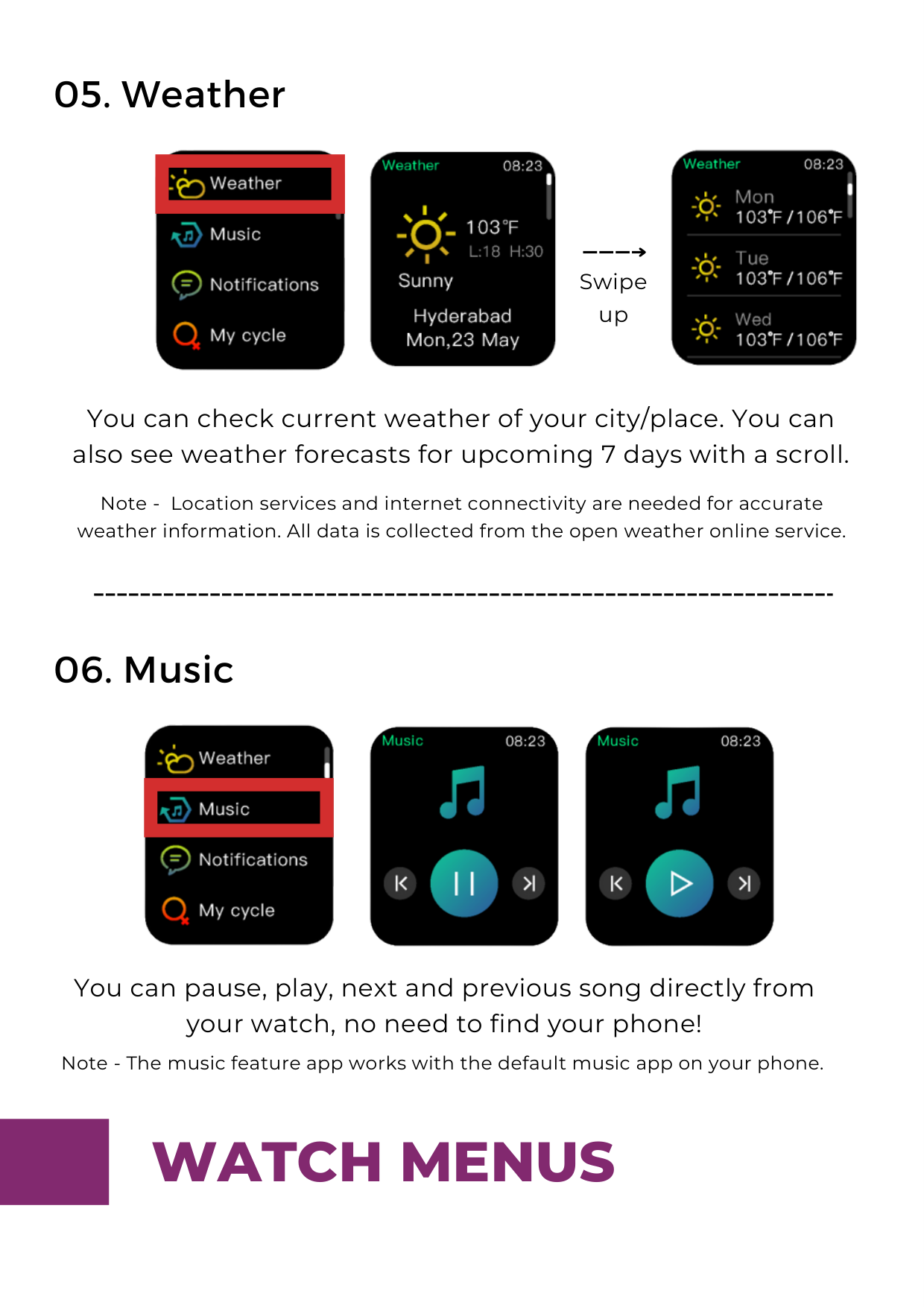
You can check current weather of your city/place. You can also see weather forecasts for upcoming 7 days with a scroll.


Note - Location services and internet connectivity are needed for accurate weather information. All data is collected from the open weather online service.

You can pause, play, next and previous song directly from your watch, no need to find your phone!
Note - The music feature app works with the default music app on your phone.

####### 07. Notifications


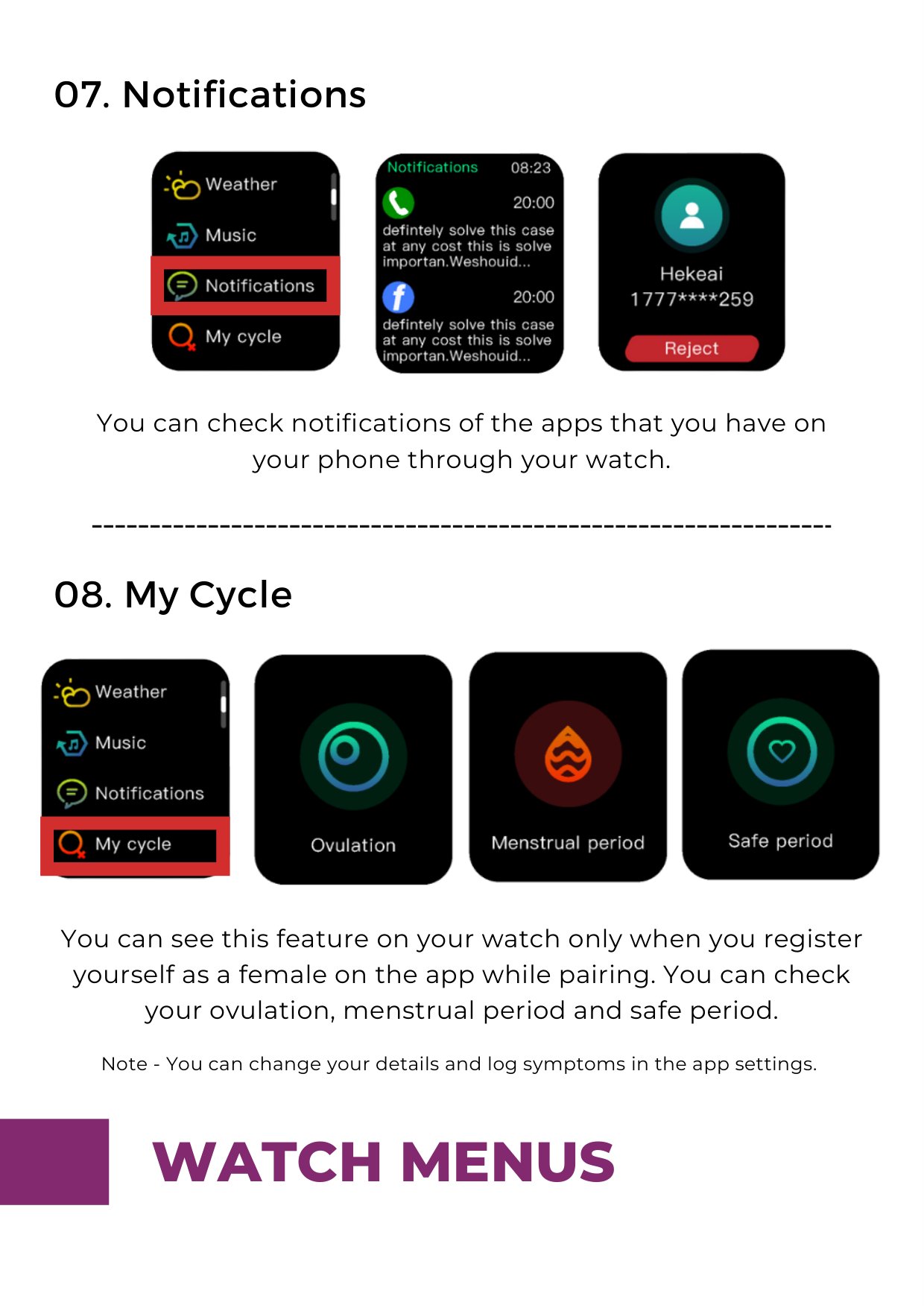
You can check notifications of the apps that you have on your phone through your watch.

You can see this feature on your watch only when you register yourself as a female on the app while pairing. You can check your ovulation, menstrual period and safe period.
Note - You can change your details and log symptoms in the app settings.

####### 09. Clock Apps

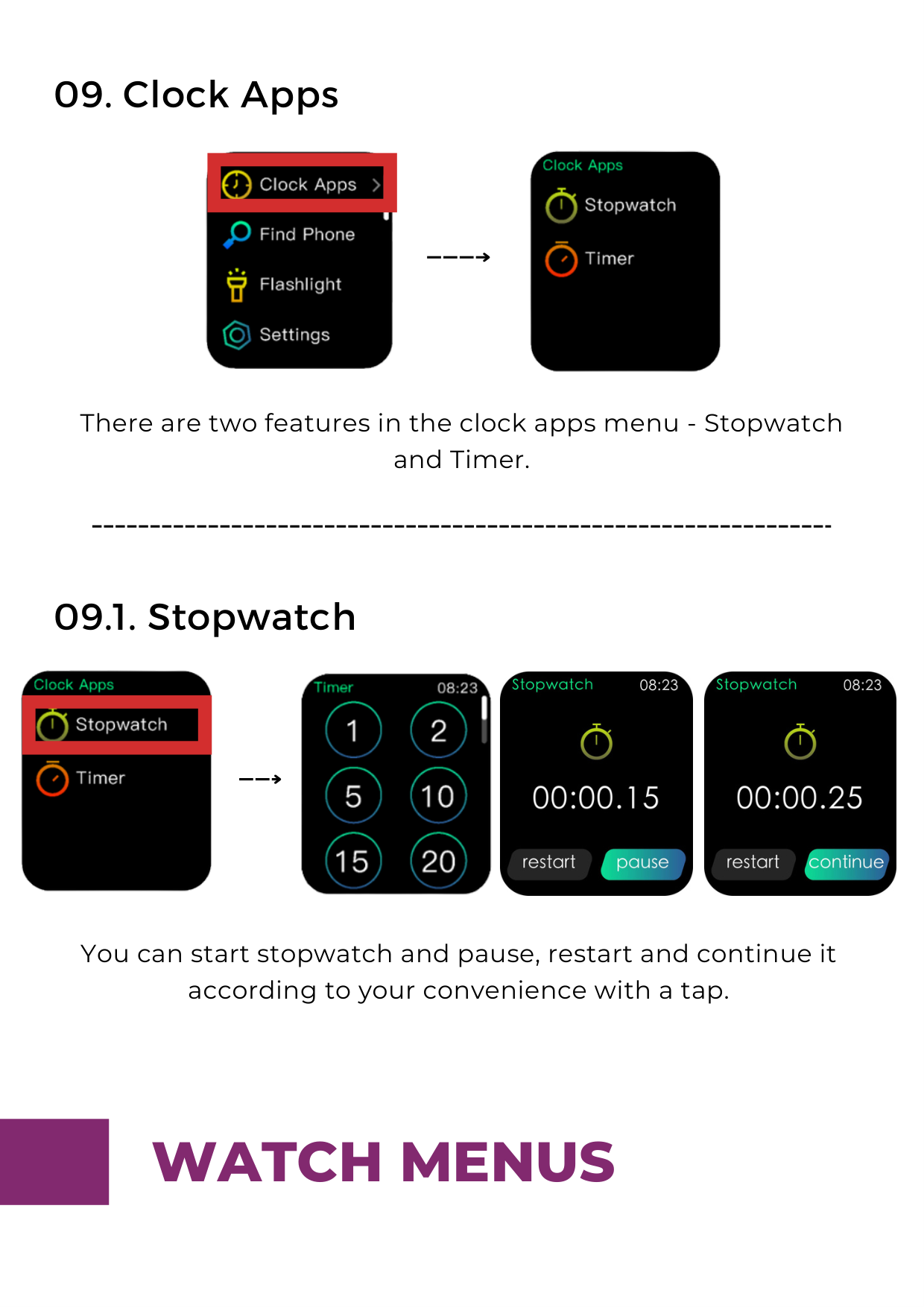
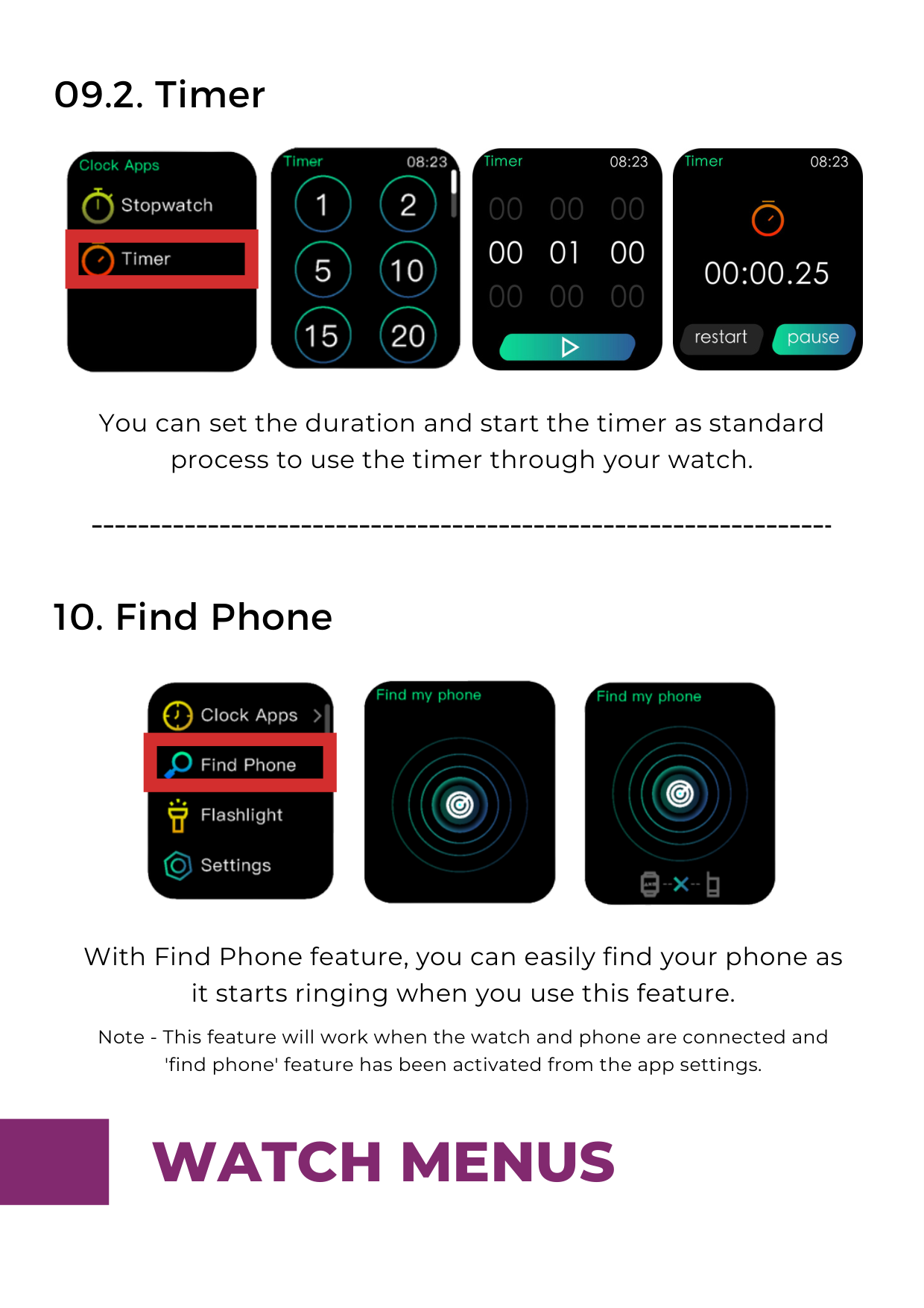
There are two features in the clock apps menu - Stopwatch and Timer.


You can start stopwatch and pause, restart and continue it according to your convenience with a tap.
09.2. Timer



You can set the duration and start the timer as standard process to use the timer through your watch.

With Find Phone feature, you can easily find your phone as it starts ringing when you use this feature. Note - This feature will work when the watch and phone are connected and 'find phone' feature has been activated from the app settings.


####### 11. Flashlight

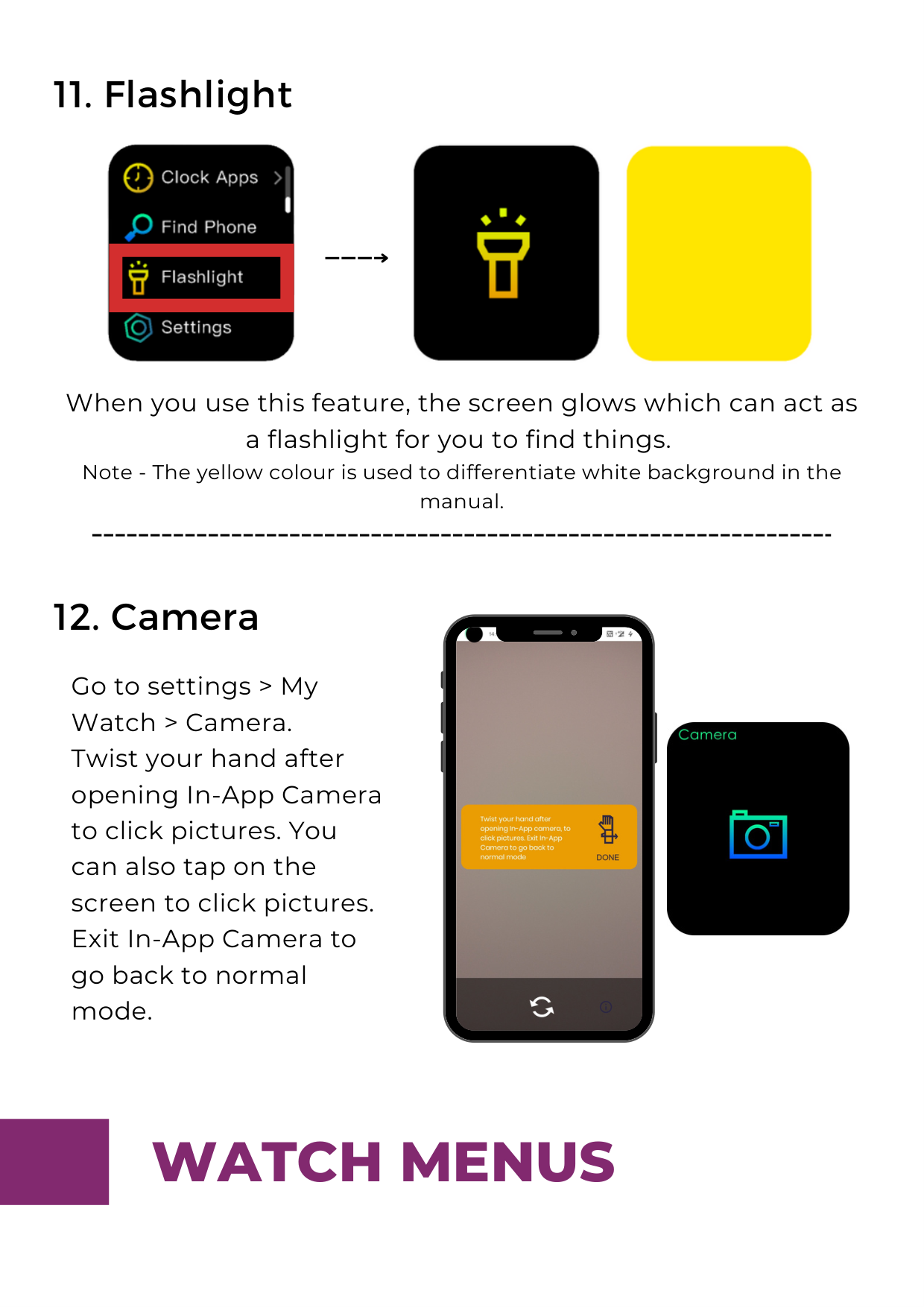
When you use this feature, the screen glows which can act as a flashlight for you to find things. Note - The yellow colour is used to differentiate white background in the manual.

Go to settings > My Watch > Camera. Twist your hand after opening In-App Camera to click pictures. You can also tap on the screen to click pictures. Exit In-App Camera to go back to normal mode.

####### 13. Settings
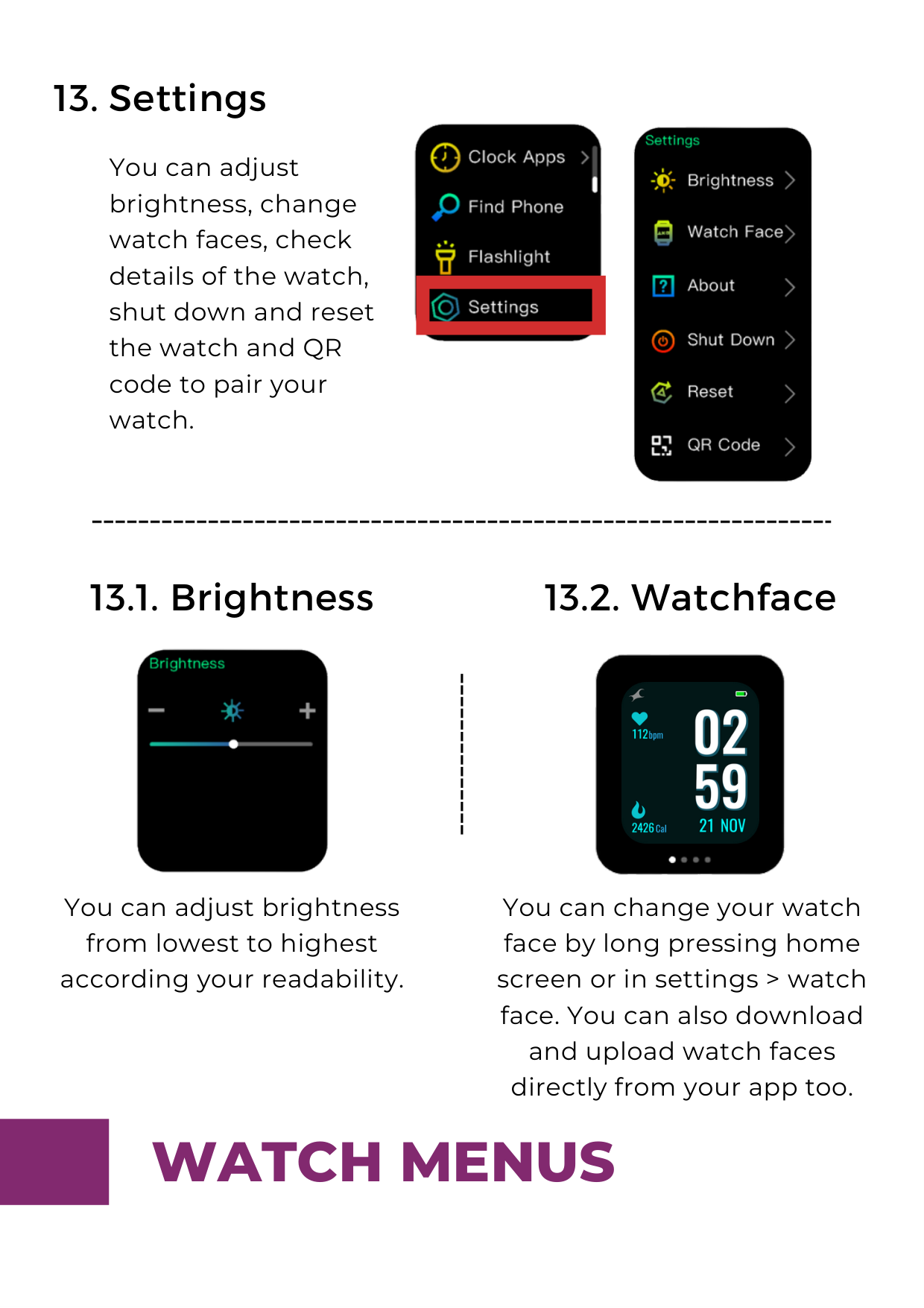
You can adjust brightness, change watch faces, check details of the watch, shut down and reset the watch and QR code to pair your watch.


####### 13.2. Watchface13.1. Brightness

You can adjust brightness from lowest to highest according your readability.


You can change your watch face by long pressing home screen or in settings > watch face. You can also download and upload watch faces directly from your app too.

####### 13.3. About
####### 13.4. Shutdown

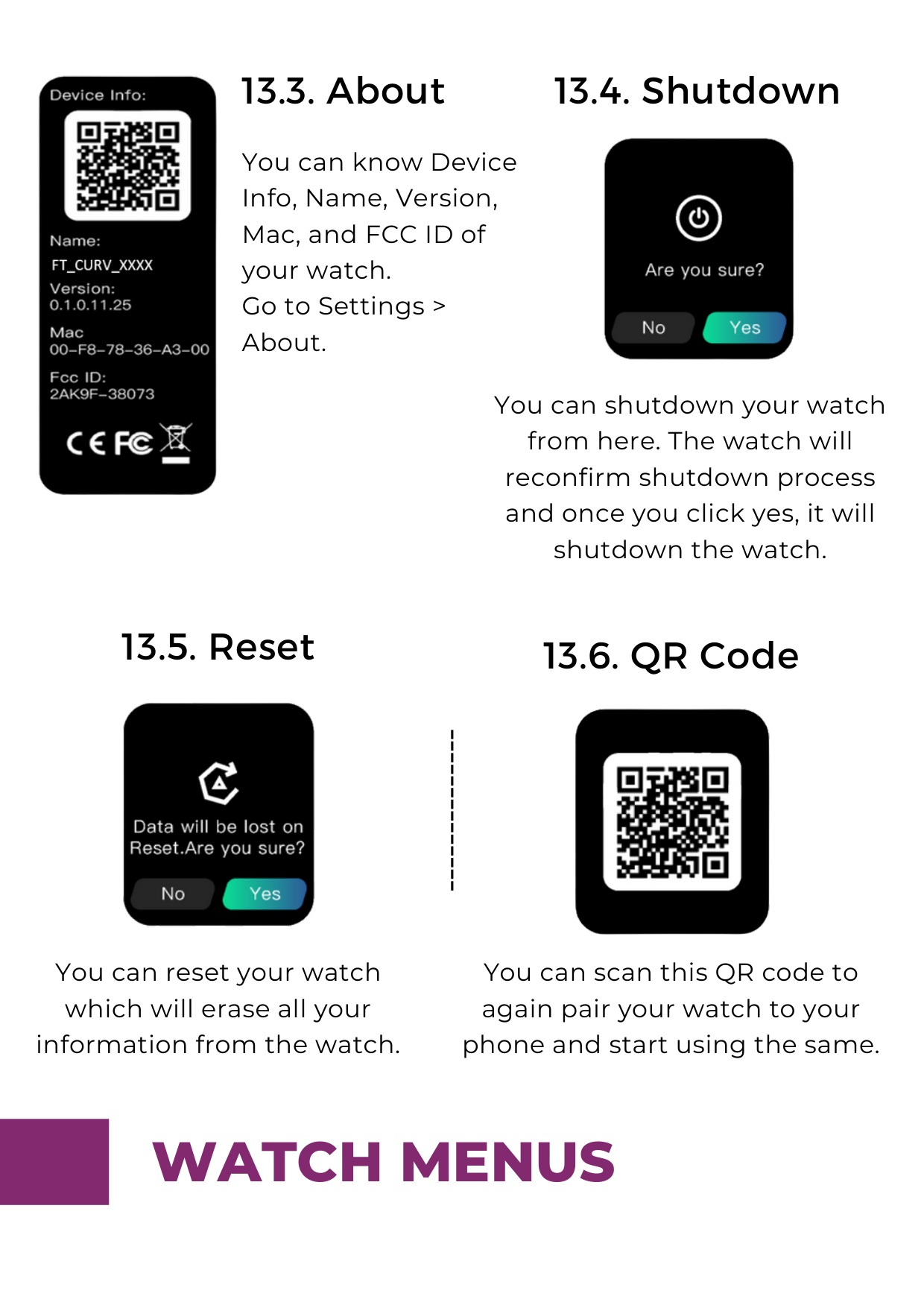
You can know Device Info, Name, Version, Mac, and FCC ID of your watch. Go to Settings > About.
You can shutdown your watch from here. The watch will reconfirm shutdown process and once you click yes, it will shutdown the watch.
####### 13.5. Reset

You can reset your watch which will erase all your information from the watch.
####### 13.6. QR Code

You can scan this QR code to again pair your watch to your phone and start using the same.

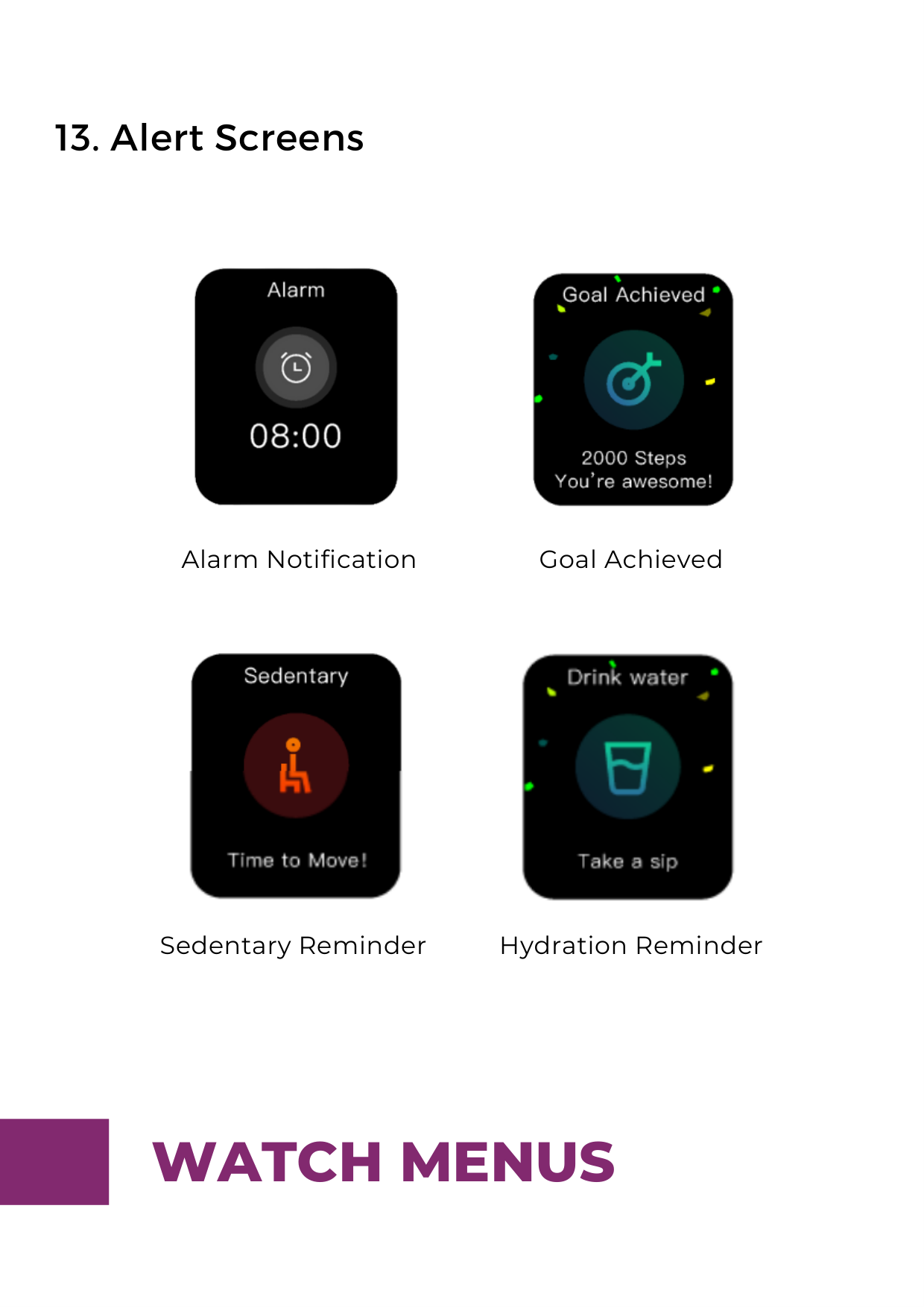
####### 13. Alert Screens


Alarm Notification Goal Achieved
Sedentary Reminder Hydration Reminder
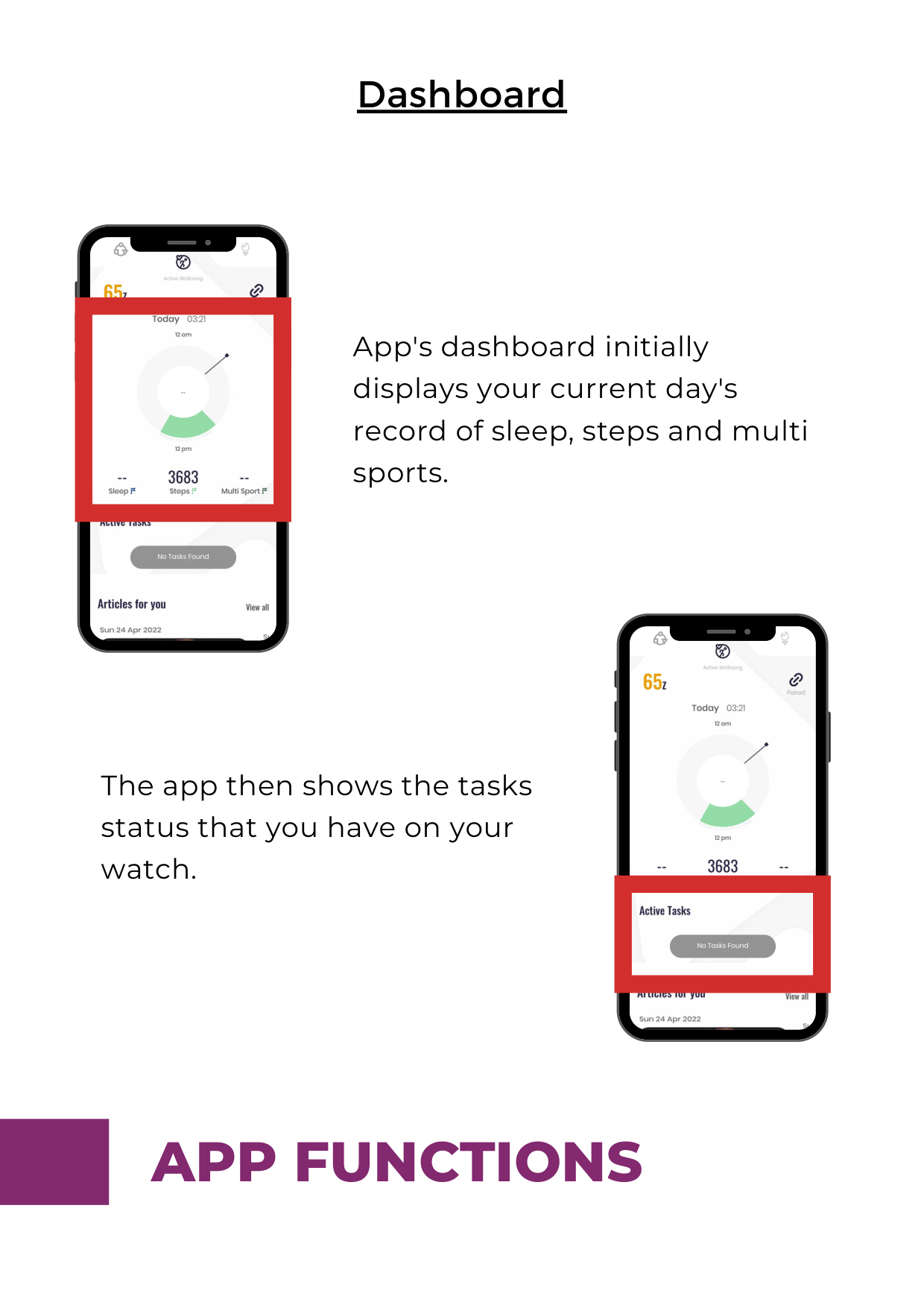
####### Dashboard

App's dashboard initially displays your current day's record of sleep, steps and multi sports.

The app then shows the tasks status that you have on your watch.

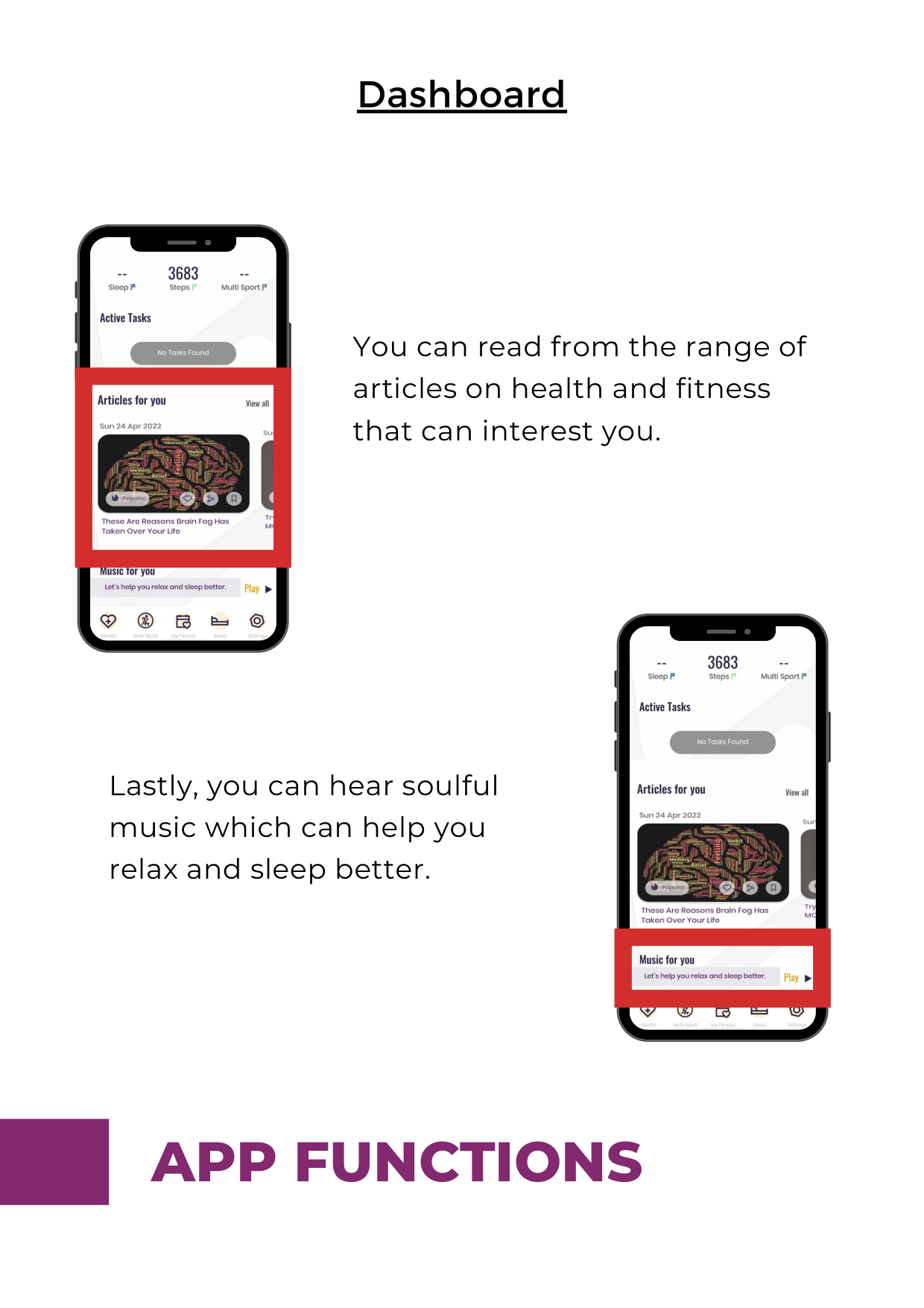
####### Dashboard
You can read from the range of articles on health and fitness that can interest you.

Lastly, you can hear soulful music which can help you relax and sleep better.
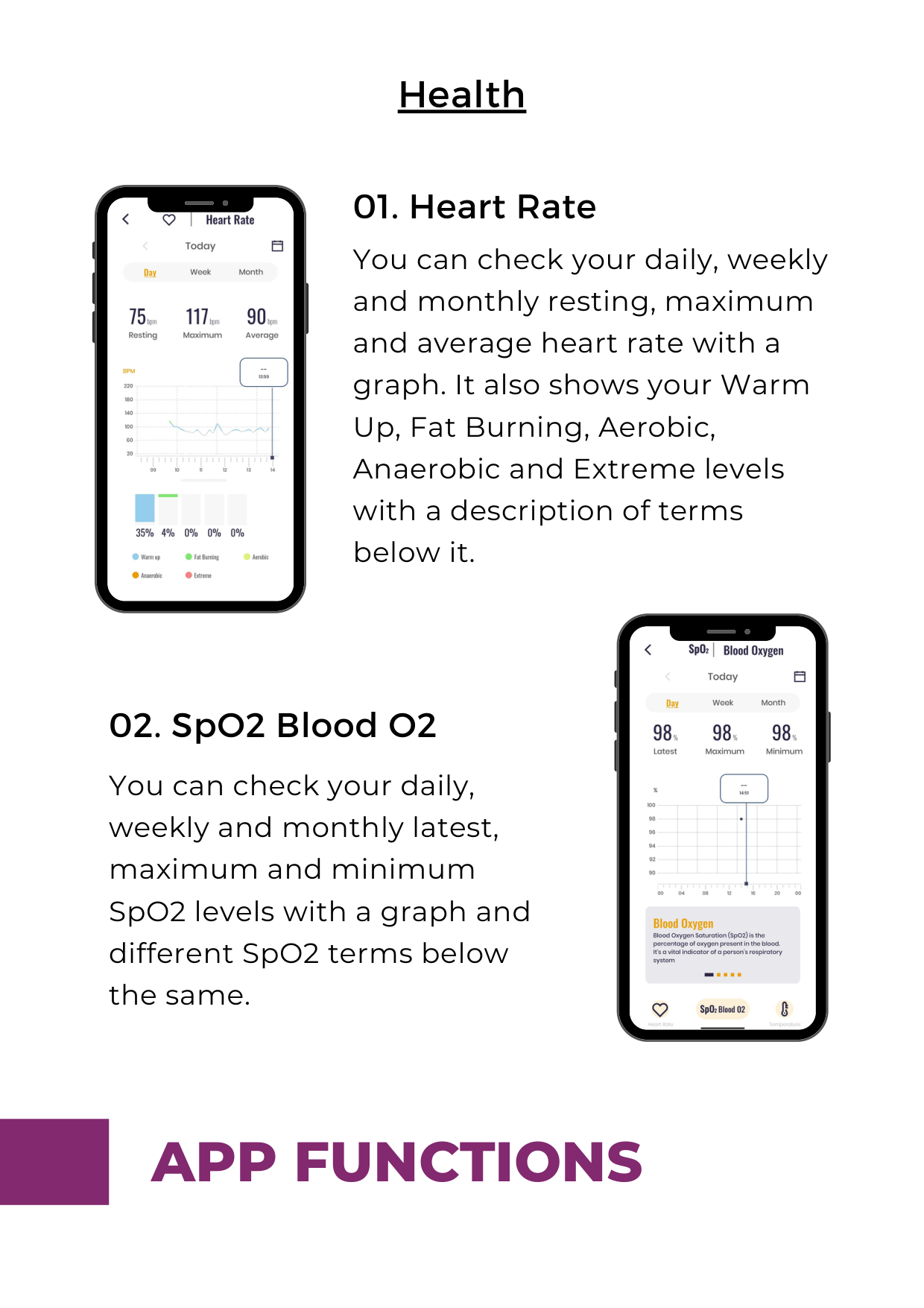
######## 01. Heart Rate

You can check your daily, weekly and monthly resting, maximum and average heart rate with a graph. It also shows your Warm Up, Fat Burning, Aerobic, Anaerobic and Extreme levels with a description of terms below it.

You can check your daily, weekly and monthly latest, maximum and minimum SpO2 levels with a graph and different SpO2 terms below the same.

######## 03. Temperature
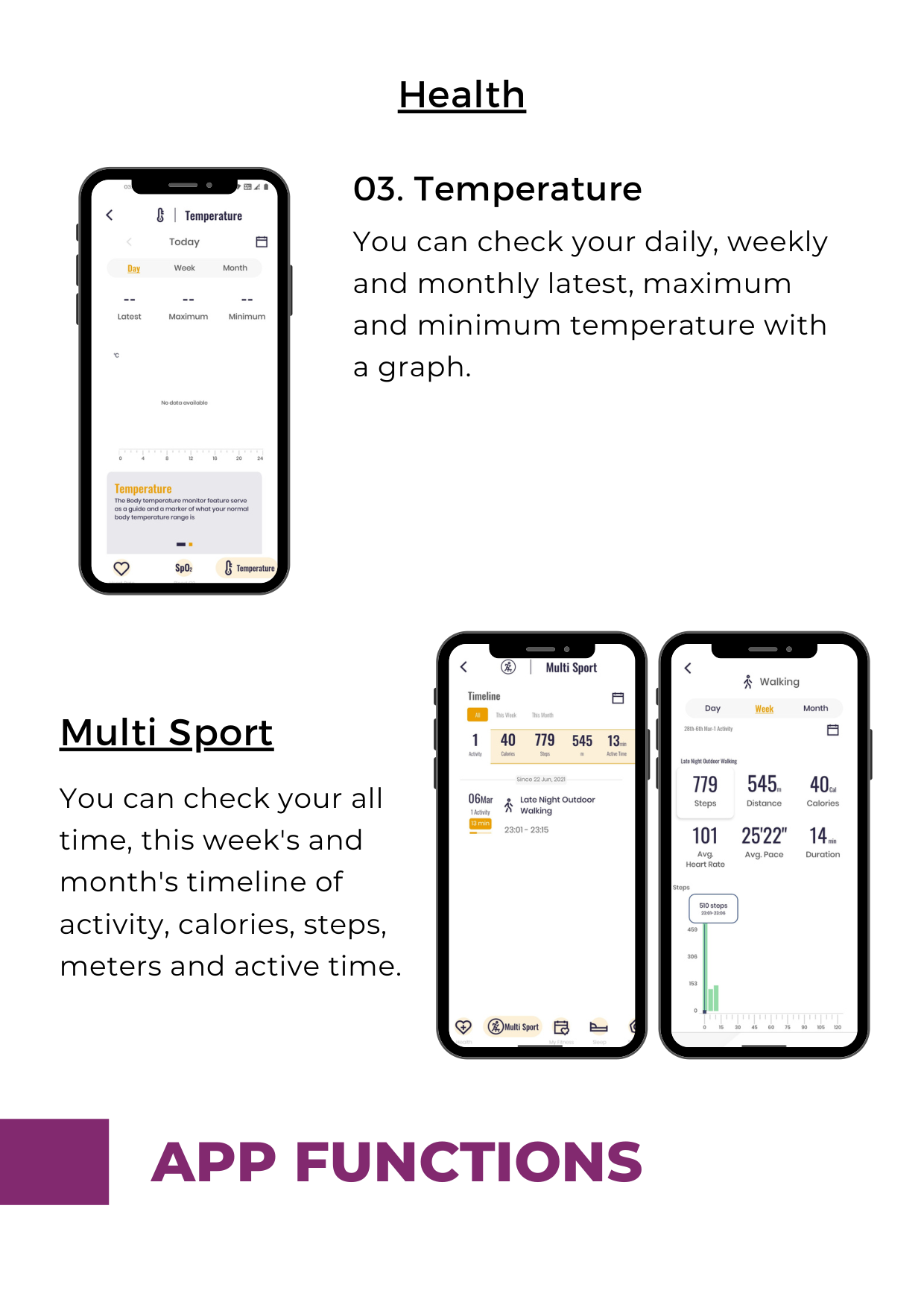
You can check your daily, weekly and monthly latest, maximum and minimum temperature with a graph.
####### Multi Sport
You can check your all time, this week's and month's timeline of activity, calories, steps, meters and active time.


####### My Fitness
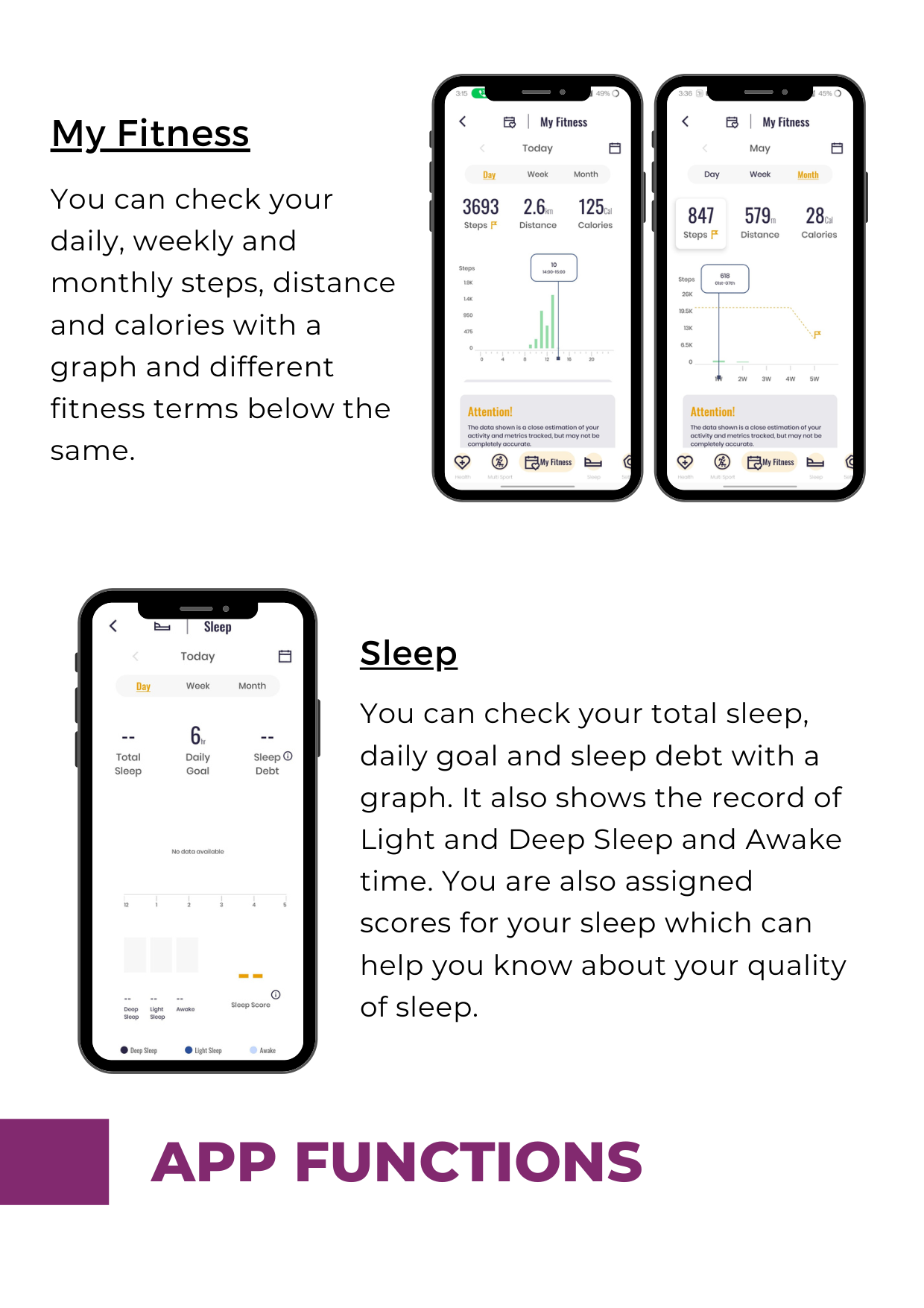
You can check your daily, weekly and monthly steps, distance and calories with a graph and different fitness terms below the same.


Sleep
You can check your total sleep, daily goal and sleep debt with a graph. It also shows the record of Light and Deep Sleep and Awake time. You are also assigned scores for your sleep which can help you know about your quality of sleep.
####### Settings


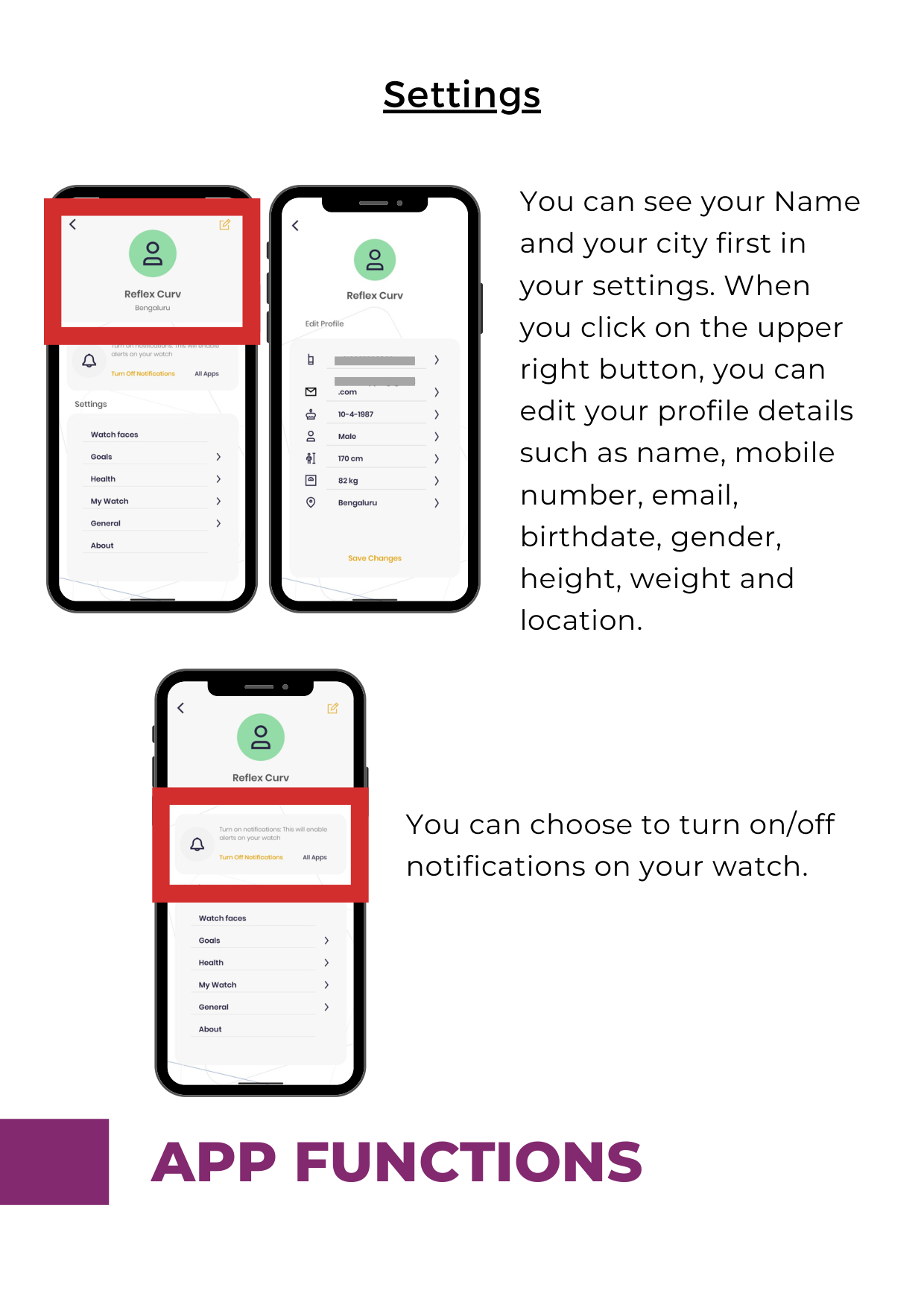
You can see your Name and your city first in your settings. When you click on the upper right button, you can edit your profile details such as name, mobile number, email, birthdate, gender, height, weight and location.

You can choose to turn on/off notifications on your watch.
####### Settings
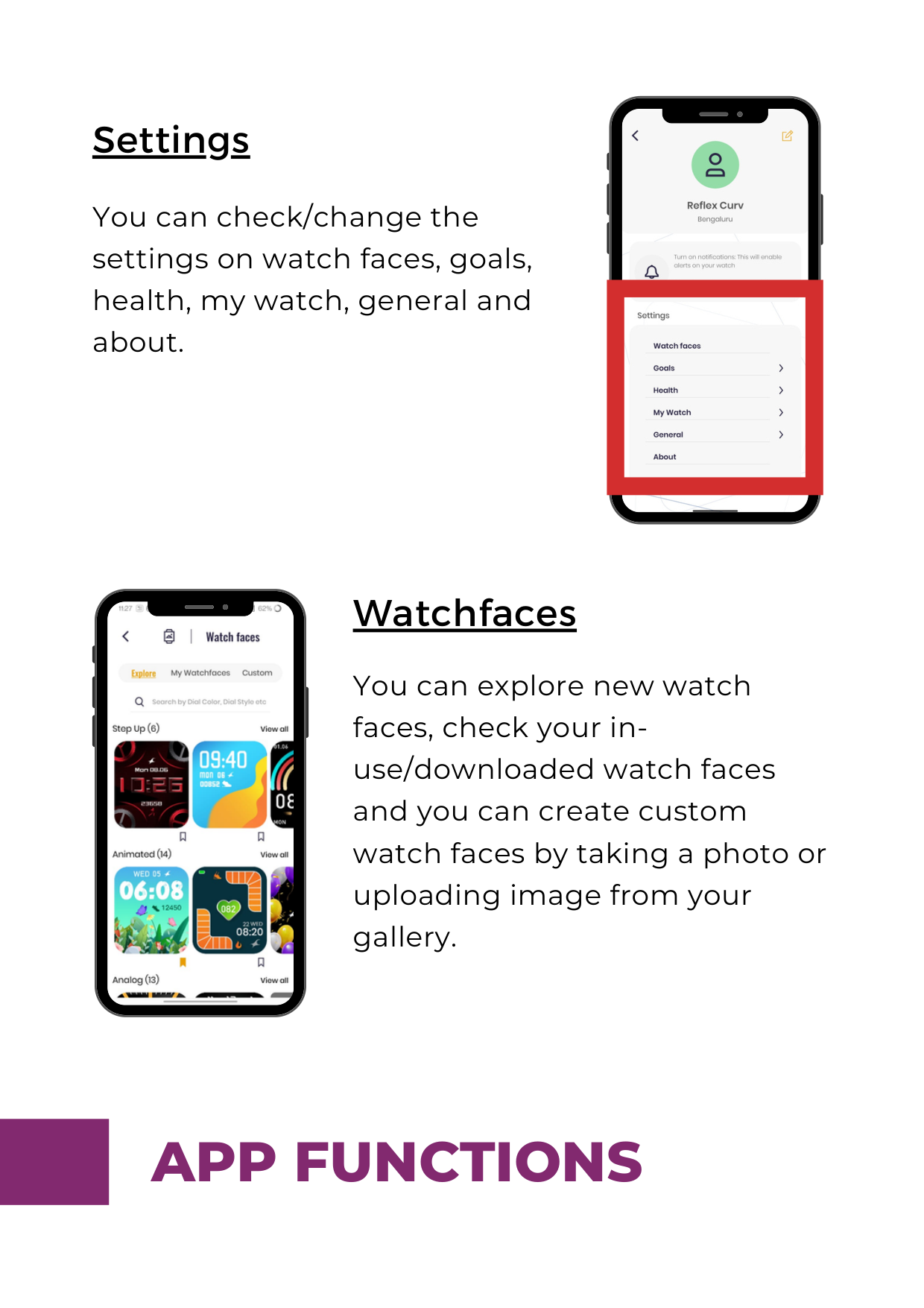
You can check/change the settings on watch faces, goals, health, my watch, general and about.


####### Watchfaces
You can explore new watch faces, check your inuse/downloaded watch faces and you can create custom watch faces by taking a photo or uploading image from your gallery.
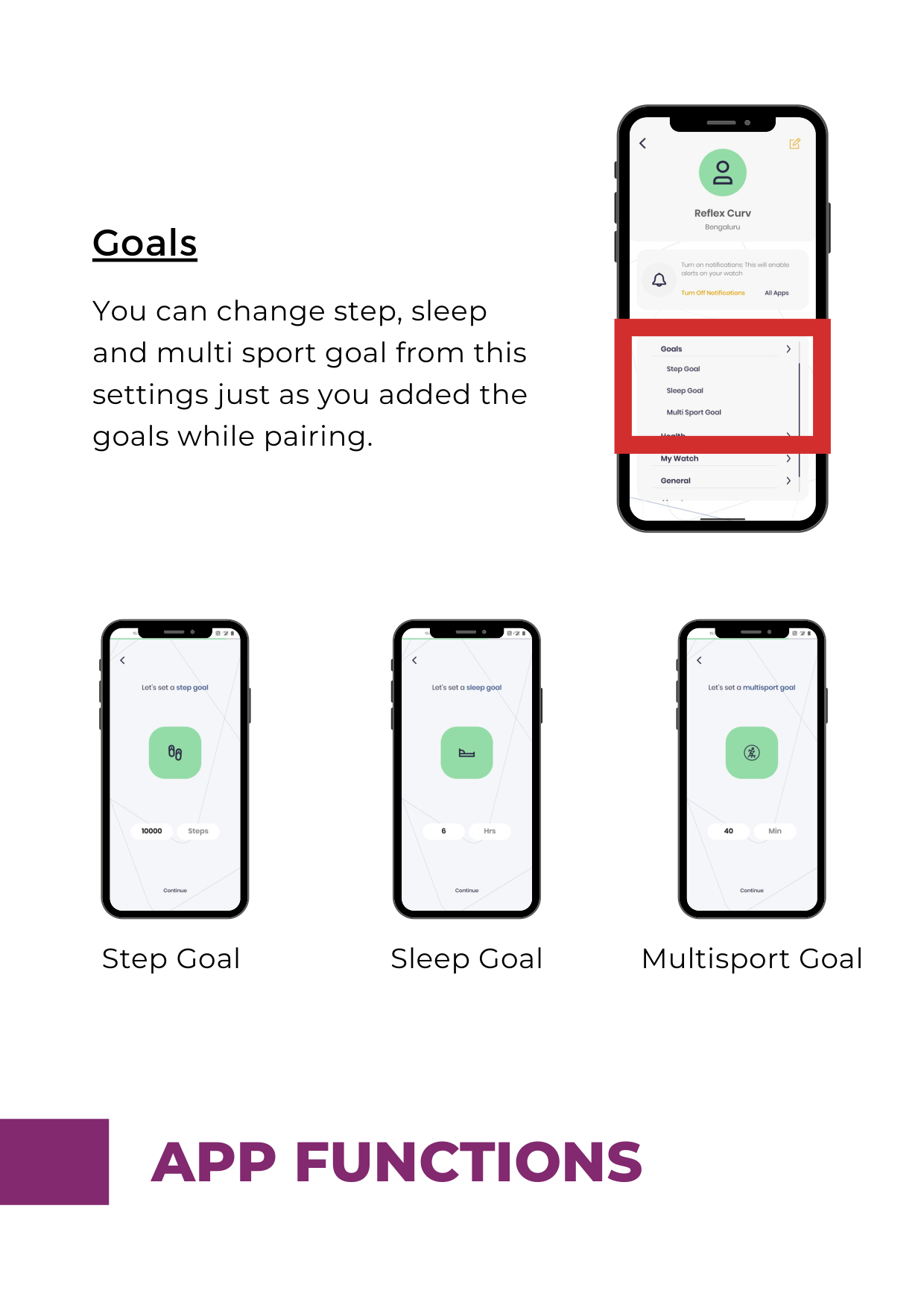
####### Goals
You can change step, sleep and multi sport goal from this settings just as you added the goals while pairing.




Step Goal Sleep Goal Multisport Goal

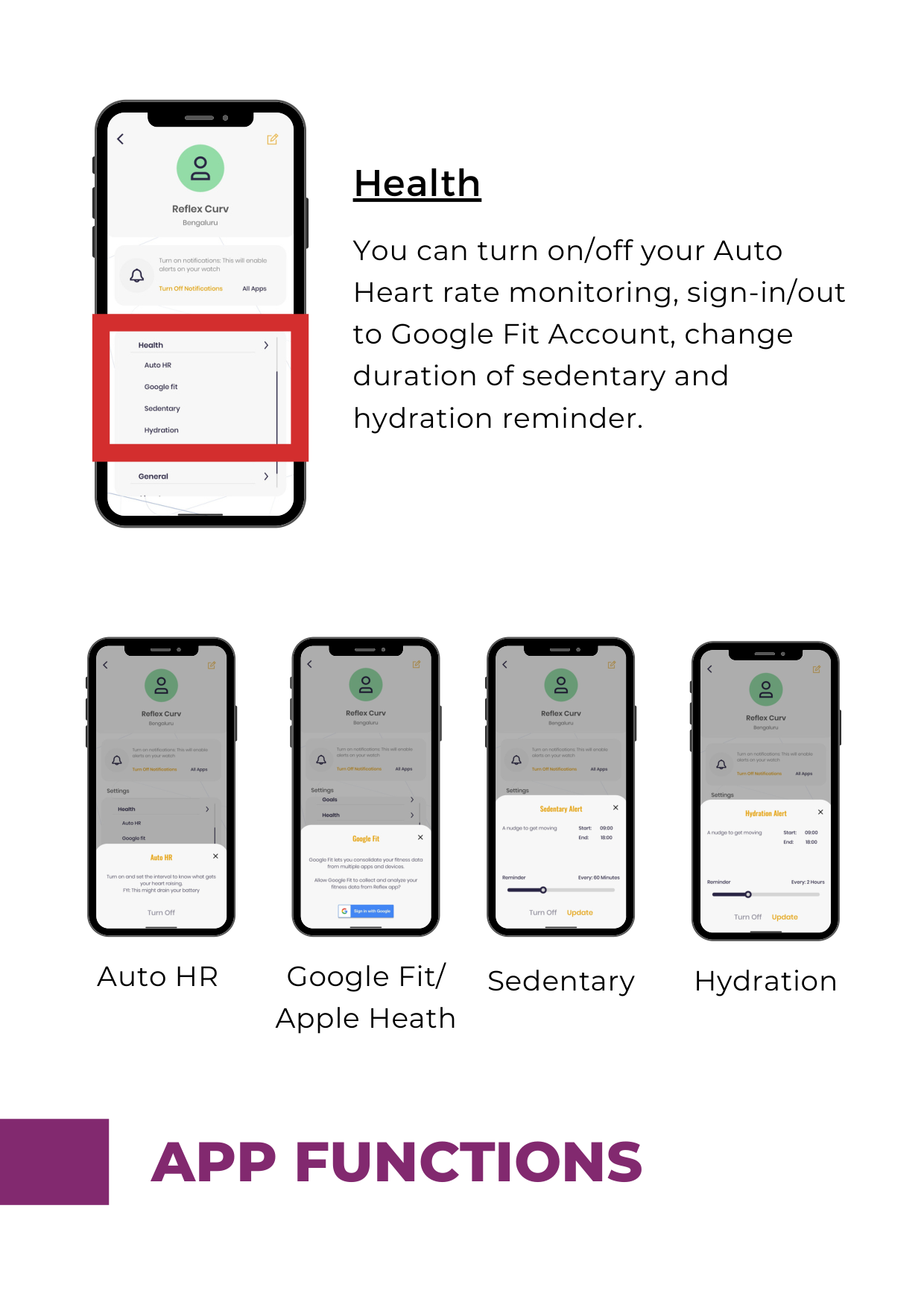
####### Health
You can turn on/off your Auto Heart rate monitoring, sign-in/out to Google Fit Account, change duration of sedentary and hydration reminder.




Auto HR Google Fit/ Apple Heath
Sedentary Hydration
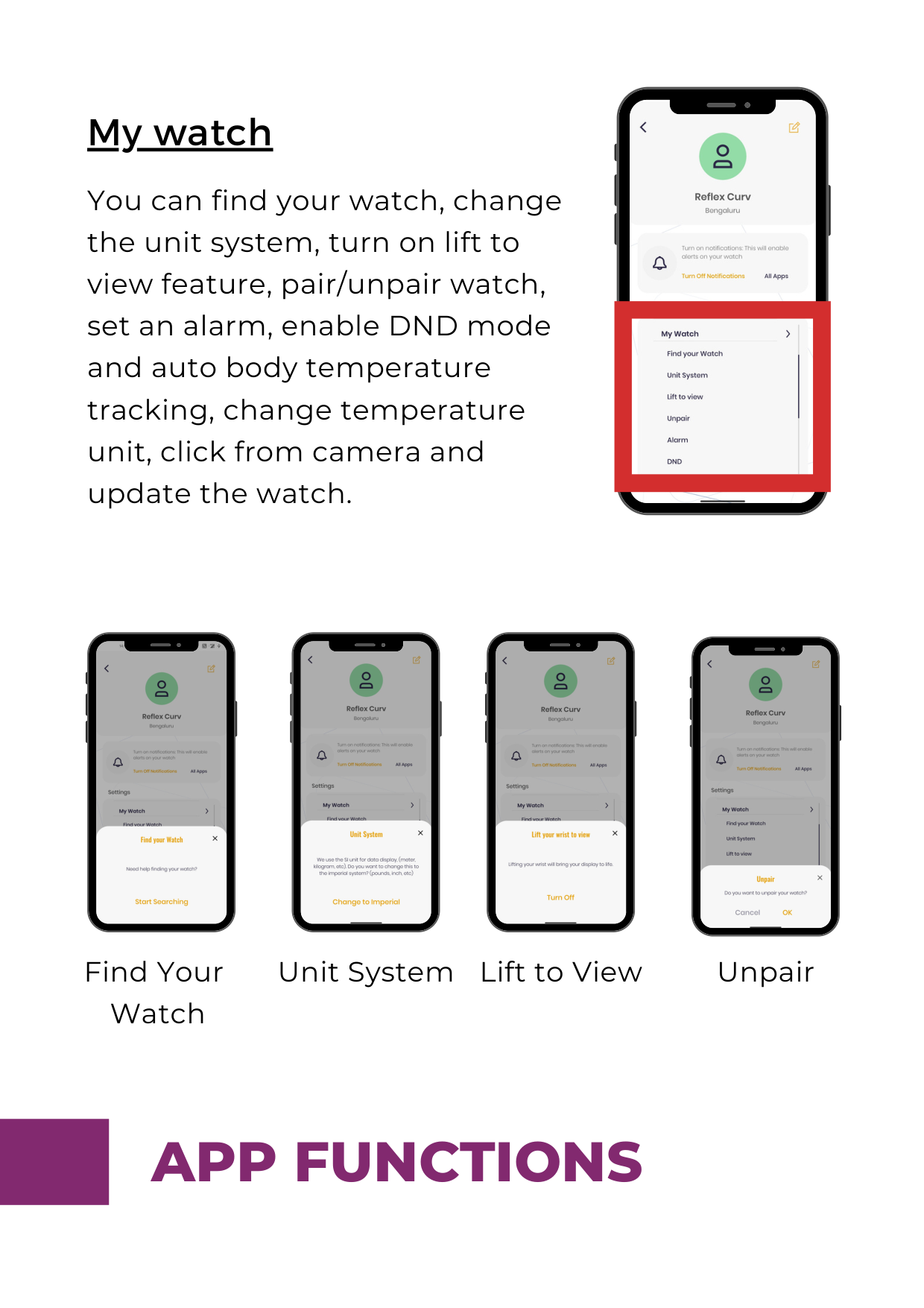
####### My watch
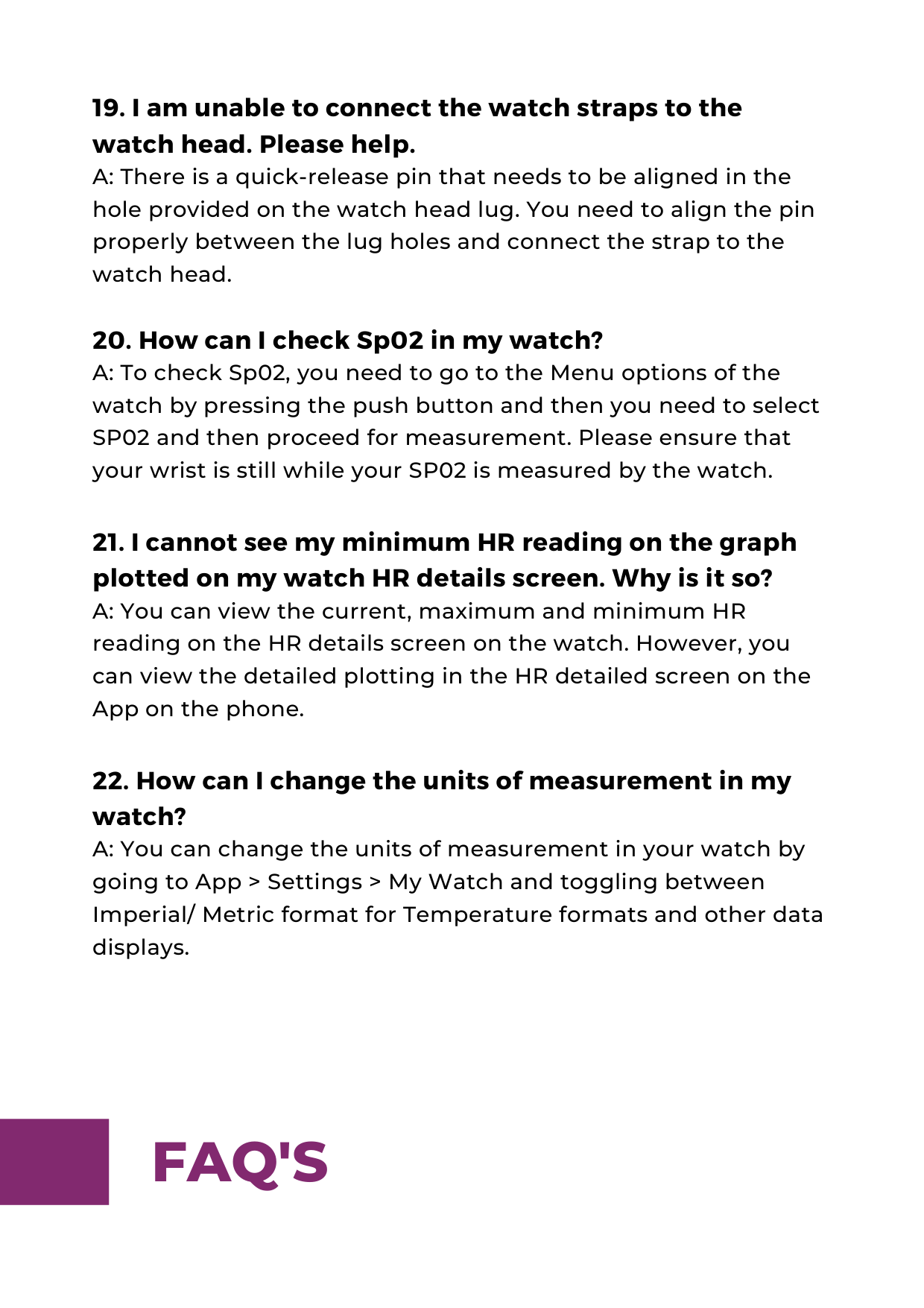
You can find your watch, change the unit system, turn on lift to view feature, pair/unpair watch, set an alarm, enable DND mode and auto body temperature tracking, change temperature unit, click from camera and update the watch.




Find Your Watch
Unit System Lift to View Unpair
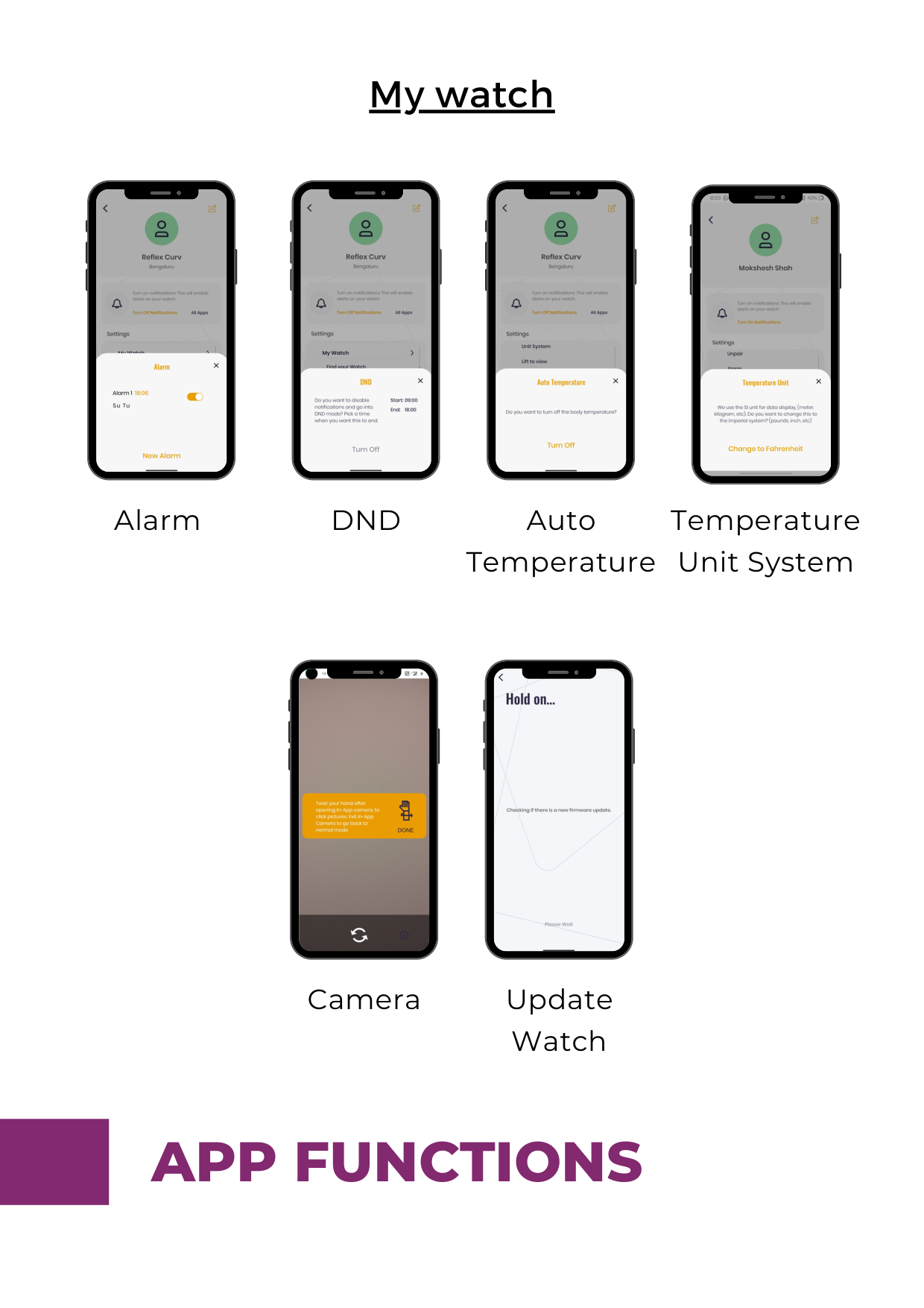
####### My watch




Alarm DND Auto Temperature
Temperature Unit System


Camera Update Watch

####### General
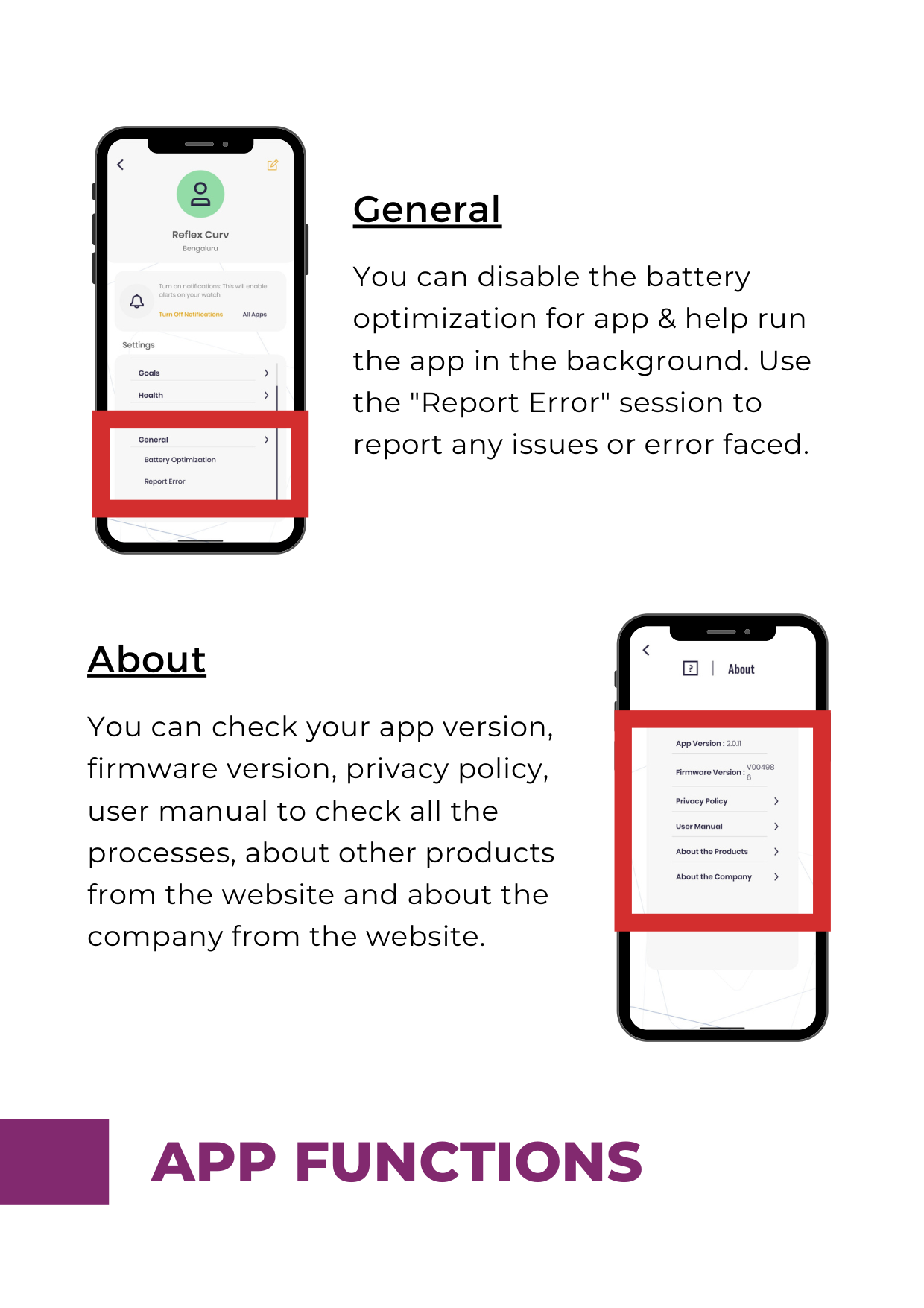
You can disable the battery optimization for app & help run the app in the background. Use the "Report Error" session to report any issues or error faced.
####### About
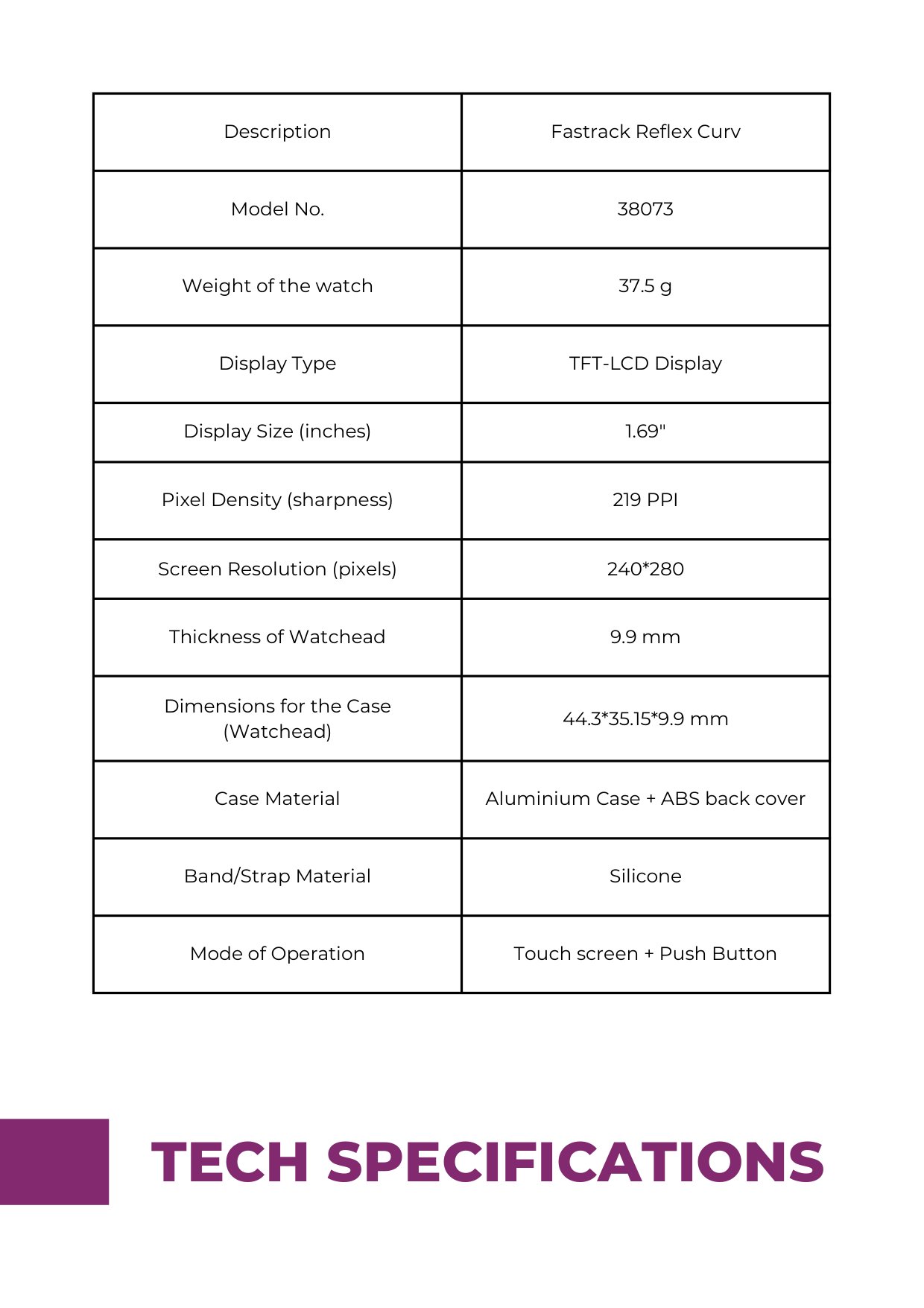
You can check your app version, firmware version, privacy policy, user manual to check all the processes, about other products from the website and about the company from the website.

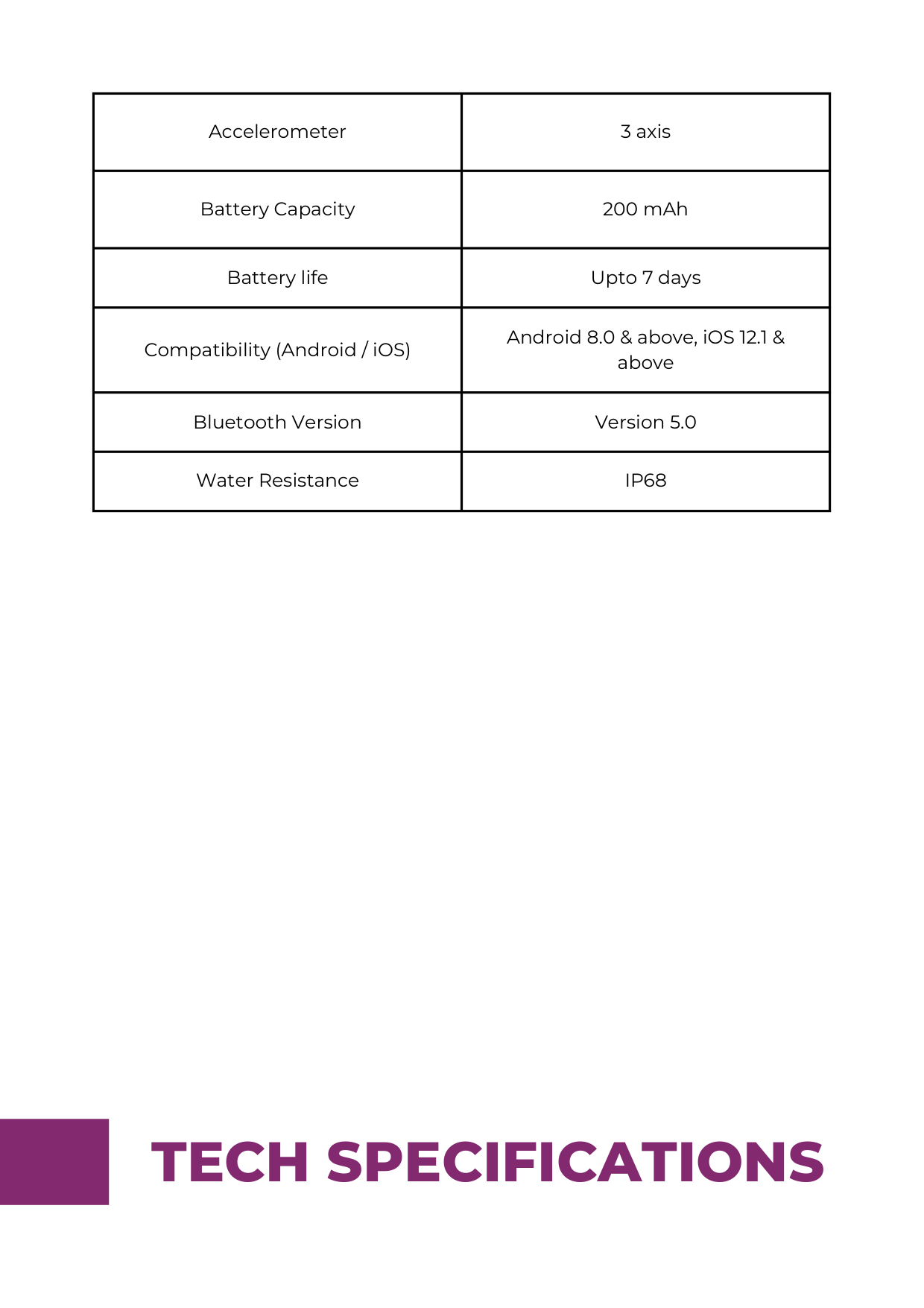
|Description|Fastrack Reflex Curv| |---|---| |Model No.|38073| |Weight of the watch|37.5 g| |Display Type|TFT-LCD Display| |Display Size (inches)|1.69"|
|Pixel Density (sharpness)|219 PPI| |Screen Resolution (pixels)|240*280| |Thickness of Watchead|9.9 mm| |Dimensions for the Case (Watchead)|44.3*35.15*9.9 mm| |Case Material|Aluminium Case + ABS back cover| |Band/Strap Material|Silicone| |Mode of Operation|Touch screen + Push Button|
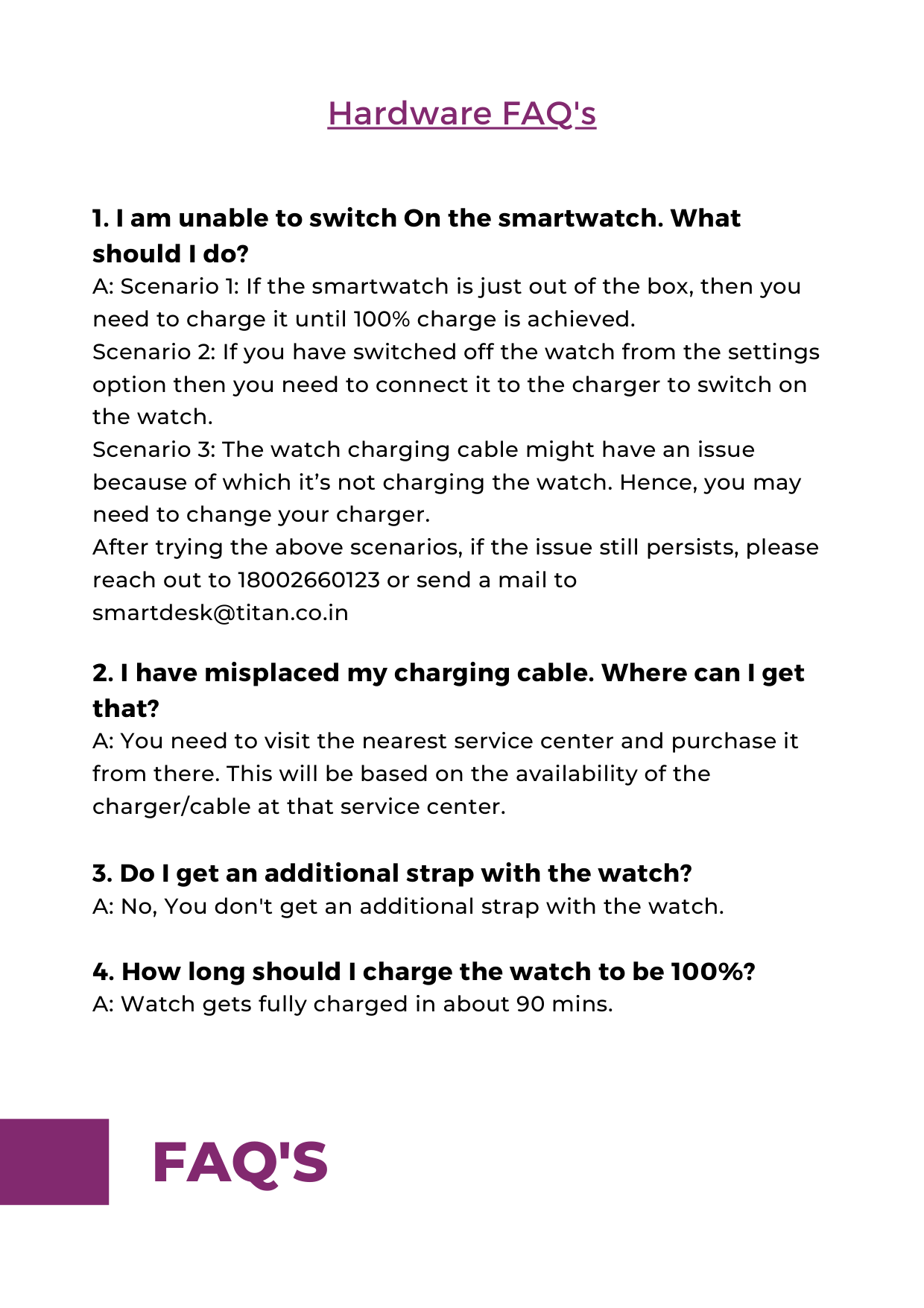
|Accelerometer|3 axis| |---|---| |Battery Capacity|200 mAh| |Battery life|Upto 7 days| |Compatibility (Android / iOS)|Android 8.0 & above, iOS 12.1 & above| |Bluetooth Version|Version 5.0| |Water Resistance|IP68|
######### Hardware FAQ's
########### 5. What is the specification required for smartphones toconnect with Reflex Curv?A: Android 8.0+ and ios 12.1+
########### 6. Are the charger and strap covered under warranty? A: No, the charger and strap are not covered under warranty.
Application FAQ's
############## Pairing: The next step is to pair the watch with the phone through the Fastrack Reflex World app. To do this, Tap on the “Scan” button on the app to open the camera. Scan the QR code shown on the watch. In case you have paired the watch earlier and you are on the watch home screen, Navigate to the “About” Screen by clicking on Settings in the watch. Once you reach the About screen, you will find the QR code there. Kindly provide the Bluetooth pairing pin that pops up on your watch and proceed to complete the pairing process The next step is to create a user profile in the application. Enter the details like Name, Gender, Birthday, Height, Weight, Sleep duration target, Multisport target, Steps target. The application will be ready for you to use and you will be able to experience the new journey in the Fastrack Reflex World.
############ 3. I am unable to receive the OTP for registering myselfon the Fastrack Reflex World application. What can bedone?A: Please make sure that you have entered the correct andactive mobile number for registration where you will receive theOTP via SMS.If you still do not receive the OTP, please contact the toll-freenumber 18002660123 or can write to us atsmartdesk@titan.co.in.
########### 4. I have purchased a new Fastrack Reflex Curv andwhile I have completed my pairing with the applicationFastrack Reflex World, it is asking for a FirmwareUpdate. Is it mandatory to do so?A: Yes, it's mandatory to update the firmware in order toexperience the best version of the watch.
############ 7. What should be done to sync the smartwatch withthe application?A: On opening the application on your smartphone, thesmartwatch data will be automatically synced. If you find thatthe watch is not synced or the data on the app is not changedyou can swipe from top to bottom on the main page of the appand it will automatically sync with the watch.
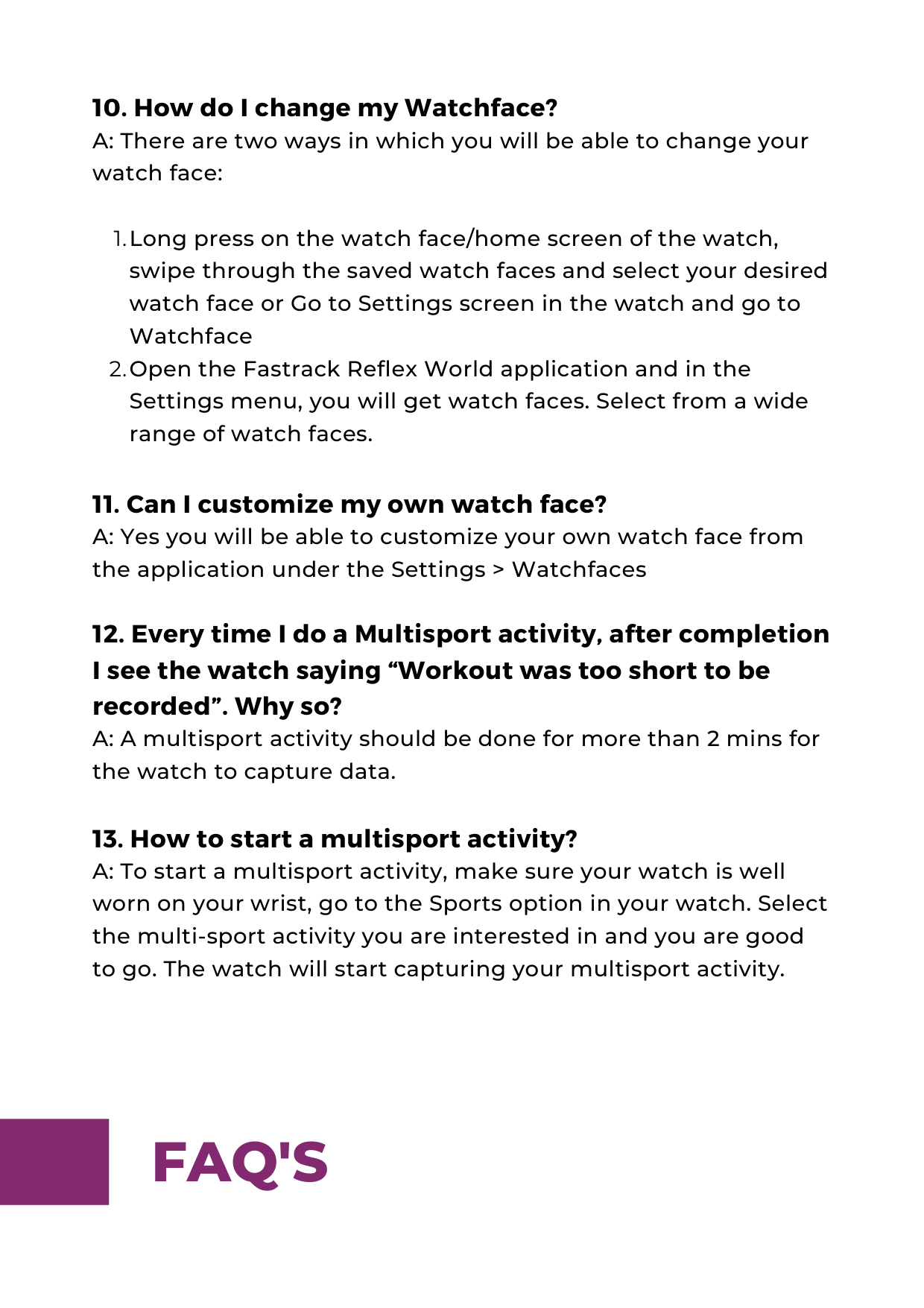
############ 10. How do I change my Watchface?A: There are two ways in which you will be able to change yourwatch face:
############## Long press on the watch face/home screen of the watch, swipe through the saved watch faces and select your desired watch face or Go to Settings screen in the watch and go to Watchface Open the Fastrack Reflex World application and in the Settings menu, you will get watch faces. Select from a wide range of watch faces.
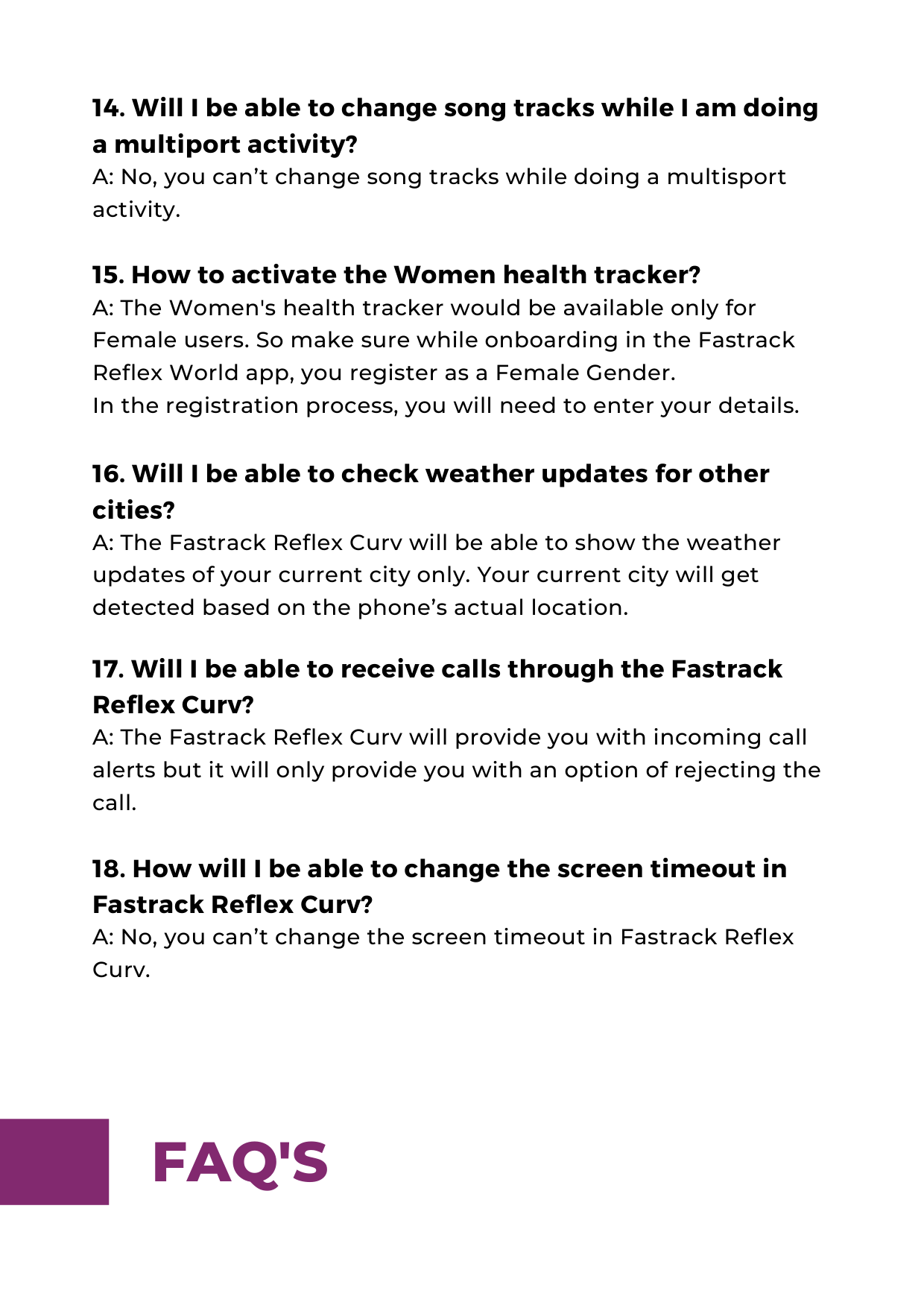
########### 14. Will I be able to change song tracks while I am doinga multiport activity?A: No, you can’t change song tracks while doing a multisportactivity.
############ 19. I am unable to connect the watch straps to thewatch head. Please help.A: There is a quick-release pin that needs to be aligned in thehole provided on the watch head lug. You need to align the pinproperly between the lug holes and connect the strap to thewatch head.
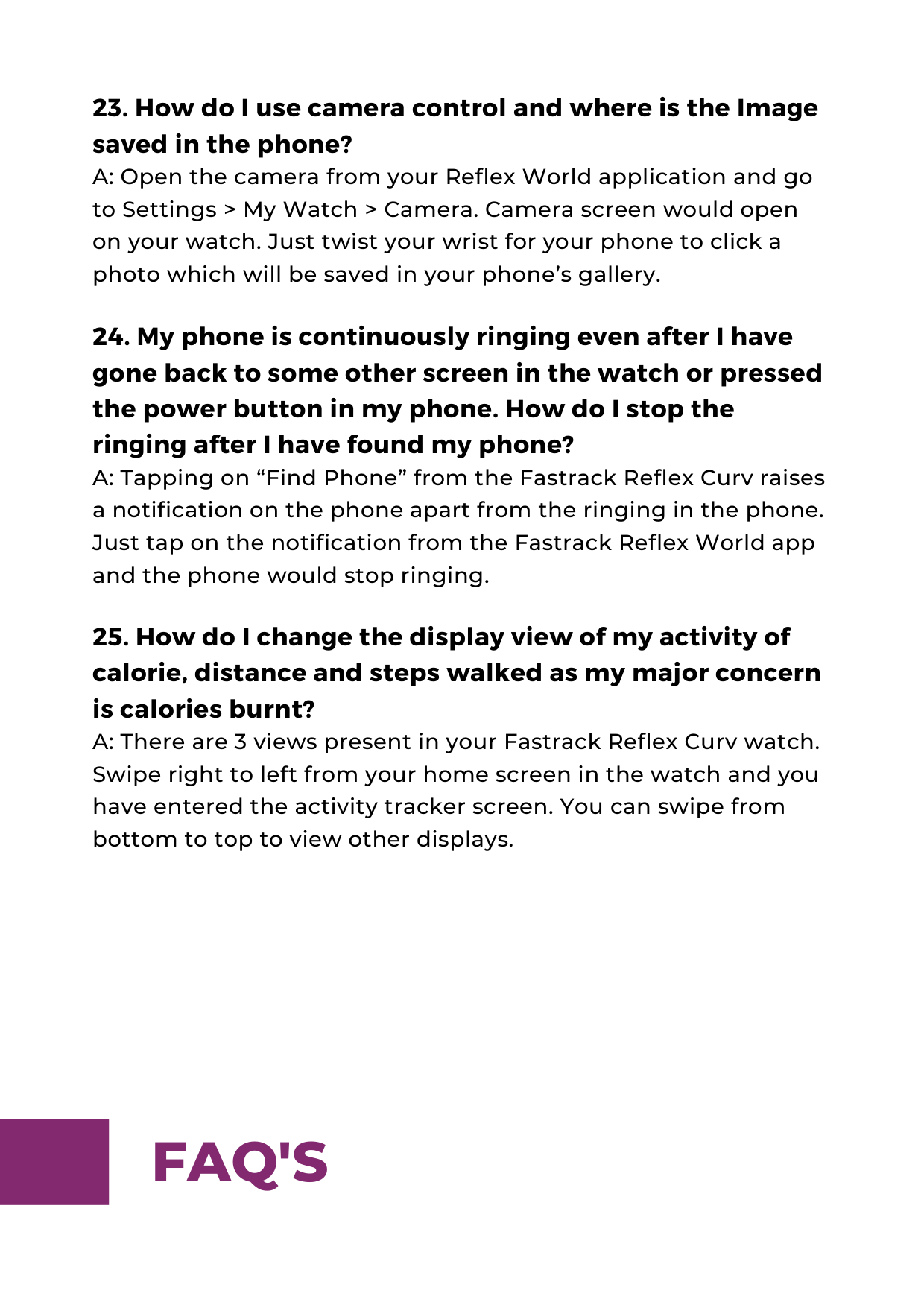
############ 23. How do I use camera control and where is the Imagesaved in the phone?A: Open the camera from your Reflex World application and goto Settings > My Watch > Camera. Camera screen would openon your watch. Just twist your wrist for your phone to click aphoto which will be saved in your phone’s gallery.
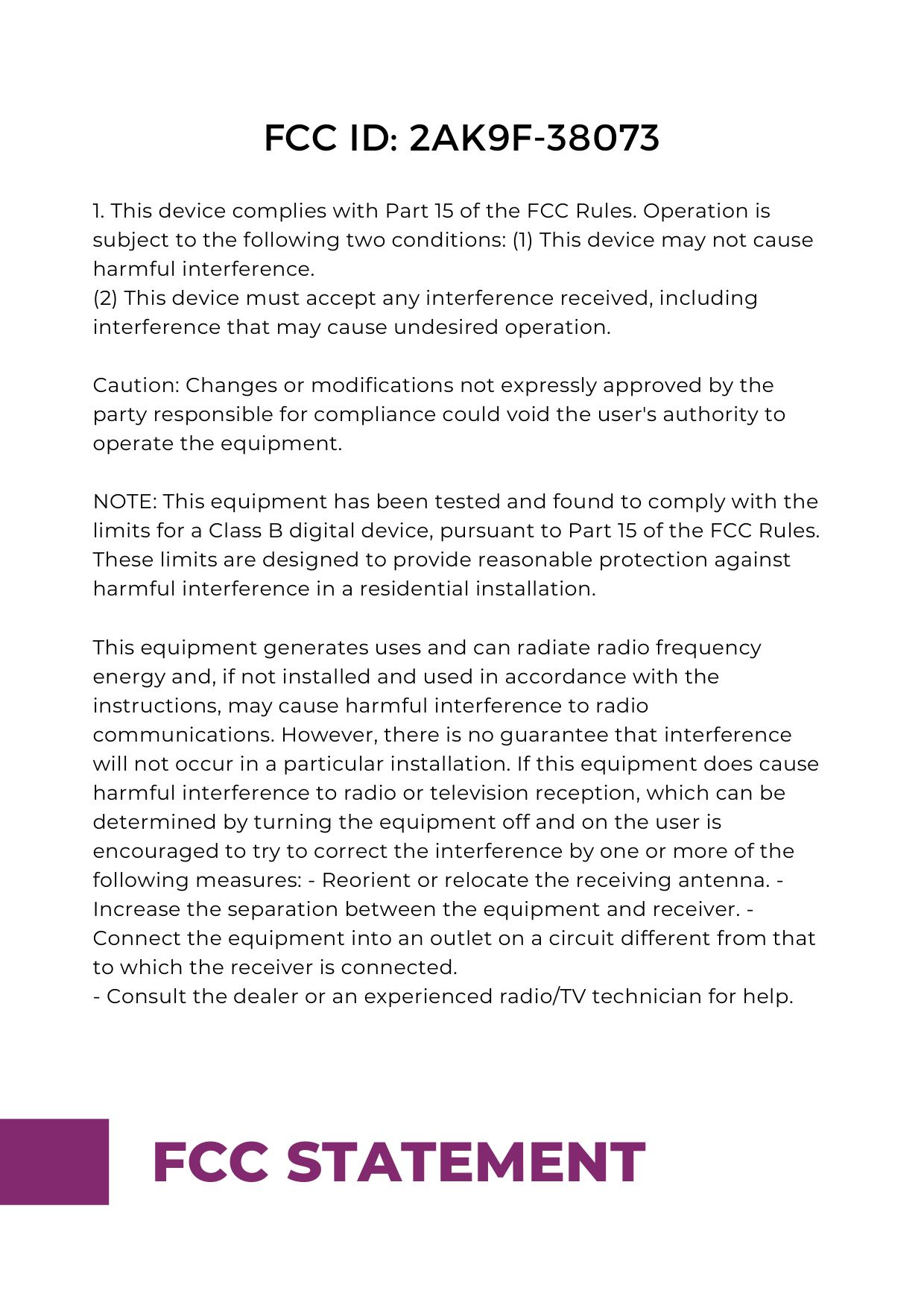
####### FCC ID: 2AK9F-38073
(2) This device must accept any interference received, including interference that may cause undesired operation.
Caution: Changes or modifications not expressly approved by the party responsible for compliance could void the user's authority to operate the equipment.
NOTE: This equipment has been tested and found to comply with the limits for a Class B digital device, pursuant to Part 15 of the FCC Rules. These limits are designed to provide reasonable protection against harmful interference in a residential installation.
This equipment generates uses and can radiate radio frequency energy and, if not installed and used in accordance with the instructions, may cause harmful interference to radio communications. However, there is no guarantee that interference will not occur in a particular installation. If this equipment does cause harmful interference to radio or television reception, which can be determined by turning the equipment off and on the user is encouraged to try to correct the interference by one or more of the following measures: - Reorient or relocate the receiving antenna. Increase the separation between the equipment and receiver. Connect the equipment into an outlet on a circuit different from that to which the receiver is connected.
#### FCC STATEMENT
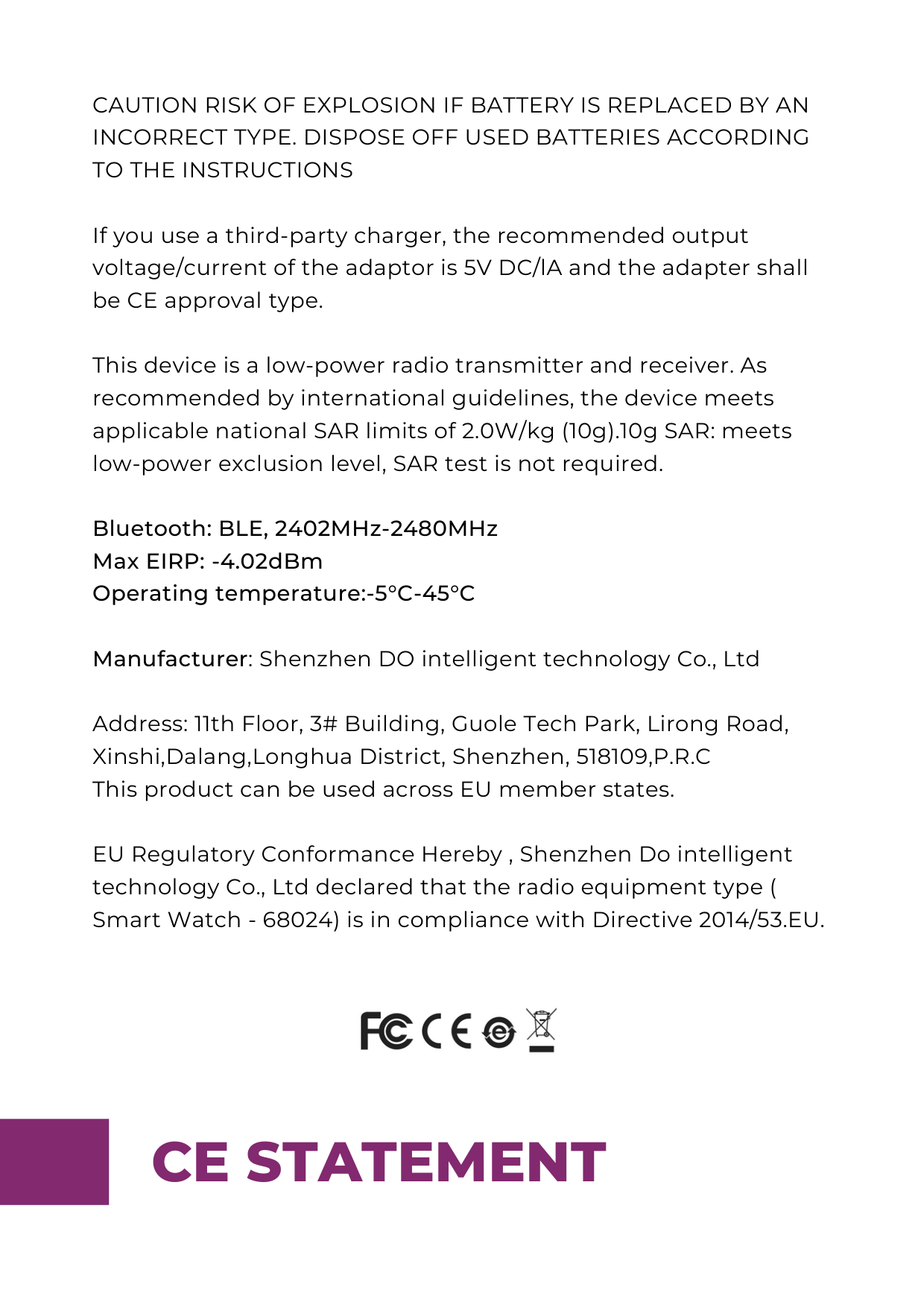
CAUTION RISK OF EXPLOSION IF BATTERY IS REPLACED BY AN INCORRECT TYPE. DISPOSE OFF USED BATTERIES ACCORDING TO THE INSTRUCTIONS
If you use a third-party charger, the recommended output voltage/current of the adaptor is 5V DC/lA and the adapter shall be CE approval type.
This device is a low-power radio transmitter and receiver. As recommended by international guidelines, the device meets applicable national SAR limits of 2.0W/kg (10g).10g SAR: meets low-power exclusion level, SAR test is not required.
############## Bluetooth: BLE, 2402MHz-2480MHz Max EIRP: -4.02dBm Operating temperature:-5°C-45°C
Manufacturer: Shenzhen DO intelligent technology Co., Ltd
Address: 11th Floor, 3# Building, Guole Tech Park, Lirong Road, Xinshi,Dalang,Longhua District, Shenzhen, 518109,P.R.C This product can be used across EU member states.
EU Regulatory Conformance Hereby , Shenzhen Do intelligent technology Co., Ltd declared that the radio equipment type ( Smart Watch - 68024) is in compliance with Directive 2014/53.EU.

CE STATEMENT
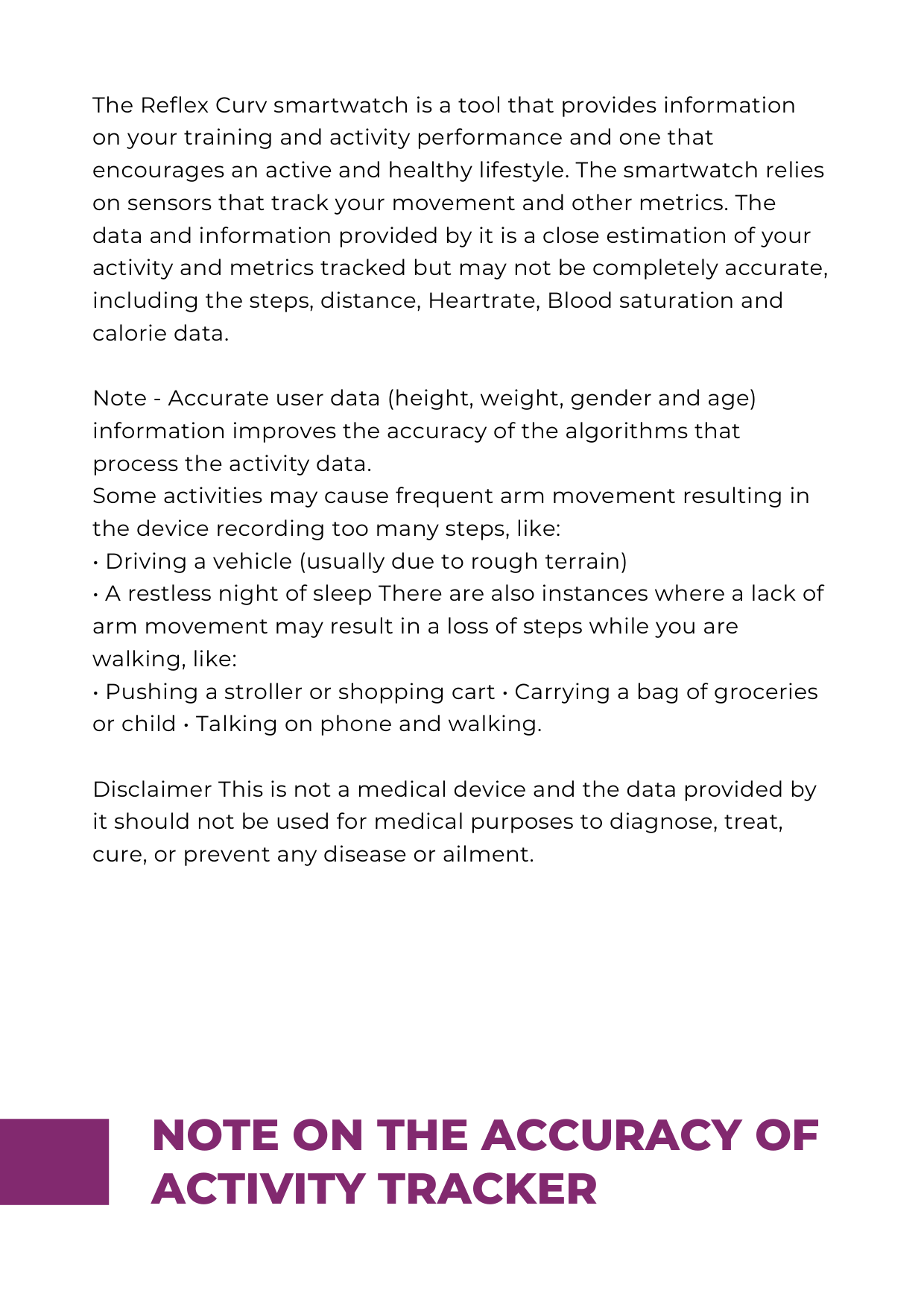
The Reflex Curv smartwatch is a tool that provides information on your training and activity performance and one that encourages an active and healthy lifestyle. The smartwatch relies on sensors that track your movement and other metrics. The data and information provided by it is a close estimation of your activity and metrics tracked but may not be completely accurate, including the steps, distance, Heartrate, Blood saturation and calorie data.
Note - Accurate user data (height, weight, gender and age) information improves the accuracy of the algorithms that process the activity data. Some activities may cause frequent arm movement resulting in the device recording too many steps, like:
Disclaimer This is not a medical device and the data provided by it should not be used for medical purposes to diagnose, treat, cure, or prevent any disease or ailment.
###### NOTE ON THE ACCURACY OF ACTIVITY TRACKER