
Ask AI
— answers from the official manualAnswers from the official manual.
Common questions
Common Questions
9 totalHow do I charge my Rohs Smart Bracelet?
Insert the magnetic charging USB cable into your computer or power adapter. Place the contact surface of the bracelet against the end of the charging cable and press gently until a solid connection is made. The battery icon will scroll on the screen during charging, and once full, it displays a full battery mark.
What should I do if I can't connect my Rohs Bracelet via Bluetooth?
Ensure that your device's Bluetooth is turned on, the bracelet is powered on and not already connected to another account. Try searching for the bracelet within close range of your phone.
How do I reset my Rohs Smart Bracelet to factory settings?
To restore factory settings, go into the 'more' menu and select 'restore factory settings.' Pressing the touch area will proceed with resetting the device.
What does a blinking red LED on my Rohs Bracelet mean?
A blinking red LED usually indicates that the bracelet is out of Bluetooth range or attempting to reconnect with your mobile device automatically upon coming back within range.
How do I change the time zone on my Rohs Smart Bracelet?
Press and hold the side key until the main interface appears. Then, press the touch area to switch between different home interfaces, including setting the timezone or clock.
How do I stop notifications from disturbing me at night?
Open the Do Not Disturb mode in settings to stop all notifications except alarms. When enabled, your bracelet will turn off vibrations and automatic lighting during set quiet hours.
Full Manual
12 pages

Smart Bracelet Instruction Manual
Thank you for using our smart Braclet .
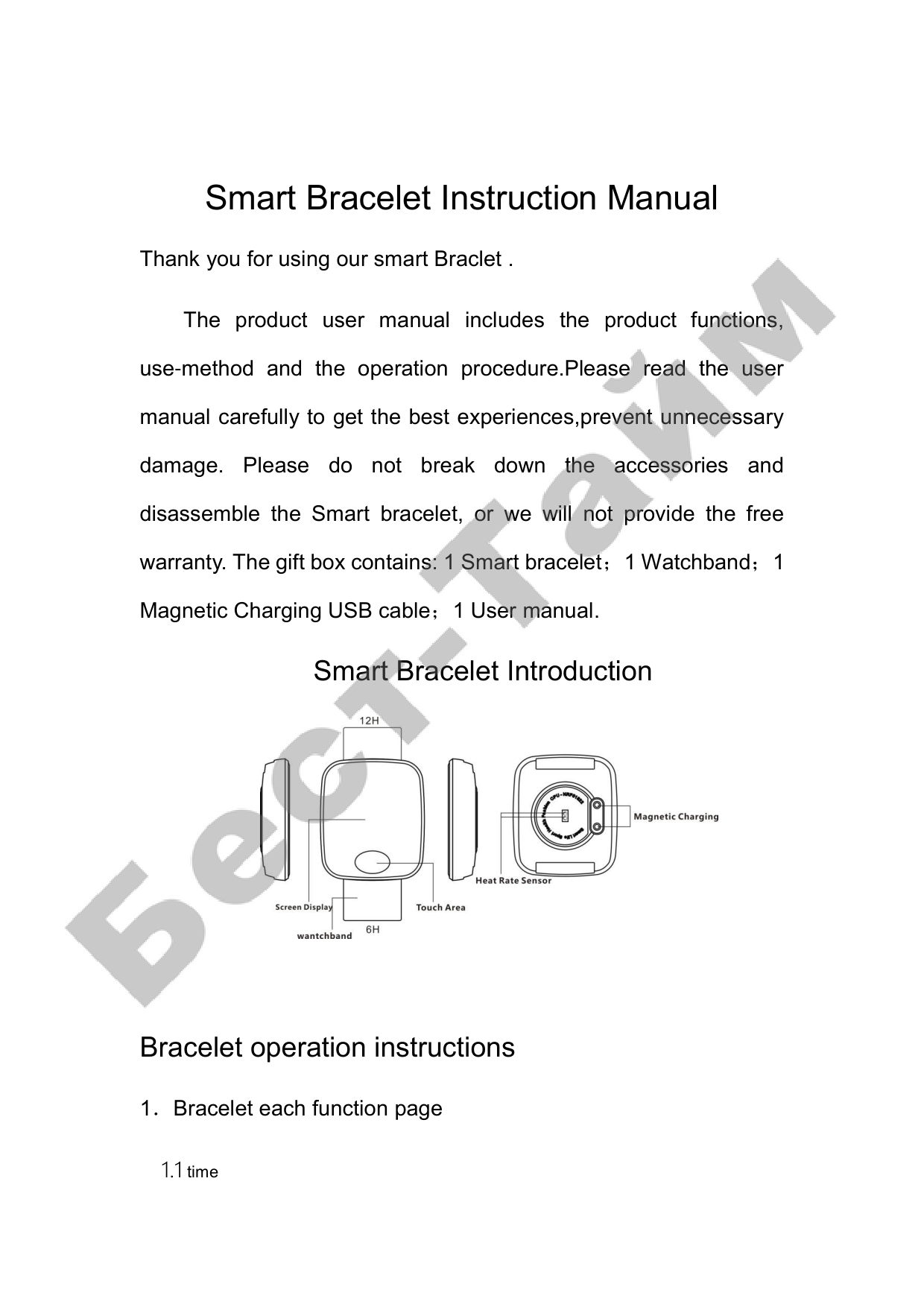
The product user manual includes the product functions, use-method and the operation procedure.Please read the user manual carefully to get the best experiences,prevent unnecessary damage. Please do not break down the accessories and disassemble the Smart bracelet, or we will not provide the free warranty. The gift box contains: 1 Smart bracelet;1 Watchband;1 Magnetic Charging USB cable;1 User manual.
Smart Bracelet Introduction

Bracelet operation instructions
1.Bracelet each function page


##### Icon 1-1
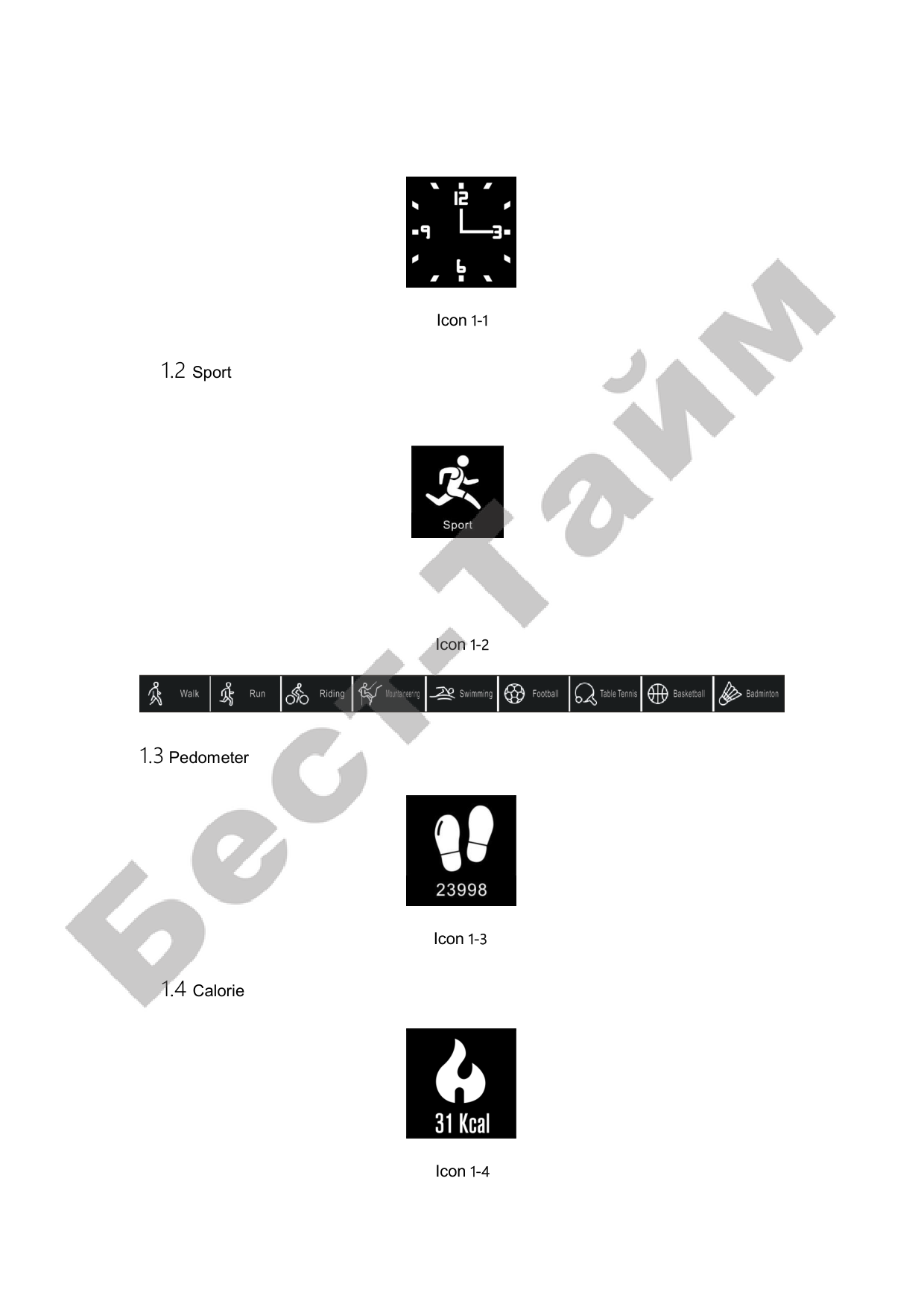
1.2 Sport

##### Icon 1-2

1.3 Pedometer

##### Icon 1-3
1.4 Calorie

##### Icon 1-4


1.5 Healthy

Icon 1-5

1.8 Tool


2, Main function description

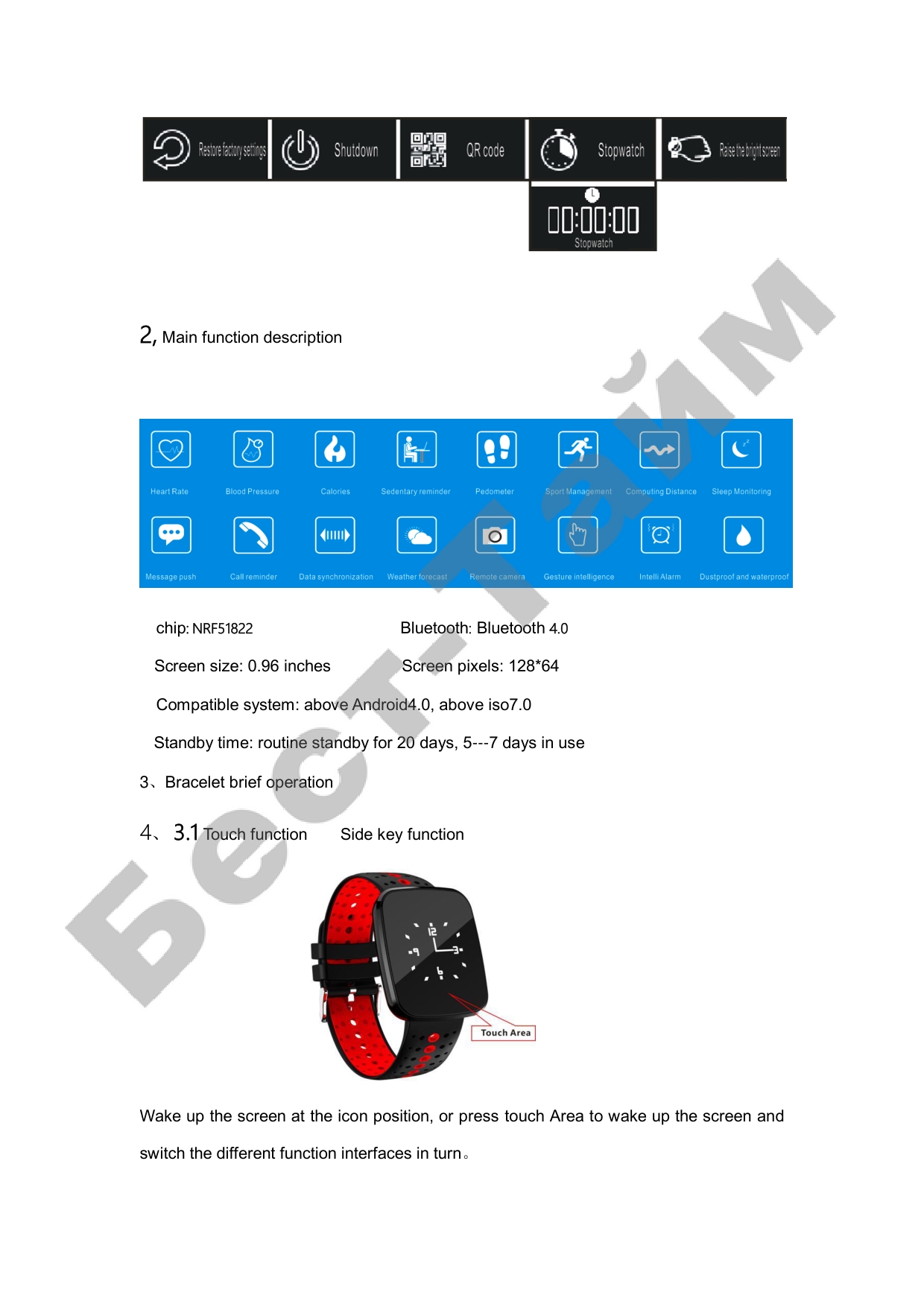
chip: NRF51822 Bluetooth: Bluetooth 4.0 Screen size: 0.96 inches Screen pixels: 128*64 Compatible system: above Android4.0, above iso7.0 Standby time: routine standby for 20 days, 5---7 days in use

Wake up the screen at the icon position, or press touch Area to wake up the screen and switch the different function interfaces in turn。

In the main interface, press the touch Area, you can choose different home page
☆ The charging clamp can be charged normally on the host computer。
☆ When the bracelet is charged, the battery power grid scroll display. The battery mark
on the screen is full when the battery is full。
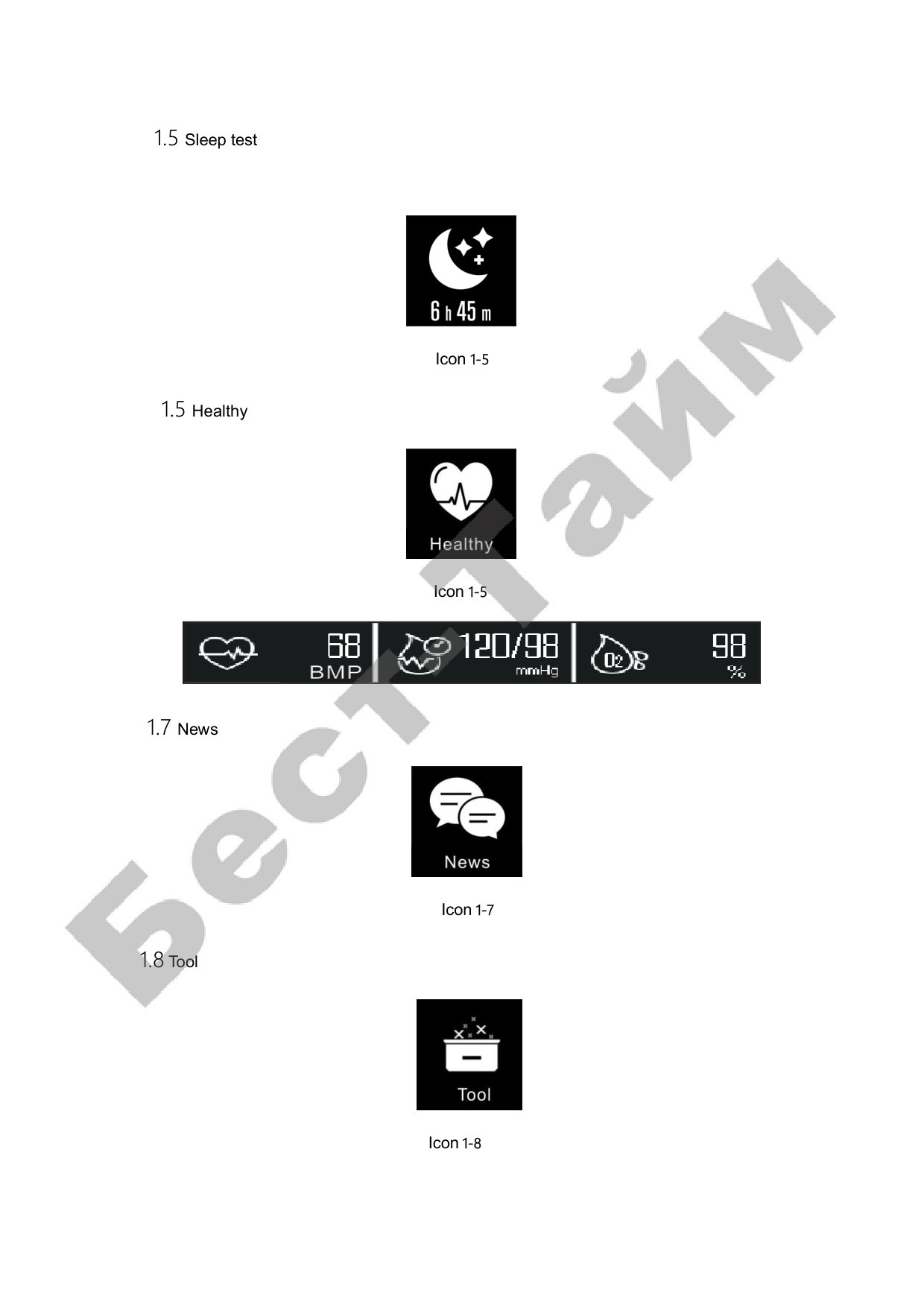
Bracelet boot state pedometer and sleep is enabled by default; to exercise the interface by side key, enter the exercise mode, divided into walking, running, biking, hiking, swimming, football, basketball, badminton, press the touch Area to exit; health by side key into the interface, heart rate, blood pressure, blood oxygen model. The heart rate pattern, contact with the skin, the light flashes and open the bracelet heart rate detection, blood pressure pattern, ring light, blood tests, press the touch Area to exit; successfully connected with the APK Bluetooth hand ring end pedometer / sleep / heart rate data in real time automatically synchronized to the mobile phone side, click to view monthly health the data report, and APK home interface synchronization
Bracelet end power 。
☆Step by step: at 12 in the evening, bracelet end step data will be cleared。
☆Sleep: you can set sleep monitoring time at the mobile terminal。
In the more interface by touch Area , enter the options (restore factory settings, shutdown, two-dimensional code, stopwatch, hand on screen, push message): restore factory settings interface, press the touch Area , can restore the factory settings; in the shutdown interface by side key, can be shutdown; in the stopwatch interface by side key, stopwatch mode, again by the touch Area , the stopwatch is running, press the touch Area to exit the stopwatch mode; the hand bright screen and message delivery interface by side select switch。

3.5 Bluetooth connectivity
3.5.1 Download App
Download via app market:
Android System: application treasure, pea pods and other applications market search, IOS system: App Store search, move to download
1、Through QR code scanning Download:
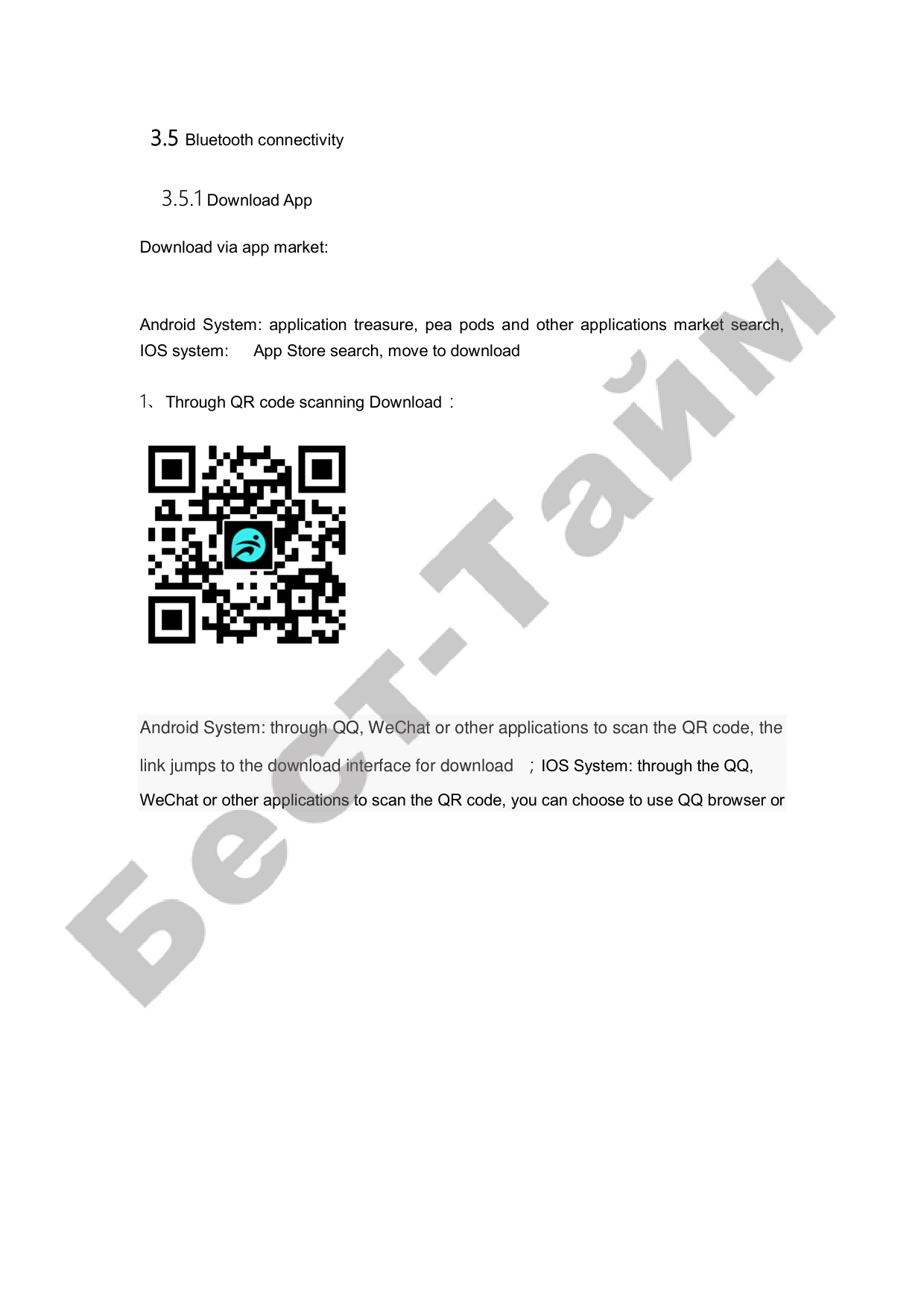

#### Android System: through QQ, WeChat or other applications to scan the QR code, the link jumps to the download interface for download ;IOS System: through the QQ, WeChat or other applications to scan the QR code, you can choose to use QQ browser or

local Safari browser link to jump to the download interface for download. (followed by a

direct link to APPSTORE)
Android mobile APP Name: move Apple phone APP Name: move

Installation complete Icon:
3.4.2 Sign in


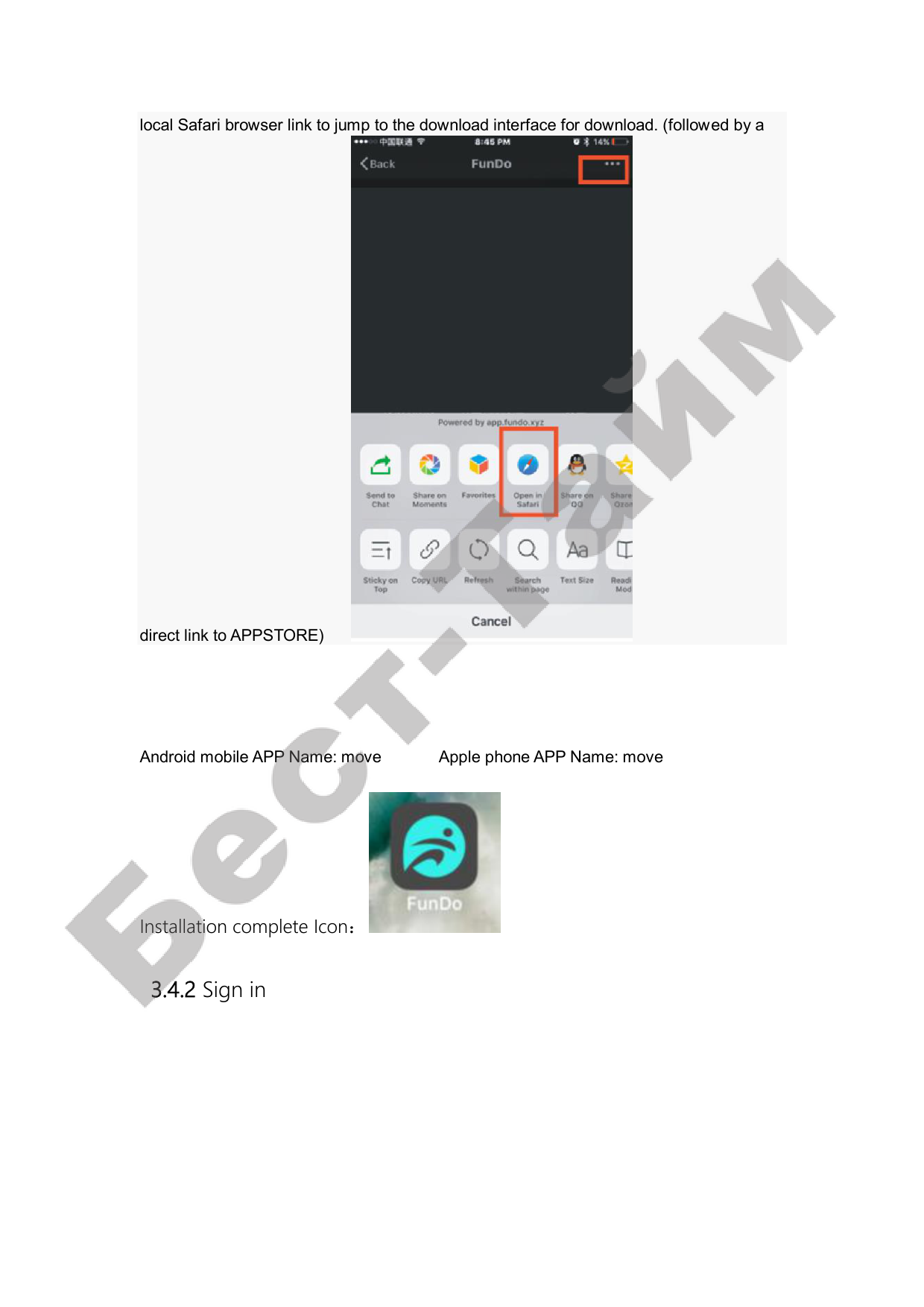
Turn on the following diagram:
3.4.3 Bluetooth connectivity
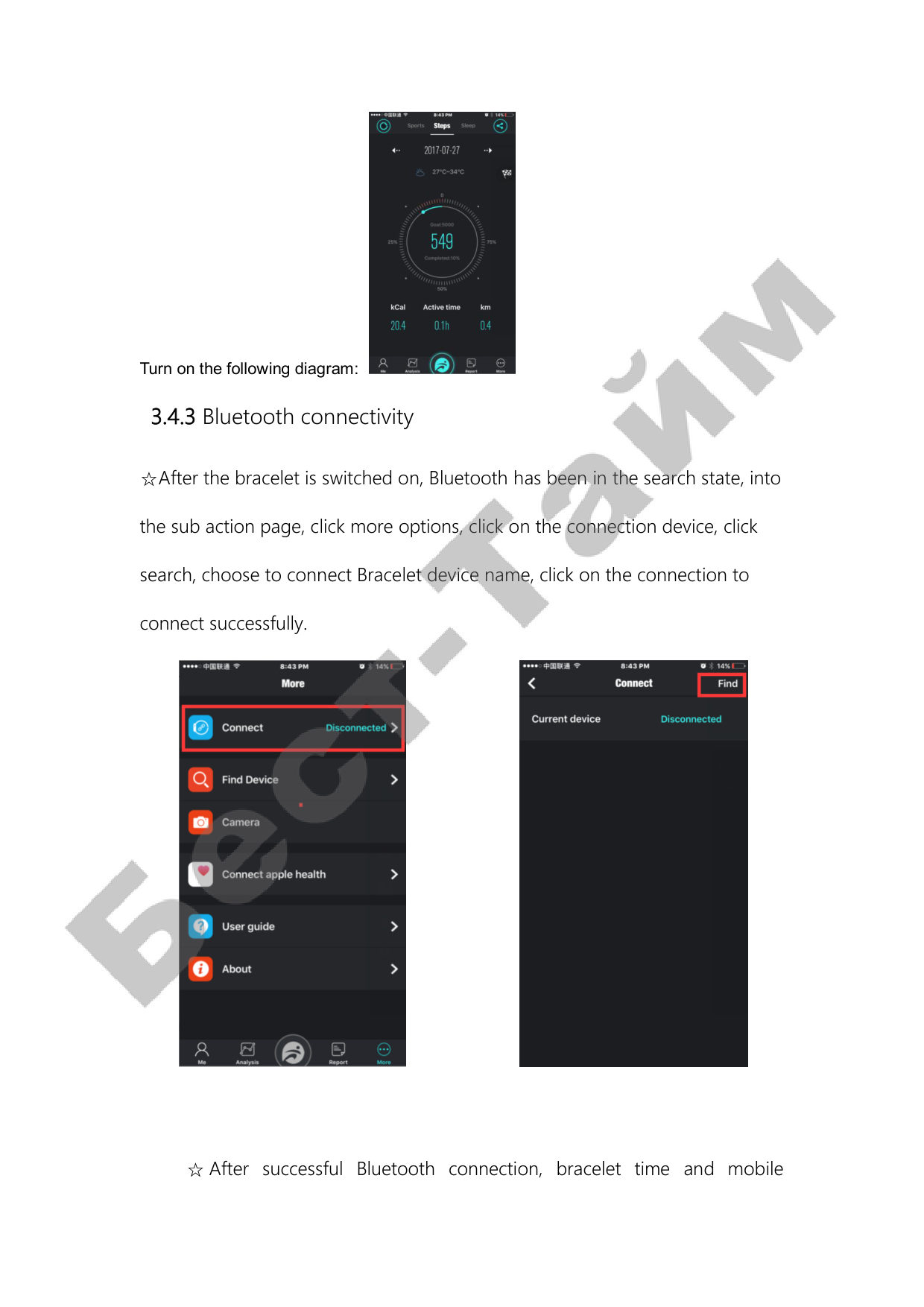
☆After the bracelet is switched on, Bluetooth has been in the search state, into
the sub action page, click more options, click on the connection device, click
search, choose to connect Bracelet device name, click on the connection to
connect successfully.


☆ After successful Bluetooth connection, bracelet time and mobile

terminal time synchronization, APK Click to find bracelet, bracelet bright screen
vibration and display prompt icon.
☆ Bluetooth automatic reconnection:
4.Other functions
The following functions are successful in the login APK and Bluetooth
connection can be achieved under the premise of success。
4.1notice
Call notification, SMS notification, message notification, etc.(Example: set
up the incoming call notification, when the mobile terminal receives an
incoming call, the bracelet side vibration bright screen reminder, the interface
will show the caller icon, click the touch button to stop reminding.
4.2 Do Not Disturb
Open the disturbance mode, in addition to the alarm, notify all settings to
open the reminder, there will be no end ring automatic light screen vibrating
alert。

4.3 Sedentary reminder
Set the start to the end of time and sedentary time interval (in minutes)
and threshold (step), click enter duplicate set selection (weeks), sedentary
reminder date when sedentary time arrived bright screen and display Bracelet
end vibration alert Icon。
4.4 Alarm clock
APK click on the alarm clock to remind the alarm clock to set the time to
add, when the alarm clock time to reach the end of the bracelet vibration bright
screen to remind and display alarm clock icon.
4.5 Reminder mode
☆Bright screen: when the mobile phone APK terminal to set the alarm
clock time to reach or receive a push message, the bracelet side only shows a
bright screen reminder;
☆Vibration: when the mobile phone APK terminal to set the alarm clock
time to reach or receive a push message, the bracelet side only vibration
reminder;
☆Bright screen + vibration: when the mobile phone APK terminal to set
the alarm clock time to reach or receive a push message, the bracelet side
shows a bright screen + vibration reminder;
4.6 Gesture intelligent control

Choose the way to wear (left / right), the bracelet will be worn on the players
(left / right);
☆The hand light screens: the open hand bright screen, hand to face in
front of their inward tilt bracelet, bracelet end display bright screen;
☆ Fanwan light screens: open fanwan bright screen, 90 degree flip the
bracelet tilt inward facing the front of their own, bright screen display terminal
Bracelet。
4.7 Equipment binding
Open the power, in the "more" interface, click "connect equipment" will
pop up "the equipment" and the current device disconnect, click, will be
whether to disconnect the Bluetooth, choose OK to unlashing (Bluetooth
connection under the premise of success in). Sync to system settings and
disconnect from Bluetooth device.
Matters needing attention:
log in, and at the same time to determine whether the network is abnormal;

by other accounts;
distance。
the operation of the mobile phone in the background, and the message
notification is open (auxiliary function also need to open);
disconnecting the Bluetooth connection。
account;
charger。