
Ask AI
— answers from the official manualAnswers from the official manual.
Common questions
Common Questions
28 totalWhat do the CH error codes mean on the remote controller display?
The CH error codes indicate specific system problems detected by the unit's self-diagnosis function. CH 01 means indoor room temperature thermistor error, CH 02 means indoor piping thermistor error, CH 03 means indoor main body/remote controller unit communication error, and CH 04 (Optional) means water level float switch error. When CH flashes on the wired remote controller display, you should contact your serviceman or dealer. (Page 20)
How do I clean the air filter properly?
Clean the filter with a vacuum or warm, soapy water; if very dirty, wash with a solution of detergent in lukewarm water. Do not use hot water of 50°C or more, as it may deform the filter. After washing, dry the filter well in the shade, then re-install it in the unit. (Page 21)
Why does the air conditioner not start immediately when I restart it?
The air conditioner will not operate for about three minutes when restarted because of a built-in mechanism protector. Simply wait about three minutes and operation will begin normally. This is a normal protective feature of the unit. (Page 23)
What should I do if strange sounds, smells, or smoke come from the air conditioner?
If strange sounds, smell, or smoke come from the product, turn the breaker off or disconnect the power supply cable immediately. There is a risk of electric shock or fire in such situations. Contact an authorized service center for inspection and repair. (Page 5)
Why does the air conditioner display 'Preheat' or 'Defrost' during heating operation?
The 'Preheat' indicator appears because the air conditioner uses a hot start control to prevent cold air from being discharged at the beginning of heating operation. The 'Defrost' indicator appears when the outdoor temperature is too low, triggering a defrosting operation to maintain performance. Both are normal operating states for the heat pump model. (Page 16)
What should I do if the remote controller display shows 'CH' flashing?
'CH' flashing on the remote controller display indicates a problem has occurred with the air conditioner. You should contact your dealer when this self-diagnosis code appears. Do not attempt to repair the unit yourself.
Show 22 more questions
How often should I clean the air filter, and what is the correct cleaning method?
Why does the air conditioner not start immediately after being restarted?
What is the correct way to use the Telephone Control function to turn the air conditioner on remotely?
What is the temperature range that can be set during Cooling Operation mode?
What are the safety precautions when cleaning or removing the air filter?
What does the 'Preheat' or 'Defrost' indicator mean during Heating Operation?
How do I clean the optional PLASMA filter, and are there any safety warnings I should know?
What should I do if the air conditioner does not operate at all?
Why does my air conditioner not cool or heat effectively?
Why is there condensation leaking from the air conditioner?
What does the 'CH' display on the remote controller mean?
How do I set up the child lock function?
What should I do when the air conditioner is not going to be used for a long time?
How do I clean the PLASMA filter?
What is the recommended temperature range for cooling and heating modes?
What should I never do when cleaning the air conditioner?
How often should I clean the air filter?
What temperature range can I set for cooling operation?
How do I prepare the air conditioner when it won't be used for a long time?
How do I activate the Child Lock function to prevent children from operating the air conditioner?
What is the maximum distance the wireless remote controller can operate from?
How should I prepare the air conditioner when it will not be used for a long time?
Full Manual
25 pages
English
Important
Please read through this manual. It contains valuable information about your air conditioner. This manual may help save time and money by explaining proper product maintenance and preventing improper use.Precautions
Pay close attention to precautions in order to prevent potential hazards and damage from misuse or improper installation. LG is not responsible for any damages caused by misuse of the product.Lg
Ceiling Duct-Type Air ConditionerOwner'S Manual
Lg
Prior to installation, this air-conditioning unit must be submitted for approval by the utility service which provides electricity (EN 61000-3 Norm.)Operating Temperature (°C)
Colling Mode
Heating Mode
Indoor
Outdoor
Max.
Min.
Max.
Min.
32 21 43 21Indoor
Outdoor
Max.
Min.
Max.
Min.
27 20 24 1
F or Your Records R ead This Manual
Caution
2 Ceiling Duct-Type Air Conditioner Owner's ManualTable Of Contents
Write the model and serial numbers here: Model # Serial # You can find them on a label on the side of each unit. Dealer's Name Date Purchased Inside you will find many helpful hints on how to use and maintain your air conditioner properly. Just a little preventive care on your part can save you a great deal of time and money over the life of your air conditioner. You'll find many answers to common problems in the chart of troubleshooting tips. If you review our chart of Troubleshooting Tips first,youmaynotneedtocall for service at all. ? Contact the authorized service technician for repair or maintenance of this unit. ? Contact the installer for installation of this unit. ? The air conditioner is not intended for use by young children or invalids without supervision. ? Young children should be supervised to ensure that they do not play with the air conditioner. ? When the power cord is to be replaced, replacement work shall be performed by authorized personnel only. ? Installation work must be performed in accordance with the national wiring standards by authorized personnel only.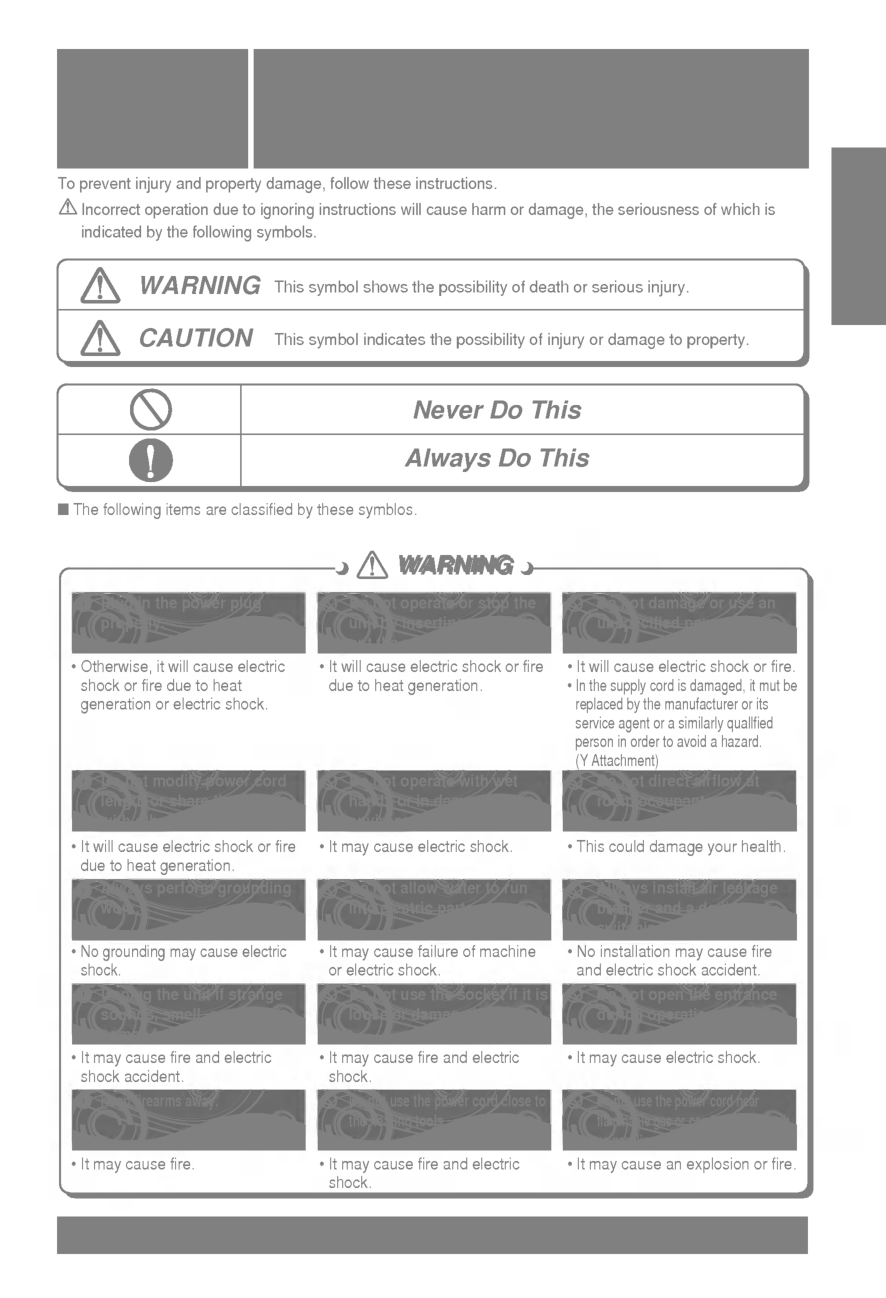
Warning
Warning
Warning
Caution
Never Do This Always Do ThisWarning
Warning
Precautions Safety Precautions 3English
To prevent injury and property damage, follow these instructions. Incorrect operation due to ignoring instructions will cause harm or damage, the seriousness of which is indicated by the following symbols. Do not install, remove and reinstall the unit by yourself. ? Improper installation will cause water leakage, electrical shock, or fire. Please consult authorized dealer or specialist for the installation work. Please note fault caused by improper installation is not covered by warranty. ? Unit must be installed in an easily accessible area. Any additional cost required to hire a special equipment to service the unit will be the responsibility of the customer. Do not damage or use an unspecified power cord. ? It will cause electrical shock or fire. ? If the supply cord is damaged, it must be replaced by the manufacturer or its service agent or a similarly qualified person in order to avoid a hazard. Do not operate switches with wet hands. ? It may cause electrical shock. Plug in the power plug properly. ? Otherwise, it will cause electrical shock or fire due to heat generation. Do not operate or stop the unit by inserting or pulling out the power plug. ? It will cause electrical shock or fire due to heat generation. Do not insert your finger or stick, etc. into the air inlet/air outlet. ? Since the fan rotates at high speed, this may cause an injury or damage the unit. Do not expose the skin to cool air directly for a long time. ? This could damage your health. When an abnormality (smell of burning, etc) occurs, stop the air conditioner, and turn off the breaker. ? If the unit continues to be operated in an abnormal condition, it may cause a fire, trouble, etc. In this case, consult your dealer. Repair or relocation should not be done by the customer. ? If this is done in correctly, it may cause a fire, electric shock, injury by dropping of the unit, water leakage, etc. Consult your dealer. This symbol shows the possibility of death or serious injury. This symbol indicates the possibility of injury or damage to property. Installation precautions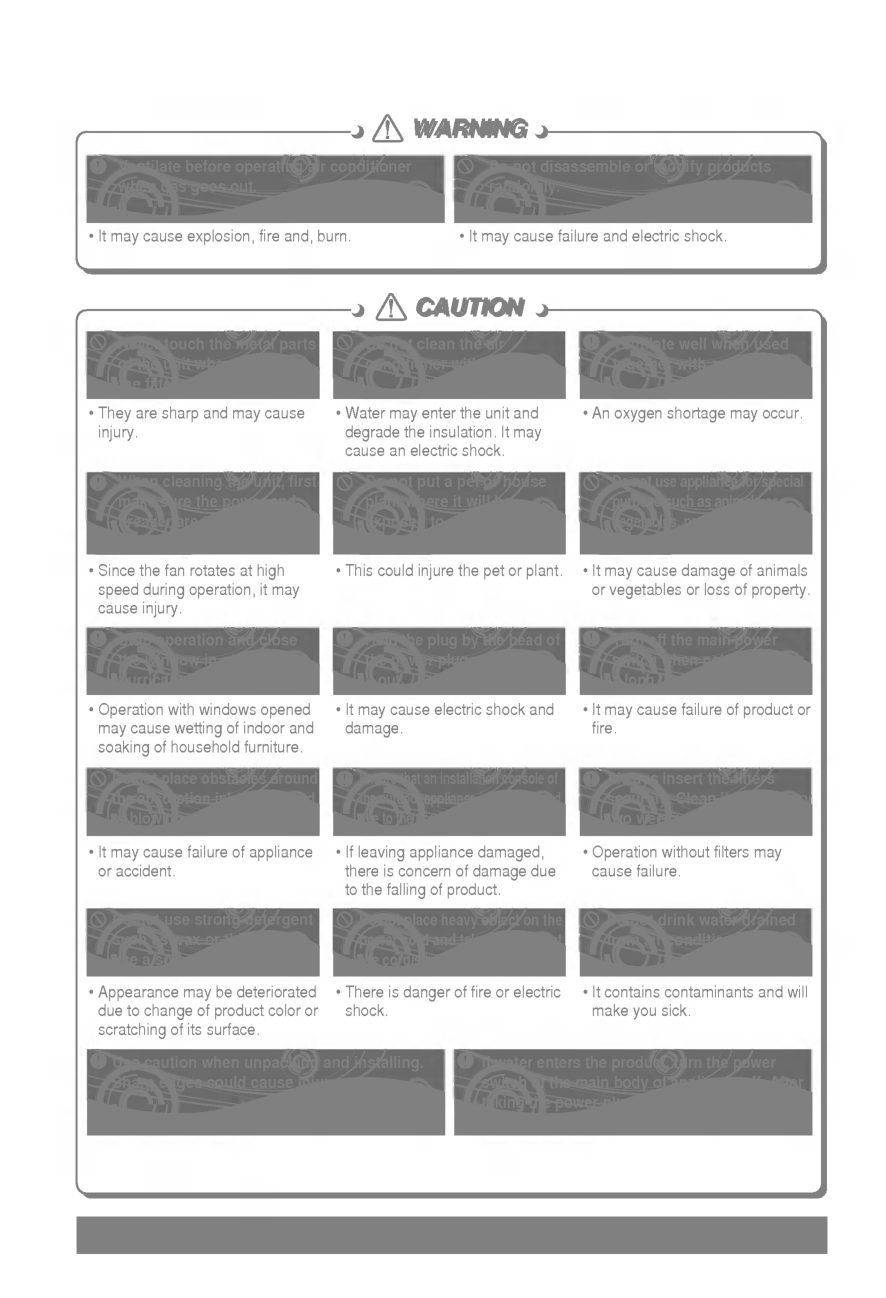
Caution
Caution
Caution
Caution
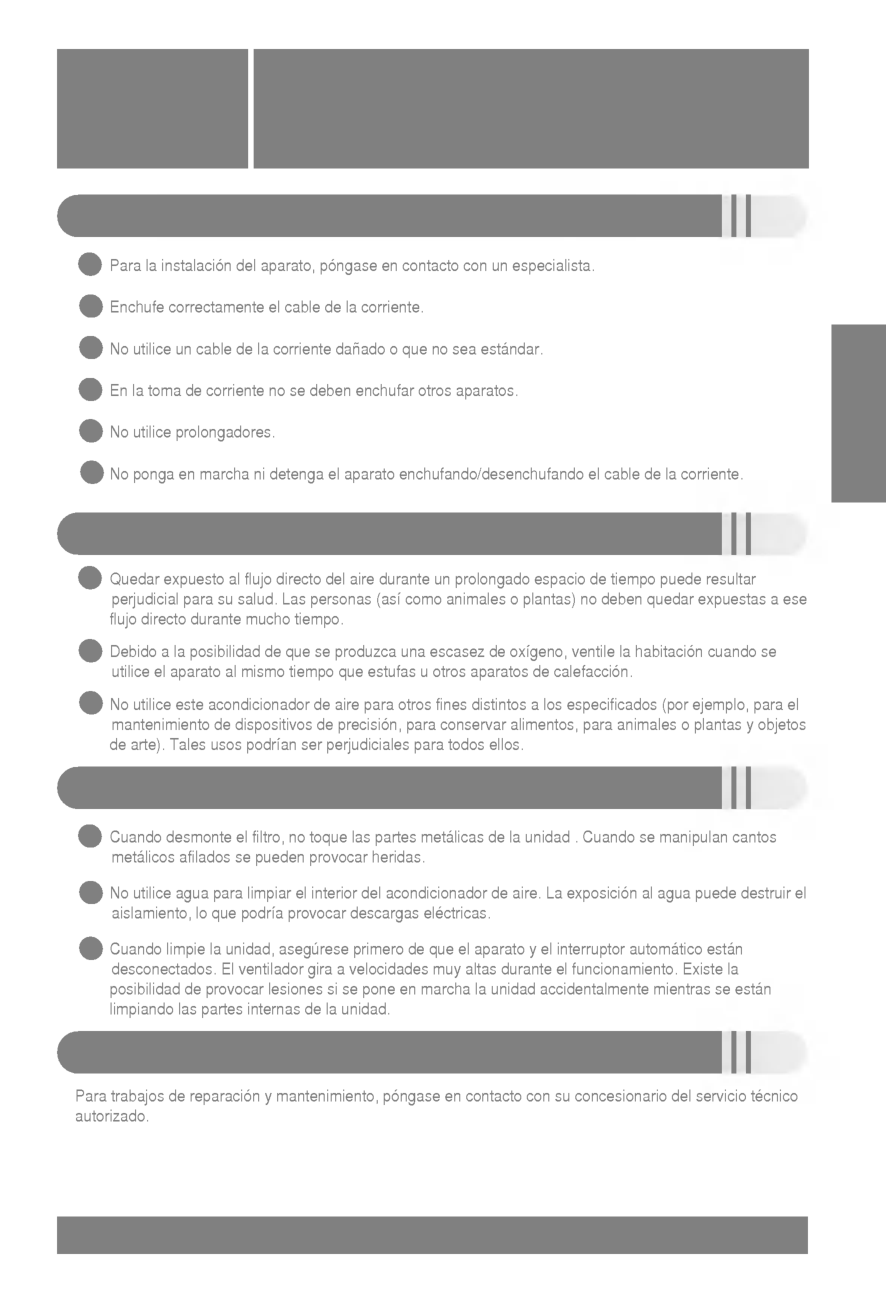
4 Do not clean the air conditioner with water. ? Water may enter the unit and degrade the insulation. It may cause an electric shock. Ventilate well when used together with a stove, etc. ? An oxygen shortage may occur. Whentheunitistobe cleaned, switch off, and turn off the breaker. ? Since the fan rotates at high speed during operation, it may cause an injury. Do not put a pet or house plant where it will be exposed to direct air flow. ? This could injure the pet or plant. Do not apply an insecticide or flammable spray. ?Itmaycauseafireor deformation of the cabinet. Do not leave on installation stand which is damaged. ? The unit may drop or fall down and cause an injury. Do not put a stove, etc. where is exposed to direct air flow. ? It may cause imperfect combustion. When the unit is not going to be used for a long time, turn off the breaker. ? It may cause an injury. Do not step on the outdoor unit and do not put anything on it. ? It may cause an injury through dropping or falling down. Do not operate for a long time in high humidity, e.g. leaving a door or window open. ? In the cooling mode, if it is operatedinaroomwithhigh humidity (80%r.h. or more) for a long time, water condensed in the air conditioner may drop and may wet and spoil furniture, etc. Do not step onto an unstable bench when attaching/detaching the panel. ?Itmaycaseaninjury,etc.by falling down. Do not use for special purposes. ? Do not use this air conditioner to preserve precision devices, food, animal, plants and art objects. It may cause deterioration of quality, etc. Ifthesupplycordisdamaged,it must be replaced by a special cord or assembly available from the manufacturer of its service agent. ? If will cause electrical shock or fire. When the air filter is to be removed,donottouchthe metal parts of the indoor unit. ? It may cause an injury. Do not insert hands through vanes when the air conditioner is operating. ? It will cause an injury by the rotating blower. ? Contact the authorized Service technician for repair or maintenance of this unit. ? Contact the installer for installation of this unit. ? The air conditioner is not intended for use by young children or infirm persons without supervision. ? Young children should be supervised to ensure that they do not play with the air conditioner.
Reset
Plasma Timer Cancel Program Week HolidaySet/Clr
Min HourOperation
Fan Speed
Program setSub Function
Set Temp
Room TempHi
Med
Lo
Heater Defrost Filter Preheat Out door Timer On Set no. Time Off010305070911131517192123 Time Operation unit 3 8 5 9 10 11 12 13 14 2 1 6 47 17 16 15 Signal receptorZone
1234 Operating Instructions Operating Instructions 5English
Name and Function of Remote Controller Operation display Displays the operation conditions. On/Off Button Operation starts when this button is pressed, and stops when the button is pressed again. Set Temperature Button Used to set the temperature when the desired temperature is obtained. FAN Operation Button Used to circulate room air without cooling or heating. Electric Heater Button(optional:48/60k ZL/ZA/ZP Model only) Used to set the Electric Heater. Fan Speed Button Used to set desired fan speed. Operation Mode Selection Button Used to select the operation mode. ? Auto Operation Mode. ? Cooling Operation Mode. ? Soft Dry Operation Mode. ? Heating Operation Mode.(except cooling model) Timer Cancel Button Used to cancel the timer. Timer Set Button Used to set the timer when the desired time is obtained. Week Button Used to set a day of the week. Program Button Used to set the weekly timer. Holiday Button Used to set a holiday of the week. Time Set Button Used to set the time of the day and change the time in the weekly timer Function. Set and Clear Button Used to set and clear the weekly timer. Room Temperature Checking Button Used to check the room temperature. Plasma Air Clean Button(optional) Reset Button Used to set the current time and clear the setting time. 17 16 15 14 13 12 11 10 9 8 7 6 5 4 3 2 1 Remote Controller Display temperature can be different from actual room temperature if the remote controller is installed at the place where sun-rays are falling directly or the place nearby heat source.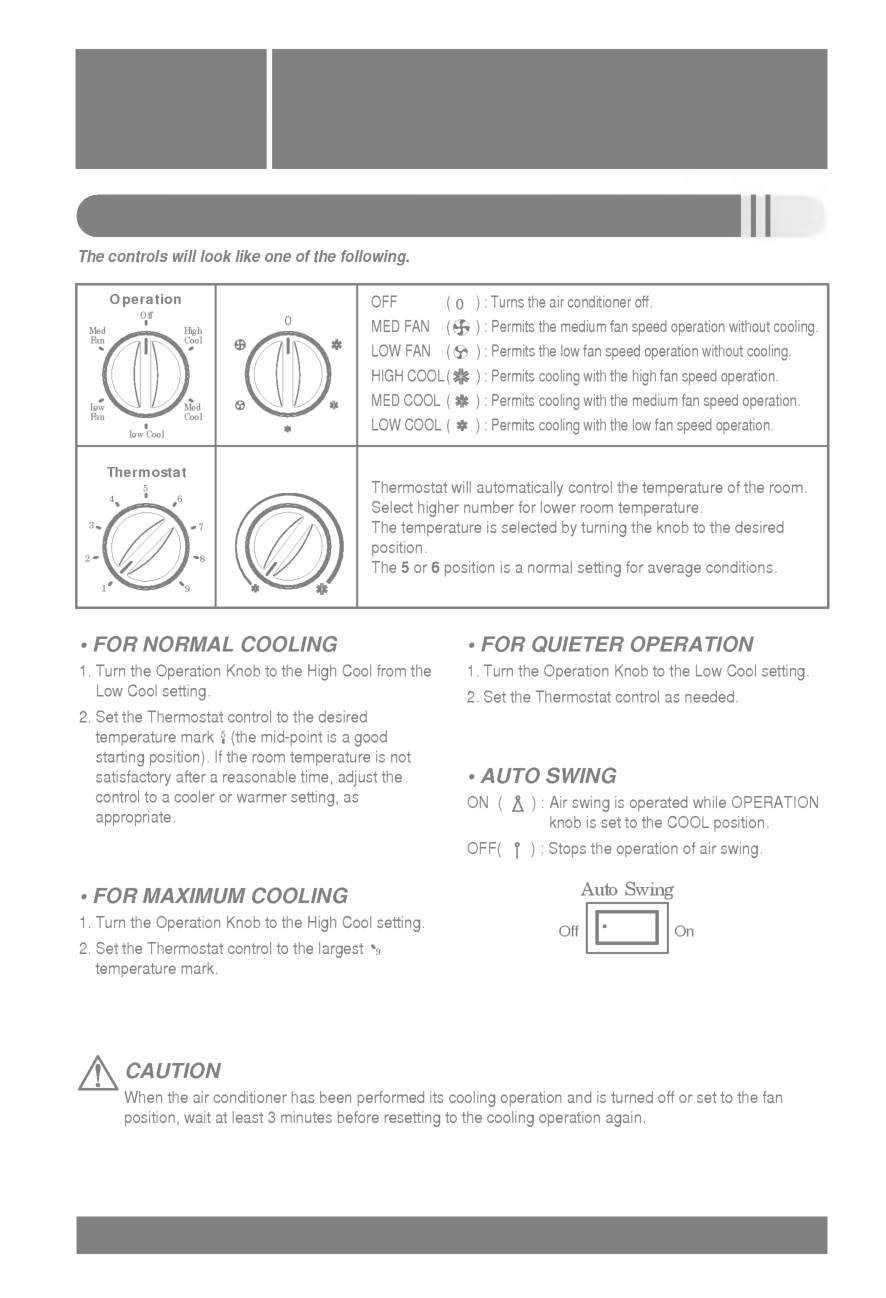
6
A/Cl
7 10 11 9 2 8 5 6 4 1 3 Optional Function? Wireless Remote Controller
This air-conditioner is equipped with wired remote controller basically. But if you want to have the wireless remote controller, you pay for it. Remote Controller Signal transmitter Transmits the signals to the signal receptor. FAN Operation Button Used to circulate room air without cooling or heating. Cooling Operation Button Soft Dry Operation Button Used to dehumidify without overcooling. Heating Operation Button (Heat pump model only) Timer Set Button Used to set the timer when the desired time is obtained. Then the wired remote controller is set up to 24 hours by an hour but the wireless remote controller is set up to 7 hours by an hour. Therefore, if you want to set over 7 hours, use the wired remote controller. Fan Speed Button Used to set the desired fan speed. On/Off Button Operation starts when this button is pressed, and stops when the button is pressed again. Set Temperature Button Used to set the temperature when the desired temperature is obtained Auto Operation Button Plasma Air Clean Button(Optional) Electric Heater Button(Optional: 48/60k ZL/ZA/ZP Model only) Used to set the Electric Heater. 11 10 9 8 7 6 5 4 3 2 1Caution
for handling the Remote Controller ? Aim at the signal receptor on the wired remote controller so as to operate. ? The remote control signal can be received at a distance of up to about 7m. ? Be sure that there are no obstructions between the remote controller and the signal receptor. ? Do not drop or throw the remote controller. ? Do not place the remote controller in a location exposed to direct sunlight, or near the heating unit, or any other heat source. ? Block a strong light over the signal receptor with a curtain or etc. so as to prevent the abnormal operation. (ex:electronic quick start, ELBA, inverter type fluorescent lamp)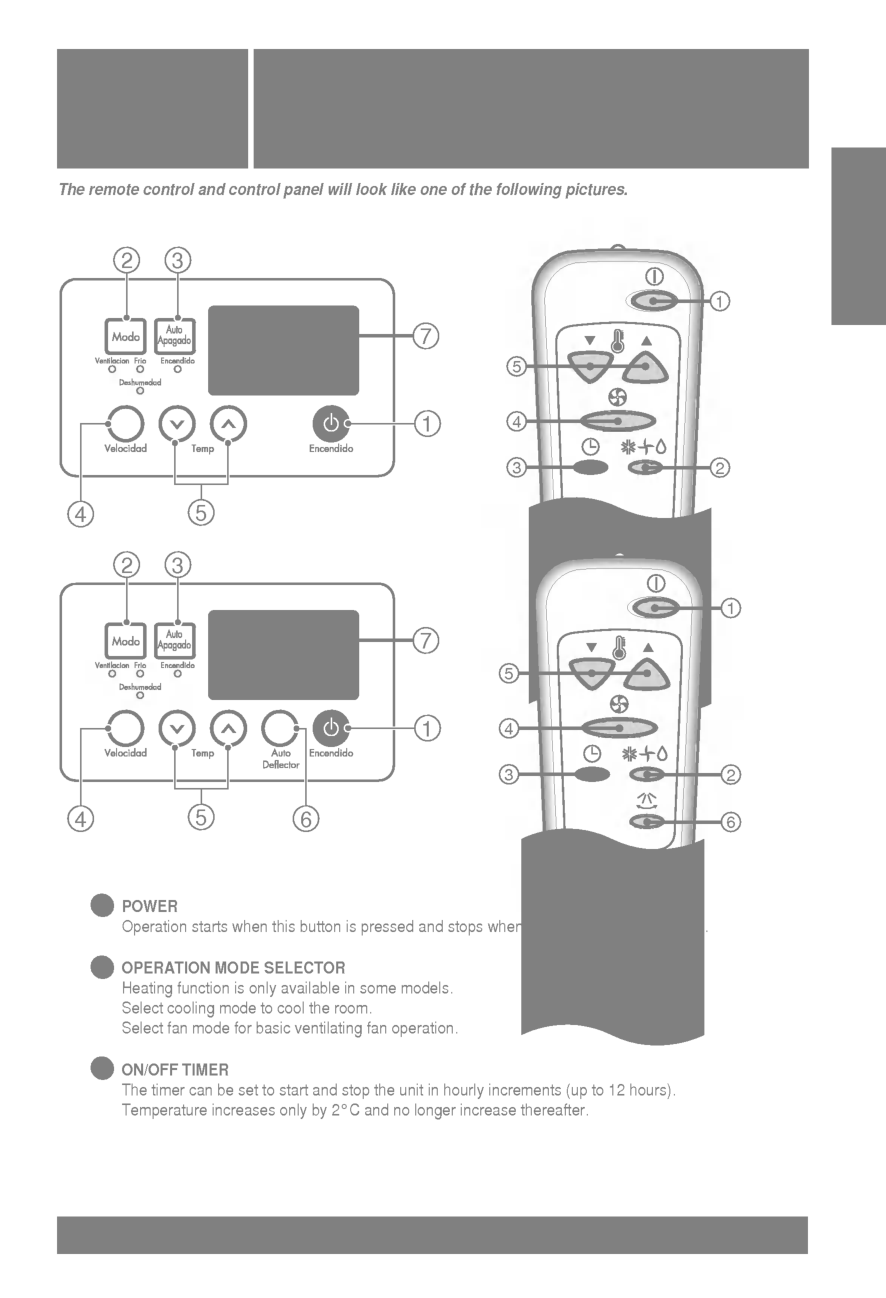
English
7Operation
Fan Speed
Sub Function
Set Temp
TimeOperation
Fan Speed
Sub Function
Set Temp
TimeOperation
Fan Speed
Sub Function
Set Temp
TimeOperation
Fan Speed
Sub Function
Set Temp
Hour Min WeekReset
SettheCurrentTimeandadayoftheWeek 1 Press the ' ' button. Each time the button is pressed, the number is changed from 00 to 23. You can set the number of the current hour. 2 Press the ' ' button. Each time the button is pressed, the number is increased from 00 to 59. You can set the number of the current minute. 3 Press ' ' button. Each time the button is pressed, a day of the week is shifted from sunday to saturday. You can set the day of the week. 4 Press the ' ' button. If you want to reset the current time and a day of the week, click the Reset button. Hour Min WeekReset
8 Week Program
Set/Clr
Min HouOperation
Fan Speed
Sub Function
Set Temp
Program set 010305070911131517192123 TimeOperation
Fan Speed
Sub Function
Set Temp
010305070911131517192123 Time Program Weekly Programming 4 Press the Program button again to finish weekly programmining. 1 Press the Program button. The remote controller is displayed like a picture. Then ' ',' ' and '01' is blinked. 2 Press the ' ' button. Press button repeatedly until desired mode appears. For example, if you want Thu, press button 4 times. 3 Select the time you want. Press or button, then blinking letter is shown. If you press button, then ' ' shape appears. ' ' shape means that five o'clock is reserved. Using below buttons, you can reserve time.Set/Clr
05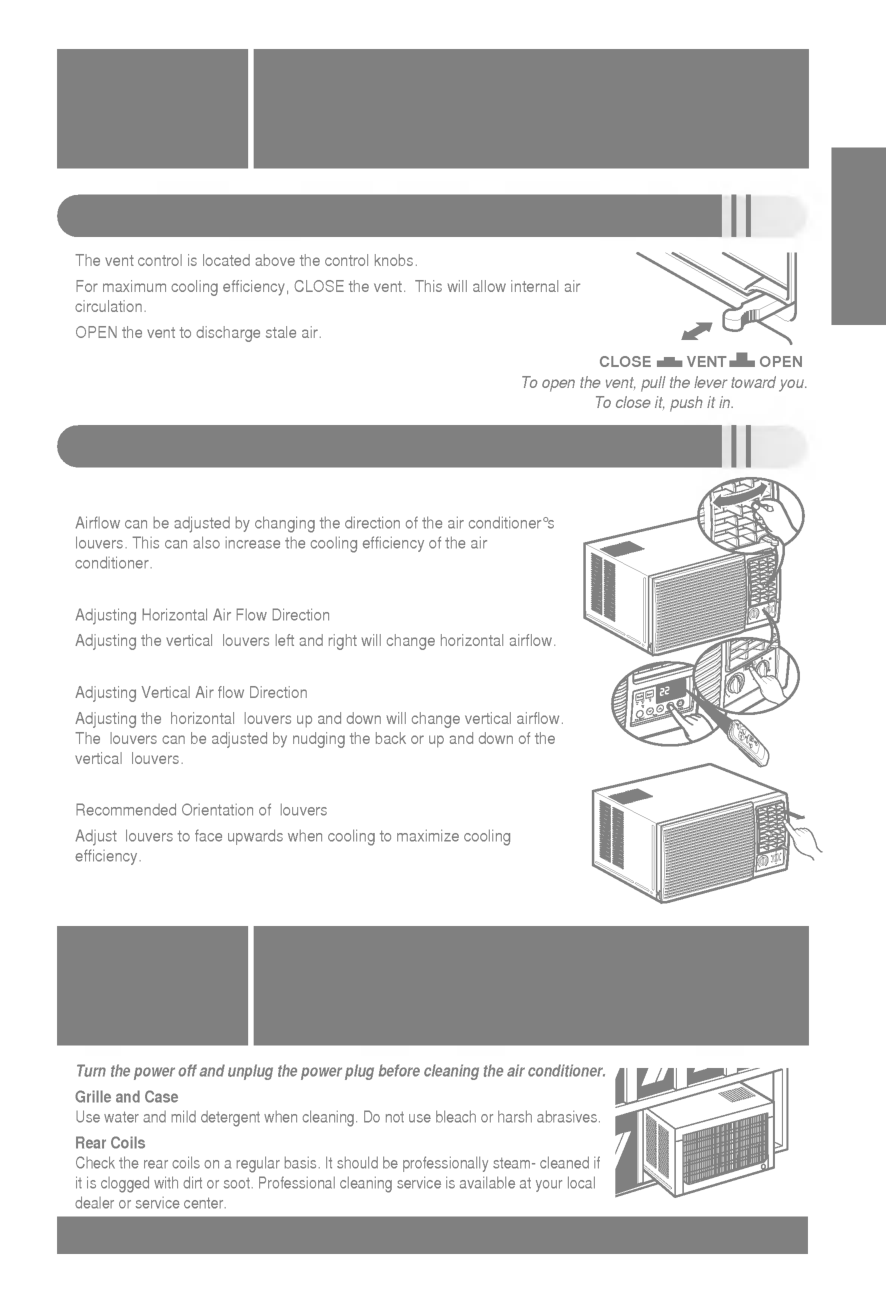
English
9Operation
Fan Speed
Sub Function
Set Temp
010305070911131517192123 Time Holiday Setting Timer Setting(Delay start/Pre-set stop) If Tuesday is a holiday in this week, you may set a holiday. Press the Program button. 1 Press the Week button. Select the Tuesday. 2 Press the Holiday button. Then the remote controller will be displayed ' '. The outside rectangular means holiday. Press the Program button again to finish holiday setting. 3 4 Program Program Press the Timer button to turn Timer on or off. This function is used to turn on or turn off in several hours. 1 Timer Change the timer setting until the desired time is set. 2 Min Hou If you want to cancel the timer setting, press the Cancel button. 3 Cancel Week Holiday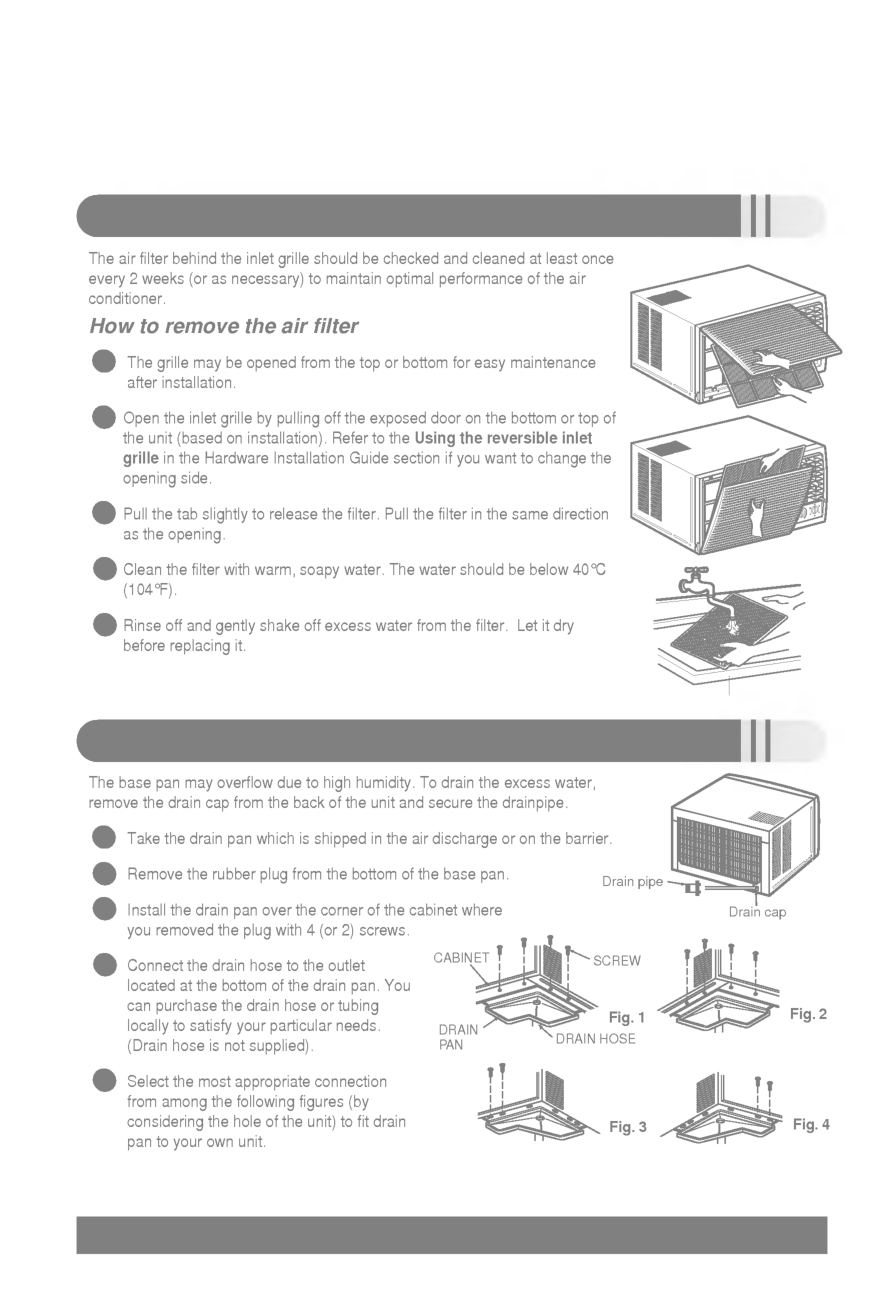
10
Reset
Plasma Timer Cancel Program Week HolidaySet/Clr
Min HourOperation
Fan Speed
Program setSub Function
Set Temp
Room TempHi
Med
Lo
Heater Defrost Filter Preheat Out door Timer On Set no. Time Off010305070911131517192123 Time Operation unit 3 1 42Zone
1234 Operation Mode Operation Procedure Cooling Mode Cooling Mode Soft Dry Mode Auto Mode (Cooling Model) Soft Dry Mode Heating Mode Auto Mode (Heat Pump Model) 1st 2nd 3rd 4th On/Off Button Operation Mode Selection Button Room Temperature Setting Button Indoor Fan Speed Selection Button
English
11Cooling Model
Cooling Operation Soft Dry OperationOperation
Fan Speed
Sub Function
Set Temp
Hi
Operation
Fan Speed
Sub Function
Set Temp
Lo
Auto OperationOperation
Fan Speed
Sub Function
Set Temp
Hi
Operation DisplayOperation
Fan Speed
Sub Function
Set Temp
Hi
Operation
Fan Speed
Sub Function
Set Temp
Lo
Operation
Fan Speed
Sub Function
Set Temp
Med
Operation DisplayOperation
Fan Speed
Set Temp
Hi
Operation
Fan Speed
Set Temp
Lo
Operation
Fan Speed
Set Temp
Hi
Operation
Fan Speed
Set Temp
Hi
Heat Pump Model
Cooling Operation Soft Dry Operation Heating Operation Auto Operation Operation Display To raise the Temperature. To lower the Temperature.Operation
Fan Speed
Sub Function
Set Temp
Hi
Cooling Operation Mode 2 Select Cooling Operation. Press the Operation Mode Selection Button. Each time the button is pressed, the operation mode is shifted in the arrow direction. 1 Press the On/Off Button. 4 Set the fan speed. 3 Set the temperature lower than the room temperature. ? The temperature can be set within a range of 18°C~30°C by 1°C. ? Select the fan speed in three steps- high, low, medium. ? The display shows high fan speed. ? Each time the button is pressed, the fan speed mode is shifted.
Cooling Model
Cooling Operation Soft Dry Operation Auto OperationOperation
Fan Speed
Sub Function
Set Temp
Hi
Operation
Fan Speed
Sub Function
Set Temp
Lo
Operation
Fan Speed
Sub Function
Set Temp
Hi
Operation DisplayOperation
Fan Speed
Set Temp
Hi
Operation
Fan Speed
Set Temp
Lo
Operation
Fan Speed
Set Temp
Hi
Operation
Fan Speed
Set Temp
Hi
Heat Pump Model
Cooling Operation Soft Dry Operation Heating Operation Auto Operation Operation Display 12 Soft Dry Operation Mode This mode dehumidifies without overcooling. 3 During Soft Dry Operation. ? The indoor fan speed is automatically set to the low, so the shift of the indoor fan speed is impossible because it's already being set to the best speed for Dry Operation by Micom Control. 2 Select Soft Dry Operation. Press the operation Mode Selection Button. Each time the button is pressed, the operation mode is shifted in the arrow direction. 1 Press the On/Off Button.
English
13Operation
Fan Speed
Set Temp
Hi
Operation
Fan Speed
Set Temp
Lo
Operation
Fan Speed
Set Temp
Hi
Operation
Fan Speed
Set Temp
Hi
Cooling Operation Soft Dry Operation Heating Operation Auto Operation Operation DisplayOperation
Fan Speed
Sub Function
Set Temp
Hi
Operation
Fan Speed
Sub Function
Set Temp
Lo
Operation
Fan Speed
Sub Function
Set Temp
Med
Operation DisplayOperation
Fan Speed
Sub Function
Set Temp
Hi
Preheat To raise the Temperature. To lower the Temperature.Operation
Fan Speed
Sub Function
Set Temp
Hi
Operation
Fan Speed
Sub Function
Set Temp
Hi
Defrost Heating Operation Mode (Heat pump model only) 2 Select Heating Operation. Press the Operation Mode Selection Button. Each time the button is pressed, the operation mode is shifted in the arrow direction. 3 Set the temperature. 4 Set the fan speed. 5 This air-conditioner is set to the hot start control in order not to discharge the cold air during the heating operation. This time, the remote controller indicates 'Preheat'. 6 If the outdoor temperature is too low during the heating operation, this air-conditioner is set to the defrosting operation and the remote controller indicates 'Defrost'. 1 Press the On/Off Button. ? Select the fan speed in three steps
14
Operation
Fan Speed
Set Temp
Hi
Operation
Fan Speed
Set Temp
Lo
Operation
Fan Speed
Set Temp
Hi
Operation
Fan Speed
Set Temp
Hi
Heat Pump Model
Cooling Operation Soft Dry Operation Heating Operation Auto Operation Operation DisplayCooling Model
Cooling Operation Soft Dry Operation Auto OperationOperation
Fan Speed
Sub Function
Set Temp
Hi
Operation
Fan Speed
Sub Function
Set Temp
Lo
Operation
Fan Speed
Sub Function
Set Temp
Hi
Operation DisplayHeat Pump Model
Operation
Fan Speed
Sub Function
Set Temp
Hi
Operation
Fan Speed
Sub Function
Set Temp
Hi
Cooling Model
To raise the Temperature. To lower the Temperature. To raise the Temperature. (When you feel too cool or cold.) To lower the Temperature. (When you feel too warm or hot.) Cold Cool Proper Warm Hot Auto Operation Mode 1 Press the On/Off Button. 3 2 To select Auto Operation, press the Operation Mode Selection button. Each time the button is pressed, the operation mode is shifted in the direction of the arrow. During Auto Operation: You can switch the indoor fan speed. The system will automatically switch from the cooling mode to the heating mode as the room temperature and set temperature.(Heat pump model only) Set the temperature lower than the room themperature. The temperature can be set within a range of 18˚C~30˚Cby1˚C. Set the temperature upper or lower than the standard temperature. The temperature can be set within a range of -2 ~2 by 1 level. (This indication will be shifted to the initial Auto Mode Display state after 4 seconds.)
English
15Operation
Fan Speed
Sub Function
Set Temp
Hi
Operation
Fan Speed
Sub Function
Set Temp
Lo
Operation
Fan Speed
Sub Function
Set Temp
Med
FAN Operation 3 Each time Indoor Fan Speed button is pressed, the fan speed mode is shifted in the arrow direction. 1 Press the On/Off Button. 2 Press FAN Operation Button. ? Fan speed is high. ? Fanspeedislow. ? Fan speed is medium.
Operation
Fan Speed
Sub Function
Set Temp
Hi
Heater To raise the Temperature. To lower the Temperature.Operation
Fan Speed
Sub Function
Set Temp
Hi
Heater 16 Electric Heater Operation Mode(Optional: 48/60k ZL/ZA/ZP Model Only) 1 Press the On/Off Button. 3 4 2 Select heating+ E/heater Operation. Press the Operation Mode Selection Button. Press the Heater Operation Button on the remote controller.(When the unit operates in heating mode.) Set the temperature upper than the room temperature. The temperature can be set within a range of 16°C~30°Cby1°C. Set the Fan Speed. ? Each time the Button is pressed, the Fan Speed mode is shifted.
Reset
Plasma Timer Cancel Program Week HolidaySet/Clr
Min HourOperation
Fan Speed
Sub Function
Set Temp
Hi
Plasma Timer Cancel ogram Week Hour Min HolidaySet/Clr
Set
Operation
Fan Speed
Sub Function
Set Temp
Plasma 17English
PLASMA Purification Operation (Optional) Child Lock Function 1 Press the On/Off button. The unit will start. 2 Open the door on the remote control. Press the PLASMA On/OFF button. Operation will start when the button is pressed andstopwhenthebuttonispressedagain. 3 New Fan speed can be set after opening the door of the remote control. You can select the fan speed in three steps-low, medium or high. Each time the button is pressed, the fan speed mode is shifted. Air purifying operation (PLASMA) is available during cooling, heating or any other operations. Operation procedure To set the Child-Lock Function Press the Timer button and Minute Set button for three seconds. Then the operation mode shift to child lock mode and it is displayed 'CL' in the operation display. When you press any button in this time, the remote controller is not converted to any selected mode and the 'CL' is displayed in the remote controller for about three seconds. But the Room Temperature function is operated in spite of child lock mode. To cancel the Child-Lock Function Press the Timer button and Minute Set button for three seconds. Then the child-lock mode is cancelled and the preselected mode is displayed in the remote controller. This is the Function that any children cannot used to the air-conditioner. 1 2
18 Telephone Control Operation(optional) Calling from outside, you can start the air conditioner to keep the room comfortable. Even though you went out with the air conditioner on, you can turn it off using the phone outside. Dial the number which is connected with the air conditioner. After ringing 5 times. You can hear the "Beep" sound (if the air conditioner is off), then press "0" "0" "7" "8" accordingly. With the sound "Beep, Beep" the air conditioner starts on. Hang up the phone. 5 4 3 2 1 1
Turn On
Dial the number which is connected with the air conditioner. After ringing 5 times. You can hear the "Beep Beep" sound (if the air conditioner is on), then press "0" "0" "7" "9" accordingly. With the sound "Beep---" the air conditioner is turned off. Hang up the phone. 5 4 3 2 1 2Turn Off
Note: This product works after telephone rings 5 times. If internal user picks up the phone before 5 rings, Telephone control function does not work. If user doesn't push the telephone button 25 seconds after beep, Telephone control function doesn't work. If it is connected through EPABX system, Tele control doesn't work.Off
Off
On
On
19
English
Telephone Control Operation(When using along with ARS telephone) Calling from outside, you can start the air conditioner to keep the room comfortable. Even though you went out with the air conditioner on, you can turn it off using the phone outside. Dial the number which is connected with the air conditioner. OGM guide is provided after signal sound rings four times and then "Beep"(sounds from telephone itself) sounds so that outside recording can be done. Slowly press password "0" "0" "7" and "8" in order. With the sound "Beep, Beep" the air conditioner starts on. Hang up the phone. 5 4 3 2 1 1Turn On
Dial the number which is connected with the air conditioner. OGM guide is provided after signal sound rings four times and then "Beep"(sounds from telephone itself) sounds so that outside recording can be done. Slowly press password "0" "0" "7" and "9" in order. With the sound "Beep---" the air conditioner is turned off. Hang up the phone. 5 4 3 2 1 2Turn Off
Note: The numbers of response bell should be adjusted to four times if pressing "Out-of-office" button or taking other action for automatic response. The recording time of OGM (Outgoing Message) should be less than approximately 15 seconds. If it is connected to key phone, it cannot be worked.Off
Off
On
On
20
Room Temp.
Operation Stop
Set Temp. -0.5°C)
Operation Start
Set Temp. +0.5°C)
Indoor Fan
More 3 minutesOutdoor Fan/Comp
: Setting Fan Speed
: Low Cool Operation
:Compon
:Compoff
Operation Details Self-Diagnosis Function 'CH' will flash in the remote controller display when a problem occurs. Then please contact your dealer. ? After main power is on, Fan will start 7 seconds later. ? Cooling Operation Mode When the room temperature is higher than the set temperature, it operates in cooling mode at the set temperature, the set fan speed, and then it will be in automatically turn off when the room temperature reaches the set temperature +0.5°C. Helpful information Airflow speed and cooling capacity. The cooling capacity indicated in the specification is the value when the fan speed is set to high, and the capacity will be lower at low or medium fan speed. High fan speed is recommended when you wish to cool the room quickly. High Speed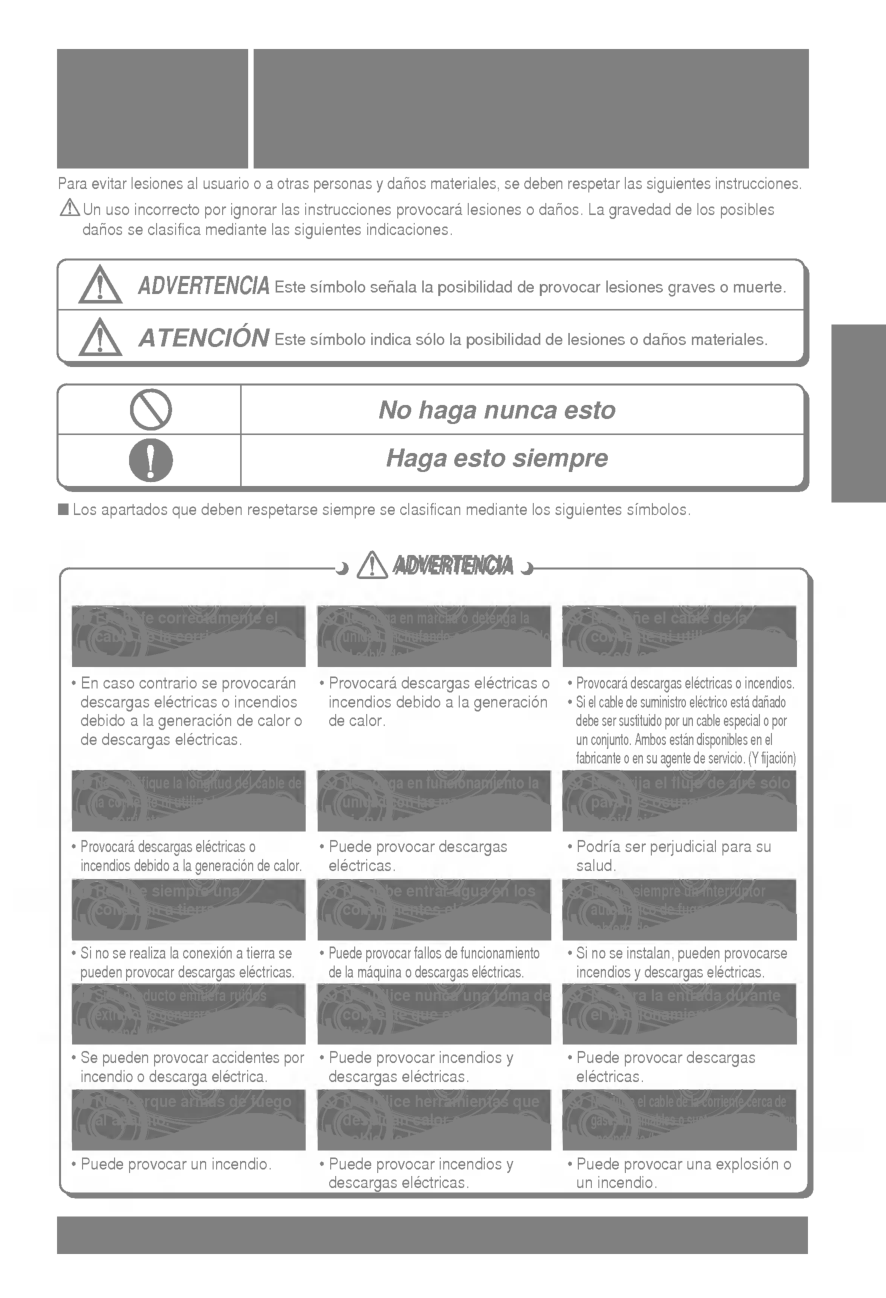
21
English
BenzeneScouring
Clbarger
Sinner
Air outlet vent Air outlet vent Air filters (Optional) Care and maintenance Care and maintenance Indoor Unit Caution: Before performing any maintenance, turn off the main power to the system. Grille, Case, and Remote Control Turn the system off before cleaning. To clean, wipe with a soft, dry cloth. Do not use bleach or abrasives. Note: Supply power must be disconnected before cleaning the indoor unit. Never use any of the followings: ? Water hotter than 40°C Could cause deformation and/or discoloration. ? Volatile substances Could damage the surfaces of the air conditioner. Clean the filter with a vacuum or warm, soapy water. ? If very dirty, wash with a solution of detergent in lukewarm water. ? If hot water (50°C or more) is used, filter may be deformed. After washing with water, dry well in the shade. Re-install the air filter. Air Filter(Optional) The air filters behind Indoor unit (the suction side) should be checked and cleaned once every 2 weeks or more often if necessary. 1 1 2 3 4 5 2 3 PLASMA Filter (Optional) The PLASMA filter should be checked and cleaned, once every month or more often, if necessary. After removing the Panel-Cover, draw the Air Cleaner Bracket slightly sideward to remove the PLASMA filter. Dip the PLASMA filter into the water mixed with mild detergent, for 20~30minutes. DrythePLASMAfilterintheshadeforaday. (Especially, the humidity must be removed perfectly from this parts). Be careful not to cut the electric discharge lines while washing. Re-install the PLASMA filter to the original position. Don't touch this PLASMA Filter within 10 seconds after drawing out Air Cleaner Bracket, it may cause an electric shock. PLASMA Filter Air Inlet Vent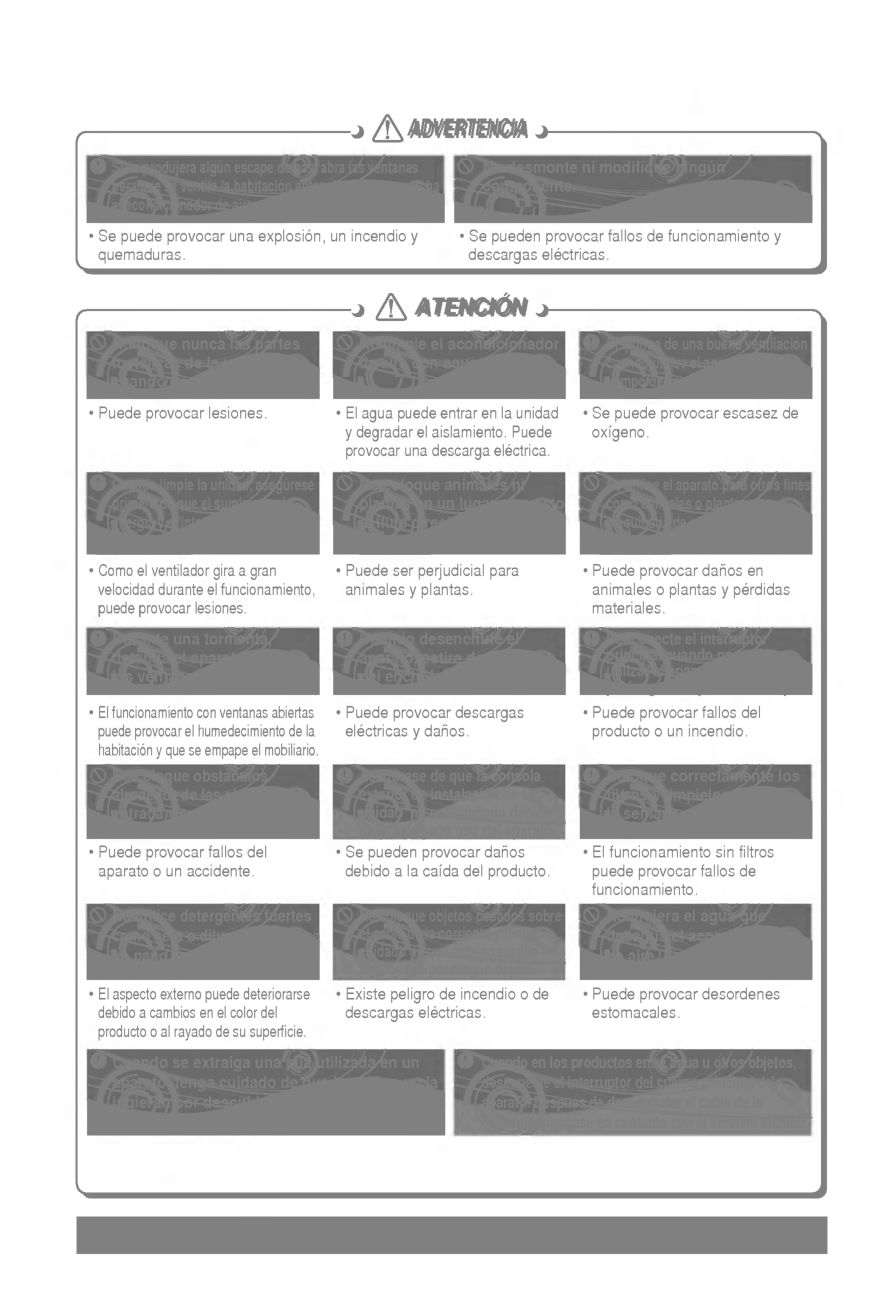
22 (Side) (Rear) Air outlet vents Air intake vents Piping (Side) (Rear) Air intake vents Air outlet vents Piping Outdoor Unit The heat exchanger coils and panel vents of the outdoor unit should be checked regularly. If clogged with dirt or soot, the heat exchanger and panel vents may be professionally steam cleaned. Note: Dirty or clogged coils will reduce the operating efficiency of the system and cause higher operating costs.
23
English
Caution
Caution
1 2 Whentheairconditionerisnotgoingtobeusedforalongtime. Operation Tips Helpful information The air filters and your electiric bill. If the air filters become clogged with dust, the cooling capacity will drop, and 6% of the electricity used to operate the air conditioner will be wasted. When it is not going to be used for a long time. When the air conditioner is to be used again. Operate the air conditioner on Air circulation mode (Refer to page 15) for 2 to 3 hours. ? This will dry out the internal parts. Turn off the circuit breaker when the air conditioner is not going to be used for a long time. Dirt may collect and may cause a fire. Check that the air inlet and outlet of the indoor/outdoor unit are not blocked. Do not overcool the room. This is not good for the health and wastes electricity. Keep blinds or curtains closed. Do not let direct sunshine enter the room when the air conditioner is in operation. Make sure that the doors and windows are shut tight. Avoid opening doors and windows as much as possible to keep the cool air in the room. Clean the air filter regularly. Blockages in the air filter reduce the airflow and lower cooling and dehumidifying effects. Clean at least once every two weeks. Ventilate the room occasionally. Since windows are kept closed, it is a good idea to open them and ventilate the room now and then. Turn off the circuit breaker.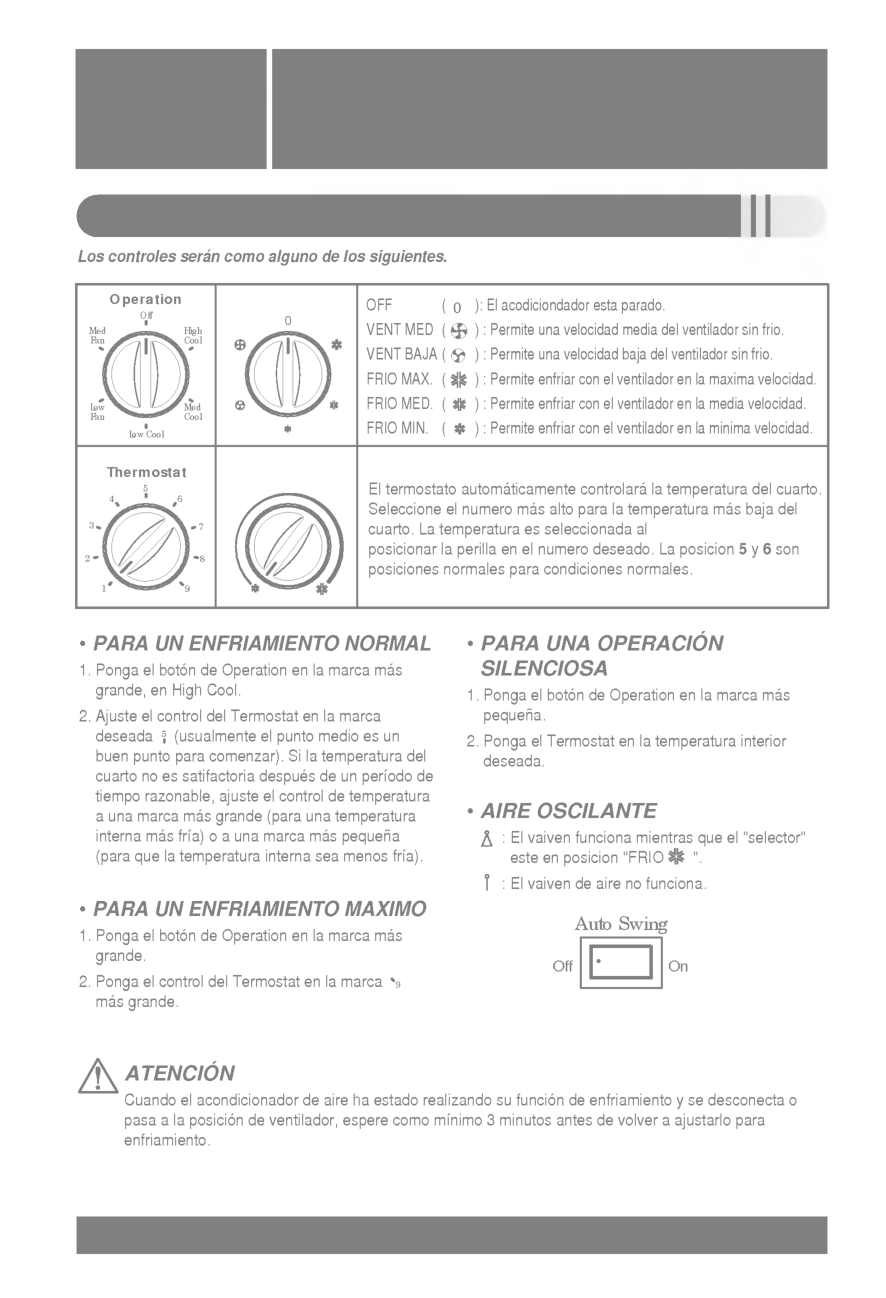
24 Before you call for service... Troubleshooting Tips Check the following points before requesting repairs or service.... If the malfunction persist, please contact your dealer. Troubleshooting Tips! Save time and money! The air conditioner does not operate. The room has a peculiar odor. It seems that condensate is leaking from the air Conditioner. Air conditioner does not operate for about 3 minutes when restart. Does not cool or heat effectively. The air conditioner operation is noisy. Crack sound is heard. Remote control display is faint, or no display at all. ? Have you made a mistake in timer operation? ? On first starting, the indoor unit operates in fifteen seconds. ? Has the fuse blown or has the circuit breaker been tripped? ? Check that this is not a damp smell exuded by the walls, carpet, furniture or cloth items in the room. ? Condensation occurs when the airflow from the air conditioner cools the warm room air. ? This is the protector of the mechanism. ? Wait about three minutes and operation will begin. ? Is the air filter dirty? See air filter cleaning instructions. ? The room may have been very hot when the room air conditioner was first turned on. Allow time for it to cool down. ? Has the setting temperature been set incorrectly? ? Are the indoor unit's air inlet or outlet vents obstructed? ? For a noise that sounds like water flowing. -This is the sound of freon flowing inside the air conditioner unit. ? For a noise that sounds like the compressed air releasing into atmosphere. -This is the sound of the dehumidifying water being processed inside the air conditioning unit. ? This sound is generated by the expansion/contraction of the inlet grille, etc. due to changes of temperature. ? Has the circuit breaker been tripped? 9
P/No.: 3828A20167L Printed in Korea After reading this manual, keep it in a place easily accessible to the user for future reference.